Introduction
Employee Scheduling Software is a digital solution that allows organizations to plan, assign, and manage employee shifts, availability, and work hours. It replaces manual scheduling processes with automated, centralized, and often AI-driven systems that improve accuracy, reduce conflicts, and optimize workforce utilization. In and beyond, businesses are increasingly distributed, with hybrid and remote teams, making manual scheduling inefficient and error-prone.
Real-world use cases include retail and hospitality shift planning, healthcare workforce management, manufacturing and production scheduling, professional services staff allocation, and on-call team coordination. Buyers should evaluate features such as automated scheduling, shift swapping, compliance monitoring, mobile access, reporting, forecasting, notifications, integrations with payroll and HR systems, and ease of use.
Best for: HR managers, operations teams, team leads, and organizations with multiple shifts or dynamic workforce structures.
Not ideal for: Small teams with minimal scheduling needs or organizations that do not require detailed shift tracking, as simpler manual or spreadsheet-based systems may suffice.
Key Trends in Employee Scheduling Software
- AI-driven shift optimization for workload balance and employee preferences.
- Automated notifications and alerts for schedule changes and approvals.
- Mobile-first design for remote and field employees.
- Integration with payroll, HR, and workforce management systems.
- Predictive analytics for staffing needs and overtime reduction.
- Cloud-based SaaS solutions with real-time access and updates.
- Compliance monitoring for labor laws, overtime, and rest periods.
- Self-service portals allowing employees to swap shifts or request time off.
- Subscription and usage-based pricing models for scalability.
- Support for hybrid and global workforce scheduling requirements.
How We Selected These Tools (Methodology)
- Market adoption and mindshare – selected widely used and trusted platforms.
- Feature completeness – assessed shift management, automation, and compliance capabilities.
- Reliability/performance signals – considered uptime, responsiveness, and mobile functionality.
- Security posture – included tools with strong authentication, encryption, and access controls.
- Integrations and ecosystem – reviewed compatibility with payroll, HRIS, and collaboration tools.
- Customer fit across segments – evaluated solutions suitable for SMBs, mid-market, and enterprises.
- Ease of use – prioritized intuitive interfaces and minimal learning curve.
- Support and community – considered documentation, onboarding, and customer service.
- Scalability – ability to support growing teams and distributed workforce.
- Compliance readiness – tools that help enforce labor laws and corporate policies.
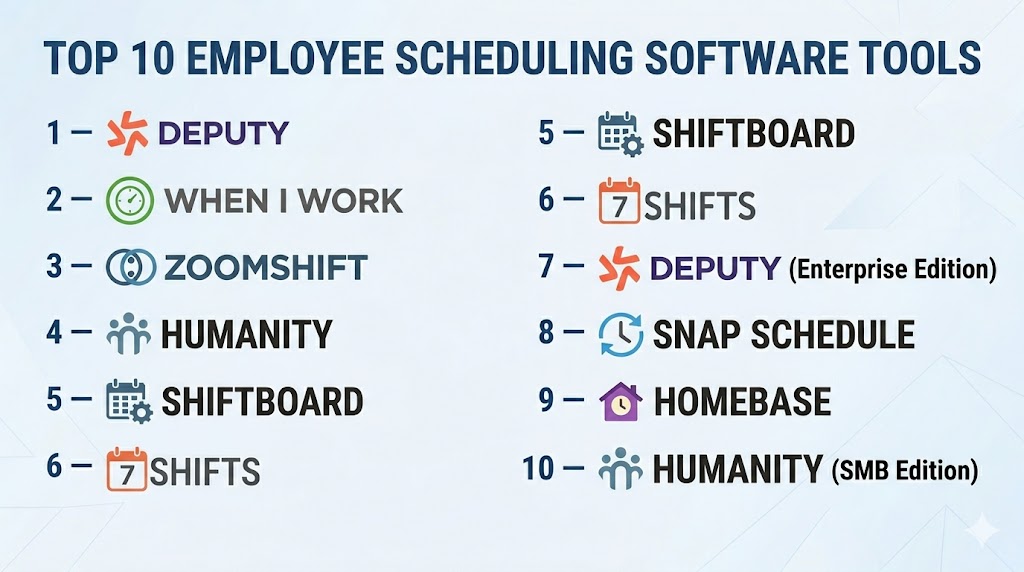
Top 10 Employee Scheduling Software Tools
#1 — Deputy
Short description: Deputy offers intelligent scheduling, attendance tracking, and task management for shift-heavy industries like retail and hospitality.
Key Features
- Automated shift scheduling
- Employee self-service portal
- Time and attendance tracking
- Task assignment and management
- Payroll integration
- Real-time reporting
- Mobile apps with GPS tracking
Pros
- Efficient for large, multi-location teams
- Strong mobile and field employee support
- Easy integration with payroll
Cons
- Higher-tier features can be expensive
- Complexity for very small teams
- Advanced reporting requires training
Platforms / Deployment
Web / iOS / Android
Cloud
Security & Compliance
- MFA, encryption, audit logs
- GDPR and labor law compliance
Integrations & Ecosystem
Integrates with payroll and HRIS platforms, accounting software, and communication tools.
- ADP Payroll
- QuickBooks
- Zapier
- API for custom integrations
Support & Community
Dedicated support and online knowledge base, active user forums.
#2 — When I Work
Short description: A user-friendly scheduling and time tracking platform, suitable for SMBs and distributed teams.
Key Features
- Drag-and-drop shift scheduling
- Employee shift notifications
- Attendance tracking
- PTO management
- Reporting and analytics
- Mobile clock-in/out
- Schedule templates
Pros
- Easy to use for managers and employees
- Mobile-first for remote teams
- Affordable for SMBs
Cons
- Limited advanced reporting
- Best suited for SMBs, less for large enterprises
- Some integration options require higher-tier plans
Platforms / Deployment
Web / iOS / Android
Cloud
Security & Compliance
- Encryption, MFA
- Basic labor compliance features
Integrations & Ecosystem
- Payroll systems
- HR platforms
- Slack, Zapier
Support & Community
Email support, help articles, and tutorials; smaller user community.
#3 — ZoomShift
Short description: ZoomShift is designed for hourly employees, simplifying shift planning, attendance, and reporting.
Key Features
- Online shift scheduling
- Employee time tracking
- PTO and leave management
- Automated shift reminders
- Reporting dashboards
- Mobile apps
- Overtime alerts
Pros
- Strong focus on hourly workforce
- Simple UI for managers and staff
- Mobile notifications reduce missed shifts
Cons
- Limited integrations
- May not support enterprise-scale scheduling
- Advanced reporting is limited
Platforms / Deployment
Web / iOS / Android
Cloud
Security & Compliance
- Encryption, RBAC
- GDPR compliance
Integrations & Ecosystem
- Payroll systems
- Accounting software
- API support
Support & Community
Knowledge base, email support, responsive customer service.
#4 — Humanity
Short description: Humanity provides scheduling, time tracking, and workforce management solutions for global teams and enterprise clients.
Key Features
- Drag-and-drop scheduling
- Automated shift assignments
- Time and attendance tracking
- PTO and leave management
- Payroll integrations
- Advanced reporting and analytics
- Mobile app for staff
Pros
- Suitable for enterprises
- Strong global labor compliance
- Advanced analytics for workforce planning
Cons
- Steeper learning curve
- Premium pricing
- Implementation can take time
Platforms / Deployment
Web / iOS / Android
Cloud / Hybrid
Security & Compliance
- MFA, encryption, audit logs
- SOC 2, GDPR
Integrations & Ecosystem
- Payroll platforms
- HRIS systems
- API for third-party integrations
Support & Community
Enterprise support with onboarding and detailed documentation.
#5 — Shiftboard
Short description: Shiftboard focuses on shift-intensive industries, offering scheduling, attendance, and compliance tracking.
Key Features
- Dynamic shift scheduling
- Employee self-service portal
- Mobile clock-in/out
- Time-off and PTO management
- Overtime and compliance alerts
- Reporting dashboards
Pros
- Optimized for shift-heavy operations
- Robust compliance management
- Scalable for large teams
Cons
- Less intuitive for smaller teams
- Premium pricing tiers
- Some advanced features require training
Platforms / Deployment
Web / iOS / Android
Cloud / Hybrid
Security & Compliance
- Encryption, MFA, RBAC
- Labor law and GDPR compliance
Integrations & Ecosystem
- Payroll software
- HRIS systems
- API access for custom workflows
Support & Community
Enterprise-focused support with online resources and training modules.
#6 — 7shifts
Short description: Designed for restaurants and hospitality, 7shifts simplifies scheduling, labor cost tracking, and employee communication.
Key Features
- Schedule creation and publishing
- Labor cost management
- Mobile notifications
- Attendance tracking
- Reporting and analytics
- Employee shift swapping
- Mobile clock-in/out
Pros
- Tailored for hospitality
- Intuitive mobile experience
- Cost tracking and analytics
Cons
- Best for restaurants; less suited for other industries
- Advanced features may require higher tiers
- Integrations limited to payroll/HR tools
Platforms / Deployment
Web / iOS / Android
Cloud
Security & Compliance
- Encryption, audit logs
- GDPR and local labor law compliance
Integrations & Ecosystem
- Payroll systems
- POS systems
- API for custom integrations
Support & Community
Active support, knowledge base, and responsive customer service.
#7 — Deputy (Enterprise Edition)
Short description: Enterprise version of Deputy, adding advanced reporting, approvals, and compliance management for large teams.
Key Features
- Automated scheduling
- Time and attendance
- PTO and leave management
- Compliance monitoring
- Advanced analytics
- Mobile workforce support
Pros
- Enterprise scalability
- Robust compliance and approvals
- Real-time workforce visibility
Cons
- Higher complexity
- Costlier than SMB edition
- Implementation requires training
Platforms / Deployment
Web / iOS / Android
Cloud
Security & Compliance
- SOC 2, GDPR, MFA, audit logs
Integrations & Ecosystem
- Payroll platforms
- HRIS systems
- API and custom integrations
Support & Community
Enterprise-level support with onboarding and dedicated account management
#8 — Snap Schedule
Short description: Snap Schedule provides flexible employee scheduling, time tracking, and reporting for diverse industries.
Key Features
- Drag-and-drop scheduling
- Employee availability management
- Attendance tracking
- PTO and leave management
- Reporting and dashboards
- Shift swapping
- Alerts and notifications
Pros
- Flexible for multiple industries
- Strong reporting capabilities
- Easy-to-use interface
Cons
- Limited mobile functionality
- Less suitable for large enterprise-scale teams
- Fewer advanced integrations
Platforms / Deployment
Web / Windows / iOS / Android
Cloud / Hybrid
Security & Compliance
- Encryption, RBAC
- GDPR compliance
Integrations & Ecosystem
- Payroll software
- HRIS systems
- API support
Support & Community
Good documentation, email support, and tutorials.
#9 — Homebase
Short description: Homebase focuses on small businesses and retail, offering scheduling, time tracking, and labor cost insights.
Key Features
- Scheduling and shift management
- Employee time tracking
- Labor cost and analytics
- PTO tracking
- Mobile apps
- Shift reminders and alerts
Pros
- Ideal for SMBs
- Affordable pricing
- Mobile-first experience
Cons
- Limited enterprise features
- Reporting not as advanced
- Integrations less comprehensive
Platforms / Deployment
Web / iOS / Android
Cloud
Security & Compliance
- Encryption, basic access controls
- GDPR compliance
Integrations & Ecosystem
- Payroll providers
- POS systems
- API access
Support & Community
Documentation, email support, responsive team.
#10 — Humanity (SMB Edition)
Short description: Humanity SMB edition streamlines scheduling, time tracking, and approvals for small to mid-sized teams.
Key Features
- Employee scheduling and availability
- Time and attendance
- Shift swap and PTO management
- Notifications and alerts
- Reporting dashboards
Pros
- Simple and intuitive for SMBs
- Mobile access for remote staff
- Compliance features included
Cons
- Limited advanced analytics
- Best for small to mid-sized teams
- Enterprise integrations limited
Platforms / Deployment
Web / iOS / Android
Cloud
Security & Compliance
- Encryption, MFA, RBAC
- GDPR compliance
Integrations & Ecosystem
- Payroll systems
- HR platforms
- API access for custom workflows
Support & Community
Documentation, email support, responsive assistance.
Comparison Table (Top 10)
| Tool Name | Best For | Platform(s) Supported | Deployment | Standout Feature | Public Rating |
|---|---|---|---|---|---|
| Deputy | Shift-heavy teams | Web, iOS, Android | Cloud | Automated scheduling | N/A |
| When I Work | SMBs, distributed teams | Web, iOS, Android | Cloud | Ease of use | N/A |
| ZoomShift | Hourly employees | Web, iOS, Android | Cloud | Shift reminders | N/A |
| Humanity | Global/mid-market | Web, iOS, Android | Cloud/Hybrid | Analytics & reporting | N/A |
| Shiftboard | Enterprises | Web, iOS, Android | Cloud/Hybrid | Compliance management | N/A |
| 7shifts | Restaurants | Web, iOS, Android | Cloud | Labor cost tracking | N/A |
| Deputy (Enterprise) | Large enterprises | Web, iOS, Android | Cloud | Policy enforcement | N/A |
| Snap Schedule | Multiple industries | Web, Windows, iOS, Android | Cloud/Hybrid | Reporting dashboards | N/A |
| Homebase | SMBs & retail | Web, iOS, Android | Cloud | Labor cost insights | N/A |
| Humanity (SMB) | SMBs | Web, iOS, Android | Cloud | Simple scheduling | N/A |
Evaluation & Scoring of Employee Scheduling Software
| Tool Name | Core | Ease | Integrations | Security | Performance | Support | Value | Weighted Total |
|---|---|---|---|---|---|---|---|---|
| Deputy | 9 | 8 | 8 | 8 | 8 | 8 | 8 | 8.2 |
| When I Work | 8 | 9 | 7 | 7 | 8 | 8 | 9 | 8.0 |
| ZoomShift | 8 | 8 | 7 | 7 | 8 | 7 | 8 | 7.8 |
| Humanity | 9 | 8 | 8 | 8 | 8 | 8 | 8 | 8.2 |
| Shiftboard | 9 | 7 | 8 | 8 | 8 | 8 | 7 | 7.9 |
| 7shifts | 8 | 9 | 7 | 7 | 8 | 8 | 8 | 7.9 |
| Deputy (Enterprise) | 9 | 7 | 8 | 9 | 8 | 8 | 7 | 8.0 |
| Snap Schedule | 8 | 8 | 7 | 7 | 8 | 7 | 8 | 7.7 |
| Homebase | 7 | 9 | 6 | 7 | 7 | 7 | 8 | 7.4 |
| Humanity (SMB) | 8 | 8 | 7 | 7 | 8 | 7 | 8 | 7.8 |
These scores provide a comparative perspective, highlighting which platforms excel in core functionality, usability, integration, security, and value. Selection should align with team size, compliance requirements, and operational priorities.
Which Employee Scheduling Software Tool Is Right for You?
Solo / Freelancer
When I Work and ZoomShift offer simple scheduling and mobile accessibility, suitable for small teams or freelance collaborators.
SMB
Deputy, Homebase, and Humanity (SMB) provide a balance of automation, compliance, and user-friendly interfaces.
Mid-Market
Shiftboard, 7shifts, and Humanity provide structured scheduling, reporting, and policy enforcement for distributed teams.
Enterprise
Deputy (Enterprise) and Humanity Enterprise offer policy-driven workflows, compliance controls, and analytics for large-scale workforce management.
Budget vs Premium
Budget options like Homebase and When I Work provide essential scheduling at a lower cost. Premium tools deliver advanced compliance, analytics, and multi-site management capabilities.
Feature Depth vs Ease of Use
ZoomShift and 7shifts focus on ease of use, while Shiftboard and Deputy (Enterprise) offer deeper feature sets suitable for complex operations.
Integrations & Scalability
Deputy, Humanity, and Shiftboard offer extensive integrations with payroll, HR, and communication platforms and scale for enterprise requirements.
Security & Compliance Needs
Enterprises needing robust audit, policy enforcement, and labor law compliance should prioritize Deputy (Enterprise) or Shiftboard.
Frequently Asked Questions (FAQs)
1. What is employee scheduling software?
It automates staff shift creation, approvals, notifications, and compliance tracking.
2. Can these tools integrate with payroll?
Yes, most platforms connect directly with payroll and HRIS systems.
3. Are mobile apps necessary?
Mobile apps are critical for shift notifications, clock-ins, and real-time updates.
4. Do these tools support shift swapping?
Yes, employees can request swaps or coverage through self-service features.
5. Are overtime alerts standard?
Top platforms provide automatic overtime notifications and labor compliance alerts.
6. Can small teams benefit?
Yes, but simple tools like When I Work or ZoomShift are more practical.
7. Do these tools provide reporting dashboards?
Yes, reporting on attendance, shifts, labor costs, and compliance is standard.
8. Are there AI features?
Some platforms use AI for optimized scheduling and predicting staffing needs.
9. How do these tools support compliance?
They track labor law adherence, PTO policies, overtime rules, and audit logs.
10. Which is the best overall tool?
No universal winner; selection depends on team size, scheduling complexity, and compliance needs.
Conclusion
Employee Scheduling Software streamlines shift management, reduces errors, and improves workforce efficiency. Small teams benefit from When I Work or ZoomShift, SMBs can leverage Deputy and Homebase, while mid-market and enterprise teams gain advanced features from Shiftboard and Deputy (Enterprise). Organizations should shortlist solutions, pilot them in real-world scenarios, and validate integration, usability, and compliance capabilities before full deployment.

Find Trusted Cardiac Hospitals
Compare heart hospitals by city and services — all in one place.
Explore Hospitals
Employee scheduling can become difficult when people request swaps, leave, or changes after the schedule is published. Having a simple way to update the schedule and notify everyone can prevent confusion. It also helps managers see quickly if a change has left any shift without enough staff.