Introduction
Home Health Care Management Software helps home health agencies manage patient care, caregiver scheduling, clinical documentation, billing, compliance, electronic visit verification, care plans, and communication from one centralized system. In simple words, it supports the full workflow of delivering medical or non-medical care at a patient’s home. It matters now because home-based care is growing, agencies face tighter compliance rules, staffing pressure, billing complexity, and rising expectations for mobile access. Modern platforms help agencies reduce paperwork, improve visit tracking, support clinicians in the field, and manage patients more safely.
Real-world use cases include:
- Caregiver scheduling for nurses, aides, therapists, and field staff
- Clinical documentation for care plans, visit notes, assessments, and patient records
- Electronic visit verification to confirm caregiver check-in, check-out, location, and visit completion
- Billing and claims management for Medicare, Medicaid, private insurance, and self-pay workflows
- Patient and family communication through care updates, portals, reminders, and secure messaging
Evaluation Criteria for Buyers:
- Core home health workflows such as scheduling, documentation, EVV, care plans, billing, and compliance
- Ease of use for clinicians, caregivers, coordinators, billing teams, and administrators
- Mobile and offline access for field staff working in patient homes
- Billing and payer support for Medicare, Medicaid, private insurance, and multiple service lines
- Compliance readiness for documentation, audit trails, EVV, care plans, and regulatory workflows
- Integrations with EHR systems, clearinghouses, payroll, accounting, telehealth, and remote monitoring tools
- Security controls such as user permissions, encryption, MFA, audit logs, and role-based access
- Reporting and analytics for visits, revenue, referrals, caregiver performance, and patient outcomes
- Scalability for single agencies, multi-location providers, franchises, and enterprise care networks
- Implementation support including onboarding, data migration, training, and go-live planning
Best for: home health agencies, home care providers, skilled nursing agencies, personal care agencies, hospice-adjacent care teams, therapy-at-home providers, private duty agencies, and multi-location care organizations that need better scheduling, documentation, billing, EVV, compliance, and field staff coordination.
Not ideal for: very small care teams that only need simple scheduling, organizations without home-based care operations, or providers already using a full enterprise healthcare platform that covers home health workflows, billing, EVV, and mobile documentation well.
Key Trends in Home Health Care Management Software
- Mobile-first field documentation is now essential: Nurses, aides, and therapists need simple mobile apps to document visits, capture signatures, check care plans, and update records from patient homes.
- EVV compliance remains a major buying factor: Agencies need accurate check-in, check-out, GPS, telephony, visit verification, and audit-ready documentation for payer and regulatory requirements.
- AI-assisted workflows are expanding: Vendors are adding AI for documentation support, alerting, claims review, scheduling optimization, workflow recommendations, and administrative automation.
- Care coordination is becoming more connected: Agencies need better communication between clinicians, coordinators, physicians, patients, family members, and back-office staff.
- Billing automation is a priority: Home health billing involves complex payer rules, authorizations, claims, denials, and documentation requirements, so agencies want cleaner revenue cycle workflows.
- Cloud-based platforms are growing: Agencies increasingly prefer cloud access because it supports remote administration, automatic updates, easier scaling, and reduced local infrastructure burden.
- Interoperability is becoming more important: Buyers want integrations with EHRs, referral sources, clearinghouses, payroll, accounting systems, remote patient monitoring tools, and analytics platforms.
- Multi-location visibility is critical: Larger agencies and franchise networks need centralized dashboards, standardized workflows, role-based permissions, and location-level reporting.
- Patient and family engagement is improving: Portals, communication tools, visit updates, care summaries, and messaging features are becoming important for trust and transparency.
- Security expectations are rising: Agencies handle sensitive patient health information, caregiver data, billing records, and care documentation, so encryption, access controls, audit logs, and backups are essential.
How We Selected These Tools
The tools below were selected using practical buyer-focused evaluation logic for home health and home care organizations.
- Market adoption and recognition among home health agencies, personal care agencies, and multi-location care providers
- Feature completeness across scheduling, clinical documentation, billing, EVV, care plans, reporting, and compliance
- Mobile capability for field staff, caregivers, nurses, therapists, and care coordinators
- Billing and payer support for Medicare, Medicaid, private insurance, managed care, and self-pay workflows
- Compliance and audit readiness including documentation controls, visit verification, and care plan management
- Integration ecosystem including clearinghouses, payroll, accounting, EHRs, telehealth, remote monitoring, and referral workflows
- Security posture signals such as role-based access, auditability, encryption, and permission controls
- Customer fit across segments including small agencies, growing SMBs, franchise networks, and enterprise care organizations
- Reporting and analytics value for revenue, visit trends, caregiver productivity, quality, and operational performance
- Support and implementation readiness including onboarding, migration, training, documentation, and go-live assistance
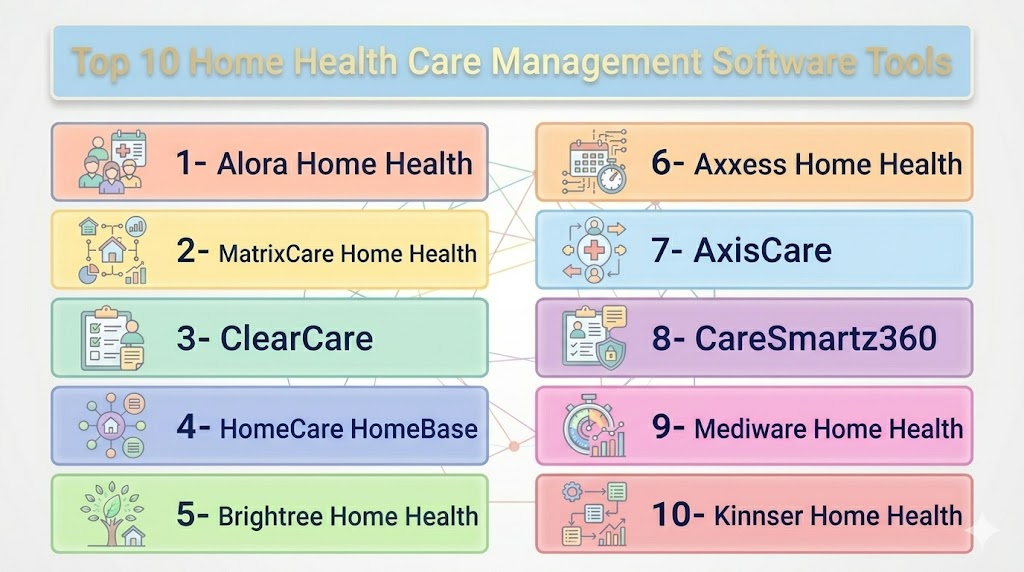
Top 10 Home Health Care Management Software Tools
1- Axxess Home Health
Short description: Axxess Home Health is a cloud-based home health software platform designed for agencies that need clinical documentation, scheduling, billing, EVV, compliance, and mobile point-of-care workflows. It is a strong fit for skilled home health organizations and growing care-at-home providers.
Key Features
- Cloud-based home health management system
- Mobile point-of-care documentation
- Scheduling and visit tracking
- Electronic visit verification support
- Billing and revenue cycle workflows
- Clinical documentation and care plan management
- Reporting and operational dashboards
Pros
- Strong fit for skilled home health agencies
- Mobile access supports field clinicians and caregivers
- Broad workflow coverage from documentation to billing
Cons
- May require structured onboarding for teams moving from manual workflows
- Smaller agencies should validate total cost and module needs
- Advanced configuration may require training and process planning
Platforms / Deployment
Web / iOS / Android
Cloud
Security & Compliance
Role-based access and healthcare-oriented workflows may be available. Buyers should validate MFA, SSO, encryption, audit logs, RBAC, HIPAA, SOC 2, ISO 27001, GDPR, backup controls, and data retention directly with the vendor.
Integrations & Ecosystem
Axxess is commonly evaluated by home health agencies that need connected clinical, administrative, billing, and field workflows. Its ecosystem is useful for agencies that want mobile documentation and operational visibility.
- Billing and claims workflows
- EVV and visit tracking
- Mobile care documentation
- Referral and intake workflows
- Reporting and analytics
- Third-party integrations depending on configuration
Support & Community
Axxess provides vendor-led support, training, and onboarding resources. Buyers should confirm implementation scope, migration help, support response times, staff training, and go-live assistance.
2- Alora Home Health
Short description: Alora Home Health is an all-in-one home health software platform for agencies that need scheduling, clinical documentation, billing, EVV, compliance, and mobile access. It is suitable for skilled and non-skilled home care providers looking for a practical cloud-based system.
Key Features
- Scheduling and caregiver coordination
- Clinical documentation and care plan workflows
- EVV support for visit verification
- Billing for multiple payer types
- Mobile and offline documentation capabilities
- Compliance support and audit-ready workflows
- Reporting for operational and financial visibility
Pros
- Strong all-in-one option for home health agencies
- Useful mobile and offline workflow support
- Good fit for agencies handling multiple payer types
Cons
- Agencies should validate fit for complex enterprise workflows
- Configuration and migration may require planning
- Pricing and feature availability may vary by agency needs
Platforms / Deployment
Web / iOS / Android features may vary
Cloud
Security & Compliance
Alora supports healthcare and home health workflows, but buyers should validate exact controls directly. MFA, SSO, encryption, audit logs, RBAC, HIPAA, SOC 2, ISO 27001, GDPR, and backup practices: Not publicly stated for all items.
Integrations & Ecosystem
Alora is designed to centralize agency operations across documentation, scheduling, billing, EVV, and compliance. It is useful for agencies that want one platform for both care delivery and back-office management.
- EVV workflows
- Billing and payer management
- Mobile documentation
- Scheduling and care coordination
- Electronic signatures and forms
- Reporting and compliance workflows
Support & Community
Alora offers vendor-led support and implementation resources. Agencies should ask about training, onboarding, migration, support hours, payer setup, and documentation workflow configuration.
3- Homecare Homebase
Short description: Homecare Homebase is a home-based care software platform used by many larger home health and hospice organizations. It supports documentation, scheduling, billing, compliance, analytics, and care coordination for enterprise home health operations.
Key Features
- Clinical documentation and care coordination
- Scheduling and field staff workflow management
- Billing and revenue cycle support
- Compliance and quality management workflows
- Analytics and operational dashboards
- Mobile documentation for field teams
- Enterprise workflow standardization
Pros
- Strong fit for large and complex home health organizations
- Designed for home-based care workflows at scale
- Good option for agencies needing deep operational visibility
Cons
- May be more complex than smaller agencies need
- Implementation can require significant planning and training
- Buyers should validate cost, contract scope, and migration timeline
Platforms / Deployment
Web / Mobile access may vary
Cloud / Hybrid options may vary
Security & Compliance
Enterprise healthcare security controls may be available depending on deployment. Buyers should validate MFA, SSO, encryption, audit logs, RBAC, HIPAA, SOC 2, ISO 27001, GDPR, disaster recovery, and data retention directly.
Integrations & Ecosystem
Homecare Homebase is relevant for organizations that need connected scheduling, documentation, billing, quality, and analytics at scale. It is especially useful for larger providers that need standardized workflows across teams and locations.
- Clinical documentation workflows
- Billing and revenue cycle integrations
- Scheduling and routing tools
- Analytics and performance dashboards
- Care coordination workflows
- Enterprise integrations depending on configuration
Support & Community
Homecare Homebase provides enterprise support and implementation services. Buyers should review training, data migration, rollout planning, account management, and long-term optimization support.
4- MatrixCare Home Health
Short description: MatrixCare Home Health is a home health and post-acute care software platform designed for agencies that need clinical documentation, operational workflows, revenue cycle tools, and care coordination. It is a practical choice for post-acute organizations and care networks.
Key Features
- Home health clinical documentation
- Scheduling and care coordination
- Billing and revenue cycle workflows
- Reporting and analytics
- Patient and care team communication support
- Compliance-oriented workflows
- Post-acute care ecosystem alignment
Pros
- Good fit for post-acute and home health providers
- Supports clinical and administrative workflows
- Useful for organizations needing broader care network visibility
Cons
- Smaller agencies should validate complexity and pricing fit
- Implementation may require process redesign
- Exact module availability should be confirmed with the vendor
Platforms / Deployment
Web / Mobile access may vary
Cloud / Hybrid options may vary
Security & Compliance
MatrixCare supports healthcare workflows, but exact controls should be validated directly. MFA, SSO, encryption, audit logs, RBAC, HIPAA, SOC 2, ISO 27001, GDPR, and data backup details: Not publicly stated for all items.
Integrations & Ecosystem
MatrixCare is often considered by organizations that need home health workflows connected with post-acute operations, billing, clinical documentation, and reporting. Its value depends on how well it fits the organization’s broader care model.
- Clinical documentation
- Revenue cycle workflows
- Referral and intake management
- Reporting and analytics
- Post-acute workflow connections
- Third-party integrations depending on configuration
Support & Community
MatrixCare provides vendor-led implementation and support. Buyers should confirm onboarding scope, migration planning, training, support channels, and configuration assistance.
5- WellSky Home Health
Short description: WellSky Home Health is a healthcare software platform for home health agencies that need clinical, financial, operational, and compliance workflows. It is suitable for agencies that want structured tools for care delivery, billing, and business management.
Key Features
- Clinical documentation workflows
- Scheduling and care coordination
- Billing and claims management
- Compliance and quality tools
- Reporting and business analytics
- Referral and intake workflow support
- Integration with broader care delivery systems
Pros
- Strong fit for agencies needing clinical and financial workflow support
- Useful for home health providers focused on compliance and reporting
- Broad healthcare ecosystem alignment
Cons
- Smaller providers should evaluate implementation effort
- Some workflows may require training and configuration
- Buyers should validate fit for their specific payer mix and service lines
Platforms / Deployment
Web / Mobile access may vary
Cloud / Hybrid options may vary
Security & Compliance
Healthcare security controls may be available, but buyers should validate exact documentation. MFA, SSO, encryption, audit logs, RBAC, HIPAA, SOC 2, ISO 27001, GDPR, disaster recovery, and backup practices: Not publicly stated for all items.
Integrations & Ecosystem
WellSky is relevant for agencies that need home health workflows connected with broader healthcare, financial, and operational systems. It can support care coordination and reporting across home-based care operations.
- Billing and claims workflows
- Referral and intake systems
- Clinical documentation tools
- Reporting and analytics
- Care coordination workflows
- Third-party integrations depending on configuration
Support & Community
WellSky offers vendor support, training, and implementation resources. Agencies should confirm migration assistance, support tiers, onboarding timeline, and long-term customer success options.
6- KanTime
Short description: KanTime is a home health and post-acute software platform supporting clinical documentation, scheduling, billing, EVV, payroll, reporting, and compliance workflows. It is often evaluated by agencies that need scalable operations and strong administrative control.
Key Features
- Clinical documentation and care plans
- Scheduling and visit management
- EVV and field staff tracking
- Billing and claims workflows
- Payroll and back-office support
- Reporting and analytics
- Compliance and quality management tools
Pros
- Strong workflow coverage for home health and post-acute providers
- Useful for agencies managing clinical, payroll, and billing complexity
- Scalable fit for growing and multi-location agencies
Cons
- May require significant setup for complex workflows
- Smaller agencies should validate usability and implementation scope
- Pricing and modules may vary by organization size
Platforms / Deployment
Web / Mobile access may vary
Cloud
Security & Compliance
KanTime supports healthcare operational workflows, but exact controls should be confirmed directly. MFA, SSO, encryption, audit logs, RBAC, HIPAA, SOC 2, ISO 27001, GDPR, and backup controls: Not publicly stated for all items.
Integrations & Ecosystem
KanTime is designed for agencies that need connected care delivery, EVV, payroll, claims, reporting, and compliance workflows. It is useful for organizations trying to reduce disconnected systems.
- EVV support
- Billing and claims workflows
- Payroll and back-office workflows
- Clinical documentation
- Reporting and dashboards
- Integrations depending on payer and operational needs
Support & Community
KanTime provides vendor support and implementation assistance. Buyers should ask about training, workflow setup, migration, payer configuration, and post-go-live support.
7- CareSmartz360
Short description: CareSmartz360 is a cloud-based home care management software platform for private duty, non-medical home care, and agency operations. It supports scheduling, EVV, caregiver management, client management, billing, payroll, and family communication.
Key Features
- Caregiver scheduling and shift management
- EVV and time tracking
- Client and caregiver records
- Billing and payroll workflows
- Mobile app support for caregivers
- Family portal and communication tools
- Reporting and agency management dashboards
Pros
- Strong fit for non-medical home care agencies
- Useful caregiver and client management workflows
- Supports EVV, billing, payroll, and family engagement
Cons
- Skilled clinical documentation depth should be validated
- Agencies needing complex Medicare home health workflows may need a more clinical platform
- Feature availability may vary by package and configuration
Platforms / Deployment
Web / iOS / Android
Cloud
Security & Compliance
CareSmartz360 supports home care operations, but buyers should validate exact controls. MFA, SSO, encryption, audit logs, RBAC, HIPAA, SOC 2, ISO 27001, GDPR, backup practices, and EVV compliance scope: Not publicly stated for all items.
Integrations & Ecosystem
CareSmartz360 is useful for home care agencies that need connected scheduling, caregiver communication, billing, payroll, EVV, and client management. It is especially relevant for private duty and personal care operations.
- EVV and caregiver time tracking
- Billing and payroll workflows
- Client and caregiver management
- Family portal communication
- Scheduling and shift management
- Reporting and business analytics
Support & Community
CareSmartz360 provides vendor support and onboarding resources. Agencies should confirm implementation help, caregiver training support, migration services, and support availability.
8- AxisCare
Short description: AxisCare is a home care management software platform for private duty agencies, personal care providers, and multi-location care organizations. It supports scheduling, caregiver management, EVV, billing, payroll, CRM, and family communication.
Key Features
- Scheduling and caregiver coordination
- EVV and visit tracking
- Client and caregiver management
- Billing and payroll workflows
- CRM and referral management
- Mobile app for caregivers
- Reporting and operational dashboards
Pros
- Strong fit for private duty and non-medical home care agencies
- Useful CRM and caregiver management workflows
- Good option for growing home care businesses
Cons
- Skilled home health clinical documentation should be validated
- May need integrations for advanced clinical or EHR workflows
- Buyers should confirm payer and billing requirements before selection
Platforms / Deployment
Web / iOS / Android
Cloud
Security & Compliance
Specific security and compliance controls should be validated directly. MFA, SSO, encryption, audit logs, RBAC, HIPAA, SOC 2, ISO 27001, GDPR, and EVV compliance scope: Not publicly stated for all items.
Integrations & Ecosystem
AxisCare is commonly used by home care agencies that need scheduling, caregiver communication, billing, payroll, and CRM workflows in one system. It is especially useful for agencies focused on private duty care.
- EVV and visit tracking
- Billing and payroll connections
- CRM and referral workflows
- Caregiver mobile app
- Family and client communication
- Reporting and agency dashboards
Support & Community
AxisCare provides vendor-led onboarding and support. Buyers should validate training options, migration help, support response expectations, and configuration services.
9- AlayaCare
Short description: AlayaCare is a cloud-based home and community care platform for agencies and care organizations that need scheduling, clinical documentation, remote care, billing, analytics, and operational workflows. It is a strong fit for larger care providers and multi-service organizations.
Key Features
- Scheduling and visit management
- Clinical documentation and care plans
- EVV and field staff workflows
- Billing and operational management
- Analytics and performance dashboards
- Remote patient monitoring and virtual care support depending on setup
- Client and family communication features
Pros
- Strong fit for larger home and community care organizations
- Supports clinical, operational, and analytics workflows
- Useful for providers with complex service lines and growth plans
Cons
- May be more advanced than very small agencies need
- Implementation and configuration can require careful planning
- Buyers should validate regional payer and compliance fit
Platforms / Deployment
Web / iOS / Android features may vary
Cloud
Security & Compliance
AlayaCare supports healthcare and community care workflows, but exact controls should be validated directly. MFA, SSO, encryption, audit logs, RBAC, HIPAA, SOC 2, ISO 27001, GDPR, backups, and disaster recovery: Not publicly stated for all items.
Integrations & Ecosystem
AlayaCare is useful for agencies that need connected home care, home health, remote care, and analytics workflows. It can support organizations with broader community care and multi-location needs.
- Scheduling and dispatch workflows
- Clinical and care documentation
- Remote monitoring workflows depending on setup
- Billing and payer workflows
- Analytics and operational dashboards
- Third-party integrations depending on configuration
Support & Community
AlayaCare provides implementation and support services. Buyers should review onboarding, workflow design, migration planning, training, account management, and enterprise support options.
10- ShiftCare
Short description: ShiftCare is a care management software platform for home care, disability care, aged care, and community care providers. It supports scheduling, caregiver communication, notes, invoicing, client management, and mobile workflows.
Key Features
- Caregiver scheduling and shift management
- Client and care record management
- Mobile app for field staff
- Progress notes and visit documentation
- Invoicing and payment-related workflows
- Family and team communication
- Reporting and operational visibility
Pros
- Good fit for small and growing care agencies
- Simple scheduling and mobile workflow support
- Useful for non-medical care, disability care, and community care operations
Cons
- Skilled home health clinical workflows should be validated
- Enterprise agencies may need deeper compliance and billing controls
- Regional payer support may vary
Platforms / Deployment
Web / iOS / Android
Cloud
Security & Compliance
Specific controls should be confirmed with the vendor. MFA, SSO, encryption, audit logs, RBAC, HIPAA, GDPR, SOC 2, ISO 27001, and backup practices: Not publicly stated for all items.
Integrations & Ecosystem
ShiftCare helps care agencies manage staff schedules, client information, visit notes, invoicing, and communication. It is useful for agencies that want a practical cloud platform without heavy enterprise complexity.
- Scheduling and roster management
- Mobile caregiver workflows
- Client notes and documentation
- Invoicing workflows
- Communication tools
- Reporting and operational dashboards
Support & Community
ShiftCare provides help resources and vendor support. Buyers should confirm onboarding, support availability, migration options, staff training, and regional fit.
Comparison Table
| Tool Name | Best For | Platform(s) Supported | Deployment | Standout Feature | Public Rating |
|---|---|---|---|---|---|
| Axxess Home Health | Skilled home health agencies | Web / iOS / Android | Cloud | Mobile point-of-care and compliance workflows | N/A |
| Alora Home Health | Agencies needing all-in-one home health operations | Web / iOS / Android features vary | Cloud | Scheduling, documentation, billing, and EVV in one system | N/A |
| Homecare Homebase | Large home health and hospice organizations | Web / Mobile access varies | Cloud / Hybrid varies | Enterprise home-based care workflows | N/A |
| MatrixCare Home Health | Post-acute and home health providers | Web / Mobile access varies | Cloud / Hybrid varies | Post-acute care coordination and reporting | N/A |
| WellSky Home Health | Agencies needing clinical and financial workflows | Web / Mobile access varies | Cloud / Hybrid varies | Home health operations and revenue workflows | N/A |
| KanTime | Growing home health and post-acute agencies | Web / Mobile access varies | Cloud | EVV, billing, payroll, and clinical workflows | N/A |
| CareSmartz360 | Private duty and non-medical home care agencies | Web / iOS / Android | Cloud | Caregiver scheduling, EVV, billing, and family portal | N/A |
| AxisCare | Private duty and personal care agencies | Web / iOS / Android | Cloud | Scheduling, CRM, caregiver management, and EVV | N/A |
| AlayaCare | Larger home and community care providers | Web / iOS / Android features vary | Cloud | Home care, analytics, and remote care workflows | N/A |
| ShiftCare | Small and growing care agencies | Web / iOS / Android | Cloud | Simple scheduling and mobile care workflows | N/A |
Evaluation & Scoring of Home Health Care Management Software
The scoring below is a comparative buyer-focused model. It is not a public rating, certification score, or vendor-provided score. Scores reflect relative fit for home health care management based on core functionality, usability, integrations, security expectations, reliability, support, and value.
| Tool Name | Core 25% | Ease 15% | Integrations 15% | Security 10% | Performance 10% | Support 10% | Value 15% | Weighted Total 0–10 |
|---|---|---|---|---|---|---|---|---|
| Axxess Home Health | 9 | 8 | 9 | 8 | 8 | 8 | 8 | 8.40 |
| Alora Home Health | 9 | 8 | 8 | 8 | 8 | 8 | 8 | 8.25 |
| Homecare Homebase | 9 | 7 | 9 | 8 | 9 | 8 | 7 | 8.15 |
| MatrixCare Home Health | 8 | 7 | 8 | 8 | 8 | 8 | 7 | 7.75 |
| WellSky Home Health | 8 | 7 | 8 | 8 | 8 | 8 | 7 | 7.75 |
| KanTime | 8 | 7 | 8 | 8 | 8 | 8 | 8 | 7.90 |
| CareSmartz360 | 8 | 8 | 8 | 7 | 8 | 8 | 8 | 7.95 |
| AxisCare | 8 | 8 | 8 | 7 | 8 | 8 | 8 | 7.95 |
| AlayaCare | 9 | 7 | 8 | 8 | 8 | 8 | 7 | 7.95 |
| ShiftCare | 7 | 8 | 7 | 7 | 7 | 7 | 8 | 7.30 |
Which Home Health Care Management Software Tool Is Right for You?
Solo / Freelancer
Independent care coordinators, very small agencies, or startup providers should prioritize simplicity, fast setup, scheduling, basic client records, caregiver communication, and affordable pricing. They may not need complex clinical documentation, enterprise analytics, or advanced revenue cycle features from day one.
Recommended direction:
- Choose ShiftCare if you need simple scheduling and mobile care workflows.
- Choose AxisCare if private duty operations and caregiver management are central.
- Choose CareSmartz360 if EVV, billing, payroll, and family communication matter.
- Choose Alora Home Health if you need skilled and non-skilled workflows in one system.
SMB
Small and mid-sized home health agencies need better scheduling, documentation, billing, EVV, care plans, caregiver tracking, and compliance workflows. These agencies should focus on usability because field staff adoption directly affects visit completion and documentation quality.
Recommended direction:
- Choose Axxess Home Health for skilled home health and mobile point-of-care workflows.
- Choose Alora Home Health for all-in-one home health agency operations.
- Choose KanTime if EVV, billing, payroll, and compliance need tighter coordination.
- Choose CareSmartz360 or AxisCare for non-medical and private duty home care.
Mid-Market
Mid-market agencies often manage multiple service lines, larger caregiver teams, more payers, more compliance workflows, and greater reporting needs. They should prioritize integration, analytics, billing accuracy, mobile usability, and scalable permissions.
Recommended direction:
- Choose Axxess Home Health for clinical, operational, and mobile workflow depth.
- Choose KanTime for agencies needing clinical, payroll, EVV, and billing alignment.
- Choose MatrixCare Home Health if post-acute coordination and reporting are important.
- Choose AlayaCare if home and community care workflows need broader scalability.
Enterprise
Large agencies, health systems, franchise networks, and enterprise care-at-home organizations need centralized reporting, standardized workflows, strong support, integration depth, permission controls, and implementation planning. These organizations should evaluate long-term platform fit, not only current features.
Recommended direction:
- Choose Homecare Homebase for enterprise home-based care workflows.
- Choose Axxess Home Health for scalable cloud-based home health operations.
- Choose WellSky Home Health for clinical, financial, and care coordination workflows.
- Choose AlayaCare for larger home and community care organizations needing analytics and broader care models.
Budget vs Premium
Budget-focused agencies should compare total cost, not just license or subscription pricing. Implementation, data migration, EVV setup, billing modules, clearinghouse fees, payroll integrations, SMS usage, training, and support can change the actual cost.
Premium platforms may be worth the investment when they reduce claim errors, improve documentation completion, support compliance, improve caregiver productivity, and scale across multiple locations. The best value comes from a tool that fits the agency’s real payer mix and service model.
Feature Depth vs Ease of Use
Feature-rich systems are useful for skilled home health agencies with complex documentation, billing, compliance, and reporting needs. However, too much complexity can slow down small agencies or non-medical care teams.
During demos, buyers should test real tasks such as creating a referral, scheduling a visit, completing mobile documentation, verifying a visit, generating a claim, handling a missed visit, and running a compliance report. Ease of use should be tested by both office staff and field caregivers.
Integrations & Scalability
Home health agencies should check integrations with clearinghouses, payroll systems, accounting tools, EHRs, referral systems, EVV aggregators, telehealth platforms, remote patient monitoring tools, and analytics systems. Poor integration creates duplicate work and billing delays.
Scalability matters if the agency plans to add locations, service lines, payers, clinicians, caregivers, or franchises. Larger organizations should look for role-based permissions, centralized dashboards, location-level reporting, standardized workflows, and strong API or interface support.
Security & Compliance Needs
Home health agencies manage protected health information, caregiver records, billing data, patient care plans, and visit documentation. Security should be reviewed before signing a contract, especially for cloud and mobile-first platforms.
Buyers should ask vendors about encryption, backups, disaster recovery, MFA, SSO, audit logs, role-based access, data ownership, breach response, and regulatory support. Agencies should also train staff because many security issues come from weak passwords, shared devices, and poor access control habits.
Frequently Asked Questions
1. What is Home Health Care Management Software?
Home Health Care Management Software helps agencies manage scheduling, patient records, care plans, clinical documentation, EVV, billing, payroll, compliance, and reporting. It supports both field staff and office teams in delivering care at home.
2. How much does home health software cost?
Pricing varies by vendor, number of users, patient volume, modules, implementation scope, integrations, EVV needs, and support level. Common costs include subscription fees, setup fees, training, migration, billing modules, and add-ons.
3. What is EVV in home health software?
EVV means electronic visit verification. It helps confirm when a caregiver starts and ends a visit, where the visit happened, and whether the scheduled service was completed. It is important for compliance and payer requirements.
4. Is cloud-based home health software better?
Cloud-based software is often better for remote access, field documentation, automatic updates, and multi-location visibility. However, agencies should still review security, uptime, data ownership, and backup practices before choosing cloud software.
5. What are common mistakes when choosing home health software?
Common mistakes include choosing only by price, ignoring mobile usability, underestimating billing complexity, skipping EVV validation, and not involving caregivers, clinicians, billers, and administrators in demos.
6. Can home health software improve billing accuracy?
Yes, good software can improve billing accuracy by connecting documentation, visit verification, authorizations, payer rules, claims, and pre-billing review. However, agencies still need trained billing staff and clean internal processes.
7. What integrations should agencies check first?
Agencies should check integrations for clearinghouses, EVV aggregators, payroll, accounting, EHRs, referral systems, telehealth, remote patient monitoring, and analytics. Integration gaps can lead to duplicate entry and claim delays.
8. Is switching home health software difficult?
Switching can be challenging because it affects patient records, schedules, billing, caregivers, care plans, payroll, claims, and compliance workflows. A phased migration plan and strong vendor support can reduce disruption.
9. What is the best software for private duty home care?
Private duty agencies should evaluate AxisCare, CareSmartz360, ShiftCare, Alora, and AlayaCare depending on scheduling, EVV, billing, caregiver communication, family portal, and payroll needs.
10. What is the best software for skilled home health agencies?
Skilled home health agencies should evaluate Axxess, Alora, Homecare Homebase, MatrixCare, WellSky, and KanTime depending on clinical documentation, OASIS workflows, billing, EVV, compliance, and mobile usability.ogether.
Conclusion
Home Health Care Management Software is now a critical operating system for agencies that deliver care in patients’ homes. The best platform depends on agency type, service model, payer mix, compliance needs, mobile documentation requirements, and growth plans. Axxess Home Health, Alora Home Health, Homecare Homebase, MatrixCare, WellSky, and KanTime are strong options for skilled home health and complex care operations, while CareSmartz360, AxisCare, and ShiftCare are practical choices for private duty and non-medical care agencies. AlayaCare is a strong option for broader home and community care organizations. The best next step is to shortlist two or three tools, run workflow-based demos, test mobile documentation with field staff, validate EVV and billing requirements, review security controls, and pilot the system before making a final decision.

Find Trusted Cardiac Hospitals
Compare heart hospitals by city and services — all in one place.
Explore Hospitals
Home health care management software is most valuable when it connects caregivers, patients, and administrators through a centralized platform for scheduling, clinical documentation, care planning, and billing. By streamlining workflows, improving communication, and supporting regulatory compliance, these solutions help home health agencies deliver more efficient, coordinated, and patient-centered care.