Introduction
Legacy modernization and replatforming tools help organizations upgrade old applications, mainframe systems, monolithic software, outdated databases, and aging infrastructure into more flexible, cloud-ready, secure, and maintainable platforms. In simple terms, these tools help businesses move from slow, hard-to-change systems toward modern architectures such as cloud, containers, microservices, APIs, DevOps pipelines, and hybrid platforms. This matters now because many enterprises still depend on legacy systems for banking, insurance, retail, logistics, healthcare, government, and core business operations. The challenge is not only moving workloads but also reducing risk, preserving business logic, improving developer productivity, and enabling future innovation.
Real-world use cases include:
- Mainframe modernization: Moving COBOL, PL/I, JCL, CICS, or batch workloads to modern platforms.
- Application replatforming: Moving monolithic applications to cloud, containers, or Kubernetes.
- Code analysis and refactoring: Understanding legacy dependencies before migration.
- API enablement: Exposing legacy business logic through modern APIs.
- Hybrid cloud adoption: Running old and new workloads together during transition.
What buyers should evaluate:
- Application discovery and dependency mapping
- Mainframe and legacy language support
- Cloud, hybrid, and container compatibility
- Automated refactoring and code transformation
- Migration risk assessment
- Security, governance, and auditability
- DevOps and CI/CD integration
- Support for phased modernization
- Vendor ecosystem and implementation partners
- Total cost and long-term maintainability
Best for: Legacy modernization and replatforming tools are best for enterprise IT teams, CIOs, CTOs, platform engineering teams, application modernization leaders, system integrators, and regulated industries that need to modernize business-critical systems without disrupting operations.
Not ideal for: These tools may not be necessary for small teams with simple cloud-native applications, startups without legacy workloads, or businesses that can replace outdated software with a modern SaaS product instead of modernizing the existing system.
Key Trends in Legacy Modernization & Replatforming Tools
- AI-assisted code understanding is becoming important: Modernization platforms are increasingly using AI to explain legacy code, generate documentation, identify dependencies, and support refactoring decisions.
- Mainframe modernization is shifting from big-bang migration to phased transformation: Enterprises are avoiding risky one-time migrations and instead choosing incremental approaches such as rehosting, replatforming, API enablement, and selective refactoring.
- Kubernetes and hybrid cloud are becoming common target platforms: Many organizations want a consistent operating model across cloud, on-premises, and edge environments.
- Modernization decisions are becoming more data-driven: Tools now focus heavily on application inventory, dependency mapping, technical debt scoring, cloud readiness, and migration complexity.
- Security and compliance are central to modernization planning: Buyers increasingly expect IAM integration, encryption, audit logs, RBAC, compliance controls, and policy-based governance.
- API-first modernization is growing: Instead of rewriting everything, many teams expose legacy logic through APIs and integrate it with modern digital platforms.
- Developer productivity is a major buying driver: Organizations want tools that help younger developers understand legacy codebases faster and reduce reliance on scarce legacy skills.
- Automated refactoring is expanding but still requires human review: AI and automation can speed up transformation, but architecture validation, testing, and compliance checks remain essential.
- FinOps and cost visibility are influencing platform decisions: Modernization teams want to understand not only migration feasibility but also long-term operating cost.
- Testing and parallel-run validation are becoming mandatory: Enterprises are investing more in regression testing, data validation, and staged cutovers to reduce business disruption.
How We Selected These Tools
The tools in this list were selected using practical evaluation logic for enterprise modernization buyers. Because legacy modernization is a broad category, the list includes mainframe modernization platforms, cloud migration tools, code analysis platforms, Kubernetes replatforming solutions, automated refactoring tools, and application assessment platforms.
Selection criteria included:
- Market adoption and enterprise relevance: Tools used or recognized by large organizations, regulated industries, or modernization teams.
- Feature completeness: Coverage across discovery, assessment, refactoring, migration, replatforming, testing, and operations.
- Legacy system support: Support for mainframes, monoliths, VMs, Java applications, COBOL workloads, databases, and batch systems.
- Cloud and hybrid readiness: Ability to support AWS, Azure, Google Cloud, Kubernetes, containers, or hybrid environments.
- Automation depth: Use of automation, AI, code transformation, dependency mapping, or repeatable migration workflows.
- Security posture signals: Availability of RBAC, identity integration, encryption, auditability, and governance features.
- Integration ecosystem: Compatibility with CI/CD, DevOps tools, observability platforms, cloud services, and enterprise architecture tools.
- Customer fit across segments: Suitability for large enterprises, mid-market organizations, developers, and modernization consulting teams.
- Support and services ecosystem: Availability of documentation, vendor support, consulting partners, and implementation guidance.
- Practical modernization value: Ability to reduce risk, improve maintainability, and help teams modernize without unnecessary disruption.
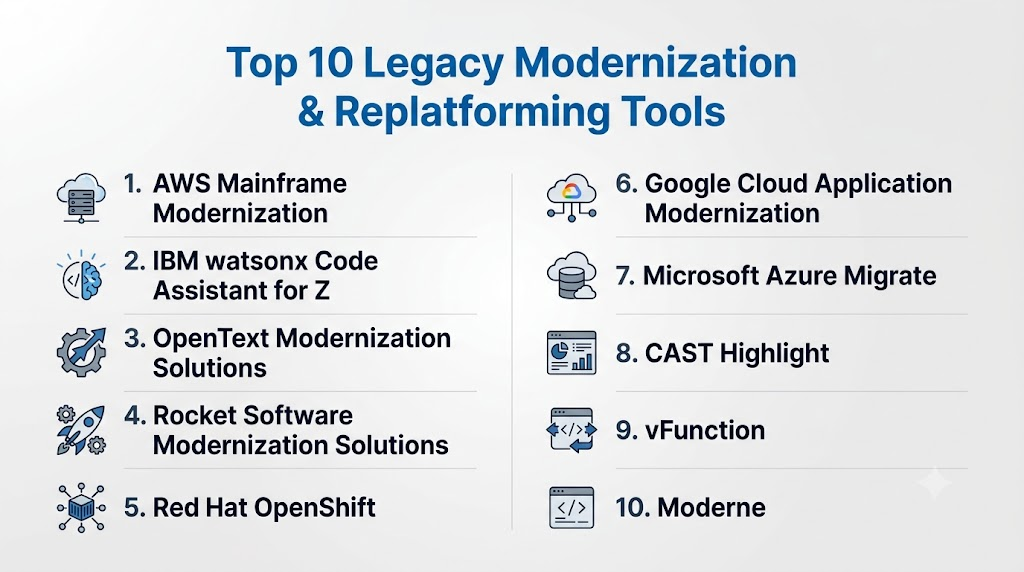
Top 10 Legacy Modernization & Replatforming Tools
1 — AWS Mainframe Modernization
Short description: AWS Mainframe Modernization helps enterprises migrate, modernize, and operate mainframe workloads on AWS. It is designed for organizations that want to replatform or refactor mainframe applications while preserving critical business logic.
Key Features
- Supports mainframe workload migration to AWS cloud environments.
- Offers replatforming and automated modernization approaches.
- Helps preserve existing business logic while modernizing infrastructure.
- Supports integration with AWS databases, compute, networking, and DevOps services.
- Provides migration patterns for COBOL, batch, transaction, and data workloads.
- Enables phased modernization instead of forcing a full rewrite.
- Useful for enterprises seeking cloud-native operations for legacy systems.
Pros
- Strong fit for enterprises already invested in AWS cloud.
- Supports both migration and long-term modernization strategies.
- Helps reduce dependency on traditional mainframe infrastructure over time.
Cons
- Best suited for AWS-focused organizations, which may limit multi-cloud flexibility.
- Mainframe modernization still requires skilled planning and validation.
- Complex workloads may need partner or professional services support.
Platforms / Deployment
Cloud / Hybrid
Security & Compliance
AWS provides IAM, encryption options, logging, monitoring, and security governance features through its cloud platform. Specific compliance coverage depends on the services used, region, workload design, and customer configuration.
Integrations & Ecosystem
AWS Mainframe Modernization fits into the broader AWS ecosystem, making it useful for teams that want to connect legacy workloads with cloud-native services, analytics, databases, monitoring, and DevOps pipelines.
- AWS compute and storage services
- AWS databases and analytics services
- AWS IAM and security services
- CI/CD and DevOps pipelines
- Observability and monitoring tools
- Partner-led modernization services
Support & Community
AWS provides documentation, enterprise support plans, solution architects, partner programs, and professional services. Community strength is broad across AWS cloud, although specialized mainframe modernization expertise may still require certified partners or experienced consultants.
2 — IBM watsonx Code Assistant for Z
Short description: IBM watsonx Code Assistant for Z is focused on AI-assisted mainframe application modernization. It helps teams understand, explain, refactor, and transform legacy mainframe code with automation support.
Key Features
- AI-assisted code explanation for mainframe applications.
- Supports modernization workflows for IBM Z environments.
- Helps developers understand legacy code and business logic.
- Supports refactoring and transformation planning.
- Helps reduce dependency on scarce mainframe expertise.
- Useful for documentation, analysis, and developer productivity.
- Designed for enterprise-scale mainframe modernization programs.
Pros
- Strong fit for organizations running IBM Z workloads.
- AI assistance can help newer developers understand legacy systems faster.
- Useful across discovery, analysis, refactoring, and transformation stages.
Cons
- Best suited for IBM Z and mainframe-heavy environments.
- May not be the right choice for non-mainframe modernization.
- Implementation requires careful governance and expert review.
Platforms / Deployment
Cloud / Hybrid / IBM Z ecosystem
Security & Compliance
IBM enterprise platforms commonly support identity controls, encryption, governance, and audit capabilities depending on deployment. Specific certifications and compliance scope vary by offering, configuration, and customer environment.
Integrations & Ecosystem
IBM watsonx Code Assistant for Z fits into IBM’s broader mainframe, hybrid cloud, and enterprise modernization ecosystem. It is especially relevant for teams that need to preserve existing business logic while improving maintainability.
- IBM Z environments
- IBM hybrid cloud ecosystem
- DevOps and testing workflows
- Code repositories
- Enterprise architecture tools
- Modernization consulting services
Support & Community
IBM provides enterprise-grade documentation, professional services, implementation support, and partner expertise. Community strength is strongest in enterprise mainframe, IBM Z, and regulated-industry modernization contexts.
3 — OpenText Modernization and Connectivity Solutions
Short description: OpenText offers modernization solutions for organizations working with legacy applications, COBOL systems, testing environments, and enterprise workloads. It is commonly considered by teams that need to modernize critical applications while maintaining reliability.
Key Features
- Supports legacy application analysis and modernization initiatives.
- Offers capabilities for COBOL and enterprise workload modernization.
- Helps teams preserve business logic while improving application maintainability.
- Supports testing, quality, and development workflows.
- Useful for regulated and enterprise-grade modernization projects.
- Helps bridge older enterprise applications with modern environments.
- Works well for teams that need a structured modernization path.
Pros
- Strong enterprise focus with legacy technology experience.
- Useful for organizations with COBOL and long-running business applications.
- Supports modernization without forcing a full replacement strategy.
Cons
- Product scope can be complex for smaller teams.
- May require experienced implementation resources.
- Pricing and packaging may vary based on enterprise needs.
Platforms / Deployment
Cloud / Self-hosted / Hybrid
Security & Compliance
Security and compliance capabilities vary by product and deployment model. Buyers should validate SSO, encryption, audit logging, RBAC, and compliance documentation directly during procurement.
Integrations & Ecosystem
OpenText modernization solutions can fit into enterprise development, testing, and application lifecycle environments. They are often used in complex organizations where legacy applications must remain stable during modernization.
- Legacy development environments
- Enterprise testing tools
- CI/CD workflows
- Source code management tools
- Mainframe and distributed systems
- Professional services ecosystem
Support & Community
OpenText provides enterprise support, documentation, and consulting-led implementation options. Community strength is stronger in enterprise software, mainframe-adjacent modernization, and regulated industries than in open-source developer communities.
4 — Rocket Software Modernization Solutions
Short description: Rocket Software provides tools and services for mainframe modernization, application development, data modernization, and hybrid IT environments. It is often used by enterprises that want to extend, integrate, or modernize existing mission-critical systems.
Key Features
- Supports mainframe application modernization strategies.
- Helps teams work with legacy code, data, and operations.
- Provides tools for extending legacy systems through modern interfaces.
- Supports hybrid IT and enterprise integration use cases.
- Useful for organizations preserving critical mainframe workloads.
- Helps improve access to legacy data and business processes.
- Supports phased modernization rather than immediate replacement.
Pros
- Strong focus on mainframe and legacy enterprise environments.
- Useful for organizations that need stability and gradual modernization.
- Supports integration between older systems and modern platforms.
Cons
- May be too specialized for teams without mainframe or legacy workloads.
- Complex modernization programs may require services support.
- Product selection depends heavily on the specific legacy environment.
Platforms / Deployment
Cloud / Self-hosted / Hybrid
Security & Compliance
Security capabilities vary by Rocket Software product and deployment. Buyers should validate identity integration, audit logs, encryption, access controls, and compliance support for their selected modules.
Integrations & Ecosystem
Rocket Software is suited for enterprises that need to connect legacy systems with modern applications, analytics, APIs, and cloud environments. Its ecosystem is strongest where mainframe and mission-critical systems remain central.
- Mainframe platforms
- Enterprise data systems
- API and integration layers
- DevOps and operations workflows
- Hybrid infrastructure
- Partner and consulting services
Support & Community
Rocket Software provides enterprise support, technical documentation, account support, and professional services. Community availability is more enterprise-focused than open-source-driven, making vendor support important for implementation success.
5 — Red Hat OpenShift
Short description: Red Hat OpenShift is a Kubernetes-based application platform used for containerization, hybrid cloud modernization, and replatforming. It helps enterprises move legacy applications toward modern container and DevOps operating models.
Key Features
- Kubernetes-based platform for modern application deployment.
- Supports containerization and replatforming of legacy workloads.
- Provides hybrid cloud and multi-cloud deployment flexibility.
- Includes DevSecOps, CI/CD, and platform engineering capabilities.
- Supports VM and container coexistence in modernization scenarios.
- Integrates with Red Hat Ansible Automation Platform and developer tools.
- Strong ecosystem for enterprise application modernization.
Pros
- Strong fit for enterprises adopting Kubernetes and hybrid cloud.
- Helps standardize application deployment and operations.
- Useful for gradual modernization of VMs, monoliths, and containerized apps.
Cons
- Kubernetes skills are required for effective operations.
- May be too complex for small teams without platform engineering maturity.
- Licensing, infrastructure, and operations costs need careful planning.
Platforms / Deployment
Cloud / Self-hosted / Hybrid
Security & Compliance
Red Hat OpenShift includes enterprise security features such as RBAC, image security, network policies, secrets management integrations, and platform governance capabilities. Compliance depends on deployment architecture and customer controls.
Integrations & Ecosystem
OpenShift has a broad ecosystem across Kubernetes, DevOps, cloud platforms, monitoring, automation, and security. It is often used as a target platform for replatforming legacy workloads.
- Red Hat Ansible Automation Platform
- GitOps and CI/CD tools
- Cloud provider services
- Container registries
- Observability and monitoring platforms
- Security scanning and policy tools
Support & Community
Red Hat provides extensive documentation, enterprise support, training, certification paths, partner services, and a strong Kubernetes ecosystem. Community strength is high due to broad Kubernetes and open-source adoption.
6 — Google Cloud Application Modernization Platform
Short description: Google Cloud provides modernization tools and services for migrating applications, containers, VMs, databases, and legacy workloads to cloud-native environments. It is well suited for teams adopting Google Kubernetes Engine, cloud databases, and modern DevOps practices.
Key Features
- Supports application migration and modernization to Google Cloud.
- Offers tools for containers, Kubernetes, databases, and cloud-native services.
- Helps assess workloads and plan migration paths.
- Supports modernization through GKE, APIs, automation, and managed services.
- Useful for teams moving from VMs or monoliths to cloud-native platforms.
- Supports hybrid and multi-cloud patterns through Google Cloud ecosystem.
- Provides analytics and AI services for post-modernization value.
Pros
- Strong choice for organizations adopting Google Cloud and GKE.
- Good fit for data-driven modernization and cloud-native application teams.
- Supports scalable infrastructure and managed platform services.
Cons
- Best value is achieved when teams commit to Google Cloud services.
- Legacy mainframe modernization may require additional partners or tools.
- Migration complexity depends heavily on current architecture.
Platforms / Deployment
Cloud / Hybrid
Security & Compliance
Google Cloud provides identity, encryption, logging, monitoring, IAM, and security governance capabilities. Specific compliance coverage depends on selected services, region, configuration, and customer responsibilities.
Integrations & Ecosystem
Google Cloud modernization connects with containers, analytics, AI, DevOps, cloud databases, and security services. It is useful for teams that want to modernize applications and then unlock data and AI capabilities.
- Google Kubernetes Engine
- Google Cloud databases
- Cloud Build and DevOps tools
- IAM and security services
- Monitoring and observability tools
- API management and integration services
Support & Community
Google Cloud offers documentation, support plans, training, partner services, and solution architecture guidance. Community strength is strong for Kubernetes, cloud-native development, and data engineering modernization.
7 — Microsoft Azure Migrate
Short description: Azure Migrate helps organizations discover, assess, and migrate servers, databases, web applications, and workloads to Microsoft Azure. It is a practical option for enterprises already using Microsoft infrastructure and Azure services.
Key Features
- Provides workload discovery and migration assessment.
- Supports server, database, and web application migration scenarios.
- Helps estimate readiness, sizing, and migration planning.
- Integrates with Azure cloud services and management tools.
- Supports phased cloud migration and replatforming.
- Useful for Windows Server, SQL Server, and enterprise Microsoft environments.
- Helps centralize migration tracking and planning.
Pros
- Strong fit for Microsoft-centric organizations.
- Useful for assessment before large-scale migration.
- Helps simplify migration planning for infrastructure and application teams.
Cons
- Primarily focused on Azure migration, not broad multi-cloud strategy.
- Deep application refactoring may require additional tools.
- Legacy code transformation is not its strongest focus.
Platforms / Deployment
Cloud / Hybrid
Security & Compliance
Azure provides identity integration, RBAC, encryption, monitoring, audit capabilities, and governance controls through Microsoft cloud services. Compliance support depends on service selection, region, configuration, and customer implementation.
Integrations & Ecosystem
Azure Migrate fits naturally into the Microsoft ecosystem and works well for organizations using Windows Server, SQL Server, Active Directory, Azure DevOps, and Microsoft cloud services.
- Azure cloud services
- Azure DevOps
- Microsoft Entra ID
- Windows Server
- SQL Server
- Monitoring and governance tools
Support & Community
Microsoft provides extensive documentation, migration guidance, support plans, partner services, and training resources. Community strength is high due to broad Azure and Microsoft enterprise adoption.
8 — CAST Highlight
Short description: CAST Highlight is an application intelligence and software composition analysis platform used to assess cloud readiness, technical debt, open-source risk, and modernization opportunities. It is useful for teams that need portfolio-level visibility before migration.
Key Features
- Provides application portfolio analysis.
- Helps assess cloud readiness and modernization complexity.
- Identifies technical debt and software health indicators.
- Supports open-source risk and license visibility.
- Useful for application rationalization and migration planning.
- Helps prioritize which applications to modernize first.
- Provides executive-level modernization insights.
Pros
- Strong for assessment before modernization execution.
- Useful for large portfolios with many applications.
- Helps reduce guesswork in migration and replatforming decisions.
Cons
- It is more assessment-focused than execution-focused.
- Teams may still need separate migration, refactoring, or platform tools.
- Accuracy depends on code access and proper scanning setup.
Platforms / Deployment
Cloud / Hybrid
Security & Compliance
Security and compliance capabilities vary by deployment and enterprise plan. Buyers should validate access controls, data handling, encryption, audit logging, and compliance documentation directly.
Integrations & Ecosystem
CAST Highlight is commonly used by enterprise architecture, application portfolio management, cloud migration, and modernization teams. It works best when connected to code repositories and portfolio planning workflows.
- Source code repositories
- Application portfolio management workflows
- Cloud readiness assessments
- Software composition analysis
- Enterprise architecture programs
- Migration planning processes
Support & Community
CAST provides documentation, enterprise support, and implementation guidance. Community strength is more enterprise and partner-led than open-source-driven, making structured onboarding useful for large programs.
9 — vFunction
Short description: vFunction is an application modernization platform focused on analyzing and modernizing complex Java applications. It helps teams identify dead code, dependencies, service candidates, and refactoring opportunities for monolithic systems.
Key Features
- Analyzes Java applications for modernization planning.
- Helps identify service boundaries and refactoring opportunities.
- Detects dead code, dependencies, and technical debt.
- Supports monolith-to-microservices modernization strategies.
- Helps reduce manual code analysis effort.
- Useful for architecture teams and Java modernization projects.
- Supports modernization planning before cloud migration.
Pros
- Strong fit for Java-heavy enterprise modernization.
- Helps make refactoring decisions more data-driven.
- Useful for teams moving from monoliths to modular or cloud-native designs.
Cons
- Less suitable for non-Java modernization scenarios.
- Refactoring still requires skilled engineering teams.
- Works best when paired with strong testing and architecture governance.
Platforms / Deployment
Cloud / Hybrid
Security & Compliance
Security and compliance details vary by plan and deployment. Buyers should validate SSO, RBAC, encryption, audit logs, and compliance documentation during evaluation.
Integrations & Ecosystem
vFunction fits into modernization workflows where code analysis, architecture review, and refactoring planning are important. It is commonly relevant for Java teams preparing for microservices, containers, or cloud migration.
- Java application environments
- Code repositories
- Architecture review workflows
- Cloud migration programs
- CI/CD pipelines
- Engineering modernization teams
Support & Community
vFunction provides product documentation, customer support, and enterprise onboarding. Community strength is focused on Java modernization and enterprise application architecture rather than broad open-source usage.
10 — Moderne
Short description: Moderne helps engineering teams automate large-scale code refactoring using OpenRewrite recipes. It is especially useful for organizations modernizing Java codebases, upgrading frameworks, removing deprecated APIs, and improving maintainability across many repositories.
Key Features
- Automates large-scale code changes across repositories.
- Uses OpenRewrite recipes for repeatable refactoring.
- Supports Java modernization and framework upgrades.
- Helps reduce manual effort in dependency and API migrations.
- Useful for platform engineering and developer productivity teams.
- Supports consistent code transformation across large codebases.
- Helps teams modernize incrementally without full rewrites.
Pros
- Strong developer-first approach to code modernization.
- Useful for large engineering organizations with many repositories.
- Helps standardize refactoring and dependency upgrades.
Cons
- Best suited for code-level modernization, not full infrastructure migration.
- Teams need engineering ownership to review and merge changes.
- Legacy mainframe or non-Java workloads may need other tools.
Platforms / Deployment
Cloud / Self-hosted / Hybrid
Security & Compliance
Security and compliance details vary by plan and deployment. Buyers should validate access controls, repository permissions, audit logs, encryption, and enterprise compliance documentation.
Integrations & Ecosystem
Moderne works well in developer environments where modernization is performed through code repositories, pull requests, automated recipes, and engineering workflows.
- Git repositories
- OpenRewrite ecosystem
- CI/CD pipelines
- Developer platforms
- Java frameworks
- Code review workflows
Support & Community
Moderne benefits from the OpenRewrite ecosystem and provides product support for enterprise users. Community strength is strong among Java modernization, platform engineering, and automated refactoring practitioners.
Comparison Table
| Tool Name | Best For | Platform(s) Supported | Deployment | Standout Feature | Public Rating |
|---|---|---|---|---|---|
| AWS Mainframe Modernization | Mainframe migration to AWS | Cloud platform | Cloud / Hybrid | Mainframe replatforming and refactoring on AWS | N/A |
| IBM watsonx Code Assistant for Z | AI-assisted IBM Z modernization | IBM Z ecosystem | Cloud / Hybrid | AI-assisted mainframe code explanation and transformation | N/A |
| OpenText Modernization Solutions | COBOL and enterprise legacy modernization | Enterprise environments | Cloud / Self-hosted / Hybrid | Legacy application modernization and testing ecosystem | N/A |
| Rocket Software Modernization Solutions | Mainframe and hybrid IT modernization | Enterprise systems | Cloud / Self-hosted / Hybrid | Extending and modernizing mission-critical legacy systems | N/A |
| Red Hat OpenShift | Kubernetes-based replatforming | Linux / Kubernetes / Cloud | Cloud / Self-hosted / Hybrid | Hybrid cloud application platform | N/A |
| Google Cloud Application Modernization | Cloud-native modernization on Google Cloud | Google Cloud ecosystem | Cloud / Hybrid | GKE and cloud-native modernization services | N/A |
| Microsoft Azure Migrate | Azure migration and assessment | Azure ecosystem | Cloud / Hybrid | Centralized migration discovery and assessment | N/A |
| CAST Highlight | Portfolio assessment and cloud readiness | Web / Cloud | Cloud / Hybrid | Application intelligence and cloud readiness scoring | N/A |
| vFunction | Java monolith modernization | Java environments | Cloud / Hybrid | Java dependency and service-boundary analysis | N/A |
| Moderne | Automated code refactoring | Developer repositories | Cloud / Self-hosted / Hybrid | OpenRewrite-based large-scale code transformation | N/A |
Evaluation & Scoring of Legacy Modernization & Replatforming Tools
| Tool Name | Core 25% | Ease 15% | Integrations 15% | Security 10% | Performance 10% | Support 10% | Value 15% | Weighted Total |
|---|---|---|---|---|---|---|---|---|
| AWS Mainframe Modernization | 9 | 7 | 9 | 9 | 9 | 9 | 8 | 8.50 |
| IBM watsonx Code Assistant for Z | 9 | 7 | 8 | 9 | 8 | 9 | 8 | 8.30 |
| OpenText Modernization Solutions | 8 | 7 | 8 | 8 | 8 | 8 | 7 | 7.70 |
| Rocket Software Modernization Solutions | 8 | 7 | 8 | 8 | 8 | 8 | 7 | 7.70 |
| Red Hat OpenShift | 9 | 7 | 9 | 9 | 9 | 9 | 8 | 8.55 |
| Google Cloud Application Modernization | 8 | 8 | 9 | 9 | 9 | 8 | 8 | 8.40 |
| Microsoft Azure Migrate | 8 | 8 | 9 | 9 | 8 | 9 | 9 | 8.45 |
| CAST Highlight | 8 | 8 | 8 | 7 | 8 | 8 | 8 | 7.90 |
| vFunction | 8 | 8 | 7 | 7 | 8 | 7 | 8 | 7.70 |
| Moderne | 8 | 8 | 8 | 7 | 8 | 8 | 8 | 7.90 |
Which Legacy Modernization & Replatforming Tool Is Right for You?
Solo / Freelancer
Solo consultants and independent developers usually do not need heavy enterprise modernization platforms unless they support enterprise clients. For small modernization projects, developer-first tools such as Moderne can be useful for code refactoring, dependency upgrades, and automated code cleanup.
If the work involves Java monolith modernization, vFunction may help with deeper application analysis. For simple migrations, cloud-native tools from AWS, Azure, or Google Cloud may be enough, but large mainframe platforms are usually unnecessary for solo use.
SMB
Small and mid-sized businesses should focus on tools that reduce complexity and provide clear migration guidance. Microsoft Azure Migrate is a strong option for Microsoft-heavy SMBs moving servers, databases, or web applications to Azure. Google Cloud Application Modernization is suitable for teams building around containers, managed services, and cloud-native development.
For SMBs with Java applications, vFunction and Moderne can help modernize code before moving to cloud or containers. SMBs should avoid overbuying complex mainframe solutions unless they genuinely operate legacy enterprise workloads.
Mid-Market
Mid-market organizations often need a mix of assessment, migration, and replatforming. CAST Highlight can help assess the application portfolio and identify which systems should be modernized first. Red Hat OpenShift is useful when the target platform is Kubernetes or hybrid cloud.
Mid-market teams using AWS or Azure should evaluate AWS Mainframe Modernization or Azure Migrate depending on their cloud direction. For Java modernization, vFunction and Moderne can complement cloud migration by improving application structure before deployment.
Enterprise
Large enterprises usually need portfolio visibility, platform governance, security controls, and phased modernization. AWS Mainframe Modernization, IBM watsonx Code Assistant for Z, OpenText, and Rocket Software are strong options for mainframe and mission-critical legacy workloads.
For hybrid cloud and Kubernetes replatforming, Red Hat OpenShift is often a strong enterprise fit. CAST Highlight is useful for application inventory, cloud readiness, and modernization prioritization. Enterprises should usually combine assessment tools, platform tools, code modernization tools, and implementation services rather than expecting one tool to solve every modernization challenge.
Budget vs Premium
Budget-conscious teams should start with assessment and targeted modernization rather than full transformation. Azure Migrate, cloud-native migration services, and developer-first refactoring tools can provide practical value without immediately committing to a large modernization program.
Premium enterprise modernization programs usually involve tools such as AWS Mainframe Modernization, IBM watsonx Code Assistant for Z, OpenText, Rocket Software, or Red Hat OpenShift, often supported by professional services, system integrators, and long-term platform strategy.
Feature Depth vs Ease of Use
For deep mainframe modernization, tools like IBM watsonx Code Assistant for Z, AWS Mainframe Modernization, OpenText, and Rocket Software offer stronger specialization, but they require careful planning.
For easier migration assessment, Azure Migrate and CAST Highlight may be simpler starting points. For developer-led code modernization, Moderne provides practical automation, while vFunction offers deeper Java application analysis.
Integrations & Scalability
If integrations and scalability are top priorities, cloud platform ecosystems matter. AWS, Azure, and Google Cloud provide strong integration options across databases, identity, monitoring, DevOps, analytics, and security.
For hybrid scalability, Red Hat OpenShift is strong because it provides a consistent Kubernetes-based platform across multiple environments. For code-level scalability across many repositories, Moderne is useful because it supports repeatable automated refactoring.
Security & Compliance Needs
Regulated organizations should prioritize tools that support identity controls, auditability, encryption, RBAC, governance, and compliance documentation. AWS, Azure, Google Cloud, IBM, and Red Hat offer strong enterprise security ecosystems, but buyers must validate the exact compliance scope for their deployment.
For highly regulated mainframe workloads, IBM, Rocket Software, OpenText, and AWS Mainframe Modernization may be more relevant than general migration tools. Security teams should be involved early, especially when data residency, encryption, access control, and audit logs are mandatory.
Frequently Asked Questions
1. What are legacy modernization and replatforming tools?
Legacy modernization and replatforming tools help organizations upgrade outdated applications, mainframes, databases, and infrastructure. They support activities such as assessment, migration, refactoring, API enablement, cloud migration, and containerization.
2. What is the difference between rehosting, replatforming, and refactoring?
Rehosting moves an application with minimal changes, often called lift and shift. Replatforming makes some platform-level changes while preserving much of the application logic. Refactoring changes the code or architecture more deeply to improve maintainability and cloud readiness.
3. How much do legacy modernization tools cost?
Pricing varies widely based on product, workload size, deployment model, support level, and professional services needs. Many enterprise tools use custom pricing, so buyers should request quotes after defining scope, application inventory, and modernization goals.
4. How long does a legacy modernization project take?
Timelines vary depending on application complexity, dependencies, testing requirements, data migration, and business risk. A small application may be modernized quickly, while large mainframe or enterprise portfolio programs often require phased execution.
5. What are the biggest mistakes in legacy modernization?
Common mistakes include skipping dependency analysis, underestimating testing, ignoring business users, choosing a tool before defining strategy, and attempting a risky big-bang migration. A phased roadmap usually reduces disruption.
6. Are AI-powered modernization tools reliable?
AI-powered tools can speed up code explanation, documentation, and refactoring suggestions, but they should not replace expert review. Teams still need architects, developers, testers, and compliance stakeholders to validate output.
7. Can legacy modernization tools support compliance requirements?
Many enterprise platforms provide security and governance capabilities, but compliance depends on configuration, deployment, data handling, and customer controls. Buyers should validate audit logs, encryption, RBAC, identity integration, and compliance documentation before purchase.
8. Do I need Kubernetes for legacy modernization?
Not always. Kubernetes is useful when the target architecture involves containers, microservices, hybrid cloud, or platform engineering. Some workloads may be better served by rehosting, SaaS replacement, managed databases, or API enablement.
9. Should we modernize or replace legacy software?
Replacement may be better when the legacy system is not strategic, has standard business processes, or can be covered by SaaS. Modernization is better when the system contains unique business logic, critical data, or complex workflows that cannot be easily replaced.
10. How should we start a modernization program?
Start with application inventory, dependency mapping, business criticality, risk scoring, and cloud readiness assessment. Then shortlist tools, run a pilot on a lower-risk workload, validate integrations and security, and scale gradually.
11. What integrations should buyers check?
Buyers should check integration with source code repositories, CI/CD tools, identity providers, cloud platforms, observability systems, testing tools, API gateways, and security tools. Integration quality often determines long-term modernization success.
12. Can one tool handle the entire modernization journey?
Usually not. Large programs often need assessment tools, migration platforms, code refactoring tools, testing tools, DevOps pipelines, and cloud platforms. The best approach is often a toolchain, not a single universal product.
Conclusion
Legacy modernization and replatforming tools help organizations reduce technical debt, improve agility, protect business-critical logic, and move toward cloud-ready operating models. The right choice depends on your current systems, modernization goals, cloud strategy, team skills, compliance needs, and risk tolerance. Mainframe-heavy enterprises may prioritize AWS Mainframe Modernization, IBM watsonx Code Assistant for Z, OpenText, or Rocket Software, while cloud and platform teams may prefer Red Hat OpenShift, Azure Migrate, or Google Cloud modernization services. Developer-led teams working on Java modernization may find strong value in vFunction and Moderne. The best next step is to shortlist two or three tools, run a pilot on a representative workload, validate integrations and security controls, and then scale modernization in phases rather than forcing a risky all-at-once transformation.

Find Trusted Cardiac Hospitals
Compare heart hospitals by city and services — all in one place.
Explore Hospitals
Legacy modernization and replatforming tools are most valuable when they help organizations transform outdated applications into scalable, cloud-ready systems with minimal business disruption. By supporting application assessment, code analysis, automated refactoring, containerization, cloud migration, API integration, and dependency mapping, these platforms accelerate digital transformation, reduce technical debt, improve performance, and extend the lifespan of critical business applications.