Introduction
Network Inventory Tools are specialized software designed to help IT teams discover, track, and manage all devices and network assets within an organization. These tools provide visibility into servers, switches, routers, endpoints, virtual machines, and cloud resources, allowing enterprises to maintain accurate inventories, optimize network performance, and reduce security risks.with the growth of hybrid networks, multi-cloud deployments, and IoT devices, accurate network asset tracking has become critical to IT operations and compliance.
Real-world use cases include:
- Mapping enterprise networks for auditing and compliance.
- Tracking hardware and software across distributed offices.
- Monitoring configuration changes and device health.
- Supporting incident, change, and problem management processes.
- Identifying unauthorized or rogue devices on the network.
Key evaluation criteria for buyers:
- Automatic discovery and real-time inventory updates.
- Network topology visualization and dependency mapping.
- Integration with ITSM, CMDB, and monitoring tools.
- Reporting, analytics, and compliance dashboards.
- Scalability for multi-site and hybrid networks.
- Automation of alerts, configuration tracking, and updates.
- Security features including encryption, RBAC, and audit logs.
- Ease of use and deployment flexibility (cloud, on-prem, hybrid).
Best for: IT operations teams, network administrators, MSPs, and enterprises requiring comprehensive network visibility and management.
Not ideal for: Small organizations with limited network devices or minimal configuration requirements.
Key Trends in Network Inventory Tools
- AI-driven anomaly detection and predictive network health alerts.
- Agentless discovery combined with lightweight agents for hybrid environments.
- Multi-cloud and IoT asset tracking integrated with network monitoring.
- Real-time dashboards and customizable reporting for compliance.
- Automation of configuration tracking, patching, and updates.
- Integration-first architecture for ITSM, CMDB, and cybersecurity tools.
- Mobile-first access and self-service portals for IT staff.
- Subscription and consumption-based pricing for scalable deployment.
- Low-code workflow automation for custom inventory and alert processes.
- Support for multi-tenant environments and distributed networks.
How We Selected These Tools (Methodology)
- Evaluated market adoption and vendor reputation.
- Assessed feature completeness, including automated discovery, topology mapping, and device monitoring.
- Reviewed reliability and performance from enterprise deployments.
- Verified security posture with authentication, encryption, and RBAC.
- Checked integrations with ITSM, CMDB, monitoring, and cloud management platforms.
- Considered suitability across SMB, mid-market, and enterprise organizations.
- Assessed AI-assisted analytics and predictive alert capabilities.
- Evaluated deployment flexibility: cloud, on-prem, hybrid.
- Reviewed support quality, documentation, and user community.
- Assessed scalability and multi-site network coverage.
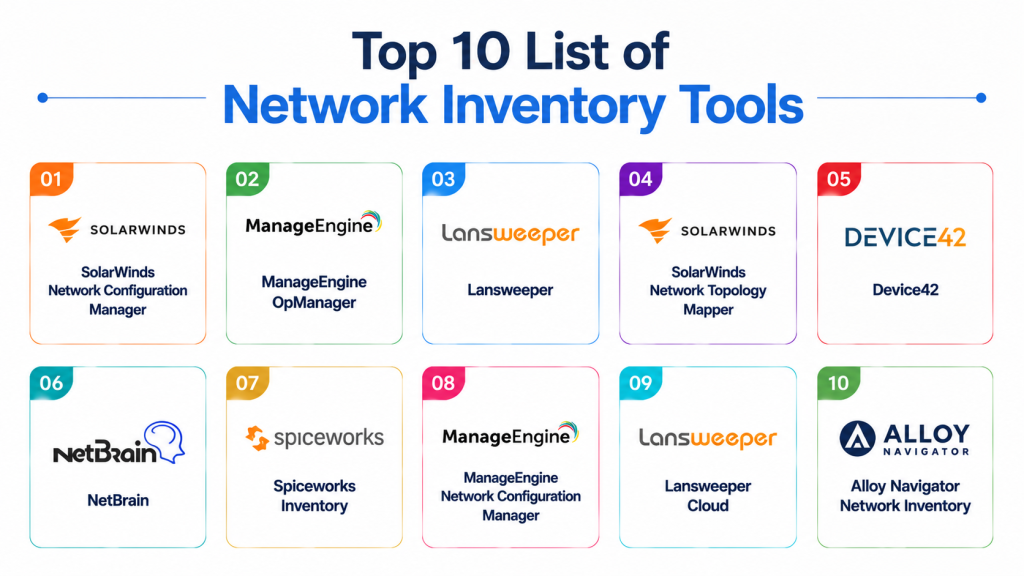
Top 10 Network Inventory Tools
1- SolarWinds Network Configuration Manager
Short description: Provides automated discovery and inventory tracking of network devices with configuration management and compliance auditing.
Key Features
- Device discovery across complex networks.
- Automated configuration tracking and backups.
- Compliance auditing (PCI, HIPAA, etc.).
- Alerts for unauthorized changes.
- Integration with ITSM and monitoring tools.
Pros
- Excellent for enterprise network auditing.
- Supports large-scale networks and multi-vendor devices.
Cons
- Expensive for small or mid-market businesses.
- Setup and configuration can be complex.
Platforms / Deployment
- Windows / Web
- On-prem / Hybrid
Security & Compliance
- SSO/SAML, encryption
- Not publicly stated
Integrations & Ecosystem
- ITSM and monitoring integrations
- REST API for automation
- SNMP-enabled devices
Support & Community
- Professional services, documentation, and forums.
2- ManageEngine OpManager
Short description: Network monitoring and inventory tool for SMBs and mid-market, with real-time visibility into devices and configurations.
Key Features
- Auto-discovery of network devices.
- Performance and health monitoring.
- Alerting and reporting dashboards.
- Integration with ITSM and CMDB.
- Multi-site network support.
Pros
- Affordable and easy to deploy.
- Scalable for distributed networks.
Cons
- Limited cloud asset discovery.
- Some advanced features require add-ons.
Platforms / Deployment
- Web / Windows
- On-prem / Hybrid
Security & Compliance
- Not publicly stated
Integrations & Ecosystem
- ITSM, CMDB, network monitoring
- REST API for automation
- SNMP support
Support & Community
- Documentation, forums, and standard support plans.
3- Lansweeper
Short description: Agentless network discovery solution providing hardware and software inventory across enterprise networks.
Key Features
- Network scanning and discovery.
- Software license tracking.
- Asset inventory dashboards.
- Integration with ITSM platforms.
- Automated alerts for new devices.
Pros
- Fast and accurate device discovery.
- Affordable for SMBs and mid-market.
Cons
- Limited cloud and IoT coverage.
- Advanced analytics require premium plans.
Platforms / Deployment
- Windows / Web
- On-prem / Hybrid
Security & Compliance
- Not publicly stated
Integrations & Ecosystem
- ITSM, monitoring, and reporting tools
- REST API support
Support & Community
- Online documentation and forums.
4- SolarWinds Network Topology Mapper
Short description: Tool for network visualization and automated inventory mapping of network devices and topology.
Key Features
- Auto-discovery of network topology.
- Visual network maps and device relationships.
- Device inventory reporting.
- Alerts for topology changes.
- Integration with network monitoring tools.
Pros
- Intuitive visualization of complex networks.
- Supports multi-vendor devices.
Cons
- Focused primarily on mapping, limited CMDB functionality.
- Premium pricing.
Platforms / Deployment
- Windows / Web
- On-prem / Hybrid
Security & Compliance
- Not publicly stated
Integrations & Ecosystem
- SNMP-enabled network devices
- Network monitoring and ITSM integration
Support & Community
- Documentation, online support.
5- Device42
Short description: Comprehensive network and data center inventory solution with auto-discovery and dependency mapping.
Key Features
- Hardware and software discovery.
- Data center and cloud mapping.
- Dependency tracking between devices.
- Automated reporting.
- CMDB integration.
Pros
- Excellent for hybrid environments.
- Supports both on-prem and cloud assets.
Cons
- Enterprise-focused, expensive for SMBs.
- Learning curve for new users.
Platforms / Deployment
- Web
- Cloud / On-prem / Hybrid
Security & Compliance
- SSO/SAML, MFA
- Not publicly stated
Integrations & Ecosystem
- ITSM, CMDB, monitoring tools
- REST API and webhooks
Support & Community
- Documentation, professional services, online community.
6- NetBrain
Short description: Network automation and discovery platform for complex enterprise networks.
Key Features
- Automated discovery and mapping.
- Network device inventory management.
- Dependency and path analysis.
- Alerting for network changes.
- Integration with monitoring and ITSM.
Pros
- Powerful automation for large networks.
- Strong visualization capabilities.
Cons
- High cost for smaller organizations.
- Requires training to use effectively.
Platforms / Deployment
- Web / Windows
- On-prem / Cloud
Security & Compliance
- Not publicly stated
Integrations & Ecosystem
- ITSM, CMDB, network monitoring tools
- REST API support
Support & Community
- Documentation, training, enterprise support.
7- Spiceworks Inventory
Short description: Free network inventory tool for SMBs providing hardware and software tracking.
Key Features
- Auto-discovery of network devices.
- Software inventory and license tracking.
- Reporting dashboards.
- Alerts for changes.
- Integration with helpdesk tools.
Pros
- Free and easy to deploy.
- Simple UI for small networks.
Cons
- Limited scalability for enterprises.
- Minimal cloud and IoT coverage.
Platforms / Deployment
- Windows / Web
- On-prem / Cloud
Security & Compliance
- Not publicly stated
Integrations & Ecosystem
- ITSM and helpdesk integrations
- SNMP device support
Support & Community
- Online forums, documentation.
8- ManageEngine Network Configuration Manager
Short description: Asset and configuration discovery tool with inventory tracking and compliance management.
Key Features
- Device discovery and inventory tracking.
- Configuration change management.
- Compliance auditing.
- Alerts and reporting dashboards.
- ITSM integration.
Pros
- Enterprise-grade compliance and tracking.
- Supports multi-vendor devices.
Cons
- Advanced features require enterprise license.
- Limited cloud discovery.
Platforms / Deployment
- Windows / Web
- On-prem / Hybrid
Security & Compliance
- Not publicly stated
Integrations & Ecosystem
- ITSM, CMDB, monitoring tools
- REST API
Support & Community
- Documentation, training, professional support.
9- Lansweeper Cloud
Short description: Cloud-native network inventory tool for SMBs and mid-market organizations.
Key Features
- Agentless and agent-based discovery.
- Cloud and on-prem asset tracking.
- Reporting dashboards.
- Alerts for new devices.
- Integration with ITSM tools.
Pros
- Easy cloud deployment.
- Affordable for small teams.
Cons
- Limited enterprise features.
- Advanced analytics require premium plan.
Platforms / Deployment
- Web
- Cloud
Security & Compliance
- Not publicly stated
Integrations & Ecosystem
- ITSM, monitoring, REST APIs
- Alerts and reporting integrations
Support & Community
- Documentation and standard support.
10- Alloy Navigator Network Inventory
Short description: SMB and mid-market inventory management tool with automated discovery.
Key Features
- Hardware and software discovery.
- CMDB integration.
- Reporting dashboards.
- License tracking.
- Alerts for changes.
Pros
- Affordable and simple.
- Easy setup and deployment.
Cons
- Limited enterprise scalability.
- Minimal AI-assisted insights.
Platforms / Deployment
- Web
- Cloud / On-prem / Hybrid
Security & Compliance
- Not publicly stated
Integrations & Ecosystem
- ITSM, CMDB, monitoring integrations
- REST API for workflow automation
Support & Community
- Documentation, standard support.
Comparison Table (Top 10)
| Tool Name | Best For | Platform(s) Supported | Deployment | Standout Feature | Public Rating |
|---|---|---|---|---|---|
| SolarWinds NCM | Enterprise | Windows, Web | On-prem / Hybrid | Network configuration & compliance | N/A |
| ManageEngine OpManager | SMB / Mid-market | Windows, Web | On-prem / Hybrid | Real-time monitoring & inventory | N/A |
| Lansweeper | SMB / Mid-market | Windows, Web | On-prem / Hybrid | Fast network discovery | N/A |
| SolarWinds Network Topology Mapper | Enterprise | Windows, Web | On-prem / Hybrid | Topology visualization | N/A |
| Device42 | Enterprise | Web | Cloud / On-prem / Hybrid | Dependency mapping | N/A |
| NetBrain | Enterprise | Web, Windows | On-prem / Cloud | Automation & visualization | N/A |
| Spiceworks Inventory | SMB | Windows, Web | On-prem / Cloud | Free asset discovery | N/A |
| ManageEngine NCM | Mid / Large Enterprise | Windows, Web | On-prem / Hybrid | Configuration & compliance | N/A |
| Lansweeper Cloud | SMB / Mid-market | Web | Cloud | Cloud-native inventory | N/A |
| Alloy Navigator | SMB / Mid-market | Web | Cloud / On-prem / Hybrid | Affordable discovery | N/A |
Evaluation & Scoring of Network Inventory Tools
| Tool Name | Core | Ease | Integrations | Security | Performance | Support | Value | Weighted Total |
|---|---|---|---|---|---|---|---|---|
| SolarWinds NCM | 9 | 7 | 8 | 7 | 9 | 8 | 7 | 8.0 |
| ManageEngine OpManager | 8 | 8 | 7 | 7 | 8 | 7 | 8 | 7.7 |
| Lansweeper | 7 | 9 | 6 | 7 | 8 | 7 | 8 | 7.5 |
| SolarWinds NTM | 8 | 7 | 7 | 7 | 8 | 7 | 7 | 7.4 |
| Device42 | 9 | 8 | 8 | 8 | 9 | 8 | 7 | 8.2 |
| NetBrain | 9 | 7 | 8 | 7 | 9 | 8 | 7 | 8.0 |
| Spiceworks Inventory | 7 | 9 | 6 | 6 | 7 | 6 | 8 | 7.2 |
| ManageEngine NCM | 8 | 7 | 7 | 7 | 8 | 7 | 7 | 7.4 |
| Lansweeper Cloud | 7 | 8 | 6 | 6 | 7 | 6 | 8 | 7.1 |
| Alloy Navigator | 7 | 8 | 6 | 6 | 7 | 6 | 8 | 7.1 |
Which Network Inventory Tool Is Right for You?
Solo / Freelancer
- Alloy Navigator or Lansweeper Cloud for simple, small-scale network discovery.
SMB
- Lansweeper, ManageEngine OpManager, or Spiceworks Inventory for cost-effective network inventory.
Mid-Market
- ManageEngine NCM, Lansweeper, or Alloy Navigator for hybrid IT networks.
Enterprise
- SolarWinds NCM, Device42, NetBrain, or SolarWinds NTM for comprehensive, large-scale network visibility.
Budget vs Premium
- Budget: Lansweeper, Spiceworks, Alloy Navigator
- Premium: SolarWinds NCM, Device42, NetBrain
Feature Depth vs Ease of Use
- Feature depth: SolarWinds NCM, Device42, NetBrain
- Ease of use: Lansweeper, Spiceworks, Alloy Navigator
Integrations & Scalability
- Extensive integrations and scalability: SolarWinds NCM, Device42
- Moderate integrations: Lansweeper, Alloy Navigator
Security & Compliance Needs
- Enterprise-grade: SolarWinds NCM, Device42, NetBrain
- SMB-level: Lansweeper, Alloy Navigator
Frequently Asked Questions (FAQs)
1- What pricing models are network inventory tools offered in?
Most use subscription-based pricing; enterprise licenses may vary depending on network size and modules.
2- How long does implementation take?
SMB solutions deploy in days; large enterprise setups may require weeks for full network scanning and integration.
3- Can small companies benefit from these tools?
Yes, lightweight cloud solutions or free tools like Spiceworks allow small teams to maintain network visibility.
4- Are these tools secure for sensitive data?
Top tools include encryption, SSO, MFA, and audit logs. Verify SOC 2, ISO 27001, or GDPR compliance.
5- Can these tools integrate with ITSM or CMDB systems?
Yes, most provide native connectors or APIs to link with ITSM, CMDB, and monitoring platforms.
6- How customizable are discovery workflows?
Tools support automated scans, agentless or agent-based discovery, and customizable alerts.
7- What are common mistakes when using network inventory tools?
Ignoring cloud resources, incomplete scans, and not linking with ITSM workflows are common errors.
8- How scalable are these tools?
Enterprise tools scale across thousands of devices; SMB tools are suitable for smaller networks.
9- Do these tools support hybrid and cloud networks?
Yes, modern solutions cover on-premises, virtual, and cloud assets, providing a unified inventory.
10- Can I switch network inventory tools easily?
Migration depends on APIs, integrations, and asset data export/import; planning is required for smooth transitions.
Conclusion
Selecting the right Network Inventory Tool depends on network complexity, deployment scale, and integration requirements. SMBs can leverage Alloy Navigator, Lansweeper, or Spiceworks for affordable and simple inventory management. Mid-market organizations benefit from ManageEngine OpManager, Lansweeper, or ManageEngine NCM for hybrid IT environments. Enterprises require SolarWinds NCM, Device42, or NetBrain for comprehensive, AI-assisted discovery, configuration tracking, and compliance reporting. Prioritize ease of use, integration, and scalability when evaluating options. Pilot 2–3 tools in real-world scenarios to validate discovery accuracy and workflow alignment before full deployment.

Find Trusted Cardiac Hospitals
Compare heart hospitals by city and services — all in one place.
Explore Hospitals
A network inventory is only as useful as its accuracy. In fast-changing environments, tools that automatically discover assets and keep records continuously updated can save countless hours compared to relying on manual documentation and periodic audits.