Introduction
Project Management Software (PMS) is a set of tools and platforms designed to help teams plan, execute, and monitor projects efficiently. It centralizes tasks, timelines, resources, and collaboration, allowing organizations to reduce friction, improve accountability, and deliver projects on time and within budget. In today’s business environment, where remote work, hybrid teams, and complex workflows are standard, having a reliable PMS is critical for operational success.
Real-world use cases include:
- Software Development: Coordinating sprints, managing backlogs, and tracking bugs.
- Marketing Campaigns: Scheduling deliverables, assigning content creation tasks, and monitoring campaign progress.
- Product Launches: Aligning cross-functional teams, tracking milestones, and ensuring regulatory compliance.
- Construction Projects: Monitoring timelines, budgets, and subcontractor responsibilities.
- Event Management: Organizing vendors, schedules, and logistics in a centralized system.
When evaluating project management software, buyers should consider:
- Task and project tracking capabilities
- Resource management and workload planning
- Integration with communication and productivity tools
- Automation and AI-assisted features
- Security and compliance standards
- Reporting and analytics capabilities
- Platform support and deployment flexibility
- Ease of use and onboarding experience
- Pricing and value for different team sizes
- Vendor reliability and community support
Best for: Project managers, team leads, and executives in SMBs to enterprise organizations, across IT, marketing, construction, and professional services.
Not ideal for: Individuals or teams with very simple task lists; those who rely solely on spreadsheets or lightweight task managers may not need a full PMS suite.
Key Trends in Project Management Software
- AI-assisted project planning and resource allocation.
- Increased automation for repetitive tasks and notifications.
- Enhanced collaboration tools for hybrid and remote teams.
- Compliance management built into workflows (GDPR, SOC 2, HIPAA).
- Modular, microservice-based platforms allowing selective deployment.
- Cloud-first solutions with hybrid and self-hosted options.
- Deep integrations with CRM, ERP, and DevOps platforms.
- Flexible pricing models: subscription, per-seat, and usage-based.
- Embedded analytics and dashboards for real-time project insights.
- Mobile-first designs to support distributed teams.
How We Selected These Tools (Methodology)
- Reviewed market adoption and mindshare among enterprise and SMB customers.
- Evaluated feature completeness and support for modern project methodologies (Agile, Waterfall, hybrid).
- Analyzed reliability and performance signals based on uptime, latency, and customer feedback.
- Assessed security posture including SSO, MFA, and compliance certifications.
- Considered integration capabilities with commonly used productivity, DevOps, and communication tools.
- Examined customer fit across multiple industry segments and team sizes.
- Prioritized scalability, usability, and adaptability for both small and large organizations.
- Considered innovation trends, including AI, automation, and reporting enhancements.
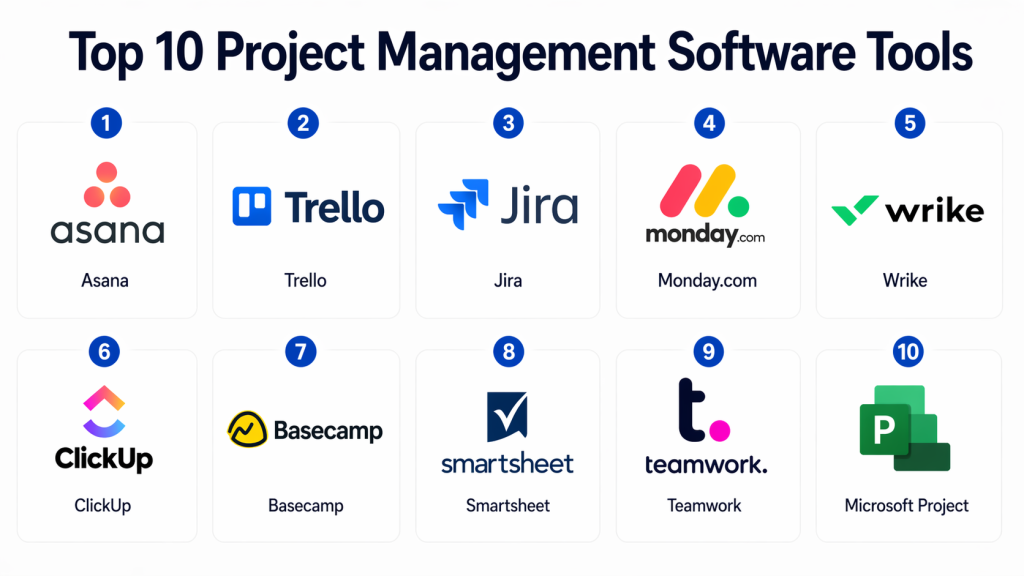
Top 10 Project Management Software Tools
#1 — Asana
Short description (2–3 lines): Asana is a cloud-based project management platform aimed at teams of all sizes. It helps manage tasks, projects, and workflows with intuitive boards, timelines, and dashboards.
Key Features
- Task and subtask tracking with dependencies
- Customizable project boards and timelines
- Workload management dashboards
- AI-powered task suggestions and priority alerts
- Integration with Slack, Teams, Google Workspace, and more
- Automated recurring tasks and approvals
Pros
- Highly intuitive and visual interface
- Strong automation and collaboration capabilities
Cons
- Limited offline functionality
- Can be overwhelming for very small teams
Platforms / Deployment
- Web / Windows / macOS / iOS / Android
- Cloud
Security & Compliance
- SSO/SAML, MFA, encryption, audit logs
- SOC 2, ISO 27001, GDPR
Integrations & Ecosystem
- Extensive API and pre-built integrations
- Slack, Microsoft Teams, Jira, Salesforce, Zapier
Support & Community
- Online documentation, webinars, community forums, tiered support plans
#2 — Trello
Short description (2–3 lines): Trello is a flexible Kanban-based project management tool suitable for teams seeking visual task management and simple collaboration.
Key Features
- Drag-and-drop Kanban boards
- Card-based task management with checklists
- Automation rules with Butler
- Labels, due dates, and attachments
- Integration with multiple productivity apps
Pros
- Extremely easy to use
- Quick onboarding and minimal learning curve
Cons
- Limited reporting and analytics
- Not ideal for complex, multi-project portfolios
Platforms / Deployment
- Web / Windows / macOS / iOS / Android
- Cloud
Security & Compliance
- SSO/SAML, encryption at rest and in transit
- SOC 2, GDPR
Integrations & Ecosystem
- Power-Ups for Jira, Slack, GitHub, Google Drive
- API access for custom integrations
Support & Community
- Help center, community forum, email support
#3 — Jira
Short description (2–3 lines): Jira by Atlassian is a developer-focused project management tool, widely used for Agile software development and issue tracking.
Key Features
- Scrum and Kanban boards with advanced reporting
- Roadmaps and portfolio management
- Custom workflows and automation rules
- Detailed issue tracking and backlog management
- Integration with DevOps toolchains
Pros
- Robust for software development teams
- Deep customization for workflows and reporting
Cons
- Steeper learning curve for non-technical users
- Complexity can slow adoption for small teams
Platforms / Deployment
- Web / Windows / macOS / Linux / iOS / Android
- Cloud / Self-hosted
Security & Compliance
- SSO/SAML, MFA, encryption, audit logs
- SOC 2, ISO 27001, GDPR, HIPAA
Integrations & Ecosystem
- Integrates with Confluence, Bitbucket, Slack, CI/CD pipelines
- Marketplace with hundreds of plugins
Support & Community
- Comprehensive documentation, Atlassian Community, premium support plans
#4 — Monday.com
Short description (2–3 lines): Monday.com is a highly visual work operating system suitable for both technical and non-technical teams to manage projects and workflows.
Key Features
- Customizable boards and dashboards
- Workflow automation and notifications
- Timeline, Gantt, and calendar views
- Workload and resource management
- AI-assisted task suggestions
Pros
- Highly flexible for multiple use cases
- Strong visual reporting and collaboration features
Cons
- Can be expensive for large teams
- Feature-rich environment may overwhelm beginners
Platforms / Deployment
- Web / Windows / macOS / iOS / Android
- Cloud
Security & Compliance
- SSO/SAML, MFA, encryption, audit logs
- SOC 2, ISO 27001, GDPR
Integrations & Ecosystem
- Slack, Teams, Jira, Google Workspace, Salesforce, Zapier
Support & Community
- Extensive documentation, community forum, dedicated support plans
#5 — Wrike
Short description (2–3 lines): Wrike is an enterprise-grade project management platform, supporting collaborative planning, real-time reporting, and resource management.
Key Features
- Custom workflows and dashboards
- Gantt charts and timeline tracking
- Real-time collaboration and document sharing
- AI-powered task prioritization
- Advanced reporting and analytics
Pros
- Scalable for enterprise teams
- Strong analytics and reporting capabilities
Cons
- Complexity may require training
- Higher price point for smaller teams
Platforms / Deployment
- Web / Windows / macOS / iOS / Android
- Cloud / Hybrid
Security & Compliance
- SSO/SAML, MFA, encryption
- SOC 2, ISO 27001, GDPR, HIPAA
Integrations & Ecosystem
- Salesforce, Jira, Teams, Slack, Google Workspace
Support & Community
- Dedicated account managers, training resources, community forums
#6 — ClickUp
Short description (2–3 lines): ClickUp is an all-in-one productivity platform combining task management, document collaboration, and time tracking for teams of all sizes.
Key Features
- Hierarchical task management (Spaces, Folders, Lists)
- Multiple views: List, Board, Calendar, Gantt
- Automation and recurring tasks
- Time tracking and goal tracking
- Integrations with communication and productivity apps
Pros
- Highly customizable and feature-rich
- Combines multiple productivity tools in one
Cons
- Interface may feel complex for new users
- Occasional performance lag with large datasets
Platforms / Deployment
- Web / Windows / macOS / iOS / Android
- Cloud
Security & Compliance
- SSO/SAML, MFA, encryption
- SOC 2, GDPR
Integrations & Ecosystem
- Slack, Zoom, Google Workspace, Jira, GitHub
Support & Community
- Extensive knowledge base, webinars, community forum, support tiers
#7 — Basecamp
Short description (2–3 lines): Basecamp is a simple, intuitive project management and team collaboration tool focused on communication and task tracking for small to mid-sized teams.
Key Features
- To-do lists and message boards
- Real-time group chat and notifications
- File sharing and document storage
- Schedule tracking and milestones
- Hill Charts for project visualization
Pros
- Very easy to adopt and use
- Emphasizes team communication
Cons
- Limited advanced project tracking features
- Minimal customization
Platforms / Deployment
- Web / Windows / macOS / iOS / Android
- Cloud
Security & Compliance
- Encryption, SSO, audit logs
- SOC 2, GDPR
Integrations & Ecosystem
- Zapier, Slack, Google Workspace
Support & Community
- Email support, guides, community forum
#8 — Smartsheet
Short description (2–3 lines): Smartsheet is a spreadsheet-centric project management platform designed for enterprise-level project tracking and reporting.
Key Features
- Grid, Gantt, Calendar, and Card views
- Automated workflows and alerts
- Resource and budget management
- Advanced reporting and dashboards
- Integration with enterprise tools
Pros
- Familiar spreadsheet interface
- Powerful reporting and automation
Cons
- Learning curve for non-Excel users
- Premium plans required for advanced features
Platforms / Deployment
- Web / Windows / macOS / iOS / Android
- Cloud / Hybrid
Security & Compliance
- SSO/SAML, MFA, encryption
- SOC 2, ISO 27001, GDPR, HIPAA
Integrations & Ecosystem
- Salesforce, Jira, Slack, Teams, Google Workspace
Support & Community
- Dedicated support, online documentation, active community
#9 — Teamwork
Short description (2–3 lines): Teamwork is a project management and collaboration platform for client-focused teams, emphasizing billing, time tracking, and task organization.
Key Features
- Task lists, milestones, and Gantt charts
- Time tracking and invoicing
- Automated workflows and reminders
- Customizable dashboards and reporting
- Client portal and collaboration tools
Pros
- Strong focus on client and billing integration
- Detailed task tracking and reporting
Cons
- Interface may feel dated
- Some advanced features require higher-tier plans
Platforms / Deployment
- Web / Windows / macOS / iOS / Android
- Cloud
Security & Compliance
- SSO/SAML, MFA, encryption
- SOC 2, GDPR
Integrations & Ecosystem
- Slack, Google Workspace, Microsoft Teams, Zapier
Support & Community
- Documentation, community forum, email support, dedicated account management
#10 — Microsoft Project
Short description (2–3 lines): Microsoft Project is an enterprise-focused project management tool designed for complex, multi-project environments with advanced scheduling and resource management needs.
Key Features
- Gantt charts, task dependencies, and critical path analysis
- Resource allocation and capacity planning
- Portfolio and program management
- Integration with Microsoft 365 suite
- Reporting and analytics dashboards
Pros
- Deep integration with Microsoft ecosystem
- Highly capable for complex project portfolios
Cons
- Steep learning curve for beginners
- Desktop client may feel heavyweight
Platforms / Deployment
- Web / Windows / iOS
- Cloud / On-premises
Security & Compliance
- SSO/SAML, MFA, encryption
- SOC 2, ISO 27001, GDPR, HIPAA
Integrations & Ecosystem
- Teams, Outlook, Power BI, SharePoint, Azure DevOps
Support & Community
- Microsoft support plans, documentation, community forums
Comparison Table (Top 10)
| Tool Name | Best For | Platform(s) Supported | Deployment | Standout Feature | Public Rating |
|---|---|---|---|---|---|
| Asana | SMBs, Teams | Web, Windows, macOS, iOS, Android | Cloud | AI task suggestions | N/A |
| Trello | Small teams, visual projects | Web, Windows, macOS, iOS, Android | Cloud | Kanban simplicity | N/A |
| Jira | Dev teams, Agile projects | Web, Windows, macOS, Linux, iOS, Android | Cloud / Self-hosted | Agile boards & issue tracking | N/A |
| Monday.com | Multi-team workflows | Web, Windows, macOS, iOS, Android | Cloud | Customizable boards | N/A |
| Wrike | Enterprise projects | Web, Windows, macOS, iOS, Android | Cloud / Hybrid | Advanced reporting | N/A |
| ClickUp | All-purpose productivity | Web, Windows, macOS, iOS, Android | Cloud | Hierarchical tasks & automation | N/A |
| Basecamp | Small teams, communication | Web, Windows, macOS, iOS, Android | Cloud | Simple communication focus | N/A |
| Smartsheet | Enterprise, reporting-heavy | Web, Windows, macOS, iOS, Android | Cloud / Hybrid | Spreadsheet-like interface | N/A |
| Teamwork | Client-focused teams | Web, Windows, macOS, iOS, Android | Cloud | Time tracking & billing integration | N/A |
| Microsoft Project | Large enterprises | Web, Windows, iOS | Cloud / On-premises | Advanced portfolio management | N/A |
Evaluation & Scoring of Project Management Software
| Tool Name | Core (25%) | Ease (15%) | Integrations (15%) | Security (10%) | Performance (10%) | Support (10%) | Value (15%) | Weighted Total (0–10) |
|---|---|---|---|---|---|---|---|---|
| Asana | 9 | 9 | 8 | 9 | 9 | 8 | 8 | 8.8 |
| Trello | 7 | 10 | 7 | 8 | 8 | 7 | 9 | 8.2 |
| Jira | 9 | 7 | 9 | 9 | 9 | 8 | 7 | 8.3 |
| Monday.com | 8 | 8 | 8 | 8 | 8 | 8 | 7 | 8.0 |
| Wrike | 9 | 7 | 8 | 9 | 8 | 7 | 7 | 8.0 |
| ClickUp | 9 | 8 | 9 | 8 | 8 | 8 | 8 | 8.5 |
| Basecamp | 6 | 10 | 6 | 8 | 7 | 7 | 9 | 7.7 |
| Smartsheet | 8 | 7 | 8 | 9 | 8 | 7 | 7 | 7.9 |
| Teamwork | 8 | 7 | 8 | 8 | 8 | 7 | 8 | 8.0 |
| Microsoft Project | 9 | 6 | 8 | 9 | 9 | 8 | 6 | 7.9 |
Interpretation:
Scores reflect relative strengths across features, usability, integrations, security, reliability, support, and value. Weighted totals allow quick comparison for team size, complexity, and project types. High scores indicate broad suitability, while lower scores may still be ideal for specific niche use cases.
Which Project Management Software Tool Is Right for You?
Solo / Freelancer
- Trello or ClickUp provide lightweight, easy-to-use solutions that handle individual tasks, small client projects, and personal workflows without overhead.
SMB
- Asana, Monday.com, or Basecamp balance usability with workflow management for small-to-medium teams, supporting collaboration and basic reporting.
Mid-Market
- Wrike, ClickUp, or Teamwork scale effectively for multiple projects and teams, offering advanced reporting, client-facing capabilities, and resource management.
Enterprise
- Microsoft Project, Jira, or Smartsheet are suited for complex multi-project portfolios, compliance needs, and integration into large IT ecosystems.
Budget vs Premium
- Cost-conscious teams may start with Trello or Basecamp. Premium options like Asana, Monday.com, and Jira unlock workflow automation, analytics, and enterprise-level features.
Feature Depth vs Ease of Use
- ClickUp and Monday.com balance advanced capabilities with a usable interface, while Microsoft Project prioritizes depth for sophisticated scheduling and portfolio management.
Integrations & Scalability
- Teams needing integration with CRM, DevOps, communication, and productivity tools should consider Jira, Asana, or Monday.com for ecosystem flexibility and scalable deployment.
Security & Compliance Needs
- Organizations with regulatory requirements should evaluate Jira, Wrike, Smartsheet, or Microsoft Project, which include SOC 2, ISO 27001, and GDPR compliance.
Frequently Asked Questions (FAQs)
1. What pricing models do project management tools offer?
Most tools use subscription-based pricing per user, tiered feature plans, and sometimes enterprise usage-based billing.
2. How long does onboarding typically take?
Small teams can start in a few days, while enterprise deployments with custom workflows may take several weeks.
3. What are common mistakes teams make when using PMS?
Common pitfalls include overcomplicating workflows, underutilizing integrations, and failing to assign clear project ownership.
4. Are these tools secure for sensitive projects?
Top-tier tools provide SSO, MFA, encryption, and compliance with SOC 2, ISO 27001, and GDPR.
5. Can these platforms scale with team growth?
Yes. Tools like ClickUp, Wrike, and Jira are designed to scale from small teams to large, enterprise portfolios.
6. How customizable are workflows?
Most tools allow task dependencies, automations, templates, and custom dashboards. Jira and Monday.com are particularly flexible.
7. Can I integrate PMS with other software?
Yes. Common integrations include Slack, Teams, Google Workspace, Microsoft 365, Jira, GitHub, Salesforce, and Zapier.
8. How do I switch from one PMS to another?
Plan migration of tasks, projects, and user data carefully. Most modern tools provide import/export features and API support.
9. Are mobile apps reliable?
Most leading PMS platforms offer fully functional mobile apps (Asana, ClickUp, Trello, Monday.com) to support distributed teams.
10. What alternatives exist if PMS is not needed?
For small teams or individuals, lightweight task managers, spreadsheets, or note-taking apps may suffice.
Conclusion
Project Management Software is essential for maintaining visibility, accountability, and coordination across teams of all sizes. The right tool depends on your team structure, project complexity, workflow preferences, and integration requirements. Lightweight solutions like Trello or Basecamp work well for small teams and freelancers, while Jira, Wrike, and Microsoft Project cater to enterprise-scale operations. Evaluating automation, analytics, ecosystem integration, and security compliance will help ensure you select a platform that improves efficiency and drives project success. Start by shortlisting 2–3 tools, running a pilot, and validating that the chosen software fits your organization’s workflows, security standards, and team collaboration needs.

Find Trusted Cardiac Hospitals
Compare heart hospitals by city and services — all in one place.
Explore Hospitals
This explains how project management software helps teams plan tasks, track progress, and manage work in one organized system.