Introduction
Remote Monitoring & Management (RMM) Tools are essential platforms for IT teams and managed service providers (MSPs) to monitor, manage, and maintain IT infrastructure remotely. They help automate routine maintenance, detect issues proactively, and provide visibility into networks, endpoints, and systems, ensuring optimal performance and minimal downtime.
Use cases include real-time monitoring of endpoints, automated patch management, remote troubleshooting, asset tracking, and security compliance. Organizations leverage RMM tools to reduce service response times, improve productivity, and provide proactive IT support, ensuring business continuity. Buyers evaluating RMM solutions should assess criteria like monitoring capabilities, automation features, endpoint management, patch management, remote access, reporting and analytics, scalability, security, integrations, and ease of use.
Best for: IT managers, MSPs, enterprise IT teams, mid-market businesses with distributed infrastructure, and industries such as finance, healthcare, and telecom.
Not ideal for: Small organizations with limited IT infrastructure or teams relying solely on local management without remote oversight needs.
Key Trends in Remote Monitoring & Management (RMM) Tools
- Increasing AI and machine learning for predictive issue detection and automated remediation
- Cloud-first deployments for scalability and remote accessibility
- Enhanced automation of routine tasks including patching, updates, and endpoint maintenance
- Integration with ITSM, PSA, and ticketing platforms for seamless service delivery
- Proactive security monitoring for malware, vulnerabilities, and compliance
- Support for IoT and hybrid infrastructure
- Advanced analytics and reporting dashboards for operational insights
- Flexible subscription and usage-based pricing models
- Multilingual support for global MSPs
- Focus on interoperability and open APIs for ecosystem integration
How We Selected These Tools (Methodology)
- Evaluated market adoption and brand presence among MSPs and enterprises
- Assessed core features including monitoring, automation, and patch management
- Reviewed performance, uptime, and reliability signals
- Analyzed security posture and compliance certifications
- Evaluated integration capabilities with ITSM, PSA, and security platforms
- Considered customer fit across small, mid-market, and enterprise segments
- Prioritized ease of deployment and cloud availability
- Examined vendor support and community resources
- Measured scalability and customization flexibility
- Factored in total cost of ownership and pricing flexibility
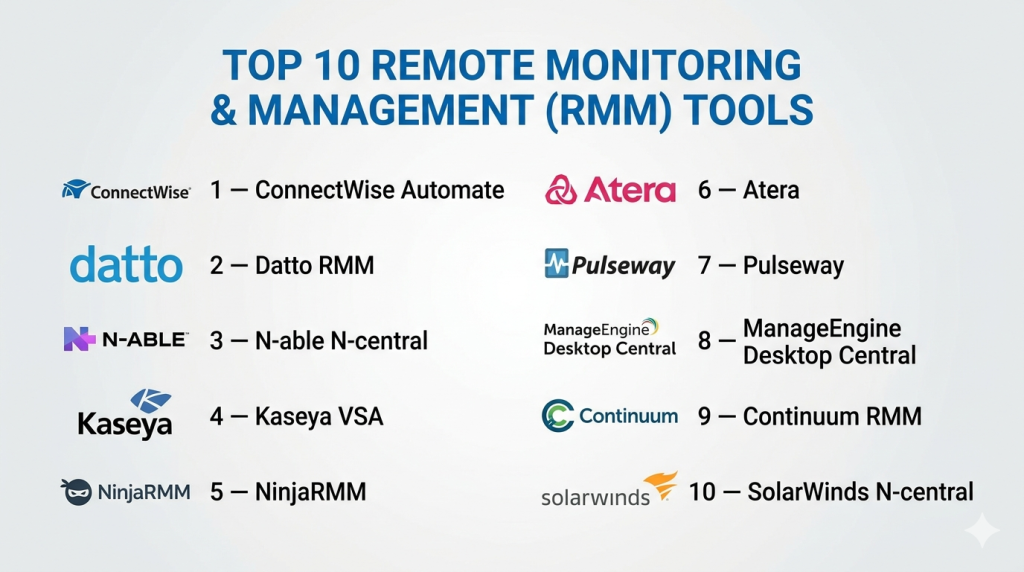
Top 10 Remote Monitoring & Management (RMM) Tools
#1 — ConnectWise Automate
Short description : ConnectWise Automate is a comprehensive RMM platform designed for MSPs and enterprise IT teams. It provides automated monitoring, patch management, and proactive issue detection across endpoints.
Key Features
- Automated endpoint monitoring and alerting
- Remote access and support tools
- Patch management and software deployment
- Reporting dashboards and analytics
- Workflow automation for IT operations
- Integration with PSA and ticketing systems
Pros
- Highly scalable for MSPs
- Extensive automation reduces manual workload
Cons
- Can be complex for small teams
- Premium pricing
Platforms / Deployment
- Web / Windows / Cloud
Security & Compliance
- SOC 2, GDPR, ISO 27001
Integrations & Ecosystem
- PSA platforms, ITSM tools, monitoring apps
- Open APIs for custom workflows
- Third-party plugins and extensions
Support & Community
- 24/7 support, extensive documentation, active community
#2 — Datto RMM
Short description : Datto RMM is a cloud-based remote monitoring platform offering proactive IT management, automated patching, and endpoint monitoring suitable for MSPs.
Key Features
- Real-time device monitoring
- Automated patch management
- Remote access and troubleshooting
- Alerting and notifications
- Reporting and analytics dashboards
Pros
- Cloud-first architecture simplifies deployment
- Strong automation capabilities
Cons
- Limited on-premises deployment
- May require training for complex automation
Platforms / Deployment
- Web / Cloud
Security & Compliance
- SOC 2, GDPR
Integrations & Ecosystem
- PSA systems, ITSM platforms
- API for workflow automation
- Integration with ticketing and monitoring tools
Support & Community
- Email/chat support, documentation, user community
#3 — N-able N-central
Short description : N-able N-central provides centralized RMM for MSPs and enterprise IT teams, with automation, security management, and device monitoring to maintain uptime and performance.
Key Features
- Endpoint monitoring and management
- Automated patching and updates
- Remote control and troubleshooting
- Security monitoring and antivirus management
- SLA reporting and analytics
Pros
- Robust security and monitoring
- Extensive automation tools
Cons
- Can be complex to configure
- Pricing scales with endpoints
Platforms / Deployment
- Web / Windows / Cloud
Security & Compliance
- SOC 2, ISO 27001, GDPR
Integrations & Ecosystem
- PSA, ticketing systems, monitoring tools
- API access for custom integrations
- Third-party monitoring plugins
Support & Community
- 24/7 support, knowledge base, community forums
#4 — Kaseya VSA
Short description : Kaseya VSA is an RMM platform that provides automated endpoint management, remote control, and patching for MSPs and IT teams across multiple locations.
Key Features
- Remote monitoring and management
- Patch management and software deployment
- Remote control tools
- Alerts and notifications
- Automation of routine IT tasks
Pros
- Scalable for large MSP operations
- Strong workflow automation
Cons
- Learning curve for advanced features
- UI may feel complex for beginners
Platforms / Deployment
- Web / Windows / Cloud
Security & Compliance
- SOC 2, ISO 27001, GDPR
Integrations & Ecosystem
- PSA and ITSM integrations
- API for custom workflow automation
- Third-party tools and monitoring apps
Support & Community
- 24/7 support, extensive documentation, active community
#5 — NinjaRMM
Short description : NinjaRMM is a lightweight, cloud-first RMM tool focusing on endpoint monitoring, patching, and IT automation for SMBs and MSPs.
Key Features
- Endpoint monitoring and alerting
- Patch management and software deployment
- Remote access
- Automated scripts for maintenance
- Reporting dashboards
Pros
- Easy to deploy and use
- Cost-effective for SMBs
Cons
- Limited advanced enterprise features
- Fewer integrations compared to larger platforms
Platforms / Deployment
- Web / Windows / macOS / Cloud
Security & Compliance
- SOC 2, GDPR
Integrations & Ecosystem
- PSA and ticketing systems
- API for automation
- Third-party monitoring tools
Support & Community
- Email/chat support, knowledge base, active community
#6 — Atera
Short description : Atera is an all-in-one RMM and PSA platform designed for MSPs and IT teams, offering monitoring, remote management, ticketing, and billing from a single interface.
Key Features
- Endpoint monitoring and alerting
- Remote access and control
- Patch management and automation
- Integrated PSA and billing
- Reporting dashboards
Pros
- Unified RMM + PSA solution
- Affordable subscription model
Cons
- Limited advanced enterprise features
- Less customizable than enterprise RMMs
Platforms / Deployment
- Web / Cloud
Security & Compliance
- SOC 2, GDPR
Integrations & Ecosystem
- PSA, ticketing, billing integrations
- API access for custom workflows
- Third-party monitoring tools
Support & Community
- Email/chat support, documentation, user forums
#7 — Pulseway
Short description : Pulseway is a cloud-first RMM platform offering real-time monitoring, automation, and mobile-first management for IT teams and MSPs.
Key Features
- Endpoint monitoring and alerts
- Patch management and automation
- Remote access via mobile apps
- Reporting and dashboards
- Mobile-first management interface
Pros
- Strong mobile management
- Fast deployment and easy onboarding
Cons
- Limited advanced automation features
- Less suitable for large enterprises
Platforms / Deployment
- Web / Windows / macOS / iOS / Android / Cloud
Security & Compliance
- SOC 2, GDPR
Integrations & Ecosystem
- PSA and ticketing platforms
- APIs for workflow integration
- Third-party monitoring tools
Support & Community
- Email/chat support, knowledge base, community forums
#8 — ManageEngine Desktop Central
Short description : Desktop Central is an RMM tool focusing on endpoint management, patching, and software deployment for enterprise IT teams and MSPs.
Key Features
- Endpoint monitoring
- Patch management
- Software deployment and license management
- Remote control and troubleshooting
- Reporting dashboards
Pros
- Strong endpoint management features
- Scalable for mid-market and enterprise IT
Cons
- UI less modern
- Limited advanced analytics
Platforms / Deployment
- Web / Windows / macOS / Cloud / On-premises
Security & Compliance
- ISO 27001, GDPR
Integrations & Ecosystem
- PSA, ITSM, and monitoring tools
- API support
- Third-party extensions
Support & Community
- Email support, documentation, forums
#9 — Continuum RMM
Short description : Continuum RMM offers a managed platform for monitoring and managing IT infrastructure remotely, focusing on automation, patch management, and proactive issue resolution.
Key Features
- Remote monitoring of endpoints and networks
- Automated patch management
- Proactive alerts and notifications
- Remote troubleshooting
- Reporting and analytics
Pros
- Automated monitoring reduces manual effort
- Strong MSP-focused features
Cons
- Complexity for small teams
- Limited mobile interface
Platforms / Deployment
- Web / Windows / Cloud
Security & Compliance
- SOC 2, ISO 27001
Integrations & Ecosystem
- PSA, ITSM, monitoring tools
- API access for custom workflows
- Third-party integrations
Support & Community
- 24/7 support, documentation, community forums
#10 — SolarWinds N-central
Short description : SolarWinds N-central provides enterprise-grade RMM for MSPs, including advanced monitoring, patch management, automation, and reporting dashboards.
Key Features
- Endpoint and network monitoring
- Patch management and automation
- Remote access and troubleshooting
- SLA dashboards and reporting
- Security monitoring
Pros
- Enterprise-grade reliability
- Advanced automation features
Cons
- Learning curve for new users
- Premium pricing
Platforms / Deployment
- Web / Windows / Cloud
Security & Compliance
- SOC 2, ISO 27001, GDPR
Integrations & Ecosystem
- PSA, ticketing, monitoring tools
- API support for custom workflows
- Third-party extensions
Support & Community
- 24/7 support, documentation, user community
Comparison Table (Top 10)
| Tool Name | Best For | Platform(s) Supported | Deployment | Standout Feature | Public Rating |
|---|---|---|---|---|---|
| ConnectWise Automate | MSPs / Enterprise | Web / Windows | Cloud | Automation at scale | N/A |
| Datto RMM | MSPs | Web | Cloud | Cloud-first monitoring | N/A |
| N-able N-central | MSPs / Enterprise | Web / Windows | Cloud | Predictive monitoring | N/A |
| Kaseya VSA | MSPs / IT teams | Web / Windows | Cloud | Workflow automation | N/A |
| NinjaRMM | SMB / MSPs | Web / Windows / macOS | Cloud | Lightweight and easy to use | N/A |
| Atera | SMB / MSPs | Web | Cloud | RMM + PSA unified | N/A |
| Pulseway | SMB / IT teams | Web / Windows / macOS / iOS / Android | Cloud | Mobile-first monitoring | N/A |
| ManageEngine Desktop Central | Enterprise / MSPs | Web / Windows / macOS | Cloud / On-prem | Endpoint management | N/A |
| Continuum RMM | MSPs | Web / Windows | Cloud | Automated monitoring | N/A |
| SolarWinds N-central | Enterprise / MSPs | Web / Windows | Cloud | Enterprise automation | N/A |
Evaluation & Scoring of RMM Tools
| Tool Name | Core (25%) | Ease (15%) | Integrations (15%) | Security (10%) | Performance (10%) | Support (10%) | Value (15%) | Weighted Total (0–10) |
|---|---|---|---|---|---|---|---|---|
| ConnectWise Automate | 9 | 7 | 8 | 9 | 9 | 8 | 6 | 8.2 |
| Datto RMM | 8 | 8 | 7 | 8 | 8 | 7 | 7 | 7.8 |
| N-able N-central | 8 | 7 | 8 | 8 | 8 | 7 | 7 | 7.7 |
| Kaseya VSA | 8 | 7 | 8 | 8 | 8 | 7 | 7 | 7.7 |
| NinjaRMM | 7 | 9 | 7 | 7 | 7 | 7 | 8 | 7.6 |
| Atera | 7 | 8 | 7 | 7 | 7 | 7 | 8 | 7.5 |
| Pulseway | 7 | 8 | 7 | 7 | 7 | 7 | 7 | 7.2 |
| ManageEngine Desktop Central | 8 | 7 | 7 | 8 | 8 | 7 | 7 | 7.6 |
| Continuum RMM | 8 | 7 | 7 | 8 | 8 | 7 | 7 | 7.5 |
| SolarWinds N-central | 9 | 7 | 8 | 9 | 8 | 8 | 6 | 8.0 |
Scores are comparative; higher weighted totals indicate better overall balance of core functionality, usability, integration, security, performance, support, and value.
Which RMM Tool Is Right for You?
Solo / Freelancer
- NinjaRMM or Pulseway for simple, mobile-friendly endpoint management and monitoring.
SMB
- Atera, Freshservice, or NinjaRMM for combined RMM and PSA capabilities, affordable and easy to use.
Mid-Market
- Datto RMM, Kaseya VSA, or Continuum RMM for automation, patch management, and proactive monitoring.
Enterprise
- ConnectWise Automate, N-able N-central, or SolarWinds N-central for scalable monitoring, advanced automation, and multi-location support.
Budget vs Premium
- SMBs benefit from Atera and NinjaRMM, while enterprises need premium tools for AI automation and predictive analytics.
Feature Depth vs Ease of Use
- Small teams prioritize simplicity and rapid deployment; large MSPs require feature-rich, highly customizable platforms.
Integrations & Scalability
- Ensure seamless connection with PSA, ITSM, monitoring, and collaboration tools; critical for growing IT environments.
Security & Compliance Needs
- Enterprise deployments must meet SOC 2, ISO 27001, GDPR; SMBs focus on secure remote access and endpoint security.
Frequently Asked Questions (FAQs)
1. How much do RMM tools cost?
Pricing depends on endpoints, features, and deployment model. SaaS subscriptions are common; enterprise licenses may require upfront fees.
2. Can RMM tools integrate with ITSM or PSA platforms?
Yes, most provide APIs or built-in connectors to integrate with ITSM, PSA, and ticketing systems.
3. How long does deployment take?
Cloud-first RMM solutions can be deployed quickly; large enterprise setups may require several weeks for full configuration.
4. Are RMM tools secure?
Top platforms comply with SOC 2, ISO 27001, and GDPR, and provide secure remote access and encryption.
5. What features are critical for MSPs?
Endpoint monitoring, patch management, remote access, automation, reporting, and security management are key.
6. Can small IT teams use RMM effectively?
Yes, lightweight, cloud-first tools like NinjaRMM or Pulseway allow small IT teams to manage endpoints efficiently.
7. Do RMM tools support mobile management?
Yes, mobile apps allow IT teams to monitor, manage, and resolve issues from smartphones or tablets.
8. How does AI enhance RMM tools?
AI helps with predictive maintenance, automated alerts, anomaly detection, and workflow optimization.
9. Can I switch RMM providers easily?
Migration involves moving endpoint agents, configurations, and workflow rules; planning is essential.
10. Are there alternatives for minimal RMM needs?
Small teams may use basic monitoring tools or integrated endpoint management features without full RMM capabilities.
Conclusion
RMM tools are indispensable for MSPs and IT teams aiming to manage endpoints, networks, and IT operations efficiently. Selecting the right tool depends on team size, automation needs, integrations, and security requirements. SMBs can leverage NinjaRMM, Pulseway, or Atera for cost-effective, easy-to-use solutions, while enterprises benefit from ConnectWise Automate, N-able N-central, or SolarWinds N-central for scalable monitoring, advanced automation, and predictive analytics. Prioritizing security, integrations, and workflow automation ensures optimal performance. Organizations should shortlist multiple platforms, conduct pilot testing, and validate automation and monitoring features to maximize ROI and operational efficiency.

Find Trusted Cardiac Hospitals
Compare heart hospitals by city and services — all in one place.
Explore Hospitals
RMM tools provide centralized monitoring and management of IT systems, helping improve automation, remote access, and overall infrastructure efficiency in a simple and structured way.