Introduction
Robotic Process Automation (RPA) is a technology that uses software “bots” to automate repetitive, rule-based tasks across digital systems. It helps organizations reduce manual effort, increase accuracy, and accelerate workflows while freeing employees to focus on higher-value activities. RPA adoption is surging due to digital transformation initiatives, the rise of AI-powered automation, and the need for operational efficiency in enterprise environments. Modern RPA platforms are integrating AI/ML capabilities, cloud deployment, and low-code/no-code design to make automation more accessible and scalable. Businesses across industries are leveraging RPA to reduce costs, improve compliance, and streamline cross-application processes. The right RPA solution enables both attended and unattended automation, integrates with multiple enterprise applications, and provides actionable analytics for continuous improvement. Selecting the right RPA platform can significantly impact an organization’s productivity and competitive advantage.
Real-World Use Cases
- Automating invoice approvals and accounts payable processes in finance departments.
- Streamlining customer onboarding workflows in banking and insurance.
- Updating records across multiple enterprise applications and databases.
- Managing IT service desk ticketing and employee onboarding tasks.
- Automating payroll processing, benefits administration, and HR operations.
Evaluation Criteria for Buyers
- Ease of bot creation and low-code/no-code capabilities.
- Support for attended and unattended automation.
- Integration with ERP, CRM, HR, and other enterprise applications.
- AI/ML and NLP capabilities for unstructured data.
- Security, compliance, and auditability features.
- Scalability across departments and geographies.
- Centralized bot orchestration, monitoring, and analytics.
- Vendor support, training, and community resources.
- Cost structure and ROI potential.
- Flexibility to adapt workflows to evolving business needs.
Best for: Enterprises and mid-market organizations looking to automate repetitive workflows, IT and operations teams seeking operational efficiency, and industries such as finance, insurance, healthcare, and customer service.
Not ideal for: Small businesses with minimal repetitive tasks, highly unstructured processes, or organizations that require only lightweight workflow automation without enterprise-grade orchestration.
Key Trends in Robotic Process Automation
- AI-powered RPA bots for unstructured data using NLP and computer vision.
- Cloud-native RPA platforms enabling better scalability and remote workforce management.
- Low-code/no-code integration for citizen developers.
- Advanced security protocols including MFA, encryption, and audit logs.
- Cross-application workflow automation across ERP, CRM, HR, and legacy systems.
- Intelligent document processing and process orchestration.
- Hybrid deployment models supporting on-premises and cloud-based bots.
- Subscription and consumption-based pricing models.
- Operational analytics dashboards for continuous performance monitoring.
- Interoperability with AI/ML frameworks for predictive automation.
How We Selected These Tools (Methodology)
- Evaluated market adoption, mindshare, and enterprise client base.
- Assessed completeness of automation features and AI capabilities.
- Reviewed reliability, performance signals, and uptime metrics.
- Verified security posture, encryption, auditability, and compliance certifications.
- Considered integrations with enterprise applications, cloud systems, and APIs.
- Reviewed scalability across departments, geographies, and hybrid environments.
- Evaluated ease of use for developers and business users.
- Analyzed vendor support, documentation, training, and community engagement.
- Examined pricing and value proposition across small, mid-market, and enterprise clients.
- Balanced innovation, AI integration, and future readiness in automation.
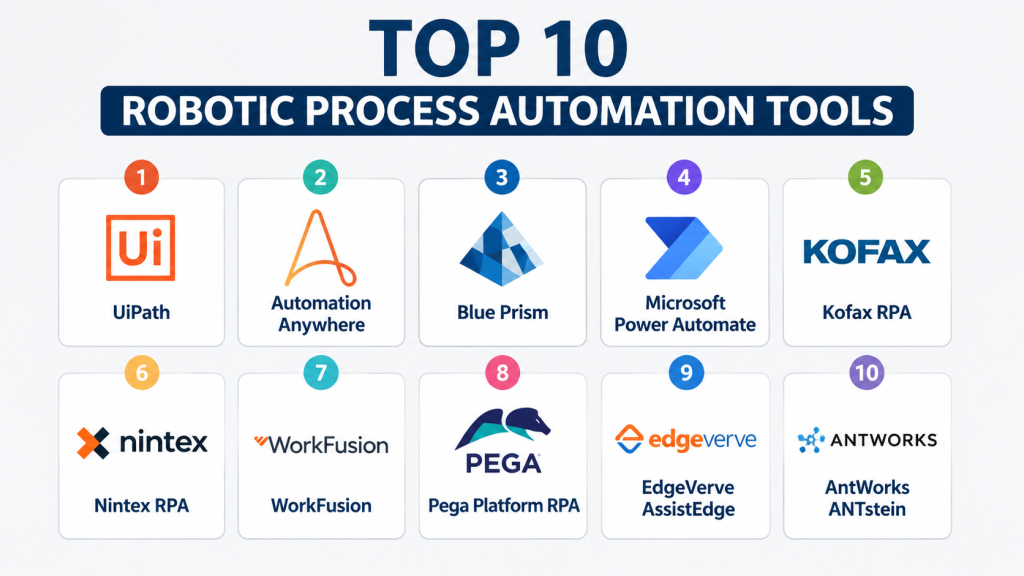
Top 10 Robotic Process Automation Tools
1- UiPath
Short description: Leading enterprise RPA platform offering attended and unattended automation, AI integration, and robust orchestration for large-scale operations.
Key Features
- Attended and unattended automation
- AI/ML-driven document processing
- Centralized orchestration dashboard
- Low-code development environment
- Process mining and analytics
- Cloud and on-prem deployment options
Pros
- Strong community and marketplace of reusable bots
- Scalable enterprise-grade solution
- Extensive integrations with major enterprise systems
Cons
- Pricing can be high for smaller businesses
- Steeper learning curve for advanced features
- Occasional complexity in bot version management
Platforms / Deployment
- Windows, Web
- Cloud / On-prem / Hybrid
Security & Compliance
- SSO/SAML, MFA, encryption, audit logs
- GDPR, SOC 2, ISO 27001
Integrations & Ecosystem
Supports ERP, CRM, HR, and cloud applications.
- SAP, Salesforce, ServiceNow
- Microsoft 365, Oracle ERP
- REST APIs and UiPath Marketplace prebuilt bots
Support & Community
- Documentation, tutorials, enterprise support tiers
- UiPath Academy for structured training and community engagement
2- Automation Anywhere
Short description: Comprehensive RPA platform combining attended/unattended automation with cloud-native architecture and AI-powered capabilities.
Key Features
- Cloud-native and hybrid automation
- Bot store with reusable components
- IQ Bot for AI-driven unstructured data
- Analytics and dashboarding
- Low-code bot creation
- Centralized control room
Pros
- Flexible deployment and licensing
- Strong AI and NLP integration
- Large global client base
Cons
- Initial setup can be complex
- Advanced analytics require additional modules
- Higher cost for full-feature suite
Platforms / Deployment
- Windows, Web
- Cloud / Hybrid
Security & Compliance
- Encryption, MFA, RBAC
- GDPR, SOC 2
Integrations & Ecosystem
Integrates with ERP, CRM, ITSM, and productivity tools.
- SAP, Oracle, Salesforce
- Microsoft Teams, SharePoint
- REST API integration and marketplace bots
Support & Community
- Enterprise support, documentation, and online community
- Certification programs for RPA developers
3- Blue Prism
Short description: Enterprise-focused RPA platform emphasizing secure, scalable, and resilient automation across complex business processes.
Key Features
- Digital workforce orchestration
- AI and cognitive automation
- Centralized control and audit
- Integration with cloud and legacy systems
- Scalability for global deployments
- Advanced scheduling and exception handling
Pros
- Strong security and compliance posture
- Highly scalable for enterprise deployments
- Minimal disruption to legacy systems
Cons
- Less intuitive for citizen developers
- Implementation may require consulting support
- Fewer prebuilt AI features
Platforms / Deployment
- Windows, Web
- Cloud / On-prem / Hybrid
Security & Compliance
- SOC 2, ISO 27001, GDPR
- SSO, MFA, encryption
Integrations & Ecosystem
Supports ERP, CRM, databases, and cloud apps.
- SAP, Oracle, Salesforce
- Microsoft 365, ServiceNow
- REST APIs and connectors
Support & Community
- Enterprise support packages, online documentation
- Active professional user groups
4- Microsoft Power Automate
Short description: Low-code RPA solution integrated with Microsoft ecosystem, enabling desktop and cloud automation.
Key Features
- Desktop and cloud flows
- AI Builder for document and image processing
- Prebuilt templates for common workflows
- Integration with Microsoft 365 apps
- Connectors for 500+ third-party services
- Bot monitoring and analytics
Pros
- Seamless integration with Microsoft products
- Easy for citizen developers
- Cost-effective for Microsoft customers
Cons
- Limited advanced automation compared to enterprise RPA
- Performance varies with complex workflows
- Less mature AI capabilities
Platforms / Deployment
- Windows, Web
- Cloud / Hybrid
Security & Compliance
- Azure security stack, SSO/SAML, MFA
- GDPR, SOC 2
Integrations & Ecosystem
- Microsoft 365 apps: Teams, SharePoint, Dynamics 365
- Salesforce, SAP, SQL
- REST APIs for custom apps
Support & Community
- Microsoft support and community forums
- Learning resources via Microsoft Learn
5- Kofax RPA
Short description: Automation platform focused on document-intensive processes, AI-powered extraction, and enterprise-grade security.
Key Features
- Intelligent document processing
- Attended and unattended automation
- Integration with ERP and CRM
- Analytics and reporting dashboards
- Centralized management console
Pros
- Excellent for document-heavy workflows
- AI/ML capabilities for unstructured data
- Strong enterprise security
Cons
- Interface can be complex for beginners
- Limited community resources
- Higher learning curve for advanced workflows
Platforms / Deployment
- Windows, Web
- Cloud / On-prem / Hybrid
Security & Compliance
- Encryption, audit logs, SSO/SAML
- SOC 2, GDPR, HIPAA
Integrations & Ecosystem
- ERP, CRM, databases, and cloud apps
- SAP, Salesforce, Oracle
- Microsoft 365, SharePoint
- REST APIs and connectors
Support & Community
- Documentation and enterprise support
- Training programs for RPA developers
6- Nintex RPA
Short description: Enterprise-grade RPA focused on workflow automation and process discovery, integrated with Nintex Workflow Cloud.
Key Features
- Workflow and process automation
- Process mapping and discovery tools
- AI-enabled document processing
- Centralized management
- Low-code automation builder
Pros
- Good for process-heavy organizations
- Integrates with Nintex Workflow and forms
- Simplified bot orchestration
Cons
- Limited AI/ML sophistication
- Smaller ecosystem of connectors
- Some performance limitations for large deployments
Platforms / Deployment
- Windows, Web
- Cloud / Hybrid
Security & Compliance
- SSO, MFA, encryption
- SOC 2, GDPR
Integrations & Ecosystem
- ERP, CRM, document management systems
- Microsoft 365, SharePoint
- Salesforce, SAP
- REST API connectors
Support & Community
- Enterprise support, documentation, training resources
- Community forums limited
7- WorkFusion
Short description: Intelligent automation platform combining RPA, AI, and ML to optimize business processes, especially in finance and operations.
Key Features
- Smart RPA with AI/ML
- Document intelligence and OCR
- Bot orchestration and scheduling
- Analytics dashboards
- Integration with ERP and CRM
Pros
- Strong AI-driven automation
- Well-suited for finance and back-office
- Cloud-ready and scalable
Cons
- Steeper learning curve
- Smaller bot marketplace
- Resource-intensive implementation
Platforms / Deployment
- Windows, Web
- Cloud / Hybrid
Security & Compliance
- Encryption, audit logs, MFA
- SOC 2, GDPR
Integrations & Ecosystem
- ERP, CRM, productivity tools
- SAP, Oracle, Salesforce
- Microsoft 365, SharePoint
- REST API integration
Support & Community
- Documentation, enterprise support tiers
- Training resources and knowledge base
8- Pega Platform RPA
Short description: Enterprise-focused RPA integrated with Pega BPM platform for end-to-end process automation.
Key Features
- BPM-integrated automation
- Attended and unattended bots
- AI-driven decisioning
- Real-time analytics and reporting
- Centralized bot management
Pros
- Deep integration with Pega BPM
- Scalable for complex processes
- Strong AI decisioning support
Cons
- Best for Pega ecosystem
- Higher implementation cost
- Less accessible for small businesses
Platforms / Deployment
- Windows, Web
- Cloud / On-prem / Hybrid
Security & Compliance
- SSO, MFA, encryption
- SOC 2, GDPR
Integrations & Ecosystem
- ERP, CRM, and other enterprise systems
- Salesforce, SAP, Oracle
- Microsoft 365 integration
- REST API extensibility
Support & Community
- Enterprise support and documentation
- Active Pega community
9- EdgeVerve AssistEdge
Short description: Intelligent automation platform for enterprise RPA, combining process automation, AI, and analytics.
Key Features
- Attended and unattended bots
- Process discovery and analytics
- AI-enabled document processing
- Central orchestration
- Integration with ERP/CRM
Pros
- AI-powered automation
- Scalable across global deployments
- Strong reporting and dashboards
Cons
- Smaller global market share
- Learning curve for citizen developers
- Limited community resources
Platforms / Deployment
- Windows, Web
- Cloud / On-prem / Hybrid
Security & Compliance
- Encryption, MFA, audit logs
- SOC 2, GDPR
Integrations & Ecosystem
- ERP, CRM, document management, cloud apps
- SAP, Oracle, Salesforce
- Microsoft 365, SharePoint
- API-based extensibility
Support & Community
- Enterprise support and documentation
- Limited online community
10- AntWorks ANTstein
Short description: AI-driven RPA platform focusing on intelligent document processing and cognitive automation.
Key Features
- Cognitive document automation
- Unstructured data handling
- End-to-end process orchestration
- Analytics and reporting
- Cloud and on-prem options
Pros
- Strong AI capabilities for documents
- Scalable for complex workflows
- Flexible deployment models
Cons
- Smaller integration ecosystem
- Less widely adopted
- Learning curve for new users
Platforms / Deployment
- Windows, Web
- Cloud / On-prem / Hybrid
Security & Compliance
- Not publicly stated
Integrations & Ecosystem
- ERP, CRM, and custom systems via API
- SAP, Salesforce
- Microsoft 365
- REST API integration
Support & Community
- Enterprise support available
- Limited community engagement
Comparison Table (Top 10)
| Tool Name | Best For | Platform(s) Supported | Deployment | Standout Feature | Public Rating |
|---|---|---|---|---|---|
| UiPath | Enterprise automation | Windows, Web | Cloud / On-prem / Hybrid | AI-powered automation & marketplace | N/A |
| Automation Anywhere | AI & cloud-native RPA | Windows, Web | Cloud / Hybrid | IQ Bot for unstructured data | N/A |
| Blue Prism | Secure enterprise automation | Windows, Web | Cloud / On-prem / Hybrid | Resilient, scalable digital workforce | N/A |
| Microsoft Power Automate | Microsoft ecosystem | Windows, Web | Cloud / Hybrid | Low-code automation for desktop/cloud | N/A |
| Kofax RPA | Document-heavy workflows | Windows, Web | Cloud / On-prem / Hybrid | Intelligent document processing | N/A |
| Nintex RPA | Process discovery & workflow | Windows, Web | Cloud / Hybrid | Low-code bot creation | N/A |
| WorkFusion | Finance/back-office AI automation | Windows, Web | Cloud / Hybrid | Smart RPA with ML | N/A |
| Pega Platform RPA | BPM-integrated automation | Windows, Web | Cloud / On-prem / Hybrid | End-to-end BPM integration | N/A |
| EdgeVerve AssistEdge | Enterprise AI RPA | Windows, Web | Cloud / On-prem / Hybrid | Process discovery & analytics | N/A |
| AntWorks ANTstein | Cognitive automation | Windows, Web | Cloud / On-prem / Hybrid | AI document processing | N/A |
Evaluation & Scoring of Robotic Process Automation
| Tool Name | Core (25%) | Ease (15%) | Integrations (15%) | Security (10%) | Performance (10%) | Support (10%) | Value (15%) | Weighted Total (0–10) |
|---|---|---|---|---|---|---|---|---|
| UiPath | 10 | 9 | 10 | 10 | 9 | 9 | 8 | 9.4 |
| Automation Anywhere | 9 | 8 | 9 | 9 | 8 | 8 | 8 | 8.6 |
| Blue Prism | 9 | 7 | 8 | 10 | 9 | 8 | 7 | 8.5 |
| Microsoft Power Automate | 7 | 9 | 8 | 9 | 7 | 8 | 9 | 8.2 |
| Kofax RPA | 8 | 7 | 8 | 9 | 8 | 7 | 7 | 7.9 |
| Nintex RPA | 7 | 8 | 7 | 8 | 7 | 7 | 7 | 7.4 |
| WorkFusion | 8 | 7 | 8 | 8 | 8 | 7 | 7 | 7.8 |
| Pega Platform RPA | 8 | 7 | 7 | 9 | 8 | 7 | 7 | 7.7 |
| EdgeVerve AssistEdge | 7 | 7 | 7 | 8 | 7 | 7 | 7 | 7.2 |
| AntWorks ANTstein | 7 | 6 | 6 | 7 | 7 | 6 | 6 | 6.6 |
Scores are comparative; higher totals indicate better overall fit for enterprise needs, integrations, security, and value.
Which Robotic Process Automation Tool Is Right for You?
Solo / Freelancer
- Microsoft Power Automate is ideal for individual workflows, especially within the Microsoft ecosystem.
- UiPath and Automation Anywhere offer community editions for testing small-scale automation.
SMB
- UiPath and Kofax RPA balance usability and enterprise-grade features.
- Nintex RPA supports low-code workflows suitable for SMBs.
Mid-Market
- WorkFusion and Automation Anywhere provide AI-driven automation for finance and operations.
- Blue Prism handles structured, secure mid-market deployments.
Enterprise
- UiPath, Blue Prism, and Pega Platform RPA excel in large-scale deployments.
- EdgeVerve AssistEdge supports global orchestration for multinational enterprises.
Budget vs Premium
- Budget-friendly: Microsoft Power Automate, Nintex RPA
- Premium: UiPath, Automation Anywhere, Blue Prism, Pega
Feature Depth vs Ease of Use
- Feature-rich but complex: Blue Prism, WorkFusion
- Easier adoption: Microsoft Power Automate, Nintex RPA
Integrations & Scalability
- Extensive ERP/CRM integrations: UiPath, Automation Anywhere, Pega
- Lightweight integrations: Microsoft Power Automate, Nintex RPA
Security & Compliance Needs
- Strict compliance: Blue Prism, UiPath, Kofax RPA
- Standard security: Microsoft Power Automate, Nintex RPA
Frequently Asked Questions (FAQs)
1. What pricing models do RPA tools typically offer?
RPA tools offer subscription-based, per-bot licensing, or enterprise licensing models. Costs vary based on number of bots, features, and deployment type.
2. How long does it take to implement RPA?
Implementation varies from a few weeks for small workflows to several months for enterprise-scale automation with complex integrations.
3. Can RPA handle unstructured data?
Yes, modern RPA tools with AI/ML capabilities can process unstructured data such as emails, PDFs, and scanned documents.
4. What are the main security features in RPA?
Key features include encryption, SSO/SAML, MFA, audit logs, RBAC, and compliance with GDPR, SOC 2, and HIPAA when applicable.
5. Do I need coding skills to use RPA?
Most modern platforms provide low-code/no-code interfaces for business users, though advanced automations may require scripting knowledge.
6. How scalable are RPA deployments?
RPA can scale from a few bots to thousands across global operations, depending on platform and architecture.
7. Can RPA integrate with existing ERP/CRM systems?
Yes, all major RPA platforms offer connectors or APIs to integrate with ERP, CRM, HR, and productivity systems.
8. How do I monitor RPA performance?
RPA platforms provide dashboards, analytics, and alerts for bot performance, exception handling, and workflow efficiency.
9. What are common mistakes when adopting RPA?
Over-automation, ignoring change management, insufficient process documentation, and underestimating maintenance are common pitfalls.
10. Are there alternatives to RPA?
Yes, alternatives include workflow automation platforms, low-code tools, AI-powered process orchestration, and custom scripts for smaller tasks.
Conclusion
RPA is a transformative technology that can significantly enhance operational efficiency, reduce errors, and accelerate workflows across industries. The choice of platform depends on factors like company size, process complexity, AI requirements, integrations, and compliance needs. Enterprises benefit from robust platforms like UiPath, Blue Prism, or Pega, while SMBs may prefer Microsoft Power Automate or Nintex for ease and cost-efficiency. Successful adoption requires evaluating deployment models, integration capabilities, and vendor support. Organizations should shortlist a few tools, run pilot automations to validate performance and security, and scale deployments gradually. With the right strategy, RPA can deliver substantial ROI while freeing employees to focus on strategic initiatives.

Find Trusted Cardiac Hospitals
Compare heart hospitals by city and services — all in one place.
Explore Hospitals
I learned how RPA tools can automate repetitive tasks and improve business efficiency. I’d like to understand more about how companies choose the right RPA tool for their needs.