Introduction
Smart Lighting Apps help users control, automate, schedule, group, and personalize connected lights from smartphones, tablets, smart speakers, hubs, or home automation platforms. These apps support actions such as dimming, color changes, scenes, sunrise routines, motion-based lighting, away mode, entertainment sync, and energy-saving schedules. Smart lighting matters because homes, offices, hotels, studios, and rental spaces now expect lighting to be flexible, efficient, secure, and easy to manage. Modern users want lighting that works with Matter, Zigbee, Thread, Wi-Fi, Bluetooth, voice assistants, sensors, and broader smart home ecosystems.
Real World Use Cases:
- Creating mood lighting for living rooms, bedrooms, and workspaces
- Automating lights based on time, motion, presence, or routines
- Syncing lights with music, TV, games, or entertainment setups
- Managing outdoor, security, and pathway lighting
- Reducing energy waste with schedules and smart controls
Evaluation Criteria for Buyers:
- Device and bulb compatibility
- Matter, Zigbee, Thread, Wi-Fi, and Bluetooth support
- Scene creation and automation depth
- Voice assistant compatibility
- App usability and setup experience
- Local control versus cloud dependency
- Entertainment sync and color effects
- Multi-room and group control
- Security and privacy settings
- Long-term ecosystem support
Best for: Homeowners, renters, smart home users, interior designers, gamers, content creators, hospitality teams, small offices, property managers, and smart home installers who want centralized lighting control, automation, ambience, security, and energy efficiency.
Not ideal for: Users with only one basic smart bulb may not need a full smart lighting app ecosystem. A simple bulb app, voice assistant app, or manual switch may be enough until lighting expands across rooms, scenes, automations, or multiple device brands.
Key Trends in Smart Lighting Apps
- Matter compatibility is becoming more important: Users want smart lights that work across Google Home, Apple Home, Amazon Alexa, SmartThings, and other ecosystems with fewer compatibility issues.
- Adaptive lighting is gaining popularity: Apps increasingly support color temperature changes throughout the day to match focus, relaxation, sleep, or natural light patterns.
- Entertainment lighting is expanding: Gaming, streaming, home theater, and music sync features are making lighting more immersive and experience-driven.
- Energy-saving automation is a core use case: Schedules, motion triggers, dimming, room grouping, and away routines help reduce unnecessary energy usage.
- Voice control is now expected: Buyers expect lighting apps to work with Alexa, Google Assistant, Siri, or other voice assistants for hands-free control.
- Local control and privacy are gaining attention: Users want lighting automations that remain reliable even when the internet is unavailable and do not over-collect household data.
- Multi-brand lighting control is growing: Users increasingly combine bulbs, strips, panels, sensors, switches, and hubs from multiple brands.
- Outdoor and security lighting are becoming smarter: Motion-based outdoor lighting, pathway lights, floodlights, and presence simulation are common smart lighting scenarios.
- Design-led lighting scenes are mainstream: Users want presets for reading, dinner, focus, movie night, gaming, meditation, parties, and sleep routines.
- Professional and DIY lighting are converging: Consumer apps are easier, but advanced users still want deeper automations through platforms like Home Assistant, SmartThings, and Homey.
How We Selected These Tools
The tools below were selected using practical smart lighting and smart home evaluation logic:
- Market recognition among smart lighting users, homeowners, renters, creators, and smart home installers
- Compatibility with common lighting categories such as bulbs, strips, panels, lamps, outdoor lights, switches, and sensors
- Support for major smart home ecosystems and voice assistants
- Automation depth for schedules, scenes, routines, motion, and presence
- App usability for beginners and non-technical users
- Support for color, brightness, white temperature, groups, rooms, and zones
- Fit across budget homes, premium lighting setups, entertainment spaces, and advanced DIY homes
- Integration potential with hubs, Matter, Zigbee, Wi-Fi, Bluetooth, and smart home platforms
- Security and privacy expectations for household lighting data
- Long-term ecosystem strength, device support, and practical user value
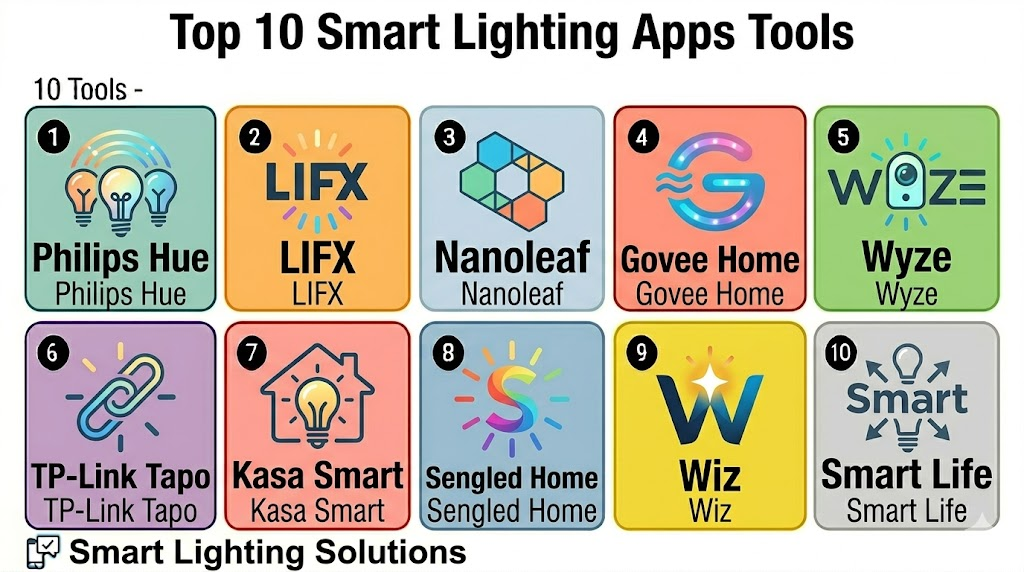
Top 10 Smart Lighting Apps Tools
1- Philips Hue
Short description: Philips Hue is one of the most recognized smart lighting apps and ecosystems for bulbs, light strips, lamps, outdoor lights, sensors, switches, and entertainment lighting. It is best for users who want reliable lighting scenes, premium device quality, and broad smart home compatibility.
Key Features
- Bulb, strip, lamp, and outdoor lighting control
- Rooms, zones, scenes, and schedules
- Hue Bridge support for advanced control
- Voice assistant and smart home integrations
- Entertainment sync with supported devices
- Motion sensor and accessory support
- Color, white ambience, and dimming control
Pros
- Strong ecosystem with many lighting device types
- Reliable lighting experience for homes and entertainment spaces
- Good support for scenes, groups, and accessories
Cons
- Premium pricing compared with many alternatives
- Best experience often requires Hue Bridge
- Users outside Hue ecosystem may need additional platforms
Platforms / Deployment
iOS / Android
Cloud / Hybrid
Security & Compliance
Varies / N/A. Buyers should validate account security, bridge updates, remote access settings, app permissions, and device sharing controls.
Integrations & Ecosystem
Philips Hue works well as a dedicated smart lighting ecosystem and can also connect with broader smart home platforms.
- Apple Home
- Google Home
- Amazon Alexa
- Samsung SmartThings
- Hue Bridge and accessories
- Entertainment sync workflows
Support & Community
Philips Hue has strong official support, documentation, setup guidance, and a large user community. Many lighting scenes, room ideas, and automation examples are widely shared by users.
2- LIFX
Short description: LIFX is a smart lighting app and ecosystem focused on Wi-Fi smart bulbs, strips, panels, and color lighting products. It is useful for users who want bright color lighting without necessarily needing a separate hub.
Key Features
- Wi-Fi smart light control
- Color, white temperature, and brightness adjustment
- Scenes, schedules, and effects
- Group and room-based controls
- Voice assistant compatibility
- App-based setup without a separate hub for many products
- Support for decorative and ambience lighting
Pros
- No separate hub required for many setups
- Strong color lighting and brightness options
- Good fit for users who want simple Wi-Fi smart lighting
Cons
- Wi-Fi reliability depends on router and network quality
- Large installations may become harder to manage without planning
- Device availability can vary by region
Platforms / Deployment
iOS / Android
Cloud / Hybrid
Security & Compliance
Varies / N/A. Buyers should validate account security, app permissions, firmware updates, remote access, Wi-Fi network security, and device sharing settings.
Integrations & Ecosystem
LIFX fits homes that want app-controlled lighting with voice assistant and smart home ecosystem support.
- Amazon Alexa
- Google Home
- Apple Home where supported
- SmartThings where supported
- Wi-Fi lighting products
- Scene and effect workflows
Support & Community
LIFX provides official app guidance, support resources, and product documentation. Community knowledge is useful for effects, scenes, Wi-Fi setup, and smart home integrations.
3- Nanoleaf
Short description: Nanoleaf is a smart lighting app for decorative panels, light strips, bulbs, shapes, lines, and design-led lighting experiences. It is especially popular for gaming rooms, studios, creative spaces, and expressive wall lighting.
Key Features
- Smart lighting panels, shapes, lines, and bulbs
- Dynamic scenes and color effects
- Music and screen-inspired lighting experiences
- Matter support on selected products
- Thread support on selected products
- Group control and room setup
- App-based scene discovery and customization
Pros
- Excellent for decorative and creative lighting
- Strong fit for gaming, streaming, and studio setups
- Unique panel and wall-lighting experiences
Cons
- Not always the cheapest option for whole-home lighting
- Some advanced setups require careful layout planning
- Device feature support can vary by product generation
Platforms / Deployment
iOS / Android / Desktop support varies
Cloud / Hybrid
Security & Compliance
Varies / N/A. Buyers should validate account settings, device sharing, firmware updates, network security, and privacy options.
Integrations & Ecosystem
Nanoleaf works well for users who want visually rich lighting effects connected with smart home platforms.
- Apple Home
- Google Home
- Amazon Alexa
- SmartThings
- Matter and Thread on selected devices
- Entertainment and ambience workflows
Support & Community
Nanoleaf provides product documentation, app support, and setup guides. Its creative user community shares room designs, gaming setups, wall layouts, and scene ideas.
4- Govee Home
Short description: Govee Home is a smart lighting app for LED strips, light bars, bulbs, panels, outdoor lights, gaming lights, and home ambience products. It is useful for users who want affordable decorative lighting and feature-rich effects.
Key Features
- LED strip, bulb, panel, and ambience lighting control
- Color, brightness, and scene customization
- Music sync and dynamic lighting effects
- Group control and schedules
- Smart home assistant support
- DIY scene and effect creation
- Wide range of indoor and outdoor lighting products
Pros
- Strong value for decorative and ambience lighting
- Large range of lighting product types
- Good app features for effects and customization
Cons
- Quality and features can vary by product line
- Advanced smart home integration depth should be checked
- Large setups may need careful grouping and network planning
Platforms / Deployment
iOS / Android
Cloud / Hybrid
Security & Compliance
Varies / N/A. Buyers should validate account protection, app permissions, device sharing, remote access, Wi-Fi security, and firmware update practices.
Integrations & Ecosystem
Govee Home is useful for users who want colorful, affordable, and effect-driven lighting across many spaces.
- Alexa
- Google Assistant
- Wi-Fi and Bluetooth lighting devices
- Music sync workflows
- Room and group controls
- DIY lighting scenes
Support & Community
Govee provides app support, product guides, and customer help resources. The user community is active around lighting effects, gaming rooms, and decorative setups.
5- Wyze
Short description: Wyze supports smart lighting control as part of a broader affordable smart home ecosystem that includes bulbs, plugs, cameras, sensors, and security devices. It is useful for budget-conscious users who want simple lighting control along with other smart home products.
Key Features
- Smart bulb and light strip control
- Schedules, timers, and basic automation
- Integration with Wyze cameras and sensors
- App-based device grouping
- Voice assistant support
- Affordable smart home ecosystem
- Remote control and notifications
Pros
- Budget-friendly smart lighting option
- Works well with broader Wyze smart home devices
- Simple app experience for beginners
Cons
- Advanced lighting effects may be limited compared with premium lighting apps
- Ecosystem depth depends on Wyze product availability
- Some workflows may depend on cloud connectivity
Platforms / Deployment
iOS / Android
Cloud / Hybrid
Security & Compliance
Varies / N/A. Buyers should review account security, two-factor authentication availability, app permissions, camera-related privacy, and device sharing settings.
Integrations & Ecosystem
Wyze works well when lighting is part of a broader affordable smart home setup.
- Wyze bulbs and light strips
- Wyze cameras and sensors
- Smart plugs and routines
- Alexa
- Google Assistant
- App-based automations
Support & Community
Wyze provides product guides, app support, and help resources. Its community is active around budget smart home setups, camera integration, and simple routines.
6- TP-Link Tapo
Short description: TP-Link Tapo is a smart home app for bulbs, plugs, cameras, switches, sensors, and smart home devices. It is useful for users who want affordable lighting control connected with a broader TP-Link smart home ecosystem.
Key Features
- Smart bulb and strip control
- Scheduling and timer workflows
- Group control and scenes
- Integration with Tapo smart plugs and sensors
- Voice assistant support
- Remote control through app
- Budget-friendly device ecosystem
Pros
- Affordable smart lighting and smart home devices
- Easy setup for basic users
- Useful for lighting, plugs, cameras, and sensors together
Cons
- Advanced lighting effects may be limited compared with dedicated lighting brands
- Compatibility should be checked across Tapo and Kasa lines
- Some features may vary by region and product model
Platforms / Deployment
iOS / Android
Cloud / Hybrid
Security & Compliance
Varies / N/A. Buyers should validate account security, Wi-Fi settings, firmware updates, device sharing, privacy controls, and remote access settings.
Integrations & Ecosystem
Tapo is useful for users who want lighting control connected with affordable smart plugs, sensors, cameras, and home automation routines.
- Tapo bulbs and strips
- Tapo plugs and sensors
- Alexa
- Google Assistant
- Matter support on selected products
- Smart home routines
Support & Community
TP-Link provides product documentation, app guidance, and support resources. Community help is useful for setup, device compatibility, and home networking questions.
7- Kasa Smart
Short description: Kasa Smart is TP-Link’s smart home app for bulbs, plugs, switches, cameras, and lighting automation. It is useful for users who want simple, reliable control of smart bulbs and switches with easy scheduling and voice assistant support.
Key Features
- Smart bulb and switch control
- Schedules, timers, and scenes
- Group control for rooms and devices
- Remote app control
- Voice assistant compatibility
- Smart plug and switch ecosystem
- Simple setup for home users
Pros
- Easy to use for beginners
- Good fit for smart switches and plugs with lighting control
- Strong value for everyday smart lighting needs
Cons
- Decorative lighting effects are not as deep as Govee or Nanoleaf
- Product ecosystem may overlap with Tapo
- Advanced automation may require broader smart home platforms
Platforms / Deployment
iOS / Android
Cloud / Hybrid
Security & Compliance
Varies / N/A. Buyers should validate account security, Wi-Fi protection, firmware updates, device sharing, and privacy settings.
Integrations & Ecosystem
Kasa Smart is practical for users who want smart lighting connected with switches, plugs, and basic home automation.
- Kasa bulbs
- Kasa switches and plugs
- Alexa
- Google Assistant
- Smart home routines
- Remote lighting control
Support & Community
TP-Link provides Kasa setup guides, troubleshooting resources, and product support. Users also share common routines and setup tips in smart home communities.
8- Sengled Home
Short description: Sengled Home is a smart lighting app for Sengled bulbs, light strips, and smart lighting accessories. It is useful for users who want practical lighting control, schedules, scenes, and voice assistant integration across Sengled lighting products.
Key Features
- Sengled bulb and strip control
- Color, white temperature, and brightness control
- Scenes and schedules
- Room and group organization
- Voice assistant compatibility
- Hub-based and hubless options depending on product
- Basic automation workflows
Pros
- Practical smart lighting for everyday homes
- Good fit for users already using Sengled products
- Supports common lighting scenes and schedules
Cons
- Ecosystem depth is narrower than some larger platforms
- Device compatibility depends on product type and hub needs
- Advanced effects may be limited compared with entertainment lighting apps
Platforms / Deployment
iOS / Android
Cloud / Hybrid
Security & Compliance
Varies / N/A. Buyers should validate account settings, device sharing, remote access, firmware updates, and privacy controls.
Integrations & Ecosystem
Sengled Home works well for users building a lighting setup around Sengled bulbs and accessories.
- Sengled bulbs and strips
- Sengled hub where applicable
- Alexa
- Google Assistant
- SmartThings compatibility on selected products
- Lighting scenes and groups
Support & Community
Sengled provides product support, setup guides, and app resources. Community support is helpful for hub pairing, bulb compatibility, and voice assistant setup.
9- Wiz
Short description: Wiz is a smart lighting app for Wi-Fi-based smart bulbs, strips, lamps, and connected lighting products. It is useful for users who want simple smart lighting without needing a dedicated bridge for many devices.
Key Features
- Wi-Fi smart lighting control
- Color and white temperature adjustment
- Scenes, schedules, and rhythms
- Room and group controls
- Voice assistant integrations
- App-based setup
- Energy and usage-related features on selected products
Pros
- No separate bridge required for many setups
- Easy for everyday smart lighting users
- Good fit for affordable Wi-Fi lighting
Cons
- Wi-Fi network quality affects performance
- Large installations need strong router planning
- Advanced automation may require external smart home platforms
Platforms / Deployment
iOS / Android
Cloud / Hybrid
Security & Compliance
Varies / N/A. Buyers should validate account security, firmware updates, Wi-Fi settings, remote access, and privacy controls.
Integrations & Ecosystem
Wiz is useful for users who want simple app-based lighting with smart home assistant compatibility.
- Wiz bulbs and lamps
- Alexa
- Google Assistant
- Apple ecosystem support where available
- Matter support on selected products
- Room and schedule workflows
Support & Community
Wiz provides product support, setup guidance, and app resources. Community tips are helpful for Wi-Fi performance, device grouping, and scene setup.
10- Smart Life
Short description: Smart Life is a broad smart home app commonly used with many Tuya-compatible smart lights, plugs, switches, sensors, and devices. It is useful for users who want affordable multi-brand device control from one app.
Key Features
- Smart bulb, switch, plug, and device control
- Scenes, schedules, and automations
- Multi-brand device support through compatible products
- Voice assistant integrations
- Remote app control
- Family sharing and device grouping
- Broad smart home device categories
Pros
- Supports many affordable smart lighting products
- Useful for budget smart homes with mixed devices
- Simple routines and remote control features
Cons
- Device quality can vary across brands
- Advanced lighting polish may be weaker than premium lighting ecosystems
- Privacy and long-term support should be reviewed carefully
Platforms / Deployment
iOS / Android
Cloud / Hybrid
Security & Compliance
Varies / N/A. Buyers should validate account protection, privacy settings, device sharing, cloud dependency, app permissions, and firmware update practices.
Integrations & Ecosystem
Smart Life is useful when users have multiple compatible budget smart devices across lighting, plugs, switches, sensors, and appliances.
- Tuya-compatible smart lights
- Smart plugs and switches
- Alexa
- Google Assistant
- Multi-device scenes
- Budget smart home devices
Support & Community
Support depends heavily on the device brand and seller. The app has broad usage, but buyers should choose reliable device brands and check support expectations before scaling.
Comparison Table
| Tool Name | Best For | Platform Supported | Deployment | Standout Feature | Public Rating |
|---|---|---|---|---|---|
| Philips Hue | Premium whole-home smart lighting | iOS, Android | Cloud / Hybrid | Reliable scenes, Hue Bridge, and lighting ecosystem | N/A |
| LIFX | Bright Wi-Fi color lighting | iOS, Android | Cloud / Hybrid | Hub-free color lighting for many setups | N/A |
| Nanoleaf | Decorative panels and creative lighting | iOS, Android, desktop varies | Cloud / Hybrid | Wall panels, dynamic scenes, and design lighting | N/A |
| Govee Home | Affordable ambience and entertainment lighting | iOS, Android | Cloud / Hybrid | Music sync and colorful lighting effects | N/A |
| Wyze | Budget smart lighting and home devices | iOS, Android | Cloud / Hybrid | Affordable lighting with smart home ecosystem | N/A |
| TP-Link Tapo | Affordable lighting, plugs, cameras, and sensors | iOS, Android | Cloud / Hybrid | Budget smart home control in one app | N/A |
| Kasa Smart | Smart switches, plugs, and bulbs | iOS, Android | Cloud / Hybrid | Simple everyday lighting and switch control | N/A |
| Sengled Home | Sengled bulbs and everyday lighting | iOS, Android | Cloud / Hybrid | Practical bulb and strip control | N/A |
| Wiz | Wi-Fi smart lighting without bridge | iOS, Android | Cloud / Hybrid | Simple app-based Wi-Fi lighting | N/A |
| Smart Life | Budget multi-brand smart lighting | iOS, Android | Cloud / Hybrid | Broad Tuya-compatible device support | N/A |
Evaluation & Scoring of Smart Lighting Apps
| Tool Name | Core 25% | Ease 15% | Integrations 15% | Security 10% | Performance 10% | Support 10% | Value 15% | Weighted Total |
|---|---|---|---|---|---|---|---|---|
| Philips Hue | 9.3 | 8.8 | 9.0 | 8.0 | 9.2 | 8.8 | 7.6 | 8.8 |
| LIFX | 8.5 | 8.6 | 8.2 | 7.5 | 8.2 | 8.0 | 8.0 | 8.2 |
| Nanoleaf | 8.7 | 8.3 | 8.5 | 7.6 | 8.4 | 8.1 | 7.7 | 8.3 |
| Govee Home | 8.6 | 8.5 | 8.0 | 7.3 | 8.2 | 8.0 | 8.8 | 8.3 |
| Wyze | 7.8 | 8.7 | 7.7 | 7.3 | 7.9 | 7.8 | 8.7 | 8.0 |
| TP-Link Tapo | 8.0 | 8.7 | 8.0 | 7.5 | 8.1 | 8.0 | 8.6 | 8.1 |
| Kasa Smart | 7.9 | 8.8 | 7.9 | 7.5 | 8.2 | 8.0 | 8.5 | 8.1 |
| Sengled Home | 7.8 | 8.3 | 7.7 | 7.3 | 7.9 | 7.7 | 8.2 | 7.8 |
| Wiz | 8.1 | 8.6 | 8.0 | 7.4 | 8.1 | 7.9 | 8.4 | 8.1 |
| Smart Life | 8.0 | 8.2 | 8.3 | 7.0 | 7.8 | 7.3 | 8.7 | 8.0 |
Which Smart Lighting Apps Tool Is Right for You?
Solo / Freelancer
Solo users, renters, students, and apartment residents should focus on easy setup, low hardware cost, and simple app control. Wiz, Kasa Smart, TP-Link Tapo, Wyze, Govee Home, and Smart Life are practical options for quick smart lighting setups.
If lighting quality and reliability matter more than lowest cost, Philips Hue or LIFX may be better long-term choices.
SMB
Small offices, studios, cafes, salons, boutique stores, and rental operators should prioritize schedules, groups, scenes, ease of use, and reliable remote control. Philips Hue, TP-Link Tapo, Kasa Smart, Govee Home, and Wiz can work well depending on budget and ambience goals.
SMBs should check whether staff can manage lighting easily without needing technical support every time a routine changes.
Mid-Market
Mid-market spaces such as coworking offices, hospitality properties, creative studios, showrooms, and managed rentals need consistent lighting scenes, multi-room control, role-based usage, and smart home integration. Philips Hue, Nanoleaf, LIFX, Govee Home, and Tapo are strong candidates.
This segment should validate Wi-Fi capacity, hub requirements, device grouping, support, and scene reliability before rollout.
Enterprise
Enterprise-style smart lighting app needs usually apply to hospitality chains, property developers, premium residences, experience centers, and managed smart spaces. Philips Hue, Nanoleaf, LIFX, and platform-connected solutions through Apple Home, Google Home, SmartThings, or Home Assistant may fit depending on scale.
Enterprise buyers should involve IT, facilities, security, installers, and operations teams before standardizing lighting ecosystems.
Budget vs Premium
Budget-conscious users should evaluate Smart Life, Wyze, TP-Link Tapo, Kasa Smart, Wiz, and Govee Home. These apps can support affordable smart lighting with practical control and automation features.
Premium buyers should evaluate Philips Hue, LIFX, and Nanoleaf when lighting quality, reliability, color performance, creative effects, and ecosystem depth matter more than lowest device cost.
Feature Depth vs Ease of Use
If ease of use matters most, Philips Hue, Wiz, Kasa Smart, TP-Link Tapo, and Wyze are strong starting points. If feature depth and creative lighting matter more, Philips Hue, Nanoleaf, Govee Home, LIFX, and Smart Life should be reviewed more closely.
The best app should match how much control the user actually wants, not create unnecessary complexity.
Integrations & Scalability
Smart lighting apps should be checked for compatibility with Apple Home, Google Home, Amazon Alexa, SmartThings, Matter, Zigbee, Wi-Fi, Bluetooth, and hubs. Philips Hue, Nanoleaf, LIFX, Wiz, Tapo, and Kasa are strong candidates for ecosystem integration.
For larger homes or multi-room setups, buyers should consider network strength, hub capacity, group limits, and long-term device support.
Security & Compliance Needs
Smart lighting apps may collect home names, room details, usage patterns, device locations, account data, and remote access permissions. Buyers should review account security, two-factor authentication, device sharing, firmware updates, cloud dependency, and app permissions.
Privacy-conscious users should limit unnecessary sharing, use strong passwords, keep firmware updated, and avoid unknown low-support device brands.
Frequently Asked Questions
1. What is a Smart Lighting App?
A Smart Lighting App lets users control smart bulbs, strips, panels, switches, and lamps from a phone or tablet.
It can manage brightness, colors, schedules, scenes, timers, groups, and automations.
Some apps also connect with voice assistants, sensors, entertainment systems, and smart home hubs.
It helps users control lighting without relying only on wall switches.
2. Which Smart Lighting App is best for beginners?
Philips Hue, Wiz, Kasa Smart, TP-Link Tapo, Wyze, and Govee Home are practical options for beginners.
They offer easy setup, simple app controls, scenes, schedules, and voice assistant support.
The best choice depends on budget, lighting type, and whether a hub is acceptable.
Beginners should start with one room before expanding.
3. Do smart lighting apps need a hub?
Some smart lighting apps need a hub or bridge, while others work directly over Wi-Fi or Bluetooth.
Philips Hue works best with Hue Bridge for advanced features, while Wiz, LIFX, Tapo, and Kasa often use Wi-Fi.
Hub-based systems can be more reliable for larger homes.
Hub-free systems are usually easier for small setups.
4. What is the difference between smart bulbs and smart switches?
Smart bulbs control the light source itself and usually support color, dimming, and scenes.
Smart switches replace wall switches and control the power to lights or fixtures.
Bulbs are easier for renters, while switches can be better for permanent installations.
Some homes use both depending on room and wiring needs.
5. Can smart lighting apps save energy?
Yes, smart lighting apps can reduce energy waste through schedules, timers, motion triggers, dimming, and away routines.
They help ensure lights are not left on unnecessarily.
Actual savings depend on user behavior, bulb type, automation setup, and room usage.
LED smart bulbs are generally more efficient than older lighting types.
6. Which Smart Lighting App is best for entertainment?
Philips Hue, Nanoleaf, Govee Home, and LIFX are strong options for entertainment-focused lighting.
They support colorful scenes, dynamic effects, music sync, and gaming or movie ambience.
Philips Hue and Nanoleaf are especially strong for polished room experiences.
Govee is a strong value choice for colorful effects.
7. Which Smart Lighting App is best for budget users?
Govee Home, Wyze, TP-Link Tapo, Kasa Smart, Wiz, and Smart Life are good options for budget-conscious users.
They offer useful lighting control without the highest hardware cost.
Budget users should still check device quality, app support, and privacy settings.
Cheapest is not always best for long-term reliability.
8. What are common mistakes when choosing smart lighting apps?
Common mistakes include mixing too many brands, ignoring Wi-Fi capacity, and buying bulbs before checking compatibility.
Users also forget that some bulbs need hubs or bridges for advanced features.
Another mistake is choosing decorative lighting when everyday lighting reliability is more important.
Testing one room first helps avoid wasted purchases.
9. Can Smart Lighting Apps work with voice assistants?
Yes, many smart lighting apps work with Alexa, Google Assistant, Siri, SmartThings, or broader smart home platforms.
Voice control lets users turn lights on, dim rooms, change colors, and activate scenes hands-free.
Compatibility depends on the device model and ecosystem support.
Buyers should confirm voice assistant support before purchasing lights.
10. What are alternatives to Smart Lighting Apps?
Alternatives include manual dimmers, standard LED bulbs, timers, motion sensors, smart plugs, and traditional lighting control systems.
These can work for simple lighting needs without app-based control.
Smart lighting apps are more useful when users want scenes, colors, automation, and remote access.
The right choice depends on budget, room type, and control needs.
Conclusion
Smart Lighting Apps help users turn ordinary lighting into a more flexible, automated, and personalized experience. The best app depends on budget, ecosystem, lighting quality, device compatibility, automation depth, and whether the user wants simple control or advanced ambience. Philips Hue is a strong premium choice for reliable whole-home lighting, while LIFX and Nanoleaf are excellent for bright color and creative setups. Govee Home, Wyze, Tapo, Kasa, Wiz, Sengled Home, and Smart Life serve different needs across budget lighting, Wi-Fi bulbs, decorative effects, and multi-brand control. The smartest next step is to shortlist two or three apps, test one room first, validate voice assistant and smart home compatibility, review privacy settings, and then expand lighting gradually across the home or workspace.

Find Trusted Cardiac Hospitals
Compare heart hospitals by city and services — all in one place.
Explore Hospitals
Smart lighting apps are most valuable when they allow users to remotely control, automate, and customize lighting across homes and workplaces from a mobile device. By providing on/off control, brightness and color adjustment, scheduling, scene creation, energy monitoring, geofencing, voice assistant integration, smart home automation, group control, and remote access, these apps enhance convenience, improve energy efficiency, create personalized lighting experiences, strengthen home security through automated lighting, and simplify the management of connected lighting systems.