Introduction
Tax Filing Consumer Apps help individuals, families, freelancers, side-hustle workers, students, retirees, and small taxpayers prepare and file tax returns through guided digital workflows. These apps simplify tax filing by turning income forms, deductions, credits, dependents, investment income, self-employment income, and state returns into step-by-step questions. They matter now because taxpayers expect faster filing, mobile access, document uploads, refund tracking, AI-style guidance, stronger security, and more affordable filing choices. Many users also need help comparing free filing options, paid DIY software, live expert support, and hybrid professional review. A good tax app should reduce confusion, flag possible errors, explain deductions clearly, and help users file accurately without unnecessary complexity. Buyers should evaluate filing complexity, pricing, state return fees, live help, import support, audit support, security, refund options, and ease of use.
Real-world Use Cases
- Simple W-2 tax filing: Employees can file basic federal and state returns using guided questions, W-2 imports, standard deduction workflows, and refund tracking.
- Freelancer and gig worker filing: Self-employed users can report 1099 income, business expenses, mileage, home office deductions, and quarterly tax-related details.
- Family tax return preparation: Parents and caregivers can claim dependents, child-related credits, education credits, childcare expenses, and household filing details.
- Investment and crypto income filing: Investors can report dividends, capital gains, stock sales, crypto transactions, and brokerage tax forms depending on app support.
- Multi-state filing: Users who moved, worked remotely, or earned income in multiple states can prepare federal and state returns with state-specific workflows.
- Live tax expert assistance: Taxpayers with confusing situations can use apps that offer CPA, EA, tax pro chat, review, or full-service filing options.
- Free filing for eligible users: Some taxpayers can use free federal filing tools if their tax situation fits eligibility rules and software limits.
- Refund and payment planning: Users can track refund estimates, choose direct deposit, review payment options, and avoid filing mistakes that delay processing.
Evaluation Criteria for Buyers
- Filing complexity support: Check whether the app supports W-2 income, 1099 income, self-employment, investments, rental income, itemized deductions, and multi-state returns.
- Pricing transparency: Buyers should review federal filing cost, state filing cost, expert help fees, audit support fees, and whether pricing changes by tax situation.
- Ease of use: The app should explain tax questions clearly and guide users without requiring tax expertise.
- Document import: Look for W-2 import, 1099 import, brokerage import, prior-year return import, photo upload, and PDF upload support.
- Live expert help: Users with complex returns may need chat, phone, video, CPA, EA, or tax professional review.
- Accuracy checks: Good tools should flag missing forms, unusual entries, deduction mistakes, and possible filing errors.
- Security and privacy: Review MFA, encryption, account protection, data sharing, document storage, and privacy controls.
- State filing support: Confirm whether the app supports the user’s state, multiple states, part-year residency, and state-specific credits.
- Audit and notice support: Buyers should check whether the app includes audit guidance, notice help, or paid representation options.
- Mobile and web experience: Taxpayers should test whether the app works well on phone, tablet, desktop, and browser-based workflows.
Best for
Best for: Taxpayers who want a guided digital way to prepare and file returns without manually completing tax forms.
It is useful for employees, families, freelancers, gig workers, investors, students, retirees, and users who want refund visibility and filing confidence.
It also fits people who need live expert help, document import, deduction guidance, state filing, or step-by-step tax preparation.
Not ideal for: Users with highly complex business, estate, trust, international, or advanced corporate tax situations that require professional tax planning.
It may also be less useful for people who are uncomfortable entering sensitive financial data online or who prefer in-person tax preparation.
For very complex cases, a CPA, enrolled agent, or tax attorney may be a better option than a consumer tax app.
Key Trends in Tax Filing Consumer Apps
- Free filing choices are changing: Taxpayers are comparing IRS Free File, private free plans, and paid commercial tax software more carefully as free filing options continue to evolve.
- AI-assisted tax guidance is increasing: Apps are adding smarter question flows, document review, deduction prompts, and conversational support to reduce confusion.
- Live expert help is becoming a major differentiator: Many users want DIY filing but still want access to a CPA, enrolled agent, or tax professional when a question becomes complex.
- Mobile-first filing is more common: Users expect to upload tax forms from a phone, scan documents, check refund status, and complete returns from mobile devices.
- Pricing transparency matters more: Consumers are watching for upgrade prompts, state fees, expert help charges, and feature restrictions.
- Security expectations are rising: Tax apps handle Social Security numbers, income data, bank details, dependent information, and identity documents, so MFA and data protection matter.
- Self-employment support is expanding: Gig workers, freelancers, creators, consultants, and side-hustle earners need better Schedule C, expense, mileage, and estimated tax workflows.
- Investment tax support is more important: Brokerage imports, capital gains, dividends, crypto transactions, and tax-loss harvesting records are increasingly common needs.
- Hybrid filing models are growing: Users want the flexibility to start on their own, ask an expert, upgrade to assisted filing, or hand off the return if needed.
- State and multi-state filing remains a pain point: Remote work, relocation, part-year residency, and multi-state income make state tax workflows more important.
How We Selected These Tools
The tools below were selected using practical buyer-focused evaluation logic for consumer tax filing apps.
- Market adoption and recognition among individual taxpayers, families, freelancers, gig workers, and DIY tax filers
- Feature completeness across federal filing, state filing, deductions, credits, imports, review, and e-filing workflows
- Filing situation coverage including simple W-2 returns, self-employment, investments, education, dependents, and multi-state needs
- Ease of use based on guided questions, interface clarity, onboarding, explanations, and form import workflows
- Reliability and performance signals such as product maturity, filing-season readiness, mobile access, and user workflow depth
- Security posture signals including account protection, document handling, privacy controls, MFA, and data safeguards
- Support options including help articles, chat support, phone support, live tax professionals, and audit-related support
- Pricing and value across free filing, paid DIY plans, state fees, expert help, and premium filing tiers
- Customer fit across segments including beginners, families, freelancers, investors, retirees, and users with state filing needs
- Long-term usefulness based on prior-year import, filing history, refund tracking, and year-over-year tax preparation support
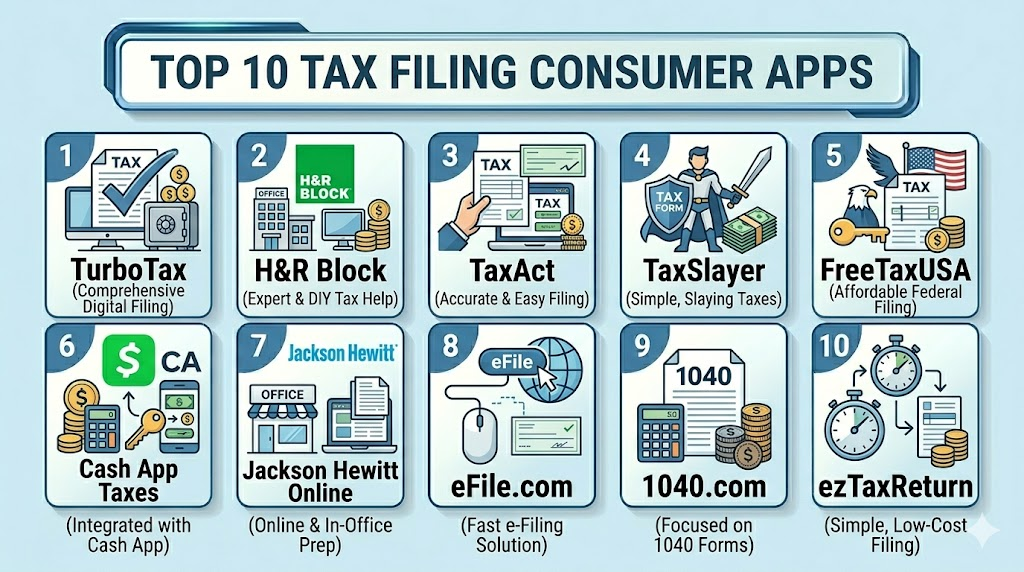
Top 10 Tax Filing Consumer Apps Tools
1- TurboTax
Short description: TurboTax is one of the most recognized consumer tax filing apps, known for guided filing, strong user experience, document imports, and optional live expert help. It is best for users who want a polished DIY workflow with upgrade paths for more complex returns.
Key Features
- Guided step-by-step tax filing workflow
- W-2, 1099, and investment form import options may vary
- Federal and state return preparation
- Self-employed and gig worker filing support
- Live tax expert assistance options
- Refund estimate and filing status tools
- Mobile and web filing experience
Pros
- Very beginner-friendly guided experience
- Strong support for many common tax situations
- Useful upgrade options for expert help and complex returns
Cons
- Paid plans can become expensive depending on tax situation
- Some users may encounter upgrade prompts
- Complex pricing should be reviewed before starting
Platforms / Deployment
Web / iOS / Android
Cloud
Security & Compliance
Specific certifications should be validated directly. MFA, encryption, account protection, document storage, audit logs, RBAC, SOC 2, ISO 27001, GDPR, and IRS-related compliance controls: Not publicly stated for all items.
Integrations & Ecosystem
TurboTax works well for users who want a guided digital filing experience with broad form coverage and optional expert support. Its ecosystem is especially useful for taxpayers who want document import, mobile filing, and upgrade flexibility.
- W-2 import workflows
- 1099 and investment form support may vary
- State filing workflows
- Live tax expert options
- Refund tracking
- Prior-year return import
Support & Community
TurboTax provides help articles, support resources, community answers, and paid expert assistance options. Users should review support level, pricing, state filing fees, and audit support terms before filing.
2- H&R Block
Short description: H&R Block offers online DIY filing, assisted filing, and access to tax professionals through digital and in-person channels. It is best for users who want flexibility between self-service tax software and professional support.
Key Features
- Online federal and state tax filing
- Guided tax preparation workflow
- W-2 and tax document import support may vary
- Live tax professional help options
- In-person office support options may vary by location
- Self-employed and investment income support
- Refund tracking and filing status tools
Pros
- Strong hybrid model for DIY and professional support
- Useful for users who may want in-person or expert help
- Good fit for common and moderately complex tax situations
Cons
- Paid tiers and professional help can add cost
- Feature availability may vary by plan
- Users should confirm pricing before upgrading
Platforms / Deployment
Web / iOS / Android
Cloud / In-person support options may vary
Security & Compliance
Specific controls should be validated directly. MFA, encryption, document protection, account security, audit logs, RBAC, SOC 2, ISO 27001, GDPR, and IRS-related compliance controls: Not publicly stated for all items.
Integrations & Ecosystem
H&R Block is useful for taxpayers who want the ability to start online and get help if needed. Its ecosystem includes DIY filing, expert review, professional filing, and physical office support in some markets.
- Online tax filing
- Tax professional assistance
- State return workflows
- Document import support
- Refund tracking
- In-person support options where available
Support & Community
H&R Block provides digital support, tax professional options, and office-based help depending on the selected product. Buyers should review plan limits, expert access, audit support, and state filing fees.
3- TaxAct
Short description: TaxAct is a consumer tax filing app focused on guided DIY filing with support for common tax situations, self-employment, investments, and state returns. It is best for users who want a balance between affordability and filing depth.
Key Features
- Guided federal and state filing
- W-2 and tax form import support may vary
- Deduction and credit guidance
- Self-employed and investment filing options
- Prior-year return import support
- Refund estimate tools
- Support resources and filing help
Pros
- Good balance of features and value
- Suitable for many common tax situations
- Often practical for users who want DIY filing without premium pricing
Cons
- State filing fees should be reviewed carefully
- Live help availability may depend on plan
- Interface may feel less polished than some premium competitors
Platforms / Deployment
Web / iOS / Android features may vary
Cloud
Security & Compliance
Specific controls should be validated directly. MFA, encryption, document protection, account security, audit logs, RBAC, SOC 2, ISO 27001, GDPR, and IRS-related compliance controls: Not publicly stated for all items.
Integrations & Ecosystem
TaxAct is useful for taxpayers who want guided filing, form support, and deduction help without necessarily choosing the most expensive tool. It fits simple and moderately complex filing needs.
- Federal and state filing
- W-2 and 1099 workflows
- Self-employment support
- Investment income support
- Deduction and credit guidance
- Prior-year filing support
Support & Community
TaxAct provides help resources and support options depending on plan. Users should validate live support availability, filing guarantees, refund options, and state return pricing.
4- TaxSlayer
Short description: TaxSlayer is a consumer tax filing app that offers DIY filing with options for simple returns, self-employed users, and tax support. It is best for budget-conscious filers who still need a structured filing workflow.
Key Features
- Federal and state return preparation
- Guided tax filing workflow
- Self-employed filing support
- Deduction and credit assistance
- W-2 and 1099 support may vary
- Tax support options depending on plan
- Mobile and web filing access
Pros
- Strong value for price-sensitive taxpayers
- Useful for self-employed and gig worker filing needs
- Clear fit for users who want DIY filing without premium costs
Cons
- Interface may not feel as polished as high-cost tools
- Support features vary by tier
- Users should review state filing cost and plan details
Platforms / Deployment
Web / iOS / Android features may vary
Cloud
Security & Compliance
Specific controls should be validated directly. MFA, encryption, document protection, account security, audit logs, RBAC, SOC 2, ISO 27001, GDPR, and IRS-related compliance controls: Not publicly stated for all items.
Integrations & Ecosystem
TaxSlayer is useful for taxpayers who want a practical filing experience with lower-cost access to common tax forms and self-employment features.
- Federal and state filing
- Self-employed filing workflows
- Deduction support
- W-2 and 1099 workflows
- Tax support options by plan
- Refund tracking
Support & Community
TaxSlayer provides help resources and support options based on plan level. Buyers should review expert support access, state fees, audit assistance, and refund-related terms.
5- FreeTaxUSA
Short description: FreeTaxUSA is a budget-friendly tax filing platform known for free federal filing and low-cost state filing options. It is best for users who want strong value and are comfortable with a simpler guided filing interface.
Key Features
- Free federal filing for many common situations
- State filing options
- Support for deductions and credits
- Self-employment and investment income support may vary by situation
- Prior-year return support
- Refund tracking tools
- Audit assistance options may vary
Pros
- Strong value for cost-conscious taxpayers
- Supports many common tax situations
- Useful for users who do not need a highly polished premium interface
Cons
- Interface may feel simpler than premium competitors
- Live expert support depth may be more limited
- Users should validate state return cost and plan needs
Platforms / Deployment
Web / Mobile browser access may vary
Cloud
Security & Compliance
Specific controls should be validated directly. MFA, encryption, document protection, account security, audit logs, RBAC, SOC 2, ISO 27001, GDPR, and IRS-related compliance controls: Not publicly stated for all items.
Integrations & Ecosystem
FreeTaxUSA is useful for taxpayers who want affordable filing without giving up core federal and state return preparation workflows.
- Federal tax filing
- State return preparation
- Prior-year tax filing
- Common deduction and credit support
- Self-employment workflows may vary
- Audit support options depending on plan
Support & Community
FreeTaxUSA provides online support resources and optional support features depending on plan. Buyers should review state pricing, customer support access, and audit-related support before filing.
6- Cash App Taxes
Short description: Cash App Taxes is a consumer tax filing option focused on free federal and state filing for supported tax situations. It is best for users who qualify for its supported filing scenarios and want a no-cost filing path.
Key Features
- Free federal filing for supported users
- Free state filing where supported
- Guided tax preparation workflow
- W-2 and common income support
- Refund estimate tools
- Mobile-friendly experience
- Integration with Cash App ecosystem may vary
Pros
- Strong no-cost option for eligible users
- Useful for simple and supported returns
- Good fit for mobile-first taxpayers
Cons
- Not all tax situations are supported
- May not support every state or complex filing need
- Expert help and advanced support may be limited
Platforms / Deployment
Web / iOS / Android features may vary
Cloud
Security & Compliance
Specific controls should be validated directly. MFA, encryption, document protection, account security, audit logs, RBAC, SOC 2, ISO 27001, GDPR, and IRS-related compliance controls: Not publicly stated for all items.
Integrations & Ecosystem
Cash App Taxes is best for taxpayers whose filing needs match the supported scenarios. It is especially useful for users looking for a free digital filing option.
- Federal filing
- State filing where supported
- Refund estimate tools
- Mobile-friendly filing
- Common form support
- Cash App ecosystem connection may vary
Support & Community
Support is available through product help resources. Users should confirm eligibility, supported forms, state availability, refund options, and support limitations before relying on it.
7- Jackson Hewitt Online
Short description: Jackson Hewitt Online offers digital tax filing with support for common consumer tax situations and access to a brand known for tax preparation services. It is best for users who want online filing from a traditional tax preparation provider.
Key Features
- Online federal tax filing
- State return preparation
- Guided filing workflow
- W-2 and income form support may vary
- Deduction and credit guidance
- Refund estimate tools
- Tax preparation brand support ecosystem
Pros
- Useful for users who prefer a known tax preparation brand
- Online filing supports common tax needs
- Can fit users who want simple digital filing
Cons
- Feature depth should be compared with larger DIY competitors
- Pricing and support options should be reviewed carefully
- Complex returns may require additional help
Platforms / Deployment
Web / Mobile browser access may vary
Cloud
Security & Compliance
Specific controls should be validated directly. MFA, encryption, account security, document storage, audit logs, RBAC, SOC 2, ISO 27001, GDPR, and IRS-related compliance controls: Not publicly stated for all items.
Integrations & Ecosystem
Jackson Hewitt Online fits users who want a digital filing experience from a tax preparation brand rather than a pure software-first product.
- Online federal filing
- State return workflows
- Deduction guidance
- Refund estimate tools
- Tax support options may vary
- Traditional tax preparation ecosystem
Support & Community
Jackson Hewitt provides support resources and tax preparation services depending on product and location. Buyers should review online support, pricing, refund options, and whether professional help is available.
8- eFile.com
Short description: eFile.com is an online tax filing platform for federal and state returns, focused on guided preparation and electronic filing. It is best for users who want a straightforward web-based filing workflow.
Key Features
- Federal and state e-filing
- Guided tax preparation
- Tax form support for common situations
- Refund estimate tools
- Prior-year filing support may vary
- Deduction and credit guidance
- Web-based filing experience
Pros
- Straightforward online filing workflow
- Can fit users looking for a lower-cost alternative
- Useful for common tax situations
Cons
- Brand recognition may be lower than larger competitors
- Support and feature depth should be reviewed before filing
- Complex returns may require additional validation
Platforms / Deployment
Web
Cloud
Security & Compliance
Specific controls should be validated directly. MFA, encryption, account security, document protection, audit logs, RBAC, SOC 2, ISO 27001, GDPR, and IRS-related compliance controls: Not publicly stated for all items.
Integrations & Ecosystem
eFile.com is useful for taxpayers seeking web-based federal and state filing with guided workflows and basic support for common tax forms.
- Federal e-file workflows
- State tax filing
- Refund estimate tools
- Deduction and credit support
- Prior-year filing options may vary
- Web-based document entry
Support & Community
eFile.com provides online help resources and support options. Users should validate customer service access, state support, pricing, and form coverage.
9- 1040.com
Short description: 1040.com is an online tax filing platform that supports consumer federal and state tax filing through a guided web-based experience. It is best for users who want a straightforward alternative to larger tax software brands.
Key Features
- Online federal filing
- State return preparation
- Guided tax questions
- W-2 and common tax form support
- Deduction and credit guidance
- Refund estimate tools
- Web-based filing access
Pros
- Simple web-based tax filing workflow
- Useful for common filing situations
- Can be a practical alternative for users comparing lower-cost options
Cons
- Advanced expert help may be limited compared with larger platforms
- Users should validate support for complex tax situations
- Mobile app experience may be less central than web filing
Platforms / Deployment
Web
Cloud
Security & Compliance
Specific controls should be validated directly. MFA, encryption, account security, document protection, audit logs, RBAC, SOC 2, ISO 27001, GDPR, and IRS-related compliance controls: Not publicly stated for all items.
Integrations & Ecosystem
1040.com is designed for online tax preparation and e-filing. It fits users who want a guided filing process without a large software ecosystem.
- Federal filing
- State filing
- Refund estimates
- Deduction guidance
- Common form support
- Web filing workflow
Support & Community
1040.com provides support resources and filing help. Buyers should review supported forms, state availability, pricing, refund options, and customer support channels.
10- ezTaxReturn
Short description: ezTaxReturn is an online tax filing platform focused on simple guided tax preparation for consumers. It is best for users with straightforward returns who want an easy web-based filing experience.
Key Features
- Guided online tax filing
- Federal and state return support may vary
- W-2 and common income workflows
- Refund estimate tools
- Simple user experience
- E-filing support
- Basic deduction and credit guidance
Pros
- Simple workflow for straightforward returns
- Useful for users who want less complexity
- Practical option for basic consumer tax filing
Cons
- Complex tax situations may not be ideal
- Advanced support and integrations should be validated
- Feature depth may be lighter than larger competitors
Platforms / Deployment
Web
Cloud
Security & Compliance
Specific controls should be validated directly. MFA, encryption, document protection, account security, audit logs, RBAC, SOC 2, ISO 27001, GDPR, and IRS-related compliance controls: Not publicly stated for all items.
Integrations & Ecosystem
ezTaxReturn is useful for basic and guided tax filing scenarios where users want a simplified experience.
- Federal filing workflows
- State filing support may vary
- Refund estimate tools
- Common form support
- Guided questions
- Web-based filing access
Support & Community
ezTaxReturn provides online support resources. Users should verify form support, pricing, state availability, and help options before starting a return.
Comparison Table
| Tool Name | Best For | Platform(s) Supported | Deployment | Standout Feature | Public Rating |
|---|---|---|---|---|---|
| TurboTax | Guided DIY filing and expert help | Web / iOS / Android | Cloud | Polished step-by-step filing experience | N/A |
| H&R Block | Hybrid DIY and professional support | Web / iOS / Android | Cloud / In-person support varies | Online filing plus tax pro access | N/A |
| TaxAct | Value-focused DIY filing | Web / iOS / Android varies | Cloud | Balanced filing depth and cost | N/A |
| TaxSlayer | Budget-conscious self-employed users | Web / iOS / Android varies | Cloud | Lower-cost filing tiers | N/A |
| FreeTaxUSA | Low-cost federal and state filing | Web / Mobile browser varies | Cloud | Strong value for federal filing | N/A |
| Cash App Taxes | Free filing for supported returns | Web / iOS / Android varies | Cloud | Free federal and state filing where supported | N/A |
| Jackson Hewitt Online | Users wanting a traditional tax brand online | Web / Mobile browser varies | Cloud | Online filing from tax preparation brand | N/A |
| eFile.com | Straightforward web-based e-filing | Web | Cloud | Federal and state e-filing workflow | N/A |
| 1040.com | Simple alternative online filing | Web | Cloud | Guided web-based tax filing | N/A |
| ezTaxReturn | Simple consumer returns | Web | Cloud | Basic guided filing workflow | N/A |
Evaluation & Scoring of Tax Filing Consumer Apps
| Tool Name | Core 25% | Ease 15% | Integrations 15% | Security 10% | Performance 10% | Support 10% | Value 15% | Weighted Total 0–10 |
|---|---|---|---|---|---|---|---|---|
| TurboTax | 9 | 9 | 9 | 8 | 9 | 9 | 7 | 8.60 |
| H&R Block | 9 | 8 | 8 | 8 | 8 | 9 | 8 | 8.40 |
| TaxAct | 8 | 8 | 8 | 8 | 8 | 8 | 8 | 8.00 |
| TaxSlayer | 8 | 8 | 7 | 7 | 8 | 8 | 9 | 7.95 |
| FreeTaxUSA | 8 | 8 | 7 | 7 | 8 | 7 | 10 | 8.00 |
| Cash App Taxes | 7 | 8 | 7 | 7 | 8 | 7 | 10 | 7.80 |
| Jackson Hewitt Online | 7 | 8 | 7 | 7 | 8 | 8 | 8 | 7.55 |
| eFile.com | 7 | 7 | 6 | 7 | 7 | 7 | 8 | 7.00 |
| 1040.com | 7 | 7 | 6 | 7 | 7 | 7 | 8 | 7.00 |
| ezTaxReturn | 6 | 8 | 6 | 7 | 7 | 7 | 8 | 6.95 |
Which Tax Filing Consumer Apps Tool Is Right for You?
Solo / Freelancer
Freelancers, contractors, creators, and gig workers should prioritize tools that support 1099 income, Schedule C workflows, business expenses, mileage, estimated taxes, and deduction guidance. TurboTax, TaxSlayer, TaxAct, and H&R Block are strong options to evaluate. Cost-conscious freelancers should compare paid tiers carefully because self-employment support often requires upgraded plans.
SMB
For household-level filing, family returns, dependent credits, education credits, and common deductions, users should focus on ease of use, state filing, document import, and support options. TurboTax, H&R Block, TaxAct, and FreeTaxUSA can fit many household returns. Families should verify credits, state filing rules, and support options before filing.
Mid-Market
Users with investments, multiple income sources, multi-state returns, self-employment, rental income, or complex deductions need stronger form support and help access. TurboTax, H&R Block, TaxAct, and TaxSlayer are practical options to compare. These users should avoid choosing only by price because form coverage and support quality matter more.
Enterprise
Consumer tax filing apps are not designed for enterprise tax departments, corporate tax teams, or complex business returns. However, financial coaches, tax educators, and employee wellness programs may recommend tools for individual employee filing education. Enterprise users should avoid collecting personal tax data unless privacy, consent, and compliance processes are clearly defined.
Budget vs Premium
Budget-focused users should evaluate FreeTaxUSA, Cash App Taxes, TaxSlayer, eFile.com, 1040.com, and ezTaxReturn. These tools may be enough for simple or moderately common returns. Premium tools such as TurboTax and H&R Block may be worth it when users want smoother guidance, expert help, better imports, or more confidence with complex returns.
Feature Depth vs Ease of Use
If ease of use is the top priority, TurboTax and H&R Block are strong starting points. If value matters more, FreeTaxUSA, TaxSlayer, and TaxAct may be better fits. Users with straightforward returns may not need the deepest platform, while users with self-employment, investments, or multi-state filing should prioritize form coverage.
Integrations & Scalability
Tax filing apps should support W-2 imports, 1099 imports, brokerage forms, prior-year return import, document upload, state filing, and refund tracking. Integration quality matters because manual entry increases error risk. Users should test whether their employer, brokerage, bank, or prior-year tax file can be imported before committing.
Security & Compliance Needs
Tax apps handle highly sensitive data, including Social Security numbers, income forms, dependent details, bank account details, and identity information. Buyers should review MFA, encryption, account recovery, document storage, privacy practices, data retention, and support access. If security controls are unclear, users should validate details directly before uploading tax documents.
Frequently Asked Questions
1. What are Tax Filing Consumer Apps?
Tax Filing Consumer Apps are digital tools that help individuals prepare and file tax returns online.
They guide users through income, deductions, credits, dependents, state returns, and refund estimates.
Some apps are fully DIY, while others offer live tax expert support or professional review.
They are designed to make filing easier than completing tax forms manually.
2. How much do tax filing apps cost?
Pricing depends on the app, tax situation, state filing needs, expert help, and plan tier.
Some apps offer free federal filing for eligible or supported returns, while others charge for advanced forms.
State filing, self-employment support, investment income, and live expert help may increase cost.
Users should confirm final pricing before submitting a return.
3. Which tax filing app is best for beginners?
Beginners should choose an app with clear questions, strong explanations, easy document upload, and good support.
TurboTax and H&R Block are strong for guided experiences, while TaxAct and FreeTaxUSA can suit value-focused users.
The best beginner app depends on filing complexity and comfort level.
Users should start early so they have time to review entries carefully.
4. Which app is best for free filing?
Cash App Taxes and FreeTaxUSA are strong options to compare for free or low-cost filing.
IRS Free File options may also be available for eligible taxpayers depending on income and partner rules.
Free filing usually depends on tax situation, state return needs, and supported forms.
Users should check eligibility and supported tax scenarios before starting.
5. Can tax apps handle self-employment income?
Many tax apps support self-employment income, but users may need a paid plan.
Freelancers should look for Schedule C support, business expense categories, mileage tracking, home office guidance, and estimated tax help.
TurboTax, H&R Block, TaxAct, and TaxSlayer are commonly evaluated for self-employed filing.
Users should keep income and expense records organized before filing.
6. Are tax filing apps secure?
Tax filing apps usually use security controls because they handle sensitive identity and financial information.
However, controls vary, so users should review MFA, encryption, privacy policies, account recovery, and data retention.
Taxpayers should also use strong passwords and avoid filing on public Wi-Fi.
If security details are unclear, they should validate them directly with the provider.
7. What common mistakes should users avoid?
Common mistakes include entering incorrect Social Security numbers, missing income forms, choosing the wrong filing status, and forgetting state returns.
Users also often miss deductions, credits, 1099 forms, brokerage forms, or dependent details.
Another mistake is submitting without reviewing the final return summary.
Taxpayers should compare forms carefully before e-filing.
8. Do these apps support state tax returns?
Most major tax filing apps support state tax returns, but cost and availability vary.
Some apps include free state filing for eligible users, while others charge separately per state.
Users with multi-state income, relocation, or remote work should review state support carefully.
State filing can be more complex than expected.
9. What integrations should buyers check first?
Buyers should check W-2 import, 1099 import, brokerage import, prior-year return import, PDF upload, and refund tracking.
They should also confirm whether the app supports their bank, employer payroll provider, brokerage, and state filing needs.
Good imports reduce manual entry and help avoid mistakes.
If imports fail, users must review entries carefully.
10. What alternatives exist to tax filing apps?
Alternatives include hiring a CPA, enrolled agent, tax attorney, or local tax preparer.
Users may also use IRS Free File options, volunteer tax assistance programs, paper filing, or professional software through a preparer.
Simple returns may be handled with free tools, while complex cases may need professional help.
The best choice depends on complexity, budget, confidence, and risk level.
Conclusion
Tax Filing Consumer Apps help taxpayers prepare and file returns with guided questions, document imports, deduction prompts, state filing support, refund estimates, and optional expert assistance. The best app depends on tax complexity, budget, filing confidence, state return needs, self-employment income, investment activity, and whether the user wants DIY filing or professional help. TurboTax and H&R Block are strong for polished guidance and expert support, TaxAct and TaxSlayer offer practical value for many DIY users, FreeTaxUSA and Cash App Taxes are useful for cost-conscious filers, and Jackson Hewitt Online, eFile.com, 1040.com, and ezTaxReturn can fit users looking for simpler web-based alternatives. The best next step is to shortlist two or three apps, test the return with real forms, compare final pricing before filing, review security settings, and choose the tool that supports your exact tax situation clearly.

Find Trusted Cardiac Hospitals
Compare heart hospitals by city and services — all in one place.
Explore Hospitals
I learned that tax filing apps can simplify a lot of the process and help reduce common filing mistakes.