Introduction
Workspace Analytics Tools help organizations understand how offices, desks, meeting rooms, collaboration areas, and workplace resources are actually used. These platforms collect and analyze data from desk booking systems, room booking tools, occupancy sensors, calendars, access systems, Wi-Fi, workplace apps, and employee usage patterns to help leaders make better real estate, facilities, and hybrid work decisions. This category matters because hybrid work has changed office demand. Many companies now struggle with underused desks, crowded meeting rooms, unclear office attendance patterns, and rising real estate costs. Workspace analytics gives facilities, workplace, HR, IT, and real estate teams the visibility they need to improve space planning and employee experience.
Real World Use Cases:
- Measuring office occupancy and peak attendance days
- Tracking meeting room and desk utilization
- Identifying underused floors, zones, and spaces
- Planning hybrid workplace capacity
- Reducing real estate waste and operational costs
- Supporting office redesign and relocation decisions
Evaluation Criteria for Buyers:
- Data sources and sensor compatibility
- Desk, room, and occupancy analytics
- Microsoft 365 and Google Workspace integration
- Workplace app and booking system connectivity
- Privacy and employee data protection
- Multi-location reporting
- Real-time dashboards and historical trends
- Space planning and scenario modeling
- Custom reports and exports
- Security, permissions, and admin controls
Best for: Facilities teams, workplace experience leaders, corporate real estate teams, HR, IT, office operations, enterprise campuses, coworking operators, and hybrid companies that need reliable data about space usage, employee attendance, and workplace performance.
Not ideal for: Very small offices with fixed seating and simple room usage may not need a dedicated workspace analytics tool. A basic booking report, calendar data, or manual observation may be enough until office complexity, hybrid attendance, or real estate cost pressure increases.
Key Trends in Workspace Analytics Tools
- Hybrid work analytics is now a core need: Companies want to understand who comes to the office, when they come, which spaces they use, and how office demand changes across the week.
- Sensor-based occupancy data is growing: More workplaces use occupancy sensors, badge data, Wi-Fi signals, and room sensors to measure real usage instead of relying only on bookings.
- Privacy-aware analytics is becoming essential: Buyers want useful workplace insights without creating employee surveillance concerns. Aggregated, anonymized, and role-controlled reporting is increasingly important.
- AI-assisted space planning is emerging: AI may help identify underused areas, recommend floor layout changes, predict peak demand, and suggest room or desk capacity adjustments.
- Desk booking and analytics are converging: Many platforms combine desk booking, room booking, attendance planning, and utilization reporting in one workplace system.
- Meeting room efficiency is under review: Companies are analyzing abandoned bookings, oversized meetings, no-shows, room capacity mismatch, and demand for video-enabled spaces.
- Real estate decisions are becoming data-driven: Workplace analytics helps leaders decide whether to reduce, redesign, relocate, consolidate, or expand office space.
- Employee experience metrics are expanding: Space usage data is increasingly combined with employee feedback, comfort data, service requests, and workplace sentiment.
- Multi-location reporting is a must for enterprises: Global organizations need consistent dashboards across regions, buildings, floors, and departments.
- Integration-first platforms are winning: Workspace analytics tools need to connect with calendars, room booking systems, desk booking tools, visitor management, HR systems, sensors, access control, and BI platforms.
How We Selected These Tools
The tools below were selected using practical workplace analytics, facilities, and hybrid office evaluation logic:
- Market recognition among workplace, corporate real estate, facilities, HR, and enterprise operations teams
- Ability to analyze desk usage, room usage, occupancy, floor plans, and workplace attendance
- Fit for hybrid workplaces, multi-location offices, campuses, coworking spaces, and enterprise buildings
- Support for data sources such as calendars, booking systems, sensors, access systems, Wi-Fi, and workplace apps
- Reporting depth for utilization, peak demand, no-shows, capacity, and space planning
- Integration potential with Microsoft 365, Google Workspace, Slack, Teams, HR tools, visitor systems, and BI platforms
- Privacy and security controls for employee and workplace data
- Ease of use for workplace leaders, facilities teams, executives, and office managers
- Scenario planning and decision support for real estate optimization
- Practical value for improving employee experience and reducing space waste
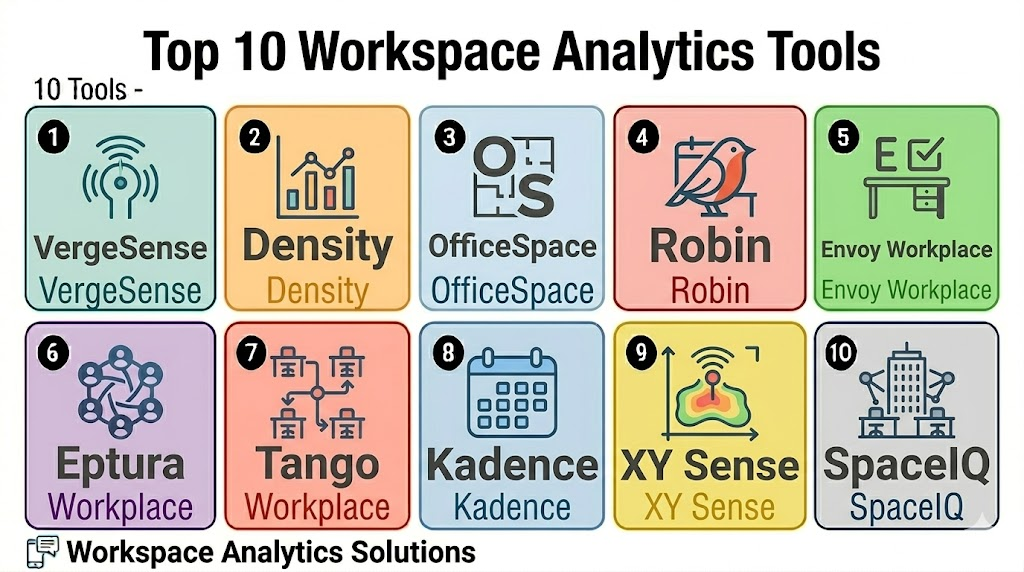
Top 10 Workspace Analytics Tools
1- VergeSense
Short description: VergeSense is a workplace analytics platform focused on occupancy intelligence, sensor data, and space utilization insights. It is useful for enterprise workplace and real estate teams that need reliable data about how offices, rooms, and collaboration spaces are used.
Key Features
- Occupancy analytics using workplace sensor data
- Real-time and historical utilization dashboards
- Space usage insights by room, floor, zone, or building
- Workplace planning and occupancy trend analysis
- Meeting room and collaboration area analytics
- Enterprise reporting for real estate teams
- Data-driven workplace optimization support
Pros
- Strong fit for sensor-based workplace intelligence
- Useful for companies making real estate and space planning decisions
- Helps validate actual usage instead of only booked usage
Cons
- Sensor deployment may require planning and budget
- Best suited for organizations with meaningful office scale
- Smaller offices may not need sensor-level analytics
Platforms / Deployment
Web
Cloud
Security & Compliance
Varies / N/A. Buyers should validate data privacy, encryption, access controls, aggregation methods, role-based permissions, and enterprise security requirements directly.
Integrations & Ecosystem
VergeSense is most valuable when connected with workplace data sources and real estate planning workflows. It helps teams combine occupancy signals with space strategy.
- Occupancy sensors
- Workplace analytics dashboards
- Space planning workflows
- Facilities reporting
- Building and floor-level insights
- BI and analytics workflows where applicable
Support & Community
VergeSense provides enterprise-focused onboarding, deployment guidance, and workplace analytics support. Support scope may vary by deployment size, sensor rollout, and contract.
2- Density
Short description: Density provides workplace occupancy analytics using sensors and space utilization data. It helps organizations understand how buildings, floors, rooms, and shared areas are used so they can improve space planning and operational decisions.
Key Features
- Occupancy counting and space utilization analytics
- Real-time workplace usage visibility
- Historical trends and peak usage insights
- Room, floor, and building-level reporting
- Data for real estate planning and workplace strategy
- Sensor-based measurement options
- Privacy-focused occupancy insights
Pros
- Strong fit for occupancy analytics and workplace measurement
- Useful for facilities and real estate optimization
- Helps replace assumptions with actual space usage data
Cons
- Hardware deployment may be required
- Best value depends on office size and analytics maturity
- Buyers should validate privacy and data governance expectations
Platforms / Deployment
Web
Cloud
Security & Compliance
Varies / N/A. Buyers should verify privacy model, encryption, admin access, role permissions, data retention, and workplace data handling directly.
Integrations & Ecosystem
Density fits organizations that need accurate occupancy signals for office planning, real estate decisions, and facilities operations.
- Occupancy sensors
- Workplace dashboards
- Facilities analytics
- Space planning systems
- Real estate reporting
- BI workflows where applicable
Support & Community
Density provides deployment support and workplace analytics guidance. Support depth may vary by sensor footprint, locations, and enterprise requirements.
3- OfficeSpace
Short description: OfficeSpace is a workplace management and analytics platform that supports space planning, desk booking, floor plans, move management, and utilization insights. It is useful for facilities and workplace teams that need a visual way to understand office usage and plan space changes.
Key Features
- Interactive floor plans and space planning
- Desk and room usage analytics
- Workplace utilization dashboards
- Move management and seating planning
- Hybrid office visibility
- Employee wayfinding and space search
- Reporting for facilities and real estate teams
Pros
- Strong fit for facilities and workplace planning teams
- Combines analytics with floor plans and space management
- Useful for office redesign and occupancy planning
Cons
- May be more than needed for simple analytics reporting
- Requires accurate floor plan and space data
- Sensor-level analytics may require integrations or additional systems
Platforms / Deployment
Web / Mobile access varies
Cloud
Security & Compliance
Varies / N/A. Buyers should validate SSO, permissions, encryption, audit logs, employee privacy, and data handling requirements directly.
Integrations & Ecosystem
OfficeSpace connects workplace analytics with space planning, floor plans, desk booking, and facilities workflows.
- Microsoft 365
- Google Workspace
- HR and employee directory workflows
- Floor plan and move management
- Desk booking and workplace tools
- Reporting and analytics workflows
Support & Community
OfficeSpace provides onboarding, documentation, customer success, and support resources for workplace and facilities teams. Support scope may vary by company size and rollout complexity.
4- Robin
Short description: Robin is a workplace management platform that includes room booking, desk booking, office maps, hybrid scheduling, and workplace analytics. It is useful for companies that want space insights connected with employee-friendly booking and workplace experience.
Key Features
- Desk and room booking analytics
- Workplace utilization dashboards
- Office maps and space visibility
- Hybrid work attendance insights
- Check-in and no-show reporting
- Meeting room usage analysis
- Team scheduling and workplace coordination
Pros
- Strong fit for hybrid workplace teams
- Combines booking experience with useful analytics
- Good visibility into room and desk usage patterns
Cons
- May not provide the same sensor depth as dedicated occupancy platforms
- Requires adoption of booking workflows for better data
- Larger enterprises should validate analytics scope and integrations
Platforms / Deployment
Web / iOS / Android
Cloud
Security & Compliance
Varies / N/A. Buyers should validate SSO, permissions, encryption, audit logs, privacy settings, and employee data controls directly.
Integrations & Ecosystem
Robin is useful when workplace analytics need to connect with desk booking, meeting room booking, office maps, and hybrid scheduling.
- Microsoft 365
- Google Workspace
- Slack
- Workplace calendars
- Room and desk booking workflows
- Utilization dashboards
Support & Community
Robin provides onboarding, documentation, and workplace-focused customer support. Support depth may vary by plan and workplace complexity.
5- Envoy Workplace
Short description: Envoy Workplace helps companies manage visitors, desks, rooms, office attendance, and workplace operations. Its analytics help workplace teams understand office usage, visitor trends, desk demand, and hybrid work patterns.
Key Features
- Workplace attendance and visitor analytics
- Desk and room booking insights
- Employee check-in visibility
- Visitor flow and host reporting
- Hybrid workplace usage dashboards
- Admin controls and workplace policies
- Multi-location workplace reporting
Pros
- Strong fit for companies using visitor and workplace workflows together
- Useful for office attendance and workplace operations insights
- Helps connect desk booking, visitors, and employee check-ins
Cons
- Best value may come when using broader Envoy modules
- Sensor-level occupancy depth should be validated
- May not be the lowest-cost analytics-only option
Platforms / Deployment
Web / iOS / Android
Cloud
Security & Compliance
Varies / N/A. Buyers should validate visitor data handling, employee privacy, SSO, permissions, encryption, audit logs, and compliance requirements directly.
Integrations & Ecosystem
Envoy Workplace works well when analytics are tied to visitors, desk booking, office check-ins, and workplace access.
- Microsoft 365
- Google Workspace
- Visitor management
- Desk booking workflows
- Workplace access workflows
- Employee check-in reporting
Support & Community
Envoy provides documentation, onboarding, and support resources for workplace teams. Support scope may vary by modules, office size, and deployment complexity.
6- Eptura Workplace
Short description: Eptura Workplace supports workplace operations, desk booking, room booking, facilities workflows, space planning, and utilization analytics. It is useful for larger organizations that need analytics connected with broader workplace and facilities management.
Key Features
- Desk and room utilization analytics
- Workplace occupancy reporting
- Facilities and space planning workflows
- Multi-location workplace dashboards
- Hybrid work and office usage visibility
- Workplace service and operations insights
- Enterprise reporting for real estate teams
Pros
- Strong fit for larger workplace and facilities operations
- Useful for connecting analytics with facilities and space planning
- Supports enterprise-scale workplace management needs
Cons
- May be too broad for small offices
- Implementation may require planning and configuration
- Buyers should validate modules, integrations, and pricing fit
Platforms / Deployment
Web / Mobile access varies
Cloud / Varies / N/A
Security & Compliance
Varies / N/A. Buyers should validate SSO, RBAC, encryption, audit logs, data privacy, and enterprise requirements directly.
Integrations & Ecosystem
Eptura Workplace is useful when workspace analytics need to connect with facilities, real estate, workplace services, and multi-location operations.
- Workplace calendars
- Facilities management workflows
- Space planning systems
- Desk and room booking tools
- Workplace analytics dashboards
- Multi-location reporting
Support & Community
Eptura provides enterprise-oriented onboarding, support, and implementation resources. Support depth may vary by modules, contract, and deployment size.
7- Tango Workplace
Short description: Tango Workplace supports corporate real estate, space planning, occupancy management, and workplace analytics. It is useful for organizations that need data-driven visibility across real estate portfolios, space utilization, and workplace performance.
Key Features
- Space and occupancy analytics
- Corporate real estate reporting
- Workplace planning and portfolio insights
- Floor and space utilization visibility
- Scenario planning support
- Data-driven occupancy management
- Reporting for real estate and facilities teams
Pros
- Strong fit for corporate real estate and portfolio teams
- Useful for space planning and strategic workplace decisions
- Supports broader real estate and workplace visibility
Cons
- May be too advanced for small workplace teams
- Setup depends on accurate workplace and portfolio data
- Buyers should validate workplace-specific analytics needs
Platforms / Deployment
Web
Cloud / Varies / N/A
Security & Compliance
Varies / N/A. Buyers should validate permissions, data privacy, encryption, audit logs, role controls, and enterprise security requirements directly.
Integrations & Ecosystem
Tango Workplace fits organizations that need workplace analytics connected with real estate planning and portfolio management.
- Real estate portfolio data
- Space planning workflows
- Occupancy management
- Facilities reporting
- Business intelligence workflows
- Workplace planning dashboards
Support & Community
Tango provides enterprise support, implementation resources, and customer guidance. Support scope may vary by product package and deployment complexity.
8- Kadence
Short description: Kadence is a hybrid workplace platform that helps teams manage desk booking, room booking, office schedules, team coordination, and workplace analytics. It is useful for companies that want employee-friendly analytics around office attendance and hybrid work patterns.
Key Features
- Desk and room booking analytics
- Hybrid work attendance visibility
- Team scheduling insights
- Office maps and workplace availability
- Employee coordination data
- Workplace utilization reporting
- Calendar and collaboration integrations
Pros
- Strong fit for hybrid team coordination
- Useful for understanding office attendance patterns
- Employee-friendly interface supports adoption
Cons
- Sensor-level analytics may require other tools
- Enterprise real estate analytics should be validated
- Best results depend on employee booking and check-in behavior
Platforms / Deployment
Web / iOS / Android
Cloud
Security & Compliance
Varies / N/A. Buyers should validate SSO, permissions, employee privacy, encryption, audit logs, and workplace data handling directly.
Integrations & Ecosystem
Kadence works well for companies that want analytics tied to employee schedules, desk booking, room booking, and hybrid work coordination.
- Microsoft 365
- Google Workspace
- Slack and collaboration workflows
- Desk and room booking
- Office maps
- Workplace analytics
Support & Community
Kadence provides onboarding, documentation, and support resources for hybrid workplace teams. Support availability may vary by plan and company size.
9- XY Sense
Short description: XY Sense is a workplace occupancy intelligence platform that uses sensor-based analytics to help organizations understand how office spaces are used. It is useful for facilities, real estate, and workplace teams that need detailed occupancy and movement insights.
Key Features
- Sensor-based occupancy analytics
- Real-time space utilization insights
- Floor, zone, and area-level reporting
- Workplace movement and usage patterns
- Historical occupancy trends
- Data for space planning and optimization
- Enterprise workplace analytics dashboards
Pros
- Strong fit for detailed occupancy intelligence
- Useful for office redesign and real estate decisions
- Helps measure actual use instead of planned bookings
Cons
- Sensor deployment requires planning and investment
- Best suited for medium to large workplaces
- Buyers should validate privacy and governance requirements
Platforms / Deployment
Web
Cloud
Security & Compliance
Varies / N/A. Buyers should validate privacy model, encryption, access controls, data aggregation, retention policies, and enterprise security expectations directly.
Integrations & Ecosystem
XY Sense is useful when workplace teams need detailed sensor-based occupancy insights to guide space planning and workplace optimization.
- Occupancy sensors
- Workplace dashboards
- Space planning tools
- Facilities analytics
- Real estate reporting
- BI workflows where applicable
Support & Community
XY Sense provides deployment guidance, analytics support, and workplace intelligence resources. Support scope may vary by location count and sensor rollout.
10- SpaceIQ
Short description: SpaceIQ is a workplace and space management platform focused on space planning, occupancy, floor plans, and workplace analytics. It helps organizations understand how spaces are assigned, used, and optimized across offices.
Key Features
- Space planning and floor plan management
- Occupancy and utilization analytics
- Workplace reporting dashboards
- Move and seating management
- Space assignment and planning workflows
- Real estate and facilities insights
- Scenario planning support
Pros
- Strong fit for space planning and facilities teams
- Useful for managing floor plans and occupancy data
- Helps support workplace redesign and real estate decisions
Cons
- May be more space-management focused than employee experience focused
- Setup depends on accurate workplace data
- Buyers should validate current product packaging and roadmap fit
Platforms / Deployment
Web
Cloud / Varies / N/A
Security & Compliance
Varies / N/A. Buyers should validate role permissions, data privacy, encryption, audit logs, and enterprise requirements directly.
Integrations & Ecosystem
SpaceIQ is useful for facilities teams that need analytics connected with space planning and occupancy management.
- Floor plan systems
- Employee directory workflows
- Space planning tools
- Workplace reporting
- Real estate workflows
- BI reporting where applicable
Support & Community
SpaceIQ provides support and implementation resources for workplace and facilities teams. Support availability may vary by product package and organization size.
Comparison Table
| Tool Name | Best For | Platform Supported | Deployment | Standout Feature | Public Rating |
|---|---|---|---|---|---|
| VergeSense | Sensor-based workplace occupancy intelligence | Web | Cloud | Real-time occupancy and utilization insights | N/A |
| Density | Occupancy analytics and space measurement | Web | Cloud | Sensor-based people counting and usage trends | N/A |
| OfficeSpace | Facilities and space planning teams | Web, mobile access varies | Cloud | Floor plans, utilization, and space planning together | N/A |
| Robin | Hybrid workplace booking and analytics | Web, iOS, Android | Cloud | Desk, room, maps, and workplace analytics | N/A |
| Envoy Workplace | Visitor, desk, and office attendance analytics | Web, iOS, Android | Cloud | Workplace analytics connected with check-ins and visitors | N/A |
| Eptura Workplace | Enterprise workplace and facilities analytics | Web, mobile access varies | Cloud / Varies | Workplace analytics connected with facilities workflows | N/A |
| Tango Workplace | Corporate real estate and portfolio analytics | Web | Cloud / Varies | Space planning and real estate portfolio insights | N/A |
| Kadence | Hybrid team scheduling analytics | Web, iOS, Android | Cloud | Office attendance and team coordination insights | N/A |
| XY Sense | Detailed sensor-based occupancy analytics | Web | Cloud | Area-level occupancy and workplace movement insights | N/A |
| SpaceIQ | Space planning and occupancy management | Web | Cloud / Varies | Floor plan and space utilization analytics | N/A |
Evaluation & Scoring of Workspace Analytics Tools
| Tool Name | Core 25% | Ease 15% | Integrations 15% | Security 10% | Performance 10% | Support 10% | Value 15% | Weighted Total |
|---|---|---|---|---|---|---|---|---|
| VergeSense | 9.1 | 7.8 | 8.2 | 8.0 | 9.0 | 8.3 | 7.4 | 8.4 |
| Density | 8.9 | 7.9 | 8.0 | 8.0 | 8.9 | 8.2 | 7.5 | 8.3 |
| OfficeSpace | 8.7 | 8.1 | 8.3 | 7.8 | 8.5 | 8.2 | 7.8 | 8.3 |
| Robin | 8.5 | 8.6 | 8.5 | 7.8 | 8.4 | 8.2 | 8.1 | 8.4 |
| Envoy Workplace | 8.4 | 8.5 | 8.4 | 7.9 | 8.4 | 8.2 | 7.9 | 8.3 |
| Eptura Workplace | 8.8 | 7.8 | 8.4 | 8.0 | 8.6 | 8.3 | 7.4 | 8.3 |
| Tango Workplace | 8.7 | 7.6 | 8.2 | 7.9 | 8.5 | 8.1 | 7.3 | 8.2 |
| Kadence | 8.1 | 8.6 | 8.1 | 7.6 | 8.2 | 7.9 | 8.2 | 8.1 |
| XY Sense | 8.9 | 7.7 | 8.0 | 8.0 | 8.8 | 8.1 | 7.3 | 8.3 |
| SpaceIQ | 8.4 | 7.9 | 8.0 | 7.7 | 8.3 | 7.9 | 7.6 | 8.0 |
Which Workspace Analytics Tool Is Right for You?
Solo / Freelancer
Solo operators and very small offices usually do not need a full workspace analytics platform. A shared calendar, simple desk booking report, or manual observation may be enough for basic space planning.
If a small shared office or coworking space needs lightweight analytics, Kadence, Robin, Skedda-style booking analytics, or simple workplace booking reports may be enough before investing in sensor-heavy systems.
SMB
Small and mid-sized companies should focus on practical workplace visibility, desk usage, room usage, office attendance, and simple dashboards. Robin, Envoy Workplace, Kadence, and OfficeSpace can be strong options depending on workplace complexity.
SMBs should avoid over-investing in sensor-heavy analytics unless real estate cost, occupancy uncertainty, or space planning pressure is significant.
Mid-Market
Mid-market organizations often need multi-floor reporting, hybrid attendance insights, meeting room analytics, desk utilization, and space planning support. Robin, OfficeSpace, Envoy Workplace, Eptura Workplace, Kadence, and VergeSense are useful candidates.
This segment should validate data quality, dashboard usability, privacy controls, and integration with calendars, booking systems, and HR directories.
Enterprise
Enterprise organizations need multi-location analytics, real estate portfolio insights, security controls, occupancy intelligence, and reporting that supports executive decisions. VergeSense, Density, Eptura Workplace, Tango Workplace, OfficeSpace, XY Sense, and SpaceIQ are strong options.
Enterprise buyers should involve corporate real estate, facilities, IT, HR, legal, privacy, and workplace experience teams before deployment.
Budget vs Premium
Budget-conscious teams should first use analytics from existing desk booking, room booking, or visitor management tools. Robin, Envoy Workplace, Kadence, and OfficeSpace may provide enough workplace visibility without dedicated sensor deployment.
Premium buyers should evaluate VergeSense, Density, XY Sense, Tango Workplace, Eptura Workplace, and SpaceIQ when occupancy accuracy, real estate planning, and multi-location data matter more than lowest cost.
Feature Depth vs Ease of Use
If ease of use matters most, Robin, Envoy Workplace, Kadence, and OfficeSpace are strong starting points. If feature depth and occupancy accuracy matter more, VergeSense, Density, XY Sense, Tango Workplace, and Eptura Workplace should be reviewed closely.
The best choice depends on whether the team needs simple booking analytics or deeper real-time occupancy intelligence.
Integrations & Scalability
Workspace analytics tools should connect with Microsoft 365, Google Workspace, desk booking tools, room booking systems, access control, sensors, HR systems, visitor management, Wi-Fi data, and BI platforms. Enterprise buyers should test how data flows between systems before rollout.
Scalability also depends on whether the tool can handle multiple offices, regional reporting, floor-level analytics, and role-based dashboards.
Security & Compliance Needs
Workspace analytics tools may process employee presence, room usage, office attendance, visitor activity, location patterns, and building data. Buyers should review privacy policies, consent requirements, aggregation methods, SSO, RBAC, audit logs, encryption, data retention, and admin permissions.
Analytics should support workplace decisions without creating unnecessary employee surveillance concerns.
Frequently Asked Questions
1. What are Workspace Analytics Tools?
Workspace Analytics Tools help organizations measure how offices, desks, meeting rooms, and shared spaces are used.
They collect data from bookings, sensors, calendars, access systems, visitor systems, and workplace apps.
The goal is to improve space planning, reduce waste, and support better workplace decisions.
They are especially useful for hybrid workplaces and multi-location offices.
2. Who needs Workspace Analytics Software?
Facilities teams, corporate real estate leaders, workplace experience teams, HR, IT, and office operations teams can use these tools.
They are most useful when office usage is changing or difficult to predict.
Companies with hybrid work, unused desks, crowded rooms, or high real estate costs benefit the most.
Small offices may only need basic reports at first.
3. How much do Workspace Analytics Tools cost?
Pricing varies by vendor, number of offices, users, sensors, integrations, modules, and reporting needs.
Sensor-based tools may include hardware, installation, and platform fees.
Software-only tools may be priced by employee, location, or workplace package.
Buyers should review total cost before enterprise rollout.
4. What data do Workspace Analytics Tools collect?
These tools may collect room bookings, desk reservations, check-ins, occupancy counts, visitor activity, calendar data, and space utilization trends.
Some platforms use sensors or access data to measure actual occupancy.
The exact data depends on the vendor and integrations.
Companies should define privacy rules before collecting workplace data.
5. Are Workspace Analytics Tools safe for employee privacy?
They can be privacy-friendly when configured properly with aggregation, role-based access, anonymization, and clear policies.
The risk comes when data is too personal or used for employee surveillance.
Buyers should review privacy controls, data retention, and reporting visibility.
HR, legal, and IT teams should be part of the review process.
6. Which tool is best for occupancy sensors?
VergeSense, Density, and XY Sense are strong options for sensor-based occupancy analytics.
They help companies measure actual space usage instead of relying only on bookings.
These tools are useful for real estate planning, office redesign, and utilization accuracy.
Buyers should validate privacy model, sensor coverage, and deployment cost.
7. Which tool is best for hybrid workplace analytics?
Robin, Envoy Workplace, Kadence, OfficeSpace, and Eptura Workplace are strong options for hybrid workplace analytics.
They connect attendance, desk booking, room booking, and employee experience data.
These tools are useful when companies want visibility into office days and space demand.
The best fit depends on existing workplace systems and reporting needs.
8. What are common mistakes when choosing workspace analytics software?
Common mistakes include buying tools without clear business goals, ignoring privacy concerns, and relying on incomplete data.
Teams also fail when floor plans, booking systems, or employee directories are outdated.
Another mistake is collecting data but not using it for decisions.
A pilot helps validate insights before a large rollout.
9. Can Workspace Analytics Tools reduce office costs?
Yes, they can help identify underused desks, rooms, floors, or buildings.
This supports better decisions around office redesign, lease planning, space consolidation, and hybrid work policies.
Savings depend on how leaders use the insights.
Analytics should be connected to real estate and workplace strategy.
10. What are alternatives to Workspace Analytics Tools?
Alternatives include manual headcounts, spreadsheet reports, calendar analytics, badge reports, and basic desk booking dashboards.
These may work for small offices or simple workplace setups.
As offices become larger and hybrid patterns change, manual methods become less reliable.
Dedicated analytics tools are better for accurate, scalable workplace decisions.
Conclusion
Workspace Analytics Tools help organizations understand how offices are really being used so they can make better decisions about space, cost, employee experience, and hybrid work strategy. The best platform depends on whether the business needs sensor-based occupancy intelligence, desk and room booking analytics, corporate real estate planning, or employee-friendly hybrid workplace insights. VergeSense, Density, and XY Sense are strong options for sensor-based occupancy analytics, while Robin, Envoy Workplace, Kadence, and OfficeSpace are practical choices for hybrid workplace visibility and employee experience. Eptura Workplace, Tango Workplace, and SpaceIQ are better suited for larger facilities, real estate, and portfolio planning needs. The smartest next step is to shortlist two or three tools, define the questions your workplace team needs to answer, test data sources and dashboards, validate privacy settings, and run a pilot before scaling analytics across offices.

Find Trusted Cardiac Hospitals
Compare heart hospitals by city and services — all in one place.
Explore Hospitals
Workspace analytics tools are most valuable when they help organizations understand how offices, meeting spaces, and workplace resources are being utilized through data-driven insights. By providing occupancy tracking, space utilization analytics, desk and room usage monitoring, employee activity insights, workplace planning dashboards, reporting, resource optimization, IoT sensor integration, and predictive analytics, these platforms enable businesses to optimize office layouts, reduce unused space, improve employee experience, support hybrid work strategies, and make informed decisions about workplace management.