Introduction
Facility Management Software helps organizations manage buildings, assets, maintenance, work orders, inspections, vendors, space usage, compliance tasks, and facility operations from one centralized platform. Instead of relying on spreadsheets, emails, paper forms, and manual maintenance logs, facilities teams can track service requests, preventive maintenance, asset history, technician activity, and building performance in a more organized way. This software matters because buildings are becoming more complex, maintenance teams are under pressure, energy costs are rising, and workplace expectations are changing. Facility teams need better visibility into what needs repair, which assets are critical, which vendors are active, and how spaces are being used.
Real World Use Cases:
- Managing work orders and maintenance requests
- Tracking building assets and equipment lifecycle
- Scheduling preventive maintenance tasks
- Managing vendors, contracts, and service providers
- Monitoring space, occupancy, and facility usage
- Tracking safety, compliance, and inspection activities
Evaluation Criteria for Buyers:
- Work order and maintenance management
- Asset and equipment tracking
- Preventive maintenance automation
- Mobile app support for technicians
- Vendor and contract management
- Space and occupancy management
- Reporting and facility analytics
- IoT, sensor, and building system integrations
- Security, permissions, and audit controls
- Ease of use for facility teams and requesters
Best for: Facility managers, maintenance teams, real estate teams, workplace operations, hospitals, universities, corporate offices, manufacturing sites, retail chains, hotels, government facilities, and enterprises that manage buildings, assets, service requests, and maintenance operations.
Not ideal for: Very small offices with only a few assets and simple maintenance needs may not require full facility management software. A shared spreadsheet, basic task tool, or simple maintenance request form may be enough until asset volume, compliance needs, or service complexity increases.
Key Trends in Facility Management Software
- Predictive maintenance is gaining importance: Facility teams are moving beyond reactive repairs by using equipment history, sensor data, and maintenance trends to prevent failures before they disrupt operations.
- IoT and smart building integrations are expanding: Modern facility platforms increasingly connect with sensors, HVAC systems, energy meters, access systems, occupancy tools, and building automation platforms.
- Mobile-first maintenance workflows are expected: Technicians need mobile access to work orders, asset history, checklists, photos, parts, notes, and completion updates while working onsite.
- Space and workplace analytics are becoming part of facilities: Facility software now often includes space usage, room utilization, occupancy data, workplace planning, and hybrid office insights.
- Compliance documentation is becoming more digital: Safety inspections, audit trails, service logs, certifications, and regulatory tasks are increasingly managed in digital systems.
- Vendor management is more structured: Facilities teams want clearer visibility into service providers, contracts, SLAs, response times, invoices, and work quality.
- AI-assisted facility operations are emerging: AI may support work order prioritization, fault detection, maintenance recommendations, ticket routing, and anomaly alerts.
- Energy and sustainability reporting is rising: Organizations want facility software that helps track energy usage, emissions-related data, utility trends, and sustainability initiatives.
- Integration with enterprise systems is critical: Facility tools increasingly need to connect with ERP, finance, HR, procurement, security, workplace, and asset management systems.
- Security and role-based controls matter more: Facility platforms handle building data, access-related records, vendor details, asset history, and operational workflows, so buyers need strong admin controls and secure data handling.
How We Selected These Tools
The tools below were selected using practical facility management, maintenance, workplace, and enterprise operations evaluation logic:
- Market recognition among facility managers, maintenance teams, real estate teams, and enterprise operations leaders
- Ability to support work orders, assets, maintenance, inspections, vendors, and facility reporting
- Fit across SMBs, mid-market companies, enterprise campuses, public sector, healthcare, education, and commercial real estate
- Strength of preventive maintenance, asset lifecycle, and technician workflow capabilities
- Support for mobile apps, checklists, photos, field updates, and technician productivity
- Ability to integrate with IoT, ERP, procurement, finance, workplace, and building systems
- Reporting depth for maintenance performance, asset health, SLA tracking, and facility cost visibility
- Security and administration controls for multi-site and enterprise teams
- Usability for requesters, facility admins, technicians, vendors, and executives
- Practical value for reducing downtime, improving visibility, and standardizing facility operations
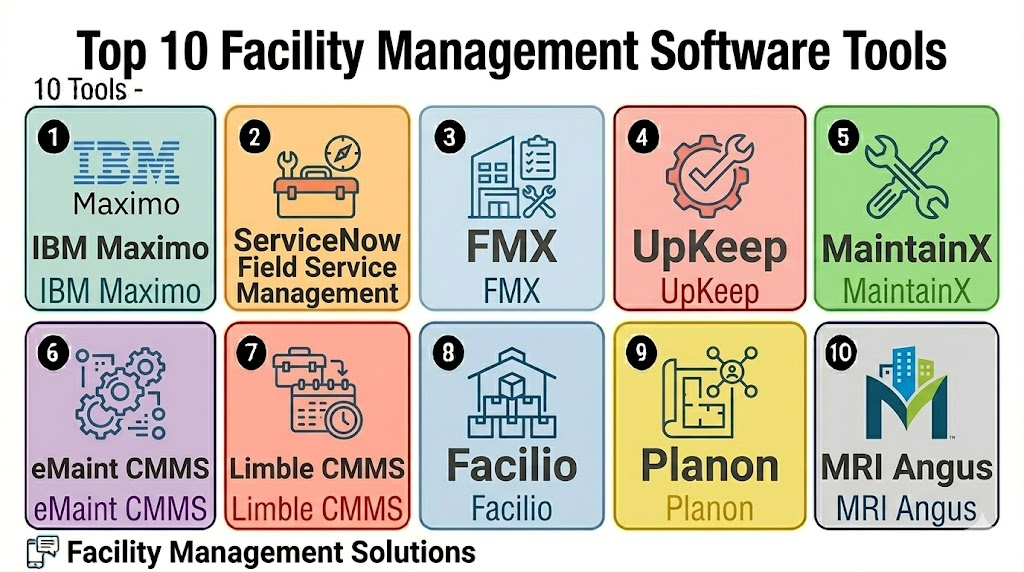
Top 10 Facility Management Software Tools
1- IBM Maximo
Short description: IBM Maximo is an enterprise asset and facility management platform used by large organizations to manage critical assets, maintenance operations, inspections, reliability, and asset lifecycle workflows. It is best suited for enterprises with complex facilities, equipment, compliance, and maintenance requirements.
Key Features
- Enterprise asset and maintenance management
- Work order and service request tracking
- Preventive and predictive maintenance workflows
- Asset lifecycle and reliability management
- Inspections and compliance documentation
- Mobile technician support
- Integration with enterprise and IoT systems
Pros
- Strong fit for enterprise asset-heavy environments
- Deep maintenance and reliability management capabilities
- Useful for complex facilities, utilities, manufacturing, and infrastructure operations
Cons
- May be too complex for small facility teams
- Implementation requires planning, configuration, and training
- Best value comes when processes and data are well structured
Platforms / Deployment
Web / Mobile access varies
Cloud / Hybrid / Varies
Security & Compliance
Varies / N/A. Buyers should validate SSO, RBAC, encryption, audit logs, data governance, and enterprise compliance requirements directly.
Integrations & Ecosystem
IBM Maximo fits organizations that need facility and asset management connected with enterprise operations, IoT, maintenance, and reliability systems.
- ERP and finance workflows
- IoT and sensor data
- Enterprise asset systems
- Procurement workflows
- Mobile technician workflows
- Reporting and analytics platforms
Support & Community
IBM provides enterprise support, implementation resources, documentation, and partner ecosystem options. Support scope may vary by contract, region, and deployment model.
2- ServiceNow Field Service Management
Short description: ServiceNow Field Service Management supports work order management, field operations, technician dispatch, service workflows, and enterprise service delivery. It is useful for large organizations that want facility service operations connected with IT, HR, asset, and enterprise workflows.
Key Features
- Work order and service request management
- Technician dispatch and scheduling
- Mobile field service workflows
- SLA and service performance tracking
- Asset and service history visibility
- Workflow automation and approvals
- Enterprise reporting and dashboards
Pros
- Strong fit for enterprise service operations
- Useful when facilities, IT, and field service workflows need to connect
- Scalable workflow automation and service management depth
Cons
- May be too broad for facility-only use cases
- Implementation can require specialized configuration
- Smaller teams may find it more complex than needed
Platforms / Deployment
Web / iOS / Android
Cloud
Security & Compliance
Varies / N/A. Buyers should validate SSO, MFA, RBAC, audit logs, encryption, data privacy, and enterprise security requirements directly.
Integrations & Ecosystem
ServiceNow is valuable when facility management needs to connect with broader service operations, enterprise workflows, IT systems, and employee request channels.
- IT service management workflows
- Asset management systems
- HR and employee service workflows
- Mobile technician apps
- Workflow automation tools
- Enterprise analytics and reporting
Support & Community
ServiceNow provides enterprise documentation, implementation partners, training, and support resources. Support scope depends on contract and platform configuration.
3- FMX
Short description: FMX is facility management software that helps organizations manage maintenance requests, preventive maintenance, equipment, scheduling, inspections, and facility operations. It is a strong fit for schools, universities, government organizations, religious institutions, and mid-sized facilities teams.
Key Features
- Maintenance request and work order management
- Preventive maintenance scheduling
- Equipment and asset tracking
- Facility scheduling and calendar workflows
- Inspection and checklist management
- Reporting and maintenance dashboards
- Mobile-friendly access for teams
Pros
- Easy to use for facility and maintenance teams
- Strong fit for education, public sector, and community organizations
- Practical balance of maintenance, scheduling, and asset workflows
Cons
- May not match enterprise asset management depth
- Large global organizations should validate scalability needs
- Advanced integrations may require review during evaluation
Platforms / Deployment
Web / Mobile access varies
Cloud
Security & Compliance
Varies / N/A. Buyers should validate user permissions, data privacy, audit trails, encryption, and admin controls directly.
Integrations & Ecosystem
FMX works well for organizations that need facility requests, preventive maintenance, equipment tracking, and scheduling in one practical system.
- Calendar workflows
- Maintenance request portals
- Equipment records
- Inspection checklists
- Reporting dashboards
- Facility scheduling workflows
Support & Community
FMX provides onboarding, documentation, and customer support resources. Support depth may vary by plan, organization size, and implementation scope.
4- UpKeep
Short description: UpKeep is a mobile-first maintenance and facility management platform for work orders, preventive maintenance, assets, parts, and technician workflows. It is useful for maintenance teams that need simple mobile execution and fast visibility into facility tasks.
Key Features
- Work order management
- Preventive maintenance scheduling
- Mobile technician app
- Asset and equipment tracking
- Parts and inventory management
- Maintenance reporting dashboards
- Photo, note, and checklist support
Pros
- Strong mobile experience for maintenance teams
- Good fit for SMB and mid-market facilities
- Helps teams move away from paper and spreadsheet workflows
Cons
- Enterprise complexity may require deeper evaluation
- Advanced asset reliability workflows may need other tools
- Data quality depends on consistent technician usage
Platforms / Deployment
Web / iOS / Android
Cloud
Security & Compliance
Varies / N/A. Buyers should validate user roles, data security, mobile access controls, audit logs, encryption, and admin permissions directly.
Integrations & Ecosystem
UpKeep fits facility and maintenance teams that need work orders, assets, parts, and preventive maintenance in a mobile-friendly workflow.
- Maintenance workflows
- Asset records
- Inventory and parts tracking
- Mobile technician workflows
- Reporting dashboards
- Integration workflows where available
Support & Community
UpKeep provides onboarding resources, documentation, support, and maintenance-focused learning materials. Support scope may vary by plan and team size.
5- MaintainX
Short description: MaintainX is a work execution and maintenance platform for work orders, procedures, inspections, safety checklists, preventive maintenance, and team communication. It is useful for facilities, manufacturing, hospitality, food service, and operations teams that need mobile-first execution.
Key Features
- Work order and maintenance task management
- Digital procedures and checklists
- Preventive maintenance workflows
- Asset and equipment records
- Team communication and updates
- Mobile technician app
- Reporting and operational insights
Pros
- Strong mobile-first work execution experience
- Useful for checklists, inspections, and frontline workflows
- Good fit for teams that need fast adoption
Cons
- Large enterprise asset lifecycle needs should be validated
- Advanced space and real estate workflows may be limited
- Best results depend on consistent field usage
Platforms / Deployment
Web / iOS / Android
Cloud
Security & Compliance
Varies / N/A. Buyers should confirm permissions, encryption, audit logs, mobile security, data access, and compliance needs directly.
Integrations & Ecosystem
MaintainX works well for teams that want to digitize daily maintenance, inspections, safety procedures, and operational tasks.
- Work order workflows
- Asset and equipment records
- Digital procedures
- Mobile communication
- Reporting dashboards
- Integration workflows where available
Support & Community
MaintainX provides onboarding, documentation, support, and learning resources for maintenance and operations teams. Support depth may vary by plan.
6- eMaint CMMS
Short description: eMaint CMMS is a computerized maintenance management system used for asset management, work orders, preventive maintenance, inventory, inspections, and reporting. It is useful for maintenance teams that need structured CMMS workflows and asset visibility.
Key Features
- Work order management
- Preventive and predictive maintenance support
- Asset and equipment tracking
- Inventory and parts management
- Maintenance reporting and dashboards
- Inspection and compliance workflows
- Mobile maintenance access
Pros
- Strong CMMS functionality for structured maintenance teams
- Useful for asset-heavy facilities and operations
- Good reporting and preventive maintenance capabilities
Cons
- May require setup time for assets, PMs, and workflows
- Not primarily a workplace space management platform
- Small teams may find it more detailed than necessary
Platforms / Deployment
Web / Mobile access varies
Cloud / Varies / N/A
Security & Compliance
Varies / N/A. Buyers should validate access controls, audit logs, encryption, user roles, and compliance requirements directly.
Integrations & Ecosystem
eMaint CMMS is useful when maintenance teams need structured asset and work order management across facilities and equipment.
- Asset management workflows
- Inventory and parts tracking
- Preventive maintenance schedules
- Inspection records
- Reporting dashboards
- Enterprise maintenance workflows
Support & Community
eMaint provides CMMS-focused support, onboarding, training, and documentation resources. Support scope may vary by package and implementation complexity.
7- Limble CMMS
Short description: Limble CMMS is maintenance management software that helps teams manage work orders, preventive maintenance, assets, parts, and maintenance reporting. It is useful for facility and maintenance teams that want a straightforward CMMS with strong usability.
Key Features
- Work order management
- Preventive maintenance scheduling
- Asset and equipment records
- Parts and inventory management
- Mobile maintenance workflows
- Maintenance performance reporting
- Request portals and task tracking
Pros
- Easy-to-use CMMS for maintenance teams
- Good fit for facilities moving from manual processes
- Helps standardize preventive maintenance and asset tracking
Cons
- Broader facility real estate features may be limited
- Enterprise integration needs should be reviewed
- Requires accurate asset data for best results
Platforms / Deployment
Web / iOS / Android
Cloud
Security & Compliance
Varies / N/A. Buyers should validate user roles, encryption, audit logs, data privacy, and admin controls directly.
Integrations & Ecosystem
Limble CMMS supports facility teams that need practical work order, asset, and preventive maintenance workflows.
- Work order request portals
- Asset records
- Preventive maintenance workflows
- Inventory and parts tracking
- Mobile technician updates
- Reporting dashboards
Support & Community
Limble provides onboarding, documentation, and support resources for maintenance teams. Support depth may vary by plan and implementation needs.
8- Facilio
Short description: Facilio is a connected facilities and property operations platform for real estate owners, facility teams, and multi-site building operators. It supports maintenance, asset performance, service workflows, energy operations, and portfolio visibility.
Key Features
- Connected facility operations
- Work order and maintenance workflows
- Asset performance monitoring
- Multi-site portfolio visibility
- Energy and sustainability-related insights
- Service provider and vendor coordination
- Integration with building systems
Pros
- Strong fit for multi-site facilities and property operations
- Useful for connected buildings and real estate portfolios
- Supports operational visibility across assets and sites
Cons
- May be too advanced for small standalone facilities
- Implementation may require building system integration planning
- Buyers should validate module fit and data requirements
Platforms / Deployment
Web / Mobile access varies
Cloud
Security & Compliance
Varies / N/A. Buyers should validate SSO, permissions, encryption, audit logs, building data security, and enterprise requirements directly.
Integrations & Ecosystem
Facilio fits organizations that want facility management connected with building systems, energy, asset performance, and portfolio operations.
- Building management systems
- IoT and sensor workflows
- Maintenance systems
- Vendor and service workflows
- Energy management workflows
- Portfolio reporting dashboards
Support & Community
Facilio provides onboarding, implementation, and support resources for facility and property operations teams. Support scope may vary by deployment size and integration complexity.
9- Planon
Short description: Planon is an integrated workplace and facility management platform for real estate, maintenance, space, workplace services, and facility operations. It is suitable for enterprise organizations that need broad IWMS and facility management capabilities.
Key Features
- Integrated workplace and facility management
- Maintenance and service request workflows
- Space and workplace management
- Real estate portfolio support
- Asset and maintenance planning
- Vendor and service management
- Reporting and analytics dashboards
Pros
- Strong fit for enterprise facility and real estate teams
- Broad IWMS functionality across space, assets, and services
- Useful for organizations managing complex portfolios
Cons
- May be too broad for small maintenance teams
- Implementation can require significant planning
- Buyers should validate module requirements carefully
Platforms / Deployment
Web / Mobile access varies
Cloud / Hybrid / Varies
Security & Compliance
Varies / N/A. Buyers should validate SSO, RBAC, audit logs, encryption, data privacy, and enterprise compliance needs directly.
Integrations & Ecosystem
Planon is useful when facility management must connect with real estate, workplace, maintenance, space, and service operations.
- ERP and finance workflows
- Workplace and space planning
- Maintenance workflows
- Vendor management
- Real estate portfolio systems
- Reporting and analytics tools
Support & Community
Planon provides enterprise implementation, support, documentation, and partner resources. Support depth may vary by contract, modules, and region.
10- MRI Angus
Short description: MRI Angus is facility and property operations software used by commercial real estate, property management, and facility teams. It supports service requests, work orders, preventive maintenance, inspections, tenant communication, and building operations.
Key Features
- Work order and service request management
- Preventive maintenance workflows
- Tenant and occupant service portals
- Inspection and task management
- Vendor and contractor coordination
- Building operations reporting
- Property and facility team workflows
Pros
- Strong fit for commercial real estate and property operations
- Useful for tenant service and building maintenance workflows
- Helps standardize facility requests and maintenance tracking
Cons
- May be more property-operations focused than general CMMS
- Buyers should validate fit for non-real-estate environments
- Advanced integrations should be reviewed during procurement
Platforms / Deployment
Web / Mobile access varies
Cloud
Security & Compliance
Varies / N/A. Buyers should validate permissions, tenant data privacy, encryption, audit trails, and admin controls directly.
Integrations & Ecosystem
MRI Angus is useful for property teams that need service requests, maintenance, inspections, and tenant communication connected in one workflow.
- Tenant request portals
- Work order workflows
- Preventive maintenance
- Vendor coordination
- Property reporting
- Building operations workflows
Support & Community
MRI provides support resources, documentation, and customer service options for property and facilities teams. Support scope may vary by product package and deployment size.
Comparison Table
| Tool Name | Best For | Platform Supported | Deployment | Standout Feature | Public Rating |
|---|---|---|---|---|---|
| IBM Maximo | Enterprise asset-heavy facilities | Web, mobile access varies | Cloud / Hybrid / Varies | Enterprise asset and maintenance lifecycle management | N/A |
| ServiceNow Field Service Management | Enterprise service and field operations | Web, iOS, Android | Cloud | Workflow automation and service operations at scale | N/A |
| FMX | Schools, public sector, and mid-sized facilities | Web, mobile access varies | Cloud | Maintenance, scheduling, and facility operations together | N/A |
| UpKeep | Mobile-first maintenance teams | Web, iOS, Android | Cloud | Work orders and preventive maintenance on mobile | N/A |
| MaintainX | Frontline maintenance and operations teams | Web, iOS, Android | Cloud | Mobile work execution and digital procedures | N/A |
| eMaint CMMS | Structured maintenance and asset teams | Web, mobile access varies | Cloud / Varies | CMMS workflows for assets, PMs, and inventory | N/A |
| Limble CMMS | Easy-to-use maintenance management | Web, iOS, Android | Cloud | Simple work orders and preventive maintenance | N/A |
| Facilio | Connected facilities and property operations | Web, mobile access varies | Cloud | Multi-site connected facility operations | N/A |
| Planon | Enterprise IWMS and real estate portfolios | Web, mobile access varies | Cloud / Hybrid / Varies | Integrated workplace, facility, and real estate management | N/A |
| MRI Angus | Commercial real estate and building operations | Web, mobile access varies | Cloud | Tenant service and property maintenance workflows | N/A |
Evaluation & Scoring of Facility Management Software
| Tool Name | Core 25% | Ease 15% | Integrations 15% | Security 10% | Performance 10% | Support 10% | Value 15% | Weighted Total |
|---|---|---|---|---|---|---|---|---|
| IBM Maximo | 9.5 | 7.2 | 9.2 | 8.4 | 9.1 | 8.5 | 7.2 | 8.6 |
| ServiceNow Field Service Management | 9.0 | 7.6 | 9.0 | 8.5 | 8.9 | 8.6 | 7.3 | 8.5 |
| FMX | 8.3 | 8.7 | 7.8 | 7.4 | 8.2 | 8.1 | 8.4 | 8.2 |
| UpKeep | 8.5 | 8.8 | 8.0 | 7.5 | 8.4 | 8.0 | 8.3 | 8.3 |
| MaintainX | 8.4 | 8.9 | 8.0 | 7.5 | 8.4 | 8.0 | 8.4 | 8.3 |
| eMaint CMMS | 8.7 | 8.0 | 8.2 | 7.8 | 8.5 | 8.1 | 7.9 | 8.3 |
| Limble CMMS | 8.4 | 8.7 | 7.9 | 7.5 | 8.3 | 8.0 | 8.3 | 8.2 |
| Facilio | 8.8 | 7.8 | 8.7 | 8.0 | 8.7 | 8.2 | 7.6 | 8.3 |
| Planon | 9.1 | 7.3 | 8.8 | 8.2 | 8.8 | 8.3 | 7.2 | 8.4 |
| MRI Angus | 8.3 | 8.0 | 8.0 | 7.6 | 8.2 | 8.0 | 7.9 | 8.1 |
Which Facility Management Software Tool Is Right for You?
Solo / Freelancer
Solo facility consultants, small property operators, and very small maintenance teams should focus on easy work order tracking, mobile access, and simple reporting. UpKeep, MaintainX, Limble CMMS, and FMX can be practical starting points depending on asset volume and maintenance complexity.
A spreadsheet or simple task tool may still be enough for very small buildings with limited equipment and low service request volume.
SMB
Small and mid-sized organizations need work orders, preventive maintenance, asset tracking, mobile technician workflows, and simple dashboards. UpKeep, MaintainX, Limble CMMS, FMX, and eMaint CMMS are strong options for this segment.
SMBs should prioritize ease of adoption, mobile usability, requester portals, and practical reporting over unnecessary enterprise complexity.
Mid-Market
Mid-market companies often need multi-site support, vendor management, inspection workflows, inventory, preventive maintenance, and stronger reporting. eMaint CMMS, Facilio, FMX, UpKeep, MaintainX, and MRI Angus can be useful depending on industry and building type.
This segment should validate integrations, asset hierarchy, PM scheduling, technician adoption, and vendor coordination workflows.
Enterprise
Enterprise organizations need asset lifecycle management, complex workflows, integrations, compliance documentation, multi-location controls, and advanced reporting. IBM Maximo, ServiceNow Field Service Management, Planon, Facilio, and eMaint CMMS are strong candidates for larger needs.
Enterprise buyers should involve facilities, IT, procurement, finance, compliance, operations, and maintenance leaders before final selection.
Budget vs Premium
Budget-conscious teams should evaluate UpKeep, MaintainX, Limble CMMS, and FMX first. These tools can provide strong maintenance and facility workflows without requiring a heavy enterprise implementation.
Premium buyers should consider IBM Maximo, ServiceNow Field Service Management, Planon, Facilio, and eMaint CMMS when scale, integrations, reliability, compliance, and enterprise governance matter more.
Feature Depth vs Ease of Use
If ease of use matters most, MaintainX, UpKeep, FMX, and Limble CMMS are strong starting points. If feature depth matters more, IBM Maximo, ServiceNow Field Service Management, Planon, Facilio, and eMaint CMMS should be reviewed closely.
The best platform should match the team’s operational maturity and not create unnecessary complexity for technicians and requesters.
Integrations & Scalability
Facility management systems should integrate with ERP, finance, procurement, HR, IoT sensors, building management systems, access control, workplace tools, and reporting platforms. IBM Maximo, ServiceNow, Planon, Facilio, and eMaint CMMS are strong options for integration-focused buyers.
Organizations with multiple buildings should also validate multi-site reporting, permissions, asset hierarchies, and mobile workflows.
Security & Compliance Needs
Facility platforms may store building records, asset history, vendor details, work orders, inspection logs, compliance records, and operational data. Buyers should review SSO, MFA, RBAC, encryption, audit logs, data retention, mobile security, and vendor access controls.
Enterprise and regulated industries should include IT, compliance, and security teams in the procurement process.
Frequently Asked Questions
1. What is Facility Management Software?
Facility Management Software helps organizations manage buildings, assets, maintenance, service requests, vendors, inspections, and facility operations.
It centralizes work orders, preventive maintenance, asset history, and reporting in one system.
Facility teams use it to reduce downtime, improve visibility, and standardize maintenance workflows.
It is useful for offices, campuses, factories, hospitals, hotels, and commercial properties.
2. Who needs Facility Management Software?
Facility managers, maintenance teams, property managers, workplace teams, real estate teams, and operations leaders can use it.
It is especially useful when an organization manages many assets, buildings, vendors, or recurring maintenance tasks.
Teams with compliance, safety, or inspection requirements benefit from better documentation.
Very small offices may only need basic task tracking.
3. How much does Facility Management Software cost?
Pricing varies by vendor, number of users, assets, sites, modules, integrations, and support level.
Some CMMS tools are affordable for SMBs, while enterprise IWMS and EAM platforms often use custom pricing.
Buyers should compare implementation, training, mobile access, integrations, and add-on costs.
Total cost should be reviewed before selecting a platform.
4. What is the difference between CMMS and Facility Management Software?
CMMS mainly focuses on maintenance, work orders, assets, preventive maintenance, and technician workflows.
Facility Management Software can be broader and may include space, vendors, inspections, real estate, services, and workplace operations.
Some platforms combine both maintenance and facility management capabilities.
The right choice depends on whether the team needs only maintenance or full facility operations.
5. Can Facility Management Software support preventive maintenance?
Yes, most facility management and CMMS tools support preventive maintenance scheduling.
Teams can create recurring tasks for HVAC, electrical systems, elevators, safety checks, and equipment inspections.
This helps reduce emergency repairs and asset downtime.
Good setup requires accurate asset records and maintenance intervals.
6. Which tool is best for small facility teams?
UpKeep, MaintainX, Limble CMMS, and FMX are practical options for many small and mid-sized facility teams.
They offer work order tracking, mobile access, preventive maintenance, and asset records without heavy enterprise complexity.
The best choice depends on industry, asset count, and reporting needs.
Small teams should prioritize ease of use and quick adoption.
7. Which tool is best for enterprise facilities?
IBM Maximo, ServiceNow Field Service Management, Planon, Facilio, and eMaint CMMS are strong options for larger organizations.
They support complex workflows, integrations, multi-site operations, compliance records, and enterprise reporting.
Enterprise teams should validate security, scalability, implementation effort, and integration depth.
A pilot with real facility workflows is recommended before full rollout.
8. What are common mistakes when choosing facility software?
Common mistakes include choosing software without mapping current workflows, ignoring technician usability, and underestimating data setup.
Teams also fail when asset records are incomplete or preventive maintenance schedules are poorly defined.
Another mistake is buying an enterprise system when a simpler CMMS would work better.
A phased rollout helps reduce adoption risk.
9. Can Facility Management Software integrate with IoT and building systems?
Many modern platforms can integrate with IoT sensors, building management systems, energy systems, and asset monitoring tools.
These integrations help detect faults, monitor equipment, and support predictive maintenance.
Integration depth varies by vendor and deployment.
Buyers should validate technical requirements before procurement.
10. What are alternatives to Facility Management Software?
Alternatives include spreadsheets, email requests, paper logs, generic task tools, shared calendars, or basic ticketing systems.
These may work for very small teams with limited assets and simple maintenance needs.
As facilities grow, manual methods become harder to track and audit.
Dedicated software becomes valuable when maintenance, compliance, assets, and reporting matter.
Conclusion
Facility Management Software helps organizations manage buildings, assets, service requests, maintenance, vendors, compliance tasks, and operational visibility in a more structured way. The best tool depends on the size of the facility portfolio, asset complexity, team maturity, integration needs, and reporting requirements. IBM Maximo, ServiceNow Field Service Management, Planon, and Facilio are strong options for enterprise and complex facility environments, while UpKeep, MaintainX, Limble CMMS, eMaint CMMS, and FMX are practical choices for maintenance-focused teams. MRI Angus is especially relevant for commercial property and tenant service workflows. The smartest next step is to shortlist two or three platforms, map real facility workflows, test work orders and preventive maintenance, validate mobile usability and integrations, review security settings, and run a pilot before scaling across buildings or sites.

Find Trusted Cardiac Hospitals
Compare heart hospitals by city and services — all in one place.
Explore Hospitals
Facility management software is most valuable when it helps organizations efficiently manage buildings, workplace services, assets, and facility operations through a centralized platform. By providing space management, maintenance scheduling, work order management, asset tracking, energy monitoring, vendor management, safety compliance, reporting, analytics, mobile access, and integration with IoT and enterprise systems, these platforms enable businesses to improve facility performance, reduce operational costs, enhance workplace efficiency, optimize resource utilization, and maintain safer, more productive environments.