Introduction
Vector illustration tools are specialized software platforms that allow designers, marketers, and creatives to create scalable, precise graphics that can be resized without losing quality. Unlike raster images, vector graphics rely on mathematical equations, making them ideal for logos, icons, infographics, and any design that requires scalability. vector illustration tools are increasingly critical due to the rise of digital content, AI-assisted design, and cross-platform branding needs. Companies and freelance designers alike need platforms that offer both flexibility and efficiency.
Real-world use cases:
- Designing scalable logos for global brand campaigns
- Creating UI/UX assets for web and mobile apps
- Producing marketing collateral for social media and print
- Crafting infographics and data visualizations
- Collaborating on design projects in remote teams
Evaluation criteria for buyers:
- Ease of use and learning curve
- Feature richness (pen tools, shapes, effects, typography)
- AI-assisted design capabilities
- Cross-platform support and deployment
- Integration with other creative tools and cloud services
- File format compatibility and export options
- Security and compliance features
- Community and support resources
- Pricing and licensing flexibility
- Performance for large and complex projects
Best for: Graphic designers, marketing teams, UI/UX professionals, freelance illustrators, and agencies that require precise, scalable vector graphics.
Not ideal for: Individuals primarily working with photo editing, 3D rendering, or raster-based art, where tools like Photoshop or Procreate may be more suitable.
Key Trends in Vector Illustration Tools
- Integration of AI-powered design assistants for auto-tracing, layout suggestions, and style adaptation
- Cross-platform cloud collaboration enabling real-time team editing
- Expanded use of web-based vector editors reducing dependency on desktop installations
- Enhanced export formats supporting web, print, AR, and VR applications
- Interoperability with design ecosystems like Figma, Canva, and Adobe Creative Cloud
- Subscription-based pricing models replacing perpetual licenses
- Advanced typography and iconography tools for modern branding needs
- GPU acceleration for smoother performance with complex illustrations
- Compliance with GDPR, SOC 2, and enterprise-level security for cloud deployments
How We Selected These Tools (Methodology)
- Evaluated market adoption and brand recognition among professionals and agencies
- Assessed feature completeness including AI, collaboration, and scalability options
- Reviewed reliability and performance metrics for large file handling
- Examined security posture and compliance with industry standards
- Investigated integration capabilities with popular design, prototyping, and asset management tools
- Considered suitability for different business sizes and freelance workflows
- Included a mix of enterprise, SMB, developer-friendly, and open-source solutions
- Balanced cost, accessibility, and learning curve for diverse users
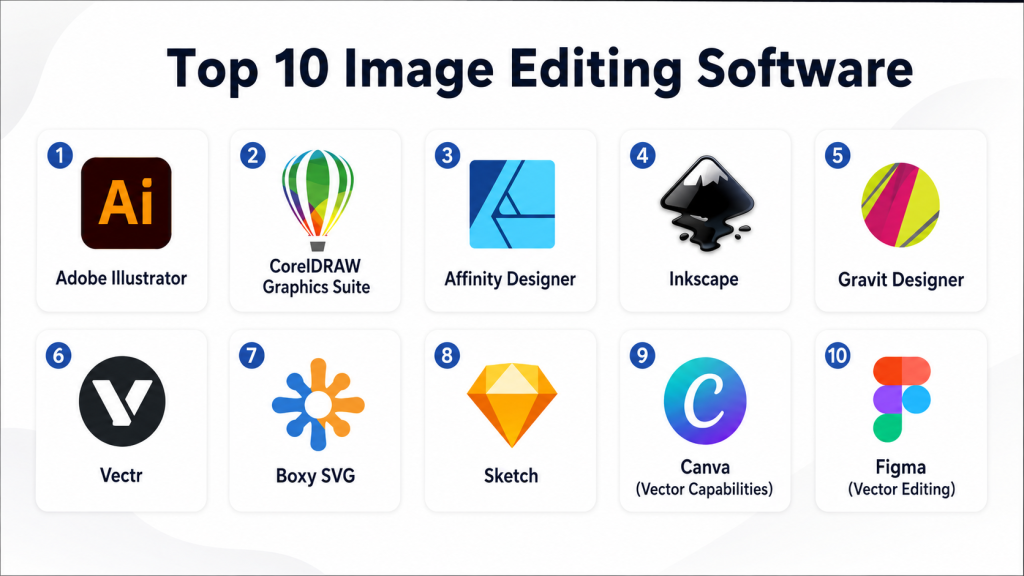
Top 10 Vector Illustration Tools
1 — Adobe Illustrator
Short description: Adobe Illustrator is the industry-leading vector design software used by professionals for logos, icons, typography, and complex illustrations.
Key Features
- Advanced pen and shape tools
- AI-assisted design with Adobe Sensei
- Gradient mesh, 3D effects, and pattern creation
- Extensive typography and font management
- Cross-platform cloud sync and Creative Cloud libraries
- Integration with Photoshop, After Effects, and Figma
Pros
- Robust industry-standard features
- Extensive community and tutorials
- High compatibility with professional file formats
Cons
- Steep learning curve for beginners
- Subscription pricing can be costly
- Resource-intensive for large projects
Platforms / Deployment
- Windows / macOS / Web
- Cloud / Desktop
Security & Compliance
- SOC 2, ISO 27001, MFA, encryption, audit logs
Integrations & Ecosystem
Integrates seamlessly with Adobe Creative Cloud, stock libraries, and third-party plugins.
- Photoshop
- After Effects
- Figma
- Adobe Stock
Support & Community
Comprehensive documentation, online tutorials, forums, and premium support options.
2 — CorelDRAW Graphics Suite
Short description: CorelDRAW offers vector design, layout, photo editing, and typography tools aimed at creative professionals and marketing teams.
Key Features
- Vector illustration and page layout tools
- AI-powered tracing and effects
- Multi-page document management
- Advanced typography and color management
- Cloud collaboration and file sharing
- Extensive asset libraries
Pros
- Strong Windows support and performance
- Flexible subscription or perpetual license
- Good for print and digital design
Cons
- Mac version less robust than Windows
- Interface may feel dated to some users
- Limited cloud ecosystem compared to Adobe
Platforms / Deployment
- Windows / macOS
- Desktop / Cloud hybrid
Security & Compliance
- Not publicly stated
Integrations & Ecosystem
Supports plugins and integrates with stock libraries and cloud storage.
- Microsoft Teams
- Dropbox
- Shutterstock
Support & Community
Documentation, user forums, and live support.
3 — Affinity Designer
Short description: Affinity Designer is a cost-effective vector illustration tool with professional capabilities for freelancers and SMB teams.
Key Features
- Vector and raster workflow in one app
- Node-based pen and shape tools
- Advanced grid, snapping, and alignment options
- Non-destructive effects and adjustments
- One-time purchase licensing
- Supports SVG, EPS, PSD, PDF
Pros
- Affordable alternative to Adobe
- Smooth performance even on large files
- One-time license avoids subscription fatigue
Cons
- Fewer integrations than Adobe
- No cloud collaboration
- Limited advanced typography features
Platforms / Deployment
- Windows / macOS / iPad
- Desktop
Security & Compliance
- Not publicly stated
Integrations & Ecosystem
Supports common file formats for cross-tool compatibility.
- Photoshop PSD import/export
- SVG and EPS
- PDF workflows
Support & Community
Active forums, tutorials, and responsive support.
4 — Inkscape
Short description: Inkscape is an open-source vector graphics editor suitable for developers, educators, and hobbyists.
Key Features
- Full SVG support
- Node editing and path operations
- Object manipulation, grouping, and layers
- Cross-platform and open-source plugins
- Raster image import and tracing
- Free and community-driven
Pros
- Free and open-source
- Strong cross-platform support
- Extensible with plugins
Cons
- Interface less polished
- Performance issues with very large files
- Limited professional templates
Platforms / Deployment
- Windows / macOS / Linux
- Desktop
Security & Compliance
- Not publicly stated
Integrations & Ecosystem
Works with common vector and raster formats.
- SVG, EPS, PDF, PNG
- Plugin ecosystem for effects and export
Support & Community
Active open-source community and documentation.
5 — Gravit Designer
Short description: Gravit Designer is a versatile vector tool focused on UI, web, and branding projects for SMBs and freelancers.
Key Features
- Web-based vector editor with offline desktop apps
- Symbols, styles, and reusable assets
- AI-assisted object snapping
- Cloud storage and collaboration
- Multi-page document support
- Export to SVG, PDF, PNG
Pros
- Lightweight and fast
- Cloud sync for team collaboration
- Cross-platform
Cons
- Limited advanced effects
- Paid Pro version required for full features
- Smaller community than Adobe
Platforms / Deployment
- Windows / macOS / Linux / Web
- Cloud / Desktop
Security & Compliance
- Not publicly stated
Integrations & Ecosystem
Supports cloud workflows and external assets.
- Google Drive
- Dropbox
- Sketch file import
Support & Community
Tutorials, community forums, and email support.
6 — Vectr
Short description: Vectr is a simple, web-based vector tool for beginners and collaborative design projects.
Key Features
- Real-time online collaboration
- Easy-to-use interface
- Basic vector shapes and text tools
- Free cloud storage
- Export to SVG, PNG, JPG
- Version control
Pros
- Free tier available
- Great for learning and team projects
- Cross-platform browser support
Cons
- Limited advanced features
- Offline functionality limited
- Not ideal for complex illustrations
Platforms / Deployment
- Web / Windows / macOS / Linux / ChromeOS
- Cloud / Desktop
Security & Compliance
- Not publicly stated
Integrations & Ecosystem
Supports file export and sharing with popular services.
- Google Drive
- Cloud export
- SVG import/export
Support & Community
Documentation and active forum support.
7 — Boxy SVG
Short description: Boxy SVG is a browser-focused vector tool designed for web designers and developers.
Key Features
- Full SVG editing capabilities
- Supports gradients, strokes, and path effects
- Chrome and Edge extension
- Keyboard shortcuts for efficiency
- Export to SVG, PNG, PDF
- Cloud sync
Pros
- Lightweight and responsive
- Great for web-focused vectors
- Low-cost option
Cons
- Limited desktop app features
- Smaller community
- Less suitable for print workflows
Platforms / Deployment
- Web / macOS / Windows / Linux
- Cloud / Desktop
Security & Compliance
- Not publicly stated
Integrations & Ecosystem
Exports to web and design ecosystems.
- Chrome / Edge extensions
- Web asset integration
Support & Community
Online tutorials and email support.
8 — Sketch
Short description: Sketch is a professional vector editor primarily for UI/UX designers working on macOS.
Key Features
- Artboards and symbols for reusable components
- Vector editing with precision tools
- Plugin ecosystem for extended functionality
- Cloud collaboration and feedback
- Export to multiple formats
- Version control and collaboration
Pros
- Industry standard for UI/UX
- Extensive plugin library
- Collaborative cloud workspace
Cons
- macOS only
- Subscription-based pricing
- Limited print design tools
Platforms / Deployment
- macOS / Web
- Cloud / Desktop
Security & Compliance
- Not publicly stated
Integrations & Ecosystem
Integrates with prototyping, handoff, and collaboration tools.
- Zeplin
- Abstract
- Figma import/export
Support & Community
Documentation, active forums, and webinars.
9 — Canva (Vector Capabilities)
Short description: Canva provides beginner-friendly vector editing as part of a broader design platform for marketing and social content.
Key Features
- Drag-and-drop editor
- Templates and vector shapes
- AI-assisted design tools
- Collaboration and cloud storage
- Export in multiple formats
- Mobile and web apps
Pros
- Easy to learn
- Extensive template library
- Collaborative features
Cons
- Limited advanced vector controls
- Cloud-dependent for many features
- Not fully professional-grade
Platforms / Deployment
- Web / iOS / Android
- Cloud
Security & Compliance
- SOC 2, GDPR
Integrations & Ecosystem
Integrates with stock libraries and cloud platforms.
- Dropbox
- Google Drive
- Canva Apps ecosystem
Support & Community
Tutorials, help center, and community forums.
10 — Figma (Vector Editing)
Short description: Figma is a collaborative vector editor for interface and product design teams, focusing on real-time editing and prototyping.
Key Features
- Vector editing and prototyping
- Real-time collaboration
- Components, constraints, and design systems
- Plugin ecosystem
- Cross-platform web access
- Export to SVG, PNG, PDF
Pros
- Collaborative and browser-based
- Strong team workflow
- Plugin extensibility
Cons
- Limited offline editing
- Less feature-rich for print design
- Free tier has limitations
Platforms / Deployment
- Web / Windows / macOS / Linux / iOS / Android
- Cloud
Security & Compliance
- SOC 2, GDPR, MFA
Integrations & Ecosystem
Works with prototyping, version control, and cloud storage.
- Slack integration
- Google Drive
- Third-party plugins
Support & Community
Documentation, active community, webinars, and online tutorials.
Comparison Table (Top 10)
| Tool Name | Best For | Platform(s) Supported | Deployment | Standout Feature | Public Rating |
|---|---|---|---|---|---|
| Adobe Illustrator | Professional design | Windows / macOS / Web | Cloud / Desktop | Industry-standard vector tools | N/A |
| CorelDRAW Graphics Suite | SMB & agencies | Windows / macOS | Desktop / Cloud hybrid | Multi-page layout + AI | N/A |
| Affinity Designer | Freelancers & SMB | Windows / macOS / iPad | Desktop | One-time license | N/A |
| Inkscape | Open-source users | Windows / macOS / Linux | Desktop | Full SVG support | N/A |
| Gravit Designer | UI/web design | Windows / macOS / Linux / Web | Cloud / Desktop | Cloud collaboration | N/A |
| Vectr | Beginners & collaboration | Web / Windows / macOS / Linux | Cloud / Desktop | Real-time collaboration | N/A |
| Boxy SVG | Web developers | Web / macOS / Windows / Linux | Cloud / Desktop | Browser-focused SVG editing | N/A |
| Sketch | UI/UX designers | macOS / Web | Cloud / Desktop | Symbols & components | N/A |
| Canva | Marketing & social content | Web / iOS / Android | Cloud | Templates + vector assets | N/A |
| Figma | Interface design teams | Web / Windows / macOS / Linux / iOS / Android | Cloud | Real-time collaboration | N/A |
Evaluation & Scoring of Vector Illustration Tools
| Tool Name | Core (25%) | Ease (15%) | Integrations (15%) | Security (10%) | Performance (10%) | Support (10%) | Value (15%) | Weighted Total (0–10) |
|---|---|---|---|---|---|---|---|---|
| Adobe Illustrator | 10 | 7 | 9 | 9 | 9 | 10 | 6 | 8.7 |
| CorelDRAW | 9 | 7 | 7 | 7 | 8 | 8 | 7 | 7.6 |
| Affinity Designer | 8 | 8 | 6 | 6 | 8 | 7 | 9 | 7.5 |
| Inkscape | 7 | 6 | 5 | 6 | 7 | 6 | 10 | 6.8 |
| Gravit Designer | 7 | 8 | 6 | 6 | 7 | 7 | 7 | 7.0 |
| Vectr | 6 | 8 | 5 | 5 | 6 | 6 | 10 | 6.6 |
| Boxy SVG | 6 | 7 | 5 | 5 | 6 | 6 | 8 | 6.4 |
| Sketch | 9 | 8 | 8 | 6 | 8 | 8 | 6 | 7.8 |
| Canva | 7 | 9 | 7 | 8 | 7 | 7 | 8 | 7.6 |
| Figma | 9 | 9 | 9 | 8 | 9 | 9 | 7 | 8.8 |
Interpretation: Scores are comparative, showing how each tool balances features, usability, integration, security, performance, support, and value. Weighted totals help buyers quickly evaluate overall suitability.
Which Vector Illustration Tool Is Right for You?
Solo / Freelancer
- Affinity Designer and Inkscape are great cost-effective options.
- Canva and Vectr provide easy-to-learn interfaces for quick social and client work.
SMB
- Adobe Illustrator or CorelDRAW offer professional-grade capabilities for marketing teams.
- Gravit Designer supports cross-device collaboration at an affordable price.
Mid-Market
- Figma and Sketch provide strong collaboration and versioning for team workflows.
- Adobe Illustrator ensures brand consistency across multiple projects.
Enterprise
- Adobe Illustrator with Creative Cloud libraries
- Figma for scalable, real-time design collaboration
- CorelDRAW for print-heavy and multi-language marketing teams
Budget vs Premium
- Budget: Inkscape, Affinity Designer, Vectr
- Premium: Adobe Illustrator, Figma, Sketch
Feature Depth vs Ease of Use
- Feature depth: Adobe Illustrator, Sketch
- Ease of use: Canva, Vectr, Gravit Designer
Integrations & Scalability
- Figma and Illustrator provide robust plugin ecosystems and cloud integrations for scaling teams.
- Canva and Gravit Designer work well for cloud-first, lightweight projects.
Security & Compliance Needs
- Adobe Illustrator, Canva, and Figma meet enterprise compliance requirements with SOC 2 and GDPR.
- Open-source tools like Inkscape and Affinity Designer require self-managed security measures.
Frequently Asked Questions (FAQs)
1. Are these vector tools suitable for beginners?
Yes, tools like Canva, Vectr, and Gravit Designer are beginner-friendly, while Illustrator and Sketch are better for experienced users.
2. Can I use vector tools for web and print?
Most tools, including Illustrator, CorelDRAW, and Affinity Designer, support both web and print-ready exports in multiple formats.
3. Do these tools support collaboration?
Figma, Canva, and Gravit Designer allow real-time collaboration, while others like Illustrator require cloud or third-party services.
4. Are there free alternatives?
Inkscape and Vectr offer free or open-source solutions suitable for budget-conscious users.
5. How steep is the learning curve?
Professional tools like Illustrator and Sketch require more time to master, whereas Canva and Vectr are intuitive.
6. What integrations are available?
Most tools integrate with cloud storage, stock libraries, and creative platforms; Figma and Illustrator offer robust plugin ecosystems.
7. Can vector files be used across different platforms?
Yes, common export formats like SVG, PDF, and EPS allow cross-platform compatibility.
8. Are there AI-assisted features?
Yes, AI tracing, layout suggestions, and auto-coloring are increasingly included in Adobe Illustrator and CorelDRAW.
9. Which tool is best for UI/UX design?
Figma and Sketch dominate UI/UX workflows due to collaborative design system support.
10. How do I switch tools without losing work?
Exporting in universal formats like SVG or PDF ensures compatibility across tools for migration.
Conclusion
Vector illustration tools continue to evolve with AI-powered features, cloud collaboration, and cross-platform support, making them essential for modern designers. The right tool depends on your role, team size, and project type. Freelancers may prefer cost-effective solutions like Affinity Designer or Inkscape, while enterprises benefit from Adobe Illustrator or Figma for robust collaboration and scalability. Evaluate tools based on features, ease of use, integrations, and security. Next steps: shortlist 2–3 tools, run a pilot project to assess workflow fit, and validate security and integration capabilities before scaling across teams.

Find Trusted Cardiac Hospitals
Compare heart hospitals by city and services — all in one place.
Explore Hospitals
Vector illustration tools are explained clearly, and the comparison helps in understanding how different software supports scalable design, creativity, and professional graphic workflows.