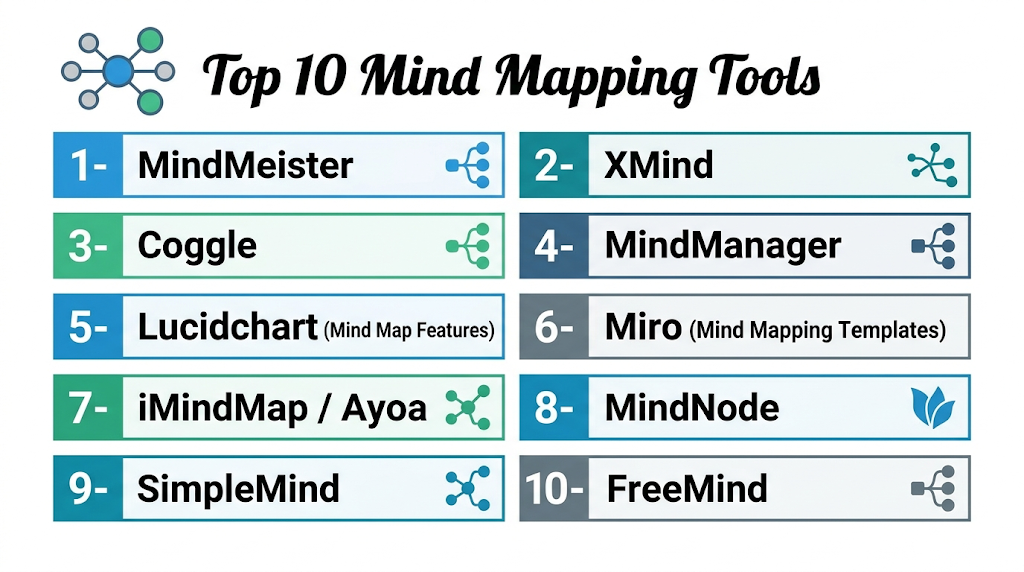
Introduction
Mind mapping tools are digital platforms that allow individuals and teams to visually organize ideas, thoughts, and information into structured maps. These tools use nodes, branches, and colors to represent connections and hierarchies, making it easier to brainstorm, plan, and communicate complex concepts. mind mapping tools are increasingly important for remote teams, educators, business strategists, and creative professionals. They help improve productivity, clarify workflows, and enhance learning or presentation effectiveness. These tools often include real-time collaboration, cloud access, and integration with productivity and project management systems.
Real-world use cases:
- Brainstorming and ideation sessions for teams
- Project planning and workflow visualization
- Organizing research and knowledge management
- Strategic planning and decision-making
- Educational and training content development
Evaluation criteria for buyers:
- Ease of use and learning curve
- Template and diagram library
- Collaboration and cloud access
- Integration with productivity and project management tools
- Export formats and sharing options
- Security and access controls
- Performance with large and complex maps
- Customization and styling capabilities
- Support and community resources
- Pricing and licensing flexibility
Best for: Business professionals, educators, project managers, and creative teams who need visual thinking and idea organization.
Not ideal for: Users requiring only linear note-taking or simple lists where advanced mapping is unnecessary.
Key Trends in Mind Mapping Tools
- AI-assisted mind map suggestions and auto-layout
- Cloud-based collaboration with multi-user access
- Integration with project management, productivity, and note-taking platforms
- Mobile and tablet-friendly access
- Subscription-based licensing with multiple tiers
- Enhanced visualization options including multimedia and links
- Security compliance for enterprise users (SOC 2, GDPR)
- Cross-platform access including web, desktop, and mobile apps
- Performance improvements for large and complex maps
How We Selected These Tools (Methodology)
- Market adoption and user base evaluation
- Feature completeness and differentiation
- Performance and reliability for large maps
- Security and compliance posture
- Integration capabilities with other software
- Suitability for freelancers, SMBs, and enterprises
- Cross-platform support assessment
- Pricing, training resources, and community support
1- MindMeister
Key Features
- Cloud-based mind mapping
- Real-time collaboration
- Pre-built templates and themes
- Export to PDF, images, and Office formats
- Presentation mode
Pros
- Easy collaboration for teams
- Intuitive interface
- Cloud access and cross-device support
Cons
- Subscription required for full features
- Offline functionality limited
- Limited advanced styling options
Platforms / Deployment
- Web / Windows / macOS / iOS / Android
- Cloud
Security & Compliance
- SOC 2, GDPR
Integrations & Ecosystem
Integrates with productivity, cloud, and project management apps.
- Google Workspace
- Microsoft Teams
- Trello
Support & Community
Documentation, tutorials, and active forums.
2- XMind
Key Features
- Desktop and mobile mind mapping
- Themes, templates, and charts
- Brainstorming and fishbone diagrams
- Export to multiple formats
- Presentation mode
Pros
- Flexible and feature-rich
- Cross-platform support
- Affordable license
Cons
- Limited cloud collaboration in free version
- Learning curve for advanced features
- Templates may require subscription
Platforms / Deployment
- Windows / macOS / Linux / iOS / Android
- Desktop / Cloud
Security & Compliance
- Not publicly stated
Integrations & Ecosystem
Integrates with productivity tools and cloud storage.
- Google Drive
- Dropbox
- Microsoft Office
Support & Community
Documentation and tutorials.
3- Coggle
Key Features
- Web-based collaborative mind mapping
- Real-time editing and comments
- Unlimited images and links
- Export to PDF and image formats
- Version control
Pros
- Easy for beginners
- Cloud-based collaboration
- Free plan available
Cons
- Limited offline support
- Advanced features require subscription
- Smaller template library
Platforms / Deployment
- Web / Windows / macOS / iOS / Android
- Cloud
Security & Compliance
- Not publicly stated
Integrations & Ecosystem
Supports cloud and productivity integrations.
- Google Workspace
- Trello
- Slack
Support & Community
Online documentation and forums.
4- MindManager
Key Features
- Professional mind mapping for business
- Task management and project planning
- Advanced diagramming features
- Export to Office and PDF
- Cloud collaboration options
Pros
- Enterprise-ready
- Advanced productivity and task tracking
- Integrates with project tools
Cons
- Expensive
- Steep learning curve
- Limited free version
Platforms / Deployment
- Windows / macOS / Web / iOS / Android
- Desktop / Cloud
Security & Compliance
- SOC 2, GDPR
Integrations & Ecosystem
Integrates with productivity and project management apps.
- Microsoft Office
- Jira
- Trello
Support & Community
Documentation, training, and customer support.
5- Lucidchart (Mind Map Features)
Key Features
- Mind mapping and flowcharts
- Templates and themes
- Real-time collaboration
- Export to multiple formats
- Cloud-based access
Pros
- Collaborative and cloud-first
- Easy to use for teams
- Flexible templates
Cons
- Subscription required
- Learning curve for new users
- Limited offline support
Platforms / Deployment
- Web / Windows / macOS / iOS / Android
- Cloud
Security & Compliance
- SOC 2, GDPR
Integrations & Ecosystem
Supports cloud storage and productivity tools.
- Google Workspace
- Microsoft Office
- Slack
Support & Community
Documentation, tutorials, and webinars.
6- Miro (Mind Mapping Templates)
Key Features
- Interactive whiteboard with mind map templates
- Real-time collaboration
- Sticky notes, drawing, and multimedia
- Export options
- Cloud access
Pros
- Excellent for remote teams
- Highly interactive
- Template-rich
Cons
- Subscription needed for advanced features
- Offline limited
- Can be overwhelming for beginners
Platforms / Deployment
- Web / Windows / macOS / iOS / Android
- Cloud
Security & Compliance
- SOC 2, GDPR
Integrations & Ecosystem
Integrates with project management and collaboration tools.
- Slack
- Jira
- Google Workspace
Support & Community
Online tutorials, webinars, and active community.
7- iMindMap / Ayoa
Key Features
- Visual mind mapping with task boards
- Brainstorming and project planning
- Templates and branch styling
- Export to PDF, images, and Office formats
- Cloud and desktop support
Pros
- Combines mind mapping and task management
- Creative and visual approach
- Suitable for individuals and teams
Cons
- Subscription required
- Desktop version needed for full features
- Learning curve
Platforms / Deployment
- Windows / macOS / Web / iOS / Android
- Desktop / Cloud
Security & Compliance
- Not publicly stated
Integrations & Ecosystem
Cloud integration and task management compatibility.
- Google Workspace
- Microsoft Office
- Trello
Support & Community
Documentation, tutorials, and customer support.
8- MindNode
Key Features
- Mac and iOS-focused mind mapping
- Visual themes and styles
- Notes and task integration
- Export to PDF and images
- Cloud sync
Pros
- Elegant interface
- Intuitive for Apple users
- Cross-device sync
Cons
- macOS/iOS only
- Paid subscription for full features
- Limited collaboration
Platforms / Deployment
- macOS / iOS
- Cloud
Security & Compliance
- Not publicly stated
Integrations & Ecosystem
Syncs with Apple ecosystem and productivity apps.
- iCloud
- Notes
- Export to PDF/PNG
Support & Community
Documentation and online forums.
9- SimpleMind
Key Features
- Desktop and mobile mind mapping
- Templates and styling options
- Export to PDF, images, and Office
- Cloud and offline support
- Task management features
Pros
- Easy to use
- Affordable licensing
- Cross-platform
Cons
- Collaboration limited in free version
- Desktop required for full features
- Fewer templates
Platforms / Deployment
- Windows / macOS / iOS / Android
- Desktop / Cloud
Security & Compliance
- Not publicly stated
Integrations & Ecosystem
Supports cloud storage and basic productivity integration.
- Google Drive
- Dropbox
- Microsoft Office
Support & Community
Documentation and tutorials.
10- FreeMind
Key Features
- Open-source mind mapping tool
- Basic diagramming and text nodes
- Cross-platform
- Export to images and XML
- Lightweight and fast
Pros
- Free and open-source
- Lightweight
- Cross-platform
Cons
- Basic features, limited templates
- No real-time collaboration
- Outdated UI
Platforms / Deployment
- Windows / macOS / Linux
- Desktop
Security & Compliance
- Not publicly stated
Integrations & Ecosystem
Supports basic exports and file formats.
- XML export
- Image export
Support & Community
Open-source community and forums.
Comparison Table (Top 10)
| Tool Name | Best For | Platform(s) Supported | Deployment | Standout Feature | Public Rating |
|---|---|---|---|---|---|
| MindMeister | Team collaboration | Web / Windows / macOS / iOS / Android | Cloud | Templates & cloud collaboration | N/A |
| XMind | Individual & team | Windows / macOS / Linux / iOS / Android | Desktop / Cloud | Flexible layouts & brainstorming | N/A |
| Coggle | Teams & education | Web / Windows / macOS / iOS / Android | Cloud | Simple collaboration | N/A |
| MindManager | Enterprise & business | Windows / macOS / Web / iOS / Android | Desktop / Cloud | Task & project integration | N/A |
| Lucidchart | Mind mapping & diagrams | Web / Windows / macOS / iOS / Android | Cloud | Collaboration & AI suggestions | N/A |
| Miro | Remote & distributed teams | Web / Windows / macOS / iOS / Android | Cloud | Interactive whiteboard & templates | N/A |
| iMindMap / Ayoa | Creative teams | Windows / macOS / Web / iOS / Android | Desktop / Cloud | Mind mapping + task boards | N/A |
| MindNode | Apple users | macOS / iOS | Cloud | Elegant interface & syncing | N/A |
| SimpleMind | Individuals | Windows / macOS / iOS / Android | Desktop / Cloud | Cross-platform & offline | N/A |
| FreeMind | Open-source users | Windows / macOS / Linux | Desktop | Lightweight & free | N/A |
Evaluation & Scoring of Mind Mapping Tools
| Tool Name | Core (25%) | Ease (15%) | Integrations (15%) | Security (10%) | Performance (10%) | Support (10%) | Value (15%) | Weighted Total (0–10) |
|---|---|---|---|---|---|---|---|---|
| MindMeister | 9 | 9 | 8 | 8 | 8 | 8 | 8 | 8.5 |
| XMind | 8 | 8 | 7 | 7 | 8 | 7 | 8 | 7.7 |
| Coggle | 7 | 8 | 7 | 6 | 7 | 7 | 8 | 7.2 |
| MindManager | 9 | 7 | 8 | 8 | 9 | 8 | 7 | 8.1 |
| Lucidchart | 9 | 8 | 9 | 8 | 8 | 8 | 8 | 8.4 |
| Miro | 8 | 9 | 8 | 8 | 8 | 8 | 8 | 8.2 |
| iMindMap / Ayoa | 8 | 8 | 7 | 7 | 8 | 7 | 8 | 7.8 |
| MindNode | 8 | 8 | 6 | 6 | 8 | 7 | 8 | 7.5 |
| SimpleMind | 7 | 8 | 6 | 6 | 7 | 7 | 8 | 7.1 |
| FreeMind | 6 | 7 | 5 | 5 | 7 | 6 | 10 | 6.6 |
Which Mind Mapping Tool Is Right for You?
Solo / Freelancer
- SimpleMind, XMind, or MindNode for intuitive and cost-effective personal mind mapping.
SMB
- MindMeister, Lucidchart, or Miro for team collaboration, cloud access, and structured brainstorming.
Mid-Market
- MindManager, iMindMap / Ayoa for professional workflows and project planning integration.
Enterprise
- MindManager, Lucidchart, and Miro for advanced features, integrations, and security compliance.
Budget vs Premium
- Budget: FreeMind, SimpleMind, Coggle
- Premium: MindManager, MindMeister, Lucidchart
Feature Depth vs Ease of Use
- Feature depth: MindManager, Lucidchart, Miro
- Ease of use: SimpleMind, MindNode, Coggle
Integrations & Scalability
- MindMeister, Lucidchart, and Miro provide robust integrations with productivity and project management software.
Security & Compliance Needs
- MindMeister, MindManager, and Lucidchart meet enterprise-grade security standards. Open-source tools require self-managed compliance.
Frequently Asked Questions (FAQs)
1. Are these tools beginner-friendly?
Yes, SimpleMind, MindNode, and FreeMind are easy to start with. Advanced tools like MindManager or Lucidchart may require initial learning but offer templates and guides.
2. Can teams collaborate in real-time?
MindMeister, Lucidchart, Miro, and iMindMap / Ayoa allow simultaneous editing and commenting, enabling seamless remote teamwork.
3. Are AI-assisted features available?
Lucidchart and Miro provide AI suggestions for layouts and branch structuring, improving workflow and idea organization.
4. Which tool is best for enterprise planning?
MindManager, Lucidchart, and Miro excel in enterprise settings with task management, integrations, and secure cloud collaboration.
5. Can maps be exported in multiple formats?
Yes, almost all tools support PDF, images, and Office formats, making it easy to share or present mind maps.
6. Are mobile apps available?
Yes, most tools, including MindMeister, SimpleMind, and Miro, offer iOS and Android apps for remote access.
7. Are free options available?
FreeMind, SimpleMind, and Coggle offer free or freemium plans suitable for individual or small team use.
8. How secure are cloud-based mind maps?
MindMeister, MindManager, and Lucidchart comply with SOC 2 and GDPR, providing encryption and secure access control.
9. Which tools are best for educators?
MindMeister, Miro, and iMindMap / Ayoa are commonly used in classrooms for collaborative learning and structured lessons.
10. Can mind maps integrate with project management software?
Yes, MindMeister, Lucidchart, Miro, and MindManager integrate with Jira, Trello, Asana, and other tools to connect ideas with actionable tasks.
Conclusion
Mind mapping tools enhance productivity, creativity, and team collaboration by visually organizing ideas and workflows. Freelancers and small teams can benefit from SimpleMind, MindNode, or FreeMind for cost-effective and straightforward mind mapping. Mid-market organizations can leverage MindMeister, Lucidchart, or Miro for team collaboration, cloud access, and structured brainstorming. Enterprises and professional teams often rely on MindManager, Lucidchart, and Miro for advanced features, integrations, and secure collaboration. Selecting the right tool requires assessing templates, collaboration capabilities, cloud access, performance, and compliance. Next steps: shortlist 2–3 platforms, run pilot mind mapping sessions, and ensure integrations and security align with team needs before organization-wide adoption.

Find Trusted Cardiac Hospitals
Compare heart hospitals by city and services — all in one place.
Explore Hospitals
Mind mapping tools are explained clearly, and the comparison helps in understanding how visual thinking, idea organization, and collaboration improve productivity and planning.