Introduction
Bookkeeping tools help businesses record income, track expenses, reconcile bank transactions, organize receipts, manage invoices, and keep financial records ready for reporting and tax preparation. In simple terms, they make day-to-day financial tracking easier by replacing manual spreadsheets, paper records, and scattered receipts with a structured digital workflow. Bookkeeping matters now because businesses are dealing with more digital payments, online sales channels, remote teams, subscription revenue, multi-currency transactions, and compliance expectations. Modern tools increasingly use automation to categorize transactions, match bank feeds, generate reports, and reduce repetitive manual work. QuickBooks, Xero, FreshBooks, Zoho Books, and Wave are commonly discussed as popular bookkeeping and accounting options for small businesses
Real World Use Cases
- Recording income, expenses, bills, receipts, and bank transactions
- Reconciling bank feeds with accounting records
- Creating invoices and tracking customer payments
- Preparing profit and loss, balance sheet, and cash flow reports
- Supporting accountants, bookkeepers, founders, and finance teams with cleaner records
Evaluation Criteria for Buyers
- Bank feed and transaction reconciliation
- Expense tracking and receipt capture
- Invoice and payment tracking
- Financial reports and dashboards
- Tax-ready recordkeeping
- Accountant and bookkeeper collaboration
- Automation and AI-assisted categorization
- Integrations with payroll, ecommerce, banking, and payment tools
- Security, permissions, and data protection
- Scalability for growing financial operations
Best for: freelancers, startups, small businesses, ecommerce sellers, consultants, agencies, bookkeeping firms, accountants, and finance teams that need accurate financial records, cleaner reconciliation, and better visibility into cash flow.
Not ideal for: individuals with only personal budgeting needs, businesses with very few transactions, or enterprises that already use a full ERP and managed accounting team with highly customized internal workflows.
Key Trends in Bookkeeping Tools
- AI-assisted categorization is becoming normal: Bookkeeping tools are increasingly using automation to categorize expenses, match transactions, and reduce manual data entry. QuickBooks, for example, describes automated bookkeeping that learns how income and expenses are categorized and then matches and records transactions.
- Real-time cash visibility matters more: Business owners want daily visibility into cash flow, revenue, expenses, unpaid invoices, and bank balances instead of waiting for month-end reports.
- Cloud bookkeeping remains the default: Cloud-based tools make it easier for owners, accountants, and bookkeepers to collaborate from different locations.
- Receipt capture is becoming more automated: Mobile receipt uploads, document scanning, and expense matching reduce missing records and improve tax preparation.
- Bookkeeping is connecting with payments and invoicing: Many tools now combine bookkeeping with invoice creation, online payments, recurring bills, and customer payment tracking.
- Startup-focused bookkeeping is growing: Newer tools focus on venture-backed startups, real-time burn rate, runway, and fintech integrations. Puzzle positions itself around AI-powered transaction categorization and startup financial visibility.
- Bookkeeping firms are adopting automation platforms: Tools such as Botkeeper and service-led platforms help firms automate transaction work while keeping human review in the workflow.
- Compliance and audit readiness are more important: Buyers want clear transaction history, permissions, audit trails, secure access, and tax-ready reporting.
- Integrations decide long-term fit: Strong connections with banks, payroll, ecommerce, CRM, payment processors, and tax tools are now essential.
- Self-service finance reporting is expected: Business owners want simple dashboards that explain business health without requiring deep accounting knowledge.
How We Selected These Tools
The following tools were selected based on their practical relevance to bookkeeping workflows, small business finance, accountant collaboration, automation, and day-to-day transaction management.
- Strong support for transaction tracking, categorization, reconciliation, and reporting
- Market recognition among small businesses, accountants, bookkeepers, and finance teams
- Ability to support invoices, expenses, receipts, payments, and tax-ready records
- Automation capabilities for bank feeds, rules, document capture, and transaction matching
- Integration strength with payroll, ecommerce, payment gateways, CRM, and banking tools
- Fit across freelancers, startups, SMBs, bookkeeping firms, and growing companies
- Cloud access and collaboration features for remote business and accounting teams
- Security posture signals such as access control, permissions, and account protection
- Ease of use for non-accountants while still supporting professional bookkeeping workflows
- Scalability from simple bookkeeping to more advanced accounting and finance operations
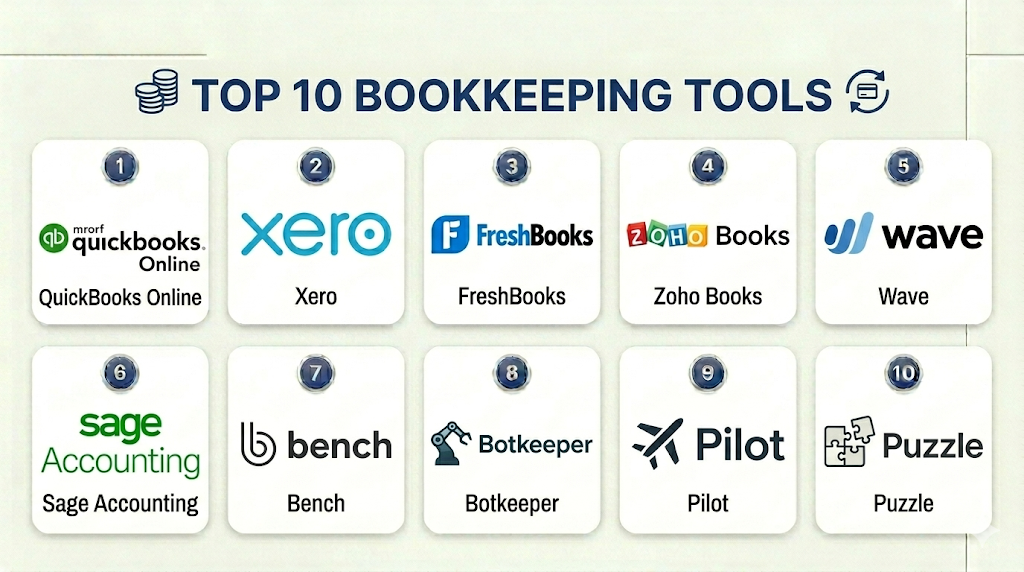
Top 10 Bookkeeping Tools
1- QuickBooks Online
Short description: QuickBooks Online is one of the most widely used cloud bookkeeping and accounting platforms for small businesses, accountants, freelancers, and growing companies. It supports income and expense tracking, invoicing, bank reconciliation, reports, taxes, and accountant collaboration.
Key Features
- Automated bank feeds and transaction categorization
- Income, expense, invoice, and payment tracking
- Bank reconciliation and rule-based matching
- Profit and loss, balance sheet, and cash flow reports
- Receipt capture and expense management
- Sales tax and tax-ready reporting workflows
- Broad integration ecosystem for payroll, ecommerce, and payments
Pros
- Strong fit for SMBs and accountant-supported businesses
- Large ecosystem of bookkeepers, accountants, apps, and advisors
- Good balance between bookkeeping automation and accounting depth
Cons
- Can feel complex for very small businesses with simple needs
- Some advanced features depend on selected plan
- Pricing and add-ons should be reviewed carefully
Platforms / Deployment
Web / iOS / Android
Cloud
Security & Compliance
QuickBooks Online provides account security controls, user permissions, and payment-related security features. Specific compliance certifications should be verified directly based on region, plan, and business requirements.
Integrations & Ecosystem
QuickBooks Online has a broad ecosystem for bookkeeping, accounting, payments, payroll, ecommerce, and reporting. It is suitable for businesses that need bookkeeping connected to a larger finance workflow.
- Bank feeds
- Payment processors
- Payroll systems
- Ecommerce platforms
- Expense tools
- Tax and reporting apps
Support & Community
QuickBooks provides documentation, tutorials, accountant support, customer support options, and a large small business community. Support availability and quality may vary by plan and region.
2- Xero
Short description: Xero is a cloud bookkeeping and accounting tool used by small businesses, accountants, and growing companies. It is known for bank reconciliation, invoicing, financial reporting, multi-currency support depending on plan, and a strong app marketplace.
Key Features
- Bank feeds and transaction reconciliation
- Online invoicing and payment tracking
- Bills, expenses, and purchase workflows
- Financial reports and dashboards
- Multi-currency support depending on plan
- Accountant and advisor collaboration
- App marketplace for business and finance integrations
Pros
- Strong cloud bookkeeping experience for growing businesses
- Good fit for teams working with accountants or bookkeepers
- Broad ecosystem for finance, ecommerce, and operations
Cons
- May require accounting familiarity for best results
- Some advanced features depend on plan level
- Not always the simplest option for micro-businesses
Platforms / Deployment
Web / iOS / Android
Cloud
Security & Compliance
Xero provides account security, permission controls, and cloud-based data protection practices. Specific compliance requirements should be validated directly.
Integrations & Ecosystem
Xero connects bookkeeping with banking, payments, payroll, ecommerce, inventory, and reporting tools. It is especially useful for businesses that want a flexible accounting app ecosystem.
- Bank feeds
- Payment gateways
- Payroll tools
- Ecommerce platforms
- Inventory apps
- Reporting and analytics tools
Support & Community
Xero offers help resources, product education, partner support through accountants and advisors, and customer support channels. It has a strong global advisor and user community.
3- FreshBooks
Short description: FreshBooks is a bookkeeping and invoicing platform designed for freelancers, agencies, consultants, and small service businesses. It is especially useful for businesses that need invoicing, expense tracking, time tracking, and client billing in one simple system.
Key Features
- Professional invoice creation and payment tracking
- Expense capture and client billing
- Time tracking and billable hours management
- Estimates and proposal-to-invoice workflows
- Basic bookkeeping and financial reports
- Online payment collection
- Client communication and project billing support
Pros
- Easy to use for non-accounting users
- Strong fit for service-based businesses and freelancers
- Combines bookkeeping, invoicing, and time tracking
Cons
- May not be deep enough for complex accounting operations
- Larger teams may need more advanced controls
- Advanced reporting may require additional systems
Platforms / Deployment
Web / iOS / Android
Cloud
Security & Compliance
FreshBooks provides account security and cloud data protection controls. Specific certifications and compliance requirements should be verified directly.
Integrations & Ecosystem
FreshBooks integrates with common tools used by freelancers, agencies, and service businesses. Its ecosystem supports invoicing, payments, expenses, time tracking, and project billing.
- Payment gateways
- Time tracking tools
- Project management platforms
- Expense tools
- Accounting workflows
- Business reporting tools
Support & Community
FreshBooks provides documentation, onboarding resources, customer support, and educational content. It has strong adoption among freelancers and service-based small businesses.
4- Zoho Books
Short description: Zoho Books is a cloud bookkeeping and accounting platform for small and growing businesses. It supports invoicing, expenses, banking, reconciliation, tax workflows, automation, and integration with the broader Zoho business suite.
Key Features
- Income, expense, and bill tracking
- Invoices, estimates, and payment tracking
- Bank reconciliation and transaction rules
- Tax workflows and financial reports
- Client portal and customer communication
- Automation for recurring tasks and approvals
- Strong integration with Zoho CRM and Zoho business apps
Pros
- Strong value for SMB bookkeeping and accounting
- Works well for businesses already using Zoho products
- Practical automation and reporting for growing teams
Cons
- Best experience often comes inside the Zoho ecosystem
- Some advanced features vary by region and plan
- Enterprise accounting complexity may require more advanced systems
Platforms / Deployment
Web / iOS / Android
Cloud
Security & Compliance
Zoho provides account security features, administrative controls, and data protection practices across its product suite. Specific compliance coverage should be validated based on region and product usage.
Integrations & Ecosystem
Zoho Books works best when connected with Zoho CRM, Zoho Invoice, Zoho Analytics, and other Zoho apps. It also supports payment gateways, banking workflows, and APIs.
- Zoho CRM
- Zoho Invoice
- Zoho Analytics
- Payment gateways
- Banking workflows
- API-based integrations
Support & Community
Zoho provides documentation, community forums, tutorials, and support options. Support availability may vary by region, plan, and product setup.
5- Wave
Short description: Wave is a simple bookkeeping, invoicing, and small business finance tool commonly used by freelancers, micro-businesses, and very small service providers. It is useful for users who need basic financial tracking without heavy accounting complexity.
Key Features
- Income and expense tracking
- Invoice creation and payment tracking
- Basic bookkeeping reports
- Receipt and expense organization
- Recurring billing options
- Customer records and invoice history
- Online payments depending on region and setup
Pros
- Simple and practical for freelancers and micro-businesses
- Easy to start for basic bookkeeping needs
- Useful for invoice tracking and simple financial visibility
Cons
- Not ideal for complex accounting, inventory, or ERP workflows
- Feature availability can vary by region
- Growing businesses may outgrow it over time
Platforms / Deployment
Web / Mobile access may vary
Cloud
Security & Compliance
Wave provides cloud account security and payment-related protections where applicable. Specific compliance and security requirements should be verified directly.
Integrations & Ecosystem
Wave is more focused on simple small business bookkeeping than complex enterprise integrations. It works best for users who need straightforward financial records.
- Online payments
- Bank transaction workflows
- Receipt capture
- Basic accounting reports
- Customer records
- Export-based workflows
Support & Community
Wave provides help documentation, support resources, and educational content. Support levels and availability may vary by product and region.
6- Sage Accounting
Short description: Sage Accounting is a cloud accounting and bookkeeping tool for small and growing businesses. It helps users manage invoices, expenses, cash flow, bank reconciliation, reports, and finance operations in a structured system.
Key Features
- Income, expense, and bill tracking
- Invoice creation and payment tracking
- Bank reconciliation workflows
- Cash flow and financial reporting
- Tax-ready records depending on region
- Multi-user collaboration depending on plan
- Integration with Sage and third-party business tools
Pros
- Good fit for businesses needing accounting plus bookkeeping
- Strong brand recognition in finance software
- Useful for SMBs that want structured financial management
Cons
- May require accounting knowledge for best results
- Some features vary by region and plan
- Not as lightweight as invoice-only bookkeeping tools
Platforms / Deployment
Web / Mobile access may vary
Cloud
Security & Compliance
Sage provides account security and cloud finance controls. Specific compliance details should be verified directly based on product edition, region, and business requirements.
Integrations & Ecosystem
Sage Accounting supports finance workflows and integrations with banking, payments, payroll, tax, and reporting systems. It is useful for businesses that want bookkeeping tied to accounting operations.
- Bank feeds
- Payment tools
- Payroll workflows
- Tax workflows
- Reporting systems
- Business productivity apps
Support & Community
Sage provides documentation, training resources, support channels, and a finance software user ecosystem. Support availability may vary by country and product plan.
7- Bench
Short description: Bench is an online bookkeeping service and platform designed for small businesses that want bookkeeping support without managing everything themselves. It combines bookkeeping software workflows with human bookkeeping assistance.
Key Features
- Monthly bookkeeping support
- Expense categorization and financial statements
- Bank and account reconciliation workflows
- Profit and loss and balance sheet reporting
- Bookkeeper-assisted financial records
- Tax-ready bookkeeping packages depending on service
- Small business dashboard for financial visibility
Pros
- Good for owners who want bookkeeping done for them
- Reduces manual recordkeeping workload
- Useful for businesses that need human review with software support
Cons
- Less self-service flexibility than pure software tools
- May not fit businesses wanting full internal control
- Advanced accounting or ERP needs may require separate systems
Platforms / Deployment
Web
Cloud / Service-led platform
Security & Compliance
Bench provides account access and financial data handling workflows. Specific security controls and compliance details should be verified directly based on service package and business needs.
Integrations & Ecosystem
Bench is designed around connected financial accounts and bookkeeping service workflows rather than a broad app marketplace. It is most useful when the priority is clean books with less internal effort.
- Bank account connections
- Credit card transaction workflows
- Financial statement reporting
- Tax preparation workflows depending on plan
- Small business finance dashboard
- Exportable records for accountants
Support & Community
Bench provides bookkeeping support, customer service, and onboarding resources. Support experience depends on service package, business complexity, and bookkeeping requirements.
8- Botkeeper
Short description: Botkeeper is a bookkeeping automation platform used by accounting firms and finance teams to streamline bookkeeping workflows. It focuses on automation, transaction categorization, reporting, and human-assisted review for bookkeeping operations.
Key Features
- Automated transaction categorization
- Bookkeeping workflow automation
- Firm-focused bookkeeping operations
- Reporting and financial dashboard support
- Human-assisted review workflows
- Integration with accounting systems
- Scalable support for accounting and bookkeeping firms
Pros
- Strong fit for accounting firms managing multiple clients
- Helps reduce repetitive bookkeeping workload
- Combines automation with review-oriented workflows
Cons
- May not be the best fit for solo owners wanting simple DIY bookkeeping
- Setup and workflow design require planning
- Value depends on firm structure and client volume
Platforms / Deployment
Web
Cloud
Security & Compliance
Botkeeper provides platform controls for bookkeeping workflows, but specific certifications and compliance details should be verified directly. Buyers should evaluate permissions, data access, and client data handling.
Integrations & Ecosystem
Botkeeper is designed to work alongside accounting systems and bookkeeping workflows used by firms. It helps firms standardize recurring work and improve operational efficiency.
- Accounting systems
- Client financial data workflows
- Reporting dashboards
- Bank transaction processes
- Firm operations tools
- Automation workflows
Support & Community
Botkeeper provides onboarding, product support, and firm-focused resources. Support experience may vary based on firm size, implementation scope, and service level.
9- Pilot
Short description: Pilot is a bookkeeping, tax, and CFO service platform for startups and growing businesses. It is especially relevant for startups that want bookkeeping support, financial visibility, and finance operations assistance without building a full internal accounting team.
Key Features
- Bookkeeping services for startups and SMBs
- Monthly financial statements
- Transaction categorization and reconciliation
- Tax and CFO services depending on package
- Startup-focused financial workflows
- Support for finance operations visibility
- Human-assisted bookkeeping model
Pros
- Strong fit for startups needing bookkeeping support
- Reduces internal finance workload
- Useful for founders who want financial reports without managing books manually
Cons
- More service-led than pure software
- May not fit companies that want full DIY control
- Pricing and fit depend on service package and business complexity
Platforms / Deployment
Web
Cloud / Service-led platform
Security & Compliance
Pilot handles sensitive financial and bookkeeping data. Specific security controls, access policies, and compliance documentation should be verified directly during vendor review.
Integrations & Ecosystem
Pilot connects with financial accounts and business systems needed for bookkeeping and finance operations. It is especially useful for startups that need organized financial statements and finance support.
- Bank account workflows
- Credit card transaction workflows
- Payroll and finance systems
- Tax workflows depending on service
- Financial reporting
- Startup finance operations
Support & Community
Pilot provides customer support, onboarding, bookkeeping assistance, and finance-related services. Support experience depends on plan, company size, and service scope.
10- Puzzle
Short description: Puzzle is an AI-powered bookkeeping and accounting platform built especially for startups and modern finance teams. It focuses on automated transaction categorization, real-time financial visibility, startup metrics, and integrations with fintech tools.
Key Features
- AI-assisted transaction categorization
- Real-time bookkeeping workflows
- Startup-focused financial reporting
- Burn rate and runway visibility
- Fintech and banking integrations
- Automated financial statements
- Collaboration for founders, accountants, and finance teams
Pros
- Strong fit for startups and modern finance teams
- Useful for real-time financial visibility
- Automation-first approach can reduce manual bookkeeping work
Cons
- May be less familiar to traditional accounting firms
- Best fit depends on startup-style finance workflows
- Larger or highly traditional businesses may prefer established accounting systems
Platforms / Deployment
Web
Cloud
Security & Compliance
Puzzle provides cloud-based accounting and financial data workflows. Specific security certifications, controls, and compliance details should be verified directly.
Integrations & Ecosystem
Puzzle is designed for startup finance workflows and modern fintech integrations. It is useful for companies that want automated bookkeeping connected with startup metrics and real-time reporting.
- Banking platforms
- Fintech tools
- Payment systems
- Startup finance dashboards
- Accounting collaboration workflows
- Reporting and analytics systems
Support & Community
Puzzle provides product support, onboarding resources, and startup-focused guidance. Community and advisor ecosystem depth may vary compared with older accounting platforms.
Comparison Table
| Tool Name | Best For | Platform Supported | Deployment | Standout Feature | Public Rating |
|---|---|---|---|---|---|
| QuickBooks Online | SMBs and accountant-supported businesses | Web / iOS / Android | Cloud | Broad bookkeeping and accounting ecosystem | N/A |
| Xero | Growing businesses and accountants | Web / iOS / Android | Cloud | Bank reconciliation and app marketplace | N/A |
| FreshBooks | Freelancers and service businesses | Web / iOS / Android | Cloud | Invoicing and time tracking | N/A |
| Zoho Books | SMBs using Zoho ecosystem | Web / iOS / Android | Cloud | Bookkeeping connected with Zoho apps | N/A |
| Wave | Freelancers and micro-businesses | Web / Mobile varies | Cloud | Simple bookkeeping and invoicing | N/A |
| Sage Accounting | SMB finance teams | Web / Mobile varies | Cloud | Structured accounting and bookkeeping | N/A |
| Bench | Small businesses wanting done-for-you bookkeeping | Web | Cloud / Service-led | Human-assisted bookkeeping | N/A |
| Botkeeper | Accounting and bookkeeping firms | Web | Cloud | Bookkeeping automation for firms | N/A |
| Pilot | Startups needing bookkeeping services | Web | Cloud / Service-led | Startup-focused bookkeeping support | N/A |
| Puzzle | Startups and modern finance teams | Web | Cloud | AI-powered bookkeeping automation | N/A |
Evaluation & Scoring of Bookkeeping Tools
| Tool Name | Core 25% | Ease 15% | Integrations 15% | Security 10% | Performance 10% | Support 10% | Value 15% | Weighted Total |
|---|---|---|---|---|---|---|---|---|
| QuickBooks Online | 9 | 8 | 9 | 8 | 8 | 8 | 8 | 8.35 |
| Xero | 9 | 8 | 9 | 8 | 8 | 8 | 8 | 8.35 |
| FreshBooks | 8 | 9 | 7 | 8 | 8 | 8 | 8 | 8.00 |
| Zoho Books | 8 | 9 | 8 | 8 | 8 | 8 | 9 | 8.30 |
| Wave | 7 | 9 | 6 | 7 | 7 | 7 | 9 | 7.45 |
| Sage Accounting | 8 | 7 | 8 | 8 | 8 | 8 | 8 | 7.85 |
| Bench | 8 | 8 | 7 | 7 | 8 | 9 | 7 | 7.80 |
| Botkeeper | 8 | 7 | 8 | 8 | 8 | 8 | 7 | 7.70 |
| Pilot | 8 | 8 | 7 | 8 | 8 | 9 | 7 | 7.90 |
| Puzzle | 8 | 8 | 8 | 8 | 8 | 7 | 8 | 7.95 |
These scores are comparative and should be used for shortlisting, not as a universal ranking. A freelancer may prefer FreshBooks, Wave, or Zoho Books, while a bookkeeping firm may prefer Botkeeper. A startup may find Pilot or Puzzle more aligned with its finance workflow, while an SMB working with an accountant may prefer QuickBooks Online or Xero. Always validate workflow fit, pricing, integrations, security, and support before making a final decision.
Which Bookkeeping Tool Is Right for You?
Solo / Freelancer
Solo professionals usually need invoice tracking, expense capture, simple reports, and tax-ready records. FreshBooks, Wave, Zoho Books, and QuickBooks Online are practical options for this use case.
FreshBooks is especially useful for service businesses that bill by time. Wave is useful for simple bookkeeping needs. Zoho Books works well if the user already uses Zoho apps, while QuickBooks Online is a stronger long-term option for accountant-supported growth.
SMB
Small and medium businesses need bank reconciliation, expense tracking, invoicing, reports, accountant collaboration, and integration with payroll, ecommerce, and payments. QuickBooks Online, Xero, Zoho Books, and Sage Accounting are strong options.
SMBs that want bookkeeping handled for them may consider Bench or Pilot. Businesses that prefer internal control may choose software-first tools like QuickBooks Online, Xero, Zoho Books, or Sage Accounting.
Mid-Market
Mid-market teams usually need more structured bookkeeping workflows, better reporting, approval processes, integrations, and finance controls. Xero, QuickBooks Online, Sage Accounting, Botkeeper, and Puzzle may fit depending on the operating model.
If the company is a startup, Puzzle or Pilot may be more relevant. If the company works with an external accountant, QuickBooks Online or Xero may be easier to support.
Enterprise
Enterprises usually need ERP-level accounting, multi-entity controls, audit trails, and finance governance. The tools in this list may support bookkeeping workflows, but larger enterprises may need ERP systems such as NetSuite, SAP, Oracle, or Microsoft Dynamics alongside bookkeeping automation.
Botkeeper may fit enterprise accounting service models or firms managing many client books, but most large enterprises should evaluate bookkeeping as part of a broader finance architecture.
Budget vs Premium
Budget-conscious users should evaluate Wave, Zoho Books, FreshBooks, or entry-level bookkeeping software options. These tools can be enough for freelancers, consultants, and micro-businesses.
Premium buyers may prefer QuickBooks Online, Xero, Sage Accounting, Pilot, Bench, Botkeeper, or Puzzle depending on whether they want software, services, automation, or startup-focused finance workflows.
Feature Depth vs Ease of Use
For ease of use, FreshBooks, Wave, Zoho Books, and Bench are practical. These options reduce complexity for users who do not want deep accounting configuration.
For feature depth, QuickBooks Online, Xero, Sage Accounting, Botkeeper, Pilot, and Puzzle offer stronger workflows for reconciliation, reporting, integrations, automation, and finance operations.
Integrations & Scalability
Integration is critical because bookkeeping data often comes from banks, credit cards, payment processors, ecommerce platforms, payroll tools, and billing systems. QuickBooks Online and Xero have strong ecosystems, while Zoho Books is strong inside the Zoho suite.
Startups should check fintech and payment integrations carefully. Ecommerce businesses should test marketplace, payment, inventory, and tax workflows before choosing a bookkeeping tool.
Security & Compliance Needs
Bookkeeping tools store sensitive financial, customer, vendor, banking, and tax data. Buyers should review MFA, user permissions, data encryption, access logs, backup policies, and vendor security documentation.
Businesses using service-led bookkeeping platforms should also understand who can access financial data, how accounts are connected, and what controls exist for approval, review, and data sharing.
Frequently Asked Questions
1- What is a bookkeeping tool?
A bookkeeping tool helps businesses track income, expenses, receipts, invoices, payments, and bank transactions. It keeps financial records organized so owners, accountants, and bookkeepers can prepare reports and tax-ready records.
2- How is bookkeeping software different from accounting software?
Bookkeeping software focuses on daily financial records such as transactions, receipts, and reconciliations. Accounting software often includes broader financial reporting, taxes, payroll, inventory, and compliance workflows.
3- Which bookkeeping tool is best for freelancers?
FreshBooks, Wave, Zoho Books, and QuickBooks Online are strong options for freelancers. The best choice depends on invoice volume, expense tracking needs, tax reporting, and whether the freelancer works with an accountant.
4- Which bookkeeping tool is best for small businesses?
QuickBooks Online, Xero, Zoho Books, Sage Accounting, and FreshBooks are practical choices for small businesses. Businesses should choose based on bank feeds, reports, integrations, accountant support, and ease of use.
5- Can bookkeeping tools automate bank reconciliation?
Yes, many bookkeeping tools connect to bank feeds and help match transactions automatically. However, finance teams should still review exceptions, duplicates, categorization errors, and unusual transactions.
6- Are AI bookkeeping tools reliable?
AI bookkeeping tools can reduce manual work by suggesting categories and matching transactions. Human review is still important, especially for tax treatment, unusual expenses, complex revenue, or compliance-sensitive records.
7- Do bookkeeping tools help with taxes?
Yes, bookkeeping tools help organize income, expenses, receipts, and financial reports that support tax preparation. Exact tax features vary by product, country, plan, and business structure.
8- Can I switch from one bookkeeping tool to another?
Yes, but switching requires planning. Businesses should export historical transactions, invoices, reports, customer records, chart of accounts, and attachments before migrating to a new tool.
9- What integrations should bookkeeping software have?
Important integrations include banks, credit cards, payroll, payment gateways, ecommerce platforms, invoicing tools, tax systems, and reporting apps. The right integrations depend on the business model.
10- What are common bookkeeping mistakes?
Common mistakes include mixing personal and business expenses, delaying reconciliations, losing receipts, misclassifying transactions, ignoring unpaid invoices, and waiting until tax season to clean up books.
Conclusion
Bookkeeping tools help businesses maintain accurate financial records, reduce manual transaction work, organize invoices and receipts, and improve visibility into cash flow. The best tool depends on business size, transaction volume, budget, integrations, reporting needs, and whether the company wants DIY software, accountant collaboration, or done-for-you bookkeeping support. QuickBooks Online and Xero are strong choices for accountant-supported SMBs, FreshBooks and Wave work well for freelancers and micro-businesses, Zoho Books is useful for Zoho-centered teams, and Sage Accounting fits businesses needing structured finance workflows. Bench and Pilot are better for companies that want service-led bookkeeping, Botkeeper is useful for firms managing bookkeeping at scale, and Puzzle is relevant for startups seeking AI-powered financial visibility. There is no single best option for every business, so the practical next step is to shortlist two or three tools, test bank reconciliation and reporting, validate integrations with payments and payroll, review security controls, and confirm that the tool can support both current bookkeeping needs and future growth.

Find Trusted Cardiac Hospitals
Compare heart hospitals by city and services — all in one place.
Explore Hospitals
Bookkeeping tools are most valuable when they help businesses accurately record, organize, reconcile, and manage financial transactions through a centralized digital platform. By providing transaction recording, bank reconciliation, accounts payable and receivable management, invoicing, expense tracking, financial reporting, tax-ready records, automation, document management, and integration with banking, payroll, and accounting systems, these platforms enable organizations to reduce manual bookkeeping work, improve financial accuracy, maintain organized records, simplify compliance, and gain clearer visibility into overall business finances.