Introduction
Expense management tools help businesses track, approve, reimburse, and control employee spending without depending on spreadsheets, email approvals, paper receipts, or manual finance follow-ups. These platforms usually support receipt capture, policy checks, approval workflows, corporate card reconciliation, mileage tracking, reimbursement processing, accounting sync, and spend reporting. They matter because finance teams now need faster month-end close, better cost control, audit-ready records, and real-time visibility into company spending. Employees also expect a simple mobile-first experience where they can submit receipts, request approvals, and track reimbursements without long back-and-forth communication.
Real World Use Cases
- Managing travel and business expense claims
- Automating receipt capture and reimbursement approvals
- Controlling corporate card spending across teams
- Enforcing expense policies before reimbursement
- Syncing approved expenses with accounting and ERP systems
Evaluation Criteria for Buyers
- Ease of employee expense submission
- Receipt scanning and automation quality
- Approval workflow flexibility
- Corporate card and reimbursement support
- Accounting, payroll, ERP, and HR integrations
- Policy control and audit readiness
- Mobile app quality
- Reporting and analytics depth
- Security, access control, and compliance posture
- Pricing fit for company size and usage
Best for: Expense management tools are best for finance teams, founders, CFOs, controllers, HR operations teams, sales teams, consulting firms, agencies, distributed teams, and companies with frequent travel, reimbursements, or corporate card usage.
Not ideal for: Very small businesses with only a few monthly expenses may not need a full expense management platform. In such cases, basic accounting software, spreadsheets, or a lightweight receipt tracking app may be enough until expense volume grows.
Key Trends in Expense Management Tools
- AI-powered receipt capture: Modern platforms increasingly use OCR and AI to read receipts, extract merchant names, dates, taxes, totals, and categories, reducing manual data entry.
- Real-time policy enforcement: Instead of checking policy violations after submission, many tools now flag risky or non-compliant expenses before approval.
- Corporate card plus expense workflow: Expense tools are expanding from reimbursement tracking into broader spend management with virtual cards, physical cards, limits, budgets, and controls.
- Mobile-first employee experience: Employees expect fast receipt uploads, mileage tracking, approval notifications, and reimbursement status updates directly from mobile apps.
- Finance automation and faster close: Finance teams use these tools to reduce month-end reconciliation delays and keep card transactions, receipts, and accounting entries aligned.
- Deeper accounting and ERP integrations: Integration with systems like QuickBooks, Xero, NetSuite, Sage, SAP, Microsoft Dynamics, and other finance platforms is now a major buying factor.
- Multi-entity and global expense support: Growing companies need multi-currency support, localized tax handling, regional expense policies, and global approval flows.
- Stronger audit and compliance controls: Audit logs, role-based access, policy rules, approval history, and documentation retention are becoming essential for regulated businesses.
- Travel and expense convergence: Many platforms now connect expense reporting with travel booking, trip approvals, per diem rules, and travel policy controls.
- Spend visibility for leadership: CFOs and finance leaders want dashboards that show team-level spending, budget usage, vendor categories, and unusual spending patterns.
How We Selected These Tools
The tools in this list were selected using practical buyer-focused evaluation logic rather than a single universal ranking. The goal is to include platforms that are widely recognized, actively used, and relevant across different business sizes and operating models.
- Market adoption and recognition: Preference was given to tools commonly used by SMBs, mid-market companies, enterprises, startups, and finance teams.
- Feature completeness: Tools were evaluated for receipt capture, approvals, reimbursements, card support, reporting, integrations, and policy automation.
- Ease of use: Employee adoption matters, so mobile experience, simple submission flows, and fast onboarding were considered.
- Finance team control: Platforms with configurable policies, approval routing, reconciliation, and audit trails were prioritized.
- Integration ecosystem: Strong accounting, ERP, HR, payroll, banking, travel, and collaboration integrations were considered important.
- Security posture signals: Tools with visible access controls, SSO, audit logs, encryption, and enterprise administration were favored where confidently known.
- Fit across segments: The final list includes tools for startups, SMBs, mid-market teams, enterprises, global companies, and travel-heavy organizations.
- Scalability: Platforms that can support growing headcount, multiple departments, global entities, and complex workflows were given stronger consideration.
- Practical trade-offs: The list balances simple tools, corporate card platforms, enterprise T&E suites, and spend management systems.
- Category relevance: Tools were included only if expense management is a meaningful part of their offering.
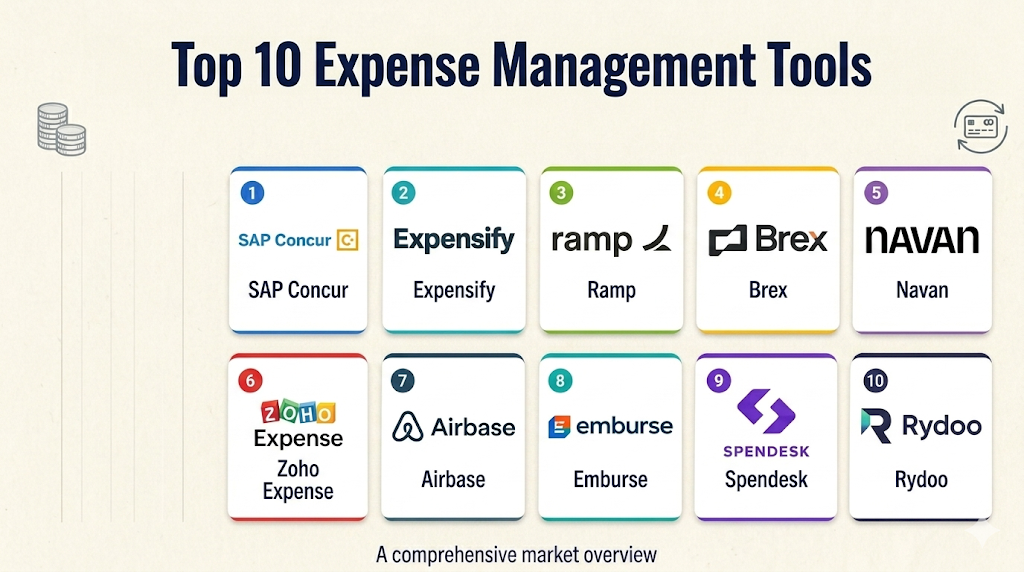
Top 10 Expense Management Tools
1 — SAP Concur
Short description: SAP Concur is one of the most established travel and expense management platforms for large companies and enterprises. It helps organizations manage employee expenses, travel booking, approvals, compliance, and reporting in a centralized system.
Key Features
- Travel and expense management in one platform
- Receipt capture and expense report automation
- Policy enforcement and approval workflows
- Corporate card transaction matching
- Travel booking and trip management capabilities
- ERP and accounting system integrations
- Reporting, analytics, and audit support
Pros
- Strong fit for enterprise travel and expense programs
- Mature controls for large, complex organizations
- Broad integration ecosystem for finance and ERP teams
Cons
- Can feel complex for small teams
- Implementation may require planning and admin support
- User experience may be less lightweight than newer tools
Platforms / Deployment
Web / iOS / Android
Cloud
Security & Compliance
SAP Concur supports enterprise-grade administration features such as access controls, audit trails, and integration governance. Specific certifications and compliance details vary by plan, region, and SAP environment.
Integrations & Ecosystem
SAP Concur has a strong ecosystem for enterprise finance, ERP, travel, accounting, and HR workflows. It is often selected by organizations that need expense management to connect with broader financial operations.
- SAP ecosystem integrations
- ERP and accounting integrations
- Corporate card feeds
- Travel booking partners
- HR and identity provider integrations
- Reporting and analytics connectors
Support & Community
SAP Concur offers enterprise support, onboarding resources, documentation, partner assistance, and implementation services. Support depth depends on plan, region, and customer agreement.
2 — Expensify
Short description: Expensify is a popular expense management tool known for receipt scanning, quick expense reports, reimbursements, and simple employee workflows. It is commonly used by startups, SMBs, remote teams, consultants, and growing companies.
Key Features
- Smart receipt scanning
- Automated expense reports
- Reimbursement workflows
- Corporate card support
- Mileage tracking
- Approval routing
- Accounting software sync
Pros
- Easy for employees to learn and use
- Fast setup for small and growing teams
- Strong mobile-first expense submission experience
Cons
- May not fit highly complex enterprise workflows
- Advanced controls can require careful configuration
- Some teams may outgrow basic workflows as complexity increases
Platforms / Deployment
Web / iOS / Android
Cloud
Security & Compliance
Expensify provides business account controls, admin settings, and data protection features. Specific compliance certifications should be verified directly based on the selected plan and region.
Integrations & Ecosystem
Expensify integrates with common accounting and finance systems, making it practical for businesses that want expenses to sync into bookkeeping workflows.
- QuickBooks integrations
- Xero integrations
- NetSuite integration support
- Corporate card connections
- Payroll and reimbursement workflows
- API and export options
Support & Community
Expensify provides help resources, documentation, onboarding guidance, and customer support options. It also has broad market familiarity, which helps finance teams find tutorials and implementation guidance.
3 — Ramp
Short description: Ramp combines corporate cards, expense management, bill payments, reimbursements, and spend controls in one finance operations platform. It is especially attractive for companies that want real-time spend visibility and tighter control over employee spending.
Key Features
- Corporate cards with spend controls
- Receipt capture and transaction matching
- Reimbursement workflows
- Bill payment and vendor payment capabilities
- Budget controls and approval rules
- Real-time spend analytics
- Accounting and ERP sync
Pros
- Strong spend visibility for finance leaders
- Good fit for companies wanting cards plus expense automation
- Helps reduce manual reconciliation work
Cons
- Best suited to companies comfortable with card-led spend management
- Availability and product depth may vary by region
- Some advanced workflows may depend on plan and configuration
Platforms / Deployment
Web / iOS / Android
Cloud
Security & Compliance
Ramp offers business-grade security controls, admin permissions, and approval workflows. Specific certification details should be validated directly during procurement.
Integrations & Ecosystem
Ramp connects expense management with broader finance operations, making it useful for teams that want cards, reimbursements, accounting sync, and spend analytics in one workflow.
- Accounting integrations
- ERP integrations
- HRIS integrations
- Slack-style approval workflows
- Corporate card feeds
- Vendor and bill payment workflows
Support & Community
Ramp provides onboarding, documentation, support resources, and customer success options. Support availability may vary by business size and plan.
#4 — Brex
Short description: Brex is a spend management platform that combines corporate cards, expense management, reimbursements, travel, budgets, and finance controls. It is often used by startups, technology companies, and growing businesses that need flexible spend operations.
Key Features
- Corporate cards and virtual cards
- Expense reporting and reimbursement workflows
- Spend limits and budget controls
- Receipt capture and auto-matching
- Travel and expense capabilities
- Accounting integrations
- Real-time finance dashboards
Pros
- Strong for card-based spend control
- Useful for startups and fast-growing teams
- Combines expenses, cards, and budgets in one system
Cons
- May not be ideal for companies needing only simple reimbursements
- Availability and eligibility can vary by business type and region
- Some advanced features may require higher-tier plans
Platforms / Deployment
Web / iOS / Android
Cloud
Security & Compliance
Brex provides business account security, administrative controls, and approval workflows. Specific certifications and compliance documentation should be checked directly during vendor review.
Integrations & Ecosystem
Brex supports a finance operations ecosystem that connects card transactions, reimbursements, accounting, and business workflows.
- Accounting software integrations
- ERP integrations
- HR system integrations
- Corporate card management
- Travel workflow support
- API and reporting exports
Support & Community
Brex provides documentation, onboarding resources, and customer support. Larger customers may receive more structured implementation and account support.
5 — Navan
Short description: Navan combines travel booking, expense management, corporate cards, approvals, and spend reporting. It is useful for companies where employee travel and expense management are closely connected.
Key Features
- Travel booking and expense management
- Receipt capture and card transaction matching
- Corporate card support
- Travel policy controls
- Approval workflows
- Reimbursement management
- Spend analytics and reporting
Pros
- Strong fit for travel-heavy organizations
- Combines booking, expenses, and card workflows
- Helps improve visibility into travel and employee spend
Cons
- May be more than needed for teams without travel complexity
- Setup can require policy and workflow planning
- Regional availability and features may vary
Platforms / Deployment
Web / iOS / Android
Cloud
Security & Compliance
Navan includes business administration, policy controls, and finance workflow permissions. Specific compliance certifications should be verified directly by the buyer.
Integrations & Ecosystem
Navan is designed to connect travel, expense, and finance workflows. It can help organizations reduce fragmentation between booking tools and expense reporting systems.
- Accounting integrations
- ERP integrations
- HRIS integrations
- Corporate card connections
- Travel supplier ecosystem
- Reporting and export workflows
Support & Community
Navan offers onboarding, documentation, customer support, and business travel support resources. Support experience may vary by plan and region.
6 — Zoho Expense
Short description: Zoho Expense is a travel and expense management platform that helps businesses automate expense reporting, approvals, reimbursements, and policy checks. It is especially useful for SMBs and companies already using the Zoho ecosystem.
Key Features
- Receipt scanning and expense creation
- Multi-level approval workflows
- Mileage and per diem tracking
- Corporate card reconciliation
- Travel request management
- Policy controls and violation alerts
- Accounting and Zoho ecosystem integrations
Pros
- Strong value for SMBs and growing teams
- Works well with other Zoho applications
- Good balance of features and usability
Cons
- Advanced enterprise needs may require careful evaluation
- Best experience often comes when used with the Zoho ecosystem
- Some integrations may require configuration effort
Platforms / Deployment
Web / iOS / Android
Cloud
Security & Compliance
Zoho offers administrative controls, role-based access, and security features across its business applications. Specific compliance details should be reviewed directly for the relevant plan and region.
Integrations & Ecosystem
Zoho Expense connects naturally with Zoho Books, Zoho CRM, Zoho People, and other Zoho products, while also supporting common accounting and business integrations.
- Zoho Books
- Zoho CRM
- Zoho People
- QuickBooks
- Xero
- Card feeds and bank connections
Support & Community
Zoho provides documentation, help resources, onboarding guides, support channels, and an active ecosystem of users and partners.
7 — Airbase
Short description: Airbase is a spend management platform focused on accounts payable, corporate cards, reimbursements, approvals, and finance controls. It is well suited for mid-market companies that want to centralize non-payroll spend.
Key Features
- Expense reimbursement workflows
- Corporate card management
- Bill payments and AP automation
- Approval routing
- Vendor and spend controls
- Accounting and ERP integrations
- Spend visibility dashboards
Pros
- Strong fit for finance teams managing multiple spend types
- Combines AP, cards, and expenses
- Helps centralize approval and reconciliation workflows
Cons
- May be too broad for teams needing only simple expense reports
- Implementation can require finance process design
- Pricing and fit may be better for mid-market teams than very small businesses
Platforms / Deployment
Web
Cloud
Security & Compliance
Airbase provides administrative controls, approval workflows, role-based permissions, and finance governance features. Specific certifications should be verified directly.
Integrations & Ecosystem
Airbase is designed for finance teams that want spend management to connect with accounting, ERP, procurement, and approval workflows.
- NetSuite
- QuickBooks
- Sage Intacct
- HRIS integrations
- Slack-style approvals
- Corporate card and banking workflows
Support & Community
Airbase provides customer support, onboarding assistance, documentation, and finance operations resources. Support depth depends on customer size and agreement.
8 — Emburse
Short description: Emburse offers expense management, invoice automation, travel and expense workflows, and spend control solutions through multiple products. It is useful for organizations that need configurable expense workflows across different company sizes and industries.
Key Features
- Expense report automation
- Receipt capture and mobile submission
- Approval workflows
- Invoice and AP automation options
- Corporate card reconciliation
- Policy enforcement
- Reporting and analytics
Pros
- Broad product family for different business needs
- Good fit for companies needing configurable expense workflows
- Supports both expense and finance automation use cases
Cons
- Product selection can require careful evaluation
- Experience may vary depending on the chosen Emburse solution
- Implementation complexity depends on workflow depth
Platforms / Deployment
Web / iOS / Android
Cloud
Security & Compliance
Emburse provides business-grade administrative, workflow, and security controls. Specific compliance certifications should be reviewed for the exact product and plan.
Integrations & Ecosystem
Emburse supports integrations with accounting, ERP, HR, card, travel, and finance systems, depending on the specific product selected.
- Accounting integrations
- ERP integrations
- HR system integrations
- Corporate card feeds
- Travel expense workflows
- Reporting exports
Support & Community
Emburse provides documentation, implementation resources, customer support, and enterprise service options. Support levels vary by product and contract.
9 — Spendesk
Short description: Spendesk is a spend management platform that combines company cards, expense claims, invoice approvals, budgets, and finance visibility. It is especially popular with European and growing companies that want stronger control over decentralized spending.
Key Features
- Physical and virtual cards
- Expense claims and reimbursements
- Invoice approval workflows
- Budget tracking
- Receipt capture and matching
- Approval policies and spend controls
- Accounting integrations
Pros
- Strong for teams needing card controls and expense visibility
- Useful for finance teams managing decentralized spend
- Good balance of employee usability and finance oversight
Cons
- Regional fit should be evaluated carefully
- May be more advanced than needed for very small teams
- Some workflows may require finance setup and policy design
Platforms / Deployment
Web / iOS / Android
Cloud
Security & Compliance
Spendesk provides admin controls, approval workflows, user permissions, and finance governance features. Specific certifications should be confirmed directly during vendor review.
Integrations & Ecosystem
Spendesk connects expense workflows with accounting, card management, invoice approvals, and spend reporting.
- Accounting tools
- ERP systems
- Card workflows
- Invoice management
- Approval workflows
- Reporting exports
Support & Community
Spendesk provides onboarding resources, support channels, documentation, and customer success options. Support depth may vary by region and plan.
10 — Rydoo
Short description: Rydoo is an expense management platform focused on travel expenses, employee reimbursements, receipt capture, approvals, and compliance workflows. It is a good fit for organizations that want a user-friendly expense process with finance control.
Key Features
- Receipt scanning and expense submission
- Approval workflows
- Travel expense management
- Policy checks
- Mileage tracking
- Reimbursement support
- Reporting and accounting integrations
Pros
- Clean employee expense submission experience
- Good for travel and reimbursement-heavy teams
- Supports policy control and reporting workflows
Cons
- May not replace broader spend management platforms
- Advanced enterprise needs should be validated carefully
- Integration requirements may vary by finance stack
Platforms / Deployment
Web / iOS / Android
Cloud
Security & Compliance
Rydoo provides business administration, access control, workflow approvals, and compliance-supporting expense records. Specific certifications should be verified directly.
Integrations & Ecosystem
Rydoo integrates with finance, HR, travel, and accounting workflows to reduce manual expense processing and improve reporting.
- Accounting integrations
- ERP integrations
- HR system integrations
- Travel workflow connections
- Card transaction imports
- Reporting exports
Support & Community
Rydoo provides help resources, onboarding support, documentation, and customer service options. Support availability may vary by plan and region.
Comparison Table
| Tool Name | Best For | Platform Supported | Deployment | Standout Feature | Public Rating |
|---|---|---|---|---|---|
| SAP Concur | Enterprises and travel-heavy organizations | Web, iOS, Android | Cloud | Mature travel and expense governance | N/A |
| Expensify | SMBs, startups, consultants, mobile-first teams | Web, iOS, Android | Cloud | Fast receipt scanning and expense reports | N/A |
| Ramp | Companies wanting cards plus spend control | Web, iOS, Android | Cloud | Corporate cards with real-time spend visibility | N/A |
| Brex | Startups and growing companies | Web, iOS, Android | Cloud | Spend management with cards and budgets | N/A |
| Navan | Travel-heavy companies | Web, iOS, Android | Cloud | Travel booking plus expense management | N/A |
| Zoho Expense | SMBs and Zoho ecosystem users | Web, iOS, Android | Cloud | Affordable expense automation and approvals | N/A |
| Airbase | Mid-market finance teams | Web | Cloud | AP, cards, and expense workflows together | N/A |
| Emburse | Companies needing configurable expense workflows | Web, iOS, Android | Cloud | Broad expense and AP automation product family | N/A |
| Spendesk | European and growing companies | Web, iOS, Android | Cloud | Cards, budgets, and expense controls | N/A |
| Rydoo | Travel and reimbursement-focused teams | Web, iOS, Android | Cloud | Simple expense capture and approval workflows | N/A |
Evaluation & Scoring of Expense Management Tools
The scoring below is comparative and based on practical buyer evaluation factors. It does not represent a universal ranking for every company. A tool with a lower score may still be the best option for a specific use case, budget, region, or integration requirement.
| Tool Name | Core 25% | Ease 15% | Integrations 15% | Security 10% | Performance 10% | Support 10% | Value 15% | Weighted Total |
|---|---|---|---|---|---|---|---|---|
| SAP Concur | 9.5 | 7.5 | 9.5 | 9.0 | 9.0 | 8.5 | 7.5 | 8.65 |
| Ramp | 9.0 | 8.8 | 8.7 | 8.5 | 8.8 | 8.3 | 8.7 | 8.72 |
| Brex | 8.8 | 8.7 | 8.5 | 8.5 | 8.6 | 8.2 | 8.5 | 8.58 |
| Navan | 8.8 | 8.4 | 8.5 | 8.4 | 8.5 | 8.3 | 8.2 | 8.48 |
| Expensify | 8.2 | 9.0 | 8.0 | 8.0 | 8.3 | 8.0 | 8.8 | 8.36 |
| Zoho Expense | 8.0 | 8.5 | 8.2 | 8.0 | 8.1 | 8.0 | 9.0 | 8.29 |
| Airbase | 8.7 | 8.0 | 8.6 | 8.5 | 8.5 | 8.2 | 8.0 | 8.40 |
| Emburse | 8.5 | 8.0 | 8.3 | 8.4 | 8.3 | 8.2 | 7.9 | 8.25 |
| Spendesk | 8.4 | 8.5 | 8.1 | 8.2 | 8.3 | 8.0 | 8.3 | 8.30 |
| Rydoo | 8.0 | 8.6 | 7.8 | 8.0 | 8.0 | 7.8 | 8.2 | 8.08 |
Which Expense Management Tool Is Right for You?
Solo / Freelancer
Solo professionals usually need simple receipt capture, mileage tracking, tax-ready reports, and basic expense categorization. A lightweight tool like Expensify or Zoho Expense is usually enough. If you already use Zoho Books or another Zoho product, Zoho Expense can be a practical fit.
Freelancers should avoid overly complex enterprise platforms unless they work with high expense volume, frequent travel, or strict client reimbursement requirements.
SMB
SMBs need a balance of simplicity, automation, and affordability. Expensify, Zoho Expense, Ramp, Brex, and Rydoo are strong options depending on whether the business needs reimbursements, cards, travel workflows, or accounting sync.
For SMBs, the most important buying factors are ease of use, mobile app quality, approval workflow flexibility, accounting integrations, and predictable pricing.
Mid-Market
Mid-market companies usually need stronger controls, department-level visibility, approval hierarchies, corporate cards, finance integrations, and reporting. Ramp, Brex, Airbase, Spendesk, Navan, and Emburse are strong candidates.
These companies should focus on scalability, policy enforcement, multi-level approvals, audit trails, ERP integrations, and support quality.
Enterprise
Enterprises need global scalability, advanced policy controls, travel management, audit readiness, security reviews, ERP integration, and multi-entity support. SAP Concur is often a strong enterprise fit, while Navan, Emburse, and Airbase can also be relevant depending on workflow needs.
Enterprise teams should run a structured vendor evaluation with IT, finance, procurement, security, and business stakeholders before rollout.
Budget vs Premium
Budget-conscious buyers should look at Zoho Expense, Expensify, and other lightweight tools that cover the basics without unnecessary complexity. Premium buyers should evaluate platforms like SAP Concur, Ramp, Brex, Airbase, Navan, or Emburse if they need advanced controls, cards, travel, AP automation, or enterprise-grade workflows.
The cheapest tool is not always the lowest-cost option if it creates manual reconciliation work, poor employee adoption, or finance delays.
Feature Depth vs Ease of Use
Expensify and Zoho Expense are strong when ease of use is the priority. SAP Concur, Airbase, Emburse, Ramp, Brex, and Navan provide deeper finance workflows but may require more setup and governance.
Choose based on your workflow complexity. A simple company should not overbuy, while a complex company should not choose a tool only because it looks easy.
Integrations & Scalability
If accounting integration is the main priority, test the sync before purchasing. Validate field mapping, tax handling, chart of accounts, project codes, cost centers, departments, and approval data.
Growing companies should also evaluate whether the platform can support multiple entities, currencies, roles, policies, and reporting structures.
Security & Compliance Needs
Companies in regulated industries should prioritize access controls, SSO, audit logs, data retention, approval history, encryption, and vendor security documentation. Finance teams should also check whether the platform supports separation of duties, role-based access, and approval audit trails.
Security review should happen before rollout, not after employee expense data has already moved into the platform.
Frequently Asked Questions
1. What is an expense management tool?
An expense management tool helps businesses track, approve, reimburse, and report employee expenses. It replaces manual spreadsheets, email approvals, and paper receipts with digital workflows.
2. Who needs expense management software?
Any company with frequent employee reimbursements, business travel, corporate cards, client expenses, or department-level spending can benefit. It is especially useful for finance teams that want better control and faster reconciliation.
3. How much do expense management tools cost?
Pricing varies widely by vendor, user count, feature set, card usage, reimbursement volume, and enterprise requirements. Some tools use per-user pricing, while others bundle pricing with spend management or card programs.
4. Are expense management tools secure?
Most business-grade tools include security controls such as user permissions, approval workflows, audit history, and data protection features. Buyers should verify SSO, MFA, encryption, audit logs, and compliance documentation during vendor review.
5. Can expense tools integrate with accounting software?
Yes, many expense platforms integrate with accounting tools such as QuickBooks, Xero, NetSuite, Sage Intacct, and ERP systems. Buyers should test field mapping, category sync, tax handling, and reconciliation workflows before rollout.
6. What is the difference between expense management and spend management?
Expense management focuses mainly on employee expenses, receipts, approvals, and reimbursements. Spend management is broader and may include corporate cards, bill payments, procurement, budgets, vendor payments, and AP automation.
7. Can these tools handle corporate cards?
Many modern platforms support corporate card feeds, transaction matching, virtual cards, physical cards, and spending limits. Tools like Ramp, Brex, Spendesk, Airbase, and Navan are especially strong in card-led workflows.
8. What are common mistakes when choosing an expense tool?
Common mistakes include choosing based only on price, ignoring accounting integration needs, skipping security review, failing to test mobile usability, and not defining approval policies before rollout.
9. How long does implementation take?
Implementation depends on company size, workflow complexity, integrations, and policy configuration. Small teams may deploy quickly, while mid-market and enterprise rollouts may require planning, testing, training, and phased adoption.
10. Can expense management tools reduce fraud?
They can reduce risk by enforcing policies, requiring receipts, matching card transactions, creating audit trails, and flagging unusual expenses. However, they should be combined with strong internal controls and finance review processes.
Conclusion
Expense management tools help businesses move from manual, delayed, and error-prone expense processes to faster, more controlled, and more transparent finance workflows. The best platform depends on your company size, travel needs, reimbursement volume, corporate card strategy, accounting stack, approval complexity, and compliance requirements. SAP Concur is strong for enterprise travel and expense governance, while Expensify and Zoho Expense are practical for smaller teams that want simplicity. Ramp, Brex, Airbase, Spendesk, Navan, Emburse, and Rydoo are strong options for companies that need broader spend control, card workflows, travel expense management, or scalable finance automation. The smartest next step is to shortlist two or three tools, run a pilot with real receipts and approval flows, test accounting sync, validate security requirements, and then scale the platform across teams with clear policies and training.

Find Trusted Cardiac Hospitals
Compare heart hospitals by city and services — all in one place.
Explore Hospitals
Expense management tools are most valuable when they help organizations capture, control, process, and analyze business expenses through a centralized digital platform. By providing expense reporting, receipt scanning, expense categorization, approval workflows, policy enforcement, reimbursement management, corporate card integration, automated reconciliation, real-time spending visibility, reporting, and accounting integrations, these platforms enable businesses to reduce manual work, improve expense accuracy, strengthen financial controls, speed up reimbursements, and gain better visibility into overall spending.