Introduction
Third-Party Risk Management TPRM tools help organizations assess, monitor, and manage risks from vendors, suppliers, contractors, service providers, software partners, cloud platforms, consultants, and outsourced business relationships. These tools support vendor onboarding, risk questionnaires, due diligence, security reviews, compliance checks, contract risk tracking, continuous monitoring, remediation workflows, and executive reporting. TPRM matters because companies now depend heavily on third parties for technology, operations, payments, logistics, data processing, cloud services, customer support, and business-critical functions. A vendor security issue, compliance failure, data breach, service outage, or financial instability can quickly become an internal business risk.
Real World Use Cases
- Assessing vendor cybersecurity and compliance risk before onboarding
- Sending and managing third-party security questionnaires
- Monitoring vendors for data breaches, sanctions, financial risk, or operational issues
- Tracking remediation tasks, risk owners, approvals, and due diligence evidence
- Reporting third-party risk posture to security, legal, procurement, and executive teams
Evaluation Criteria for Buyers
- Vendor onboarding and risk assessment workflows
- Questionnaire and evidence management
- Continuous risk monitoring capabilities
- Cybersecurity rating and external risk intelligence
- Compliance framework mapping
- Remediation and issue tracking
- Integration with procurement, GRC, security, and ticketing systems
- Vendor tiering and criticality scoring
- Reporting, dashboards, and audit readiness
- Security, permissions, and data governance
Best for: TPRM tools are best for security teams, risk teams, procurement teams, compliance leaders, legal teams, vendor management offices, CISOs, internal audit teams, financial services firms, healthcare organizations, SaaS companies, enterprises, and regulated businesses with many vendors or high third-party exposure.
Not ideal for: Very small companies with only a few low-risk vendors may not need a full TPRM platform. A lightweight vendor inventory, basic questionnaire process, contract review checklist, or spreadsheet-based workflow may be enough until vendor count, data access, compliance requirements, or risk exposure increases.
Key Trends in Third-Party Risk Management TPRM Tools for Modern Businesses
- Continuous monitoring is replacing one-time assessments: Businesses no longer want to review vendor risk only during onboarding. They want ongoing visibility into security posture, breaches, sanctions, financial health, and compliance changes.
- Cyber risk ratings are becoming part of vendor governance: Security teams increasingly use external attack surface signals, breach intelligence, and security ratings to prioritize vendor reviews.
- AI-assisted questionnaire automation is growing: AI can help pre-fill questionnaires, summarize vendor evidence, map controls, flag missing answers, and speed up review workflows.
- TPRM is converging with GRC and procurement: Vendor risk is no longer only a security function. It now involves procurement, legal, finance, compliance, audit, privacy, and business owners.
- Regulatory pressure is increasing: Regulated industries need stronger evidence of third-party due diligence, critical vendor oversight, data processing controls, and operational resilience.
- Vendor tiering is becoming more dynamic: Organizations are moving beyond simple high, medium, and low risk labels toward scoring based on data access, business criticality, geography, service type, and control maturity.
- Fourth-party risk is gaining attention: Companies are looking beyond direct vendors to understand subcontractors, cloud dependencies, and supplier ecosystems.
- Security questionnaire fatigue is pushing automation: Vendors and buyers both want reusable evidence, standard questionnaires, trust portals, and automated assessment workflows.
- TPRM reporting is becoming executive-facing: Boards and leadership teams want dashboards showing critical vendor exposure, unresolved risks, SLA issues, and compliance gaps.
- Integration depth is now essential: TPRM tools need to connect with procurement, contract lifecycle management, GRC, ticketing, identity, security ratings, and vulnerability intelligence systems.
How We Selected These Tools
The tools below were selected using practical evaluation logic for third-party risk workflows, cybersecurity monitoring, questionnaire automation, compliance coverage, procurement alignment, and enterprise scalability.
- Market adoption and recognition: Preference was given to tools widely recognized by security, procurement, vendor risk, GRC, legal, compliance, and enterprise risk teams.
- TPRM feature completeness: Platforms were evaluated for vendor onboarding, risk scoring, questionnaires, evidence management, remediation, reporting, and continuous monitoring.
- Cybersecurity risk intelligence: Tools with external security ratings, breach intelligence, attack surface visibility, or vendor cyber risk insights were considered strong.
- Workflow automation: Assessment routing, reminders, approvals, control mapping, issue management, and task ownership were important selection factors.
- Compliance readiness: Platforms were considered for their ability to support audit evidence, frameworks, regulatory reporting, privacy reviews, and control mapping.
- Integration ecosystem: Procurement, GRC, ticketing, security, contract, vendor master data, and identity integrations were evaluated.
- Vendor experience: Good tools should reduce friction for vendors through portals, reusable responses, clear evidence requests, and structured collaboration.
- Scalability: The list includes options for SMBs, mid-market organizations, regulated enterprises, global businesses, and security-first teams.
- Security posture signals: Role-based access, audit history, permissions, authentication, and data governance were considered where confidently known.
- No invented ratings: Public ratings are not guessed. Where rating confidence is not strong, “N/A” is used.
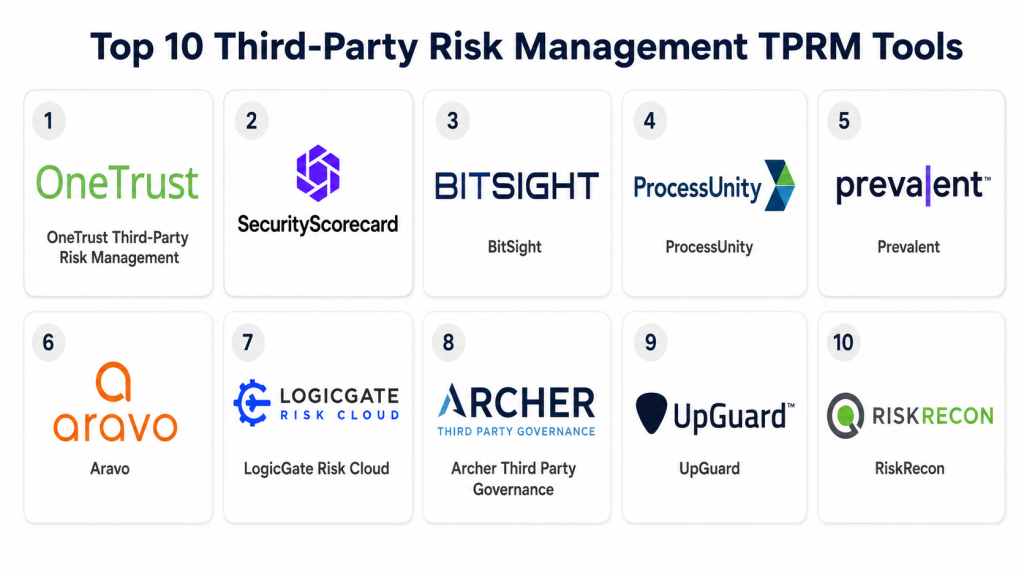
Top 10 Third-Party Risk Management TPRM Tools
1- OneTrust Third-Party Risk Management
Short description: OneTrust Third-Party Risk Management helps organizations assess, monitor, and manage vendor risk across privacy, security, compliance, ethics, ESG, and procurement workflows. It is best for enterprises that want third-party risk connected with broader governance and privacy operations.
Key Features
- Vendor risk assessment workflows
- Questionnaire and evidence management
- Risk scoring and vendor tiering
- Privacy and compliance workflow support
- Issue tracking and remediation
- Third-party inventory management
- Reporting and executive dashboards
Pros
- Strong fit for privacy, compliance, and enterprise GRC teams
- Useful for centralized third-party governance
- Broad platform ecosystem for risk, privacy, and compliance operations
Cons
- May require implementation planning for complex workflows
- Smaller teams may not need the full platform breadth
- Best value depends on structured vendor governance processes
Platforms / Deployment
Web
Cloud
Security & Compliance
OneTrust provides enterprise administration, access controls, workflow permissions, and audit-oriented features. Specific certifications, SSO, MFA, RBAC, audit logs, and compliance documentation should be verified directly during vendor review.
Integrations & Ecosystem
OneTrust connects third-party risk with privacy, procurement, compliance, audit, legal, and enterprise risk workflows.
- Procurement system integrations
- GRC workflow connections
- Privacy and data mapping workflows
- Contract and vendor data workflows
- Ticketing and remediation workflows
- Reporting and analytics exports
Support & Community
OneTrust provides documentation, onboarding resources, customer support, implementation services, training, and governance-focused resources. Support depth varies by package and deployment scope.
2- SecurityScorecard
Short description: SecurityScorecard is a cyber risk ratings and third-party security monitoring platform that helps organizations evaluate vendor security posture from external signals. It is best for security teams that need continuous cyber risk visibility across large vendor ecosystems.
Key Features
- External cyber risk ratings
- Vendor security posture monitoring
- Breach and threat intelligence support
- Third-party portfolio dashboards
- Risk trends and security signals
- Vendor collaboration workflows
- Reporting for security and risk teams
Pros
- Strong external cyber risk visibility
- Useful for monitoring many vendors at scale
- Helps prioritize high-risk vendors for deeper review
Cons
- External ratings should be combined with internal assessment evidence
- May not replace full procurement or compliance TPRM workflows
- Vendors may dispute or need context for rating signals
Platforms / Deployment
Web
Cloud
Security & Compliance
SecurityScorecard provides security risk monitoring workflows and administrative controls. Specific certifications, SSO, MFA, RBAC, audit logs, and compliance documentation should be verified directly.
Integrations & Ecosystem
SecurityScorecard is commonly used alongside GRC, procurement, SOC, and vendor risk systems to enrich vendor risk visibility.
- GRC integrations
- Procurement workflow connections
- Security operations workflows
- Ticketing and remediation connections
- API-based risk data workflows
- Reporting exports
Support & Community
SecurityScorecard provides documentation, onboarding assistance, customer support, cyber risk resources, and security rating guidance. Support depth varies by customer agreement.
3- BitSight
Short description: BitSight is a cyber risk ratings and security performance management platform used for third-party cyber risk monitoring, vendor risk analytics, and executive-level risk reporting. It is best for organizations that need security ratings and cyber exposure visibility across vendors.
Key Features
- Cybersecurity ratings
- Third-party cyber risk monitoring
- Vendor portfolio risk dashboards
- Security performance analytics
- External risk signal monitoring
- Executive reporting
- Risk prioritization workflows
Pros
- Strong cyber risk rating and monitoring focus
- Useful for regulated and enterprise vendor risk programs
- Helps identify vendors requiring deeper security review
Cons
- Ratings should be validated with questionnaires and evidence
- Not a full replacement for contract, procurement, or compliance workflows
- Requires context to interpret external risk signals fairly
Platforms / Deployment
Web
Cloud
Security & Compliance
BitSight provides cyber risk analytics and access-controlled dashboards. Specific certifications, SSO, MFA, RBAC, audit logs, and compliance details should be verified directly.
Integrations & Ecosystem
BitSight can enrich third-party risk programs with external cyber risk data and security performance insights.
- GRC integrations
- Security operations workflows
- Vendor risk system connections
- Reporting exports
- API-based risk data feeds
- Executive dashboard workflows
Support & Community
BitSight provides customer support, documentation, implementation assistance, cyber risk guidance, and security performance resources. Support depth depends on agreement and program needs.
4- ProcessUnity
Short description: ProcessUnity provides third-party risk and vendor risk management software for vendor onboarding, risk assessments, due diligence, remediation, and reporting. It is best for organizations that need structured TPRM workflows with strong process automation.
Key Features
- Vendor onboarding and inventory management
- Risk assessment questionnaires
- Due diligence workflow automation
- Issue and remediation tracking
- Vendor tiering and risk scoring
- Policy and control mapping support
- Reporting and dashboards
Pros
- Strong workflow structure for TPRM programs
- Useful for regulated industries and audit-ready processes
- Good fit for teams needing vendor assessment consistency
Cons
- Requires process design and configuration
- Best value depends on clean vendor data and ownership
- May need integrations for external cyber ratings
Platforms / Deployment
Web
Cloud
Security & Compliance
ProcessUnity provides administrative permissions, audit-friendly workflows, and governance controls. Specific certifications, SSO, MFA, RBAC, audit logs, and compliance documentation should be verified directly.
Integrations & Ecosystem
ProcessUnity connects vendor risk workflows with enterprise systems, security data, and remediation processes.
- Procurement integrations
- GRC workflow connections
- Security rating data integrations
- Ticketing and remediation workflows
- Vendor data imports
- Reporting exports
Support & Community
ProcessUnity provides onboarding, documentation, implementation support, customer assistance, and risk management guidance. Support depth varies by deployment and contract.
5- Prevalent
Short description: Prevalent is a third-party risk management platform that supports vendor assessments, continuous monitoring, questionnaire automation, remediation, and risk reporting. It is best for teams that need a complete TPRM platform with assessment and monitoring capabilities.
Key Features
- Vendor risk assessments
- Questionnaire automation
- Continuous risk monitoring
- Vendor risk scoring and tiering
- Remediation and issue management
- Compliance reporting support
- Vendor evidence and documentation workflows
Pros
- Strong TPRM workflow coverage
- Useful for combining questionnaires and monitoring
- Supports vendor collaboration and risk reporting
Cons
- Requires vendor data and assessment process planning
- Smaller teams may not need full platform depth
- External risk monitoring should be contextualized with internal evidence
Platforms / Deployment
Web
Cloud
Security & Compliance
Prevalent provides vendor risk workflow controls, permissions, and governance features. Specific certifications, SSO, MFA, RBAC, audit logs, and compliance details should be verified directly.
Integrations & Ecosystem
Prevalent connects third-party risk workflows with procurement, security, compliance, and remediation processes.
- Procurement integrations
- GRC workflow connections
- Security monitoring workflows
- Ticketing and issue management
- Vendor evidence workflows
- Reporting exports
Support & Community
Prevalent provides documentation, customer support, onboarding resources, implementation guidance, and TPRM best practice support. Support depth varies by customer needs.
6- Aravo
Short description: Aravo is a third-party risk and supplier risk management platform for vendor onboarding, due diligence, compliance, risk monitoring, ESG, and supplier governance. It is best for large organizations that need broad third-party governance across multiple risk domains.
Key Features
- Third-party onboarding workflows
- Risk assessments and due diligence
- Supplier risk management
- Compliance and regulatory workflow support
- ESG and ethics-related third-party workflows
- Issue and remediation management
- Enterprise reporting and dashboards
Pros
- Strong enterprise third-party governance capabilities
- Useful for global supplier and vendor risk programs
- Supports multiple risk domains beyond cybersecurity
Cons
- May require significant implementation planning
- Smaller teams may find it too broad
- Full value depends on mature risk and supplier governance processes
Platforms / Deployment
Web
Cloud
Security & Compliance
Aravo provides enterprise permissions, workflow controls, and governance-oriented administration. Specific certifications, SSO, MFA, RBAC, audit logs, and compliance documentation should be verified directly.
Integrations & Ecosystem
Aravo connects third-party governance with procurement, supplier management, compliance, ESG, legal, and risk workflows.
- Procurement system workflows
- Supplier data integrations
- Compliance and ethics workflows
- ESG data workflows
- Remediation tracking
- Reporting exports
Support & Community
Aravo provides implementation support, documentation, customer success resources, and third-party governance guidance. Support depth varies by agreement and deployment complexity.
7- LogicGate Risk Cloud
Short description: LogicGate Risk Cloud is a configurable GRC platform that supports third-party risk workflows, risk assessments, control management, issue tracking, and compliance programs. It is best for teams that want flexible risk workflow design across TPRM and broader GRC processes.
Key Features
- Configurable third-party risk workflows
- Vendor assessments and scoring
- Issue and remediation tracking
- Control and compliance mapping
- Risk register and reporting
- Workflow automation
- Dashboards and executive reporting
Pros
- Flexible workflow configuration for risk teams
- Useful when TPRM is part of broader GRC
- Strong fit for teams needing custom processes
Cons
- Requires thoughtful workflow design
- May need external integrations for cyber ratings
- Configuration flexibility can add implementation effort
Platforms / Deployment
Web
Cloud
Security & Compliance
LogicGate Risk Cloud provides role-based access, workflow controls, and audit-oriented GRC capabilities. Specific certifications, SSO, MFA, audit logs, and compliance documentation should be verified directly.
Integrations & Ecosystem
LogicGate connects third-party risk with broader governance, risk, compliance, and operational workflows.
- GRC workflow integrations
- Vendor data imports
- Ticketing and remediation workflows
- Security data connections
- Reporting exports
- Workflow automation tools
Support & Community
LogicGate provides documentation, onboarding support, customer success resources, training, and risk workflow guidance. Support depth depends on package and implementation needs.
8- Archer Third Party Governance
Short description: Archer Third Party Governance supports vendor risk, third-party governance, due diligence, issue tracking, and enterprise risk workflows. It is best for large organizations already using Archer or needing mature enterprise GRC alignment.
Key Features
- Third-party governance workflows
- Vendor risk assessments
- Due diligence and risk scoring
- Issue and remediation management
- Policy and compliance mapping
- Enterprise risk reporting
- Audit and governance workflows
Pros
- Strong fit for enterprise GRC environments
- Useful for complex third-party governance programs
- Supports broad risk and compliance alignment
Cons
- May require dedicated administration and configuration
- Can be too complex for small teams
- Best value depends on broader Archer ecosystem use
Platforms / Deployment
Web
Cloud / Hybrid options may vary
Security & Compliance
Archer supports enterprise governance, access controls, audit workflows, and risk administration. Specific certifications, SSO, MFA, RBAC, audit logs, and compliance details should be verified directly.
Integrations & Ecosystem
Archer connects third-party governance with enterprise risk, compliance, audit, and operational risk workflows.
- GRC ecosystem workflows
- Vendor assessment data
- Issue management workflows
- Compliance mapping
- Reporting and dashboard exports
- Enterprise integration support
Support & Community
Archer provides documentation, customer support, implementation partners, training, and enterprise GRC resources. Support depth varies by deployment and contract.
9- UpGuard
Short description: UpGuard provides third-party cyber risk management, vendor monitoring, security ratings, breach monitoring, and questionnaire workflows. It is best for security teams that want to monitor vendor cyber risk and streamline assessment workflows.
Key Features
- Vendor security ratings
- Third-party cyber risk monitoring
- Security questionnaires
- Breach and exposure monitoring
- Vendor risk dashboards
- Remediation workflows
- Reporting and risk prioritization
Pros
- Strong cyber-focused TPRM capabilities
- Useful for continuous vendor monitoring
- Helps combine ratings and questionnaire workflows
Cons
- May not replace broader procurement or enterprise GRC workflows
- External ratings require context and validation
- Non-cyber risk domains may need additional tools
Platforms / Deployment
Web
Cloud
Security & Compliance
UpGuard provides security monitoring workflows, user controls, and vendor risk administration. Specific certifications, SSO, MFA, RBAC, audit logs, and compliance documentation should be verified directly.
Integrations & Ecosystem
UpGuard connects cyber vendor risk insights with security, risk, and remediation workflows.
- Security operations workflows
- Vendor questionnaire workflows
- Reporting exports
- Ticketing and remediation workflows
- API-based risk data connections
- GRC-adjacent workflows
Support & Community
UpGuard provides documentation, onboarding resources, customer support, and cyber risk guidance. Support depth varies by plan and customer needs.
10- RiskRecon
Short description: RiskRecon is a third-party cyber risk monitoring and security ratings platform used to assess and monitor vendor security posture. It is best for security and risk teams that need external cyber risk visibility across their vendor portfolio.
Key Features
- Vendor cyber risk ratings
- External attack surface monitoring
- Security domain analysis
- Vendor portfolio risk dashboards
- Risk prioritization workflows
- Reporting and trend analysis
- Cyber risk intelligence support
Pros
- Strong external cyber risk visibility
- Useful for prioritizing vendor reviews
- Helps security teams monitor vendor posture continuously
Cons
- Should be combined with questionnaires and internal due diligence
- Not a full procurement or legal risk management platform
- Ratings require context and vendor communication
Platforms / Deployment
Web
Cloud
Security & Compliance
RiskRecon provides vendor cyber risk monitoring workflows and account administration. Specific certifications, SSO, MFA, RBAC, audit logs, and compliance documentation should be verified directly.
Integrations & Ecosystem
RiskRecon supports cyber risk programs that need external vendor security intelligence connected to third-party risk workflows.
- GRC workflow connections
- Security operations workflows
- Vendor risk reporting
- API-based data workflows
- Portfolio dashboards
- Remediation prioritization
Support & Community
RiskRecon provides documentation, onboarding assistance, customer support, and cyber risk interpretation guidance. Support depth depends on package and program size.
Comparison Table
| Tool Name | Best For | Platform Supported | Deployment | Standout Feature | Public Rating |
|---|---|---|---|---|---|
| OneTrust Third-Party Risk Management | Enterprise privacy, risk, and compliance teams | Web | Cloud | Broad third-party governance and compliance workflows | N/A |
| SecurityScorecard | Cyber risk ratings and vendor monitoring | Web | Cloud | External vendor cybersecurity ratings | N/A |
| BitSight | Enterprise cyber risk monitoring | Web | Cloud | Cyber risk ratings and executive reporting | N/A |
| ProcessUnity | Structured TPRM workflows | Web | Cloud | Vendor assessments and remediation automation | N/A |
| Prevalent | Complete TPRM assessment and monitoring | Web | Cloud | Questionnaires plus continuous risk monitoring | N/A |
| Aravo | Global supplier and third-party governance | Web | Cloud | Multi-domain third-party risk governance | N/A |
| LogicGate Risk Cloud | Flexible GRC and TPRM workflows | Web | Cloud | Configurable risk workflow automation | N/A |
| Archer Third Party Governance | Enterprise GRC-aligned TPRM | Web | Cloud / Hybrid varies | Mature third-party governance workflows | N/A |
| UpGuard | Cyber-focused vendor risk teams | Web | Cloud | Security ratings with questionnaire workflows | N/A |
| RiskRecon | Vendor cyber posture monitoring | Web | Cloud | External attack surface and cyber risk intelligence | N/A |
Evaluation & Scoring of Third-Party Risk Management TPRM Tools
The scoring below is comparative and designed to help buyers evaluate third-party risk depth, usability, integrations, security, performance, support, and price-to-value. It is not a universal ranking for every organization.
| Tool Name | Core 25% | Ease 15% | Integrations 15% | Security 10% | Performance 10% | Support 10% | Value 15% | Weighted Total |
|---|---|---|---|---|---|---|---|---|
| OneTrust Third-Party Risk Management | 9.2 | 8.0 | 8.8 | 8.8 | 8.7 | 8.4 | 7.8 | 8.52 |
| SecurityScorecard | 8.7 | 8.5 | 8.4 | 8.6 | 8.7 | 8.3 | 8.2 | 8.50 |
| BitSight | 8.8 | 8.1 | 8.4 | 8.7 | 8.7 | 8.4 | 7.9 | 8.43 |
| ProcessUnity | 8.8 | 8.1 | 8.4 | 8.5 | 8.5 | 8.3 | 8.0 | 8.38 |
| Prevalent | 8.7 | 8.2 | 8.3 | 8.4 | 8.5 | 8.2 | 8.1 | 8.36 |
| Aravo | 8.9 | 7.8 | 8.5 | 8.6 | 8.5 | 8.3 | 7.7 | 8.33 |
| LogicGate Risk Cloud | 8.5 | 8.3 | 8.3 | 8.4 | 8.4 | 8.2 | 8.2 | 8.34 |
| Archer Third Party Governance | 8.8 | 7.4 | 8.6 | 8.7 | 8.5 | 8.4 | 7.4 | 8.24 |
| UpGuard | 8.4 | 8.6 | 8.1 | 8.4 | 8.4 | 8.1 | 8.4 | 8.35 |
| RiskRecon | 8.3 | 8.0 | 8.0 | 8.4 | 8.4 | 8.1 | 8.0 | 8.16 |
Which Third-Party Risk Management TPRM Tool Is Right for You?
Solo / Freelancer
Solo professionals usually do not need a full TPRM platform unless they manage sensitive client vendors, subcontractors, or regulated third-party services. A vendor checklist, due diligence template, and document tracker may be enough.
If the main risk is cybersecurity visibility, a lightweight security assessment workflow or external monitoring tool may be more practical than a full enterprise TPRM suite.
SMB
SMBs need a practical vendor inventory, risk scoring, questionnaires, evidence collection, and basic remediation tracking. UpGuard, SecurityScorecard, Prevalent, LogicGate Risk Cloud, or ProcessUnity may be relevant depending on whether the team is security-led or compliance-led.
SMBs should prioritize ease of use, pricing clarity, questionnaire automation, vendor collaboration, and reporting.
Mid-Market
Mid-market organizations often need structured onboarding, vendor tiering, questionnaire libraries, cyber ratings, issue tracking, procurement workflows, and compliance evidence. ProcessUnity, Prevalent, OneTrust, UpGuard, SecurityScorecard, LogicGate Risk Cloud, and BitSight may be strong options.
Mid-market buyers should validate integrations with procurement, ticketing, GRC, identity, and security monitoring systems.
Enterprise
Enterprises need scalable vendor governance, global supplier inventories, multi-domain risk assessment, continuous monitoring, audit evidence, board reporting, and strong integrations. OneTrust, Aravo, Archer, ProcessUnity, Prevalent, BitSight, SecurityScorecard, and RiskRecon are strong candidates.
Enterprise buyers should involve security, risk, procurement, legal, compliance, privacy, audit, finance, and vendor owners before selecting a platform.
Budget vs Premium
Budget-focused teams should start by solving the biggest vendor risk gap first, such as security questionnaires, vendor inventory, external ratings, or remediation tracking. UpGuard, SecurityScorecard, LogicGate Risk Cloud, or selected Prevalent configurations may be practical depending on needs.
Premium buyers should evaluate OneTrust, Aravo, Archer, ProcessUnity, Prevalent, BitSight, and SecurityScorecard when they need enterprise governance, continuous monitoring, workflow automation, compliance reporting, and broad risk domain coverage.
Feature Depth vs Ease of Use
SecurityScorecard, UpGuard, BitSight, and RiskRecon are strong for cyber risk visibility and external monitoring. OneTrust, Aravo, Archer, ProcessUnity, Prevalent, and LogicGate provide broader risk workflow management and governance depth.
The right choice depends on whether the main priority is cybersecurity ratings, compliance assessment, procurement governance, privacy review, regulatory reporting, or enterprise GRC integration.
Integrations & Scalability
TPRM tools should connect with procurement, vendor master data, GRC, ticketing, contract management, security ratings, vulnerability intelligence, identity, and reporting systems. Buyers should test vendor data sync, workflow routing, remediation tickets, and dashboard exports.
Scalability depends on vendor count, risk tiers, countries, business units, questionnaire volume, approval layers, compliance frameworks, and monitoring requirements.
Security & Compliance Needs
TPRM platforms store sensitive vendor data, security evidence, questionnaires, risk scores, contracts, remediation findings, and sometimes confidential control documentation. Buyers should review SSO, MFA, role-based access, encryption, audit logs, data retention, vendor portal permissions, and vendor security documentation.
Regulated industries should also validate evidence retention, assessment history, reporting exports, fourth-party risk visibility, and critical vendor oversight capabilities.
Frequently Asked Questions
1. What is Third-Party Risk Management TPRM software?
TPRM software helps organizations assess, monitor, and manage risks from vendors, suppliers, contractors, cloud providers, consultants, and other external business partners.
2. Who needs TPRM tools?
Security teams, procurement teams, risk teams, compliance teams, legal teams, privacy teams, and audit teams can benefit. TPRM is especially important for companies with many vendors or regulated data.
3. What is the difference between TPRM and vendor management?
Vendor management focuses on supplier relationships, contracts, performance, and spend. TPRM focuses on risk areas such as cybersecurity, privacy, compliance, financial risk, operational risk, and regulatory exposure.
4. Can TPRM tools send security questionnaires?
Yes, many TPRM platforms support security questionnaires, evidence requests, vendor portals, response tracking, review workflows, and remediation tasks.
5. What is continuous third-party monitoring?
Continuous monitoring tracks vendor risk changes over time, such as cyber ratings, breach exposure, sanctions, financial signals, or other risk indicators after onboarding.
6. How much do TPRM tools cost?
Pricing varies by vendor count, modules, monitoring scope, questionnaire volume, integrations, support level, and enterprise requirements. Buyers should request pricing based on real vendor volume and risk workflows.
7. What are common mistakes when choosing TPRM software?
Common mistakes include ignoring vendor tiering, overloading vendors with questionnaires, skipping remediation workflows, failing to integrate procurement data, and not defining risk ownership.
8. Are TPRM tools secure?
TPRM tools manage sensitive vendor and control data, so security is critical. Buyers should verify SSO, MFA, encryption, role-based access, audit logs, data retention, and vendor security documentation.
9. Can TPRM tools help with regulatory audits?
Yes, many tools help maintain vendor assessments, risk decisions, remediation evidence, audit logs, policy mappings, and reports that support regulatory and internal audit reviews.
10. Can small companies use TPRM software?
Yes, but small companies should avoid overbuying. A focused tool for questionnaires, vendor inventory, or cyber ratings may be enough until vendor count and compliance obligations increase.
Conclusion
Third-Party Risk Management tools help organizations reduce vendor-related security, compliance, operational, privacy, and financial risk by centralizing assessments, monitoring, evidence, remediation, and reporting. The best platform depends on vendor count, risk maturity, industry regulation, procurement complexity, security priorities, integration needs, and reporting expectations. OneTrust, Aravo, Archer, ProcessUnity, and Prevalent are strong options for broad third-party governance and enterprise workflows. SecurityScorecard, BitSight, UpGuard, and RiskRecon are strong for cyber-focused vendor monitoring and external security ratings. LogicGate Risk Cloud is useful when TPRM needs to fit into a configurable GRC workflow. The right next step is to shortlist two or three tools, run a pilot with real vendors and questionnaires, validate integrations and security controls, and confirm that risk, procurement, legal, compliance, and business owners can use the platform consistently before scaling it across the organization.

Find Trusted Cardiac Hospitals
Compare heart hospitals by city and services — all in one place.
Explore Hospitals
Third-party risk management (TPRM) tools are most valuable when they help organizations identify, assess, monitor, and manage risks associated with vendors, suppliers, contractors, and other external partners. By providing vendor risk assessments, due diligence workflows, security questionnaires, risk scoring, compliance monitoring, contract tracking, continuous vendor monitoring, issue management, reporting, and automated alerts, these platforms enable organizations to improve third-party oversight, reduce operational and security risks, maintain regulatory compliance, streamline vendor reviews, and make more informed decisions about external partnerships.