Introduction
Retail Workforce Scheduling tools help retailers plan employee shifts, forecast labor demand, control labor costs, manage availability, handle time-off requests, support shift swaps, and keep stores properly staffed. In simple terms, these tools help store managers put the right people in the right place at the right time while balancing customer traffic, employee preferences, compliance rules, and payroll budgets. Retail workforce scheduling matters because stores now operate across longer hours, omnichannel fulfillment, curbside pickup, seasonal peaks, pop-up locations, and tighter labor markets. Manual spreadsheets often lead to overstaffing, understaffing, overtime issues, compliance risks, and unhappy employees.
Real World Use Cases
- Creating weekly and monthly employee schedules for retail stores
- Forecasting staffing needs based on sales, traffic, seasonality, and store activity
- Managing availability, time-off requests, shift swaps, and open shifts
- Controlling labor costs, overtime, break rules, and compliance requirements
- Connecting schedules with time clocks, payroll, HR, task management, and store operations
Evaluation Criteria for Buyers
- Schedule creation speed and ease of use
- Demand forecasting and labor optimization
- Mobile access for employees and managers
- Shift swapping, open shifts, and availability management
- Compliance with labor laws, breaks, overtime, and scheduling rules
- Payroll, HR, POS, and time clock integrations
- Multi-location and role-based scheduling support
- Reporting for labor cost, attendance, and schedule accuracy
- Security, permissions, and audit controls
- Total cost, onboarding effort, and employee adoption
Best for: Retail store managers, operations leaders, HR teams, workforce planners, district managers, franchise operators, grocery chains, specialty retailers, apparel stores, pharmacies, convenience stores, and multi-location retailers that need reliable staff scheduling and labor planning.
Not ideal for: Very small shops with only one or two employees, teams that already use a simple calendar successfully, or retailers that only need basic time tracking without forecasting, compliance, shift communication, or multi-location scheduling.
Key Trends in Retail Workforce Scheduling
- AI-assisted labor forecasting: Retailers increasingly use AI and predictive analytics to estimate labor needs based on store traffic, sales patterns, promotions, weather, local events, and seasonal demand.
- Employee self-service scheduling: Modern scheduling tools give workers mobile access to view shifts, update availability, request time off, pick open shifts, and swap shifts with manager approval.
- Compliance automation: Retailers need tools that help manage overtime, break rules, predictive scheduling laws, minor labor restrictions, union rules, and local labor requirements.
- Labor cost optimization: Scheduling is no longer just about filling shifts. Retailers use labor planning tools to match staffing to demand while controlling payroll costs.
- Frontline communication integration: Scheduling tools increasingly include announcements, task updates, chat, shift notes, and operational communication for store associates.
- Omnichannel staffing needs: Stores now need labor for sales floor coverage, returns, online order pickup, curbside fulfillment, inventory tasks, and local delivery workflows.
- Mobile-first employee experience: Retail associates expect simple mobile apps for schedules, notifications, shift changes, and communication.
- Multi-location workforce pooling: Retailers are using shared labor pools to move available employees across nearby locations when demand shifts.
- Payroll and HR connectivity: Scheduling platforms are becoming more valuable when connected with payroll, time clocks, HR records, POS data, and workforce analytics.
- Store execution alignment: Scheduling is increasingly connected with task management, merchandising execution, inventory activities, and customer service coverage.
How We Selected These Tools
- We selected tools widely recognized in workforce scheduling, workforce management, retail operations, employee communication, and labor optimization.
- We prioritized tools that support schedule creation, demand forecasting, shift management, availability, time-off requests, and labor reporting.
- We included enterprise workforce management suites, retail-focused scheduling platforms, SMB-friendly tools, and frontline workforce solutions.
- We considered fit across grocery, specialty retail, apparel, convenience, pharmacy, department stores, franchise retail, and multi-location store operations.
- We evaluated integration potential with payroll, HRIS, POS, time clocks, store operations, communication, and analytics systems.
- We considered usability for store managers, district managers, HR teams, operations leaders, and frontline employees.
- We looked at scalability across single-store, multi-location, franchise, regional, and enterprise retail environments.
- We considered security posture signals such as permissions, role-based access, admin controls, auditability, and workforce data governance.
- We avoided guessing public ratings, exact pricing, certifications, or unsupported compliance claims.
- We focused on practical buyer fit rather than naming one universal best solution.
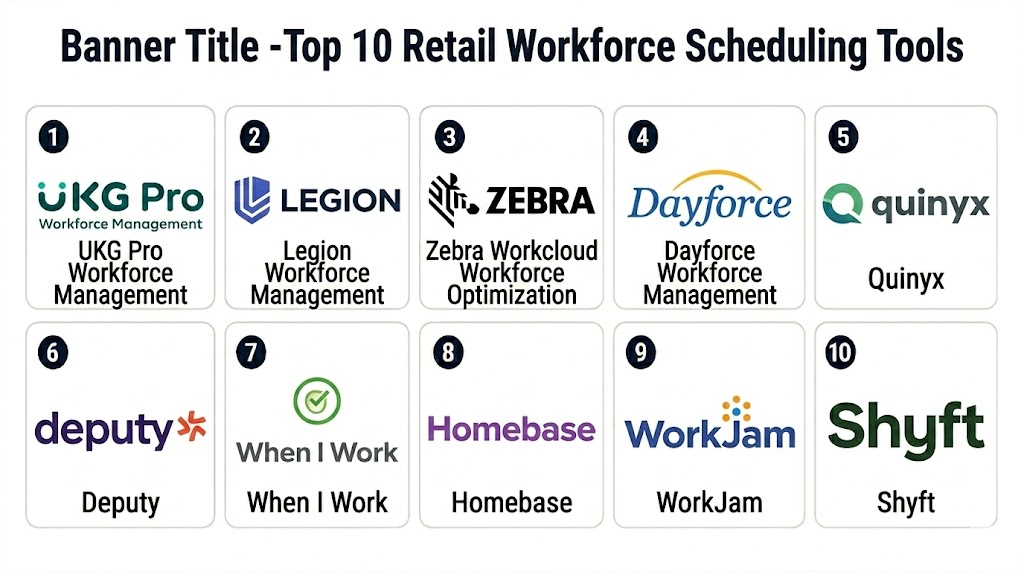
Top 10 Retail Workforce Scheduling Tools
1- UKG Pro Workforce Management
Short description: UKG Pro Workforce Management is an enterprise workforce management platform that supports scheduling, timekeeping, labor forecasting, absence management, compliance, and workforce analytics. It is best for large retailers with complex labor rules, distributed stores, and high-volume workforce operations.
Key Features
- Advanced employee scheduling
- Labor forecasting and workload planning
- Time and attendance management
- Absence and leave management support
- Compliance rule configuration
- Workforce analytics and reporting
- Mobile access for managers and employees
Pros
- Strong fit for enterprise retail workforce operations
- Supports complex labor rules and multi-location scheduling
- Useful for connecting scheduling with HR, payroll, and timekeeping
Cons
- Implementation can be complex for large organizations
- May be more than small retailers need
- Configuration requires planning and workforce process maturity
Platforms / Deployment
Web / iOS / Android
Cloud / Hybrid options may vary
Security & Compliance
Security capabilities vary by plan and configuration. Buyers should verify SSO, RBAC, MFA, audit logs, encryption, data retention, workforce data governance, and compliance documentation directly with the vendor.
Integrations & Ecosystem
UKG works best when scheduling needs to connect with broader workforce, payroll, HR, timekeeping, and analytics workflows.
- Payroll systems
- HRIS platforms
- Time clock systems
- POS and sales data systems
- Workforce analytics tools
- Enterprise reporting platforms
Support & Community
UKG provides enterprise documentation, customer support, onboarding resources, implementation services, and workforce management expertise. Support depth depends on contract and deployment scope.
2- Legion Workforce Management
Short description: Legion Workforce Management is an AI-driven workforce management platform built for scheduling, labor optimization, employee engagement, and frontline workforce operations. It is especially useful for retailers that want automated scheduling and demand-based labor planning.
Key Features
- AI-powered labor demand forecasting
- Automated employee scheduling
- Employee availability and preferences
- Shift swapping and open shift management
- Labor budget and cost controls
- Workforce communication features
- Mobile app for frontline employees
Pros
- Strong AI-driven scheduling and labor optimization
- Good fit for retailers with many hourly employees
- Helps improve employee experience through mobile self-service
Cons
- Requires clean labor, sales, and availability data for best results
- Change management may be needed for managers moving from manual scheduling
- Best suited for retailers ready to automate workforce planning
Platforms / Deployment
Web / iOS / Android
Cloud
Security & Compliance
Security capabilities vary by plan and enterprise configuration. Buyers should verify SSO, RBAC, encryption, audit logs, MFA, access controls, and compliance documentation.
Integrations & Ecosystem
Legion is designed to connect workforce scheduling with timekeeping, payroll, HR, sales data, and frontline communication workflows.
- Payroll platforms
- HR systems
- Time and attendance tools
- POS and sales systems
- Communication tools
- Workforce analytics systems
Support & Community
Legion provides implementation support, customer success resources, documentation, and workforce management guidance. Support scope depends on customer agreement.
3- Zebra Workcloud Workforce Optimization
Short description: Zebra Workcloud Workforce Optimization supports retail labor scheduling, store execution, task management, and workforce operations. It is well suited for enterprise retailers that need scheduling connected with store tasks, customer traffic, and operational execution.
Key Features
- Retail workforce scheduling
- Labor forecasting and optimization
- Task management and store execution support
- Employee communication workflows
- Time and attendance integration options
- Store operations visibility
- Multi-location workforce management
Pros
- Strong retail-specific workforce and store operations focus
- Useful for connecting schedules with task execution
- Good fit for large store networks and enterprise retailers
Cons
- May be too complex for smaller retailers
- Implementation may require operational process alignment
- Buyers should validate exact module scope and integration needs
Platforms / Deployment
Web / Mobile options vary
Cloud / Hybrid options may vary
Security & Compliance
Security capabilities vary by deployment and configuration. Buyers should verify SSO, RBAC, audit logs, encryption, user permissions, and compliance documentation.
Integrations & Ecosystem
Zebra Workcloud fits retailers that want labor scheduling connected with store execution, task management, inventory activity, and frontline operations.
- POS systems
- HR and payroll tools
- Timekeeping systems
- Store execution tools
- Retail operations platforms
- Reporting and analytics systems
Support & Community
Zebra provides enterprise support, implementation resources, documentation, and retail operations expertise. Support scope depends on contract and deployment model.
4- Dayforce Workforce Management
Short description: Dayforce Workforce Management supports scheduling, time and attendance, labor planning, absence management, payroll connectivity, and workforce analytics. It is suitable for retailers that need workforce scheduling tightly connected with HR and payroll operations.
Key Features
- Employee scheduling and shift planning
- Time and attendance management
- Labor planning and workforce analytics
- Absence and leave management
- Payroll and HR connectivity
- Compliance rule support
- Mobile employee self-service
Pros
- Strong connection between scheduling, HR, payroll, and workforce data
- Good fit for multi-location and enterprise retailers
- Useful for improving payroll accuracy and labor visibility
Cons
- Implementation may require HR and payroll process alignment
- May be too broad for very small retailers
- Configuration and rollout require planning
Platforms / Deployment
Web / iOS / Android
Cloud
Security & Compliance
Security capabilities vary by plan and configuration. Buyers should verify SSO, MFA, RBAC, encryption, audit logs, data privacy controls, and compliance documentation directly.
Integrations & Ecosystem
Dayforce is valuable when scheduling needs to connect with payroll, HR, timekeeping, benefits, and workforce reporting.
- Payroll workflows
- HR management systems
- Time clocks
- Labor reporting tools
- Finance systems
- Workforce analytics tools
Support & Community
Dayforce provides documentation, customer support, implementation services, and workforce management resources. Support depth depends on contract and solution scope.
5- Quinyx
Short description: Quinyx is a workforce management platform for scheduling, forecasting, time reporting, task management, and employee engagement. It is especially useful for retailers, hospitality businesses, and frontline-heavy organizations that want smarter labor planning and mobile employee experiences.
Key Features
- Demand forecasting and labor planning
- Employee scheduling
- Time and attendance support
- Shift swaps and open shifts
- Task management features
- Workforce analytics
- Mobile employee app
Pros
- Strong mobile-first workforce experience
- Useful for frontline-heavy retail teams
- Supports forecasting, scheduling, and engagement in one platform
Cons
- Requires quality demand and labor data for best forecasting
- Enterprise integrations should be validated during pilot
- Smaller retailers may not need the full platform depth
Platforms / Deployment
Web / iOS / Android
Cloud
Security & Compliance
Security capabilities vary by contract and configuration. Buyers should verify SSO, role permissions, encryption, audit logs, user access controls, and compliance documentation.
Integrations & Ecosystem
Quinyx fits retailers that need scheduling connected with demand forecasting, time reporting, communication, and workforce analytics.
- Payroll systems
- HR systems
- POS and sales data systems
- Time clocks
- Communication platforms
- Reporting and analytics tools
Support & Community
Quinyx provides customer support, onboarding resources, documentation, and implementation guidance. Support scope depends on plan and contract.
6- Deputy
Short description: Deputy is a workforce scheduling, time tracking, tasking, and communication platform for hourly teams. It is a strong option for SMBs and growing retailers that need easy scheduling, shift swaps, time clocks, and labor visibility without heavy enterprise complexity.
Key Features
- Drag-and-drop employee scheduling
- Shift swapping and open shift management
- Time clock and attendance tracking
- Availability and leave management
- Labor cost visibility
- Task management and announcements
- Mobile app for employees and managers
Pros
- Easy to use for managers and employees
- Good fit for SMB and multi-location retail teams
- Combines scheduling, time tracking, and communication
Cons
- May not satisfy complex enterprise labor rules
- Advanced forecasting may be less deep than enterprise suites
- Buyers should validate payroll and POS integrations by region
Platforms / Deployment
Web / iOS / Android
Cloud
Security & Compliance
Security capabilities vary by plan. Buyers should verify user permissions, MFA availability, audit logs, encryption, payroll data protection, and compliance documentation.
Integrations & Ecosystem
Deputy integrates with many payroll, POS, and business systems, making it practical for retailers that want faster workforce administration.
- Payroll platforms
- POS systems
- HR tools
- Accounting systems
- Communication workflows
- Business reporting tools
Support & Community
Deputy provides documentation, onboarding resources, support options, templates, and help content. Support depth may vary by plan and region.
7- When I Work
Short description: When I Work is an employee scheduling and time tracking platform designed for hourly teams. It is useful for small and mid-sized retailers that need simple schedules, availability management, shift swaps, and team communication.
Key Features
- Employee scheduling
- Time clock and attendance
- Shift swaps and open shifts
- Availability and time-off requests
- Team messaging
- Labor cost tracking
- Mobile schedule access
Pros
- Simple and approachable for retail teams
- Good fit for small and mid-sized hourly workforces
- Helps reduce scheduling communication gaps
Cons
- Less suited for complex enterprise workforce optimization
- Advanced forecasting and compliance depth may be limited
- Large retailers may require deeper analytics and governance
Platforms / Deployment
Web / iOS / Android
Cloud
Security & Compliance
Security capabilities vary by plan. Buyers should verify permissions, authentication options, encryption, audit controls, and compliance documentation.
Integrations & Ecosystem
When I Work supports common small business and workforce workflows by connecting scheduling with time tracking, payroll, and team communication.
- Payroll systems
- Time clock workflows
- Team messaging
- Business tools
- Reporting exports
- Scheduling notifications
Support & Community
When I Work provides documentation, help resources, onboarding guidance, and support options. It is designed for easy adoption by hourly teams.
8- Homebase
Short description: Homebase is a scheduling, time clock, payroll, hiring, and team communication platform for small businesses and hourly teams. It is a practical choice for local retailers, boutiques, small chains, and stores that need simple workforce tools in one place.
Key Features
- Employee scheduling
- Time clock and timesheets
- Team messaging and announcements
- Hiring and onboarding support
- Payroll options
- Time-off and availability management
- Labor cost and attendance reporting
Pros
- Good fit for small retail businesses
- Easy scheduling and time tracking workflows
- Combines multiple hourly workforce tools in one platform
Cons
- Enterprise-grade workforce optimization may be limited
- Advanced forecasting may not match larger WFM suites
- Buyers should verify payroll availability and rules by region
Platforms / Deployment
Web / iOS / Android
Cloud
Security & Compliance
Security capabilities vary by plan and configuration. Buyers should verify permissions, encryption, payroll data controls, audit logs, and compliance documentation.
Integrations & Ecosystem
Homebase works well for small retailers that need scheduling connected with time tracking, payroll, hiring, and team communication.
- Payroll workflows
- POS systems
- Time clocks
- Hiring tools
- Team messaging
- Business reporting tools
Support & Community
Homebase provides help resources, onboarding content, customer support, and small business workforce templates. Support scope varies by plan.
9- WorkJam
Short description: WorkJam is a frontline workforce platform that supports scheduling, communication, task management, training, and employee engagement. It is well suited for retailers that want scheduling connected with broader frontline employee experience and store execution.
Key Features
- Employee scheduling support
- Shift marketplace and shift flexibility workflows
- Frontline communication tools
- Task management and store execution
- Training and learning features
- Employee engagement workflows
- Mobile-first associate experience
Pros
- Strong frontline employee experience platform
- Useful for retailers connecting schedules with tasks and communication
- Helps support distributed store teams at scale
Cons
- May be broader than teams needing only basic scheduling
- Exact scheduling depth should be validated against requirements
- Implementation may require operational change management
Platforms / Deployment
Web / iOS / Android
Cloud
Security & Compliance
Security capabilities vary by contract and configuration. Buyers should verify SSO, RBAC, encryption, audit logs, user provisioning, and compliance documentation.
Integrations & Ecosystem
WorkJam fits retailers that want scheduling, communication, learning, and task execution connected in one frontline platform.
- Workforce management systems
- HR platforms
- Payroll systems
- Task management workflows
- Learning systems
- Store operations tools
Support & Community
WorkJam provides enterprise support, implementation guidance, documentation, and customer success resources. Support depth depends on contract and deployment size.
10- Shyft
Short description: Shyft is a workforce scheduling and shift management platform focused on hourly workers, shift swaps, open shifts, communication, and workforce flexibility. It is useful for retailers that want to make shift coverage easier and improve employee schedule control.
Key Features
- Employee scheduling
- Shift swaps and approvals
- Open shift marketplace
- Team communication
- Availability management
- Mobile schedule access
- Workforce flexibility workflows
Pros
- Strong for shift swapping and schedule flexibility
- Useful for hourly retail workforces
- Mobile-friendly experience for frontline employees
Cons
- May not replace a full enterprise workforce management suite
- Advanced forecasting and labor optimization may be limited
- Integration depth should be validated for payroll and HR systems
Platforms / Deployment
Web / iOS / Android
Cloud
Security & Compliance
Not publicly stated. Buyers should verify SSO, permissions, encryption, audit logs, user controls, and compliance documentation directly with the vendor.
Integrations & Ecosystem
Shyft is most useful when retailers need flexible scheduling and communication connected with existing workforce systems.
- Payroll systems
- HR platforms
- Workforce management tools
- Team communication workflows
- Store operations processes
- APIs or connectors depending on plan
Support & Community
Shyft provides onboarding resources and customer support options. Buyers should confirm implementation support, integration assistance, and service levels before rollout.
Comparison Table
| Tool Name | Best For | Platform Supported | Deployment | Standout Feature | Public Rating |
|---|---|---|---|---|---|
| UKG Pro Workforce Management | Enterprise retail workforce operations | Web / iOS / Android | Cloud / Hybrid varies | Enterprise scheduling, timekeeping, and labor forecasting | N/A |
| Legion Workforce Management | AI-driven retail labor optimization | Web / iOS / Android | Cloud | Automated scheduling and demand forecasting | N/A |
| Zebra Workcloud Workforce Optimization | Retail store execution and scheduling | Web / Mobile varies | Cloud / Hybrid varies | Scheduling connected with store task execution | N/A |
| Dayforce Workforce Management | Retail HR, payroll, and scheduling alignment | Web / iOS / Android | Cloud | Scheduling connected with HR and payroll workflows | N/A |
| Quinyx | Frontline-heavy retail scheduling | Web / iOS / Android | Cloud | Forecasting, scheduling, and mobile workforce engagement | N/A |
| Deputy | SMB and growing retail teams | Web / iOS / Android | Cloud | Easy scheduling, time tracking, and shift swaps | N/A |
| When I Work | Small and mid-sized hourly teams | Web / iOS / Android | Cloud | Simple scheduling and team communication | N/A |
| Homebase | Small retailers and local shops | Web / iOS / Android | Cloud | Scheduling, time clock, payroll, and team messaging | N/A |
| WorkJam | Frontline employee experience at scale | Web / iOS / Android | Cloud | Scheduling plus communication, tasks, and training | N/A |
| Shyft | Shift flexibility and coverage management | Web / iOS / Android | Cloud | Shift marketplace and mobile-first shift swaps | N/A |
Evaluation & Scoring of Retail Workforce Scheduling
| Tool Name | Core 25% | Ease 15% | Integrations 15% | Security 10% | Performance 10% | Support 10% | Value 15% | Weighted Total |
|---|---|---|---|---|---|---|---|---|
| UKG Pro Workforce Management | 10 | 7 | 9 | 9 | 9 | 9 | 7 | 8.55 |
| Legion Workforce Management | 9 | 8 | 8 | 8 | 9 | 8 | 8 | 8.35 |
| Zebra Workcloud Workforce Optimization | 9 | 7 | 8 | 8 | 9 | 8 | 7 | 8.05 |
| Dayforce Workforce Management | 9 | 7 | 9 | 9 | 9 | 8 | 7 | 8.30 |
| Quinyx | 8 | 8 | 8 | 8 | 8 | 8 | 8 | 8.00 |
| Deputy | 8 | 9 | 8 | 7 | 8 | 8 | 9 | 8.20 |
| When I Work | 7 | 9 | 7 | 7 | 8 | 7 | 9 | 7.75 |
| Homebase | 7 | 9 | 7 | 7 | 8 | 7 | 9 | 7.75 |
| WorkJam | 8 | 8 | 8 | 8 | 8 | 8 | 7 | 7.85 |
| Shyft | 7 | 8 | 7 | 7 | 8 | 7 | 8 | 7.45 |
Which Retail Workforce Scheduling Tool Is Right for You?
Solo / Freelancer
Solo consultants, independent store operators, and very small retail teams usually do not need enterprise workforce management. Homebase, When I Work, or Deputy can be practical starting points if the main need is simple scheduling, time tracking, and communication. If the business has only one or two employees, a shared calendar may be enough until shift complexity increases.
SMB
SMBs should focus on ease of use, mobile access, affordability, time tracking, payroll connectivity, and employee adoption. Deputy, When I Work, Homebase, and Shyft are strong candidates. These tools help store managers reduce scheduling confusion, improve shift coverage, and communicate changes faster without a heavy implementation project.
Mid-Market
Mid-market retailers usually need better labor forecasting, multi-location visibility, manager approvals, payroll integrations, and workforce analytics. Deputy, Quinyx, Legion, Dayforce, WorkJam, and Zebra Workcloud are worth evaluating. These teams should test employee availability, time-off workflows, shift swaps, labor budgets, and integration with payroll or HR systems.
Enterprise
Enterprise retailers should prioritize scalability, compliance automation, workforce analytics, SSO, auditability, multi-region scheduling, integration depth, and implementation support. UKG Pro Workforce Management, Dayforce Workforce Management, Zebra Workcloud Workforce Optimization, Legion Workforce Management, Quinyx, and WorkJam are strong candidates. Enterprises should run pilots across different store formats before full rollout.
Budget vs Premium
Budget-conscious retailers may prefer Homebase, When I Work, Deputy, or Shyft if the primary need is scheduling and time tracking. Premium buyers may choose UKG, Dayforce, Legion, Zebra Workcloud, Quinyx, or WorkJam when forecasting, compliance, analytics, store execution, and enterprise integrations justify the investment. Total cost should include software, implementation, integrations, training, support, and payroll impact.
Feature Depth vs Ease of Use
UKG, Dayforce, Zebra Workcloud, Legion, and Quinyx provide deeper workforce management capabilities but require stronger implementation planning. Deputy, When I Work, and Homebase are easier to launch and more approachable for small teams. WorkJam is valuable when scheduling needs to connect with communication, tasks, learning, and employee engagement.
Integrations & Scalability
Retailers should evaluate integrations with payroll, HRIS, POS, time clocks, labor forecasting data, store operations tools, task management systems, and analytics platforms. Multi-location retailers should test district-level visibility, role-based permissions, location transfers, shared labor pools, and reporting by store. Integration quality is often the difference between a useful scheduling system and another manual admin burden.
Security & Compliance Needs
Retailers should verify SSO, MFA, RBAC, audit logs, encryption, employee data protection, data retention, time clock controls, approval records, and compliance reporting. Workforce scheduling data includes employee availability, work hours, pay-related information, and operational staffing details, so access control and auditability are important. Compliance should be reviewed before rollout, especially for multi-region retailers.
Frequently Asked Questions
1. What is retail workforce scheduling software?
Retail workforce scheduling software helps managers create shifts, assign employees, manage availability, handle time-off requests, control labor costs, and communicate schedules. It replaces manual spreadsheets and reduces scheduling confusion.
2. How is workforce scheduling different from time tracking?
Scheduling plans when employees should work, while time tracking records when employees actually worked. Many workforce platforms combine both so managers can compare planned labor against actual attendance and payroll data.
3. What is the best scheduling tool for small retailers?
Deputy, When I Work, and Homebase are practical options for small retailers because they are easy to use and support basic scheduling, time tracking, availability, and communication. The best choice depends on payroll needs and store size.
4. What is the best scheduling tool for enterprise retailers?
UKG Pro Workforce Management, Dayforce Workforce Management, Zebra Workcloud, Legion, Quinyx, and WorkJam are strong enterprise candidates. Large retailers should evaluate forecasting, compliance, integrations, analytics, and rollout support.
5. Can scheduling tools reduce labor costs?
Yes, scheduling tools can reduce labor costs by matching staffing levels to demand, limiting overtime, improving schedule accuracy, and helping managers avoid overstaffing. Results depend on forecast quality and manager adoption.
6. Do these tools support shift swaps?
Most modern workforce scheduling tools support shift swaps, open shifts, and manager approvals. This helps employees gain flexibility while giving managers control over coverage and compliance.
7. Can scheduling tools integrate with payroll?
Yes, many scheduling tools integrate with payroll or export timesheet data. Buyers should test overtime rules, break rules, pay codes, approvals, and data transfer accuracy before relying on automation.
8. Are AI scheduling tools useful for retail?
AI scheduling can be useful when retailers have enough sales, traffic, labor, and availability data. It can help forecast demand, recommend staffing levels, and reduce manual scheduling work.
9. What are common mistakes when choosing scheduling software?
Common mistakes include ignoring employee usability, failing to test payroll integration, underestimating compliance rules, skipping manager training, and choosing a tool that is either too basic or too complex for the team.
10. How long does implementation take?
Implementation time depends on store count, employee volume, payroll integration, compliance rules, data migration, and training needs. Small teams may launch quickly, while enterprise rollouts often need phased deployment.
Conclusion
Retail Workforce Scheduling tools help retailers improve labor planning, employee communication, shift coverage, compliance, payroll accuracy, and store operations. The right platform can reduce manual scheduling work, improve employee experience, prevent understaffing, and align labor hours with customer demand. UKG Pro Workforce Management, Dayforce, Zebra Workcloud, Legion, and Quinyx are strong choices for enterprise and multi-location retailers that need forecasting, governance, and workforce analytics. Deputy, When I Work, and Homebase are practical options for small and mid-sized retailers that need simple scheduling, time tracking, and mobile communication. WorkJam and Shyft are useful when frontline engagement, task communication, and shift flexibility matter. The best tool depends on store count, employee volume, labor rules, payroll needs, integration requirements, budget, and manager adoption. Start by shortlisting two or three tools, test them with real schedules and employee data, validate payroll and HR integrations, involve store managers and frontline employees, and choose the system that improves both operational efficiency and employee experience.

Find Trusted Cardiac Hospitals
Compare heart hospitals by city and services — all in one place.
Explore Hospitals
Workforce scheduling tools help retail businesses manage staff shifts more efficiently and improve daily store operations.