Introduction
Smart Thermostat Apps help users control heating, cooling, schedules, temperature settings, energy usage, comfort modes, occupancy behavior, and HVAC automation from a phone, tablet, voice assistant, or smart home platform. These apps connect with smart thermostats, room sensors, HVAC systems, heat pumps, radiators, underfloor heating, and energy reports to make home climate control more convenient and efficient. This category matters because households, apartments, rental properties, offices, and multi-zone homes are looking for better comfort, lower energy waste, remote control, and smarter automation. Modern buyers want thermostat apps that support scheduling, geofencing, learning behavior, utility savings, smart home integrations, Matter readiness, privacy controls, and easy family access.
Real World Use Cases:
- Controlling home temperature remotely from a mobile app
- Creating heating and cooling schedules for weekdays and weekends
- Using occupancy or geofencing to reduce energy waste
- Managing multiple rooms, zones, or properties
- Tracking HVAC runtime, energy usage, and comfort trends
Evaluation Criteria for Buyers:
- HVAC and thermostat compatibility
- App usability and setup experience
- Scheduling and automation depth
- Energy reports and savings insights
- Smart home and voice assistant integrations
- Geofencing and occupancy features
- Room sensor and multi-zone support
- Privacy and account security controls
- Remote access reliability
- Long-term device and app support
Best for: Homeowners, renters, property managers, smart home users, families, landlords, small offices, energy-conscious buyers, and HVAC installers who want better comfort control, automation, remote access, and energy visibility.
Not ideal for: Users with very simple heating or cooling needs may not need a dedicated smart thermostat app. A basic programmable thermostat, manual thermostat, or HVAC remote may be enough when there is no need for remote access, automation, energy insights, or smart home integration.
Key Trends in Smart Thermostat Apps
- Energy optimization is becoming the main selling point: Buyers want thermostat apps that help reduce waste through schedules, occupancy detection, adaptive control, and runtime insights.
- Heat pump support is more important: As more homes adopt heat pumps, thermostat apps need better support for efficient heating, cooling, auxiliary heat, and climate modes.
- Room sensors are improving comfort control: Apps increasingly use room sensors to balance comfort across bedrooms, living rooms, offices, and frequently used areas.
- Geofencing is becoming standard: Many apps can adjust temperature when users leave or return home, helping reduce unnecessary heating or cooling.
- Smart home integrations matter more: Buyers expect thermostat apps to work with Google Home, Apple Home, Amazon Alexa, SmartThings, Home Assistant, and broader connected home ecosystems.
- Demand response and utility programs are growing: Some thermostat ecosystems support energy-saving programs where users can reduce peak load during grid events.
- AI-assisted climate control is emerging: Apps are moving toward smarter recommendations, predictive scheduling, weather-aware adjustments, and comfort learning.
- Privacy and household data controls are under review: Thermostat apps can reveal occupancy, routines, location patterns, and home energy behavior, so buyers are paying more attention to permissions.
- Multi-zone and radiator control are expanding: Homes with radiators, underfloor heating, and zone-based climate control need more flexible app experiences.
- Maintenance alerts are becoming useful: Filter reminders, HVAC runtime alerts, temperature warnings, and system performance notifications help users prevent comfort and equipment issues.
How We Selected These Tools
The tools below were selected using practical smart thermostat app and home climate control evaluation logic:
- Market recognition among homeowners, smart home users, renters, landlords, HVAC installers, and energy-conscious buyers
- Compatibility with common HVAC systems, thermostats, heat pumps, boilers, radiators, and room sensors
- Strength of scheduling, geofencing, occupancy detection, and automation workflows
- Energy reports, runtime insights, savings suggestions, and comfort analytics
- Smart home ecosystem support across voice assistants, hubs, and automation platforms
- App usability for non-technical households and family members
- Support for multi-room, multi-zone, or multi-property management
- Privacy, account security, household sharing, and remote access considerations
- Fit across budget homes, premium homes, apartments, rentals, and small offices
- Long-term product ecosystem strength, support resources, and practical user value
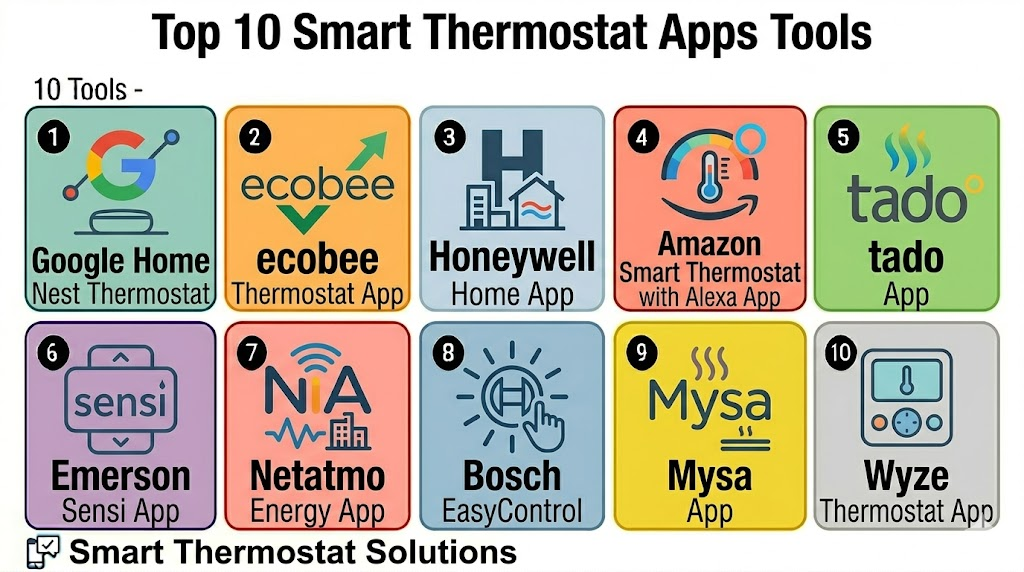
Top 10 Smart Thermostat Apps Tools
1- Google Home Nest Thermostat
Short description: Google Home Nest Thermostat app experience helps users manage Nest thermostats, schedules, energy behavior, temperature changes, and smart home routines. It is best for users already invested in Google Home, Nest devices, Android, and Google Assistant.
Key Features
- Remote temperature control through Google Home
- Scheduling and temperature routines
- Home and away behavior support
- Energy usage insights and reports
- Google Assistant integration
- Nest ecosystem compatibility
- Smart home routine support
Pros
- Strong fit for Google Home and Nest households
- Easy mobile control and voice assistant experience
- Useful energy insights for everyday homeowners
Cons
- Best experience depends on compatible Nest thermostat models
- Some advanced controls may vary by thermostat generation
- Users outside Google ecosystem may prefer other platforms
Platforms / Deployment
iOS / Android / Web access varies
Cloud / Hybrid
Security & Compliance
Varies / N/A. Buyers should validate Google account security, two-step verification, home member access, location permissions, thermostat sharing, and remote access settings.
Integrations & Ecosystem
Google Home Nest Thermostat works best when climate control is part of a broader Google smart home.
- Google Home
- Google Assistant
- Nest smart home devices
- Smart speakers and displays
- Home and away routines
- Third-party smart home integrations where supported
Support & Community
Google provides setup guidance, support resources, product documentation, and a large user community. Support experience can vary by device model, region, and account setup.
2- ecobee Smart Thermostat App
Short description: ecobee Smart Thermostat App helps users manage ecobee thermostats, room sensors, schedules, comfort settings, and energy reports. It is useful for families and homes that want better room-level comfort and smart HVAC automation.
Key Features
- Remote thermostat control
- Smart scheduling and comfort settings
- Room sensor support
- Occupancy-aware temperature adjustments
- Energy reports and HVAC runtime insights
- Voice assistant and smart home integrations
- Alerts and maintenance reminders
Pros
- Strong room sensor and comfort balancing features
- Good fit for larger homes or homes with uneven temperatures
- Useful energy and runtime visibility
Cons
- Best value often requires compatible room sensors
- Setup may require HVAC compatibility checks
- Some features may vary by thermostat model and region
Platforms / Deployment
iOS / Android / Web access varies
Cloud / Hybrid
Security & Compliance
Varies / N/A. Buyers should validate account security, household sharing, location permissions, remote access settings, data privacy, and smart home integration permissions.
Integrations & Ecosystem
ecobee works well for homes that want thermostat control connected with sensors, voice assistants, and smart home systems.
- Amazon Alexa
- Google Assistant
- Apple Home
- SmartThings where supported
- Room sensors
- Energy reporting workflows
Support & Community
ecobee provides product documentation, setup help, support resources, and community guidance. HVAC compatibility support is especially important before installation.
3- Honeywell Home App
Short description: Honeywell Home App by Resideo supports compatible Honeywell smart thermostats, temperature scheduling, remote control, alerts, and smart home integrations. It is useful for users who want a well-known thermostat brand with practical HVAC control.
Key Features
- Remote thermostat control
- Temperature schedules and comfort modes
- Alerts and notifications
- Geofencing support on selected models
- Multi-device home control
- Voice assistant integrations
- HVAC system monitoring features where supported
Pros
- Strong thermostat brand recognition
- Good fit for practical heating and cooling control
- Supports many household climate use cases
Cons
- App experience and feature depth can vary by thermostat model
- Buyers should check compatibility before purchase
- Advanced automation may require smart home platform integration
Platforms / Deployment
iOS / Android
Cloud / Hybrid
Security & Compliance
Varies / N/A. Buyers should validate account security, remote access controls, family sharing, app permissions, data privacy, and location settings.
Integrations & Ecosystem
Honeywell Home App is useful for users who want thermostat control connected with common smart home ecosystems and HVAC workflows.
- Honeywell smart thermostats
- Voice assistant integrations
- Geofencing workflows where supported
- HVAC alerts
- Home comfort schedules
- Smart home platform connections where supported
Support & Community
Resideo provides documentation, setup resources, and customer support for Honeywell Home products. Installer support may also be useful for HVAC compatibility questions.
4- Amazon Smart Thermostat with Alexa App
Short description: Amazon Smart Thermostat is managed through the Alexa app and is designed for users who want simple smart climate control inside the Alexa ecosystem. It is best for households that already use Echo devices and Alexa routines.
Key Features
- Thermostat control through Alexa app
- Alexa voice assistant support
- Scheduling and temperature routines
- Home and away-style automation support
- Echo device ecosystem integration
- Energy-saving routine possibilities
- Remote mobile control
Pros
- Good fit for Alexa households
- Simple app and voice control experience
- Often appealing for budget-conscious smart home users
Cons
- Best experience depends on Alexa ecosystem adoption
- HVAC compatibility must be checked carefully
- Advanced multi-zone features may be limited
Platforms / Deployment
iOS / Android / Echo devices
Cloud / Hybrid
Security & Compliance
Varies / N/A. Buyers should validate Amazon account security, voice and app permissions, household access, location settings, remote control permissions, and device sharing.
Integrations & Ecosystem
Amazon Smart Thermostat works best when climate control is part of Alexa routines and smart home commands.
- Alexa app
- Echo speakers and displays
- Alexa routines
- Smart home scenes
- Voice control
- Compatible smart home devices
Support & Community
Amazon provides product support, setup documentation, and Alexa help resources. Community guidance is widely available for Alexa routines and smart home setup.
5- tado App
Short description: tado App supports smart thermostats, smart radiator thermostats, heating control, cooling control, geofencing, schedules, and energy insights. It is especially useful for European-style homes with boilers, radiators, and multi-room heating needs.
Key Features
- Smart thermostat and radiator control
- Multi-room heating support
- Geofencing and away detection
- Smart schedules and comfort modes
- Energy insights and usage visibility
- Open window detection on supported setups
- Smart home integrations
Pros
- Strong fit for radiator and multi-room heating systems
- Good geofencing and heating automation focus
- Useful for energy-conscious households
Cons
- Best value depends on compatible heating system setup
- Some features may vary by subscription or region
- Installation can be more complex in multi-zone homes
Platforms / Deployment
iOS / Android / Web access varies
Cloud / Hybrid
Security & Compliance
Varies / N/A. Buyers should validate account security, location permissions, home sharing, privacy controls, remote access, and integration permissions.
Integrations & Ecosystem
tado works well for heating-focused smart homes and multi-room comfort control.
- Smart thermostats
- Smart radiator thermostats
- Voice assistant integrations
- Apple Home where supported
- Google Home where supported
- Energy and heating schedules
Support & Community
tado provides installation resources, product documentation, and customer support. Compatibility checks are important before buying for boilers, radiators, and multi-room setups.
6- Emerson Sensi App
Short description: Emerson Sensi App supports Sensi smart thermostats, scheduling, remote temperature control, HVAC alerts, and energy-focused climate management. It is useful for homeowners who want a practical smart thermostat app from a traditional HVAC controls brand.
Key Features
- Remote thermostat control
- Flexible scheduling
- Usage reports and energy insights where supported
- HVAC alerts and maintenance reminders
- Geofencing support on selected setups
- Voice assistant integrations
- Multi-thermostat management
Pros
- Practical thermostat control for everyday homes
- Strong HVAC-oriented brand background
- Good fit for users who want simple remote access and scheduling
Cons
- Interface may feel less advanced than some premium ecosystems
- Features vary by thermostat model
- Smart home automation depth may require external platforms
Platforms / Deployment
iOS / Android
Cloud / Hybrid
Security & Compliance
Varies / N/A. Buyers should validate account security, thermostat sharing, remote access, location settings, app permissions, and HVAC data privacy.
Integrations & Ecosystem
Sensi works well for users who want traditional thermostat functionality with smart scheduling and mobile access.
- Sensi smart thermostats
- Voice assistant integrations
- Smart home platforms where supported
- HVAC alerts
- Temperature schedules
- Multi-device management
Support & Community
Emerson Sensi provides setup resources, compatibility guidance, customer support, and documentation. HVAC installer support may be helpful before installation.
7- Netatmo Energy App
Short description: Netatmo Energy App supports Netatmo smart thermostats, radiator valves, heating schedules, energy reports, and smart heating automation. It is useful for users who want connected heating management with strong attention to home comfort and energy control.
Key Features
- Smart thermostat control
- Smart radiator valve support
- Heating schedules and modes
- Energy reports and usage visibility
- Multi-room heating control
- Open window detection on supported setups
- Smart home integrations
Pros
- Good fit for radiator-based heating homes
- Useful energy reports and heating schedules
- Strong design-focused smart home experience
Cons
- Best fit depends on regional availability and heating system compatibility
- Advanced cooling support may be limited compared with HVAC-focused platforms
- Multi-room setups require careful device planning
Platforms / Deployment
iOS / Android
Cloud / Hybrid
Security & Compliance
Varies / N/A. Buyers should validate account security, privacy settings, remote access, device sharing, app permissions, and connected home integrations.
Integrations & Ecosystem
Netatmo Energy App is useful for heating control across thermostats, radiator valves, and smart home ecosystems.
- Netatmo thermostat
- Netatmo radiator valves
- Apple Home where supported
- Google Assistant where supported
- Alexa where supported
- Heating schedules and reports
Support & Community
Netatmo provides support resources, setup documentation, and product guidance. Community knowledge is useful for radiator valve planning and heating schedules.
8- Bosch EasyControl
Short description: Bosch EasyControl is a smart thermostat app and control ecosystem for compatible Bosch heating systems, boilers, and room controls. It is useful for users with Bosch-compatible heating systems who want app-based climate control and scheduling.
Key Features
- Smart heating control
- Room temperature scheduling
- App-based thermostat management
- Compatible Bosch boiler and heating system support
- Multi-room control depending on setup
- Energy visibility features where supported
- Smart home integration options where available
Pros
- Strong fit for Bosch-compatible heating systems
- Good option for heating-focused homes
- Useful for users who want brand-aligned boiler and thermostat control
Cons
- Compatibility depends heavily on heating system setup
- Best suited for Bosch ecosystem users
- Advanced cross-brand integrations should be validated
Platforms / Deployment
iOS / Android
Cloud / Hybrid
Security & Compliance
Varies / N/A. Buyers should validate account security, remote access, app permissions, heating system access, privacy settings, and user sharing controls.
Integrations & Ecosystem
Bosch EasyControl works best when the heating system and thermostat ecosystem are compatible with Bosch controls.
- Bosch heating systems
- Smart thermostat workflows
- Room control accessories where supported
- App-based heating schedules
- Voice assistant support where available
- Energy management features where supported
Support & Community
Bosch provides product documentation, compatibility resources, and support channels. Installer guidance is important for boiler and heating system compatibility.
9- Mysa App
Short description: Mysa App supports Mysa smart thermostats for electric baseboard heaters, in-floor heating, mini-split heat pumps, and other supported climate systems. It is useful for homes with electric heating or room-specific climate control needs.
Key Features
- App-based thermostat control
- Support for electric heating-focused setups
- Scheduling and temperature routines
- Energy usage insights
- Zone and room-level control
- Voice assistant integrations
- Remote access and notifications
Pros
- Strong fit for electric baseboard and room-level heating control
- Useful for homes needing zone-by-zone comfort
- Good option for energy-conscious electric heating users
Cons
- Not a universal replacement for every HVAC thermostat
- Device choice depends on heating type
- Installation may require electrical compatibility review
Platforms / Deployment
iOS / Android
Cloud / Hybrid
Security & Compliance
Varies / N/A. Buyers should validate account security, device sharing, remote access, app permissions, energy data privacy, and integration settings.
Integrations & Ecosystem
Mysa is useful for homes where electric heating, mini-split control, or room-level climate automation is the main need.
- Mysa smart thermostats
- Electric heating systems
- Mini-split control where supported
- Voice assistant integrations
- Smart home platforms where supported
- Energy reports and schedules
Support & Community
Mysa provides installation guidance, compatibility information, customer support, and product documentation. Electrical compatibility should be reviewed before setup.
10- Wyze Thermostat App
Short description: Wyze Thermostat App experience supports Wyze smart thermostat control, schedules, remote access, and basic energy-focused climate management. It is useful for budget-conscious smart home users who already use Wyze cameras, sensors, plugs, or other devices.
Key Features
- Remote temperature control
- Scheduling and routines
- App-based thermostat management
- Wyze smart home ecosystem support
- Voice assistant integrations
- Usage insights where supported
- Notifications and basic comfort control
Pros
- Budget-friendly smart thermostat option
- Good fit for existing Wyze smart home users
- Simple climate control for everyday households
Cons
- Advanced HVAC and multi-zone features may be limited
- Best experience depends on Wyze ecosystem and compatible HVAC setup
- Buyers should validate long-term support and feature needs
Platforms / Deployment
iOS / Android
Cloud / Hybrid
Security & Compliance
Varies / N/A. Buyers should validate account security, app permissions, remote access, device sharing, privacy settings, and connected smart home permissions.
Integrations & Ecosystem
Wyze Thermostat App works best for users who want thermostat control inside a budget-friendly smart home ecosystem.
- Wyze app ecosystem
- Wyze sensors and devices
- Alexa where supported
- Google Assistant where supported
- Schedules and routines
- Smart home automations
Support & Community
Wyze provides product support, setup resources, and user documentation. Community help is useful for smart home routines, device pairing, and budget smart home setups.
Comparison Table
| Tool Name | Best For | Platform Supported | Deployment | Standout Feature | Public Rating |
|---|---|---|---|---|---|
| Google Home Nest Thermostat | Google Home and Nest users | iOS, Android, web varies | Cloud / Hybrid | Nest climate control and energy insights | N/A |
| ecobee Smart Thermostat App | Room sensor and comfort balancing | iOS, Android, web varies | Cloud / Hybrid | Room sensor-based comfort control | N/A |
| Honeywell Home App | Practical HVAC and thermostat control | iOS, Android | Cloud / Hybrid | Broad thermostat brand ecosystem | N/A |
| Amazon Smart Thermostat with Alexa App | Alexa-first smart homes | iOS, Android, Echo devices | Cloud / Hybrid | Alexa routines and voice control | N/A |
| tado App | Radiator and multi-room heating | iOS, Android, web varies | Cloud / Hybrid | Geofencing and smart heating control | N/A |
| Emerson Sensi App | Traditional HVAC users | iOS, Android | Cloud / Hybrid | Simple scheduling and HVAC alerts | N/A |
| Netatmo Energy App | Smart heating and radiator valves | iOS, Android | Cloud / Hybrid | Heating reports and radiator control | N/A |
| Bosch EasyControl | Bosch-compatible heating systems | iOS, Android | Cloud / Hybrid | Bosch heating and boiler control | N/A |
| Mysa App | Electric heating and room zones | iOS, Android | Cloud / Hybrid | Electric heating and zone control | N/A |
| Wyze Thermostat App | Budget smart thermostat users | iOS, Android | Cloud / Hybrid | Affordable thermostat control in Wyze ecosystem | N/A |
Evaluation & Scoring of Smart Thermostat Apps
| Tool Name | Core 25% | Ease 15% | Integrations 15% | Security 10% | Performance 10% | Support 10% | Value 15% | Weighted Total |
|---|---|---|---|---|---|---|---|---|
| Google Home Nest Thermostat | 8.7 | 8.9 | 8.7 | 8.0 | 8.5 | 8.2 | 8.4 | 8.6 |
| ecobee Smart Thermostat App | 9.0 | 8.5 | 8.8 | 8.0 | 8.6 | 8.3 | 8.1 | 8.6 |
| Honeywell Home App | 8.4 | 8.4 | 8.1 | 7.7 | 8.4 | 8.1 | 8.2 | 8.2 |
| Amazon Smart Thermostat with Alexa App | 8.0 | 8.8 | 8.3 | 7.8 | 8.2 | 8.1 | 8.7 | 8.3 |
| tado App | 8.6 | 8.3 | 8.2 | 7.7 | 8.3 | 8.0 | 8.0 | 8.2 |
| Emerson Sensi App | 8.2 | 8.6 | 8.0 | 7.7 | 8.3 | 8.1 | 8.4 | 8.2 |
| Netatmo Energy App | 8.2 | 8.2 | 8.0 | 7.7 | 8.2 | 8.0 | 7.9 | 8.1 |
| Bosch EasyControl | 8.0 | 8.1 | 7.8 | 7.8 | 8.2 | 8.0 | 7.8 | 8.0 |
| Mysa App | 8.3 | 8.4 | 8.0 | 7.7 | 8.2 | 8.0 | 8.1 | 8.2 |
| Wyze Thermostat App | 7.7 | 8.5 | 7.6 | 7.3 | 7.9 | 7.7 | 8.6 | 7.9 |
Which Smart Thermostat Apps Tool Is Right for You?
Solo / Freelancer
Solo users, renters, and apartment residents should focus on easy setup, simple schedules, remote access, and budget-friendly control. Wyze Thermostat App, Amazon Smart Thermostat with Alexa App, Emerson Sensi App, and Google Home Nest Thermostat are practical options depending on thermostat compatibility.
If the home uses electric baseboard or room-specific heating, Mysa App may be a better fit than standard HVAC thermostat apps.
SMB
Small offices, clinics, studios, cafes, salons, and small commercial spaces should prioritize scheduling, remote control, staff-friendly access, and energy usage visibility. Honeywell Home App, Emerson Sensi App, Google Home Nest Thermostat, and ecobee Smart Thermostat App can work well depending on HVAC setup.
SMBs should check whether multiple thermostats can be managed easily from one account or app.
Mid-Market
Mid-market properties, managed rentals, multi-room homes, small hospitality spaces, and larger offices need stronger controls around occupancy, sensors, zones, and multi-device management. ecobee, tado, Netatmo Energy, Mysa, Google Home Nest, and Honeywell Home are strong candidates.
This segment should validate multi-zone support, admin access, schedules, geofencing rules, and integration with smart home platforms.
Enterprise
Enterprise-style thermostat app needs usually apply to property managers, smart apartments, residential developers, hospitality operators, and managed facilities. Honeywell Home, ecobee, Google Nest, tado, Netatmo, Bosch EasyControl, and Mysa can fit depending on region, equipment, and installation model.
Enterprise buyers should involve HVAC installers, property teams, IT, facilities, and security teams before standardizing thermostat technology.
Budget vs Premium
Budget-conscious users should evaluate Wyze Thermostat App, Amazon Smart Thermostat with Alexa App, Emerson Sensi App, and selected Honeywell thermostat setups. These options can deliver practical remote control and scheduling without premium ecosystem costs.
Premium buyers should evaluate ecobee, Google Nest, tado, Netatmo Energy, Bosch EasyControl, and Mysa when sensor support, multi-room comfort, heating system depth, and energy visibility matter more.
Feature Depth vs Ease of Use
If ease of use matters most, Google Home Nest Thermostat, Amazon Smart Thermostat, Honeywell Home, Emerson Sensi, and Wyze are strong starting points. If feature depth matters more, ecobee, tado, Netatmo Energy, Mysa, and Bosch EasyControl should be reviewed closely.
The best app should fit the heating and cooling system first, then the smart home ecosystem.
Integrations & Scalability
Smart thermostat apps should be checked for compatibility with Google Home, Apple Home, Amazon Alexa, SmartThings, Home Assistant, Matter where supported, and utility energy programs where available. ecobee, Google Nest, Honeywell Home, tado, Netatmo, and Mysa are strong options for smart home integration needs.
For multi-property or multi-zone setups, buyers should test device grouping, user access, alerts, and schedule management before rollout.
Security & Compliance Needs
Smart thermostat apps may process occupancy patterns, location permissions, home schedules, energy usage, account details, and remote control access. Buyers should review two-factor authentication, user permissions, location sharing, app privacy settings, account recovery, and thermostat sharing.
Property managers and managed housing teams should also define who owns the account, who can change schedules, and how access is removed when occupants change.
Frequently Asked Questions
1. What is a Smart Thermostat App?
A Smart Thermostat App lets users control heating, cooling, schedules, and comfort settings from a mobile device.
It can support remote access, energy reports, geofencing, room sensors, and smart home automations.
Some apps work with HVAC systems, heat pumps, boilers, radiators, or electric heating.
The main goal is better comfort control and reduced energy waste.
2. Which Smart Thermostat App is best for beginners?
Google Home Nest Thermostat, Amazon Smart Thermostat with Alexa App, Honeywell Home App, and Emerson Sensi App are practical beginner choices.
They focus on simple scheduling, remote access, and everyday temperature control.
The best option depends on HVAC compatibility and preferred smart home ecosystem.
Beginners should check wiring and system compatibility before purchase.
3. Do smart thermostat apps save energy?
They can help save energy by using schedules, geofencing, occupancy detection, and energy reports.
Savings depend on home insulation, HVAC efficiency, climate, user behavior, and schedule quality.
A smart thermostat is most useful when users actively review and adjust settings.
Energy reports can help identify wasteful heating or cooling patterns.
4. What is geofencing in thermostat apps?
Geofencing uses phone location to help the thermostat understand when users leave or return home.
The app can lower heating or cooling when the home is empty and restore comfort before arrival.
It can reduce waste without requiring constant manual changes.
Users should review location permissions and privacy settings before enabling it.
5. Which app is best for room sensor comfort?
ecobee Smart Thermostat App is a strong option for room sensor-based comfort control.
It can use compatible sensors to help balance temperature in frequently used rooms.
Google Nest and other ecosystems may also support sensor-related workflows depending on device model.
Buyers should confirm sensor support before purchase.
6. Which app is best for radiator heating?
tado App and Netatmo Energy App are strong options for radiator-based heating and multi-room heating control.
They support smart radiator valve workflows and room-level heating schedules where compatible.
Bosch EasyControl can also be useful for compatible Bosch heating systems.
Buyers should check boiler, radiator, and regional compatibility.
7. Which Smart Thermostat App is best for budget users?
Wyze Thermostat App, Amazon Smart Thermostat with Alexa App, Emerson Sensi App, and selected Honeywell Home setups are practical budget-friendly options.
They provide basic remote access, schedules, and smart control without premium complexity.
Budget users should still verify HVAC compatibility and support expectations.
Lowest price is not always best if installation or compatibility is difficult.
8. What are common mistakes when choosing smart thermostat apps?
Common mistakes include buying before checking HVAC wiring, ignoring heat pump requirements, and overlooking multi-zone needs.
Users also forget to check whether family members can access the thermostat easily.
Another mistake is enabling geofencing without reviewing location permissions.
A compatibility check and test schedule can prevent many issues.
9. Can smart thermostat apps work with voice assistants?
Yes, many smart thermostat apps work with Alexa, Google Assistant, Siri, Apple Home, or other smart home platforms.
Voice control can change temperature, switch modes, and activate routines hands-free.
Compatibility depends on thermostat model, region, and ecosystem support.
Buyers should confirm exact integration before purchasing.
10. What are alternatives to Smart Thermostat Apps?
Alternatives include manual thermostats, programmable thermostats, HVAC remotes, smart plugs for basic heaters, and building management controls.
These may work for simple heating and cooling needs.
Smart thermostat apps are more useful when users want remote control, automation, energy reports, and smart home integration.
The right choice depends on HVAC type, budget, and comfort goals.
Conclusion
Smart Thermostat Apps help users manage heating, cooling, comfort, energy usage, and automation in a more flexible and data-driven way. The best app depends on HVAC compatibility, smart home ecosystem, budget, heating type, room sensor needs, and privacy expectations. Google Home Nest Thermostat, ecobee, Honeywell Home, Amazon Smart Thermostat, and Emerson Sensi are strong mainstream choices for everyday homes, while tado, Netatmo Energy, Bosch EasyControl, and Mysa are better for heating-specific or room-level control scenarios. Wyze Thermostat App is a practical budget-friendly option for users already in the Wyze ecosystem. The smartest next step is to shortlist two or three apps, confirm HVAC compatibility, test schedule and remote access features, review privacy settings, and then expand automation gradually.

Find Trusted Cardiac Hospitals
Compare heart hospitals by city and services — all in one place.
Explore Hospitals
Smart thermostat apps are most valuable when they allow users to remotely control and automate home or office heating and cooling systems for greater comfort and energy efficiency. By providing remote temperature control, programmable schedules, energy usage insights, occupancy detection, geofencing, smart home integration, voice assistant compatibility, maintenance alerts, and real-time system monitoring, these apps help users reduce energy consumption, lower utility costs, optimize HVAC performance, and maintain a comfortable indoor environment from anywhere.