Introduction
Print management tools are software platforms designed to help organizations monitor, control, optimize, and secure their printing environments. In an era where digital transformation prioritizes cost control, sustainability, and remote work support, print management solutions allow IT and operations leaders to reduce waste, manage device fleets, enforce policies, and provide secure printing services across offices and hybrid work locations. print management remains relevant because printed documents are still relied upon in industries with compliance needs, client-facing functions, and regulated record keeping. The rise of hybrid workforces, increasing print security concerns, and sustainability goals have widened the scope of print management tools well beyond simple print queues to include analytics, access controls, cloud integration, and AI‑enhanced workflows.
Real‑world use cases include:
- IT teams enforcing print quotas and cost tracking across global offices.
- Legal and finance departments capturing print audit logs for compliance.
- Educational institutions allocating print budgets to students and departments.
- Healthcare facilities ensuring secure document delivery with patient privacy.
- Facilities with mobile and satellite workers enabling cloud‑ready print workflows.
What buyers should evaluate:
- Printer discovery and inventory management
- Print policy controls and quota enforcement
- Secure print release and authentication
- Cost tracking and analytics dashboards
- Cloud and hybrid deployment support
- Mobile printing and BYOD support
- Integration with identity systems (SSO/LDAP) and MFPs
- Sustainability features (print reduction insights)
- Support for large fleets and distributed locations
- Ease of setup and ongoing management
Best for: mid‑sized to large enterprises, regulated industries such as legal, healthcare, finance, educational institutions, and IT or operations leaders responsible for print cost, security, and workflow optimization.
Not ideal for: very small offices or individual users that rely on only a handful of printers and do not need centralized print tracking, quotas, or advanced security features.
Key Trends in Print Management Tools
- AI‑Driven Print Analytics: Platforms using AI to identify wasteful printing patterns and recommend optimizations.
- Cloud‑First and Hybrid Architectures: Tools designed for hybrid workforces with cloud print queues and mobile accessibility.
- Secure Printing & Zero‑Trust Integration: Authentication at the printer, secure release workflows, and tight integration with identity services.
- Sustainability Tracking: Carbon and paper usage tracking tied to environmental reporting and ESG objectives.
- Mobile & BYOD Printing Enhancements: Support for mobile workflows without compromising security or audit controls.
- Subscription & Usage‑Based Pricing: Flexible pricing models tied to users or print volume rather than static licensing.
- Integration with Document & MFP Ecosystems: Support for third‑party multi‑function printers and enterprise document systems.
- Real‑Time Monitoring & Alerts: Dashboards and alerts for device faults, toner levels, and print failures.
- Analytics for Cost Allocation: Granular reporting for departments, projects, or cost centers.
- Automation of Driver and Firmware Management: Tools automatically manage printer drivers and firmware for compatibility and security.
How We Selected These Tools (Methodology)
- Evaluated market adoption and relevance across enterprise and mid‑market organizations.
- Assessed feature completeness including cost tracking, policy controls, secure printing, and analytics.
- Considered performance and reliability signals from deployments and enterprise use cases.
- Reviewed security posture, including authentication, audit logs, encryption, and compliance support.
- Mapped integration ecosystems with identity systems, cloud services, mobile platforms, and printers.
- Balanced ease of setup and ongoing management for IT teams.
- Included cloud‑native and hybrid tools for distributed workforces.
- Weighed scalability for printing fleets ranging from tens to thousands of devices.
- Compared value relative to capabilities across SMB to enterprise needs.
- Prioritized tools with modern UI/UX and reporting for administrators and managers.
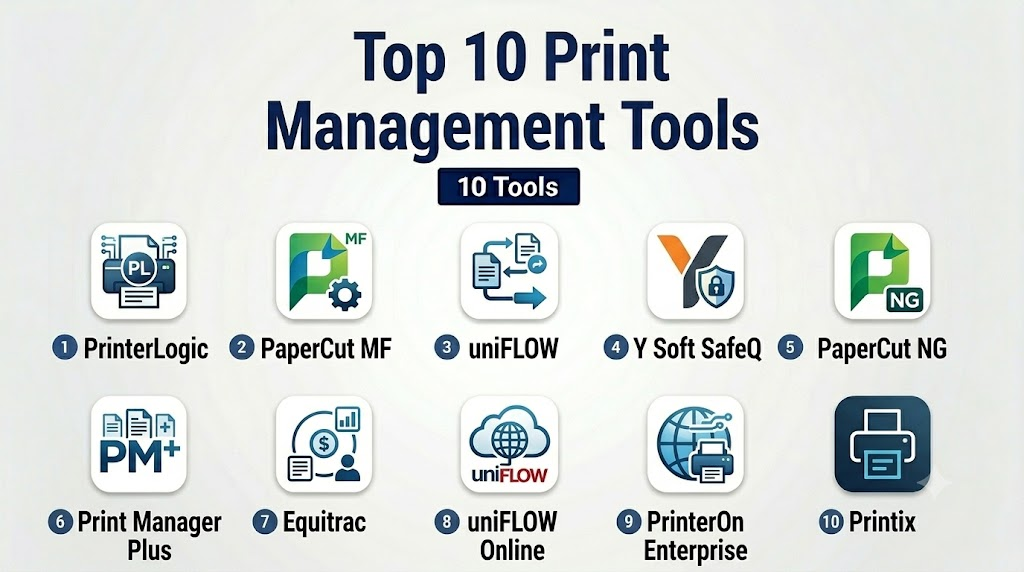
Top 10 Print Management Tools
1- PrinterLogic
Short description : PrinterLogic is a centralized print management platform that eliminates print servers while providing secure, authenticated print release and cloud‑ready administration for enterprises.
Key Features
- Centralized printer deployment without servers
- Secure print release and user authentication
- Cloud hosting and hybrid support
- Detailed print tracking and reporting
- Mobile and BYOD printing
- Role‑based management and policies
Pros
- Eliminates server infrastructure and simplifies management
- Strong secure printing workflows for hybrid environments
Cons
- May require initial configuration effort for large fleets
- Pricing scales with deployment size
Platforms / Deployment
- Web / Cloud / Hybrid
Security & Compliance
- Secure authentication at print release
- Role‑based access controls
- Encryption for data in transit
Integrations & Ecosystem
PrinterLogic integrates with enterprise systems to streamline print management:
- Active Directory/LDAP
- Mobile device printing APIs
- Multi‑Function Printers (MFPs)
- Cloud infrastructure platforms
Support & Community
- Enterprise onboarding and training
- Documentation and knowledge base
- Support tiers with response guarantees
2- PaperCut MF
Short description: PaperCut MF is a comprehensive print management solution with robust tracking, cost control, sustainable printing policies, and secure release, popular in education and corporate environments.
Key Features
- Print, copy, scan, and fax tracking
- Secure print release (card or PIN)
- Quota and cost control
- Sustainability and usage reporting
- Multi‑platform support
- BYOD and mobile printing
Pros
- Strong tracking and analytics capabilities
- Flexible policies for quotas and sustainable printing
Cons
- Interface may require time to master
- Some advanced features require professional services
Platforms / Deployment
- Web / Server / Cloud / Hybrid
Security & Compliance
- Secure print release authentication
- Role‑based access
- Audit trails for compliance
Integrations & Ecosystem
PaperCut works with a wide variety of print environments:
- Active Directory/LDAP
- Card readers for secure release
- Cloud print connectors
- Education and campus systems
Support & Community
- Extensive documentation and guides
- Community forums
- Professional support options
3- uniFLOW
Short description: uniFLOW is a scalable print management platform with advanced secure printing, cloud readiness, analytics, and enterprise‑grade workflow automation.
Key Features
- Secure print release and authentication
- Cloud and on‑prem print routing
- Cost allocation and budgeting
- Analytics dashboards
- Rules‑based printing policies
- Mobile and guest printing support
Pros
- Enterprise feature depth with strong analytics
- Flexible deployment models for hybrid and cloud
Cons
- Complexity may be high for smaller teams
- Licensing structure can be complex
Platforms / Deployment
- Web / Cloud / On‑Prem / Hybrid
Security & Compliance
- Secure print authentication
- Encryption of print data
- Audit logs and compliance tracking
Integrations & Ecosystem
uniFLOW extends into broad enterprise systems:
- Identity services (LDAP, SSO)
- MFP manufacturers and driver ecosystems
- Mobile and guest printing platforms
- Accounting and cost systems
Support & Community
- Manufacturer support plans
- Admin guides and training resources
4- Y Soft SafeQ
Short description: Y Soft SafeQ is a print management and workflow platform emphasizing secure release, advanced analytics, and automation for enterprise environments.
Key Features
- Secure print release and authentication
- Analytics and cost tracking
- Workflow automation for scans and printing
- Mobile and BYOD support
- Quota and policy enforcement
- Centralized admin console
Pros
- Strong analytics and automation workflows
- Good support for mobile environments
Cons
- Can be complex to configure at enterprise scale
- Some advanced features require add‑ons
Platforms / Deployment
- Web / Cloud / Hybrid
Security & Compliance
- Secure release with authentication
- Audit logs
- Encryption for sensitive jobs
Integrations & Ecosystem
SafeQ connects with key enterprise technologies:
- Identity and directory services
- Mobile printing frameworks
- Document capture and workflow platforms
Support & Community
- Support tiers with SLAs
- Documentation and professional services
5- PaperCut NG
Short description: PaperCut NG is a lightweight print management solution suited for SMBs and smaller organizations needing centralized tracking, quotas, and simple secure release.
Key Features
- Print tracking and reporting
- Quotas and rules
- Basic secure release options
- Compatible with major printer brands
- BYOD and mobile support
- Web‑based admin interface
Pros
- Simple setup for SMB environments
- Good cost tracking without complexity
Cons
- Lacks some advanced enterprise automation
- Limited analytics compared to larger offerings
Platforms / Deployment
- Web / Server / Hybrid
Security & Compliance
- Role‑based administration
- Secure release (basic)
- Audit trails
Integrations & Ecosystem
PaperCut NG connects with:
- Directory services
- Common printer brands
- Basic mobile print support
Support & Community
- Documentation and setup guides
- Community knowledge base
6- Print Manager Plus
Short description: Print Manager Plus provides enterprise print tracking, quota enforcement, and cost allocation, with flexible reporting and user policies.
Key Features
- Print cost tracking and reporting
- Quota and policy controls
- Print job auditing
- Secure print release features
- Departmental chargebacks
- Alerts and notifications
Pros
- Robust cost allocation and tracking
- Flexible reporting and policy options
Cons
- User interface feels dated to some
- Secure release features may require add‑ons
Platforms / Deployment
- Windows / Cloud (Varies / N/A) / Hybrid
Security & Compliance
- Audit trails
- Role‑based administration
- Basic job encryption
Integrations & Ecosystem
Print Manager Plus integrates with:
- Directory and authentication services
- Accounting and chargeback systems
- Departmental reporting systems
Support & Community
- Support plans
- Documentation
7- Equitrac
Short description: Equitrac offers enterprise print management focused on secure release, cost recovery, and analytics, with strong support for shared print fleets.
Key Features
- Secure print release workflows
- Cost recovery and reporting
- Policy enforcement
- Mobile printing support
- Multi‑site print management
- Print behavior analytics
Pros
- Strong cost recovery and policy enforcement
- Suited for multi‑location environments
Cons
- Implementation can be resource‑intensive
- Analytics dashboards may require training
Platforms / Deployment
- Web / Cloud / Hybrid
Security & Compliance
- Secure release authentication
- Audit trails
- Access controls
Integrations & Ecosystem
Equitrac integrates with:
- Directory and identity services
- Accounting systems
- Campus or large fleet print systems
Support & Community
- Enterprise support tiers
- Admin training resources
8- uniFLOW Online
Short description: A cloud‑native print management solution that extends uniFLOW capabilities with simple cloud deployment and mobile printing emphasis.
Key Features
- Cloud print management
- Mobile and BYOD support
- Secure release and user authentication
- Cloud‑based analytics
- Policy enforcement
- Simple deployment without servers
Pros
- Cloud‑native simplicity for hybrid workforces
- Good mobile printing support
Cons
- Fewer on‑prem capabilities than full uniFLOW suite
- Some advanced rules reserved for enterprise tiers
Platforms / Deployment
- Web / Cloud
Security & Compliance
- Cloud authentication
- Encryption in transit
- Audit logs
Integrations & Ecosystem
uniFLOW Online connects with:
- Cloud identity services
- Cloud storage platforms
- Mobile print APIs
Support & Community
- Cloud support plans
- Documentation for deployment
9- PrinterOn Enterprise
Short description: PrinterOn Enterprise provides secure, mobile, and cloud‑ready printing with user authentication, guest access, and multi‑platform support.
Key Features
- Secure mobile and guest printing
- Cloud and on‑prem support
- Authentication and print release
- Analytics and usage reporting
- Multi‑network print support
- Guest and BYOD workflows
Pros
- Strong mobile and guest printing support
- Flexible deployment models
Cons
- Analytics may be basic compared to enterprise dashboards
- Setup requires planning for security policies
Platforms / Deployment
- Web / Cloud / On‑Prem / Hybrid
Security & Compliance
- Secure authentication
- Audit logging
- Guest policy safeguards
Integrations & Ecosystem
PrinterOn integrates with:
- Corporate directory services
- Guest access systems
- Mobile platforms
Support & Community
- Documentation and tech support
- Deployment guides
10- Printix
Short description: Printix is a cloud‑first print management platform that eliminates servers, simplifies deployment, and supports secure printing with analytics for hybrid workforces.
Key Features
- Cloud print queue management
- Secure release and authentication
- Analytics and reporting
- Mobile and BYOD print support
- Zero‑touch deployment
- Multi‑tenant administration
Pros
- Cloud‑first simplicity and scalability
- Quick deployment with minimal infrastructure
Cons
- Feature depth may be lighter than full enterprise suites
- Advanced policies may require configuration expertise
Platforms / Deployment
- Web / Cloud
Security & Compliance
- Secure release authentication
- Encryption
- Audit logs
Integrations & Ecosystem
Printix connects with:
- Identity services
- Cloud storage
- Mobile platforms
Support & Community
- Cloud support tiers
- Extensive documentation and onboarding guides
Comparison Table (Top 10)
| Tool Name | Best For | Platform(s) Supported | Deployment | Standout Feature | Public Rating |
|---|---|---|---|---|---|
| PrinterLogic | Enterprise secure printing | Web / Cloud / Hybrid | Hybrid | Secure release without servers | N/A |
| PaperCut MF | Corporate & education | Web / Server / Cloud / Hybrid | Hybrid | Detailed quotas & sustainability | N/A |
| uniFLOW | Enterprise workflows | Web / Cloud / On‑Prem / Hybrid | Hybrid | Analytics & policy automation | N/A |
| Y Soft SafeQ | Analytics & automation | Web / Cloud / Hybrid | Hybrid | Workflow automation | N/A |
| PaperCut NG | SMB & basic needs | Web / Server / Hybrid | Hybrid | SMB‑friendly tracking & quotas | N/A |
| Print Manager Plus | Cost tracking & reporting | Windows / Hybrid / Varies / N/A | Hybrid | Cost allocation | N/A |
| Equitrac | Multi‑location enterprise | Web / Cloud / Hybrid | Hybrid | Cost recovery & analytics | N/A |
| uniFLOW Online | Cloud‑native hybrid teams | Web / Cloud | Cloud | Cloud simplicity with secure release | N/A |
| PrinterOn Enterprise | Mobile & guest printing | Web / Cloud / On‑Prem / Hybrid | Hybrid | Mobile & guest printing workflows | N/A |
| Printix | Cloud‑first hybrid environments | Web / Cloud | Cloud | Serverless cloud deployment | N/A |
Evaluation & Scoring of Print Management Tools
| Tool Name | Core (25%) | Ease (15%) | Integrations (15%) | Security (10%) | Performance (10%) | Support (10%) | Value (15%) | Weighted Total |
|---|---|---|---|---|---|---|---|---|
| PrinterLogic | 9 | 8 | 8 | 9 | 9 | 8 | 8 | 8.7 |
| PaperCut MF | 9 | 7 | 8 | 9 | 8 | 8 | 8 | 8.3 |
| uniFLOW | 9 | 7 | 9 | 9 | 9 | 8 | 7 | 8.4 |
| Y Soft SafeQ | 8 | 7 | 8 | 8 | 8 | 8 | 7 | 8.0 |
| PaperCut NG | 7 | 8 | 7 | 8 | 7 | 8 | 8 | 7.6 |
| Print Manager Plus | 7 | 7 | 7 | 7 | 7 | 7 | 7 | 7.0 |
| Equitrac | 8 | 7 | 7 | 8 | 7 | 7 | 7 | 7.5 |
| uniFLOW Online | 8 | 9 | 8 | 8 | 8 | 8 | 8 | 8.2 |
| PrinterOn Enterprise | 7 | 7 | 7 | 8 | 7 | 8 | 7 | 7.4 |
| Printix | 8 | 9 | 8 | 8 | 8 | 8 | 8 | 8.3 |
Which Print Management Tool Is Right for You?
Solo / Freelancer
- PaperCut NG or Printix for lightweight management and cloud simplicity.
SMB
- PaperCut MF or uniFLOW Online provides balanced tracking and secure release without heavy complexity.
Mid‑Market
- PrinterLogic or Y Soft SafeQ offers scalable secure printing, analytics, and hybrid support.
Enterprise
- uniFLOW, PrinterLogic, or Equitrac for deep analytics, policy workflows, and secure printing across global sites.
Budget vs Premium
- Budget: PaperCut NG, Print Manager Plus
- Premium: PrinterLogic, uniFLOW, Y Soft SafeQ
Feature Depth vs Ease of Use
- Feature Depth: uniFLOW, PrinterLogic, PaperCut MF
- Ease of Use: uniFLOW Online, Printix
Integrations & Scalability
- Strong enterprise ecosystems: uniFLOW, PrinterLogic
- Cloud/BYOD focus: Printix, uniFLOW Online
Security & Compliance Needs
- Tight security and zero‑trust integration: PrinterLogic, uniFLOW
Frequently Asked Questions (FAQs)
1- What is a print management tool?
A print management tool is software that centralizes control of printing fleets, tracks usage and costs, enforces policies, and enhances security across print environments.
2- Why do organizations need print management in 2026?
Even with digital workflows, physical documents remain necessary in compliance, client communication, and regulated operations. Print management helps control cost, waste, and security in hybrid work environments.
3- How do print quotas and policies work?
Admins define rules for maximum prints per user or group, assign cost centers, and enforce policy at the print release point to control spend and reduce waste.
4- Does secure print release improve security?
Yes. Secure print release ensures printing jobs are only released when the user authenticates at the device, preventing unauthorized access to sensitive documents.
5- Can print management tools support mobile phones and tablets?
Modern tools support mobile and BYOD printing through cloud queues, secure authentication, and apps or integrated workflows.
6- Are these tools suitable for multi‑office or global deployments?
Yes—enterprise tools like uniFLOW, PrinterLogic, and Y Soft SafeQ are designed to manage large, dispersed fleets with centralized policies and analytics.
7- What does “cloud print management” mean?
Cloud print management uses hosted services to manage print queues and policies, reducing on‑prem infrastructure and simplifying hybrid workforce support.
8- How do analytics help IT teams?
Analytics provide insights into print volumes, cost centers, printing behavior, and waste, enabling proactive policy changes and sustainability tracking.
9- Is AI involved in modern print management?
AI may be used for predictive analytics, identifying waste patterns, and suggesting optimization, although core print workflows remain rule‑based.
10- How long does implementation take?
Implementation depends on fleet size and complexity small deployments may go live in days, while global enterprise rollouts with identity integration may take weeks or months.
Conclusion
Print management tools have evolved into sophisticated platforms essential for cost control, security, compliance, and hybrid workforce support. From cloud‑first solutions to enterprise analytics suites, organizations can now tailor print management to their scale and needs. To choose the best tool for your environment, shortlist 2–3 platforms based on core feature fit, deployment model, and integration requirements, then run pilots to validate usability, policy enforcement, and overall cost impact. A well‑chosen print management system can reduce waste, strengthen security, and provide clear visibility into organizational printing patterns for years to come.

Find Trusted Cardiac Hospitals
Compare heart hospitals by city and services — all in one place.
Explore Hospitals
Print management tools are most effective when they give organizations complete visibility and control over printing activity across devices and locations. By enforcing print policies, monitoring usage, and enabling secure print release, these platforms help reduce costs, strengthen document security, and support more sustainable printing practices.