Introduction
Legal hold software refers to specialized applications that help organizations preserve electronically stored information (ESI) and physical records when litigation, audits, regulatory inquiries, or investigations are anticipated or underway. When legal counsel issues a “legal hold,” it requires relevant custodians to preserve relevant data and prevents accidental or intentional deletion. Legal hold systems automate notifications, track acknowledgments, manage custodians, and integrate with enterprise repositories to ensure defensible evidence preservation. legal hold solutions are becoming increasingly critical as data volumes balloon, regulations tighten globally, and cross-border discovery challenges grow. Modern platforms leverage AI to identify relevant data early, automate compliance tracking, integrate with enterprise content and governance systems, and produce defensible audit trails that matter in court, regulatory reviews, and internal investigations.
Real-world use cases include:
- Preserving email, file system, and collaboration data when litigation is reasonably anticipated.
- Managing regulatory investigation holds for compliance teams.
- Tracking custodian responses and reminders for large litigation matters.
- Automating hold release and remediation workflows.
- Gathering auditable proof of preservation for expert testimony or court submission.
What buyers should evaluate:
- Custodian management and automated escalations.
- Integration with enterprise repositories (email, file shares, cloud platforms).
- Audit trail quality and defensibility in litigation.
- Search and early case assessment features.
- Reporting and dashboard capabilities.
- Scalability to enterprise data volumes.
- AI or keyword/pattern identification assistance.
- Custodian acknowledgment and tracking.
- Security, access controls, and encryption.
- Deployment flexibility and pricing model.
Best for:
Legal teams, compliance officers, corporate governance professionals, and IT managers in mid-market and enterprise organizations that regularly face litigation, government investigations, regulatory audits, or large-scale discovery obligations.
Not ideal for:
Very small organizations with minimal litigation risk, informal records retention needs, or where manual holds and spreadsheets suffice.
Key Trends in Legal Hold Software
- AI-Assisted Data Identification: Machine learning helps suggest relevant custodians, data sources, and patterns based on early case criteria.
- Integration with Enterprise Repositories: Native connectors to email systems, file shares, cloud storage platforms, databases, and collaboration tools.
- Automated Custodian Management: Escalations, reminders, and mobile notifications to improve compliance and reduce manual tracking.
- Preservation Analytics and Early Case Assessment: Tools to estimate data volume and relevance before deep review.
- Defensible Audit Trails: Immutable logs that satisfy legal defensibility standards across jurisdictions.
- Enhanced Reporting Dashboards: Real-time visibility into hold statuses, compliance metrics, and overdue actions.
- Privacy and Data Protection Compliance: Legal hold systems built with GDPR, CCPA, and similar frameworks in mind.
- Hybrid Deployment Models: Cloud-native, on-premises, and hybrid options to satisfy security, performance, and regulatory needs.
- Automation of Hold Lifecycles: From issuance to release with templated workflows and approvals.
- Cross-Border Preservation Support: Handling global data protection challenges and localized data residency needs.
How We Selected These Tools (Methodology)
- Assessment of market recognition, adoption across enterprises, and mindshare among legal operations professionals.
- Feature completeness across key legal hold needs: custodian tracking, audit trails, reporting, and repository integration.
- Reliability and performance indicators from product literature and customer use cases.
- Evaluation of security posture, encryption practices, and compliance readiness.
- Breadth of integrations and ecosystem extensibility (API, connectors, third-party platforms).
- Scalability for large enterprise data volumes and distributed custodians.
- Support models, documentation quality, and user onboarding capabilities.
- Balance across segments (enterprise, SMB, compliance-focused tools).
- Innovation signals such as AI-assisted automation and analytics.
- Flexibility of deployment (cloud, on-prem, hybrid) and pricing transparency.
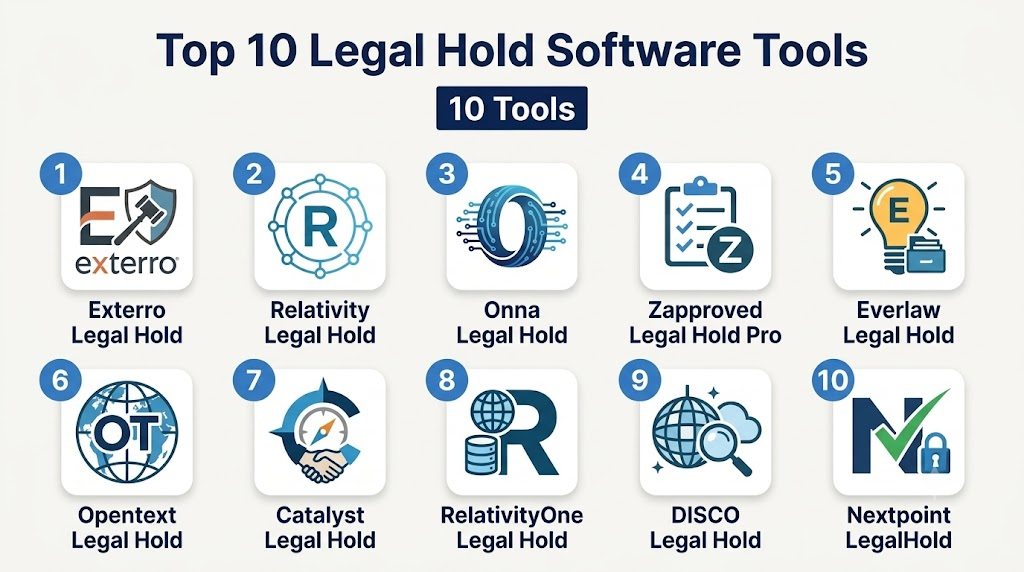
Top 10 Legal Hold Software
1 — Exterro Legal Hold
Short description:
Exterro Legal Hold is a comprehensive EDRM platform that helps large organizations manage legal holds with automation, auditing, and integration with enterprise data sources.
Key Features
- Automated hold issuance and reminders.
- Custodian tracking and acknowledgment monitoring.
- Integration with email, file shares, and collaboration platforms.
- Defensible audit trails and reporting.
- Workflow templates for standardized plays.
- Role-based access and security controls.
Pros
- Enterprise-grade scalability.
- Strong audit and defensibility features.
- Tight integration with broader EDRM and governance platforms.
Cons
- Higher cost can be a barrier for smaller teams.
- More complex setup for organizations without formal EDRM infrastructure.
Platforms / Deployment
- Web
- Cloud / On-premises / Hybrid
Security & Compliance
- SSO/SAML, encryption, audit logs
- Not publicly stated specific certifications
Integrations & Ecosystem
Exterro integrates with major enterprise repositories and workflow systems:
- Email servers
- File shares and cloud storage
- Collaboration tools
- Case management systems
- API for custom integrations
Support & Community
Extensive documentation, onboarding support, professional services, and a user community that shares best practices.
2 — Relativity Legal Hold
Short description :
Part of the Relativity e-discovery platform, Relativity Legal Hold automates preservation notices and custodian management within a unified litigation ecosystem.
Key Features
- Centralized hold management for large matters.
- Analytics dashboard for compliance tracking.
- Integration with Relativity e-discovery workflows.
- Automated reminders and escalation.
- Template-based hold notices.
Pros
- Seamless tie-in with Relativity e-discovery for downstream workflows.
- Powerful reporting and analytics.
Cons
- Best suited for organizations already using Relativity.
- Higher complexity for legal hold-only use cases.
Platforms / Deployment
- Web
- Cloud / On-premises
Security & Compliance
- Role-based security, encryption
- Not publicly stated certifications
Integrations & Ecosystem
Relativity’s ecosystem includes:
- e-discovery modules
- Document review and analytics tools
- APIs for automation
Support & Community
Relativity offers strong support tiers, documentation, and an active community of users and consultants.
3 — Onna Legal Hold
Short description:
Onna’s legal hold solution connects to modern content sources and drives more comprehensive preservation by tapping cloud-native systems.
Key Features
- Connectors to cloud collaboration and storage platforms.
- Centralized custodian dashboard.
- Searchable preservation sets.
- Automated notifications and acknowledgments.
- Integration with legal workflows.
Pros
- Strong support for modern SaaS repositories.
- Simple interface and scalable architecture.
Cons
- Dependency on connectors may limit legacy system capture.
- Advanced features may require additional modules.
Platforms / Deployment
- Web
- Cloud
Security & Compliance
- Encryption, access controls
- Not publicly stated specific certifications
Integrations & Ecosystem
- Cloud storage connectors (files, collaboration)
- Legal workflow tools
- API extensibility
Support & Community
Cloud-focused documentation, onboarding support, and growing community engagement.
4 — Zapproved Legal Hold Pro
Short description:
Zapproved Legal Hold Pro streamlines hold management with automation, reporting, and custodian engagement features.
Key Features
- Customizable hold notices.
- Automated acknowledgment tracking.
- Built-in compliance dashboards.
- Custodian messaging and reminders.
- Secure storage of preservation evidence.
Pros
- Intuitive interface.
- Strong custodian engagement features.
- Good reporting for compliance teams.
Cons
- Lower depth of analytics compared to enterprise platforms.
- Limited integration outside core connectors.
Platforms / Deployment
- Web
- Cloud
Security & Compliance
- Encryption, audit logs
- Not publicly stated certifications
Integrations & Ecosystem
- Email systems
- File shares
- APIs for custom integrations
Support & Community
Web-based support, training resources, and documentation.
5 — Legal Hold by Everlaw
Short description:
Everlaw offers legal hold functionality integrated into its litigation and e-discovery platform, focusing on ease of use and cross-case insights.
Key Features
- Hold notice automation.
- Custodian tracking and reminders.
- Integration with Everlaw review and analytics.
- Reporting dashboards for compliance teams.
- Collaboration across matters.
Pros
- Tight integration with litigation workflows.
- Easy setup and intuitive UI.
Cons
- Primarily optimized when used with core Everlaw platform.
- May lack deep customization for niche workflows.
Platforms / Deployment
- Web
- Cloud
Security & Compliance
- Secure access controls, encryption
- Not publicly stated certifications
Integrations & Ecosystem
- e-discovery modules
- Reporting tools
- APIs and legal workflows
Support & Community
Robust documentation and professional support, evolving user community.
6 — Opentext Legal Hold
Short description :
Part of Opentext’s information governance suite, Legal Hold supports compliance preservation with enterprise integration and reporting.
Key Features
- Centralized preservation workflows.
- Robust audit and defensible logs.
- Custodian management and notifications.
- Integration with enterprise content repositories.
- Policy-driven automation.
Pros
- Strong enterprise governance integration.
- Mature compliance and security controls.
Cons
- Enterprise focus may be complex for smaller teams.
- Customization may require professional services.
Platforms / Deployment
- Web
- Cloud / On-premises
Security & Compliance
- Enterprise security controls
- Not publicly stated certifications
Integrations & Ecosystem
- Enterprise content management
- Email and collaboration systems
- APIs for governance workflows
Support & Community
Enterprise support tiers, documentation, and professional services.
7 — Catalyst Legal Hold
Short description :
Catalyst’s tool supports robust legal hold workflows integrated with e-discovery and preservation capabilities for litigation readiness.
Key Features
- Automated hold notices and logging.
- Integration with Catalyst e-discovery and analytics.
- Custodian engagement tracking.
- Advanced reporting and dashboards.
- Workflow templates.
Pros
- Unified preservation-to-discovery workflows.
- Strong analytics for case planning.
Cons
- Designed for organizations with broader e-discovery needs.
- Platform complexity for hold-only users.
Platforms / Deployment
- Web
- Cloud
Security & Compliance
- Encryption, secure logs
- Not publicly stated certifications
Integrations & Ecosystem
- e-discovery suite
- Analytics and review tools
- API support
Support & Community
Vendor support, documentation, and consultant networks.
8 — RelativityOne Legal Hold
Short description :
The cloud-native version of Relativity’s legal hold capabilities, offering the same functional depth with SaaS convenience.
Key Features
- SaaS deployment with global availability.
- Custodian tracking and automated reminders.
- Audit trails and compliance reporting.
- Integration with RelativityOne e-discovery modules.
- Secure multi-tenant architecture.
Pros
- Cloud scalability.
- Unified legal hold and discovery experience.
Cons
- Cloud dependency may not suit all enterprise policies.
- Best value when paired with full e-discovery needs.
Platforms / Deployment
- Web
- Cloud
Security & Compliance
- Encryption, secure logging
- Not publicly stated certifications
Integrations & Ecosystem
- Full RelativityOne suite
- Collaboration workflows
- APIs
Support & Community
Cloud support tiers, documentation, and active user community.
9 — Legal Hold by DISCO
Short description :
DISCO’s legal hold solution is designed for simplicity and integration into its broader legal operations offerings.
Key Features
- Streamlined hold notice creation.
- Custodian acknowledgment tracking.
- Integration with DISCO search and review.
- Reporting dashboards for preservation status.
- Cloud-based scalability.
Pros
- Simple UX that reduces admin overhead.
- Native integration with modern legal operations stack.
Cons
- Less suitable for complex enterprise customizations.
- Smaller feature set than enterprise-focused competitors.
Platforms / Deployment
- Web
- Cloud
Security & Compliance
- Encryption, access controls
- Not publicly stated certifications
Integrations & Ecosystem
- DISCO review and search tools
- APIs for workflow extension
Support & Community
Cloud-based support, onboarding assistance, and evolving documentation.
10 — LegalHold by Nextpoint
Short description :
Nextpoint’s legal hold offering helps organizations quickly preserve data and manage custodian workflows in a cloud environment.
Key Features
- Automated holds and reminders.
- Custodian dashboards.
- Reporting and analytics.
- Integration with Nextpoint review tools.
- Secure storage of preserved data.
Pros
- Ease of use and quick deployment.
- Integration with litigation support tools.
Cons
- Smaller ecosystem than larger enterprise platforms.
- Feature depth may be limited for highly complex matters.
Platforms / Deployment
- Web
- Cloud
Security & Compliance
- Encryption, secure access
- Not publicly stated certifications
Integrations & Ecosystem
- Linkage to review modules
- Reporting workflows
- APIs for extensibility
Support & Community
Vendor support, documentation center, and user forums.
Comparison Table (Top 10)
| Tool Name | Best For | Platform(s) Supported | Deployment | Standout Feature | Public Rating |
|---|---|---|---|---|---|
| Exterro Legal Hold | Large enterprises | Web | Cloud / On-prem / Hybrid | Enterprise governance integration | N/A |
| Relativity Legal Hold | Litigation-heavy enterprises | Web | Cloud / On-prem | e-discovery integration | N/A |
| Onna Legal Hold | Cloud content preservation | Web | Cloud | SaaS repository connectors | N/A |
| Zapproved Legal Hold Pro | Compliance-focused organizations | Web | Cloud | Custodian engagement features | N/A |
| Everlaw Legal Hold | Litigation and review workflows | Web | Cloud | Integrated analytics | N/A |
| Opentext Legal Hold | Enterprise governance teams | Web | Cloud / On-prem | Information governance alignment | N/A |
| Catalyst Legal Hold | Enterprise legal operations | Web | Cloud | Unified preservation-to-discovery | N/A |
| RelativityOne Legal Hold | Cloud-first legal operations | Web | Cloud | SaaS e-discovery ecosystem | N/A |
| DISCO Legal Hold | Modern legal ops teams | Web | Cloud | Simplicity and integration | N/A |
| Nextpoint LegalHold | SMB to mid-market legal teams | Web | Cloud | Quick deployment and ease of use | N/A |
Evaluation & Scoring of Legal Hold Software
| Tool Name | Core (25%) | Ease (15%) | Integrations (15%) | Security (10%) | Performance (10%) | Support (10%) | Value (15%) | Weighted Total |
|---|---|---|---|---|---|---|---|---|
| Exterro Legal Hold | 9 | 7 | 9 | 8 | 9 | 8 | 6 | 8.4 |
| Relativity Legal Hold | 8 | 6 | 8 | 8 | 8 | 7 | 6 | 7.6 |
| Onna Legal Hold | 7 | 8 | 8 | 7 | 8 | 7 | 7 | 7.6 |
| Zapproved Legal Hold Pro | 7 | 8 | 6 | 7 | 7 | 7 | 8 | 7.5 |
| Everlaw Legal Hold | 8 | 8 | 7 | 7 | 8 | 7 | 7 | 7.7 |
| Opentext Legal Hold | 9 | 6 | 8 | 8 | 9 | 6 | 5 | 7.5 |
| Catalyst Legal Hold | 8 | 7 | 8 | 8 | 8 | 7 | 6 | 7.6 |
| RelativityOne Legal Hold | 8 | 7 | 8 | 8 | 8 | 7 | 6 | 7.6 |
| DISCO Legal Hold | 6 | 8 | 7 | 7 | 7 | 7 | 8 | 7.2 |
| Nextpoint LegalHold | 6 | 8 | 6 | 7 | 7 | 7 | 8 | 7.1 |
Which Legal Hold Tool Is Right for You?
Solo / Freelancer
- Tools with straightforward setup and minimal administration like Nextpoint LegalHold or DISCO Legal Hold can reduce overhead.
- Focus on ease of use and affordability rather than enterprise depth.
SMB
- Cloud-first platforms with solid integration and notification automation like Zapproved Legal Hold Pro or Onna Legal Hold strike a good balance.
- Prioritize tools that integrate with cloud content sources.
Mid-Market
- Solutions that scale with case volumes and offer analytics like Everlaw Legal Hold or Onna give flexibility.
- Look for custody tracking dashboards and enhanced reporting.
Enterprise
- Full-featured, defensible platforms like Exterro Legal Hold or Opentext Legal Hold provide governance integration and audit rigor.
- Ensure deployment models satisfy security and data residency policies.
Budget vs Premium
- Budget options (DISCO, Nextpoint) cover core hold workflows with light administrative overhead.
- Premium enterprise platforms offer deeper analytics, governance integration, and extensibility.
Feature Depth vs Ease of Use
- Enterprise platforms (Exterro, Opentext) emphasize depth but may require training.
- Simpler tools (Zapproved, DISCO) emphasize quick onboarding and minimal administration.
Integrations & Scalability
- Tools with broad connectors (Exterro, Onna) support scalability across repositories.
- Smaller tools may suffice for limited systems but lack extensibility.
Security & Compliance Needs
- Enterprise deployments often demand rigorous audit trails, encryption, and role-based access—prioritize platforms with mature controls.
- For lower-risk use cases, basic encryption and custodial acknowledgments may suffice.
Frequently Asked Questions (FAQs)
1- What is legal hold software used for?
Automates preservation of relevant data to prevent deletion or alteration during litigation or regulatory review.
2- How does legal hold software ensure compliance?
Tracks custodian acknowledgments, preserves data, logs actions, and generates reports for court or regulatory submission.
3- Do these tools integrate with email and cloud storage?
Yes, modern tools connect with enterprise email, file shares, collaboration, and cloud storage.
4- Can legal hold be fully automated?
Automation covers notifications, reminders, and some rule-based preservation; human oversight is recommended.
5- What reporting capabilities are typical?
Custodian status, overdue acknowledgments, audit logs, preservation sets, and compliance metrics.
6- Are there AI features in legal hold?
AI helps suggest custodians, identify relevant data, and detect patterns for faster preservation.
7- How scalable are these tools?
Enterprise-grade tools can manage thousands of custodians and distributed repositories.
8- Which compliance standards matter?
GDPR, CCPA, and other data privacy laws impact preservation practices and tool selection.
9- What deployment models exist?
Cloud, on-premises, and hybrid options accommodate different security and architecture needs.
10- Why track audit trails?
Provides defensible proof of preservation actions in case of legal or regulatory challenge.
Conclusion
Choosing the right legal hold software depends on your organization’s size, litigation exposure, data landscape, and legal operations maturity. Enterprise-grade solutions like Exterro and Opentext offer deep integration with governance platforms, while cloud-first tools like Onna, Zapproved, and Everlaw provide flexibility with modern repositories. SMBs benefit from tools focused on ease of use and rapid deployment, while larger teams need integration, analytics, and robust audit defenses. Start by shortlisting 2–3 tools that align with your data sources and compliance requirements, run targeted pilots, and validate integration and reporting capabilities before wide deployment.

Find Trusted Cardiac Hospitals
Compare heart hospitals by city and services — all in one place.
Explore Hospitals
Legal hold software is most effective when it automates the preservation of potentially relevant information across multiple systems without disrupting day-to-day operations. By tracking custodians, managing acknowledgments, and maintaining a defensible audit trail, these platforms help organizations strengthen compliance and reduce legal risk during investigations and litigation.