Introduction
eFax & Fax Server Software enables businesses to send, receive, and manage faxes digitally, eliminating reliance on physical fax machines. These solutions bridge traditional fax workflows with modern cloud and network infrastructure, ensuring secure document transmission, compliance, and operational efficiency. secure document handling remains critical across industries like healthcare, finance, legal, and government. Digital fax solutions are now integrated with cloud storage, mobile apps, and automation workflows, improving collaboration while reducing costs and physical footprint.
Real-world use cases include:
- Hospitals transmitting patient records securely under HIPAA.
- Financial institutions exchanging signed contracts and statements.
- Legal firms sending sensitive documents to courts or clients.
- Government agencies sharing forms and permits across departments.
- Logistics and supply chain partners exchanging purchase orders and delivery confirmations.
What buyers should evaluate:
- Security & compliance (HIPAA, GDPR, SOC 2)
- Cloud vs on-premise deployment
- Mobile and remote accessibility
- Integration with email, ERP, or document management systems
- Automation & API capabilities
- Volume handling and scalability
- User management and audit tracking
- Cost and subscription flexibility
- Support and onboarding quality
Best for: Medium to large enterprises, healthcare providers, legal and financial organizations needing secure, reliable, high-volume fax solutions.
Not ideal for: Small businesses or individuals with low fax volumes who can rely on basic email-to-fax services or multifunction printers.
Key Trends in eFax & Fax Server Software
- Growing adoption of cloud-native fax solutions replacing legacy on-prem servers.
- Integration of AI-powered document routing and OCR for automated processing.
- Enhanced security and compliance controls, including advanced encryption and access logs.
- Mobile-first access via apps and secure web portals for remote teams.
- Hybrid deployment models allowing organizations to balance cloud efficiency with on-prem security.
- Integration with workflow automation platforms like ERP, CRM, and document management systems.
- Usage-based or subscription flexible pricing models for SMB and enterprise adoption.
- Increased support for e-signature workflows combined with fax transmission.
- Centralized audit trails and analytics dashboards for regulatory reporting.
- Consolidation of legacy fax infrastructure into unified digital communications platforms.
How We Selected These Tools (Methodology)
- Reviewed market adoption and brand recognition among enterprise and SMB users.
- Evaluated feature completeness: security, automation, integration, mobile support.
- Analyzed performance and reliability signals, including uptime and throughput.
- Assessed compliance and security posture: HIPAA, GDPR, encryption.
- Studied integration capabilities with ERP, CRM, document management, and email.
- Considered customer fit across company sizes and industry verticals.
- Factored in usability and onboarding simplicity for end users.
- Prioritized tools offering hybrid or cloud flexibility.
- Checked vendor support, community resources, and documentation quality.
- Balanced cost versus feature set for practical enterprise and SMB scenarios.
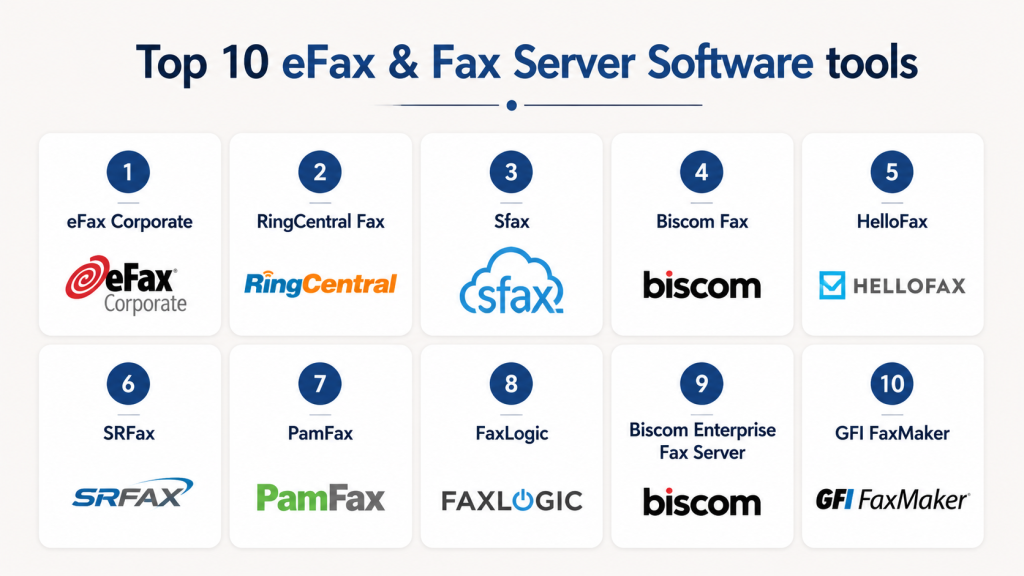
Top 10 eFax & Fax Server Software Tools
1- eFax Corporate
Short description: Enterprise-grade digital fax service enabling secure, high-volume faxing across email, web, and mobile channels.
Key Features
- Secure cloud-based fax delivery
- HIPAA-compliant infrastructure
- Email-to-fax and fax-to-email functionality
- Mobile app for iOS and Android
- API for automated workflow integration
- Centralized administration dashboard
- Detailed audit reporting
Pros
- Strong compliance and security
- Easy deployment without hardware
- Reliable for high-volume enterprise use
Cons
- Higher cost for smaller organizations
- Limited advanced customization for workflow automation
Platforms / Deployment
- Web / Windows / macOS / iOS / Android
- Cloud
Security & Compliance
- HIPAA, SOC 2, encryption, audit logs
- SSO/SAML, MFA
Integrations & Ecosystem
Supports APIs and integrations with:
- Microsoft 365
- Google Workspace
- Salesforce
- Document management systems
- Workflow automation platforms
Support & Community
- 24/7 support tiers
- Comprehensive onboarding guides
- Moderate community presence
2- RingCentral Fax
Short description: Cloud faxing integrated with RingCentral unified communications, suitable for SMBs and distributed teams.
Key Features
- Fax via email and desktop/mobile apps
- Secure, encrypted transmissions
- Cloud storage of faxes
- API support for automated sending
- Multi-user management
- Fax archiving and retrieval
- Integration with RingCentral UC platform
Pros
- Seamless UC integration
- Simple setup for remote teams
- Scalable for growing SMBs
Cons
- Limited advanced reporting
- Some features tied to broader RingCentral suite
Platforms / Deployment
- Web / Windows / macOS / iOS / Android
- Cloud
Security & Compliance
- Not publicly stated
- Encryption for transmission
Integrations & Ecosystem
- RingCentral UC
- Microsoft 365
- Zapier for workflow automation
- APIs for custom integrations
Support & Community
- Vendor support channels
- Extensive help center
- Community forums via RingCentral network
3- Sfax
Short description: HIPAA-compliant fax platform for healthcare providers, focusing on secure medical document transmission.
Key Features
- Cloud faxing with HIPAA safeguards
- Fax-to-email and email-to-fax
- API and EHR/EMR integration
- Audit trails and reporting
- Mobile apps for iOS/Android
- Bulk fax capabilities
- Secure cloud storage
Pros
- Designed for healthcare compliance
- Easy integration with EMR/EHR systems
- Strong audit and reporting functionality
Cons
- Less suitable for general enterprise outside healthcare
- Limited feature set for non-healthcare workflows
Platforms / Deployment
- Web / Windows / macOS / iOS / Android
- Cloud
Security & Compliance
- HIPAA, encryption, audit logs, RBAC
Integrations & Ecosystem
- EMR/EHR platforms
- API support for automation
- Secure storage integrations
Support & Community
- HIPAA-focused support
- Onboarding documentation
- Community limited to healthcare ecosystem
4- Biscom Fax
Short description: Enterprise fax server software with on-prem and cloud deployment options for secure document exchange.
Key Features
- Hybrid deployment: cloud and on-premise
- Secure document routing
- Fax over IP (FoIP) support
- Integration with email, ECM, and ERP
- Centralized administration
- Audit logging and reporting
- Workflow automation tools
Pros
- Flexible deployment models
- High reliability and throughput
- Enterprise-grade security
Cons
- Complex setup for SMBs
- Higher total cost of ownership
Platforms / Deployment
- Windows / Linux / Web / iOS / Android
- Hybrid / Cloud / On-Prem
Security & Compliance
- Not publicly stated
- Encryption and audit logs
Integrations & Ecosystem
- Microsoft Exchange
- SharePoint
- ERP and ECM systems
- API access
Support & Community
- Enterprise support packages
- Professional services for deployment
- Limited online community
5- HelloFax
Short description: User-friendly cloud fax service ideal for SMBs, integrated with popular productivity tools.
Key Features
- Email and web faxing
- Digital signature support
- Integration with Google Workspace and Dropbox
- Mobile app access
- Secure cloud storage
- Fax archiving
- Simple user management
Pros
- Easy to set up and use
- Good for small teams
- Integrates with cloud storage
Cons
- Limited enterprise reporting
- Not ideal for very high-volume faxing
Platforms / Deployment
- Web / iOS / Android
- Cloud
Security & Compliance
- Not publicly stated
- Encryption supported
Integrations & Ecosystem
- Google Workspace
- Dropbox
- Slack
- APIs for automation
Support & Community
- Email and chat support
- Onboarding guides
- Small but active user community
6- SRFax
Short description: Secure, HIPAA-compliant cloud faxing platform serving healthcare and SMBs.
Key Features
- HIPAA-ready cloud fax
- Email-to-fax and fax-to-email
- API access for custom workflows
- Audit trails and logging
- Mobile app for iOS/Android
- Fax archiving and storage
- Bulk fax capabilities
Pros
- Strong compliance features
- Flexible for small and medium teams
- Reliable cloud infrastructure
Cons
- Interface could be modernized
- Limited integrations outside healthcare
Platforms / Deployment
- Web / iOS / Android
- Cloud
Security & Compliance
- HIPAA, encryption, audit logs
Integrations & Ecosystem
- EMR/EHR integration
- APIs for automation
- Cloud storage connections
Support & Community
- Email and phone support
- Documentation included
- Small healthcare-focused community
7- PamFax
Short description: International cloud fax service for SMBs and freelancers needing low-cost global faxing.
Key Features
- Fax from desktop, web, or mobile
- Pay-as-you-go and subscription options
- Multi-recipient faxing
- Fax archiving and email notifications
- API support
- Integration with cloud storage
- International fax coverage
Pros
- Cost-effective for small businesses
- Simple global faxing
- Flexible pricing
Cons
- Limited enterprise-scale capabilities
- Fewer compliance certifications
Platforms / Deployment
- Windows / macOS / Web / iOS / Android
- Cloud
Security & Compliance
- Not publicly stated
Integrations & Ecosystem
- Dropbox
- Google Drive
- API support for custom workflows
Support & Community
- Email support
- Knowledge base
- Small user community
8- FaxLogic
Short description: Cloud fax solution with focus on workflow automation and document integration for SMBs and enterprises.
Key Features
- Email-to-fax and fax-to-email
- Integration with CRM/ERP systems
- Secure cloud storage
- Audit trails
- Multi-user management
- Mobile access
- API for workflow automation
Pros
- Good workflow integration
- Supports multi-user environments
- Cloud flexibility
Cons
- Pricing may be higher for small businesses
- UI less modern than competitors
Platforms / Deployment
- Web / Windows / iOS / Android
- Cloud
Security & Compliance
- Not publicly stated
Integrations & Ecosystem
- Salesforce
- Microsoft 365
- Document management systems
- API for automation
Support & Community
- Phone and email support
- Onboarding guides
- Moderate community presence
9- Biscom Enterprise Fax Server
Short description: Advanced on-prem fax server software for large-scale enterprise deployments, secure document exchange.
Key Features
- On-premise and hybrid deployment
- High-volume fax routing
- Email and network integration
- FoIP support
- Audit trails and reporting
- Workflow automation
- Secure access controls
Pros
- Reliable for large enterprises
- Strong security and compliance features
- Flexible deployment
Cons
- Complex implementation
- Less suitable for SMBs
Platforms / Deployment
- Windows / Linux / Web
- Hybrid / On-Prem
Security & Compliance
- Not publicly stated
- Encryption, audit logs
Integrations & Ecosystem
- Exchange, SharePoint
- ERP/ECM systems
- API support
Support & Community
- Enterprise support
- Professional services
- Limited online community
10- GFI FaxMaker
Short description: Fax server software bridging email systems with fax transmission, suited for mid-market and enterprise.
Key Features
- Email-to-fax and fax-to-email
- Network and FoIP support
- Integration with Microsoft Exchange and Office 365
- Audit and reporting capabilities
- Multi-user management
- Workflow automation
- Secure storage
Pros
- Reliable email integration
- Strong enterprise features
- Flexible deployment
Cons
- Setup complexity
- Less focus on mobile UX
Platforms / Deployment
- Windows / Web
- Cloud / On-Prem / Hybrid
Security & Compliance
- Not publicly stated
- Encryption and audit logs
Integrations & Ecosystem
- Microsoft Exchange
- Office 365
- ERP/document management integrations
- API support
Support & Community
- Professional services
- Documentation available
- Moderate user community
Comparison Table (Top 10)
| Tool Name | Best For | Platform(s) Supported | Deployment | Standout Feature | Public Rating |
|---|---|---|---|---|---|
| eFax Corporate | Enterprise HIPAA | Web, Windows, macOS, iOS, Android | Cloud | High-volume secure faxing | N/A |
| RingCentral Fax | SMBs & distributed teams | Web, Windows, macOS, iOS, Android | Cloud | Unified communications integration | N/A |
| Sfax | Healthcare | Web, Windows, macOS, iOS, Android | Cloud | HIPAA compliance & EMR integration | N/A |
| Biscom Fax | Enterprise | Windows, Linux, Web, iOS, Android | Hybrid | Hybrid deployment flexibility | N/A |
| HelloFax | SMBs | Web, iOS, Android | Cloud | Productivity tool integrations | N/A |
| SRFax | Healthcare/SMBs | Web, iOS, Android | Cloud | Compliance-ready secure fax | N/A |
| PamFax | SMBs/Freelancers | Windows, macOS, Web, iOS, Android | Cloud | International faxing & low cost | N/A |
| FaxLogic | SMBs & Enterprises | Web, Windows, iOS, Android | Cloud | Workflow automation & integration | N/A |
| Biscom Enterprise Fax Server | Large Enterprises | Windows, Linux, Web | Hybrid / On-Prem | High-volume routing & security | N/A |
| GFI FaxMaker | Mid-Market & Enterprise | Windows, Web | Cloud / On-Prem / Hybrid | Email-to-fax integration | N/A |
Evaluation & Scoring of eFax & Fax Server Software
| Tool Name | Core (25%) | Ease (15%) | Integrations (15%) | Security (10%) | Performance (10%) | Support (10%) | Value (15%) | Weighted Total |
|---|---|---|---|---|---|---|---|---|
| eFax Corporate | 9 | 8 | 8 | 9 | 9 | 8 | 7 | 8.6 |
| RingCentral Fax | 8 | 9 | 7 | 7 | 8 | 8 | 8 | 8.0 |
| Sfax | 8 | 7 | 7 | 9 | 8 | 7 | 7 | 7.8 |
| Biscom Fax | 9 | 7 | 8 | 8 | 9 | 8 | 7 | 8.2 |
| HelloFax | 7 | 9 | 7 | 7 | 7 | 7 | 8 | 7.6 |
| SRFax | 8 | 7 | 7 | 9 | 8 | 7 | 7 | 7.8 |
| PamFax | 6 | 9 | 6 | 6 | 7 | 6 | 9 | 7.0 |
| FaxLogic | 7 | 8 | 8 | 7 | 7 | 7 | 7 | 7.4 |
| Biscom Enterprise Fax Server | 9 | 6 | 8 | 8 | 9 | 8 | 7 | 8.0 |
| GFI FaxMaker | 8 | 7 | 8 | 7 | 8 | 8 | 7 | 7.8 |
Which eFax & Fax Server Tool Is Right for You?
Solo / Freelancer
- Consider PamFax or HelloFax for cost-effective, low-volume faxing.
- Mobile and cloud access is most relevant.
SMB
- RingCentral Fax, FaxLogic, or HelloFax offer good integration and usability.
- Flexible subscription plans suit SMB budgets.
Mid-Market
- GFI FaxMaker, Biscom Fax, and eFax Corporate provide scalability, security, and email/workflow integrations.
Enterprise
- eFax Corporate, Biscom Enterprise Fax Server, Sfax for compliance-heavy sectors.
- Support for high-volume and multi-user workflows.
Budget vs Premium
- Budget: PamFax, HelloFax
- Premium: eFax Corporate, Biscom, Sfax
Feature Depth vs Ease of Use
- Ease: HelloFax, RingCentral Fax
- Depth & compliance: Sfax, eFax Corporate
Integrations & Scalability
- Enterprise email & document systems: Biscom, GFI FaxMaker
- API and automation: FaxLogic, eFax Corporate
Security & Compliance Needs
- Healthcare or legal: Sfax, eFax Corporate
- HIPAA/GDPR compliance and encrypted transmission essential
Frequently Asked Questions (FAQs
1- What is eFax & Fax Server Software?
eFax and fax server software allow businesses to send and receive faxes digitally without using traditional machines. These platforms integrate email, web, and mobile access to streamline communication. They ensure documents are transmitted securely and provide audit trails for compliance. They are especially useful for healthcare, legal, and financial workflows.
2- How secure are these solutions?
Security is central, with many platforms providing encryption for transmissions and storage. Access controls, MFA, and detailed audit logs enhance protection. Leading tools comply with standards like HIPAA and SOC 2. Organizations should always confirm that chosen solutions meet their specific compliance requirements.
3- Can I integrate fax software with my email?
Yes, most eFax tools support seamless email-to-fax and fax-to-email capabilities. They often integrate with Outlook, Gmail, and enterprise email servers. Many platforms also provide APIs for connecting with ERP, CRM, or document management systems. This reduces manual steps and errors in document handling.
4- Are these tools suitable for small businesses?
Solutions like HelloFax and PamFax are ideal for SMBs due to simplicity and cost-effectiveness. They handle lower volumes without requiring complex infrastructure. Enterprise-grade tools may be unnecessary for small teams. Businesses should evaluate their volume, compliance, and workflow needs first.
5- Do these tools offer mobile access?
Yes, most leading platforms offer iOS and Android apps. Users can send, receive, and manage faxes remotely. Mobile access is critical for distributed teams and hybrid work environments. It ensures workflow continuity even when away from the office.
6- How is pricing structured?
Pricing varies across subscription, pay-per-use, or tiered plans. Small businesses often prefer low-volume flexible options. Enterprises may select high-volume packages with additional features. Evaluating the total cost, including support and compliance, is essential before committing.
7- Can fax workflows be automated?
Automation is supported via APIs and integrations with ERP, CRM, and document systems. Platforms like eFax Corporate and FaxLogic enable automated fax routing, reducing manual work and errors. This is particularly beneficial for high-volume or compliance-heavy environments. Automation streamlines repetitive fax tasks.
8- What deployment options exist?
Platforms can be deployed in the cloud, on-premise, or in hybrid models. Cloud options offer fast setup and mobile accessibility, while on-premise provides tighter control over sensitive data. Hybrid deployments balance scalability with security needs. Choosing the right model depends on company policies and workflow requirements.
9- Can I handle high-volume faxing?
Enterprise-grade tools, such as Biscom and eFax Corporate, support high-volume routing and multi-user management. They are suitable for healthcare, finance, and legal operations that transmit numerous documents daily. It is important to verify throughput limits before scaling to large volumes. Proper planning avoids delays and bottlenecks.
10- How do I switch from a traditional fax system?
Migrating involves assessing current volume, integrations, and compliance obligations. Select a cloud or hybrid platform that aligns with workflows. Vendor support can assist in migration planning, training, and pilot testing. Testing with a small user group before full rollout minimizes disruption and ensures smooth adoption.
Conclusion
eFax and fax server software modernize document transmission by providing secure, auditable, and efficient workflows. Choosing the right platform depends on company size, fax volume, compliance requirements, and integration needs. Small businesses may prioritize simplicity and affordability, while enterprises require high-volume handling, automation, and strict regulatory adherence. The recommended approach is to shortlist two or three platforms, run a pilot test, verify security and integrations, and then scale confidently across teams. These tools offer a reliable bridge between traditional faxing and modern digital workflows.

Find Trusted Cardiac Hospitals
Compare heart hospitals by city and services — all in one place.
Explore Hospitals
eFax and fax server software remain valuable in industries where secure document exchange and regulatory compliance are essential. By replacing physical fax machines with digital workflows, these solutions help organizations improve document security, streamline communication, and reduce the costs associated with paper-based processes.