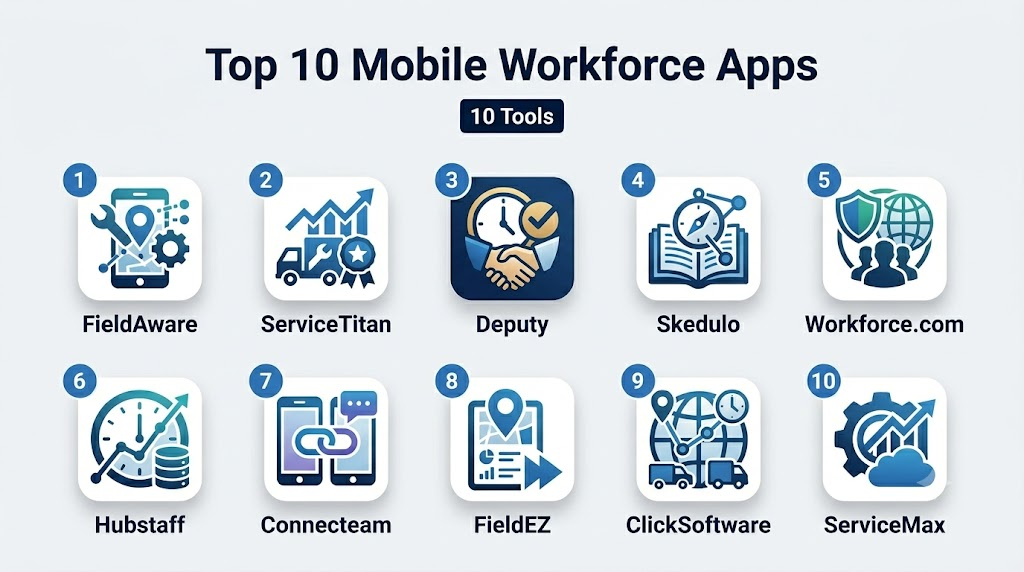
Introduction
Mobile Workforce Apps are software platforms that empower businesses to manage, track, and optimize field employees and remote teams via mobile devices. These apps provide real-time access to schedules, job assignments, data collection, communications, and performance monitoring, enabling organizations to streamline operations and boost productivity. the mobile workforce has become increasingly dynamic, spanning industries from logistics and utilities to healthcare and field services. Mobile apps allow managers to oversee operations in real-time, ensure compliance, and make data-driven decisions regardless of location.
Real-world use cases:
- Field service management: Dispatching technicians, tracking job completion, and updating clients in real time.
- Delivery and logistics: Optimizing routes, capturing proof of delivery, and monitoring drivers’ activities.
- Healthcare home visits: Scheduling nurses, logging patient care activities, and maintaining compliance.
- Inspections and audits: Collecting inspection data digitally with geotagging and photo documentation.
- Sales and retail operations: Managing itineraries, reporting customer interactions, and coordinating teams remotely.
Evaluation criteria for buyers:
- Mobile usability and platform support
- Offline functionality for remote areas
- Real-time tracking and communication
- Task assignment and scheduling flexibility
- Data collection and reporting
- Integrations with ERP, CRM, or accounting systems
- Security and compliance features
- AI-assisted scheduling or predictive insights
- Scalability for multi-location teams
- Ease of onboarding and adoption
Best for: Field service managers, delivery/logistics companies, healthcare providers, sales teams, and organizations with dispersed employees.
Not ideal for: Companies with fully office-based employees or very small teams where manual tracking suffices.
Key Trends in Mobile Workforce Apps
- AI-powered predictive scheduling and task prioritization
- Integration with telematics, IoT devices, and wearables
- Cloud-native apps with offline access for remote locations
- Enhanced security with MFA, SSO, and end-to-end encryption
- Real-time analytics dashboards for performance and compliance
- Customer-facing modules for updates and feedback
- Multi-device support including tablets, smartphones, and rugged devices
- Low-code integration capabilities for ERP, CRM, and HR systems
- Automated notifications and alerts for task completion or delays
- Focus on sustainability through route optimization and reduced travel
How We Selected These Tools (Methodology)
- Evaluated market adoption and brand recognition in the mobile workforce segment
- Assessed feature completeness including scheduling, tracking, and data capture
- Reviewed performance, reliability, and mobile app stability
- Examined security posture: encryption, SSO, MFA, audit logs
- Considered integrations with enterprise systems and ecosystem flexibility
- Analyzed suitability across SMB, mid-market, and enterprise
- Checked offline capability and multi-platform support
- Evaluated AI features for predictive workforce management
- Assessed customer support quality, documentation, and community resources
- Compared scalability for teams of various sizes and industries
Top 10 Mobile Workforce Apps
1- FieldAware
Short description: FieldAware is a field service management app that provides mobile scheduling, real-time tracking, and customer management for service organizations.
Key Features
- Mobile dispatch and job management
- Real-time GPS tracking
- Customer communication module
- Work order management
- Reporting and analytics dashboards
- Offline functionality
Pros
- Strong field service optimization
- Easy-to-use mobile interface
Cons
- Enterprise features may be complex for small teams
- Customization requires professional services
Platforms / Deployment
- Web, iOS, Android
- Cloud
Security & Compliance
- Not publicly stated
Integrations & Ecosystem
Integrates with ERP and CRM systems; provides APIs and data export:
- Salesforce, Microsoft Dynamics
- Accounting software
- Mapping and GPS services
Support & Community
- Tiered support options and knowledge base
- Varies / N/A community
2- ServiceTitan
Short description: ServiceTitan offers comprehensive mobile workforce management for home services, including scheduling, dispatch, and mobile invoicing.
Key Features
- Job scheduling and dispatch
- Mobile invoicing and payments
- Customer relationship management
- Real-time dashboards and reporting
- Technician mobile app
Pros
- All-in-one solution for home service companies
- Detailed analytics and reporting
Cons
- May be overkill for smaller businesses
- Higher learning curve for complex features
Platforms / Deployment
- Web, iOS, Android
- Cloud
Security & Compliance
- Not publicly stated
Integrations & Ecosystem
- Accounting software and CRM integration
- Mapping APIs
- Custom API support
Support & Community
- Documentation, onboarding, and dedicated support teams
- Community forums for users
3- Deputy
Short description: Deputy is a workforce management app for scheduling, time tracking, and team communication, suitable for SMBs and large organizations.
Key Features
- Shift scheduling and approvals
- Time and attendance tracking
- Task management
- Mobile notifications and alerts
- Reporting and analytics
Pros
- Easy to deploy for SMBs
- Strong mobile interface and usability
Cons
- Limited advanced field service optimization
- Offline functionality is basic
Platforms / Deployment
- Web, iOS, Android
- Cloud
Security & Compliance
- Not publicly stated
Integrations & Ecosystem
- Payroll and HR software
- Calendar integrations
- API access for custom workflows
Support & Community
- Email and chat support, documentation available
- Online user community
4- Skedulo
Short description: Skedulo provides intelligent scheduling and mobile workforce management for complex field operations across industries.
Key Features
- AI-assisted scheduling and dispatch
- Mobile workforce app with offline support
- Resource allocation and optimization
- Customer communication features
- Reporting and analytics
Pros
- Strong AI-assisted scheduling
- Suitable for enterprise-level operations
Cons
- Price may be high for SMBs
- Complex setup and training required
Platforms / Deployment
- Web, iOS, Android
- Cloud
Security & Compliance
- Not publicly stated
Integrations & Ecosystem
- CRM and ERP integration
- Telemetry devices
- API access for custom extensions
Support & Community
- Dedicated support, documentation, and training materials
- Enterprise user community
5- Workforce.com
Short description: Workforce.com focuses on scheduling, time tracking, and performance management for distributed teams and mobile employees.
Key Features
- Shift scheduling and workforce analytics
- Attendance and time tracking
- Mobile app notifications
- Task and performance management
- Reporting dashboards
Pros
- Easy adoption for large distributed teams
- Real-time analytics for managers
Cons
- Advanced features may require training
- Custom reporting can be limited
Platforms / Deployment
- Web, iOS, Android
- Cloud
Security & Compliance
- Not publicly stated
Integrations & Ecosystem
- Payroll and HR software
- API for integration
- Calendar and notification services
Support & Community
- Email and live chat support
- Documentation and online guides
6- Hubstaff
Short description: Hubstaff provides mobile workforce tracking, productivity monitoring, and time management for remote and field teams.
Key Features
- GPS and activity tracking
- Time tracking and reporting
- Task and project management
- Offline functionality
- Payroll integration
Pros
- Strong productivity monitoring
- Flexible mobile and web apps
Cons
- Less specialized for field service management
- Interface can be overwhelming for new users
Platforms / Deployment
- Web, iOS, Android
- Cloud
Security & Compliance
- Not publicly stated
Integrations & Ecosystem
- Project management tools (Trello, Asana)
- Payroll systems
- API access
Support & Community
- Support via chat and email
- Documentation available
7- Connecteam
Short description: Connecteam is a mobile workforce management solution for scheduling, communication, and operational tasks.
Key Features
- Mobile scheduling and shift management
- Internal team communication
- Forms and checklists
- Time tracking
- Reporting and analytics
Pros
- Unified mobile-first solution
- Strong for SMBs with mobile employees
Cons
- Limited advanced AI features
- Customization options may be limited
Platforms / Deployment
- Web, iOS, Android
- Cloud
Security & Compliance
- Not publicly stated
Integrations & Ecosystem
- Payroll and HR tools
- API access for custom workflows
- Forms and documentation integrations
Support & Community
- Email and live chat support
- Knowledge base and online tutorials
8- FieldEZ
Short description: FieldEZ provides mobile workforce and field service automation for sales, service, and delivery operations.
Key Features
- Job scheduling and assignment
- Mobile workforce tracking
- Customer engagement and feedback
- Route planning
- Analytics dashboards
Pros
- Strong focus on field service and delivery
- Mobile app optimized for offline use
Cons
- Advanced analytics may be limited
- Learning curve for large teams
Platforms / Deployment
- Web, iOS, Android
- Cloud
Security & Compliance
- Not publicly stated
Integrations & Ecosystem
- ERP and CRM integration
- Mapping APIs
- Data export and reporting
Support & Community
- Support via email and phone
- Documentation provided
9- ClickSoftware (now Salesforce Field Service)
Short description: ClickSoftware offers enterprise-grade mobile workforce management, including AI scheduling and optimization integrated with Salesforce CRM.
Key Features
- AI-driven scheduling and routing
- Mobile app for field agents
- Real-time job and asset tracking
- Customer notifications
- Analytics and reporting
Pros
- Enterprise-level scalability
- Deep integration with Salesforce
Cons
- High cost and implementation complexity
- Requires Salesforce ecosystem for full value
Platforms / Deployment
- Web, iOS, Android
- Cloud
Security & Compliance
- Not publicly stated
Integrations & Ecosystem
- Salesforce CRM integration
- ERP and asset management APIs
- Mapping and telematics support
Support & Community
- Enterprise support and training
- Salesforce community
10- ServiceMax
Short description: ServiceMax provides mobile workforce management and field service automation for complex enterprise operations.
Key Features
- Mobile scheduling and dispatch
- Asset and inventory tracking
- Field service analytics
- Offline mobile capabilities
- Customer communication
Pros
- Excellent for enterprise field service
- Offline mobile functionality
Cons
- Price may be high for SMBs
- Implementation requires training
Platforms / Deployment
- Web, iOS, Android
- Cloud
Security & Compliance
- Not publicly stated
Integrations & Ecosystem
- CRM and ERP integration
- Telemetry and IoT support
- API and custom workflows
Support & Community
- Dedicated support and documentation
- Enterprise user community
Comparison Table (Top 10)
| Tool Name | Best For | Platform(s) Supported | Deployment | Standout Feature | Public Rating |
|---|---|---|---|---|---|
| FieldAware | Field service orgs | Web, iOS, Android | Cloud | Real-time job tracking | N/A |
| ServiceTitan | Home services | Web, iOS, Android | Cloud | Mobile invoicing & CRM | N/A |
| Deputy | SMB & mid-market | Web, iOS, Android | Cloud | Shift scheduling | N/A |
| Skedulo | Enterprise field ops | Web, iOS, Android | Cloud | AI scheduling | N/A |
| Workforce.com | Distributed teams | Web, iOS, Android | Cloud | Analytics dashboards | N/A |
| Hubstaff | Remote/field teams | Web, iOS, Android | Cloud | Productivity monitoring | N/A |
| Connecteam | SMB mobile workforce | Web, iOS, Android | Cloud | Unified mobile platform | N/A |
| FieldEZ | Sales/service/delivery | Web, iOS, Android | Cloud | Route planning | N/A |
| ClickSoftware | Enterprise field service | Web, iOS, Android | Cloud | AI scheduling + Salesforce | N/A |
| ServiceMax | Enterprise field service | Web, iOS, Android | Cloud | Offline mobile capabilities | N/A |
Evaluation & Scoring of Mobile Workforce Apps
| Tool Name | Core (25%) | Ease (15%) | Integrations (15%) | Security (10%) | Performance (10%) | Support (10%) | Value (15%) | Weighted Total (0–10) |
|---|---|---|---|---|---|---|---|---|
| FieldAware | 9 | 8 | 7 | 6 | 8 | 7 | 8 | 8.0 |
| ServiceTitan | 9 | 8 | 8 | 6 | 8 | 7 | 7 | 7.9 |
| Deputy | 8 | 9 | 7 | 6 | 7 | 7 | 8 | 7.7 |
| Skedulo | 9 | 7 | 8 | 7 | 8 | 7 | 7 | 7.8 |
| Workforce.com | 8 | 8 | 7 | 6 | 8 | 7 | 7 | 7.5 |
| Hubstaff | 7 | 8 | 6 | 6 | 7 | 7 | 8 | 7.1 |
| Connecteam | 8 | 8 | 6 | 6 | 7 | 7 | 7 | 7.3 |
| FieldEZ | 8 | 7 | 7 | 6 | 7 | 7 | 7 | 7.2 |
| ClickSoftware | 9 | 7 | 8 | 7 | 8 | 7 | 7 | 7.8 |
| ServiceMax | 9 | 7 | 8 | 7 | 8 | 7 | 7 | 7.8 |
Which Mobile Workforce App Is Right for You?
Solo / Freelancer
Tools like Deputy or Connecteam provide simple scheduling and task tracking with minimal setup.
SMB
FieldAware, ServiceTitan, or Workforce.com balance usability, reporting, and mobile support.
Mid-Market
Skedulo and ClickSoftware offer AI-assisted scheduling, optimization, and integrations for growing teams.
Enterprise
ServiceMax, Skedulo, or ClickSoftware deliver advanced field service management, offline capabilities, and analytics.
Budget vs Premium
Budget options prioritize simplicity and mobile tracking; premium solutions offer AI scheduling, analytics, and robust integrations.
Feature Depth vs Ease of Use
Complex enterprise operations benefit from ServiceMax and ClickSoftware; smaller operations value Deputy or Connecteam for ease of use.
Integrations & Scalability
Enterprise organizations should select apps with API and ERP/CRM integration support for multi-location scaling.
Security & Compliance Needs
Field service in regulated industries should ensure apps have MFA, encryption, SSO, and compliance monitoring.
Frequently Asked Questions (FAQs)
1- How do pricing models work for mobile workforce apps?
Most apps use subscription pricing based on users, devices, or feature tiers, with some offering enterprise quotes.
2- How long does onboarding take?
Small teams can onboard in a few days; enterprise deployments may take weeks with training and integrations.
3- Can these apps work offline?
Many platforms like Skedulo, FieldEZ, and ServiceMax provide offline functionality to ensure field operations continue without connectivity.
4- Do mobile workforce apps integrate with ERP and CRM systems?
Yes, most provide APIs or native integrations with accounting, HR, and CRM platforms.
5- Are mobile apps available for field employees?
Yes, iOS and Android apps are standard across all leading platforms.
6- Can I track field performance and tasks in real time?
Yes, real-time dashboards and GPS tracking allow managers to monitor workforce activity and productivity.
7- Are these apps secure for sensitive industries?
Security varies; ensure the app provides encryption, MFA, SSO, and audit logging for regulated sectors.
8- Can I switch apps easily?
Migration may involve exporting data via CSV or using APIs; complexity depends on custom workflows.
9- What industries benefit most?
Field services, delivery/logistics, healthcare home visits, utilities, and mobile sales teams see the most value.
10- Are there alternatives to mobile workforce apps?
Manual scheduling, spreadsheets, or basic project management tools can be alternatives for very small teams.
Conclusion
Mobile Workforce Apps empower organizations to efficiently manage remote and field teams while enhancing overall productivity. These solutions provide crucial visibility into daily operations, ensuring teams stay connected and accountable. Selecting the right platform depends on specific factors like organizational size, industry requirements, and operational complexity. While SMBs often favor streamlined options like Deputy or Connecteam, enterprises frequently leverage robust tools such as ServiceMax, Skedulo, or ClickSoftware. Ultimately, investing in the right technology is essential for optimizing field performance and driving operational excellence.

Find Trusted Cardiac Hospitals
Compare heart hospitals by city and services — all in one place.
Explore Hospitals
Mobile workforce apps create the most value when they keep field employees connected with real-time schedules, work orders, and communication tools. By streamlining task management and enabling instant updates from any location, these platforms improve productivity, reduce response times, and enhance service quality across distributed teams.