Introduction
Asset Inspection Apps are specialized software solutions designed to help organizations monitor, assess, and maintain physical assets such as machinery, infrastructure, vehicles, and industrial equipment. These apps streamline the process of inspections, allowing field teams to capture data digitally, track maintenance schedules, and ensure compliance with safety standards. businesses face increasing pressure to maintain high operational efficiency, reduce downtime, and meet regulatory requirements. Mobile and cloud-based asset inspection apps enable real-time reporting, predictive maintenance, and data-driven decision-making, making them essential for industries like manufacturing, utilities, construction, transportation, and energy.
Real-world use cases:
- Industrial inspections: Manufacturing plants use mobile apps to monitor equipment and schedule preventive maintenance.
- Infrastructure audits: Utilities and construction firms track bridges, pipelines, and electrical networks for safety and compliance.
- Vehicle and fleet inspections: Logistics and transportation companies record and manage vehicle inspections digitally.
- Energy sector: Wind turbines, solar panels, and power grids are regularly inspected to prevent failures.
- Field service operations: Technicians capture inspection data on-site, including photos, forms, and measurements.
Evaluation criteria for buyers:
- Mobile and offline capabilities
- Ease of data capture and form customization
- Reporting and analytics features
- Integration with ERP, CMMS, or maintenance platforms
- AI-assisted defect detection or predictive analytics
- Compliance tracking and audit logging
- Real-time notifications and alerts
- User interface and ease of adoption
- Security and access control
- Scalability for multiple sites or assets
Best for: Field engineers, maintenance teams, inspectors, safety managers, and enterprises with large, distributed assets.
Not ideal for: Companies without physical assets or those managing very small numbers of equipment where manual inspections suffice.
Key Trends in Asset Inspection Apps
- AI-assisted defect detection and predictive maintenance
- Mobile-first solutions with offline data capture
- Integration with IoT sensors for real-time monitoring
- Cloud-native platforms with centralized dashboards
- Automated compliance tracking and audit reporting
- Remote collaboration features for distributed teams
- Low-code form customization and inspection templates
- Analytics-driven asset lifecycle management
- Multi-device support including smartphones, tablets, and rugged devices
- Emphasis on operational efficiency and sustainability
How We Selected These Tools (Methodology)
- Market adoption and enterprise mindshare
- Feature completeness including inspections, workflows, and reporting
- Reliability and performance, including offline and mobile capabilities
- Security posture and compliance features
- Integration capabilities with ERP, CMMS, IoT, and analytics platforms
- Customer fit across SMB, mid-market, and enterprise
- AI and predictive analytics capabilities
- Ease of use and mobile app design
- Support, training, and documentation quality
- Scalability for multi-location and multi-asset operations
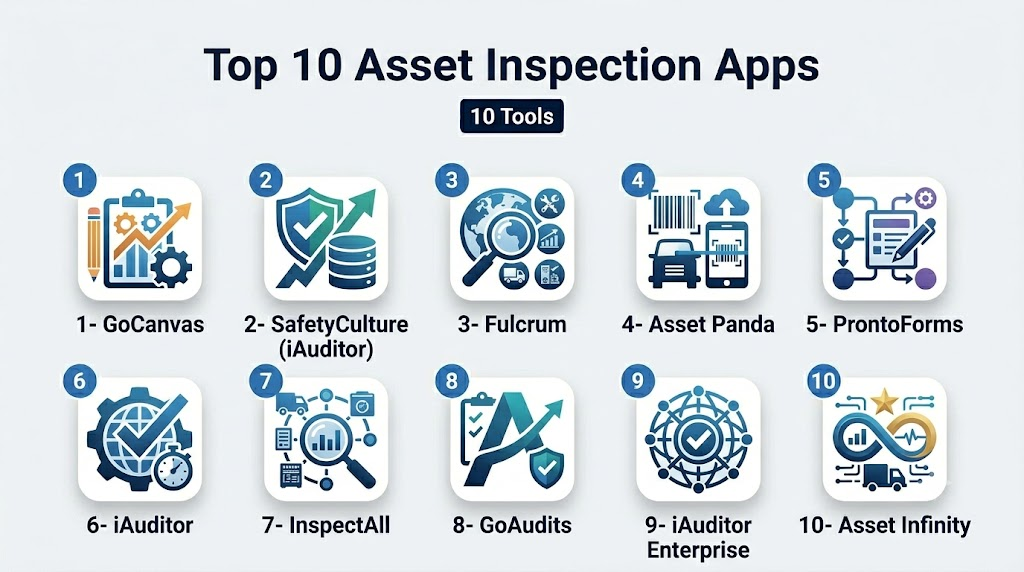
Top 10 Asset Inspection Apps
1- GoCanvas
Short description: GoCanvas provides mobile forms and inspection apps for field teams to collect and manage asset data efficiently.
Key Features
- Customizable inspection forms
- Photo and signature capture
- Offline data collection
- Real-time reporting dashboards
- Automated workflows and alerts
Pros
- Easy setup and mobile-friendly
- Strong workflow automation capabilities
Cons
- Advanced analytics may require premium plans
- Limited predictive maintenance features
Platforms / Deployment
- Web, iOS, Android
- Cloud
Security & Compliance
- Not publicly stated
Integrations & Ecosystem
- Integrates with CRM, ERP, and accounting software
- API for custom workflows
- Data export to Excel/CSV
Support & Community
- Email, chat support, and knowledge base
- User forums available
2- SafetyCulture (iAuditor)
Short description: SafetyCulture offers mobile inspection checklists and audit management for safety, quality, and operational inspections.
Key Features
- Pre-built and customizable checklists
- Real-time audit reporting
- Photo and video capture
- Offline mode for field inspections
- Analytics dashboards
Pros
- Strong focus on safety and compliance
- Easy-to-use mobile interface
Cons
- Some advanced analytics require subscription upgrades
- Limited ERP integration options
Platforms / Deployment
- Web, iOS, Android
- Cloud
Security & Compliance
- SOC 2, GDPR, ISO 27001 (Not fully verified)
Integrations & Ecosystem
- API access for data integration
- Export reports to Excel/PDF
- Integration with project management tools
Support & Community
- Online support, documentation, and training resources
- Active user community
3- Fulcrum
Short description: Fulcrum enables mobile data collection and asset inspections with configurable forms and geospatial capabilities.
Key Features
- Custom form builder for inspections
- GPS and mapping support
- Photo, video, and barcode capture
- Offline functionality
- Reporting and analytics
Pros
- Highly customizable for various inspection types
- Strong geospatial data support
Cons
- Enterprise features can be complex to configure
- Limited AI capabilities
Platforms / Deployment
- Web, iOS, Android
- Cloud
Security & Compliance
- Not publicly stated
Integrations & Ecosystem
- ERP and GIS system integration
- API for custom workflows
- Export to CSV/Excel
Support & Community
- Email and phone support
- Documentation and online community
4- Asset Panda
Short description: Asset Panda provides mobile asset management and inspection tools for tracking, auditing, and lifecycle management.
Key Features
- Mobile asset tracking
- Inspection checklist management
- Barcode and RFID integration
- Offline data capture
- Analytics and reporting
Pros
- Strong asset tracking combined with inspections
- Mobile and offline-friendly
Cons
- Advanced reporting may require professional services
- Learning curve for new users
Platforms / Deployment
- Web, iOS, Android
- Cloud
Security & Compliance
- Not publicly stated
Integrations & Ecosystem
- API for ERP and CMMS integration
- Barcode/RFID scanning systems
- Data export and reporting tools
Support & Community
- Email, phone support, and documentation
- Online knowledge base
5- ProntoForms
Short description: ProntoForms enables mobile forms for field inspections, asset audits, and maintenance reporting.
Key Features
- Drag-and-drop form builder
- Mobile data capture with photo/signature
- Real-time workflow automation
- Offline capabilities
- Reporting dashboards
Pros
- Easy to configure and deploy
- Supports complex workflows
Cons
- Predictive analytics limited
- Integration may require custom setup
Platforms / Deployment
- Web, iOS, Android
- Cloud
Security & Compliance
- Not publicly stated
Integrations & Ecosystem
- API for ERP/CRM
- Integration with productivity tools
- Export to PDF/Excel
Support & Community
- Email and chat support
- Training resources available
6- iAuditor by SafetyCulture
Short description: iAuditor provides inspection checklists, audit management, and reporting for safety and operational compliance.
Key Features
- Custom and pre-built checklists
- Offline mobile inspections
- Photo/video attachments
- Real-time dashboards
- Automated reports
Pros
- Strong safety and compliance focus
- Mobile-friendly interface
Cons
- Some features require paid plans
- Advanced integration options limited
Platforms / Deployment
- Web, iOS, Android
- Cloud
Security & Compliance
- SOC 2, ISO 27001 (Not fully verified)
Integrations & Ecosystem
- API for integration with CMMS or ERP
- Report exports to CSV/PDF
- Integration with project management tools
Support & Community
- Knowledge base, email support
- User community forums
7- InspectAll
Short description: InspectAll is a mobile inspection platform for equipment, facilities, and asset audits with workflow automation.
Key Features
- Asset inspection checklists
- Mobile data capture and offline support
- Photo and signature attachments
- Automated workflow notifications
- Reporting and analytics
Pros
- User-friendly interface
- Offline functionality for field teams
Cons
- Limited AI-assisted insights
- Integration options are basic
Platforms / Deployment
- Web, iOS, Android
- Cloud
Security & Compliance
- Not publicly stated
Integrations & Ecosystem
- API access for ERP and CMMS
- Data export to Excel/PDF
- Simple workflow integrations
Support & Community
- Email and phone support
- Online documentation
8- GoAudits
Short description: GoAudits offers mobile inspections and compliance management for various industries including manufacturing and energy.
Key Features
- Inspection forms and checklist builder
- Offline mobile data capture
- Photo, video, and signature support
- Automated alerts and reminders
- Reporting dashboards
Pros
- Flexible form builder
- Good offline support
Cons
- Advanced analytics limited
- Learning curve for complex workflows
Platforms / Deployment
- Web, iOS, Android
- Cloud
Security & Compliance
- Not publicly stated
Integrations & Ecosystem
- API for ERP/CMMS
- Export to PDF/Excel
- Workflow automation tools
Support & Community
- Email support and online guides
- Limited user forums
9- iAuditor Enterprise
Short description: Enterprise version of SafetyCulture’s iAuditor designed for large organizations with complex inspection workflows.
Key Features
- Enterprise-grade inspection and audit management
- Offline mobile inspections
- Automated workflows and escalations
- Real-time dashboards and KPIs
- Integration with corporate systems
Pros
- Scalable for large organizations
- Advanced reporting and analytics
Cons
- Price may be high for SMBs
- Implementation requires training
Platforms / Deployment
- Web, iOS, Android
- Cloud
Security & Compliance
- SOC 2, ISO 27001 (Not fully verified)
Integrations & Ecosystem
- APIs for ERP, CMMS, and asset management
- Data export and reporting
- Integration with productivity tools
Support & Community
- Enterprise support, training, and documentation
- Active enterprise community
10- Asset Infinity
Short description: Asset Infinity provides mobile asset inspection, tracking, and audit management with cloud-based reporting.
Key Features
- Asset inspection checklists
- Mobile app with offline mode
- Barcode/QR scanning
- Reporting and analytics
- Workflow automation
Pros
- Comprehensive asset management
- Offline and mobile support
Cons
- Advanced features may require professional setup
- Custom integrations may be limited
Platforms / Deployment
- Web, iOS, Android
- Cloud
Security & Compliance
- Not publicly stated
Integrations & Ecosystem
- API for ERP/CMMS integration
- Barcode/RFID systems
- Export reporting
Support & Community
- Email and chat support
- Online knowledge base
Comparison Table (Top 10)
| Tool Name | Best For | Platform(s) Supported | Deployment | Standout Feature | Public Rating |
|---|---|---|---|---|---|
| GoCanvas | Field data capture | Web, iOS, Android | Cloud | Mobile forms & workflow | N/A |
| SafetyCulture | Safety audits | Web, iOS, Android | Cloud | Custom checklists | N/A |
| Fulcrum | Geospatial inspections | Web, iOS, Android | Cloud | GIS-enabled forms | N/A |
| Asset Panda | Asset management | Web, iOS, Android | Cloud | Barcode/RFID tracking | N/A |
| ProntoForms | Field forms & reporting | Web, iOS, Android | Cloud | Workflow automation | N/A |
| iAuditor | Safety & compliance | Web, iOS, Android | Cloud | Audit management | N/A |
| InspectAll | Equipment inspections | Web, iOS, Android | Cloud | Workflow notifications | N/A |
| GoAudits | Multi-industry inspections | Web, iOS, Android | Cloud | Offline data capture | N/A |
| iAuditor Enterprise | Enterprise audits | Web, iOS, Android | Cloud | Scalable workflow | N/A |
| Asset Infinity | Asset audits | Web, iOS, Android | Cloud | Barcode/QR scanning | N/A |
Evaluation & Scoring of Asset Inspection Apps
| Tool Name | Core (25%) | Ease (15%) | Integrations (15%) | Security (10%) | Performance (10%) | Support (10%) | Value (15%) | Weighted Total (0–10) |
|---|---|---|---|---|---|---|---|---|
| GoCanvas | 9 | 8 | 7 | 6 | 8 | 7 | 8 | 8.0 |
| SafetyCulture | 9 | 8 | 7 | 6 | 8 | 7 | 7 | 7.9 |
| Fulcrum | 8 | 8 | 7 | 6 | 7 | 7 | 7 | 7.5 |
| Asset Panda | 8 | 8 | 7 | 6 | 7 | 7 | 7 | 7.5 |
| ProntoForms | 8 | 8 | 7 | 6 | 7 | 7 | 7 | 7.5 |
| iAuditor | 9 | 8 | 7 | 6 | 8 | 7 | 7 | 7.8 |
| InspectAll | 7 | 8 | 6 | 6 | 7 | 7 | 7 | 7.0 |
| GoAudits | 7 | 8 | 6 | 6 | 7 | 7 | 7 | 7.0 |
| iAuditor Enterprise | 9 | 7 | 8 | 7 | 8 | 7 | 7 | 7.8 |
| Asset Infinity | 8 | 8 | 7 | 6 | 7 | 7 | 7 | 7.5 |
Which Asset Inspection App Is Right for You?
Solo / Freelancer
GoCanvas or ProntoForms are simple and mobile-friendly for individual inspectors.
SMB
SafetyCulture, Fulcrum, or Asset Panda provide scalable forms, reporting, and mobile inspection capabilities.
Mid-Market
GoAudits and InspectAll offer workflow automation and offline functionality suitable for mid-sized operations.
Enterprise
iAuditor Enterprise, Asset Infinity, and iAuditor provide advanced workflow, AI insights, and enterprise scalability.
Budget vs Premium
Budget options focus on basic mobile inspections and offline capture; premium apps add analytics, workflow automation, and AI assistance.
Feature Depth vs Ease of Use
Complex inspection workflows benefit from Asset Panda or iAuditor Enterprise; smaller teams value GoCanvas or ProntoForms for simplicity.
Integrations & Scalability
Enterprises need apps with APIs for ERP, CMMS, and IoT integration, while SMBs may rely on built-in export and reporting tools.
Security & Compliance Needs
Organizations in regulated industries should verify apps provide encryption, MFA, SSO, and audit logging.
Frequently Asked Questions (FAQs)
1- How are these apps priced?
Most offer subscription-based pricing by user or number of assets, with enterprise quotes for large deployments.
2- Can these apps work offline?
Yes, leading apps provide offline mobile inspection capabilities for remote locations.
3- How long does deployment take?
Small teams can deploy in days; enterprise rollouts may take several weeks with integrations.
4- Do these apps integrate with ERP or CMMS?
Yes, most provide APIs or built-in connectors for enterprise systems.
5- Are mobile apps available?
Yes, iOS and Android apps are standard for field inspectors.
6- Can inspection data be exported?
All platforms allow exporting to Excel, PDF, or integrating with reporting tools.
7- Are these apps secure for sensitive operations?
Security varies; verify encryption, SSO, MFA, and audit logging, especially for regulated industries.
8- Do they support predictive maintenance?
Some apps like Asset Panda and iAuditor Enterprise offer AI-assisted predictive insights.
9- Which industries benefit most?
Manufacturing, energy, utilities, construction, and logistics see the greatest value.
10- Can I migrate between apps easily?
Migration depends on data formats; CSV/Excel export/import and API workflows help transition.
Conclusion
Asset Inspection Apps are essential for organizations to efficiently manage, monitor, and maintain physical assets while ensuring compliance and operational safety. Choosing the right app depends on team size, inspection complexity, and integration needs with ERP, CMMS, or IoT systems. SMBs can benefit from simple and mobile-friendly solutions like GoCanvas or ProntoForms. Mid-market teams may prefer apps like InspectAll or GoAudits for workflow automation and offline capabilities. Enterprises often require robust solutions such as iAuditor Enterprise, Asset Panda, or Asset Infinity for advanced analytics and scalability. Key factors include offline support, ease of use, AI-assisted insights, and security features.

Find Trusted Cardiac Hospitals
Compare heart hospitals by city and services — all in one place.
Explore Hospitals
Asset inspection apps are most effective when they enable field teams to capture accurate inspection data at the point of service. Mobile checklists, photo documentation, GPS tagging, and real-time reporting help organizations improve compliance, identify maintenance needs early, and extend the lifespan of critical assets.