Introduction
Court e‑Filing Systems are software platforms that enable attorneys, court staff, litigants, and other stakeholders to electronically file legal documents, manage case submissions, and interact with court workflows online without needing to physically visit a courthouse. These systems replace paper‑based filing, streamline judicial administration, and serve as the digital backbone of modern judiciary operations. context e‑filing is no longer a convenience it’s a foundational expectation for court systems worldwide. Courts are under pressure to reduce costs, improve access to justice, ensure procedural fairness, and integrate modern automation technologies such as AI OCR document recognition, digital signature support, and automated submission quality checks. Rapid digitization has made e‑filing a core judicial infrastructure element, particularly as courts handle growing caseloads and remote participants demand efficient online access.
Real‑world use cases include:
- Attorneys submitting pleadings, motions, and briefs to courts in compliance with jurisdictional rules.
- Court clerks reviewing, approving, and docketing electronically filed documents.
- Self‑represented litigants accessing simplified online portals for filing basic case forms.
- Judges and staff retrieving case files and managing calendars digitally.
- Audit and compliance teams tracking submission timestamps and fee payments for transparency.
What buyers should evaluate:
- Support for jurisdictional rules and mandatory court formats.
- User experience for attorneys and pro se litigants.
- Document validation and automated rule‑check engines.
- Integration with court calendars, case management, and payment systems.
- Accessibility and ADA compliance.
- Security, encryption, and audit log capabilities.
- Deployment flexibility (cloud and/or on‑premises).
- API availability and extensibility.
- Reporting, analytics, and workflow automation.
- Pricing and total cost of ownership.
Best for: Court administrators, clerks, judiciary IT leaders, bar associations, legal technology teams in government and large law firms.
Not ideal for: Individuals or organizations that only occasionally interact with court systems, or teams that need only simple document sharing without formal filing requirements.
Key Trends in Court e‑Filing Systems
- AI‑Enhanced Document Validation — Machine learning performs error checking, format matching, and suggests corrections pre‑submission.
- Automated Compliance Checks — Systems enforce local court rules and flag jurisdiction‑specific issues automatically.
- Mobile‑Friendly Filing — Increasing support for fully responsive web and mobile apps for on‑the‑go submissions.
- Cloud‑Native Platforms — Courts increasingly adopt cloud services to reduce hardware maintenance and improve uptime.
- Integrated Payments and Fee Tracking — Users pay filing fees inline with submissions and courts better monitor revenue streams.
- Advanced OCR and Text Recognition — Turning scanned documents into structured data for indexing.
- Role‑Based Access and Identity Protections — MFA, RBAC, and audit logs are becoming baseline expectations for security.
- Open APIs for Ecosystem Integration — Case management systems, public records systems, and calendars connect more deeply.
- Support for eDiscovery Integration — Linking filed documents to evidence and discovery management workflows.
- Analytics for Judicial Workload Management — Dashboards help monitor filing volume, case types, and judge assignments for planning.
How We Selected These Tools (Methodology)
We chose the Top 10 Court e‑Filing Systems based on a balanced set of evaluative criteria:
- Market adoption / jurisdiction coverage: How widely a system is used across courts and legal communities.
- Feature completeness: Depth of support for e‑filing workflows including validation, docket integration, and payment.
- Reliability and performance signals: Uptime reliability, speed of processing, and user satisfaction signals.
- Security posture: Support for encryption, identity management, audit logs, and compliance with regulatory expectations.
- Integrations / ecosystem: Ability to connect with case management systems, payment providers, calendars, and APIs.
- User experience: Ease of use for attorneys, litigants, and court staff.
- Compliance automation: Built‑in jurisdiction rule engines and document format enforcement.
- Accessibility and ADA compliance: Support for diverse users including accessibility features.
- Scalability: Whether the system supports statewide, regional, or multi‑court deployments.
- Support and documentation quality: Availability of training, documentation, and vendor support.
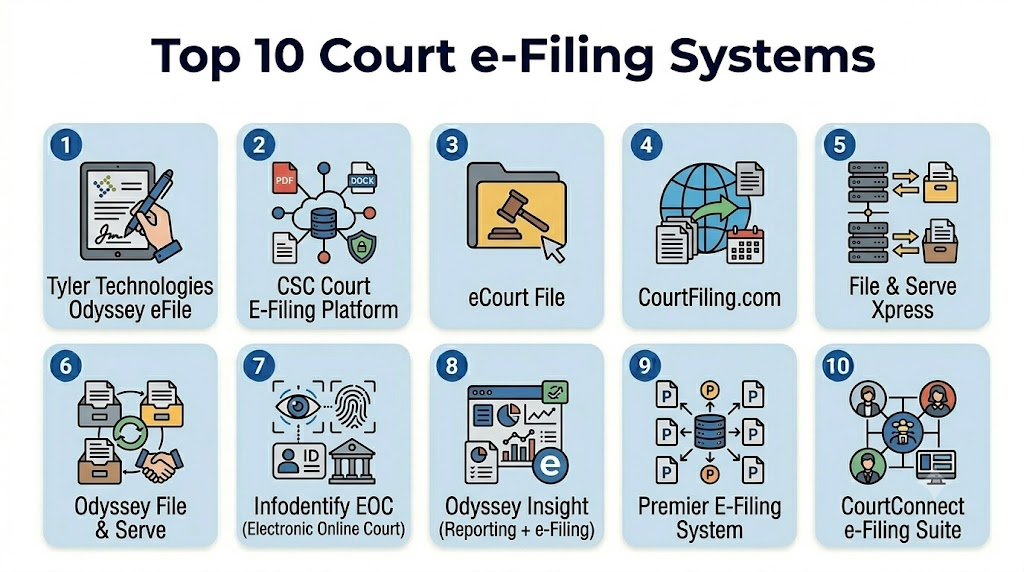
Top 10 Court e‑Filing Systems
1 — Tyler Technologies Odyssey eFile
Short description :
Odyssey eFile is a comprehensive court e‑filing system designed for use in state and local courts, supporting robust document submission, validation, and integrated payment workflows.
Key Features
- Rule‑based document validation engines.
- Integrated payment processing for court fees.
- Support for multiple filing types and jurisdictions.
- Real‑time status tracking and notifications.
- Bulk uploading and automated indexing.
- Secure user authentication and role management.
- Workflow integration with case management.
Pros
- Strong rule‑based validation reduces filing errors.
- Deep integration with Tyler’s broader judicial ecosystem.
Cons
- Implementation may require considerable configuration.
- Costs can be higher for smaller jurisdictions.
Platforms / Deployment
- Web
- Cloud / Hybrid
Security & Compliance
- SSO/SAML and multi‑factor authentication
- Encryption at rest and in transit
- Audit logging
- Compliance with judicial security policies
- SOC 2 reported for underlying platform
Integrations & Ecosystem
Odyssey eFile integrates tightly with the larger Odyssey suite and supports:
- Local court calendars
- Case management systems
- Electronic payment systems
- Notification and alert services
Support & Community
- Extensive vendor training and onboarding.
- Online documentation and support tiers.
- Active user groups among court IT leaders.
2 — CSC Court E‑Filing Platform
Short description:
The CSC e‑Filing Platform is a modular e‑filing system designed for flexibility across diverse court sizes, emphasizing compliance with local filing rules.
Key Features
- Configurable filing workflows.
- Jurisdiction rule engines customizable by region.
- Secure submission and docket integration.
- Public portal for pro se filing.
- Integrated fee tracking and receipt generation.
Pros
- Highly configurable for local rules.
- Good support for pro se users.
Cons
- May require local IT involvement for setup.
- Interface is functional but less modern than competitors.
Platforms / Deployment
- Web
- Cloud / On‑premises
Security & Compliance
- RBAC, encryption
- Audit logs
- Not publicly stated for specific certifications
Integrations & Ecosystem
- Case management systems
- Payment gateways
- Calendar systems
Support & Community
- Standard vendor support
- Documentation varies by deployment
3 — eCourt File
Short description:
eCourt File is a widely used e‑filing solution known for its broad jurisdiction coverage and support for attorney workflows.
Key Features
- Intelligent form recognition and formatting.
- Status dashboards with email notifications.
- Payment and fee reconciliation.
- Document previews before submission.
- Role‑based access.
Pros
- Accessible workflow for frequent filers.
- Broad support across states and regions.
Cons
- Less depth in analytics than enterprise systems.
- Support responsiveness varies.
Platforms / Deployment
- Web
- Cloud
Security & Compliance
- Encryption
- RBAC
- Not publicly stated for certifications
Integrations & Ecosystem
- Clerk docketing tools
- Payment systems
- Limited API integration
Support & Community
- Email and support portal available
- Community forums vary by state
4 — CourtFiling.com
Short description:
A cloud‑native e‑filing portal used by law firms and courts, emphasizing simple filing workflows and fee management.
Key Features
- Step‑by‑step submission guidance.
- Multi‑format document support.
- Payment and confirmation receipts.
- Filing history and reports.
- Alerts and notifications.
Pros
- Easy to onboard for law firms.
- Provides clear submission guidance.
Cons
- Less robust for clerks than dedicated court systems.
- Integration options are more limited.
Platforms / Deployment
- Web
- Cloud
Security & Compliance
- SSL encryption
- Role‑based permissions
- Not publicly stated for certifications
Integrations & Ecosystem
- Payment systems
- Email notification services
Support & Community
- Vendor support available
- Knowledge base resources
5 — File & Serve Xpress
Short description:
File & Serve Xpress is an attorney‑focused e‑filing and service platform used in multiple states, offering document sharing among parties and courts.
Key Features
- Party service and delivery notifications.
- Document repository and tracking.
- Secure user authentication.
- Court docket integration.
- Advanced search capabilities.
Pros
- Strong support for attorney service requirements.
- Good visibility on service status.
Cons
- Some workflows focus more on service than judicial integration.
- Pricing varies by usage.
Platforms / Deployment
- Web
- Cloud
Security & Compliance
- Authentication protocols
- Encryption
- Not publicly stated for certifications
Integrations & Ecosystem
- Service tracking
- Case management connectors
- Email alerts
Support & Community
- Professional onboarding
- Token‑based support tiers
6 — Odyssey File & Serve
Short description:
A sibling product to Tyler’s Odyssey eFile, File & Serve emphasizes document exchange between attorneys and courts with traceable service and delivery.
Key Features
- Secure document transfer.
- Service confirmations.
- Comprehensive audit trails.
- Integrated fee handling.
- Multi‑party notifications.
Pros
- Excellent for attorney document delivery needs.
- Strong audit and timestamp features.
Cons
- Less judiciary‑centric than eFile counterpart.
- Complexity requires training.
Platforms / Deployment
- Web
- Cloud
Security & Compliance
- SSO, MFA
- Encryption at rest/in transit
- Audit logs
Integrations & Ecosystem
- Court calendars
- Docket systems
- Case management integrations
Support & Community
- Full vendor support
- Training workshops
7 — Infodentify EOC (Electronic Online Court)
Short description:
EOC focuses on simplifying court filing for smaller jurisdictions with straightforward interfaces and pay‑as‑you‑go models.
Key Features
- Simple filing wizard.
- Public access filing.
- Fee processing support.
- Document validation alerts.
- Filing history logs.
Pros
- Easy for smaller courts.
- Low barrier to entry.
Cons
- Fewer advanced features.
- Limited integration.
Platforms / Deployment
- Web
- Cloud
Security & Compliance
- Encryption
- Basic audit logs
- Not publicly stated certifications
Integrations & Ecosystem
- Payment services
- Clerk dashboard
Support & Community
- Online support
- FAQs and guides
8 — Odyssey Insight (Reporting + e‑Filing)
Short description:
Odyssey Insight blends e‑filing with advanced dashboards and analytics for judicial performance and caseload monitoring.
Key Features
- Filing metrics and volume dashboards.
- Compliance and timing reports.
- Filings by category and jurisdiction views.
- Alerts for delays or anomalies.
- Integration with e‑file streams.
Pros
- Helps courts monitor filing trends.
- Supports strategic planning.
Cons
- Analytics add‑on may require extra cost.
- Requires data maturity.
Platforms / Deployment
- Web
- Cloud / Hybrid
Security & Compliance
- Encryption
- RBAC
- Audit logs
Integrations & Ecosystem
- Case management
- Payment systems
- Notifications
Support & Community
- Documentation
- Analytics support
9 — Premier E‑Filing System
Short description:
A flexible court e‑filing product suitable for mid‑size courts with customizable workflows and public portals.
Key Features
- Custom workflow builder.
- Citizen and attorney portals.
- Fee capture integration.
- Docket synchronization.
- Bulk upload processing.
Pros
- Good balance of power and cost.
- Customizable forms.
Cons
- Customization requires governance.
- Limited advanced rule engines.
Platforms / Deployment
- Web
- Cloud / Hybrid
Security & Compliance
- Encryption
- RBAC
- Not publicly stated certifications
Integrations & Ecosystem
- Local calendars
- Payment systems
- Notice systems
Support & Community
- Support hotline
- Implementation guides
10 — CourtConnect e‑Filing Suite
Short description:
CourtConnect provides a modular e‑filing and court interaction suite that can scale from small to statewide deployments.
Key Features
- Modular components for filing, calendar, and notices.
- API access.
- Multi‑party filing support.
- File history and retrieval.
- Alerts and compliance reminders.
Pros
- Scales for different court sizes.
- Modular design provides flexibility.
Cons
- More modules increase total cost.
- Learning curve for customization.
Platforms / Deployment
- Web
- Cloud / Hybrid
Security & Compliance
- Encryption
- RBAC
- Audit capabilities
Integrations & Ecosystem
- Case management
- Notification platforms
- Payment systems
Support & Community
- Documentation libraries
- Support tiers
Comparison Table (Top 10)
| Tool Name | Best For | Platforms Supported | Deployment | Standout Feature | Public Rating |
|---|---|---|---|---|---|
| Odyssey eFile | Enterprise/state courts | Web | Cloud/Hybrid | Rule‑based validation | N/A |
| CSC e‑Filing | Flexible local courts | Web | Cloud/On‑prem | Configurable rules | N/A |
| eCourt File | Multi‑jurisdiction | Web | Cloud | Broad support footprint | N/A |
| CourtFiling.com | Lawyers & courts | Web | Cloud | Simple user workflow | N/A |
| File & Serve Xpress | Attorney service | Web | Cloud | Party service tracking | N/A |
| Odyssey File & Serve | Attorneys & courts | Web | Cloud | Document exchange | N/A |
| EOC | Smaller jurisdictions | Web | Cloud | Simplicity | N/A |
| Odyssey Insight | Courts + analytics | Web | Cloud/Hybrid | Filing analytics | N/A |
| Premier E‑Filing | Mid‑size courts | Web | Cloud/Hybrid | Workflow builder | N/A |
| CourtConnect | Scalable deployments | Web | Cloud/Hybrid | Modular design | N/A |
Evaluation & Scoring of Court e‑Filing Systems
| Tool Name | Core (25%) | Ease (15%) | Integrations (15%) | Security (10%) | Performance (10%) | Support (10%) | Value (15%) | Total |
|---|---|---|---|---|---|---|---|---|
| Odyssey eFile | 9 | 7 | 8 | 9 | 9 | 8 | 7 | 8.4 |
| CSC e‑Filing | 8 | 7 | 7 | 8 | 8 | 7 | 8 | 7.7 |
| eCourt File | 8 | 8 | 6 | 7 | 8 | 7 | 8 | 7.7 |
| CourtFiling.com | 7 | 9 | 6 | 7 | 7 | 7 | 9 | 7.6 |
| File & Serve Xpress | 8 | 8 | 6 | 7 | 8 | 7 | 8 | 7.7 |
| Odyssey File & Serve | 8 | 7 | 8 | 8 | 8 | 7 | 7 | 7.7 |
| EOC | 6 | 9 | 5 | 7 | 6 | 7 | 9 | 7.2 |
| Odyssey Insight | 7 | 6 | 8 | 8 | 8 | 7 | 7 | 7.5 |
| Premier E‑Filing | 7 | 8 | 7 | 7 | 7 | 7 | 8 | 7.5 |
| CourtConnect | 8 | 7 | 8 | 8 | 8 | 7 | 7 | 7.8 |
Which Court e‑Filing Tool Is Right for You?
Solo / Freelancer
- CourtFiling.com or EOC for streamlined, guided filing with minimal friction and easy fee processing.
SMB (Small Courts / Agencies)
- CSC e‑Filing or Premier E‑Filing strike a balance of configurability and cost without needing enterprise resource investment.
Mid‑Market
- eCourt File, File & Serve Xpress, or CourtConnect provide scalability and stronger compliance automation.
Enterprise / Statewide
- Odyssey eFile or Odyssey Insight for deep rule automation and analytics at scale.
Budget vs Premium
- Budget: EOC and CourtFiling.com offer straightforward pricing and basic functionality.
- Premium: Odyssey products and CSC e‑Filing provide deep automation and integration.
Feature Depth vs Ease of Use
- Feature depth: Odyssey eFile, Odyssey Insight, CSC e‑Filing.
- Ease of use: CourtFiling.com, EOC.
Integrations & Scalability
- For advanced integration with case management and judicial calendars, choose Odyssey, CourtConnect, or File & Serve Xpress.
Security & Compliance Needs
- Choose systems with robust audit and identity controls like Odyssey eFile and Odyssey Insight where sensitive case integrity is essential.
Frequently Asked Questions (FAQs)
1‑ What pricing models do court e‑filing systems use?
Pricing varies: subscription fees, per‑filing fees, or tiered rates based on users or court size. Some products use pay‑as‑you‑go for smaller courts.
2‑ How long does implementation take?
Implementations range from a few weeks for cloud‑native, standard setups to several months for customized, enterprise configurations.
3‑ Can these systems integrate with existing court calendars?
Yes, most support calendar and docket integration for automatic assignment of filing dates and status tracking.
4‑ Do e‑filing systems handle fee payments?
Most modern systems include integrated payment capture, reconciliation reports, and receipt generation.
5‑ What security measures should courts expect?
Expect encrypted transmission and storage, role‑based access, audit logs, and MFA; exact certifications vary.
6‑ Are mobile filing capabilities important?
Increasingly so—mobile‑friendly filing helps attorneys and litigants file documents remotely and check status on the go.
7‑ What is rule‑based validation?
Rule engines check for compliance with jurisdiction‑specific formatting and submission requirements pre‑submission.
8‑ How do systems support pro se litigants?
Many systems provide simplified portals with guidance and document wizards for non‑lawyers.
9‑ Can court staff manage filings from the same system?
Yes, most systems offer clerk interfaces to review, docket, assign, and monitor filings.
10‑ Do e‑filing platforms support analytics?
Some products include dashboards and reporting to help courts monitor trends and workloads.
Conclusion
Court e‑Filing Systems are essential infrastructure for modern judicial operations. They streamline filings, enforce compliance, improve transparency, and reduce administrative burden. Whether you represent a small local court looking for simplicity or a statewide judiciary seeking deep automation and analytics, the right system depends on your scale, integration needs, and user base. The best next step is to shortlist 2–3 tools, run pilot filings, and validate security, integration, and user experience before full deployment.

Find Trusted Cardiac Hospitals
Compare heart hospitals by city and services — all in one place.
Explore Hospitals
I want to learn more about court e-filing systems, and this blog gave me a better understanding of the topic. Thanks for sharing.