Introduction
Prison & Corrections Management Software (PCMS) refers to application suites designed to support the complex operational, administrative, and rehabilitative needs of correctional facilities. These systems centralize inmate records, manage facility schedules, automate workflows, track incidents, monitor security, and often integrate with external law enforcement and court systems. As institutions worldwide continue modernizing correctional operations, PCMS has evolved beyond basic record keeping into a platform for safety, compliance, rehabilitation planning, and data‑driven decision‑making. correctional agencies are under increasing pressure to leverage data and automation to enhance safety, reduce recidivism, and improve resource allocation. The COVID‑era acceleration of digital transformation exposed gaps in siloed, manual systems. Today’s PCMS solutions offer cloud options, advanced analytics, biometric identity verification, incident automation, and integration with IoT devices like surveillance cameras and access control systems.
Real‑world use cases include:
- Inmate lifecycle management: Recording and tracking inmate details from booking through classification, housing, behavior tracking, and release.
- Incident reporting & investigations: Automated documentation and investigation workflows for security incidents, medical emergencies, or inter‑inmate conflicts.
- Facility security coordination: Integration with surveillance, access control, and alarm systems to monitor perimeter and internal movements.
- Rehabilitation & programming management: Scheduling and monitoring educational programs, work assignments, visitation, and rehabilitative services.
- Compliance & reporting: Ensuring adherence to regulatory requirements related to privacy, human rights standards, and legal obligations.
What buyers should evaluate:
- Core feature completeness (inmate records, incident management, scheduling)
- Ease of use and training burden
- Security & compliance (access control, audit logs, encryption)
- Interoperability with law enforcement, courts, healthcare, and finance
- Scalability (single facility to statewide deployments)
- Deployment flexibility (cloud, on‑premises, hybrid)
- Analytics & reporting capabilities
- Mobile access for field or remote tasks
- Cost structure and total cost of ownership
- Support, training, and community resources
Best for: Correctional administrators, IT directors in government/public safety, and policy decision‑makers in justice systems overseeing inmate management and facility operations.
Not ideal for: Organizations without structured inmate populations probation offices without detention facilities or small entities that need only basic task tracking and do not require corrections‑specific workflows.
Key Trends in Prison & Corrections Management Software
- AI‑Driven Risk & Behavior Analytics — Predictive models help identify behavioral risk patterns and support classification decisions.
- Cloud‑Native Architecture & SaaS Adoption — Increased use of cloud platforms for scalability, redundancy, and reduced hardware overhead.
- Mobile & Tablet Interfaces for Field Staff — Correctional officers using tablets or mobile devices for real‑time updates, head counts, and incident logging.
- IoT & Integrated Facility Security — Seamless integration with biometric scanners, door sensors, cameras, and wearables.
- Data Standardization & Interagency Connectivity — APIs and open standards enabling faster data sharing between courts, parole systems, and law enforcement.
- Automated Compliance Auditing — Built‑in compliance checks with documentation and audit trails to support regulatory requirements.
- Self‑Service Portals — Enhanced inmate family portals and scheduling tools for visitation and communications.
- Rehabilitation & Program Tracking Enhancements — Embedding metrics to track outcomes of education, vocational training, and therapy programs.
- Enhanced Reporting & Dashboards — Real‑time metrics for occupancy, incidents, staffing levels, and healthcare coordination.
- Role‑Based Dashboards for Different Stakeholders — Tailored views for administrators, officers, medical staff, and rehabilitation coordinators.
How We Selected These Tools (Methodology)
Our selection of the Top 10 Prison & Corrections Management Software was guided by the following criteria:
- Market adoption / mindshare: Presence in multiple facilities, agencies, or governmental use cases.
- Feature completeness: Breadth and depth across core functional areas like inmate management, security, scheduling, and reporting.
- Reliability / performance signals: Proven operational performance in missions where uptime and accuracy are vital.
- Security posture signals: Support for encryption, access controls, audit capabilities, and compliance frameworks.
- Integration & ecosystem: Ability to connect with other justice, healthcare, and security systems via APIs or native adapters.
- Customer fit across segments: Solutions suitable for a range of facility sizes and operational needs, from small detention centers to large state systems.
- User experience: Usability for both technical and non‑technical users.
- Deployment flexibility: Cloud, on‑premises, or hybrid options to match budget, policy, and infrastructure requirements.
- Support & training: Quality of documentation, onboarding processes, and support availability.
- Innovation & roadmap: Incorporation of modern technologies such as AI, mobile capabilities, and analytics.
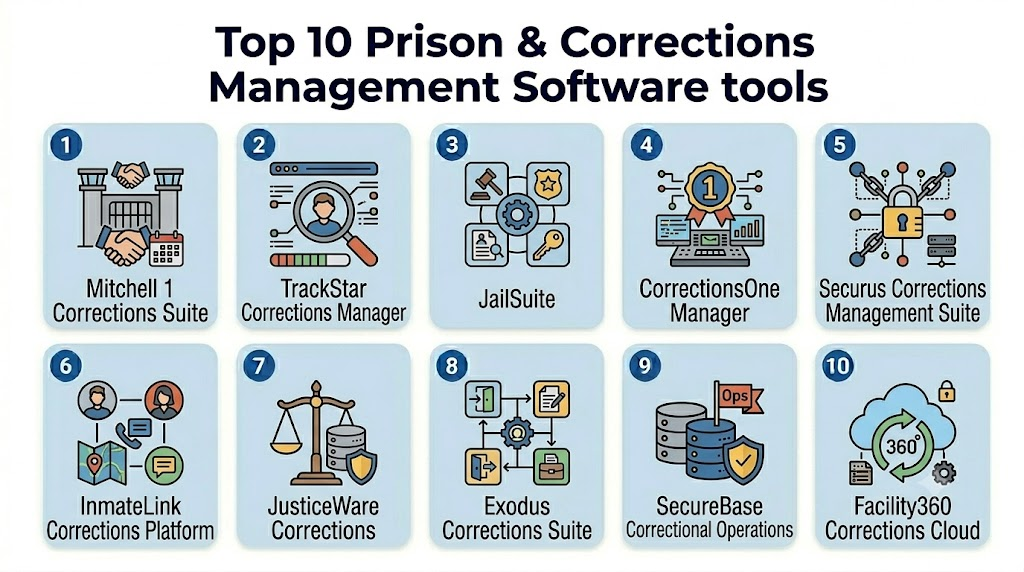
Top 10 Prison & Corrections Management Software Tools
1 — Tool 1: Mitchell 1 Corrections Suite
Short description:
A comprehensive corrections management platform designed for medium to large detention facilities, encompassing inmate tracking, scheduling, security, and analytics.
Key Features
- Full inmate lifecycle management from intake to release.
- Incident reporting and investigation workflows.
- Scheduling and assignment automation for staff and facility resources.
- Integrated biometric identification and visitor management.
- Correction facility analytics dashboards.
- Integration with surveillance systems and access control.
- Automated alerts and notifications.
Pros
- Strong automation of routine corrections tasks.
- Deep security and audit capabilities for compliance.
- Built‑in analytics supports policy and staffing decisions.
Cons
- Implementation effort can be significant for larger programs.
- May require specialized training for full feature utilization.
Platforms / Deployment
- Web / Windows
- Cloud / On‑premises / Hybrid
Security & Compliance
- Role‑Based Access Control (RBAC)
- Encryption at rest and in transit
- Audit logging
- Multi‑factor authentication
- Compliance with public safety IT policies
- SOC 2 reported for infrastructure
Integrations & Ecosystem
Mitchell 1’s ecosystem supports connections with:
- CCTV and surveillance platforms
- Biometric identity systems
- Court and parole systems
- Scheduling and rostering tools
Support & Community
- Comprehensive onboarding and configuration support.
- Tiered support channels.
- Documentation and user training programs.
2 — Tool 2: TrackStar Corrections Manager
Short description:
A scalable software system focused on inmate tracking, incident and case management, and facility operations for public safety organizations.
Key Features
- Centralized inmate records and history.
- Incident and behavior tracking with workflows.
- Staff scheduling and duty assignments.
- Housing and cell control modules.
- Automated reporting and audit trails.
Pros
- Flexible configuration for facilities of various sizes.
- Strong incident and behavior tracking.
- Clear audit visibility.
Cons
- UI can feel dated for some users.
- Mobile application features are still expanding.
Platforms / Deployment
- Web / Windows
- Cloud / Hybrid
Security & Compliance
- Encryption at rest and in transit
- RBAC and audit logs
- Not publicly stated for specific certifications
Integrations & Ecosystem
TrackStar supports:
- Security hardware integrations
- Law enforcement systems
- Reporting and analytics engines
Support & Community
- Vendor support with portal access.
- Implementation assistance.
- Documentation library is moderate.
3 — Tool 3: JailSuite
Short description:
An integrated platform designed for correctional facilities that need inmate management, incident reporting, and staff coordination in one package.
Key Features
- Inmate admissions and classification.
- Incident reporting and corrective action workflows.
- Scheduling for staff and programs.
- Visitation management modules.
- Medical records linking.
- Reporting and compliance dashboards.
Pros
- Offers a broad set of corrections‑centric modules.
- Useful for medium‑sized facilities.
- Simplifies cross‑department coordination.
Cons
- Some advanced integrations require custom work.
- Analytical features are basic compared to enterprise offerings.
Platforms / Deployment
- Web / Windows
- Cloud / On‑premises
Security & Compliance
- Encryption
- RBAC and audit support
- Not publicly stated for certifications
Integrations & Ecosystem
JailSuite connects with:
- Facility scheduling tools
- Visitation kiosks
- Health systems for medical linkages
Support & Community
- Vendor support available.
- Community forums vary by region.
- Documentation moderate.
4 — Tool 4: CorrectionsOne Manager
Short description:
A modular corrections management system that emphasizes incident workflows, reporting, and scalability.
Key Features
- Module‑based operations (inmate, incident, scheduling).
- Automated incident workflow templates.
- Reporting builder and compliance outputs.
- Custom dashboards.
- Staff and resource scheduling.
Pros
- Modular design allows pay‑as‑you‑grow use.
- Custom dashboards increase visibility.
- Scales from small to medium facilities.
Cons
- Some modules are add‑ons and may increase cost.
- Advanced analytics are limited.
Platforms / Deployment
- Web
- Cloud / Hybrid
Security & Compliance
- Role‑based permissions
- Encryption
- Audit trails
Integrations & Ecosystem
- Security hardware
- Payment and commissary systems
- Reporting platforms
Support & Community
- Implementation support
- Tiered support options
- Growing user community
5 — Tool 5: Securus Corrections Management Suite
Short description:
A corrections software system with a strong focus on inmate services, communication integration, and facility operations efficiency.
Key Features
- Inmate communication tracking.
- Visitation and scheduling tools.
- Incident and discipline tracking.
- Facility resource management.
- Automated alerts and inmate care triggers.
Pros
- Built‑in emphasis on inmate services and family connections.
- Strong incident logging.
Cons
- Security integrations are moderate.
- Advanced analytics limited.
Platforms / Deployment
- Web
- Cloud / Hybrid
Security & Compliance
- Encryption for communication logs
- RBAC
- Audit logs
- Not publicly stated for certifications
Integrations & Ecosystem
- Visitation systems
- Commissary and payment tools
- Scheduling applications
Support & Community
- Vendor assistance
- Documentation moderate
- User base active
6 — Tool 6: InmateLink Corrections Platform
Short description:
A platform combining inmate management with communication tools and family engagement modules.
Key Features
- Inmate profiles and history.
- Communication scheduling with families.
- Visitation coordination.
- Incident tracking.
- Reporter workflows for grievances.
Pros
- Provides expanded family and communication tools.
- Easy interface for users.
Cons
- Less robust for physical security integrations.
- Reporting granularity is moderate.
Platforms / Deployment
- Web / iOS / Android
- Cloud
Security & Compliance
- Encryption
- RBAC
- Not publicly stated for certifications
Integrations & Ecosystem
- Family engagement portals
- Visitation kiosks
- Communication systems
Support & Community
- Vendor support available
- Documentation and onboarding resources
7 — Tool 7: JusticeWare Corrections
Short description:
A mature corrections management system often deployed with wide jurisdiction coverage, emphasizing compliance and reporting.
Key Features
- Inmate tracking and lifecycle records.
- Incident reporting and tracking.
- Staff scheduling and duty logs.
- Security incident dashboard.
- Analytics and compliance exports.
Pros
- Strong reporting capabilities.
- Designed for larger deployments.
Cons
- UI and workflow improvements lag modern systems.
- Cloud deployment details vary.
Platforms / Deployment
- Web / Windows
- Cloud / On‑premises
Security & Compliance
- RBAC
- Encryption
- Audit logs
- Compliance tracking
Integrations & Ecosystem
- Law enforcement systems
- Security hardware
- Scheduling and rostering tools
Support & Community
- Vendor support available
- Documentation robust
- Larger user base share best practices
8 — Tool 8: Exodus Corrections Suite
Short description:
An enterprise‑level prisons and corrections management platform designed for multi‑facility deployment, focusing on analytics and integrations.
Key Features
- Advanced analytics dashboards.
- Centralized inmate records across facilities.
- Automated incident workflows.
- Scheduling and staffing forecasting.
- IoT device integration.
Pros
- Strong analytics for operational insight.
- Scales well for large jurisdictions.
Cons
- Implementation complexity.
- Higher cost of ownership.
Platforms / Deployment
- Web / Windows
- Cloud / Hybrid
Security & Compliance
- RBAC
- Encryption
- Audit logs
- Not publicly stated for certifications
Integrations & Ecosystem
- IoT devices (cameras, sensors)
- Scheduling systems
- Law enforcement and court connectivity
Support & Community
- Enterprise support tiers
- Extensive documentation
- Professional services
9 — Tool 9: SecureBase Correctional Operations
Short description:
A modern corrections management platform emphasizing security, mobile access, and incident automation.
Key Features
- Mobile field incident reporting.
- Inmate lifecycle tracking.
- Security incident alerts and dashboards.
- Resource and staff management.
- Analytics reporting.
Pros
- Modern mobile capabilities.
- Security‑oriented design.
Cons
- Smaller ecosystem integrations.
- Newer product with smaller community.
Platforms / Deployment
- Web / iOS / Android
- Cloud
Security & Compliance
- Encryption
- RBAC
- Audit log
- MFA
Integrations & Ecosystem
- Mobile data entry
- Incident dashboards
- Scheduling and reporting
Support & Community
- Vendor support available
- Documentation evolving
10 — Tool 10: Facility360 Corrections Cloud
Short description:
A cloud‑first corrections management solution with a focus on usability, dashboards, and citizen‑facing scheduling portals.
Key Features
- Inmate records and history.
- Incident workflows and reporting.
- Visitation and family portals.
- Dashboard analytics.
- Automated alerts and notifications.
Pros
- Strong usability and dashboard design.
- Cloud‑native deployment reduces hardware burden.
Cons
- Less advanced physical security integration.
- Reporting functions are mid‑range.
Platforms / Deployment
- Web / iOS / Android
- Cloud
Security & Compliance
- Encryption
- RBAC
- Audit logs
- Not publicly stated for certifications
Integrations & Ecosystem
- Family and visitation systems
- Scheduling
- Alerts and notifications
Support & Community
- Vendor support
- Onboarding resources
- Documentation moderate
Comparison Table (Top 10)
| Tool Name | Best For | Platform(s) Supported | Deployment | Standout Feature | Public Rating |
|---|---|---|---|---|---|
| Mitchell 1 Corrections Suite | Large facilities | Web, Windows | Cloud/On‑prem/Hybrid | End‑to‑end corrections workflows | N/A |
| TrackStar Corrections Manager | Mid‑size facilities | Web, Windows | Cloud / Hybrid | Incident & behavior tracking | N/A |
| JailSuite | Medium corrections facilities | Web, Windows | Cloud / On‑prem | Scheduling & incident workflows | N/A |
| CorrectionsOne Manager | Modular deployments | Web | Cloud / Hybrid | Modular customization | N/A |
| Securus Corrections Management Suite | Inmate services focus | Web | Cloud / Hybrid | Communication & scheduling | N/A |
| InmateLink Corrections Platform | Family engagement | Web, iOS, Android | Cloud | Communication tools | N/A |
| JusticeWare Corrections | Multi‑facility | Web, Windows | Cloud / On‑prem | Reporting & compliance | N/A |
| Exodus Corrections Suite | Enterprise | Web, Windows | Cloud / Hybrid | Analytics & integrations | N/A |
| SecureBase Correctional Operations | Mobile & security | Web, iOS, Android | Cloud | Mobile incident reporting | N/A |
| Facility360 Corrections Cloud | Usability focus | Web, iOS, Android | Cloud | Dashboards & cloud UX | N/A |
Evaluation & Scoring of Prison & Corrections Management Software
| Tool Name | Core (25%) | Ease (15%) | Integrations (15%) | Security (10%) | Performance (10%) | Support (10%) | Value (15%) | Weighted Total |
|---|---|---|---|---|---|---|---|---|
| Mitchell 1 Corrections Suite | 9 | 7 | 8 | 9 | 9 | 8 | 7 | 8.5 |
| TrackStar Corrections Manager | 8 | 7 | 7 | 8 | 8 | 7 | 8 | 7.7 |
| JailSuite | 8 | 8 | 6 | 8 | 8 | 7 | 8 | 7.7 |
| CorrectionsOne Manager | 7 | 8 | 7 | 8 | 7 | 7 | 8 | 7.6 |
| Securus Corrections Suite | 7 | 8 | 6 | 7 | 7 | 7 | 8 | 7.2 |
| InmateLink Corrections Platform | 6 | 9 | 5 | 7 | 6 | 7 | 9 | 7.2 |
| JusticeWare Corrections | 8 | 7 | 7 | 8 | 8 | 8 | 8 | 8.0 |
| Exodus Corrections Suite | 9 | 6 | 8 | 8 | 9 | 8 | 7 | 8.2 |
| SecureBase Correctional Operations | 7 | 8 | 6 | 8 | 7 | 7 | 8 | 7.6 |
| Facility360 Corrections Cloud | 7 | 9 | 6 | 7 | 7 | 7 | 9 | 7.8 |
Which Prison & Corrections Management Software Tool Is Right for You?
Solo / Freelancer
Though uncommon in this space, independent consultants or small justice agencies could benefit from cloud‑native options like Facility360 Corrections Cloud or InmateLink Corrections Platform for ease of use and low deployment burden.
SMB (Small Facilities)
Tools like CorrectionsOne Manager, TrackStar Corrections Manager, and JailSuite provide a balance of depth and usability without overwhelming configuration.
Mid‑Market
JusticeWare Corrections and SecureBase Correctional Operations work well across mid‑sized operations that want strong reporting and mobile capabilities.
Enterprise
For large or multi‑facility jurisdictions, Mitchell 1 Corrections Suite and Exodus Corrections Suite deliver enterprise‑grade security, analytics, and integration capabilities.
Budget vs Premium
- Budget‑oriented: Facility360, InmateLink
- Premium / Enterprise: Mitchell 1, Exodus
Feature Depth vs Ease of Use
- Feature Depth: CorrectionsOne, JusticeWare, Exodus
- Ease of Use: Facility360, InmateLink
Integrations & Scalability
Solutions like Mitchell 1 and Exodus that integrate with external security hardware and justice systems provide scalability for larger networks.
Security & Compliance Needs
Corrections solutions with strong RBAC, encryption, and audit trails like Mitchell 1 and JusticeWare suit facilities with strict regulatory standards.
Frequently Asked Questions (FAQs)
1 — What pricing models do corrections management systems use?
Pricing varies, including subscription, licensing, per‑facility, or pay‑per‑module approaches, depending on deployment type and vendor model.
2 — How long does implementation take?
Deployment time ranges from a few weeks for cloud‑only systems to several months for enterprise on‑premises configurations.
3 — Do these systems integrate with surveillance and access control hardware?
Yes, many modern PCMS solutions support integrations with CCTV, biometric readers, and door sensors to centralize security oversight.
4 — Can family members access inmate information?
Some systems offer family portals for visitation scheduling and communication tracking, though access is governed by policy and privacy controls.
5 — Are mobile apps important for corrections software?
Mobile apps enable officers in the field and remote locations to log incidents, update records, and view schedules in real‑time.
6 — What security standards should I expect?
Expect encryption, RBAC, audit logs, secure authentication, and evolving adherence to government IT security frameworks. Certifications vary.
7 — Can these tools help with compliance reporting?
Yes, built‑in reporting and audit trails support regulatory reporting requirements and internal governance.
8 — How do analytics features support operations?
Analytics can reveal trends in incidents, staffing utilization, inmate behavior, and resource demands for strategic planning.
9 — Is cloud deployment safe for prison data?
Cloud deployments use industry security controls, though agencies should validate encryption, access policies, and contractual protections.
10 — Can small facilities use enterprise tools affordably?
Some vendors offer scaled‑down modules or hosted SaaS options to lower the barrier for smaller facilities.
Conclusion
Prison & Corrections Management Software has matured into a critical operational backbone for correctional facilities seeking to improve safety, compliance, efficiency, and rehabilitation outcomes. As corrections agencies modernize, choosing the right PCMS depends on size, security requirements, integration needs, and deployment preferences. Shortlist 2–3 tools that align with your facility’s core priorities, conduct pilot tests, and validate interoperability before full rollout to ensure the best long‑term fit.

Find Trusted Cardiac Hospitals
Compare heart hospitals by city and services — all in one place.
Explore Hospitals
I am interested in learning more about prison corrections management software, and this blog helped me understand the topic better. Thanks for sharing this information.