Introduction
Thin Client Management Tools are software solutions designed to manage, monitor, and optimize thin client devices within an IT environment. Thin clients are lightweight computing devices that rely heavily on centralized servers for processing, storage, and application execution, making management platforms essential for ensuring efficiency, security, and reliability. as hybrid and remote work models continue to grow, businesses increasingly deploy thin clients for cost-effective, secure, and easily scalable endpoints. Effective management tools simplify device provisioning, policy enforcement, patch management, and monitoring, reducing administrative overhead while maintaining performance and compliance.
Real-world use cases:
- Enterprises deploying virtual desktop infrastructure (VDI) across multiple locations.
- Educational institutions using thin clients in computer labs for cost-effective IT management.
- Call centers and shared workspace environments requiring centralized device control.
- Healthcare facilities ensuring secure access to sensitive patient data.
- Retail operations using thin clients for point-of-sale systems.
Evaluation criteria for buyers:
- Device provisioning and configuration capabilities.
- Security management and compliance support.
- Remote monitoring and reporting features.
- Integration with VDI and cloud services.
- Scalability across device fleets.
- Automated updates and patch management.
- Performance optimization tools.
- Ease of deployment and user support.
- Cost-effectiveness and licensing flexibility.
Best for: IT managers, system administrators, large-scale enterprises, educational institutions, healthcare organizations, and call centers.
Not ideal for: Small offices with few endpoints or businesses relying solely on standard desktops where thin clients are unnecessary.
Key Trends in Thin Client Management Tools
- Increasing adoption of AI-driven predictive monitoring for performance and fault detection.
- Enhanced cloud-based thin client management platforms supporting hybrid and remote deployments.
- Automation of software updates, patches, and security policy enforcement.
- Growing emphasis on zero-trust security models and endpoint compliance.
- Integration with VDI, DaaS, and multi-cloud infrastructures.
- Remote analytics and device health dashboards for proactive management.
- Subscription-based and pay-as-you-grow pricing models.
- Support for multi-OS and cross-platform thin client deployments.
- Edge computing integration for localized processing and reduced latency.
- Centralized policy templates for rapid onboarding and device standardization.
How We Selected These Tools (Methodology)
- Evaluated market adoption and overall mindshare across industries.
- Reviewed feature completeness for provisioning, monitoring, and security management.
- Considered reliability, performance, and scalability metrics.
- Assessed security posture, including encryption, authentication, and compliance adherence.
- Analyzed integrations with VDI, cloud services, and enterprise management ecosystems.
- Reviewed customer fit across segments: SMBs, mid-market, and enterprise.
- Considered ease of use, setup, and administrative overhead.
- Evaluated vendor support, documentation, and community resources.
- Verified innovation with AI or automation features where applicable.
- Focused on tools with consistent updates and long-term maintenance.
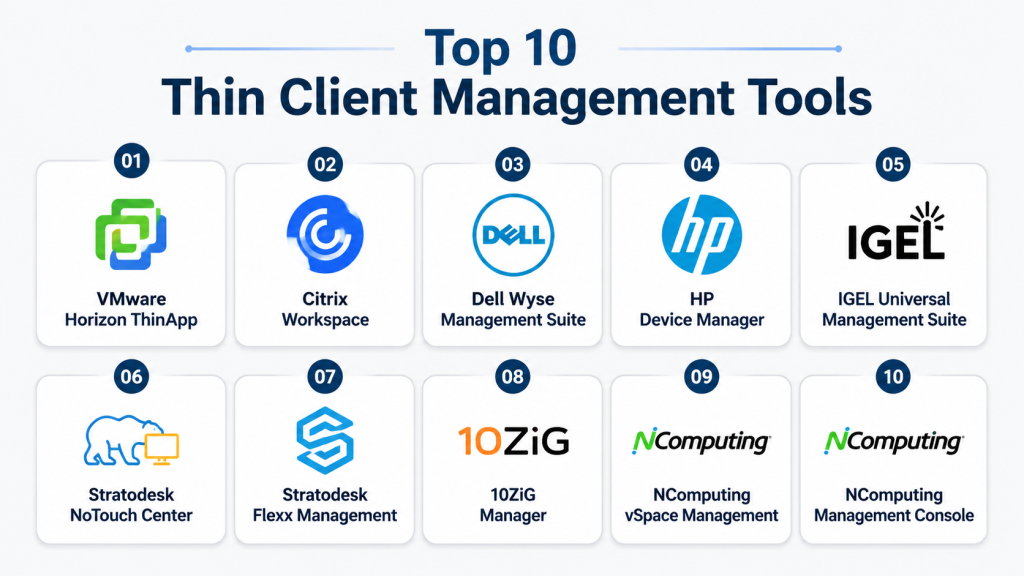
Top 10 Thin Client Management Tools
1- VMware Horizon ThinApp
Short description : VMware Horizon ThinApp manages and virtualizes applications on thin clients, ideal for enterprises leveraging VDI and remote work setups.
Key Features
- Centralized application virtualization for thin clients.
- Integration with VMware Horizon and vSphere environments.
- Streamlined deployment and updates across endpoints.
- User profile and session management.
- Analytics and reporting on application usage.
- Automated patching and security enforcement.
- Policy-driven configuration management.
Pros
- Simplifies large-scale VDI deployments.
- Robust security and centralized control.
- Supports hybrid and cloud integrations.
Cons
- Complex setup for smaller environments.
- Licensing can be expensive for SMBs.
- Requires VMware ecosystem familiarity.
Platforms / Deployment
- Windows, Linux
- Cloud / Hybrid
Security & Compliance
- SSO/SAML, RBAC, encryption
- SOC 2, GDPR, ISO 27001
Integrations & Ecosystem
Supports VMware Horizon and vSphere; APIs allow integration with enterprise tools.
- VDI platforms
- Identity management systems
- Endpoint monitoring software
Support & Community
Comprehensive documentation, enterprise support tiers, and a strong VMware community.
2- Citrix Workspace
Short description : Citrix Workspace enables centralized management of thin clients and secure application delivery for large organizations.
Key Features
- Unified workspace for apps, desktops, and data.
- Endpoint health and usage monitoring.
- Policy-driven configuration and updates.
- AI-based optimization for performance.
- Multi-cloud and hybrid deployment support.
- Centralized analytics and reporting.
- Secure remote access and compliance controls.
Pros
- High scalability for global enterprises.
- Strong security and access control.
- Multi-platform thin client support.
Cons
- Can be resource-intensive.
- Learning curve for new administrators.
- Premium pricing for full features.
Platforms / Deployment
- Windows, macOS, Linux
- Cloud / Hybrid
Security & Compliance
- MFA, encryption, RBAC
- HIPAA, SOC 2, GDPR
Integrations & Ecosystem
Integrates with VDI platforms, cloud services, and ITSM tools.
- Active Directory
- Microsoft 365
- Virtualization platforms
Support & Community
Enterprise-grade support, extensive documentation, active user forums.
3- Dell Wyse Management Suite
Short description : Dell Wyse Management Suite provides centralized management for Wyse thin clients, simplifying IT administration in hybrid work environments.
Key Features
- Device provisioning and configuration templates.
- Automated firmware and software updates.
- Health monitoring and troubleshooting dashboards.
- Remote access and policy enforcement.
- Role-based access and multi-tenancy support.
- Reporting and analytics for device usage.
- Cloud or on-premises deployment flexibility.
Pros
- Streamlined device management.
- Simplifies fleet-wide updates and monitoring.
- Supports cloud-based or local deployments.
Cons
- Primarily optimized for Wyse devices.
- Some features limited outside Dell ecosystem.
- Initial setup can be complex.
Platforms / Deployment
- Windows, Linux
- Cloud / On-premises / Hybrid
Security & Compliance
- Encryption, RBAC, SSO
- Not publicly stated
Integrations & Ecosystem
Integrates with VDI environments, endpoint monitoring, and enterprise services.
- VMware Horizon
- Citrix VDI
- ITSM tools
Support & Community
Comprehensive Dell enterprise support and knowledge base; moderate community presence.
4- HP Device Manager
Short description : HP Device Manager centralizes management of HP thin clients with automation, monitoring, and secure deployment capabilities.
Key Features
- Fleet-wide device provisioning and updates.
- Remote monitoring and health reporting.
- Policy enforcement and compliance checks.
- Secure access and firmware management.
- Automated scripting and task scheduling.
- Device cloning and role-based management.
Pros
- Simplifies administration of HP thin clients.
- Supports remote and hybrid operations.
- Reduces manual IT overhead.
Cons
- Limited to HP hardware.
- User interface can be complex.
- Cloud deployment requires premium subscription.
Platforms / Deployment
- Windows, Linux
- On-premises / Hybrid
Security & Compliance
- Encryption, audit logs
- Not publicly stated
Integrations & Ecosystem
Integrates with VDI platforms, IT service tools, and monitoring software.
- Citrix Workspace
- VMware Horizon
- Endpoint management systems
Support & Community
Enterprise support tiers, extensive documentation, active HP community.
5- NComputing vSpace Management
Short description : vSpace Management offers centralized control and monitoring for NComputing thin clients in schools, SMBs, and enterprise labs.
Key Features
- Device provisioning and remote configuration.
- Application and OS updates.
- Real-time monitoring dashboards.
- Session and user management.
- Reporting and analytics for usage.
- Role-based access and policies.
Pros
- Affordable solution for SMBs and educational institutions.
- Easy to deploy and manage.
- Lightweight footprint on endpoints.
Cons
- Limited advanced enterprise features.
- Primarily tied to NComputing hardware.
- Less integration with third-party VDI tools.
Platforms / Deployment
- Windows, Linux
- On-premises / Hybrid
Security & Compliance
- Encryption, basic access controls
- Not publicly stated
Integrations & Ecosystem
Supports APIs for integration with VDI and monitoring solutions.
- Educational management systems
- Active Directory
- Remote monitoring tools
Support & Community
Standard vendor support, knowledge base; community moderate in size.
6- IGEL Universal Management Suite
Short description : IGEL UMS provides centralized thin client management with strong VDI integration and endpoint security.
Key Features
- Centralized provisioning and configuration.
- OS and firmware updates automation.
- Endpoint health monitoring.
- Secure access and compliance enforcement.
- Remote troubleshooting and diagnostics.
- Scalable for enterprise deployments.
Pros
- Vendor-neutral hardware support.
- Strong security and compliance features.
- Extensive automation capabilities.
Cons
- Complex for small setups.
- Premium licensing for full features.
- Learning curve for new admins.
Platforms / Deployment
- Windows, Linux
- Cloud / On-premises / Hybrid
Security & Compliance
- Encryption, RBAC, MFA
- Not publicly stated
Integrations & Ecosystem
Supports integration with VDI, identity management, and enterprise tools.
- Citrix, VMware, Microsoft RDS
- API access for automation
Support & Community
Enterprise support, active forums, detailed documentation.
7- Stratodesk NoTouch Center
Short description : NoTouch Center manages thin clients and endpoints with focus on security, VDI support, and cross-vendor compatibility.
Key Features
- Centralized configuration and provisioning.
- Automated OS and firmware updates.
- Secure remote management.
- Multi-vendor device support.
- Policy-driven configuration and monitoring.
- Reporting dashboards.
Pros
- Supports multiple hardware vendors.
- Streamlined updates and security management.
- Scalable for enterprise deployments.
Cons
- Limited advanced analytics.
- Premium subscription required for large fleets.
- May require training for IT staff.
Platforms / Deployment
- Windows, Linux
- Cloud / On-premises / Hybrid
Security & Compliance
- Encryption, RBAC
- Not publicly stated
Integrations & Ecosystem
Integrates with VDI platforms, cloud services, and identity systems.
- VMware, Citrix
- ITSM platforms
- Remote monitoring tools
Support & Community
Enterprise-grade support, user documentation, active community forums.
8- 10ZiG Manager
Short description : 10ZiG Manager offers centralized management of 10ZiG thin clients, optimizing performance and security for enterprise environments.
Key Features
- Remote provisioning and device configuration.
- Firmware and OS updates automation.
- Policy enforcement and security controls.
- Health monitoring dashboards.
- Reporting and usage analytics.
- Role-based access and multi-tenancy support.
Pros
- Simplified fleet management for 10ZiG devices.
- Supports remote and hybrid setups.
- Efficient update and security workflows.
Cons
- Limited to 10ZiG hardware.
- Some advanced features require additional licensing.
- Learning curve for new administrators.
Platforms / Deployment
- Windows, Linux
- On-premises / Hybrid
Security & Compliance
- Encryption, RBAC
- Not publicly stated
Integrations & Ecosystem
Supports integration with VDI, remote monitoring, and identity management.
- VMware Horizon
- Citrix Workspace
- Active Directory
Support & Community
Vendor support tiers available, moderate documentation, user community present.
9- Stratodesk Flexx Management
Short description : Flexx Management centralizes control of thin clients with scalable deployment and strong endpoint security, suitable for multi-vendor environments.
Key Features
- Central provisioning and automation.
- Firmware and OS management.
- Monitoring and reporting dashboards.
- Role-based access and policy enforcement.
- Multi-vendor hardware support.
- Remote troubleshooting tools.
Pros
- Vendor-neutral flexibility.
- Scalable for large deployments.
- Strong endpoint security features.
Cons
- Premium licensing for advanced features.
- Complexity for smaller deployments.
- Some features limited outside enterprise tier.
Platforms / Deployment
- Windows, Linux
- Cloud / On-premises / Hybrid
Security & Compliance
- Encryption, RBAC
- Not publicly stated
Integrations & Ecosystem
Integrates with VDI solutions, identity management, and monitoring tools.
- VMware, Citrix
- Cloud services
- ITSM integrations
Support & Community
Enterprise support available, detailed documentation, active community forums.
10- NComputing Management Console
Short description : NComputing Management Console offers centralized control for thin clients, focusing on education and SMB deployments for easy administration.
Key Features
- Device provisioning and role assignment.
- OS and firmware update automation.
- Health monitoring dashboards.
- Policy enforcement and security controls.
- Usage reporting and analytics.
Pros
- Affordable and lightweight solution.
- Easy deployment in schools and SMBs.
- Simplifies remote management.
Cons
- Limited enterprise-grade features.
- Restricted to NComputing hardware.
- Basic integration capabilities.
Platforms / Deployment
- Windows, Linux
- On-premises / Hybrid
Security & Compliance
- Encryption, basic access controls
- Not publicly stated
Integrations & Ecosystem
Supports APIs for VDI integration and monitoring.
- Active Directory
- Remote monitoring tools
- Educational management systems
Support & Community
Standard vendor support and documentation; moderate community presence.
Comparison Table (Top 10)
| Tool Name | Best For | Platform(s) Supported | Deployment | Standout Feature | Public Rating |
|---|---|---|---|---|---|
| VMware Horizon ThinApp | Enterprise VDI | Windows, Linux | Cloud / Hybrid | Application virtualization | N/A |
| Citrix Workspace | Large enterprises | Windows, macOS, Linux | Cloud / Hybrid | Unified workspace & security | N/A |
| Dell Wyse Management Suite | Dell thin clients | Windows, Linux | Cloud / On-premises / Hybrid | Remote provisioning & updates | N/A |
| HP Device Manager | HP thin clients | Windows, Linux | On-premises / Hybrid | Firmware & OS updates automation | N/A |
| NComputing vSpace Management | SMB / Education | Windows, Linux | On-premises / Hybrid | Cost-effective VDI management | N/A |
| IGEL Universal Management Suite | Multi-vendor environments | Windows, Linux | Cloud / On-premises / Hybrid | Endpoint security & automation | N/A |
| Stratodesk NoTouch Center | Enterprise / SMB | Windows, Linux | Cloud / On-premises / Hybrid | Multi-vendor compatibility | N/A |
| 10ZiG Manager | 10ZiG devices | Windows, Linux | On-premises / Hybrid | Device fleet management | N/A |
| Stratodesk Flexx Management | Multi-vendor enterprise | Windows, Linux | Cloud / On-premises / Hybrid | Scalable endpoint control | N/A |
| NComputing Management Console | Education / SMB | Windows, Linux | On-premises / Hybrid | Easy deployment & updates | N/A |
Evaluation & Scoring of Thin Client Management Tools
| Tool Name | Core (25%) | Ease (15%) | Integrations (15%) | Security (10%) | Performance (10%) | Support (10%) | Value (15%) | Weighted Total (0–10) |
|---|---|---|---|---|---|---|---|---|
| VMware Horizon ThinApp | 9 | 7 | 8 | 9 | 9 | 8 | 7 | 8.4 |
| Citrix Workspace | 9 | 6 | 9 | 9 | 8 | 8 | 6 | 8.1 |
| Dell Wyse Management Suite | 8 | 7 | 7 | 8 | 8 | 7 | 8 | 7.7 |
| HP Device Manager | 7 | 6 | 6 | 7 | 7 | 7 | 7 | 6.8 |
| NComputing vSpace Management | 6 | 8 | 5 | 6 | 6 | 6 | 8 | 6.6 |
| IGEL Universal Management Suite | 8 | 7 | 8 | 8 | 8 | 7 | 7 | 7.8 |
| Stratodesk NoTouch Center | 7 | 7 | 7 | 7 | 7 | 7 | 7 | 7.0 |
| 10ZiG Manager | 7 | 7 | 6 | 7 | 7 | 7 | 7 | 6.9 |
| Stratodesk Flexx Management | 7 | 7 | 7 | 7 | 7 | 7 | 7 | 7.0 |
| NComputing Management Console | 6 | 8 | 5 | 6 | 6 | 6 | 8 | 6.6 |
Which Thin Client Management Tool Is Right for You?
Solo / Freelancer
Thin clients may be excessive; consider lightweight endpoint tools instead unless managing multiple remote devices.
SMB
Affordable solutions like NComputing vSpace or Dell Wyse Management Suite offer easy deployment and cost-effective management.
Mid-Market
IGEL UMS or Stratodesk NoTouch provide scalable multi-vendor support with advanced monitoring.
Enterprise
VMware Horizon, Citrix Workspace, and IGEL UMS offer robust security, integration, and centralized management suitable for large deployments.
Budget vs Premium
- Budget: NComputing vSpace, basic Dell Wyse.
- Premium: Citrix Workspace, VMware Horizon, IGEL UMS.
Feature Depth vs Ease of Use
Balance complexity and features; VMware Horizon and Citrix excel in features, NComputing vSpace in simplicity.
Integrations & Scalability
Choose tools supporting VDI platforms, cloud services, and APIs for growth and hybrid work scenarios.
Security & Compliance Needs
Prioritize vendors with strong encryption, access control, and regulatory compliance (SOC 2, HIPAA, GDPR) for sensitive environments.
Frequently Asked Questions (FAQs)
1- What are thin client management tools?
They are platforms that manage, monitor, and optimize thin client devices, ensuring security, updates, and performance.
2- How do pricing models vary?
Some vendors offer subscription-based SaaS, others offer perpetual licenses; cost often depends on endpoints managed.
3- Can these tools manage non-proprietary hardware?
Many tools like IGEL and Stratodesk support multi-vendor devices, while HP and Dell tools are mostly vendor-specific.
4- Do these tools support remote work?
Yes, most support cloud or hybrid deployments, enabling remote monitoring and updates.
5- Are updates automated?
Most tools offer automated firmware and software updates, reducing IT overhead.
6- How secure are thin client endpoints?
Security features include encryption, RBAC, MFA, compliance controls, and centralized policy enforcement
7- Can I integrate with existing VDI solutions?
Yes, leading tools integrate with Citrix, VMware Horizon, Microsoft RDS, and cloud desktop platforms.
8- What are common implementation mistakes?
Skipping proper planning, underestimating network requirements, and neglecting security configurations.
9- How scalable are these tools?
Enterprise-grade tools like VMware Horizon, Citrix, and IGEL support thousands of devices across multiple sites.
10- Are open-source options available?
Some multi-vendor management tools support open APIs, but fully open-source enterprise-grade thin client managers are limited.
Conclusion
Thin client management tools streamline endpoint administration, improve security, and optimize performance for organizations deploying lightweight devices. Selection depends on device type, deployment scale, and integration needs. Small businesses may prioritize ease and cost, while enterprises need robust security, automation, and multi-vendor support. The recommended approach is to shortlist 2–3 tools, run pilot deployments, validate integrations and security features, and scale based on performance and management efficiency. Proper evaluation ensures cost-effective, secure, and scalable thin client management.

Find Trusted Cardiac Hospitals
Compare heart hospitals by city and services — all in one place.
Explore Hospitals
Thin client environments are often chosen for simplicity, but their long-term success depends heavily on centralized administration. Platforms that make it easy to standardize configurations, deploy updates, and troubleshoot devices remotely can significantly reduce support overhead across large user populations.
This article is AI from start to finish and hugely inaccurate. From a 10ZiG perspective you haven’t covered anything accurately – for a start EVERYTHING is FREE for 10ZiG Manager, no additional licensing or any hidden costs of any kind. It is also extremely intuitive and is a very short learning curve for new customers. Let’s not start on the mention of VMware either – completely out of context here