Introduction
Digital Audio Workstations (DAWs) are comprehensive software platforms that allow creators to record, edit, mix, and produce audio across multiple tracks. Unlike simple audio editors, DAWs combine waveform editing, MIDI sequencing, virtual instruments, effects processing, automation, and mixing/mastering capabilities in one integrated environment. They are essential for music production, sound design, podcasting, post‑production audio for video, and live performance workflows.
DAWs are critical because modern audio production demands precision, high track counts, real‑time processing, creative flexibility, and professional-quality output. From indie musicians and podcasters to professional composers and film sound designers, DAWs streamline the workflow for recording, editing, and finalizing high-quality audio content.
Real‑world use cases:
- Music production, recording, and mixing
- Podcast creation and editing
- Film and game audio post‑production
- Sound design for media and interactive experiences
- Live performance and real-time composition
What buyers should evaluate:
- Multi-track recording and mixing
- MIDI and instrument support
- Plugin compatibility (VST, AU, AAX)
- Automation and scripting capabilities
- Real-time audio performance and low latency
- Audio format and export options
- Built-in effects and mastering tools
- Cross-platform availability
- Integration with video or scoring tools
- Collaboration and project management features
Best for: Musicians, composers, podcasters, audio engineers, and production teams across entertainment, broadcast, and content creation industries.
Not ideal for: Users needing only basic audio trimming or single-track editing; simpler audio editors or mobile apps may suffice.
Key Trends in DAWs
- AI-assisted audio tools for automatic mixing, mastering, and noise reduction
- Cloud collaboration for remote music or audio production projects
- Expanded plugin standards supporting VST3, AU, AAX, and scripting
- Spatial and immersive audio workflows (Dolby Atmos, binaural, surround)
- Integration with video and scoring tools for post-production
- GPU acceleration and low-latency audio processing
- Template and loop-based workflows for fast content creation
- Subscription, license, and cross-platform deployment flexibility
- Virtual instrument libraries and sample integration
- Enhanced metadata and delivery presets for streaming and broadcast
How We Selected These Tools (Methodology)
- Evaluated market adoption and industry reputation
- Assessed feature completeness for recording, MIDI, effects, and mastering
- Reviewed performance and real-time processing capabilities
- Checked integration with other media tools and plugin ecosystems
- Considered cross-platform support (Windows, macOS, Linux)
- Balanced professional, indie, and open-source DAWs
- Examined automation, scripting, and extensibility
- Reviewed learning curve, documentation, and community support
- Assessed licensing, pricing, and value for different user types
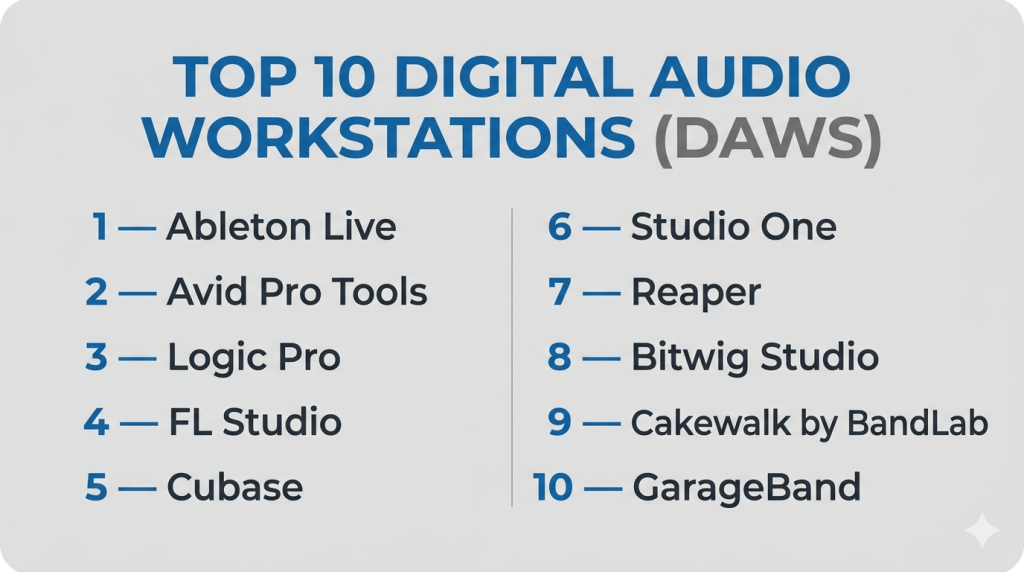
Top 10 Digital Audio Workstations (DAWs)
#1 — Ableton Live
Short description: A performance-oriented DAW designed for music production and live electronic performance.
Key Features
- Session View for clip-based arrangement
- MIDI sequencing and real-time audio warping
- Integrated virtual instruments and effects
- Max for Live extensibility
- Automation and modulation tools
- Multi-track audio editing
Pros
- Excellent for electronic music production
- Real-time performance integration
- Extensive third-party plugin support
Cons
- Learning curve for traditional DAW users
- Workflow focused on electronic music
Platforms / Deployment
Windows / macOS / Hybrid
Security & Compliance
Not publicly stated
Integrations & Ecosystem
- VST/AU plugin support
- Max for Live environment for custom tools
- Control surface integration
- Export for DAW and video projects
Support & Community
Vibrant user community and extensive tutorials.
#2 — Avid Pro Tools
Short description: The industry standard DAW for professional audio, widely used in music, film, and broadcast post-production.
Key Features
- Advanced multi-track recording and editing
- Automation and mixing console emulation
- AAX plugin ecosystem
- Surround and immersive audio support
- Hardware control surface integration
- Punch-in/out and comping
Pros
- Deep professional workflow
- Industry standard for studios
- Excellent collaboration tools
Cons
- Expensive licensing
- Steep learning curve for beginners
Platforms / Deployment
Windows / macOS / Hybrid
Security & Compliance
Not publicly stated
Integrations & Ecosystem
- Video playback integration
- Third-party plugins (VST, AAX)
- Control surface integration
- Session management for teams
Support & Community
Professional training, certification, and large industry adoption.
#3 — Logic Pro
Short description: Apple’s music production DAW optimized for macOS, featuring recording, editing, MIDI sequencing, and virtual instruments.
Key Features
- Multi-track recording and MIDI sequencing
- Smart tempo and time-stretching
- Extensive instrument and effect library
- Flex Time and Flex Pitch for audio editing
- Surround and spatial audio mixing
- Template-based workflow
Pros
- Optimized for Mac performance
- Comprehensive virtual instruments
- Strong music production ecosystem
Cons
- macOS only
- Limited for pure post-production dialogue editing
Platforms / Deployment
macOS / Self-hosted
Security & Compliance
Not publicly stated
Integrations & Ecosystem
- GarageBand import/export
- AU plugin support
- Control surface integration
- Template project sharing
Support & Community
Large Apple creative community and tutorials.
#4 — FL Studio
Short description: Popular DAW for beat-making, electronic music, and pattern-based sequencing.
Key Features
- Pattern-based sequencer and piano roll
- Integrated virtual instruments
- Audio recording and editing
- Real-time effects processing
- Automation and plugin support
- MIDI compatibility
Pros
- Fast workflow for electronic music
- Extensive loop and sample integration
- Affordable licensing options
Cons
- Less suited for traditional recording
- UI may feel complex for beginners
Platforms / Deployment
Windows / macOS / Hybrid
Security & Compliance
Not publicly stated
Integrations & Ecosystem
- VST/AU plugin compatibility
- Sample libraries and loops
- MIDI controller integration
Support & Community
Active tutorials and global user community.
#5 — Cubase
Short description: Comprehensive DAW with MIDI and audio editing tools, used in professional music production.
Key Features
- Multi-track recording and mixing
- Advanced MIDI and instrument sequencing
- Integrated virtual instruments
- Audio quantization and comping
- Multi-track editing and automation
- Advanced scoring and notation tools
Pros
- Professional music production
- Extensive MIDI tools
- Reliable workflow
Cons
- Can be overwhelming for beginners
- Licensing cost is relatively high
Platforms / Deployment
Windows / macOS
Security & Compliance
Not publicly stated
Integrations & Ecosystem
- Plugin support (VST, AU)
- MIDI controller integration
- Scoring software connectivity
- Export to multiple formats
Support & Community
Professional documentation and user forums.
#6 — Studio One
Short description: DAW designed for both recording and production with an intuitive workflow and integrated mastering tools.
Key Features
- Drag-and-drop workflow
- Multi-track recording and mixing
- Integrated mastering suite
- MIDI sequencing and virtual instruments
- Effects chains and automation
- Audio editing tools
Pros
- Intuitive interface
- Strong built-in mastering tools
- Versatile for music and post-production
Cons
- Less widespread in studios than Pro Tools or Logic
- Limited third-party template sharing
Platforms / Deployment
Windows / macOS / Hybrid
Security & Compliance
Not publicly stated
Integrations & Ecosystem
- Plugin support
- Virtual instruments
- Export for mastering and video projects
Support & Community
Growing community and official tutorials.
#7 — Reaper
Short description: Lightweight, highly customizable DAW offering full multi-track recording, mixing, and plugin support at strong value.
Key Features
- Unlimited tracks
- Customizable interface and workflow
- VST/AU plugin compatibility
- Automation and scripting
- Low-latency performance
- Multi-platform support
Pros
- Affordable licensing
- Efficient performance
- Highly customizable
Cons
- Less polished UI
- Requires setup for optimal workflow
Platforms / Deployment
Windows / macOS / Linux / Hybrid
Security & Compliance
Not publicly stated
Integrations & Ecosystem
- Plugin support (VST/AU)
- Scripting for automation
- Control surface mapping
Support & Community
Community forums and active user contributions.
#8 — Bitwig Studio
Short description: A DAW for electronic music and sound design with modular workflows.
Key Features
- Multi-track editing
- Modular device chains
- Clip-based arrangement
- Real-time effects
- Automation and modulation
- Multi-platform support
Pros
- Modular workflow flexibility
- Strong electronic music tools
- Cross-platform
Cons
- Learning curve for traditional editors
- Smaller user base
Platforms / Deployment
Windows / macOS / Linux / Hybrid
Security & Compliance
Not publicly stated
Integrations & Ecosystem
- Plugin support
- Modular device community
- Control surface integration
Support & Community
Active forums and tutorials.
#9 — Cakewalk by BandLab
Short description: Free Windows DAW offering multi-track recording, MIDI, and effects.
Key Features
- Unlimited tracks
- Integrated instruments
- Multi-track editing
- Automation and mixing tools
- Plugin support (VST)
Pros
- Free
- Full-featured for Windows
- Supports both music and podcast editing
Cons
- Windows-only
- Limited support for video post-production
Platforms / Deployment
Windows / Self-hosted
Security & Compliance
Not publicly stated
Integrations & Ecosystem
- Plugin support
- MIDI controllers
- Export to multiple formats
Support & Community
Community support and documentation.
#10 — GarageBand
Short description: Apple’s entry-level DAW designed for music creation, podcasting, and basic audio editing.
Key Features
- Multi-track recording
- Built-in virtual instruments
- Loops and samples
- Basic effects and automation
- Intuitive interface
- Integration with Logic Pro
Pros
- Beginner-friendly
- Free on macOS and iOS
- Quick workflow for basic projects
Cons
- Limited advanced features
- macOS/iOS only
Platforms / Deployment
macOS / iOS / Self-hosted
Security & Compliance
Not publicly stated
Integrations & Ecosystem
- Logic Pro project import/export
- Plugin support (AU)
- Template projects and loops
Support & Community
Apple tutorials and user forums.
Comparison Table (Top 10)
| Tool Name | Best For | Platform(s) Supported | Deployment | Standout Feature | Public Rating |
|---|---|---|---|---|---|
| Ableton Live | Electronic music | Windows/macOS | Hybrid | Clip-based performance | N/A |
| Avid Pro Tools | Professional studios | Windows/macOS | Hybrid | Industry standard | N/A |
| Logic Pro | Music production | macOS | Self-hosted | Apple optimized | N/A |
| FL Studio | Beat-making | Windows/macOS | Hybrid | Pattern sequencing | N/A |
| Cubase | Professional music | Windows/macOS | Hybrid | Advanced MIDI tools | N/A |
| Studio One | Recording + mastering | Windows/macOS | Hybrid | Integrated mastering | N/A |
| Reaper | Customizable DAW | Windows/macOS/Linux | Hybrid | Lightweight, low cost | N/A |
| Bitwig Studio | Electronic music | Windows/macOS/Linux | Hybrid | Modular workflow | N/A |
| Cakewalk by BandLab | Windows DAW | Windows | Self-hosted | Free, full-featured | N/A |
| GarageBand | Beginner music | macOS/iOS | Self-hosted | Beginner friendly | N/A |
Evaluation & Scoring of Digital Audio Workstations
| Tool Name | Core (25%) | Ease (15%) | Integrations (15%) | Security (10%) | Performance (10%) | Support (10%) | Value (15%) | Weighted Total (0–10) |
|---|---|---|---|---|---|---|---|---|
| Ableton Live | 9 | 8 | 8 | 6 | 8 | 8 | 8 | 8.10 |
| Avid Pro Tools | 10 | 7 | 9 | 6 | 9 | 9 | 7 | 8.25 |
| Logic Pro | 9 | 8 | 8 | 6 | 8 | 8 | 8 | 8.00 |
| FL Studio | 8 | 8 | 8 | 6 | 8 | 8 | 8 | 7.90 |
| Cubase | 9 | 7 | 8 | 6 | 8 | 8 | 7 | 7.95 |
| Studio One | 8 | 8 | 8 | 6 | 8 | 8 | 8 | 7.95 |
| Reaper | 9 | 8 | 8 | 6 | 9 | 8 | 10 | 8.25 |
| Bitwig Studio | 8 | 7 | 8 | 6 | 8 | 8 | 8 | 7.80 |
| Cakewalk by BandLab | 7 | 8 | 7 | 6 | 7 | 7 | 10 | 7.65 |
| GarageBand | 6 | 9 | 6 | 6 | 7 | 7 | 9 | 7.40 |
Interpretation:
Scores reflect comparative assessments of feature depth, usability, ecosystem, and value. High scores indicate professional versatility and integration potential, while lower scores may reflect niche or beginner-friendly tools.
Which DAW Tool Is Right for You?
Solo / Freelancer
- GarageBand, Cakewalk, Reaper — budget-friendly and beginner-friendly options.
SMB
- Logic Pro, Studio One, FL Studio — accessible, powerful, and versatile.
Mid-Market
- Ableton Live, Cubase, Bitwig Studio — support creative workflows and multi-user projects.
Enterprise
- Avid Pro Tools, Logic Pro, Ableton Live — studio-grade feature sets and collaboration tools.
Budget vs Premium
- Budget: GarageBand, Cakewalk, Reaper
- Premium: Pro Tools, Logic Pro, Ableton Live
Feature Depth vs Ease of Use
- Depth: Pro Tools, Ableton Live, Logic Pro
- Ease: GarageBand, Reaper, FL Studio
Integrations & Scalability
- Best for professional pipelines: Pro Tools, Logic Pro, Ableton Live
Security & Compliance Needs
- Teams needing cloud or collaborative workflows should evaluate project access and user management.
Frequently Asked Questions (FAQs)
1. What is a DAW?
A DAW (Digital Audio Workstation) is software for recording, editing, mixing, and producing audio across multiple tracks.
2. Can DAWs record MIDI and audio simultaneously?
Yes — most DAWs allow recording multiple audio and MIDI tracks in parallel.
3. Are there free DAWs?
Yes — Reaper (trial), Cakewalk by BandLab, and GarageBand offer free or low-cost options.
4. Can DAWs be used for podcasts?
Absolutely — tools like Audition, Reaper, and Studio One are ideal for podcasts.
5. What is plugin support in a DAW?
Plugins (VST, AU, AAX) provide additional effects, instruments, and sound processing capabilities.
6. Do DAWs integrate with video?
Many, like Pro Tools and Logic Pro, support video tracks for scoring and post-production audio.
7. What’s the difference between DAWs and simple audio editors?
DAWs provide multi-track editing, MIDI, mixing, mastering, and plugin support, while simple editors focus on single-track edits.
8. Can DAWs work on multiple platforms?
Some DAWs are cross-platform (Reaper, Ableton Live), while others are macOS or Windows-specific.
9. Are DAWs suitable for live performance?
Yes — Ableton Live and Bitwig Studio excel in live electronic music performance.
10. How steep is the learning curve?
Beginner-friendly tools like GarageBand are easy, while Pro Tools and Logic Pro may require formal training.
Conclusion
Digital Audio Workstations are central to modern audio creation, production, and post-production. Pro Tools and Ableton Live lead in professional workflows for studios, while Logic Pro and FL Studio cater to creative music production. Reaper balances customization and affordability, while free tools like GarageBand and Cakewalk lower the barrier to entry. Evaluate your workflow, project complexity, and team size to select a DAW that maximizes productivity and creative potential. Shortlist 2–3 options, test real projects, and confirm integration with your plugins and collaboration requirements before finalizing your toolset.

Find Trusted Cardiac Hospitals
Compare heart hospitals by city and services — all in one place.
Explore Hospitals