Introduction
Audio editing software refers to applications that allow users to record, manipulate, edit, mix, and refine audio recordings. These tools range from straightforward waveform editors to full‑featured digital audio workstations (DAWs) with multi‑track support, effects processing, mastering capabilities, and integration with video timelines. For creators of all kinds — from musicians and podcasters to video editors and sound designers — audio editing software is essential to producing high‑quality sound.
Today’s audio landscape demands precision, workflow efficiency, real‑time collaboration, and deeper integration with other media tools. With the explosion of podcasting, streaming, film, gaming, and social video content, sound quality can make or break audience engagement. Audio editing tools help creators remove noise, balance levels, apply effects, and prepare final masters that meet broadcast, streaming, or sonic branding standards.
Real‑world use cases include:
- Podcast production — editing, noise reduction, leveling, and mastering spoken word.
- Music recording and production — multi‑track recording, MIDI integration, effects chains.
- Sound design for film and games — layering sound effects, Foley editing, ambiences.
- Audio cleanup for video post‑production — syncing with picture, dialogue editing, mixing.
- Voiceover and narration sessions — polishing narration for e‑learning, ads, and audiobooks.
What buyers should evaluate:
- Core editing capabilities (trimming, waveform editing)
- Multi‑track mixing and arranging
- Plugin and effect support (VST/AU)
- Integration with video editing or DAW pipelines
- Performance and low‑latency monitoring
- Audio formats and export options
- Collaboration and cloud workflows
- Ease of use and learning curve
- Licensing models and pricing
- Community and support resources
Best for: Audio editors, musicians, podcasters, video editors, sound designers, and creative teams of all sizes looking to produce polished, professional audio.
Not ideal for: Users needing only very basic trimming or single‑clip adjustments; simpler mobile or built‑in OS audio tools may suffice for ad‑hoc tasks.
Key Trends in Audio Editing Software
- AI‑assisted editing tools — automatic noise removal, de‑essing, adaptive leveling, and smart mixing suggestions.
- Cross‑platform cloud collaboration — shared projects, versioning, remote editing sessions.
- Real‑time collaboration with video editors — project syncing between audio and visual timelines.
- Plugin standard consolidation — wide support for VST3, AU, and AAX effects and instruments.
- Immersive audio support — spatial audio, binaural mixing, Dolby Atmos workflows.
- GPU and multi‑core optimization — low‑latency playback with large session sizes.
- Subscription and hybrid licensing options — flexibility for freelancers and enterprise teams.
- Integrated speech‑to‑text, captioning, and localization features for accessibility workflows.
- Enhanced metadata and delivery presets for streaming, broadcast, and podcast hosting platforms.
How We Selected These Tools (Methodology)
- Assessed market adoption and visibility across professional and indie user segments.
- Evaluated feature completeness from basic editing to advanced mixing/mastering.
- Considered performance and stability with large sessions and real‑time processing.
- Looked for integration capabilities with video editors, cloud workflows, and plugin ecosystems.
- Observed security posture signals in collaborative and cloud features.
- Reviewed available community support, documentation, and training resources.
- Balanced offerings across platform support (Windows, macOS, Linux).
- Included open‑source and commercial options for a comprehensive view.
- Considered value and pricing flexibility for different user types.
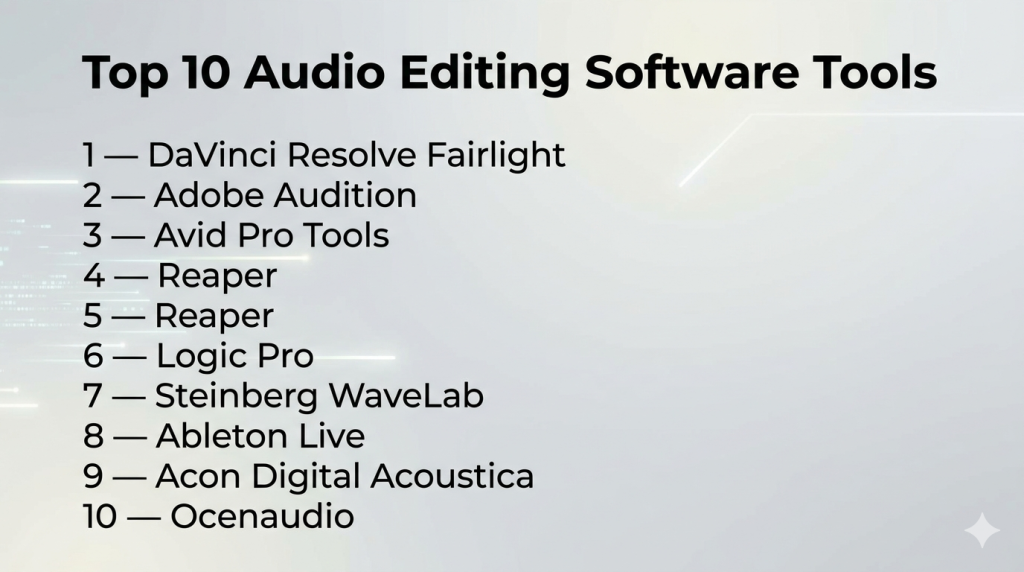
Top 10 Audio Editing Software Tools
#1 — DaVinci Resolve Fairlight
Short description: Fairlight is the integrated audio engine within DaVinci Resolve, offering powerful multi‑track audio editing and mixing with deep integration into video workflows.
Key Features
- Multi‑track audio timeline with automation
- Real‑time effects and plugin support
- ADR (automatic dialogue replacement) tools
- FairlightFX audio effects suite
- Immersive audio and spatial mixing
- Integration with color and editing timelines
Pros
- Unified audio/video workflow
- Professional mixing tools suited for broadcast and film
- Real‑time collaboration features
Cons
- Steeper learning curve for pure audio editors
- Audio‑only workflows may feel heavy
Platforms / Deployment
Windows / macOS / Linux / Hybrid
Security & Compliance
Not publicly stated
Integrations & Ecosystem
Deep integration with Resolve video and color workflows.
- Video timelines for sync
- Plugin support (VST/AU)
- Collaboration server integration
- Export presets for broadcast
Support & Community
Large community and vendor documentation; active forums.
#2 — Adobe Audition
Short description: A professional audio editor in Adobe’s suite that excels at waveform editing, mixdown, restoration, and integration with Creative Cloud workflows.
Key Features
- Multitrack editing and mixing
- Spectral frequency display for precise cleanup
- Noise reduction and restoration tools
- Auto‑ducking and adaptive mixing
- Batch processing capabilities
- Integration with Premiere Pro
Pros
- Excellent for dialogue editing and podcast workflows
- Tight integration with Adobe video products
- Advanced cleanup and restoration
Cons
- Subscription‑only model
- UI can feel complex for casual users
Platforms / Deployment
Windows / macOS / Hybrid
Security & Compliance
Not publicly stated
Integrations & Ecosystem
Part of Adobe Creative Cloud workflows:
- Premiere Pro collaboration
- Photoshop and After Effects assets
- Creative Cloud Libraries
- Plugin support (VST/AU)
Support & Community
Extensive official resources, tutorials, and large user base.
#3 — Avid Pro Tools
Short description: A high‑end industry standard DAW and audio editor widely used in music, film, and broadcast for tracking, editing, and mixing.
Key Features
- Non‑destructive audio editing
- Advanced automation and mixing consoles
- AAX plugin ecosystem
- Track comping and punch‑in/out
- Surround and immersive audio support
- Hardware control surface integration
Pros
- Deep professional feature set
- Extensive plugin marketplace
- Excellent for large, collaborative productions
Cons
- Subscription/pricing complexity
- Steep learning curve
Platforms / Deployment
Windows / macOS / Hybrid
Security & Compliance
Not publicly stated
Integrations & Ecosystem
Strong studio and post workflows:
- Video playback integration
- Control surface support
- Third‑party plugin ecosystem
- Session and collaborative workflows
Support & Community
Long‑standing community, professional training, certification programs.
#4 — Reaper
Short description: A flexible and highly customizable audio workstation that delivers full editing, mixing, and routing capabilities at strong value.
Key Features
- Lightweight and responsive engine
- Fully customizable UI and workflows
- Comprehensive routing and bussing
- Unlimited tracks and multichannel support
- VST/AU plugin compatibility
- Scriptable actions and macros
Pros
- Excellent performance on modest hardware
- Affordable perpetual license
- Deep customization
Cons
- Less polished UI for beginners
- Requires configuration for optimal workflows
Platforms / Deployment
Windows / macOS / Linux / Hybrid
Security & Compliance
Not publicly stated
Integrations & Ecosystem
Strong plugin compatibility and scripting:
- VST/AU effects and instruments
- Scripting languages (EEL, Lua, Python)
- Template project sharing
- Control surface mapping
Support & Community
Passionate community forums and user contributions.
#5 — Audacity
Short description: A free, open‑source audio editor suited to basic and intermediate waveform editing tasks, often used by podcasters, educators, and hobbyists.
Key Features
- Standard waveform editing tools
- Effects and plugins (LADSPA, Nyquist)
- Multi‑track recording
- Noise reduction and normalization
- Batch processing
Pros
- Free and open‑source
- Simple to learn for basic editing
- Cross‑platform
Cons
- Limited advanced mixing tools
- UI feels dated compared to newer apps
Platforms / Deployment
Windows / macOS / Linux / Self‑hosted
Security & Compliance
Not publicly stated
Integrations & Ecosystem
Open‑source plugin support and community contributions.
- LADSPA/Nyquist plugins
- Export formats for editors
- Batch scripts
Support & Community
Open‑source community and documentation.
#6 — Logic Pro
Short description: Apple’s professional DAW and audio editor with powerful music production and audio editing capabilities.
Key Features
- Multi‑track recording and editing
- MIDI sequencing and instruments
- Smart tempo and beat detection
- Logic effects and instruments suite
- Flex Time and audio quantization
- Surround and spatial audio mixes
Pros
- Deep music production tools
- Optimized for Apple hardware
- Comprehensive sound library
Cons
- macOS‑only
- Less tailored to pure dialogue/post‑production
Platforms / Deployment
macOS / Self‑hosted
Security & Compliance
Not publicly stated
Integrations & Ecosystem
Works within Apple ecosystem and studios.
- GarageBand import/export
- Plugin support (AU)
- Template projects
- Control surface support
Support & Community
Large Apple user base and resources.
#7 — Steinberg WaveLab
Short description: A mastering and audio editing tool aimed at high‑fidelity audio post‑production, mastering, and restoration.
Key Features
- Precision audio editing
- Mastering meter tools
- Signal analysis and correction
- Batch processing
- VST3 plugin support
- DDP export
Pros
- Excellent mastering and metering tools
- Built for professional audio post
- Wide format support
Cons
- Less intuitive for general editing
- Licensing cost
Platforms / Deployment
Windows / macOS / Hybrid
Security & Compliance
Not publicly stated
Integrations & Ecosystem
Deeply tied to VST ecosystem and professional workflows.
- VST3 support
- Mastering chains
- Audio analysis suites
Support & Community
Professional documentation; focused user community.
#8 — Ableton Live
Short description: A creative‑oriented audio performance and editing tool popular with electronic musicians and live performers.
Key Features
- Clip‑based arrangement workflow
- Real‑time editing and warping
- MIDI and synthesis tools
- Effects racks and processing
- Session View for improvisation
- Max for Live extensibility
Pros
- Excellent for creative sound design
- Real‑time performance sync
- Strong MIDI integration
Cons
- Workflow not ideal for traditional editing
- Learning curve for DAW novices
Platforms / Deployment
Windows / macOS / Hybrid
Security & Compliance
Not publicly stated
Integrations & Ecosystem
- Plugin support (VST/AU)
- Max for Live ecosystem
- Control surface support
- Clip sharing
Support & Community
Vibrant user community and tutorials.
#9 — Acon Digital Acoustica
Short description: A comprehensive audio editing suite with restoration tools, mastering features, and intuitive interface.
Key Features
- Full waveform and spectral editing
- Restoration and denoising
- Multi‑track support
- Mastering toolset
- VST/AU plugin support
- Batch processing
Pros
- Strong restoration and mastering tools
- Affordable relative to pro suites
- Intuitive UI
Cons
- Less known in pro circles
- Feature set narrower than flagship tools
Platforms / Deployment
Windows / macOS / Hybrid
Security & Compliance
Not publicly stated
Integrations & Ecosystem
Supports plugin and batch workflows.
- VST/AU plugins
- Batch export
- Audio analysis
Support & Community
Vendor documentation and community forums.
#10 — Ocenaudio
Short description: A lightweight and easy‑to‑use audio editor focused on quick editing tasks and efficient workflows.
Key Features
- Standard editing tools
- Real‑time effects previews
- Spectrogram view
- Multi‑selection editing
- Plugin support (VST)
Pros
- Very easy to learn
- Efficient for quick edits
- Cross‑platform
Cons
- Lacks deep mixing/mastering tools
- Not designed for large multi‑track projects
Platforms / Deployment
Windows / macOS / Linux / Self‑hosted
Security & Compliance
Not publicly stated
Integrations & Ecosystem
- VST plugin support
- Export presets
- Lightweight workflows
Support & Community
Active user forums and documentation.
Comparison Table (Top 10)
| Tool Name | Best For | Platform(s) Supported | Deployment | Standout Feature | Public Rating |
|---|---|---|---|---|---|
| DaVinci Resolve Fairlight | Integrated audio/video | Windows/macOS/Linux | Hybrid | Full post‑production suite | N/A |
| Adobe Audition | Podcast/dialogue editing | Windows/macOS | Hybrid | Spectral cleanup | N/A |
| Avid Pro Tools | Professional mix/master | Windows/macOS | Hybrid | Industry standard | N/A |
| Reaper | Customizable DAW | Windows/macOS/Linux | Hybrid | Performance/low cost | N/A |
| Audacity | Basic editing | Windows/macOS/Linux | Self‑hosted | Free and open‑source | N/A |
| Logic Pro | Music production | macOS | Self‑hosted | Apple optimized tools | N/A |
| Steinberg WaveLab | Mastering/post‑prod | Windows/macOS | Hybrid | Precision mastering tools | N/A |
| Ableton Live | Creative audio | Windows/macOS | Hybrid | Live/clip‑based workflow | N/A |
| Acon Digital Acoustica | Restoration/mastering | Windows/macOS | Hybrid | Restoration suite | N/A |
| Ocenaudio | Quick edits | Windows/macOS/Linux | Self‑hosted | Easy and fast edits | N/A |
Evaluation & Scoring of Audio Editing Software
| Tool Name | Core (25%) | Ease (15%) | Integrations (15%) | Security (10%) | Performance (10%) | Support (10%) | Value (15%) | Weighted Total (0–10) |
|---|---|---|---|---|---|---|---|---|
| DaVinci Resolve Fairlight | 10 | 6 | 9 | 6 | 9 | 9 | 9 | 8.45 |
| Adobe Audition | 9 | 7 | 9 | 6 | 8 | 9 | 8 | 8.10 |
| Avid Pro Tools | 10 | 6 | 9 | 6 | 9 | 9 | 7 | 8.05 |
| Reaper | 9 | 8 | 8 | 6 | 9 | 8 | 10 | 8.20 |
| Audacity | 6 | 9 | 7 | 6 | 7 | 7 | 10 | 7.40 |
| Logic Pro | 9 | 7 | 7 | 6 | 9 | 8 | 8 | 8.00 |
| Steinberg WaveLab | 8 | 7 | 8 | 6 | 8 | 8 | 8 | 7.85 |
| Ableton Live | 8 | 7 | 8 | 6 | 8 | 8 | 8 | 7.80 |
| Acon Digital Acoustica | 7 | 8 | 7 | 6 | 7 | 7 | 9 | 7.50 |
| Ocenaudio | 6 | 9 | 6 | 6 | 7 | 7 | 9 | 7.40 |
How to interpret the scores:
- Scores are comparative editorial assessments across feature breadth, ease, integration, and value.
- Higher scores reflect tools that offer professional feature sets, robust workflows, and strong community/usage signals.
- Scores are relative: tools that are excellent in niche use cases (restoration, creative live workflows) may score lower overall but remain strong in those domains.
Which Audio Editing Software Tool Is Right for You?
Solo / Freelancer
- Audacity, Ocenaudio, and Reaper are excellent for independent creators needing affordable yet capable editing tools.
SMB
- Adobe Audition and Logic Pro provide scalable workflows with strong editing and production tools for small teams.
Mid‑Market
- Reaper, Steinberg WaveLab, and DaVinci Resolve Fairlight support substantial multi‑track and post‑production workflows.
Enterprise
- Avid Pro Tools and Adobe Audition fit into large production pipelines with collaboration and media asset management.
Budget vs Premium
- Budget: Audacity, Ocenaudio
- Premium: Avid Pro Tools, DaVinci Resolve Fairlight
Feature Depth vs Ease of Use
- Depth: Pro Tools, Fairlight, Logic Pro
- Ease: Audacity, Ocenaudio
Integrations & Scalability
- Best: Adobe Audition, DaVinci Resolve Fairlight, Pro Tools
Security & Compliance Needs
- Teams requiring secure workflows should verify cloud and collaboration deployment controls.
Frequently Asked Questions (FAQs)
1. What is audio editing software?
Audio editing software lets users manipulate sound recordings — trimming, mixing, cleaning, and enhancing audio for final output.
2. Do these tools support multi‑track editing?
Yes — most modern tools like Pro Tools, Reaper, and Audition support multi‑track projects with mixing.
3. Can audio editing tools handle video audio?
Many, such as Fairlight and Audition, integrate with video timelines for post‑production audio editing.
4. What formats are supported?
Common formats include WAV, MP3, AIFF, FLAC, AAC, and export presets for various delivery needs.
5. Is there free audio editing software?
Yes — Audacity and Ocenaudio are free and robust for basic to intermediate editing tasks.
6. Do these tools support plugins?
Most support VST/AU/AAX plugins for effects, instruments, and processing.
7. Which tool is best for podcast production?
Audition, Reaper, and Ocenaudio are popular choices with cleanup and mastering workflows.
8. Are there tools for music creation?
Yes — Logic Pro and Ableton Live incorporate production, sequencing, and creative workflows.
9. Do audio tools support collaboration?
Some offer project sharing and cloud sync; enterprise tools integrate with media asset systems.
10. How steep is the learning curve?
Tools like Audacity and Ocenaudio are easier; Pro Tools and Fairlight require more training.
Conclusion
Choosing the right audio editing software depends on your use case, workflow complexity, and team needs. DaVinci Resolve Fairlight and Avid Pro Tools stand out for deep post‑production and broadcast environments. Adobe Audition and Logic Pro offer strong all‑around workflows for content, music, and video projects. Reaper combines customizability, performance, and value. Free and lighter options like Audacity and Ocenaudio are excellent for solo creators and basic edit tasks.To make the best choice: shortlist 2–3 tools based on your domain (music, podcast, post‑production), test them with real files, and validate how well they integrate with your existing workflows and plugins. Audio quality and ease of refinement should guide your decision.

Find Trusted Cardiac Hospitals
Compare heart hospitals by city and services — all in one place.
Explore Hospitals