Introduction
Integration Platform as a Service (iPaaS) is a cloud-based solution that enables organizations to connect applications, data, and workflows across cloud and on-premises environments. iPaaS platforms simplify data integration, automate workflows, and streamline communication between disparate systems, making it easier to manage complex IT ecosystems.
iPaaS is critical for modern enterprises that rely on multiple SaaS applications, legacy systems, and real-time data flows. By providing pre-built connectors, low-code workflows, and monitoring tools, iPaaS platforms help businesses reduce manual integration effort and improve operational efficiency.
Real-world use cases include:
- Synchronizing customer data between CRM, ERP, and marketing automation tools
- Automating order-to-fulfillment workflows across e-commerce and supply chain systems
- Integrating finance, HR, and IT systems for reporting and compliance
- Real-time event-driven integrations for notifications and alerts
- Consolidating data from multiple cloud services into analytics platforms
Key evaluation criteria for buyers:
- Number and quality of pre-built connectors
- Ease of creating integrations and workflows
- Monitoring, logging, and error handling
- Security and compliance features
- Scalability and performance
- Low-code/no-code interface support
- Deployment flexibility (cloud, hybrid, on-premises)
- API management and orchestration
- Analytics and reporting capabilities
- Cost and pricing model
Best for: IT managers, developers, enterprise architects, and mid-to-large organizations managing multiple applications and data sources.
Not ideal for: Teams with minimal integrations, single SaaS applications, or simple point-to-point data flows that do not require a full iPaaS platform.
Key Trends in Integration Platform as a Service (iPaaS)
- AI-driven workflow recommendations and anomaly detection
- Pre-built templates for SaaS, ERP, CRM, and cloud services
- Support for event-driven and real-time integrations
- Low-code/no-code workflow creation for citizen integrators
- Enhanced security with SSO, MFA, encryption, and RBAC
- Centralized monitoring, logging, and alerting dashboards
- Hybrid deployment models supporting both cloud and on-premises systems
- API orchestration and microservice integration
- Usage-based and subscription pricing models
- Integration analytics for operational insights and performance optimization
How We Selected These Tools (Methodology)
- Evaluated market adoption and developer/enterprise mindshare
- Analyzed feature completeness, including connectors, workflow automation, and monitoring
- Assessed reliability and performance in production environments
- Reviewed security posture, including encryption, access control, and compliance certifications
- Examined integration and ecosystem support across popular applications and APIs
- Considered suitability for solo developers, SMBs, mid-market, and enterprise organizations
- Evaluated usability, learning curve, and workflow creation efficiency
- Checked community support, documentation, and onboarding resources
- Verified deployment flexibility and cloud/hybrid compatibility
- Analyzed pricing structures and total cost of ownership
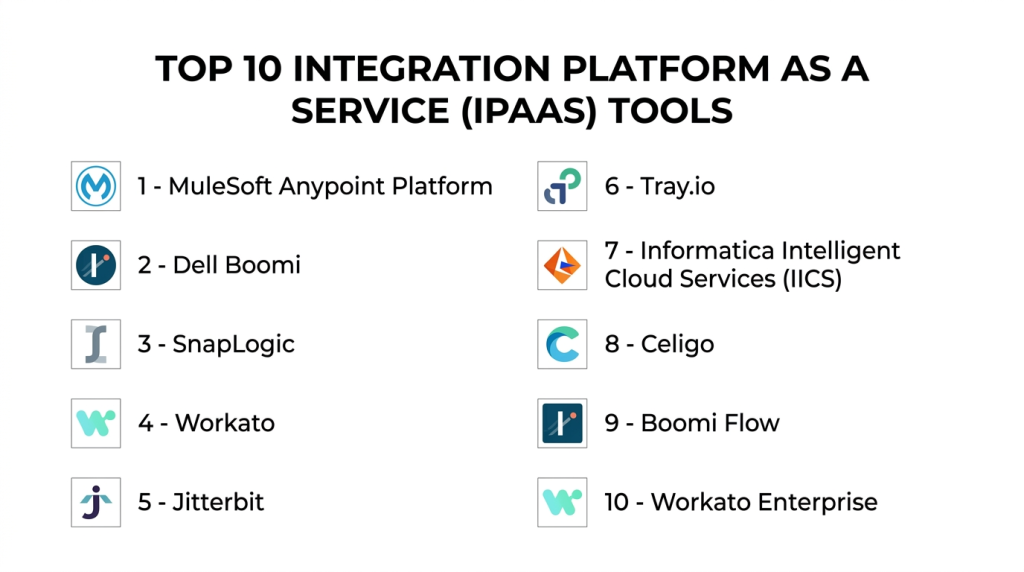
Top 10 Integration Platform as a Service (iPaaS) Tools
#1 — MuleSoft Anypoint Platform
Short description: MuleSoft Anypoint Platform offers comprehensive integration capabilities for connecting applications, data, and devices across enterprise environments.
Key Features
- API design and management
- Pre-built connectors for SaaS and on-prem systems
- Workflow automation and orchestration
- Real-time analytics and monitoring
- Low-code and developer-friendly interfaces
- Cloud, on-prem, and hybrid deployment support
Pros
- Enterprise-grade scalability and reliability
- Extensive connector library
Cons
- Steep learning curve for new users
- Higher pricing compared to SMB-focused tools
Platforms / Deployment
- Web / Windows / macOS / Linux / Cloud / Hybrid
Security & Compliance
- SSO/SAML, MFA, encryption, RBAC
- SOC 2, ISO 27001, GDPR
Integrations & Ecosystem
- Salesforce, SAP, Oracle, AWS, Azure
- REST, SOAP, GraphQL APIs
- CI/CD pipelines, DevOps tools
Support & Community
- Enterprise support, extensive documentation, developer community
#2 — Dell Boomi
Short description: Dell Boomi provides a cloud-native iPaaS solution for seamless integration, workflow automation, and API management across SaaS and on-premises systems.
Key Features
- Drag-and-drop integration builder
- API management and orchestration
- Pre-built connectors for cloud applications
- Monitoring dashboards and analytics
- Event-driven workflows and triggers
- Data mapping and transformation
Pros
- Fast implementation with low-code interface
- Strong analytics and monitoring
Cons
- Complexity increases with large-scale integrations
- Enterprise plan required for advanced features
Platforms / Deployment
- Web / Cloud
Security & Compliance
- SSL, OAuth, RBAC
- SOC 2, GDPR
Integrations & Ecosystem
- Salesforce, NetSuite, Workday
- REST, SOAP, GraphQL endpoints
- Cloud platforms (AWS, Azure, GCP)
Support & Community
- Documentation, onboarding support, active community
#3 — SnapLogic
Short description: SnapLogic offers AI-powered workflow automation and integration capabilities with visual pipelines for connecting enterprise applications and data sources.
Key Features
- Visual integration pipelines
- AI-powered recommendations and error detection
- Pre-built connectors (Snaps) for multiple apps
- API management and orchestration
- Event-driven integration support
- Cloud-native deployment
Pros
- Low-code, easy-to-use interface
- AI-assisted monitoring and automation
Cons
- Costly for smaller teams
- Complexity for custom workflows
Platforms / Deployment
- Web / Cloud
Security & Compliance
- SSL, OAuth, encryption
- SOC 2, GDPR
Integrations & Ecosystem
- SaaS apps, databases, cloud services
- REST and SOAP APIs
- CI/CD and DevOps tools
Support & Community
- Enterprise support, documentation, tutorials
#4 — Workato
Short description: Workato is an automation-first iPaaS platform for connecting SaaS applications, databases, and enterprise workflows with real-time orchestration.
Key Features
- Workflow automation with triggers and actions
- Event-driven integrations
- Pre-built app connectors
- Analytics and monitoring dashboards
- Security and compliance features
- Multi-cloud deployment
Pros
- Enterprise-ready automation
- Real-time monitoring and error handling
Cons
- Pricing may be high for SMBs
- Learning curve for advanced workflows
Platforms / Deployment
- Web / Cloud
Security & Compliance
- OAuth, SSL, RBAC
- SOC 2, GDPR
Integrations & Ecosystem
- Salesforce, SAP, Slack, Jira
- REST, SOAP, GraphQL APIs
- CI/CD pipelines
Support & Community
- Enterprise support, documentation, tutorials
#5 — Jitterbit
Short description: Jitterbit provides an integration platform with API management, data transformation, and workflow automation for enterprise and SMB environments.
Key Features
- API creation and management
- ETL and data transformation
- Pre-built connectors
- Workflow automation
- Real-time monitoring and logging
- Hybrid deployment support
Pros
- Strong enterprise capabilities
- Fast integration deployment
Cons
- Advanced features require training
- On-prem deployment is complex
Platforms / Deployment
- Web / Cloud / Hybrid
Security & Compliance
- SSL, OAuth, encryption
- SOC 2, GDPR
Integrations & Ecosystem
- Salesforce, NetSuite, Oracle
- REST and SOAP APIs
- Cloud and on-prem systems
Support & Community
- Documentation, enterprise support
#6 — Tray.io
Short description: Tray.io delivers a low-code iPaaS platform for building integrations and automated workflows across cloud and on-premises applications.
Key Features
- Visual workflow builder
- API orchestration
- Pre-built connectors
- Error handling and monitoring
- Real-time analytics
- Multi-cloud deployment
Pros
- Low-code flexibility
- Scalable for complex workflows
Cons
- Higher subscription costs
- Technical understanding needed for advanced workflows
Platforms / Deployment
- Web / Cloud
Security & Compliance
- SSL, OAuth, encryption
- SOC 2, GDPR
Integrations & Ecosystem
- Salesforce, Slack, Jira
- REST, SOAP APIs
- Cloud services
Support & Community
- Documentation, tutorials, support
#7 — Informatica Intelligent Cloud Services (IICS)
Short description: IICS provides enterprise-grade iPaaS with integration, API management, and data quality capabilities for complex IT environments.
Key Features
- Data integration and transformation
- Workflow orchestration
- API management
- Monitoring and logging
- Security and governance
- Multi-cloud support
Pros
- Enterprise-grade reliability
- Advanced monitoring and analytics
Cons
- Expensive for SMBs
- Requires training for advanced workflows
Platforms / Deployment
- Web / Cloud / Hybrid
Security & Compliance
- SSL, OAuth, RBAC
- SOC 2, ISO 27001, GDPR
Integrations & Ecosystem
- ERP, CRM, cloud apps
- REST and SOAP APIs
- Data lakes and warehouses
Support & Community
- Enterprise support, documentation
#8 — Celigo
Short description: Celigo offers a cloud-based iPaaS for integrating SaaS applications and automating workflows with pre-built templates.
Key Features
- Pre-built integration templates
- Workflow automation
- Error handling and monitoring
- API orchestration
- Multi-cloud support
- Analytics dashboards
Pros
- Quick setup for common SaaS apps
- User-friendly interface
Cons
- Limited customizability for complex workflows
- Cloud-only deployment
Platforms / Deployment
- Web / Cloud
Security & Compliance
- SSL, OAuth
- Not publicly stated
Integrations & Ecosystem
- Salesforce, NetSuite, Shopify
- REST and SOAP APIs
- SaaS applications
Support & Community
- Documentation, tutorials, community forums
#9 — Boomi Flow
Short description: Boomi Flow combines iPaaS and workflow automation for enterprise application integration and real-time process orchestration.
Key Features
- Low-code workflow automation
- Pre-built connectors
- Real-time monitoring
- Error handling and retries
- API orchestration
- Cloud-native deployment
Pros
- Enterprise-ready
- Visual workflow editor
Cons
- Subscription required for advanced features
- Learning curve for complex workflows
Platforms / Deployment
- Web / Cloud
Security & Compliance
- SSL, OAuth, RBAC
- SOC 2, GDPR
Integrations & Ecosystem
- Salesforce, SAP, Jira
- REST, SOAP APIs
- Cloud platforms
Support & Community
- Documentation, enterprise support
#10 — Workato Enterprise
Short description: Workato Enterprise enables complex, large-scale integrations with workflow automation, event-driven triggers, and extensive SaaS connectivity.
Key Features
- Enterprise workflow automation
- Multi-step integrations
- Event-driven triggers
- Error handling and retries
- Monitoring dashboards
- Security and compliance
Pros
- Suitable for enterprise-scale integrations
- Real-time observability
Cons
- High subscription cost
- Technical expertise required
Platforms / Deployment
- Web / Cloud
Security & Compliance
- OAuth, SSL, RBAC
- SOC 2, GDPR
Integrations & Ecosystem
- SaaS apps, ERP, CRM, cloud services
- REST, SOAP, GraphQL APIs
- CI/CD integration
Support & Community
- Enterprise support, documentation
Comparison Table (Top 10)
| Tool Name | Best For | Platform(s) Supported | Deployment | Standout Feature | Public Rating |
|---|---|---|---|---|---|
| MuleSoft Anypoint | Enterprise integrations | Web / Windows / macOS / Linux | Cloud / Hybrid | Full lifecycle API & integration | N/A |
| Dell Boomi | SMB & Enterprise integration | Web / Cloud | Cloud | Drag-and-drop workflow builder | N/A |
| SnapLogic | AI-assisted workflows | Web / Cloud | Cloud | AI-powered pipelines | N/A |
| Workato | Enterprise automation | Web / Cloud | Cloud | Multi-step workflow automation | N/A |
| Jitterbit | Enterprise integration | Web / Cloud / Hybrid | Hybrid | API management & ETL | N/A |
| Tray.io | Low-code automation | Web / Cloud | Cloud | Visual workflow builder | N/A |
| Informatica IICS | Data and app integration | Web / Cloud / Hybrid | Hybrid | Enterprise-grade analytics | N/A |
| Celigo | SaaS automation | Web / Cloud | Cloud | Pre-built templates | N/A |
| Boomi Flow | Enterprise workflow automation | Web / Cloud | Cloud | Low-code workflow editor | N/A |
| Workato Enterprise | Enterprise-scale integrations | Web / Cloud | Cloud | Event-driven triggers | N/A |
Evaluation & Scoring of Integration Platform as a Service (iPaaS)
| Tool Name | Core (25%) | Ease (15%) | Integrations (15%) | Security (10%) | Performance (10%) | Support (10%) | Value (15%) | Weighted Total (0–10) |
|---|---|---|---|---|---|---|---|---|
| MuleSoft Anypoint | 9 | 7 | 9 | 8 | 9 | 8 | 7 | 8.45 |
| Dell Boomi | 8 | 8 | 8 | 7 | 8 | 7 | 8 | 7.95 |
| SnapLogic | 8 | 7 | 8 | 7 | 8 | 7 | 7 | 7.75 |
| Workato | 9 | 7 | 8 | 8 | 9 | 8 | 7 | 8.45 |
| Jitterbit | 8 | 7 | 8 | 7 | 8 | 7 | 7 | 7.75 |
| Tray.io | 8 | 8 | 8 | 7 | 8 | 7 | 7 | 7.85 |
| Informatica IICS | 9 | 7 | 9 | 8 | 9 | 8 | 7 | 8.45 |
| Celigo | 7 | 8 | 7 | 7 | 7 | 7 | 7 | 7.25 |
| Boomi Flow | 8 | 8 | 8 | 7 | 8 | 7 | 7 | 7.85 |
| Workato Enterprise | 9 | 7 | 8 | 8 | 9 | 8 | 7 | 8.45 |
Interpretation: Weighted totals reflect overall capabilities, ease of use, integrations, and enterprise readiness. Higher scores indicate suitability for large-scale, secure, and automated integrations, while lower scores fit SMBs or simpler integration needs.
Which Integration Platform as a Service (iPaaS) Tool Is Right for You?
Solo / Freelancer
- Tray.io, Celigo, SnapLogic for low-code and quick automation setups
SMB
- Dell Boomi, Workato, Celigo for cloud-based workflow and app integration
Mid-Market
- MuleSoft Anypoint, Workato, Jitterbit for enterprise-level integrations
Enterprise
- MuleSoft Anypoint, Informatica IICS, Workato Enterprise for high-volume, multi-system orchestration
Budget vs Premium
- Budget: Tray.io, Celigo, SnapLogic
- Premium: MuleSoft, Workato Enterprise, Informatica IICS
Feature Depth vs Ease of Use
- Easy-to-use: Tray.io, Celigo
- Feature-rich: MuleSoft, Workato, Informatica IICS
Integrations & Scalability
- Enterprise-ready: MuleSoft, Workato Enterprise, Informatica IICS
- Moderate: Dell Boomi, SnapLogic
Security & Compliance Needs
- Enterprise-grade: MuleSoft, Workato, Informatica IICS
- Standard compliance: Tray.io, Celigo
Frequently Asked Questions (FAQs)
1. What pricing models are used in iPaaS platforms?
Subscription-based and usage-based plans are common, often scaled by number of integrations, workflows, or API calls.
2. How complex is deployment?
Cloud deployment is straightforward; hybrid or on-prem setups may require technical expertise.
3. Can these tools handle real-time integrations?
Yes, enterprise-grade iPaaS platforms support real-time and event-driven workflows.
4. Are there pre-built connectors?
Yes, most platforms provide pre-built connectors for SaaS apps, databases, and APIs.
5. How secure are these platforms?
Security includes SSL, OAuth, RBAC, MFA, and compliance certifications like SOC 2 and GDPR.
6. Can non-developers use iPaaS?
Low-code/no-code platforms like Tray.io, Celigo, and Dell Boomi are accessible to non-developers.
7. Are analytics dashboards available?
Yes, platforms offer monitoring, logging, and analytics for workflow performance and integration success.
8. How easy is scaling integrations?
Enterprise platforms support scaling to hundreds of workflows and high-volume API calls.
9. What are common mistakes?
- Ignoring monitoring and error handling
- Overcomplicating simple workflows
- Underestimating integration dependencies
10. Are there alternatives?
Custom-coded integration scripts or lightweight API orchestration tools can serve small teams or simple projects.
Conclusion
Integration Platform as a Service (iPaaS) solutions enable seamless connections between cloud and on-premises applications, automate workflows, and provide monitoring and security for modern enterprises. Selection depends on scale, team expertise, and integration complexity. SMBs can benefit from Tray.io, Celigo, or SnapLogic for low-code automation, while enterprises should consider MuleSoft Anypoint, Workato Enterprise, or Informatica IICS for high-volume, secure, and feature-rich integrations. Shortlisting 2–3 tools and conducting pilot tests ensures the chosen platform aligns with organizational requirements.

Find Trusted Cardiac Hospitals
Compare heart hospitals by city and services — all in one place.
Explore Hospitals
This explains how iPaaS platforms connect different apps and data so everything works together smoothly.