Introduction
Robotic Process Automation (RPA) is a technology that enables organizations to automate repetitive, rule-based tasks using software “robots” or bots. These bots mimic human actions across applications, databases, and systems, improving efficiency, reducing errors, and freeing up employees for higher-value work.
RPA has become essential for businesses aiming to accelerate digital transformation, optimize operational processes, and maintain accuracy in high-volume repetitive tasks. By providing scalable automation without the need for extensive software development, RPA bridges gaps across legacy systems, cloud apps, and modern digital platforms.
Real-world use cases include:
- Automating invoice processing in finance and accounting
- Data entry and synchronization across CRM, ERP, and HR systems
- Customer support automation for ticket creation and routing
- Payroll processing and compliance reporting
- Order processing and fulfillment in supply chain management
Key evaluation criteria for buyers:
- Integration capabilities with existing enterprise systems
- Scalability and performance under high-volume tasks
- Security and compliance standards (encryption, RBAC, MFA)
- AI and cognitive automation support
- Monitoring, logging, and analytics capabilities
- Low-code/visual workflow design
- Licensing and pricing flexibility
- Support for attended and unattended automation
- Maintenance and bot lifecycle management
- Deployment options: cloud, on-premises, or hybrid
Best for: Enterprises, IT operations, finance, HR, and customer service teams looking to reduce manual work and improve efficiency.
Not ideal for: Organizations with minimal repetitive tasks, highly creative processes, or limited IT infrastructure support.
Key Trends in Robotic Process Automation (RPA)
- Integration of AI and machine learning for cognitive automation
- Hyperautomation combining RPA, AI, and workflow orchestration
- Cloud-based RPA platforms enabling multi-region scalability
- Low-code/no-code development for rapid bot creation
- Real-time monitoring and analytics dashboards
- API-first automation to enhance system interoperability
- Automation of unstructured data tasks using NLP and OCR
- Compliance-driven RPA with auditing and security features
- Pre-built templates and bot marketplaces for faster deployment
- Subscription-based or consumption-based pricing models
How We Selected These Tools (Methodology)
- Assessed market adoption and industry recognition
- Evaluated feature completeness: attended/unattended bots, AI integration
- Analyzed performance and reliability in enterprise scenarios
- Checked security features and compliance certifications
- Considered ecosystem integration with ERP, CRM, and cloud apps
- Reviewed usability, low-code workflow support, and developer tools
- Examined support services and community engagement
- Evaluated deployment flexibility (cloud, on-prem, hybrid)
- Analyzed scalability and bot management capabilities
- Reviewed pricing models, ROI potential, and TCO
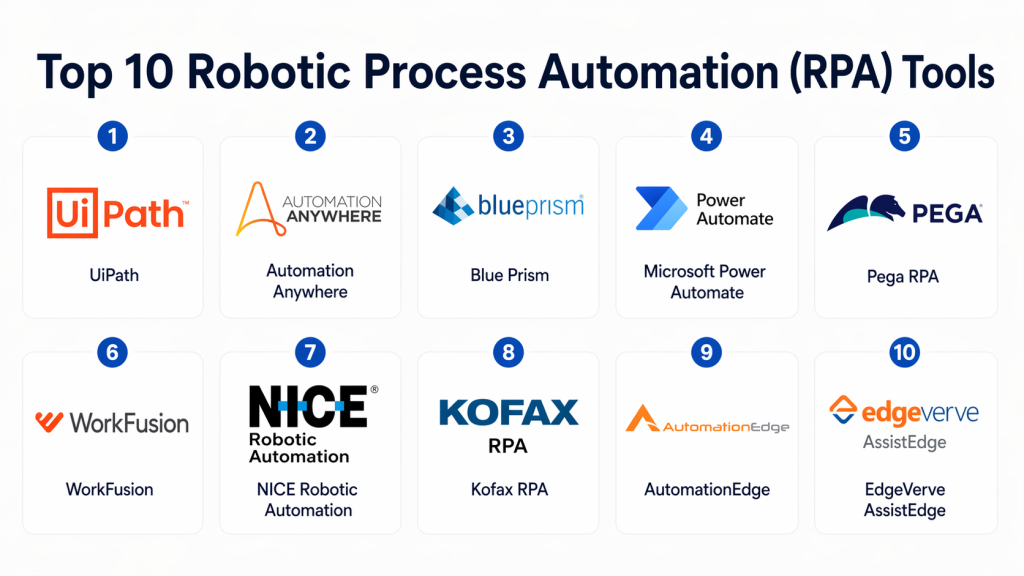
Top 10 Robotic Process Automation (RPA) Tools
#1 — UiPath
Short description: UiPath is a leading RPA platform offering both attended and unattended automation, with advanced AI integration and low-code workflow design.
Key Features
- Drag-and-drop workflow designer
- AI and machine learning integration
- Attended and unattended bots
- Extensive pre-built connectors
- Real-time monitoring and analytics
- Orchestration and bot lifecycle management
Pros
- Enterprise-grade scalability
- Large developer community and marketplace
Cons
- Steeper learning curve for beginners
- Licensing cost can be high for smaller teams
Platforms / Deployment
- Web / Windows / Cloud / Hybrid
Security & Compliance
- MFA, RBAC, encryption
- SOC 2, ISO 27001, GDPR
Integrations & Ecosystem
- ERP, CRM, databases, cloud apps
- REST/SOAP APIs
- AI and cognitive services
Support & Community
- Enterprise support, documentation, UiPath Academy
#2 — Automation Anywhere
Short description: Automation Anywhere provides a cloud-native RPA solution focused on enterprise automation with analytics and cognitive capabilities.
Key Features
- Bot creation for attended/unattended tasks
- AI-powered task processing
- Centralized bot management and orchestration
- Analytics and performance dashboards
- Pre-built connectors and templates
Pros
- Cloud-native scalability
- Strong cognitive and AI integration
Cons
- Requires training for advanced features
- Pricing may be prohibitive for SMBs
Platforms / Deployment
- Web / Windows / Cloud / Hybrid
Security & Compliance
- SSL, MFA, RBAC
- SOC 2, ISO 27001
Integrations & Ecosystem
- Cloud apps, ERP, CRM
- REST/SOAP APIs
- Workflow orchestration tools
Support & Community
- Enterprise support, documentation, community forums
#3 — Blue Prism
Short description: Blue Prism is an enterprise-focused RPA platform emphasizing scalability, security, and governance for unattended automation.
Key Features
- Visual process designer
- Digital workforce orchestration
- Auditing and compliance tools
- AI and machine learning integration
- Centralized monitoring
Pros
- Strong governance and security
- Scalable for large enterprises
Cons
- Less flexible for attended automation
- Higher learning curve
Platforms / Deployment
- Windows / Cloud / Hybrid
Security & Compliance
- RBAC, encryption
- ISO 27001, SOC 2, GDPR
Integrations & Ecosystem
- ERP, CRM, databases
- APIs and workflow platforms
Support & Community
- Enterprise support, documentation, partner ecosystem
#4 — Microsoft Power Automate
Short description: Power Automate enables both RPA and workflow automation within Microsoft ecosystems, with low-code tools for business users.
Key Features
- Low-code workflow designer
- Desktop and cloud automation
- AI Builder integration
- Pre-built connectors for Microsoft 365 and Dynamics
- Analytics and monitoring dashboards
Pros
- Seamless Microsoft ecosystem integration
- Easy for business users
Cons
- Limited advanced RPA features
- Best suited for Microsoft-centric environments
Platforms / Deployment
- Web / Windows / Cloud
Security & Compliance
- MFA, RBAC, encryption
- SOC 2, ISO 27001, GDPR
Integrations & Ecosystem
- Microsoft 365, Dynamics, SharePoint
- REST APIs, connectors
Support & Community
- Microsoft support, documentation, forums
#5 — Pega RPA
Short description: Pega RPA combines process automation with BPM capabilities to deliver end-to-end workflow automation.
Key Features
- Visual workflow design
- AI-powered decision-making
- Attended and unattended bots
- Integration with BPM and CRM
- Real-time analytics
Pros
- End-to-end automation with BPM
- Strong AI integration
Cons
- Complex for small teams
- Higher implementation cost
Platforms / Deployment
- Web / Cloud / Hybrid
Security & Compliance
- RBAC, encryption
- SOC 2, ISO 27001
Integrations & Ecosystem
- CRM, ERP, BPM systems
- APIs and connectors
Support & Community
- Enterprise support, documentation
#6 — WorkFusion
Short description: WorkFusion offers an AI-driven RPA platform combining intelligent automation with process orchestration and analytics.
Key Features
- Intelligent RPA with AI/ML
- Workflow automation
- Pre-trained bots for common tasks
- Analytics and monitoring
- Hybrid deployment
Pros
- Strong AI and cognitive automation
- Pre-built task automation templates
Cons
- Technical expertise required
- Costly for smaller deployments
Platforms / Deployment
- Web / Cloud / Hybrid
Security & Compliance
- SSL, encryption, RBAC
- SOC 2, GDPR
Integrations & Ecosystem
- Cloud apps, ERP, CRM
- APIs and connectors
Support & Community
- Enterprise support, documentation
#7 — NICE Robotic Automation
Short description: NICE RPA delivers process automation with attended and unattended bots and strong analytics for customer-facing operations.
Key Features
- Attended and unattended automation
- Analytics dashboards
- AI and ML capabilities
- Process orchestration
- Pre-built connectors
Pros
- Strong for customer service processes
- Real-time monitoring
Cons
- Complex deployment
- Licensing cost
Platforms / Deployment
- Web / Windows / Cloud / Hybrid
Security & Compliance
- RBAC, encryption
- ISO 27001, GDPR
Integrations & Ecosystem
- CRM, ERP, cloud apps
- APIs and workflow systems
Support & Community
- Enterprise support, documentation
#8 — Kofax RPA
Short description: Kofax RPA automates document-intensive tasks and integrates cognitive capabilities for intelligent automation.
Key Features
- Document and data capture automation
- AI and OCR integration
- Workflow orchestration
- Monitoring and analytics
- Pre-built connectors
Pros
- Ideal for document-heavy workflows
- Strong AI and OCR integration
Cons
- Limited non-document automation
- Licensing can be expensive
Platforms / Deployment
- Web / Cloud / Hybrid
Security & Compliance
- RBAC, encryption
- SOC 2, ISO 27001
Integrations & Ecosystem
- ERP, CRM, cloud apps
- APIs and connectors
Support & Community
- Enterprise support, documentation
#9 — AutomationEdge
Short description: AutomationEdge combines RPA with IT process automation and AI-driven insights to automate enterprise IT and business processes.
Key Features
- RPA with IT automation
- AI-driven workflow recommendations
- Cloud and on-prem deployment
- Pre-built connectors
- Analytics dashboards
Pros
- Strong IT process automation
- AI-powered insights
Cons
- Smaller community
- Requires technical expertise
Platforms / Deployment
- Web / Cloud / Hybrid
Security & Compliance
- RBAC, encryption
- SOC 2, ISO 27001
Integrations & Ecosystem
- ITSM, ERP, CRM
- REST/SOAP APIs
Support & Community
- Documentation, enterprise support
#10 — EdgeVerve AssistEdge
Short description: AssistEdge offers RPA with AI, analytics, and low-code workflow automation for enterprise-scale deployment.
Key Features
- Attended and unattended bots
- AI and ML integration
- Low-code workflow builder
- Real-time monitoring
- Analytics and reporting
Pros
- Scalable for enterprise workflows
- Strong AI integration
Cons
- Learning curve for advanced features
- Licensing costs
Platforms / Deployment
- Web / Cloud / Hybrid
Security & Compliance
- RBAC, encryption
- SOC 2, ISO 27001
Integrations & Ecosystem
- ERP, CRM, cloud apps
- APIs and connectors
Support & Community
- Enterprise support, documentation
Comparison Table (Top 10)
| Tool Name | Best For | Platform(s) Supported | Deployment | Standout Feature | Public Rating |
|---|---|---|---|---|---|
| UiPath | Enterprise RPA | Web / Windows / Cloud | Cloud / Hybrid | AI-powered automation | N/A |
| Automation Anywhere | Enterprise & SMB | Web / Windows / Cloud | Cloud / Hybrid | Cloud-native RPA | N/A |
| Blue Prism | Enterprise-scale | Windows / Cloud | Cloud / Hybrid | Unattended bot governance | N/A |
| Microsoft Power Automate | Business users | Web / Windows / Cloud | Cloud | Low-code workflows | N/A |
| Pega RPA | BPM + RPA | Web / Cloud / Hybrid | Cloud / Hybrid | End-to-end process automation | N/A |
| WorkFusion | AI-driven automation | Web / Cloud / Hybrid | Cloud / Hybrid | Intelligent automation | N/A |
| NICE RPA | Customer service ops | Web / Windows / Cloud | Cloud / Hybrid | Real-time monitoring | N/A |
| Kofax RPA | Document automation | Web / Cloud / Hybrid | Cloud / Hybrid | OCR & cognitive automation | N/A |
| AutomationEdge | IT process automation | Web / Cloud / Hybrid | Cloud / Hybrid | IT process + RPA integration | N/A |
| EdgeVerve AssistEdge | Enterprise workflows | Web / Cloud / Hybrid | Cloud / Hybrid | Low-code + AI RPA | N/A |
Evaluation & Scoring of Robotic Process Automation (RPA)
| Tool Name | Core (25%) | Ease (15%) | Integrations (15%) | Security (10%) | Performance (10%) | Support (10%) | Value (15%) | Weighted Total |
|---|---|---|---|---|---|---|---|---|
| UiPath | 9 | 8 | 9 | 9 | 9 | 8 | 7 | 8.55 |
| Automation Anywhere | 8 | 8 | 8 | 8 | 8 | 7 | 7 | 7.95 |
| Blue Prism | 9 | 7 | 8 | 9 | 9 | 8 | 7 | 8.45 |
| Microsoft Power Automate | 7 | 9 | 8 | 8 | 7 | 7 | 8 | 7.95 |
| Pega RPA | 8 | 7 | 8 | 8 | 8 | 7 | 7 | 7.85 |
| WorkFusion | 8 | 7 | 8 | 8 | 8 | 7 | 7 | 7.85 |
| NICE RPA | 8 | 7 | 8 | 8 | 8 | 7 | 7 | 7.85 |
| Kofax RPA | 7 | 7 | 7 | 8 | 7 | 7 | 7 | 7.25 |
| AutomationEdge | 7 | 7 | 8 | 8 | 7 | 7 | 7 | 7.45 |
| EdgeVerve AssistEdge | 8 | 7 | 8 | 8 | 8 | 7 | 7 | 7.85 |
Interpretation: Weighted scores represent overall suitability for enterprise-scale automation. Higher scores suit large, complex environments, while mid-tier tools may fit SMBs or specific automation scenarios.
Which Robotic Process Automation (RPA) Tool Is Right for You?
Solo / Freelancer
- Power Automate or UiPath Community Edition for small-scale automation
SMB
- Automation Anywhere, WorkFusion for scalable but cost-effective solutions
Mid-Market
- Blue Prism, Pega RPA, UiPath for moderate to high-volume workflows
Enterprise
- UiPath, Blue Prism, EdgeVerve, NICE RPA for large-scale, regulated environments
Budget vs Premium
- Budget: Microsoft Power Automate, Kofax, AutomationEdge
- Premium: UiPath, Blue Prism, Pega RPA, EdgeVerve
Feature Depth vs Ease of Use
- Easy-to-use: Power Automate, WorkFusion
- Feature-rich: UiPath, Blue Prism, Pega RPA
Integrations & Scalability
- Enterprise-ready: UiPath, Blue Prism, Pega RPA
- Moderate: WorkFusion, AutomationEdge
Security & Compliance Needs
- Enterprise-grade: UiPath, Blue Prism, EdgeVerve
- Standard compliance: Microsoft Power Automate, Kofax
Frequently Asked Questions (FAQs)
1. What is the typical pricing model for RPA platforms?
Most RPA platforms use subscription or license-based pricing, often based on bots, users, or volume of automation.
2. Can RPA handle unstructured data?
Yes. Platforms with AI and OCR can process documents, emails, and forms with unstructured data.
3. Are RPA bots attended or unattended?
RPA platforms support both. Attended bots assist users in real-time, while unattended bots run autonomously.
4. Do these platforms support AI integration?
Yes, many platforms integrate AI/ML to enhance decision-making and cognitive automation.
5. How scalable are RPA platforms?
Enterprise-grade platforms can scale from a few bots to thousands across multiple regions.
6. Can RPA integrate with existing ERP/CRM systems?
Yes. Most platforms provide pre-built connectors and API integration capabilities.
7. Is RPA secure for enterprise use?
Yes. Enterprise platforms include RBAC, encryption, MFA, audit logs, and compliance certifications.
8. How long does it take to implement RPA?
Implementation depends on scope and complexity but can range from weeks to months.
9. What are common implementation mistakes?
- Poor process selection
- Lack of governance
- Underestimating bot maintenance
10. Are there alternatives to RPA?
iPaaS, workflow automation platforms, and custom scripts can serve as alternatives for simpler or specific tasks.
Conclusion
Robotic Process Automation (RPA) accelerates efficiency by automating repetitive tasks, enabling organizations to focus on higher-value initiatives. Selection depends on process complexity, organizational scale, and integration needs. SMBs may find Microsoft Power Automate or WorkFusion sufficient, while large enterprises benefit from UiPath, Blue Prism, or Pega RPA. Running pilots with 2–3 shortlisted platforms ensures alignment with technical, business, and compliance requirements.

Find Trusted Cardiac Hospitals
Compare heart hospitals by city and services — all in one place.
Explore Hospitals
This explains how RPA tools use software bots to handle repetitive tasks faster and with fewer errors.