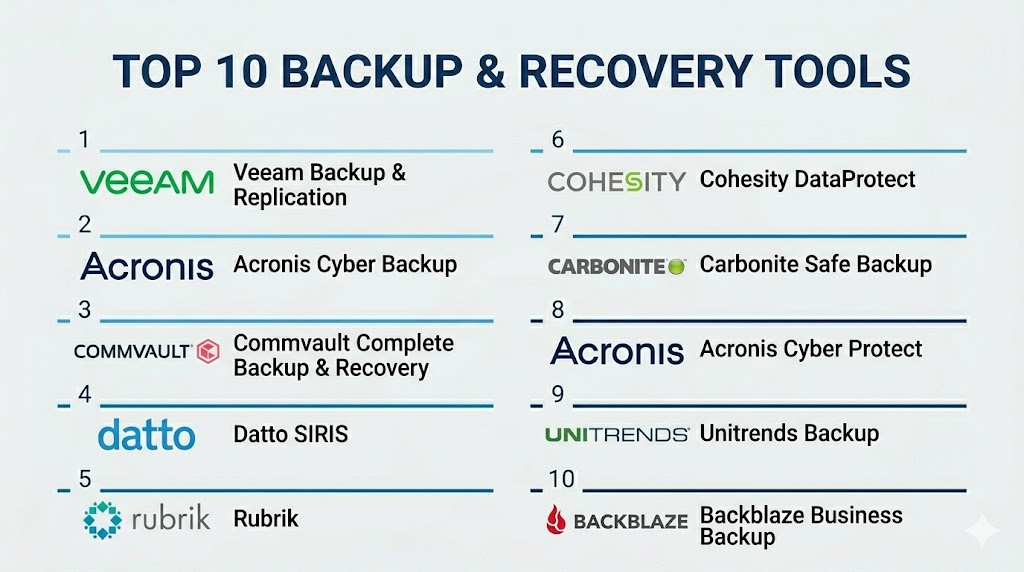
Introduction
Backup & recovery tools are software solutions designed to protect digital assets by creating copies of data and enabling fast restoration in case of accidental loss, system failures, ransomware attacks, or natural disasters. In today’s increasingly digital and hybrid IT environment, having a robust backup and recovery strategy is critical to maintain business continuity and regulatory compliance.
The rising complexity of IT infrastructures, with a mix of cloud services, on-premises servers, and endpoint devices, has increased the importance of efficient backup solutions. Organizations need tools that not only back up data reliably but also provide quick recovery, granular restore options, and seamless integration with existing systems. Real-world use cases include:
- Ensuring data continuity after accidental deletions or system crashes.
- Ransomware and malware recovery for critical business data.
- Disaster recovery planning for cloud and on-premises environments.
- Long-term archival for regulatory compliance and audits.
- Simplifying migration or replication of workloads across platforms.
Key evaluation criteria buyers should consider:
- Platform coverage (Windows, macOS, Linux, cloud, virtual environments)
- Deployment model (cloud, on-premises, hybrid)
- Backup frequency and retention policies
- Recovery speed and granularity
- Security and encryption features
- Compliance with regulations like GDPR, HIPAA, SOC 2
- Automation and scheduling capabilities
- Scalability for growing datasets
- Integration with existing IT infrastructure
- Cost and licensing flexibility
Best for: IT managers, system administrators, and security teams across SMBs, mid-market, and enterprise organizations that need reliable data protection, disaster recovery, and compliance support. Industries such as finance, healthcare, education, and e-commerce benefit most.
Not ideal for: Small organizations with minimal digital infrastructure or teams relying on built-in OS backup features may not require advanced enterprise-grade solutions. Open-source tools may suffice for limited needs.
Key Trends in Backup & Recovery Tools
- AI-driven anomaly detection: Predicts potential data loss and triggers preemptive backups.
- Cloud-native and hybrid solutions: Simplify backup management across on-prem and cloud workloads.
- Ransomware-resilient features: Immutable backups and air-gapped storage protect against attacks.
- Automation and orchestration: Scheduled, policy-based backup deployments reduce human intervention.
- Granular recovery options: Restore individual files, folders, applications, or full systems quickly.
- Compliance-focused reporting: Built-in templates for GDPR, HIPAA, SOC 2, and industry standards.
- Cross-platform support: Backup and restore for Windows, macOS, Linux, virtual machines, and cloud services.
- Integration with IT and monitoring tools: Connects with ITSM, RMM, and cloud management platforms.
- Cost flexibility: Subscription and pay-as-you-go pricing models for cloud solutions.
- Edge and endpoint backup growth: Increased focus on remote devices and edge computing workloads.
How We Selected These Tools (Methodology)
- Reviewed market adoption and mindshare across SMB, mid-market, and enterprise users.
- Evaluated feature completeness including OS, application, and cloud backup coverage.
- Considered reliability and performance through user reviews and vendor claims.
- Assessed security posture including encryption, MFA, RBAC, and compliance capabilities.
- Checked integration and ecosystem support for ITSM, RMM, monitoring, and cloud platforms.
- Tested customer fit across segments (solo, SMB, mid-market, enterprise).
- Reviewed automation, scheduling, and policy-based capabilities.
- Evaluated granularity of recovery options and disaster recovery support.
- Considered scalability and storage flexibility for growing datasets.
- Examined support and documentation quality.
Top 10 Backup & Recovery Tools
#1 — Veeam Backup & Replication
Short description: Veeam provides enterprise-grade backup and recovery for virtual, physical, and cloud environments. Ideal for IT teams needing rapid disaster recovery and flexible data protection.
Key Features
- Virtual and physical server backup
- Cloud-native backup options
- Instant VM recovery
- Granular file and application restore
- Policy-driven automation
- Integrated monitoring and reporting
- Ransomware protection
Pros
- Fast recovery and replication
- Broad platform support
Cons
- Licensing complexity
- Learning curve for advanced features
Platforms / Deployment
- Windows, Linux, VMware, Hyper-V
- Cloud / On-premises / Hybrid
Security & Compliance
- Encryption at rest and in transit, RBAC
- Not publicly stated for certifications
Integrations & Ecosystem
Connects with VMware, Hyper-V, cloud storage providers, and IT monitoring tools.
- APIs for automation
- Cloud storage integrations
- ITSM connectors
Support & Community
Extensive vendor support and active user community.
#2 — Acronis Cyber Backup
Short description: Acronis Cyber Backup offers unified backup and recovery with cybersecurity features, targeting SMBs to enterprise IT teams looking for integrated protection.
Key Features
- AI-based ransomware protection
- Cloud and on-premises backup
- Disk-imaging and file-level backup
- Granular restore
- Multi-platform support
- Policy-based automation
Pros
- Security integrated with backup
- Easy to deploy across endpoints
Cons
- Premium cost for advanced features
- Cloud storage pricing varies
Platforms / Deployment
- Windows, macOS, Linux
- Cloud / On-premises / Hybrid
Security & Compliance
- MFA, encryption, audit logs
- GDPR support
Integrations & Ecosystem
Integrates with VMware, Hyper-V, Microsoft 365, and storage providers.
- APIs for custom workflows
- Cloud service connectors
- IT monitoring integrations
Support & Community
Vendor support and moderate community forums.
#3 — Commvault Complete Backup & Recovery
Short description: Commvault provides scalable enterprise backup and recovery with advanced automation and compliance reporting, suitable for large organizations.
Key Features
- Multi-cloud and hybrid backup
- Deduplication and compression
- Granular restore
- Policy-based automation
- Compliance reporting
- Disaster recovery orchestration
Pros
- Enterprise scalability
- Strong compliance features
Cons
- High cost
- Complex deployment and configuration
Platforms / Deployment
- Windows, Linux, macOS, VMware, Hyper-V
- Cloud / On-premises / Hybrid
Security & Compliance
- Encryption, RBAC, MFA
- SOC 2, Not publicly stated
Integrations & Ecosystem
Connects with ITSM, cloud platforms, storage arrays, and monitoring tools.
- API support
- RMM integrations
- Workflow automation
Support & Community
Comprehensive vendor support; active enterprise community.
#4 — Datto SIRIS
Short description: Datto SIRIS focuses on MSP-friendly backup and recovery, offering rapid disaster recovery and cloud-based continuity for SMBs.
Key Features
- Cloud backup and replication
- Instant virtualization
- Ransomware detection
- Image-based backup
- Offsite cloud storage
- Automated scheduling
Pros
- Quick disaster recovery
- MSP-focused features
Cons
- Limited enterprise features
- Cloud reliance may affect speed
Platforms / Deployment
- Windows, macOS, Linux
- Cloud / Hybrid
Security & Compliance
- Encryption, MFA
- Not publicly stated
Integrations & Ecosystem
Connects with Datto RMM, cloud storage, and IT monitoring tools.
- APIs for automation
- Workflow connectors
Support & Community
Strong MSP support and vendor resources.
#5 — Rubrik
Short description: Rubrik provides converged data management with backup, recovery, and cloud archival for enterprises and mid-market organizations.
Key Features
- Policy-driven backup automation
- Cloud and on-premises support
- Granular file and VM restore
- Ransomware detection and recovery
- Immutable snapshots
- Analytics and reporting
Pros
- High scalability and automation
- Fast recovery and compliance reporting
Cons
- Premium pricing
- Learning curve for advanced features
Platforms / Deployment
- Windows, Linux, VMware, Hyper-V
- Cloud / On-premises / Hybrid
Security & Compliance
- Encryption, RBAC
- Not publicly stated
Integrations & Ecosystem
Integrates with cloud storage, ITSM, monitoring tools.
- API support
- Cloud-native connectors
- Automation workflows
Support & Community
Vendor support and enterprise user forums.
#6 — Cohesity DataProtect
Short description: Cohesity offers unified backup and recovery with strong analytics and security features for enterprises seeking simplified management.
Key Features
- Multi-cloud backup
- Deduplication and compression
- Policy-based automation
- Granular restore
- Ransomware detection
- Compliance reporting
Pros
- Simplified management for large datasets
- Built-in security
Cons
- Premium cost
- Setup complexity
Platforms / Deployment
- Windows, Linux, VMware, Hyper-V
- Cloud / On-premises / Hybrid
Security & Compliance
- Encryption, RBAC
- Not publicly stated
Integrations & Ecosystem
Integrates with cloud providers, ITSM, monitoring, and analytics tools.
- API access
- Workflow automation
- Storage connectors
Support & Community
Comprehensive support and active enterprise community.
#7 — Carbonite Safe Backup
Short description: Carbonite Safe Backup is a cloud-first backup solution for SMBs, offering automated file backup and restore with easy-to-use features.
Key Features
- Cloud-based backup
- Continuous file protection
- Remote file restore
- Automated scheduling
- Endpoint support
- Compliance reporting
Pros
- Simple setup and management
- Affordable for SMBs
Cons
- Limited enterprise-grade features
- Recovery granularity is basic
Platforms / Deployment
- Windows, macOS
- Cloud
Security & Compliance
- Encryption at rest and in transit
- Not publicly stated
Integrations & Ecosystem
Connects with cloud storage and basic IT monitoring tools.
- APIs for limited automation
- Endpoint management connectors
Support & Community
Vendor support available; moderate community.
#8 — Acronis Cyber Protect
Short description: Combines backup, recovery, and cybersecurity features in one platform, suitable for SMBs to mid-market companies.
Key Features
- Integrated cybersecurity and backup
- Cloud and on-premises support
- Ransomware detection and recovery
- Granular restore options
- Policy automation
- Reporting and analytics
Pros
- Security built-in
- Cloud and hybrid support
Cons
- Higher cost for full feature set
- Complexity in deployment
Platforms / Deployment
- Windows, macOS, Linux
- Cloud / On-premises / Hybrid
Security & Compliance
- MFA, encryption, audit logs
- GDPR support
Integrations & Ecosystem
Integrates with Microsoft 365, VMware, Hyper-V, cloud storage.
- APIs for automation
- ITSM connectors
- Monitoring tools
Support & Community
Vendor support and user community active.
#9 — Unitrends Backup
Short description: Unitrends provides enterprise backup, recovery, and DR planning with multi-platform support and cloud integration.
Key Features
- Multi-platform backup
- Cloud and on-premises support
- Disaster recovery orchestration
- Deduplication and compression
- Granular restore
- Reporting dashboards
Pros
- Comprehensive disaster recovery features
- Cloud-native and hybrid support
Cons
- Cost can be high
- Advanced setup requires expertise
Platforms / Deployment
- Windows, Linux, VMware, Hyper-V
- Cloud / On-premises / Hybrid
Security & Compliance
- Encryption, RBAC
- Not publicly stated
Integrations & Ecosystem
Integrates with ITSM, monitoring, and cloud providers.
- APIs for workflow automation
- Cloud connectors
- Reporting integrations
Support & Community
Vendor support and enterprise community forums.
#10 — Backblaze Business Backup
Short description: Backblaze provides simple, reliable cloud backup for endpoints and servers, focusing on affordability and ease of use for SMBs.
Key Features
- Cloud-only backup
- Continuous backup
- Automated scheduling
- Unlimited storage for endpoints
- File and system restore
- Remote management console
Pros
- Affordable and easy to use
- Scales easily for endpoints
Cons
- Limited enterprise features
- No on-premises backup option
Platforms / Deployment
- Windows, macOS
- Cloud
Security & Compliance
- Encryption, MFA
- Not publicly stated
Integrations & Ecosystem
Connects with cloud storage and endpoint monitoring tools.
- API support
- Remote management console
- Workflow automation limited
Support & Community
Vendor support available; growing user community.
Comparison Table (Top 10)
| Tool Name | Best For | Platform(s) Supported | Deployment | Standout Feature | Public Rating |
|---|---|---|---|---|---|
| Veeam Backup & Replication | Enterprise | Windows, Linux, VMware, Hyper-V | Cloud/On-prem/Hybrid | Instant VM recovery | N/A |
| Acronis Cyber Backup | SMB/Enterprise | Windows, macOS, Linux | Cloud/On-prem/Hybrid | Integrated security | N/A |
| Commvault Complete Backup & Recovery | Enterprise | Windows, Linux, macOS, VMware, Hyper-V | Cloud/On-prem/Hybrid | Policy-driven automation | N/A |
| Datto SIRIS | SMB/MSP | Windows, macOS, Linux | Cloud/Hybrid | Rapid disaster recovery | N/A |
| Rubrik | Enterprise | Windows, Linux, VMware, Hyper-V | Cloud/On-prem/Hybrid | Converged data management | N/A |
| Cohesity DataProtect | Enterprise | Windows, Linux, VMware, Hyper-V | Cloud/On-prem/Hybrid | Simplified management | N/A |
| Carbonite Safe Backup | SMB | Windows, macOS | Cloud | Ease of use | N/A |
| Acronis Cyber Protect | SMB/Mid-market | Windows, macOS, Linux | Cloud/On-prem/Hybrid | Integrated backup & security | N/A |
| Unitrends Backup | Enterprise | Windows, Linux, VMware, Hyper-V | Cloud/On-prem/Hybrid | Disaster recovery orchestration | N/A |
| Backblaze Business Backup | SMB | Windows, macOS | Cloud | Simple cloud backup | N/A |
Evaluation & Scoring of Backup & Recovery Tools
| Tool Name | Core (25%) | Ease (15%) | Integrations (15%) | Security (10%) | Performance (10%) | Support (10%) | Value (15%) | Weighted Total (0–10) |
|---|---|---|---|---|---|---|---|---|
| Veeam Backup & Replication | 9 | 7 | 8 | 8 | 9 | 7 | 8 | 8.2 |
| Acronis Cyber Backup | 8 | 8 | 7 | 8 | 8 | 7 | 7 | 7.7 |
| Commvault Complete Backup & Recovery | 9 | 6 | 8 | 8 | 8 | 7 | 7 | 7.8 |
| Datto SIRIS | 8 | 8 | 7 | 7 | 8 | 7 | 7 | 7.5 |
| Rubrik | 9 | 7 | 8 | 8 | 9 | 7 | 7 | 7.9 |
| Cohesity DataProtect | 8 | 7 | 7 | 8 | 8 | 7 | 7 | 7.6 |
| Carbonite Safe Backup | 7 | 9 | 6 | 7 | 7 | 6 | 8 | 7.3 |
| Acronis Cyber Protect | 8 | 7 | 7 | 8 | 8 | 7 | 7 | 7.5 |
| Unitrends Backup | 8 | 7 | 7 | 8 | 8 | 7 | 7 | 7.5 |
| Backblaze Business Backup | 7 | 9 | 6 | 7 | 7 | 6 | 8 | 7.3 |
Interpretation: Scores are comparative, reflecting feature depth, ease of use, integrations, security, performance, and value. A higher weighted total indicates stronger overall suitability for diverse IT environments. Buyers should consider specific infrastructure needs, data volume, and recovery objectives.
Which Backup & Recovery Tool Is Right for You?
Solo / Freelancer
- Backblaze or Carbonite provide simple, cloud-based solutions for individual devices and limited datasets.
SMB
- Acronis Cyber Backup or Datto SIRIS offer reliable protection with cloud integration and minimal IT overhead.
Mid-Market
- Acronis Cyber Protect or Rubrik provide scalability, policy-driven automation, and advanced recovery options.
Enterprise
- Veeam Backup & Replication, Commvault, or Cohesity DataProtect deliver enterprise-grade backup, granular recovery, and compliance reporting.
Budget vs Premium
- Budget-friendly: Backblaze, Carbonite
- Premium enterprise: Veeam, Commvault, Rubrik
Feature Depth vs Ease of Use
- Feature-rich: Veeam, Commvault, Rubrik
- Easy-to-use: Backblaze, Carbonite
Integrations & Scalability
- Rubrik, Cohesity, and Veeam integrate well with ITSM, monitoring, and cloud ecosystems for scaling operations.
Security & Compliance Needs
- Enterprises with regulatory requirements should prioritize encryption, RBAC, MFA, and audit logging supported by Veeam, Commvault, or Cohesity.
Frequently Asked Questions (FAQs)
1. How much do backup & recovery tools cost?
Pricing varies by deployment type, number of endpoints, and feature set. Cloud solutions typically use subscription models, while enterprise suites may have per-server or per-capacity licensing.
2. How long does implementation take?
Cloud-based solutions can be deployed within hours to days, while enterprise on-premises solutions may require weeks for configuration, testing, and integration.
3. Can these tools recover data from ransomware attacks?
Yes. Leading tools like Veeam, Rubrik, and Acronis provide ransomware-resilient backups, immutable snapshots, and rapid restore capabilities.
4. Do these tools support cloud workloads?
Most modern backup solutions support hybrid environments including AWS, Azure, Google Cloud, and virtualized workloads.
5. Can I recover individual files or full systems?
Yes. Most tools offer granular recovery, from single files and databases to full virtual machines or system images.
6. How often should backups run?
Backup frequency depends on business needs. Enterprise workloads may require continuous or daily backups, while SMBs may suffice with scheduled daily or weekly backups.
7. Are backup tools secure?
Top tools include encryption at rest and in transit, RBAC, MFA, and audit logging to ensure data protection and regulatory compliance.
8. Can backups be automated?
Yes. Policy-based automation and scheduling allow IT teams to manage backups without manual intervention.
9. How do I choose between cloud and on-premises backup?
Cloud is suitable for rapid deployment, offsite protection, and scalability. On-premises gives full control, lower recurring costs, and may suit regulatory needs.
10. Are open-source backup solutions viable?
Open-source tools exist but typically lack enterprise-grade features, support, and cross-platform coverage.
Conclusion
Backup & recovery tools are essential for protecting critical data and maintaining business continuity across IT environments. Modern solutions offer cloud and hybrid deployment, AI-assisted automation, ransomware protection, and granular recovery capabilities to meet the diverse needs of SMBs, mid-market companies, and large enterprises. Selecting the right tool depends on platform coverage, recovery objectives, compliance requirements, and budget constraints. IT teams should shortlist candidates, run pilots, validate integrations, and ensure security and compliance to maximize the value of their backup investment.

Find Trusted Cardiac Hospitals
Compare heart hospitals by city and services — all in one place.
Explore Hospitals
Backup and recovery plans should also consider how long it takes to restore critical services. Having backups is not enough if the recovery process takes longer than the business can tolerate. Testing recovery times for important systems can help teams set realistic expectations and find slow steps before an actual outage.