Introduction
Secure File Transfer (MFT) tools provide organizations with a controlled, auditable, and secure way to exchange files internally and externally. Unlike standard file-sharing methods like email attachments or public cloud storage, MFT platforms ensure encryption, compliance, and process automation. In today’s data-driven environment, with remote work, global collaboration, and strict regulatory requirements, the need for secure, reliable, and compliant file transfers has never been higher.
Real-world use cases include:
- Financial institutions exchanging sensitive client data with partners.
- Healthcare organizations transmitting protected patient records while complying with HIPAA.
- Enterprises sharing large datasets across international offices.
- IT teams automating file delivery between systems and applications.
- Vendors or contractors sending confidential documents securely.
Key evaluation criteria for buyers:
- Security & compliance features (encryption, audit logs, RBAC, MFA)
- Deployment flexibility (cloud, on-premises, hybrid)
- Automation & workflow capabilities
- Integration with existing systems (ERP, CRM, cloud storage)
- Performance & scalability
- Ease of use and onboarding
- Support & community strength
- Pricing and overall value
Best for: IT managers, security teams, compliance officers, enterprises, mid-market companies, and SMBs needing secure, reliable file transfer with auditing and automation.
Not ideal for: Individuals or small teams exchanging non-sensitive files occasionally, or when simple cloud storage platforms suffice.
Key Trends in Secure File Transfer (MFT) Tools
- Increasing adoption of AI for anomaly detection in transfers and automated routing.
- Cloud-native and hybrid deployment models enabling global file access.
- Enhanced compliance with GDPR, HIPAA, SOC 2, and industry-specific regulations.
- Automation of recurring file workflows and batch transfers.
- Integration with SaaS, ERP, CRM, and cloud storage platforms.
- Zero-trust security principles and multi-factor authentication.
- Managed service models reducing internal IT overhead.
- Predictive analytics for transfer performance and failure prevention.
- Pay-as-you-go pricing and subscription-based licensing.
- Focus on developer-friendly APIs for embedding secure transfers into applications.
How We Selected These Tools (Methodology)
- Evaluated market adoption and mindshare among enterprises and SMBs.
- Assessed feature completeness and support for automation, encryption, and compliance.
- Measured reliability and performance signals via benchmarks and case studies.
- Reviewed security posture, including encryption protocols and auditing capabilities.
- Analyzed integration options with common enterprise applications and cloud platforms.
- Considered fit for different customer segments, from solo users to global enterprises.
- Balanced innovation, AI features, and modernization of workflows.
- Factored in vendor reputation, support quality, and community engagement.
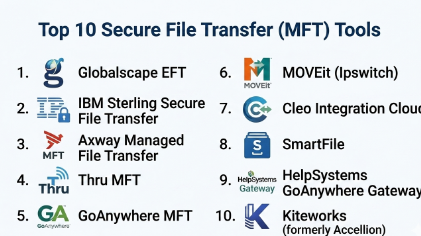
Top 10 Secure File Transfer (MFT) Tools
#1 — Globalscape EFT
Short description : Globalscape EFT provides enterprise-grade managed file transfer with strong compliance features and automated workflows. Suitable for large organizations and regulated industries.
Key Features
- End-to-end encryption and secure protocols (SFTP, FTPS)
- Workflow automation for file routing and processing
- Compliance reporting for HIPAA, GDPR, SOX
- High availability and failover support
- User and group-based access controls
- API for integration with ERP/CRM systems
- Cloud, on-premises, and hybrid deployment
Pros
- Comprehensive compliance and auditing features
- Scalable for enterprise use
Cons
- Interface can be complex for smaller teams
- Licensing can be expensive for SMBs
Platforms / Deployment
- Windows / Linux / Cloud / Hybrid
Security & Compliance
- Encryption (AES 256-bit), SSO/SAML, MFA, audit logs
- HIPAA, GDPR, SOC 2
Integrations & Ecosystem
Integrates with ERP, CRM, and cloud storage; supports APIs for automation.
- SAP, Oracle, Salesforce
- AWS, Azure
- REST API for custom workflows
- Email notification systems
Support & Community
- Documentation, knowledge base, 24/7 support tiers
- User forums and customer advisory boards
#2 — IBM Sterling Secure File Transfer
Short description : IBM Sterling is a robust MFT solution targeting complex, global enterprise needs with high-volume and mission-critical file transfers.
Key Features
- Multi-protocol support including SFTP, AS2, HTTPS
- End-to-end encryption with key management
- Automation and monitoring dashboards
- B2B and internal file exchange support
- Regulatory compliance and audit-ready reporting
- High availability and disaster recovery
- Cloud and on-premises deployment options
Pros
- Strong enterprise-grade reliability
- Advanced automation capabilities
Cons
- Implementation can be resource-intensive
- Higher total cost of ownership
Platforms / Deployment
- Windows / Linux / Cloud / Hybrid
Security & Compliance
- Encryption, audit logs, RBAC, MFA
- SOC 2, ISO 27001, HIPAA
Integrations & Ecosystem
- ERP and supply chain systems integration
- REST and SOAP APIs
- Event-driven workflow support
Support & Community
- 24/7 enterprise support, extensive documentation
- Active customer community
#3 — Axway Managed File Transfer
Short description : Axway MFT combines secure file movement with visibility and governance features for enterprises seeking centralized control over file workflows.
Key Features
- End-to-end encryption and secure protocols
- Centralized management console
- Workflow automation and monitoring
- Cloud, on-premises, and hybrid deployment
- Compliance reporting for GDPR, HIPAA, PCI
- API-driven integration
- File transfer acceleration and optimization
Pros
- Strong governance and compliance features
- Flexible deployment options
Cons
- Steeper learning curve for new users
- Costs may be high for small deployments
Platforms / Deployment
- Windows / Linux / macOS / Cloud / Hybrid
Security & Compliance
- Encryption, SSO, MFA, audit logs
- HIPAA, GDPR
Integrations & Ecosystem
- REST APIs, connectors for ERP/CRM
- Cloud storage integration
- Event-driven workflow hooks
Support & Community
- Comprehensive documentation, training programs
- Dedicated support tiers
#4 — Thru MFT
Short description : Thru MFT offers enterprise-class secure file transfer with strong SaaS focus and visibility into file activities, ideal for global teams and cloud-first strategies.
Key Features
- Cloud-native architecture with hybrid options
- End-to-end encryption
- Audit trails and compliance reporting
- Automated workflows and notifications
- B2B and internal transfer support
- Multi-platform access
- Integration APIs
Pros
- Cloud-first simplicity
- Transparent activity tracking
Cons
- Advanced features may require professional services
- Smaller ecosystem compared to legacy vendors
Platforms / Deployment
- Web / Windows / Linux / Cloud / Hybrid
Security & Compliance
- Encryption, MFA, audit logs
- GDPR, SOC 2, ISO 27001
Integrations & Ecosystem
- ERP/CRM integration
- API and webhook support
- Cloud storage connectors
Support & Community
- Online resources, customer success teams
- Limited public forums
#5 — GoAnywhere MFT
Short description : GoAnywhere provides automated, secure file transfer with strong workflow capabilities for mid-market and enterprise organizations.
Key Features
- Multi-protocol support (SFTP, FTPS, HTTPS)
- Automation and scheduling of file transfers
- Encryption and secure key management
- Reporting and auditing tools
- Cloud, on-premises, and hybrid deployment
- API integration for business applications
- File transfer acceleration
Pros
- Strong automation features
- Transparent pricing for SMBs and mid-market
Cons
- Interface may feel dated
- Some advanced features require training
Platforms / Deployment
- Windows / Linux / Cloud / Hybrid
Security & Compliance
- Encryption, MFA, RBAC
- GDPR, SOC 2
Integrations & Ecosystem
- ERP/CRM connectors
- REST API
- Cloud storage integration
Support & Community
- Email and phone support, knowledge base
- Online community forum
#6 — MOVEit (Ipswitch)
Short description : MOVEit offers secure, compliant file transfer with automation, logging, and enterprise visibility for mid-size and large organizations.
Key Features
- Managed file transfer with encryption
- Workflow automation and scheduling
- Audit logs and compliance reports
- B2B and internal file exchanges
- Cloud, on-premises, hybrid deployment
- REST API for integration
- Alerts and notifications
Pros
- Strong compliance support
- Reliable enterprise performance
Cons
- Limited SaaS-native options
- Implementation complexity
Platforms / Deployment
- Windows / Linux / Cloud / Hybrid
Security & Compliance
- AES encryption, MFA, audit logs
- HIPAA, SOC 2, GDPR
Integrations & Ecosystem
- ERP and cloud storage integration
- API and scripting support
- Notification systems
Support & Community
- Vendor support, user guides
- Community discussion forums
#7 — Cleo Integration Cloud
Short description : Cleo provides secure file transfer with a focus on integration, enabling data movement and visibility across B2B ecosystems.
Key Features
- Secure protocols and encryption
- API and EDI integration
- Cloud and hybrid deployment
- Automation and workflow orchestration
- Compliance reporting
- Monitoring dashboards
- Event-based triggers
Pros
- Integration-driven platform
- Real-time visibility into transfers
Cons
- Premium pricing
- Requires setup expertise
Platforms / Deployment
- Web / Cloud / Hybrid
Security & Compliance
- Encryption, audit logs, RBAC
- Not publicly stated for certifications
Integrations & Ecosystem
- ERP/CRM systems, cloud storage
- EDI and API connectors
- Event-driven automation
Support & Community
- 24/7 enterprise support
- Documentation and training programs
#8 — SmartFile
Short description : SmartFile combines secure file sharing with compliance and workflow automation, suitable for SMBs and mid-market businesses.
Key Features
- Secure file transfer and storage
- Role-based access and MFA
- Audit trails and reporting
- Cloud-native or hybrid deployment
- Automated workflows
- REST API support
- User-friendly interface
Pros
- Intuitive interface
- Affordable for SMBs
Cons
- Limited advanced automation
- Smaller integration ecosystem
Platforms / Deployment
- Web / Windows / Mac / Cloud / Hybrid
Security & Compliance
- Encryption, MFA, audit logs
- GDPR, HIPAA
Integrations & Ecosystem
- Cloud storage, email, ERP connectors
- API for custom workflows
- Basic webhook support
Support & Community
- Online documentation
- Email support
#9 — HelpSystems GoAnywhere Gateway
Short description : GoAnywhere Gateway provides secure file transfer and protocol mediation, extending GoAnywhere MFT capabilities for hybrid and cloud environments.
Key Features
- Secure protocol mediation (SFTP, FTPS, HTTPS)
- DMZ-friendly architecture
- Automated file workflows
- Audit and compliance reporting
- Cloud, on-premises, hybrid deployment
- API integration
- High availability options
Pros
- Enhances hybrid and cloud scenarios
- Centralized visibility
Cons
- Additional cost on top of core MFT
- Setup may require technical expertise
Platforms / Deployment
- Windows / Linux / Cloud / Hybrid
Security & Compliance
- Encryption, audit logs
- GDPR, SOC 2
Integrations & Ecosystem
- Works with core GoAnywhere MFT
- ERP/CRM and cloud connectors
- REST API support
Support & Community
- Vendor support and documentation
- Limited public community
#10 — Kiteworks (formerly Accellion)
Short description : Kiteworks focuses on secure content communication and file transfer, providing enterprises with encrypted messaging, transfer, and collaboration tools.
Key Features
- Encrypted file transfer and storage
- Secure messaging and collaboration
- Compliance reporting
- Access controls and MFA
- Cloud and on-premises deployment
- API support for automation
- Audit trails and monitoring
Pros
- Strong security and compliance focus
- Collaboration capabilities beyond transfers
Cons
- Interface may require adaptation
- Higher licensing for large teams
Platforms / Deployment
- Web / Windows / Mac / Cloud / Hybrid
Security & Compliance
- Encryption, SSO, MFA, audit logs
- HIPAA, GDPR, SOC 2
Integrations & Ecosystem
- ERP/CRM, cloud storage connectors
- API for workflow automation
- Collaboration platforms
Support & Community
- 24/7 support, knowledge base
- Professional services available
Comparison Table (Top 10)
| Tool Name | Best For | Platform(s) Supported | Deployment | Standout Feature | Public Rating |
|---|---|---|---|---|---|
| Globalscape EFT | Enterprises, Regulated | Windows, Linux | Cloud / Hybrid | Compliance & workflow | N/A |
| IBM Sterling SFT | Global Enterprises | Windows, Linux | Cloud / Hybrid | High-volume reliability | N/A |
| Axway MFT | Enterprises | Windows, Linux, Mac | Cloud / Hybrid | Governance & control | N/A |
| Thru MFT | Cloud-first teams | Web, Windows, Linux | Cloud / Hybrid | Cloud-native visibility | N/A |
| GoAnywhere MFT | Mid-market & enterprise | Windows, Linux | Cloud / Hybrid | Automation & scheduling | N/A |
| MOVEit | Mid-size, large orgs | Windows, Linux | Cloud / Hybrid | Compliance & auditing | N/A |
| Cleo Integration Cloud | B2B integration | Web | Cloud / Hybrid | Integration-driven | N/A |
| SmartFile | SMBs, mid-market | Web, Windows, Mac | Cloud / Hybrid | Ease of use | N/A |
| GoAnywhere Gateway | Hybrid/cloud extension | Windows, Linux | Cloud / Hybrid | Protocol mediation | N/A |
| Kiteworks | Enterprise collaboration | Web, Windows, Mac | Cloud / Hybrid | Secure communication | N/A |
Evaluation & Scoring of Secure File Transfer (MFT) Tools
| Tool Name | Core (25%) | Ease (15%) | Integrations (15%) | Security (10%) | Performance (10%) | Support (10%) | Value (15%) | Weighted Total (0–10) |
|---|---|---|---|---|---|---|---|---|
| Globalscape EFT | 9 | 7 | 8 | 9 | 8 | 8 | 6 | 8.0 |
| IBM Sterling SFT | 10 | 6 | 9 | 9 | 9 | 8 | 5 | 8.0 |
| Axway MFT | 9 | 7 | 8 | 8 | 8 | 8 | 6 | 7.9 |
| Thru MFT | 8 | 8 | 7 | 8 | 8 | 7 | 7 | 7.7 |
| GoAnywhere MFT | 8 | 8 | 7 | 8 | 8 | 7 | 8 | 7.8 |
| MOVEit | 9 | 7 | 7 | 9 | 8 | 8 | 6 | 7.9 |
| Cleo Integration Cloud | 8 | 7 | 9 | 7 | 8 | 7 | 6 | 7.6 |
| SmartFile | 7 | 9 | 6 | 8 | 7 | 7 | 8 | 7.5 |
| GoAnywhere Gateway | 8 | 7 | 7 | 8 | 8 | 7 | 6 | 7.5 |
| Kiteworks | 8 | 7 | 7 | 9 | 8 | 7 | 7 | 7.7 |
Interpretation: Scores are comparative across the category. Higher weighted totals indicate stronger overall performance considering features, usability, security, and value. Buyers should prioritize criteria relevant to their organization.
Which Secure File Transfer (MFT) Tool Is Right for You?
Solo / Freelancer
- SmartFile or cloud-only Thru MFT may suffice for small-scale secure sharing.
SMB
- GoAnywhere MFT or SmartFile provides automation, compliance, and ease-of-use at a mid-market-friendly cost.
Mid-Market
- MOVEit or Globalscape EFT balances security, automation, and reporting for regulated mid-market organizations.
Enterprise
- IBM Sterling, Axway MFT, and Kiteworks deliver enterprise-grade scalability, compliance, and global integration.
Budget vs Premium
- Budget-focused: SmartFile, GoAnywhere MFT
- Premium features: IBM Sterling, Globalscape EFT, Axway MFT
Feature Depth vs Ease of Use
- Feature-rich but complex: IBM Sterling, Globalscape EFT
- Easier adoption: SmartFile, Thru MFT
Integrations & Scalability
- For extensive ERP, CRM, and cloud integrations: Cleo, Axway, IBM Sterling
Security & Compliance Needs
- Organizations with strict compliance: Globalscape EFT, MOVEit, Kiteworks
Frequently Asked Questions (FAQs)
1. What is the typical pricing model for MFT tools?
Pricing varies by vendor. Many offer subscription-based pricing, while enterprise options may include perpetual licenses plus support. Factors include number of users, data volume, and deployment model.
2. How long does onboarding typically take?
Onboarding depends on deployment complexity. Cloud-native platforms may take days, while enterprise on-premises implementations can require weeks.
3. Can MFT tools replace email for large file transfers?
Yes, MFT tools provide secure, auditable file exchange and can automate large transfers, reducing reliance on email attachments.
4. Are MFT tools suitable for regulated industries?
Absolutely. Most MFT platforms support HIPAA, GDPR, SOC 2, and other compliance requirements, including audit trails and encryption.
5. How do MFT tools handle automation?
They support scheduling, workflow triggers, file routing, and API integrations to automate recurring file transfers efficiently.
6. What integrations are commonly supported?
MFT tools typically integrate with ERP, CRM, cloud storage, email systems, and offer APIs for custom application workflows.
7. How secure are MFT transfers?
MFT tools use end-to-end encryption, secure protocols (SFTP, FTPS, HTTPS), MFA, RBAC, and audit logging to protect sensitive data.
8. Can MFT tools scale for global organizations?
Yes, enterprise-grade platforms support high-volume transfers, multi-site deployments, and hybrid/cloud scalability.
9. Are there cloud-only MFT options?
Yes, some vendors like Thru MFT and SmartFile offer cloud-native deployments, while others support hybrid or on-premises setups.
10. How easy is it to switch from one MFT tool to another?
Switching requires migration planning, reconfiguring workflows, and user training. Most vendors provide support for onboarding and transition.
Conclusion
Secure File Transfer (MFT) tools are essential for organizations needing reliable, encrypted, and compliant file movement. Choosing the right tool depends on company size, security requirements, integration needs, and budget. SMBs may prioritize ease-of-use and affordability, while enterprises focus on scalability, automation, and regulatory compliance. Evaluating platforms based on security, performance, integrations, and support ensures the selected MFT solution aligns with operational and compliance goals. The next step for organizations is to shortlist the tools that match their priorities, run pilots, and validate integrations and security features before full deployment.

Find Trusted Cardiac Hospitals
Compare heart hospitals by city and services — all in one place.
Explore Hospitals
MFT workflows can involve many files moving between different systems, so a failed transfer should not stop the whole process. It helps to know which files were completed and which ones need to be retried. Clear transfer logs and retry options can make these workflows much easier to manage.