Introduction
Electronic Design Automation (EDA) Software consists of specialized tools that help engineers design, simulate, verify, and optimize electronic circuits and systems efficiently. These platforms allow for faster development, reduced errors, and improved manufacturability in complex electronic projects. EDA software is a backbone of modern electronics, from consumer devices to advanced semiconductor chips.
Real-world use cases include designing high-performance processors for AI and edge computing, creating multi-layer PCBs for consumer electronics, simulating analog and digital circuits in automotive systems, verifying system-on-chip (SoC) functionality for IoT devices, and optimizing power consumption for mobile and wearable devices. Organizations leverage EDA software to meet tight development schedules while maintaining quality, compliance, and manufacturability.
Evaluation Criteria for Buyers:
- Core design capabilities (schematic capture, PCB layout, IC design)
- Simulation and verification accuracy
- Integration with manufacturing and fabrication workflows
- AI-driven automation features
- Performance and computational efficiency
- Multi-platform deployment support
- Compliance and security standards
- Ecosystem and third-party integrations
- Pricing model and scalability
- Documentation and community support
Best for: Hardware engineers, PCB designers, IC developers, semiconductor companies, electronics startups, and R&D labs.
Not ideal for: Hobbyists or organizations with minimal electronics design needs; simpler cloud-based tools may suffice.
Key Trends in EDA Software
- AI-assisted design for automated placement, routing, and optimization.
- Cloud-based collaboration allowing distributed teams to work on shared designs.
- Integrated simulation and verification for faster validation of analog, digital, and mixed-signal circuits.
- Focus on low-power and high-performance designs for IoT and edge computing devices.
- Support for heterogeneous systems combining analog, digital, and RF components.
- Enhanced collaboration features for geographically distributed teams.
- Standardization and interoperability between tools for smoother workflows.
- Stronger IP protection and compliance for sensitive designs.
- Flexible subscription and licensing models for SMBs and large enterprises.
- High-fidelity simulation engines to reduce costly errors in production.
How We Selected These Tools (Methodology)
- Adoption and mindshare in semiconductor and electronics industries.
- Feature completeness across design, simulation, verification, and optimization.
- Reliability and performance under complex design scenarios.
- Security posture and IP protection capabilities.
- Integration with fabrication, MCAD, and simulation tools.
- Fit for different team sizes, from startups to enterprise organizations.
- Community and support availability, including training and documentation.
- Automation and AI-driven design features.
- Scalability for both small-scale and enterprise-level projects.
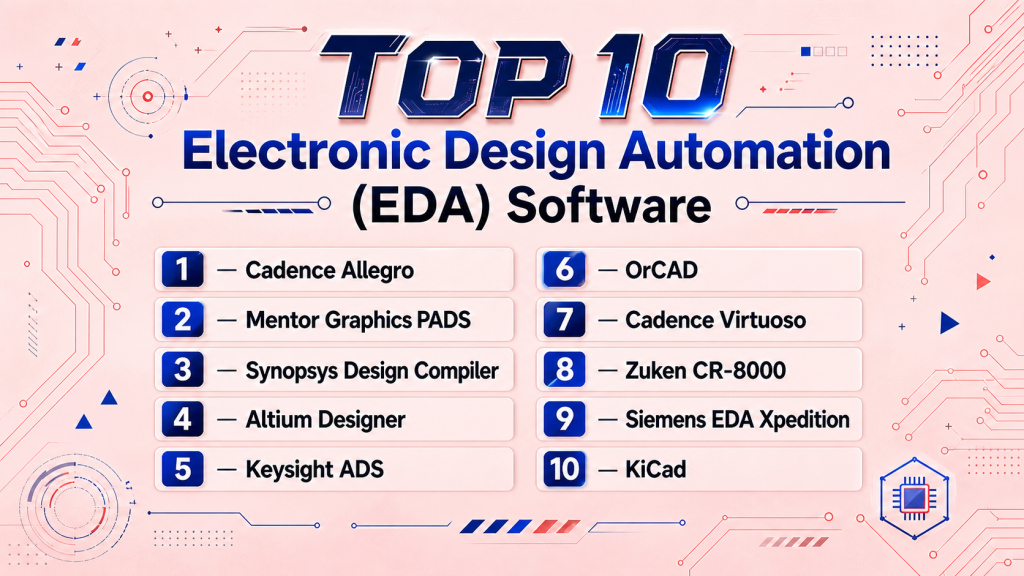
Top 10 EDA Tools
1 — Cadence Allegro
Short description: Cadence Allegro is a PCB design and analysis suite for complex boards, ideal for high-speed and high-density designs.
Key Features
- Advanced PCB layout and schematic capture
- Signal integrity and power analysis
- High-speed routing automation
- 3D board visualization
- Simulation integration
Pros
- Excellent for complex, high-performance boards
- Comprehensive design and simulation ecosystem
Cons
- Steep learning curve for beginners
- Premium pricing for SMBs
Platforms / Deployment
- Windows, Linux / Hybrid
Security & Compliance
- Not publicly stated
Integrations & Ecosystem
Cadence integrates with verification, MCAD, and fabrication systems.
- Simulation engines
- IC design tools
- Manufacturing output formats
- PLM systems
Support & Community
Robust documentation, dedicated support, and active forums.
2 — Mentor Graphics PADS
Short description: PADS is modular PCB design software for mid-sized teams, supporting complex signal routing and verification.
Key Features
- Schematic capture and PCB layout
- Constraint-driven design
- Signal integrity and thermal analysis
- Library management and version control
- Automated component placement
Pros
- Flexible for mid-sized teams
- Strong analysis and verification tools
Cons
- Limited for very large-scale boards
- Interface may feel dated
Platforms / Deployment
- Windows / Hybrid
Security & Compliance
- Not publicly stated
Integrations & Ecosystem
- IC design tools
- Simulation engines
- 3D MCAD software
Support & Community
Comprehensive documentation, training resources, and community forums.
3 — Synopsys Design Compiler
Short description: RTL synthesis tool for ASIC and SoC design, translating HDL into optimized gate-level circuits.
Key Features
- RTL synthesis and optimization
- Timing and area optimization
- Power reduction analysis
- Multi-HDL support (Verilog, VHDL)
- Verification integration
Pros
- High performance for ASIC/SoC designs
- Mature optimization algorithms
Cons
- Complexity requires skilled engineers
- Expensive licensing
Platforms / Deployment
- Linux / Self-hosted
Security & Compliance
- Not publicly stated
Integrations & Ecosystem
- Verification tools
- Simulation frameworks
- Place-and-route solutions
Support & Community
Professional support and extensive documentation; enterprise-focused community.
4 — Altium Designer
Short description: Altium Designer is an integrated PCB and schematic design environment emphasizing usability and collaboration.
Key Features
- Unified schematic and PCB design
- 3D visualization
- Component management
- Real-time collaboration and version control
- Signal integrity analysis
Pros
- Intuitive interface
- Suitable for SMBs and startups
- Cloud collaboration features
Cons
- Premium cost for full features
- Limited for very large boards
Platforms / Deployment
- Windows / Cloud-enabled
Security & Compliance
- Not publicly stated
Integrations & Ecosystem
- MCAD software
- Supplier component databases
- Simulation platforms
- Fabrication output
Support & Community
Active user community, tutorials, responsive support.
5 — Keysight ADS
Short description: Advanced Design System for RF, microwave, and high-speed analog circuit design.
Key Features
- RF/microwave circuit design
- Harmonic balance and transient simulation
- EM field solvers
- Layout and schematic capture
- Test equipment integration
Pros
- Ideal for RF and high-speed designs
- Accurate simulation and modeling
Cons
- Specialized; steep learning curve
- High cost
Platforms / Deployment
- Windows, Linux / Hybrid
Security & Compliance
- Not publicly stated
Integrations & Ecosystem
- Lab measurement systems
- EM solvers
- Simulation frameworks
Support & Community
Dedicated support and RF-focused forums.
6 — OrCAD
Short description: PCB design and simulation tool with schematic capture and signal integrity analysis for mid-sized teams.
Key Features
- Schematic capture and PCB layout
- Simulation and signal analysis
- Automated routing
- Library management
- Constraint-driven design
Pros
- User-friendly interface
- Affordable for mid-size teams
Cons
- Limited for enterprise-scale boards
- Less automation than high-end suites
Platforms / Deployment
- Windows / Hybrid
Security & Compliance
- Not publicly stated
Integrations & Ecosystem
- PSpice simulation
- Fabrication outputs
- MCAD integration
Support & Community
Good documentation, responsive support.
7 — Cadence Virtuoso
Short description: Custom IC and analog/mixed-signal design platform with layout, schematic, and verification tools.
Key Features
- Analog/mixed-signal design
- Layout automation
- Hierarchical schematic capture
- Design rule checking
- SPICE simulation
Pros
- Excellent for analog/mixed-signal ICs
- Highly automated workflows
Cons
- Expensive licensing
- Requires expert training
Platforms / Deployment
- Linux / Self-hosted
Security & Compliance
- Not publicly stated
Integrations & Ecosystem
- Simulation platforms
- IC verification tools
- Fabrication workflows
Support & Community
Enterprise-focused support with active engineering forums.
8 — Zuken CR-8000
Short description: Multi-board PCB design suite optimized for high-speed, complex electronic systems.
Key Features
- Multi-board support
- 3D visualization
- Signal/power integrity analysis
- Advanced routing and placement
- Collaboration features
Pros
- Suitable for system-level PCB projects
- Strong analysis tools
Cons
- Complexity for smaller projects
- Premium pricing
Platforms / Deployment
- Windows / Hybrid
Security & Compliance
- Not publicly stated
Integrations & Ecosystem
- MCAD integration
- Simulation tools
- Supplier component libraries
Support & Community
Vendor support with specialized forums.
9 — Siemens EDA Xpedition
Short description: Enterprise PCB design tool with advanced signal integrity, manufacturing support, and collaboration.
Key Features
- Constraint-driven design
- High-speed/RF routing
- Automated verification/DFM
- Library/version management
- Multi-user collaboration
Pros
- Enterprise-grade capabilities
- Extensive automation
Cons
- Complex; requires training
- High licensing costs
Platforms / Deployment
- Windows / Hybrid
Security & Compliance
- Not publicly stated
Integrations & Ecosystem
- IC/PCB co-design
- Fabrication systems
- Simulation tools
Support & Community
Enterprise support with extensive documentation.
10 — KiCad
Short description: Open-source PCB design suite ideal for developers, hobbyists, and small teams.
Key Features
- Schematic capture and PCB layout
- 3D visualization
- Cross-platform support
- Library management
- Basic simulation
Pros
- Free and open-source
- Active community updates
Cons
- Limited for complex designs
- Fewer automation features
Platforms / Deployment
- Windows, macOS, Linux / Self-hosted
Security & Compliance
- Not publicly stated
Integrations & Ecosystem
- Open-source simulation tools
- MCAD integration
- Component libraries
Support & Community
Strong community-driven support and forums.
Comparison Table (Top 10)
| Tool Name | Best For | Platform(s) Supported | Deployment | Standout Feature | Public Rating |
|---|---|---|---|---|---|
| Cadence Allegro | High-speed multi-layer PCBs | Windows, Linux | Hybrid | Advanced routing & signal integrity | N/A |
| Mentor Graphics PADS | Mid-size PCB teams | Windows | Hybrid | Constraint-driven design | N/A |
| Synopsys Design Compiler | ASIC / SoC RTL synthesis | Linux | Self-hosted | Optimized RTL synthesis | N/A |
| Altium Designer | SMB PCB teams | Windows | Cloud-enabled | Unified schematic & PCB | N/A |
| Keysight ADS | RF & high-speed analog | Windows, Linux | Hybrid | RF/microwave simulation | N/A |
| OrCAD | Mid-size PCB teams | Windows | Hybrid | Schematic capture & simulation | N/A |
| Cadence Virtuoso | Analog/Mixed-Signal ICs | Linux | Self-hosted | Hierarchical analog design | N/A |
| Zuken CR-8000 | Multi-board PCB projects | Windows | Hybrid | Multi-board design support | N/A |
| Siemens EDA Xpedition | Enterprise PCB teams | Windows | Hybrid | Enterprise-grade verification | N/A |
| KiCad | Hobbyists, small teams | Windows, macOS, Linux | Self-hosted | Open-source PCB design | N/A |
Evaluation & Scoring of EDA Software
| Tool Name | Core (25%) | Ease (15%) | Integrations (15%) | Security (10%) | Performance (10%) | Support (10%) | Value (15%) | Weighted Total (0–10) |
|---|---|---|---|---|---|---|---|---|
| Cadence Allegro | 10 | 7 | 9 | 8 | 9 | 8 | 6 | 8.65 |
| Mentor Graphics PADS | 8 | 7 | 7 | 7 | 8 | 7 | 7 | 7.55 |
| Synopsys Design Compiler | 10 | 6 | 8 | 8 | 10 | 7 | 5 | 8.35 |
| Altium Designer | 9 | 9 | 8 | 7 | 8 | 8 | 6 | 8.05 |
| Keysight ADS | 10 | 6 | 7 | 7 | 9 | 7 | 5 | 7.75 |
| OrCAD | 8 | 8 | 7 | 7 | 7 | 7 | 8 | 7.75 |
| Cadence Virtuoso | 10 | 6 | 8 | 8 | 9 | 7 | 5 | 8.05 |
| Zuken CR-8000 | 9 | 7 | 8 | 7 | 8 | 7 | 6 | 7.85 |
| Siemens EDA Xpedition | 10 | 6 | 9 | 8 | 9 | 8 | 5 | 8.25 |
| KiCad | 7 | 8 | 6 | 6 | 6 | 7 | 10 | 7.45 |
Interpretation: Weighted scores reflect overall capability across core design, ease, integrations, and value. Tool selection should consider project scale, budget, and team expertise.
Which EDA Tool Is Right for You?
Solo / Freelancer
KiCad or Altium Designer are ideal for affordability, ease of use, and strong community support.
SMB
Altium Designer, OrCAD, and Mentor PADS provide robust capabilities without enterprise costs.
Mid-Market
Cadence Allegro and Zuken CR-8000 suit multi-board, high-performance PCB design projects.
Enterprise
Synopsys Design Compiler, Cadence Virtuoso, Keysight ADS, and Siemens EDA Xpedition are best for complex IC and PCB designs at scale.
Budget vs Premium
Open-source KiCad is cost-effective, while Cadence, Synopsys, and Siemens offer premium performance and enterprise support.
Feature Depth vs Ease of Use
Altium and OrCAD balance usability with advanced features; high-end tools focus on depth over ease for expert teams.
Integrations & Scalability
Cadence, Synopsys, and Siemens integrate with fabrication, simulation, and MCAD systems for enterprise workflows.
Security & Compliance Needs
Enterprise tools provide robust IP protection; smaller teams should ensure secure storage and version control.
Frequently Asked Questions (FAQs)
1. What is the difference between PCB and IC EDA tools?
PCB tools design printed circuit boards, while IC tools focus on integrated circuit layout and RTL synthesis for chips.
2. Can I use EDA tools as a solo developer?
Yes, open-source tools like KiCad or entry-level Altium Designer are suitable for solo or small teams.
3. Are cloud-based EDA tools reliable?
Modern cloud-based platforms offer reliable collaboration and remote access for distributed teams.
4. How important is simulation in EDA software?
Simulation verifies performance, signal integrity, thermal behavior, and power consumption before fabrication.
5. What should I consider for enterprise adoption?
Scalability, integration with fabrication workflows, IP security, vendor support, and licensing flexibility.
6. Do EDA tools support AI automation?
Many high-end tools include AI-driven routing, layout optimization, and predictive error detection.
7. Can EDA tools export fabrication-ready files?
Yes, outputs include industry-standard files for PCB manufacturing, IC tape-out, and assembly.
8. How steep is the learning curve?
Entry-level tools are beginner-friendly; high-end suites require professional expertise.
9. Are open-source EDA tools viable commercially?
Yes, for prototypes and small boards; enterprise tools are better for complex designs.
10. How do I switch between EDA tools?
Switching requires re-mapping schematics, layouts, and libraries; ensure compatibility and import/export features.
Conclusion
EDA software is vital for designing modern electronic systems. From real-world high-performance processor projects to multi-layer PCB consumer devices, the right tool depends on complexity, scale, and expertise. AI-assisted design, cloud collaboration, and integrated simulation reduce errors and improve efficiency. Buyers should shortlist 2–3 tools, pilot them on real-world projects, and verify integrations, security, and scalability before full deployment.

Find Trusted Cardiac Hospitals
Compare heart hospitals by city and services — all in one place.
Explore Hospitals
EDA software tools are explained clearly, and the comparison helps in understanding how design, simulation, and verification work together in complex electronic systems.