Introduction
PCB (Printed Circuit Board) design software is essential for creating, testing, and optimizing electronic circuits. It streamlines schematic capture, layout, simulation, and manufacturing preparation, helping engineers produce reliable and manufacturable boards efficiently. In today’s electronics landscape, these tools reduce errors, improve collaboration, and accelerate time-to-market for complex devices.
Real-world use cases include:
- Designing consumer electronics like smartphones, wearables, and IoT devices.
- Developing industrial automation and embedded systems.
- Aerospace and defense electronics with strict reliability and compliance requirements.
- Automotive electronics, including EV systems and ADAS modules.
- Rapid prototyping and iterative design for startups and makers.
Evaluation Criteria for Buyers:
- Ease of schematic capture and PCB layout.
- Simulation capabilities and signal integrity analysis.
- Multi-layer and high-density PCB support.
- Collaboration and version control features.
- Integration with component libraries and supply chain data.
- Compliance with industry standards and manufacturing rules.
- Platform support and deployment flexibility.
- Support resources and community engagement.
- Pricing and licensing options.
Best for: Electronics engineers, R&D teams, hardware designers, manufacturing engineers, SMBs, and enterprise electronics teams.
Not ideal for: Hobbyists or basic prototyping where simpler, free tools suffice.
Key Trends in PCB Design Software
- AI-assisted routing to optimize trace layout and component placement automatically.
- Cloud-based collaboration enabling multi-user editing with version control.
- Integrated simulation for thermal, electrical, and signal integrity validation.
- Automated component lifecycle management for accurate BOMs and footprints.
- Support for high-density and HDI boards to meet miniaturization demands.
- Cross-platform accessibility reducing OS and hardware constraints.
- Built-in compliance and IPC standard checks for manufacturing readiness.
- Integration with mechanical CAD tools for mechatronics and embedded workflows.
- Customizable workflows and scripting for automation and efficiency.
How We Selected These Tools (Methodology)
- Analyzed market adoption and brand recognition among PCB designers.
- Evaluated completeness of features, including schematic capture, layout, and simulation.
- Assessed reliability and performance for complex multi-layer designs.
- Reviewed security and compliance capabilities where applicable.
- Considered integrations with component libraries, MCAD, and ERP systems.
- Measured suitability across solo designers, SMBs, and enterprise users.
- Examined community engagement, support options, and onboarding resources.
- Compared licensing models and cost-effectiveness.
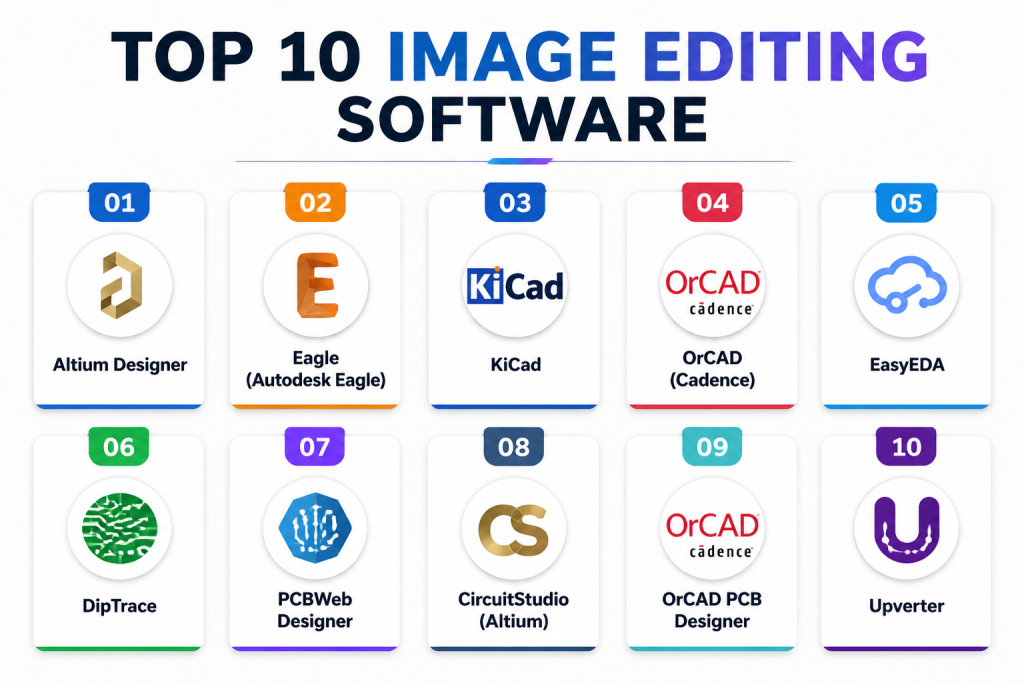
Top 10 PCB Design Software Tools
1 — Altium Designer
Short description : Altium Designer is an enterprise-grade PCB design suite with schematic capture, advanced routing, and simulation. Ideal for professional electronics teams.
Key Features
- Unified schematic, layout, and component management.
- 3D visualization of boards.
- Signal integrity and high-speed design tools.
- Multi-board and rigid-flex support.
- Real-time collaboration and version control.
Pros
- Comprehensive capabilities for complex designs.
- Strong community and support.
- Integrated supply chain and component management.
Cons
- High licensing cost.
- Steep learning curve.
- Requires powerful hardware for large projects.
Platforms / Deployment
- Windows, Hybrid.
Security & Compliance
- Not publicly stated.
Integrations & Ecosystem
Supports MCAD tools, ERP systems, component suppliers, and API scripting.
- Supplier link libraries.
- BOM management.
- MCAD import/export.
Support & Community
Enterprise support, documentation, tutorials, and active forums.
2 — Eagle (Autodesk Eagle)
Short description : Eagle offers PCB design and schematic capture, popular with hobbyists and small teams seeking user-friendly tools.
Key Features
- Schematic capture and PCB layout.
- Multi-layer PCB support.
- Component libraries and management.
- Autorouter functionality.
- Fusion 360 integration for mechanical design.
Pros
- Affordable for small teams.
- Active community.
- Easy to learn.
Cons
- Limited simulation capabilities.
- Cloud collaboration features are basic.
Platforms / Deployment
- Windows, macOS, Linux, Cloud.
Security & Compliance
- Not publicly stated.
Integrations & Ecosystem
Integration with Fusion 360, community libraries, BOM export, and API scripting.
Support & Community
Autodesk documentation, video tutorials, and forums.
3 — KiCad
Short description : KiCad is a free, open-source PCB design suite for professional and hobbyist use, offering schematic capture, layout, and basic simulation.
Key Features
- Schematic capture and PCB layout.
- Multi-layer support.
- 3D visualization of boards.
- Extensive open-source libraries.
- Autorouter via plugins.
Pros
- Free and open-source.
- Active community contributions.
- Commercial use without licensing restrictions.
Cons
- Limited advanced simulation.
- Steep learning curve.
- Basic collaboration features.
Platforms / Deployment
- Windows, macOS, Linux, Varies / N/A.
Security & Compliance
- Not publicly stated.
Integrations & Ecosystem
Supports plugins, library downloads, STEP import/export, and Python scripting.
Support & Community
Active open-source community, forums, and tutorials.
4 — OrCAD (Cadence)
Short description : OrCAD provides enterprise-grade PCB design, simulation, and analysis for professional electronics engineers.
Key Features
- Schematic capture and PCB layout.
- Signal integrity and thermal analysis.
- Multi-layer and HDI PCB design.
- Library and BOM management.
- PSpice integration.
Pros
- Industry-standard for complex boards.
- Advanced simulation capabilities.
- Integration with Cadence ecosystem.
Cons
- High cost.
- Complex interface for beginners.
Platforms / Deployment
- Windows, Hybrid.
Security & Compliance
- Not publicly stated.
Integrations & Ecosystem
Integration with PSpice, Allegro tools, BOM management, and supplier libraries.
Support & Community
Enterprise support, training, and forums.
5 — EasyEDA
Short description : EasyEDA is a cloud-based PCB design platform suitable for SMBs, hobbyists, and collaborative projects.
Key Features
- Web-based schematic capture and PCB layout.
- Multi-layer PCB support.
- Component library and BOM management.
- Real-time collaboration.
- SPICE simulation.
Pros
- Accessible from any browser.
- Free and paid plans.
- Collaboration-friendly.
Cons
- Limited offline access.
- Basic simulation and routing.
Platforms / Deployment
- Web, Cloud.
Security & Compliance
- Not publicly stated.
Integrations & Ecosystem
Integrates with LCSC component libraries, BOM export, SPICE simulation, and API scripting.
Support & Community
Documentation, community forums, and responsive support.
6 — DipTrace
Short description : DipTrace is an intuitive PCB design tool for SMBs and individual designers with schematic capture and layout capabilities.
Key Features
- Schematic capture and PCB layout.
- Multi-layer support and auto-routing.
- 3D visualization.
- Component library management.
- BOM export.
Pros
- User-friendly interface.
- Affordable for small teams.
- Regular updates.
Cons
- Limited advanced simulation.
- Not ideal for large enterprise collaboration.
Platforms / Deployment
- Windows, macOS, Linux.
Security & Compliance
- Not publicly stated.
Integrations & Ecosystem
Supports MCAD export, supplier libraries, and common PCB format exchange.
Support & Community
Documentation, email support, and active forums.
7 — PCBWeb Designer
Short description (2–3 lines): PCBWeb is a free PCB design software with integration to US-based component suppliers, suitable for beginners and small projects.
Key Features
- Schematic capture and PCB layout.
- Multi-layer support.
- BOM export and supplier integration.
- Component library management.
- Basic autorouter.
Pros
- Free and lightweight.
- Easy interface.
- Supplier BOM integration.
Cons
- Limited simulation.
- Lacks advanced routing features.
Platforms / Deployment
- Windows, Varies / N/A.
Security & Compliance
- Not publicly stated.
Integrations & Ecosystem
Digikey integration, BOM export, and component sourcing.
Support & Community
Documentation and community forums.
8 — CircuitStudio (Altium)
Short description : CircuitStudio offers professional PCB design features from Altium at a more accessible price for SMBs.
Key Features
- Schematic capture and PCB layout.
- Multi-layer support.
- Autorouter and DRC checks.
- Component library management.
- 3D visualization.
Pros
- Affordable professional features.
- Altium pedigree.
- Easy transition to Altium Designer.
Cons
- Limited simulation.
- Collaboration features not cloud-based.
Platforms / Deployment
- Windows, Varies / N/A.
Security & Compliance
- Not publicly stated.
Integrations & Ecosystem
Altium libraries, STEP export, BOM management, and MCAD collaboration.
Support & Community
Documentation, tutorials, and forums.
9 — OrCAD PCB Designer
Short description : OrCAD PCB Designer is an enterprise-grade tool for complex boards with integrated PSpice simulation.
Key Features
- Schematic capture and PCB layout.
- Signal integrity and thermal analysis.
- Multi-layer PCB support.
- BOM and library management.
- PSpice simulation.
Pros
- Enterprise-level features.
- Supports complex designs.
- Strong ecosystem integration.
Cons
- High cost and learning curve.
- Hardware-intensive.
Platforms / Deployment
- Windows, Hybrid.
Security & Compliance
- Not publicly stated.
Integrations & Ecosystem
Cadence Allegro, PSpice, BOM tools, and supplier libraries.
Support & Community
Enterprise support, documentation, and forums.
10 — Upverter
Short description: Upverter is a cloud-based PCB design platform focused on real-time collaboration for startups and distributed teams.
Key Features
- Cloud-based schematic capture and PCB layout.
- Multi-layer support.
- Real-time collaboration with version control.
- Component libraries and BOM management.
- Git integration for version tracking.
Pros
- Excellent for teams and collaboration.
- Cloud access with version control.
- Easy onboarding for distributed teams.
Cons
- Limited offline capability.
- Minimal simulation tools.
Platforms / Deployment
- Web, Cloud.
Security & Compliance
- Not publicly stated.
Integrations & Ecosystem
Git, component libraries, BOM export, and collaboration tools.
Support & Community
Documentation, tutorials, and forums.
Comparison Table (Top 10)
| Tool Name | Best For | Platform(s) Supported | Deployment | Standout Feature | Public Rating |
|---|---|---|---|---|---|
| Altium Designer | Enterprise PCB teams | Windows, Hybrid | Hybrid | Unified design environment | N/A |
| Eagle | Hobbyists and small teams | Windows, macOS, Linux | Cloud/Hybrid | Fusion 360 integration | N/A |
| KiCad | Open-source projects | Windows, macOS, Linux | Varies / N/A | Free and extensible | N/A |
| OrCAD | Enterprise-level engineers | Windows | Hybrid | Advanced simulation | N/A |
| EasyEDA | SMBs and collaboration | Web, Windows, Linux | Cloud | Browser-based access | N/A |
| DipTrace | SMB and individual designers | Windows, macOS, Linux | Varies / N/A | User-friendly interface | N/A |
| PCBWeb Designer | Beginners and supplier-integrated | Windows | Varies / N/A | Supplier BOM integration | N/A |
| CircuitStudio | SMBs seeking Altium features | Windows | Varies / N/A | Professional-grade at lower cost | N/A |
| OrCAD PCB Designer | Complex enterprise designs | Windows | Hybrid | PSpice integration | N/A |
| Upverter | Cloud collaboration for startups | Web | Cloud | Real-time collaboration | N/A |
Evaluation & Scoring of PCB Design Software
| Tool Name | Core (25%) | Ease (15%) | Integrations (15%) | Security (10%) | Performance (10%) | Support (10%) | Value (15%) | Weighted Total |
|---|---|---|---|---|---|---|---|---|
| Altium Designer | 10 | 8 | 9 | 7 | 9 | 8 | 7 | 8.7 |
| Eagle | 7 | 9 | 7 | 6 | 7 | 7 | 9 | 7.5 |
| KiCad | 6 | 7 | 6 | 6 | 6 | 7 | 10 | 6.7 |
| OrCAD | 9 | 7 | 8 | 7 | 9 | 8 | 6 | 7.9 |
| EasyEDA | 7 | 9 | 6 | 6 | 7 | 7 | 8 | 7.4 |
| DipTrace | 8 | 8 | 7 | 6 | 8 | 7 | 7 | 7.5 |
| PCBWeb Designer | 6 | 8 | 6 | 6 | 6 | 6 | 9 | 6.7 |
| CircuitStudio | 8 | 8 | 7 | 6 | 8 | 7 | 7 | 7.5 |
| OrCAD PCB Designer | 9 | 7 | 8 | 7 | 9 | 8 | 6 | 7.9 |
| Upverter | 7 | 9 | 7 | 6 | 7 | 7 | 8 | 7.4 |
Interpretation: Scores reflect comparative strengths in core features, ease, integrations, and value. Higher totals indicate more robust capabilities for enterprise or complex designs, while lower totals favor simplicity or affordability.
Which PCB Design Software Tool Is Right for You?
Solo / Freelancer
- Eagle, KiCad, EasyEDA are ideal for individual designers, hobbyists, or small projects with limited budget.
SMB
- DipTrace, CircuitStudio, EasyEDA balance affordability with professional features for small teams.
Mid-Market
- Altium Designer, OrCAD PCB Designer, Upverter support collaboration, multi-layer boards, and more complex designs.
Enterprise
- Altium Designer and OrCAD PCB Designer offer advanced simulation, compliance, and robust collaboration tools.
Budget vs Premium
- Budget: KiCad, PCBWeb Designer, EasyEDA
- Premium: Altium Designer, OrCAD, CircuitStudio
Feature Depth vs Ease of Use
- Feature-rich: Altium Designer, OrCAD PCB Designer
- Ease-of-use: Eagle, DipTrace, EasyEDA
Integrations & Scalability
- Altium Designer and OrCAD excel in MCAD and supply chain integration.
- Cloud collaboration: EasyEDA, Upverter.
Security & Compliance Needs
- Enterprise tools provide robust data management, audit, and compliance features; SMB and hobbyist tools rely on internal practices.
Frequently Asked Questions (FAQs)
1. Which PCB software is best for beginners?
Eagle and KiCad offer intuitive interfaces and affordability, ideal for learning PCB design.
2. Can multiple users collaborate in real-time?
Yes, cloud-based tools like EasyEDA and Upverter allow real-time multi-user collaboration.
3. Are simulation features necessary?
Simulation helps validate signal integrity, thermal, and electrical performance for complex or high-speed boards.
4. How do I manage component libraries efficiently?
Professional tools like Altium Designer provide automated library and BOM management; open-source tools may require manual setup.
5. Which deployment options are available?
Most tools offer Windows-based local installation, with cloud or hybrid options for collaboration.
6. Can I use PCB software for multi-layer boards?
Yes, all Top 10 tools support multi-layer PCB design; enterprise tools handle HDI and rigid-flex boards.
7. Are there free options for prototyping?
KiCad, PCBWeb Designer, and EasyEDA offer free versions suitable for prototypes and small-scale projects.
8. How do I export for manufacturing?
All tools support standard output formats like Gerber and ODB++ for manufacturing.
9. Is cloud-based PCB design secure?
Security depends on the provider; enterprise tools offer encryption and access controls, while open-source or free cloud tools rely on standard protections.
10. How do I transition between tools?
Most software supports import/export of standard schematic and PCB files; transitioning may require minor adjustments to component libraries.
Conclusion
Choosing the right PCB design software depends on project complexity, team size, budget, and collaboration needs. Enterprise teams benefit from Altium Designer or OrCAD PCB Designer for advanced simulation and multi-layer designs, while hobbyists and SMBs can leverage KiCad, Eagle, or EasyEDA for accessible, effective design workflows. Begin by shortlisting 2–3 tools, run a small pilot to test collaboration and export features, and validate that BOM and library integration meet your manufacturing requirements. Selecting the right tool ensures faster development, fewer errors, and more efficient production.

Find Trusted Cardiac Hospitals
Compare heart hospitals by city and services — all in one place.
Explore Hospitals
PCB design software tools are explained clearly, and the comparison helps in understanding how schematic design, layout, and simulation work together in a practical way.