Introduction
Automated Testing Tools are specialized software designed to automatically execute tests on applications, systems, and APIs to ensure quality, functionality, and security. Unlike manual testing, these tools enable continuous validation, reduce human error, accelerate release cycles, and support DevOps and CI/CD pipelines. With software development cycles becoming shorter and the complexity of applications growing, automated testing has become critical in for maintaining product reliability and competitive advantage.Real-world use cases include regression testing, functional and unit testing, API and web service validation, performance/load testing, and continuous integration workflows. Organizations also rely on automated testing to comply with regulatory standards and enforce quality benchmarks across distributed teams.
Best for: QA teams, DevOps engineers, development teams in SMBs, mid-market, and enterprise software organizations.
Not ideal for: Small projects with minimal testing needs or teams with limited automation expertise where manual testing may suffice.
Key Trends in Automated Testing Tools
- AI-driven test case generation and maintenance
- Continuous testing in CI/CD pipelines
- Cross-browser and cross-platform automation
- Integration with cloud environments and containerized apps
- Enhanced analytics for test coverage and defect detection
- Support for mobile and IoT applications
- Low-code/no-code testing frameworks for broader adoption
- Automated regression and performance testing
- Subscription and usage-based pricing models
- Security-focused testing integration for DevSecOps
How We Selected These Tools (Methodology)
- Market adoption and visibility across enterprise and SMB segments
- Feature completeness and automation coverage
- Reliability and performance based on testing benchmarks
- Security and compliance support
- Integration with CI/CD, DevOps, and collaboration platforms
- Scalability and flexibility for different development environments
- Usability and learning curve for teams
- Vendor support and community presence
- Update frequency and AI-assisted features
- Pricing and value for varied organizational sizes
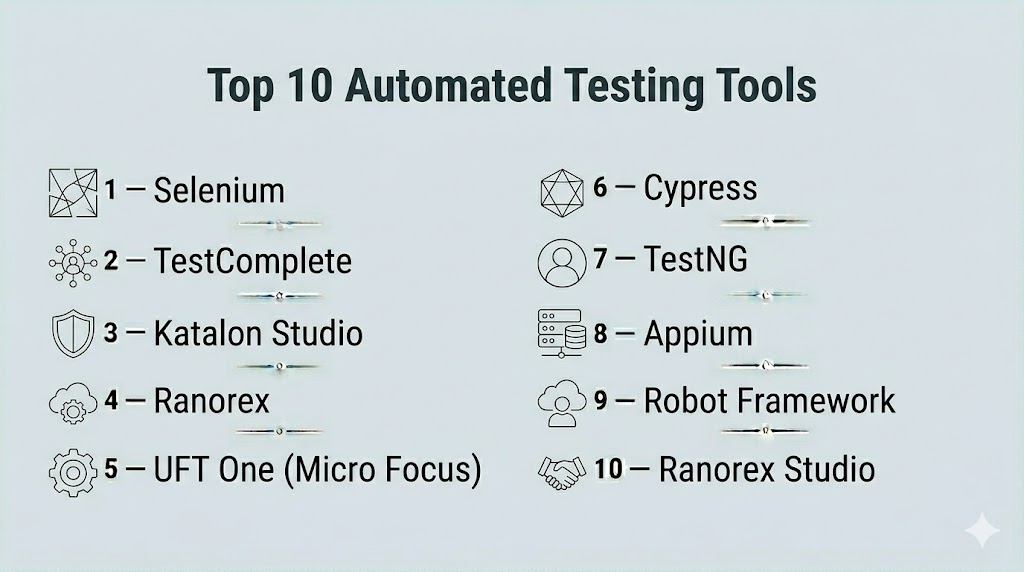
Top 10 Automated Testing Tools
#1 — Selenium
Short description : Selenium is an open-source testing framework for web applications, enabling automated browser testing across multiple platforms and browsers. It is widely used by QA teams and developers for functional and regression testing.
Key Features
- Supports multiple programming languages
- Cross-browser and cross-platform automation
- Integration with CI/CD tools like Jenkins
- Extensible with custom scripts and plugins
- Supports Selenium Grid for parallel execution
- Community-driven support
Pros
- Free and open-source
- Highly customizable and flexible
- Large community and extensive resources
Cons
- Steep learning curve for beginners
- Limited support for non-web applications
Platforms / Deployment
- Windows / Linux / macOS
- Self-hosted
Security & Compliance
- Not publicly stated
Integrations & Ecosystem
- CI/CD tools: Jenkins, GitLab
- Test management tools: TestNG, JUnit
- Browser automation plugins and extensions
Support & Community
- Active community, documentation, forums
#2 — TestComplete
Short description : TestComplete is a commercial automated testing tool for desktop, mobile, and web applications. It enables scriptless testing with keyword-driven and data-driven approaches.
Key Features
- Record-and-playback for fast test creation
- Support for multiple scripting languages
- Cross-platform testing
- Data-driven and keyword-driven testing
- Integration with CI/CD pipelines
- Automated reporting and analytics
Pros
- Easy to use for beginners
- Extensive platform and language support
- Built-in reporting features
Cons
- Premium pricing for enterprise edition
- Requires additional configuration for large-scale testing
Platforms / Deployment
- Windows / macOS / Linux
- Cloud / Self-hosted
Security & Compliance
- Not publicly stated
Integrations & Ecosystem
- CI/CD tools: Jenkins, Azure DevOps
- Bug tracking: Jira, Bugzilla
- APIs for custom automation
Support & Community
- Vendor support, training programs, community forums
#3 — Katalon Studio
Short description : Katalon Studio is an all-in-one automated testing solution for web, API, mobile, and desktop applications. It offers scriptless automation and supports both manual and automated testing workflows.
Key Features
- Scriptless automation with drag-and-drop interface
- API and web service testing
- Cross-platform support
- CI/CD integration
- Reporting and dashboards
- Customizable with Groovy scripting
Pros
- User-friendly interface
- Supports multiple test types
- Affordable pricing for SMBs
Cons
- Advanced scripting requires programming knowledge
- Limited scalability for large enterprise deployments
Platforms / Deployment
- Windows / macOS / Linux
- Cloud / Self-hosted
Security & Compliance
- Not publicly stated
Integrations & Ecosystem
- CI/CD: Jenkins, GitLab
- Test management: Jira, TestRail
- Plugin marketplace for extended functionality
Support & Community
- Vendor support, community forums, online documentation
#4 — Ranorex
Short description : Ranorex is a GUI-based automated testing platform for desktop, mobile, and web applications, designed for both technical and non-technical users with record-and-playback capabilities.
Key Features
- Record-and-playback testing
- Cross-platform application support
- Integration with CI/CD pipelines
- Data-driven testing
- Reporting and analytics
- Scripting for advanced users
Pros
- Easy setup for beginners
- Comprehensive desktop and mobile testing
- Strong integration capabilities
Cons
- Licensing cost can be high for enterprises
- Limited open-source support
Platforms / Deployment
- Windows / macOS
- Cloud / Self-hosted
Security & Compliance
- Not publicly stated
Integrations & Ecosystem
- CI/CD: Jenkins, TeamCity
- Bug tracking: Jira
- Custom API integrations
Support & Community
- Professional support, tutorials, community forums
#5 — UFT One (Micro Focus)
Short description : UFT One is a commercial automated testing tool for functional and regression testing across desktop, web, mobile, and API applications, widely used in enterprise environments.
Key Features
- Keyword-driven and data-driven testing
- AI-assisted object recognition
- CI/CD integration
- Extensive reporting and analytics
- Test reuse across platforms
Pros
- Enterprise-grade solution
- AI-enhanced test reliability
- Strong support and documentation
Cons
- High licensing cost
- Steeper learning curve for new users
Platforms / Deployment
- Windows
- Cloud / Self-hosted
Security & Compliance
- SOC 2, ISO 27001
- Audit logs and RBAC
Integrations & Ecosystem
- CI/CD tools: Jenkins, Azure DevOps
- Test management: ALM/QC
- API for custom workflows
Support & Community
- Vendor support, enterprise training, active community
#6 — Cypress
Short description : Cypress is an open-source automated testing framework for modern web applications, emphasizing fast, reliable end-to-end testing with developer-friendly tools.
Key Features
- Fast and reliable testing for web apps
- Real-time reloading and debugging
- Automatic waits and retries
- CI/CD integration
- Network traffic control and stubbing
Pros
- Developer-centric, easy to integrate
- Open-source and free
- Real-time feedback during tests
Cons
- Limited support for mobile applications
- Only supports JavaScript-based tests
Platforms / Deployment
- Windows / Linux / macOS
- Self-hosted / Cloud optional
Security & Compliance
- Not publicly stated
Integrations & Ecosystem
- CI/CD: GitHub Actions, Jenkins
- JavaScript libraries: Mocha, Chai
- Plugin marketplace
Support & Community
- Active open-source community, documentation
#7 — TestNG
Short description : TestNG is a testing framework inspired by JUnit, widely used for unit, functional, and integration testing in Java applications, suitable for both developers and QA engineers.
Key Features
- Flexible test configuration
- Parallel test execution
- Data-driven testing support
- Integrated with CI/CD pipelines
- Reporting capabilities
Pros
- Free and open-source
- Highly configurable
- Strong community support
Cons
- Limited UI testing capabilities
- Requires Java expertise
Platforms / Deployment
- Windows / Linux / macOS
- Self-hosted
Security & Compliance
- Not publicly stated
Integrations & Ecosystem
- CI/CD: Jenkins, Maven
- Test management: Jira
- APIs for extensions
Support & Community
- Open-source community, forums, tutorials
#8 — Appium
Short description : Appium is an open-source tool for automating mobile applications across Android and iOS, enabling functional and regression testing for native, hybrid, and web apps.
Key Features
- Cross-platform mobile automation
- Supports multiple programming languages
- Integrates with CI/CD pipelines
- Parallel testing across devices
- Scripting support for complex scenarios
Pros
- Free and open-source
- Flexible language support
- Active developer community
Cons
- Initial setup complexity
- Device configuration may require effort
Platforms / Deployment
- Windows / Linux / macOS
- Self-hosted
Security & Compliance
- Not publicly stated
Integrations & Ecosystem
- CI/CD: Jenkins, GitLab
- Device cloud providers
- APIs for custom extensions
Support & Community
- Community-driven support, tutorials
#9 — Robot Framework
Short description : Robot Framework is a generic open-source automation framework for acceptance testing and robotic process automation, supporting keyword-driven testing.
Key Features
- Keyword-driven testing approach
- Extensible via Python and Java libraries
- CI/CD integration
- Cross-platform support
- Reporting and analytics
Pros
- Open-source and flexible
- Supports multiple test types
- Strong integration capabilities
Cons
- Requires scripting knowledge for advanced features
- Initial learning curve
Platforms / Deployment
- Windows / Linux / macOS
- Self-hosted
Security & Compliance
- Not publicly stated
Integrations & Ecosystem
- CI/CD: Jenkins, GitHub Actions
- External libraries for web, API, and mobile testing
- Plugin ecosystem
Support & Community
- Active community, documentation, tutorials
#10 — Ranorex Studio
Short description : Ranorex Studio is an all-in-one automated testing tool for desktop, web, and mobile applications, combining scriptless testing with advanced scripting options.
Key Features
- Cross-platform testing
- Record-and-playback and scripting
- Data-driven testing
- CI/CD integration
- Reporting and dashboards
Pros
- Easy to start for non-programmers
- Supports multiple platforms
- Strong enterprise support
Cons
- Licensing cost can be high
- Some advanced features require scripting knowledge
Platforms / Deployment
- Windows / macOS
- Cloud / Self-hosted
Security & Compliance
- Not publicly stated
Integrations & Ecosystem
- CI/CD: Jenkins, Azure DevOps
- Bug trackers: Jira, Bugzilla
- API for custom workflows
Support & Community
- Professional support, documentation, community forums
Comparison Table (Top 10)
| Tool Name | Best For | Platform(s) Supported | Deployment | Standout Feature | Public Rating |
|---|---|---|---|---|---|
| Selenium | Web QA Teams | Windows, Linux, macOS | Self-hosted | Cross-browser testing | N/A |
| TestComplete | SMB/Enterprise | Windows, macOS, Linux | Cloud/Self-hosted | Scriptless automation | N/A |
| Katalon Studio | Web & Mobile | Windows, macOS, Linux | Cloud/Self-hosted | All-in-one automation | N/A |
| Ranorex | Desktop/Mobile | Windows, macOS | Cloud/Self-hosted | Record-and-playback | N/A |
| UFT One | Enterprise | Windows | Cloud/Self-hosted | AI-assisted object recognition | N/A |
| Cypress | Web Developers | Windows, Linux, macOS | Self-hosted | Developer-centric, fast feedback | N/A |
| TestNG | Java Apps | Windows, Linux, macOS | Self-hosted | Parallel test execution | N/A |
| Appium | Mobile Apps | Windows, Linux, macOS | Self-hosted | Cross-platform mobile automation | N/A |
| Robot Framework | Acceptance/Automation | Windows, Linux, macOS | Self-hosted | Keyword-driven testing | N/A |
| Ranorex Studio | Enterprise | Windows, macOS | Cloud/Self-hosted | All-in-one cross-platform testing | N/A |
Evaluation & Scoring of Automated Testing Tools
| Tool Name | Core (25%) | Ease (15%) | Integrations (15%) | Security (10%) | Performance (10%) | Support (10%) | Value (15%) | Weighted Total |
|---|---|---|---|---|---|---|---|---|
| Selenium | 10 | 8 | 9 | 8 | 8 | 8 | 9 | 8.8 |
| TestComplete | 9 | 9 | 8 | 8 | 8 | 8 | 8 | 8.4 |
| Katalon Studio | 9 | 9 | 8 | 8 | 8 | 8 | 8 | 8.4 |
| Ranorex | 8 | 8 | 8 | 8 | 8 | 8 | 7 | 7.9 |
| UFT One | 9 | 7 | 8 | 9 | 8 | 8 | 7 | 8.1 |
| Cypress | 8 | 9 | 7 | 8 | 8 | 8 | 8 | 8.0 |
| TestNG | 7 | 7 | 7 | 7 | 7 | 7 | 8 | 7.2 |
| Appium | 8 | 8 | 7 | 8 | 7 | 7 | 8 | 7.7 |
| Robot Framework | 8 | 8 | 8 | 8 | 8 | 8 | 8 | 8.0 |
| Ranorex Studio | 8 | 8 | 8 | 8 | 8 | 8 | 7 | 7.9 |
Interpretation: Higher weighted totals indicate stronger feature coverage, integration support, and overall value. Teams should match scores to organizational priorities and expertise.
Which Automated Testing Tools Tool Is Right for You?
Solo / Freelancer
Open-source tools like Selenium, Cypress, or TestNG provide low-cost, flexible options.
SMB
Katalon Studio or TestComplete offer scriptless automation and reporting for small teams.
Mid-Market
Ranorex, UFT One, or Robot Framework balance usability with enterprise-grade features.
Enterprise
UFT One, Ranorex Studio, and Katalon Studio support full-scale CI/CD integration, AI-assisted testing, and compliance reporting.
Budget vs Premium
Open-source tools reduce cost but may require more manual setup. Commercial tools provide support, scalability, and advanced automation.
Feature Depth vs Ease of Use
Enterprises often prioritize feature depth and integration, while SMBs may prefer intuitive, low-code solutions.
Integrations & Scalability
Tools should integrate with CI/CD pipelines, defect trackers, and collaboration platforms for streamlined QA workflows.
Security & Compliance Needs
Select tools that provide secure test data handling, audit logs, and compliance reporting for regulated industries.
Frequently Asked Questions (FAQs)
1. What is an automated testing tool?
An automated testing tool executes predefined tests without manual intervention to validate functionality, performance, and security.
2. Which applications can be tested with automated tools?
Web, mobile, desktop, API, and IoT applications are commonly supported.
3. How does AI enhance automated testing?
AI assists with test case generation, object recognition, and predictive defect detection.
4. Can automated tests replace manual testing?
They complement manual testing by increasing coverage, speed, and consistency, but exploratory testing still requires human insight.
5. How do automated tools integrate with CI/CD?
Most tools integrate with Jenkins, GitLab, Azure DevOps, and other pipelines to run tests automatically during builds.
6. Are open-source tools reliable?
Yes, widely used open-source tools like Selenium and Cypress have robust communities and extensive documentation.
7. What are common mistakes in automated testing?
Mistakes include poor test design, ignoring maintenance, and overreliance on automation without verification.
8. How often should tests be updated?
Tests should be updated whenever the application changes or when new requirements are added.
9. Is cross-browser testing supported?
Tools like Selenium, TestComplete, and Katalon Studio provide cross-browser testing capabilities.
10. Can automated testing tools handle mobile applications?
Yes, Appium, Katalon Studio, and Ranorex support native, hybrid, and mobile web testing.
Conclusion
Automated Testing Tools are essential for accelerating development cycles, ensuring high-quality software, and reducing human error in testing. Organizations should select tools based on application types, team expertise, and integration requirements. Open-source solutions like Selenium and Cypress are ideal for freelancers and SMBs, while enterprise-grade tools such as UFT One, Ranorex Studio, and Katalon Studio support CI/CD integration, AI-assisted testing, and compliance reporting. Evaluating the comparative scoring, piloting tools, and ensuring alignment with DevOps workflows is critical for effective implementation.

Find Trusted Cardiac Hospitals
Compare heart hospitals by city and services — all in one place.
Explore Hospitals
Automation saves a lot of testing time, but not every test needs to run on every build. Running the right tests at the right stage can keep CI/CD pipelines faster and easier to manage. Teams can run quick checks first and leave longer regression tests for scheduled or major releases.