Introduction
Electronic Design Automation (EDA) Software is the backbone of modern electronics engineering. It enables engineers to design, simulate, and verify complex electronic circuits and systems—from integrated circuits (ICs) to printed circuit boards (PCBs) and entire systems-on-chip (SoC). By automating design workflows, EDA reduces errors, accelerates development, and enables high-performance, high-density electronics that would be impossible to verify manually.
With modern electronics pushing the limits in areas like AI accelerators, IoT devices, automotive electronics, and 5G communications, EDA software is no longer optional—it is a critical tool for speed, accuracy, and innovation. Advanced platforms now include AI-assisted verification, multi-domain simulation, cloud collaboration, and hardware-aware optimization.
Common Use Cases
- IC and SoC design
- PCB layout, routing, and verification
- Signal integrity and timing analysis
- Mixed-signal simulation and verification
- Design-for-manufacturing (DFM) validation
What Buyers Should Evaluate
- ASIC and FPGA design support
- PCB schematic capture and layout capabilities
- Signal integrity, thermal, and power analysis
- Multi-domain simulation (analog, digital, mixed-signal)
- Verification tools (DRC, LVS, simulation)
- Cloud or on-premise collaboration support
- Integration with manufacturing and fabrication workflows
- AI-assisted verification or optimization features
- Licensing flexibility and total cost of ownership
- Usability for teams of various sizes
Best for: Semiconductor companies, electronics engineers, PCB designers, R&D teams, and enterprises delivering high-performance electronic products.
Not ideal for: Hobbyists or occasional designers who do not require advanced simulation, verification, or multi-domain design tools; entry-level PCB tools may suffice.
Key Trends in EDA Software
- AI-driven verification and optimization reducing simulation and debug time
- Cloud-based design and collaboration for distributed teams
- Multi-domain simulation integrating analog, digital, RF, and power
- Hardware-aware synthesis and optimization for faster silicon-to-product flow
- Support for advanced process nodes and high-density ICs
- Design-for-manufacturing (DFM) and yield prediction tools
- Automation of repetitive layout and verification tasks
- Integration with PLM, manufacturing, and simulation workflows
- Subscription and flexible licensing models for SMB and enterprise adoption
- Early-stage signal integrity and thermal co-simulation for faster product validation
How We Selected These Tools (Methodology)
- Evaluated market adoption and industry recognition
- Assessed coverage across IC, FPGA, and PCB design
- Reviewed verification, simulation, and optimization capabilities
- Considered integration with manufacturing workflows
- Focused on AI-assisted automation and cloud-ready tools
- Included tools for enterprise, mid-market, and design team scalability
- Prioritized active development, updates, and vendor support
- Balanced ease of use versus advanced engineering depth
Top 10 EDA Software Tools
#1 — Cadence Virtuoso
Short description: Industry-standard platform for analog, mixed-signal, and custom IC design with advanced verification workflows.
Key Features
- Analog, mixed-signal, and RF IC design
- Integrated simulation and verification
- Layout and schematic capture
- DFM and parasitic extraction
- Design optimization and automation
- Multi-domain integration
Pros
- Deep IC design capabilities
- Highly scalable for enterprise workflows
- Strong verification tools
Cons
- High cost
- Steep learning curve
Platforms / Deployment
Windows / Linux
Security & Compliance
Not publicly stated
Integrations & Ecosystem
- SPICE simulators
- PCB and IC design tools
- Manufacturing flows and foundry interfaces
Support & Community
Strong enterprise support and Cadence user community.
#2 — Synopsys Design Compiler
Short description: Leading RTL synthesis and optimization tool for digital IC and SoC designs.
Key Features
- RTL synthesis for ASIC/FPGA
- Timing and power optimization
- Multi-clock and multi-domain support
- Technology-aware optimization
- Integration with verification workflows
Pros
- Excellent for high-performance digital designs
- Scalable for large SoC projects
Cons
- Specialized for RTL; less useful for analog
- Enterprise pricing
Platforms / Deployment
Linux / Windows
Security & Compliance
Not publicly stated
Integrations & Ecosystem
- RTL simulators
- Verification and sign-off tools
- Foundry PDKs
Support & Community
Enterprise-grade support and extensive documentation.
#3 — Mentor Graphics PADS
Short description: PCB design platform for schematic capture, layout, and verification suitable for mid-market electronics design teams.
Key Features
- Schematic capture and PCB layout
- Signal integrity and DRC checks
- Thermal analysis
- BOM and manufacturing outputs
- Component libraries
Pros
- User-friendly PCB design
- Rapid prototyping for SMB teams
Cons
- Limited IC design capabilities
- Enterprise-level scalability less than Cadence
Platforms / Deployment
Windows
Security & Compliance
Not publicly stated
Integrations & Ecosystem
- Component libraries
- PLM integration
- Manufacturing outputs
Support & Community
Strong technical support for PCB designers.
#4 — Altium Designer
Short description: Comprehensive PCB design suite for schematic, layout, simulation, and manufacturing outputs.
Key Features
- Unified schematic and PCB design
- 3D visualization
- Signal integrity and design validation
- BOM management and DFM checks
- Cloud collaboration
Pros
- Easy-to-use interface
- Good integration with cloud collaboration
Cons
- Cost may be high for small teams
- Advanced IC simulation limited
Platforms / Deployment
Windows / Cloud
Security & Compliance
Not publicly stated
Integrations & Ecosystem
- Cloud component libraries
- PLM systems
- Manufacturing outputs
Support & Community
Strong community and tutorials, accessible for SMBs.
#5 — Cadence Allegro
Short description: High-end PCB design platform for complex, high-speed, and multi-layer boards.
Key Features
- Advanced PCB layout and routing
- Signal integrity and power analysis
- High-speed board simulation
- BOM and manufacturing integration
- Multi-user collaboration
Pros
- Enterprise-grade for complex boards
- Strong for high-speed and RF design
Cons
- Expensive
- Learning curve for beginners
Platforms / Deployment
Windows / Linux
Security & Compliance
Not publicly stated
Integrations & Ecosystem
- Allegro PCB libraries
- PLM systems
- Simulation workflows
Support & Community
Professional support with enterprise deployment guidance.
#6 — Keysight ADS
Short description: RF and microwave EDA platform for high-frequency circuit and system design.
Key Features
- RF, microwave, and mixed-signal simulation
- S-parameter and harmonic balance analysis
- Layout and schematic capture
- Signal integrity analysis
- Integration with measurement tools
Pros
- Strong for RF and high-frequency electronics
- Integrated measurement validation
Cons
- Specialized focus
- Expensive licensing
Platforms / Deployment
Windows / Linux
Security & Compliance
Not publicly stated
Integrations & Ecosystem
- Measurement instruments
- PCB and IC design tools
- RF modeling libraries
Support & Community
Professional vendor support and specialized RF community.
#7 — Mentor Graphics HyperLynx
Short description: PCB verification and signal integrity platform for high-speed electronics.
Key Features
- Signal integrity analysis
- Power integrity and EMI simulation
- DRC/LVS checks
- Thermal analysis
- Integration with PCB design flows
Pros
- Excellent for high-speed and complex PCBs
- Improves design yield
Cons
- Not a full CAD environment
- Best for verification, not design
Platforms / Deployment
Windows
Security & Compliance
Not publicly stated
Integrations & Ecosystem
- PCB layout tools
- Manufacturing workflows
- Analysis libraries
Support & Community
Vendor support available with professional training.
#8 — Xilinx Vivado
Short description: FPGA design environment for RTL synthesis, simulation, and hardware validation.
Key Features
- FPGA synthesis and implementation
- Timing and power analysis
- Integrated simulation and verification
- IP core management
- Hardware-in-the-loop support
Pros
- Optimized for Xilinx FPGAs
- Strong RTL workflow integration
Cons
- FPGA-specific
- Limited PCB design tools
Platforms / Deployment
Windows / Linux
Security & Compliance
Not publicly stated
Integrations & Ecosystem
- Xilinx IP cores
- Hardware validation boards
- Simulation workflows
Support & Community
Strong FPGA community and vendor support.
#9 — Synopsys Design Compiler
Short description: Digital synthesis and optimization platform for ASIC and SoC designs.
Key Features
- RTL synthesis
- Timing and power optimization
- Multi-clock and multi-domain support
- Technology-aware optimizations
- Integration with verification workflows
Pros
- High-performance digital design
- Enterprise-scale ASIC/SoC workflow
Cons
- Enterprise pricing
- Not analog-focused
Platforms / Deployment
Linux / Windows
Security & Compliance
Not publicly stated
Integrations & Ecosystem
- Verification and simulation flows
- Foundry PDKs
- PLM integration
Support & Community
Enterprise-grade support and documentation.
#10 — OrCAD PCB Designer
Short description: PCB design and verification platform aimed at SMBs and mid-market electronics teams.
Key Features
- Schematic capture and PCB layout
- Signal integrity checks
- DFM and BOM outputs
- Component libraries
- Collaboration and version control
Pros
- Accessible for smaller teams
- Strong PCB toolset
Cons
- Limited analog/mixed-signal simulation
- Less enterprise scalability
Platforms / Deployment
Windows
Security & Compliance
Not publicly stated
Integrations & Ecosystem
- CAD libraries
- Manufacturing outputs
- PLM integration
Support & Community
Commercial support and active user community.
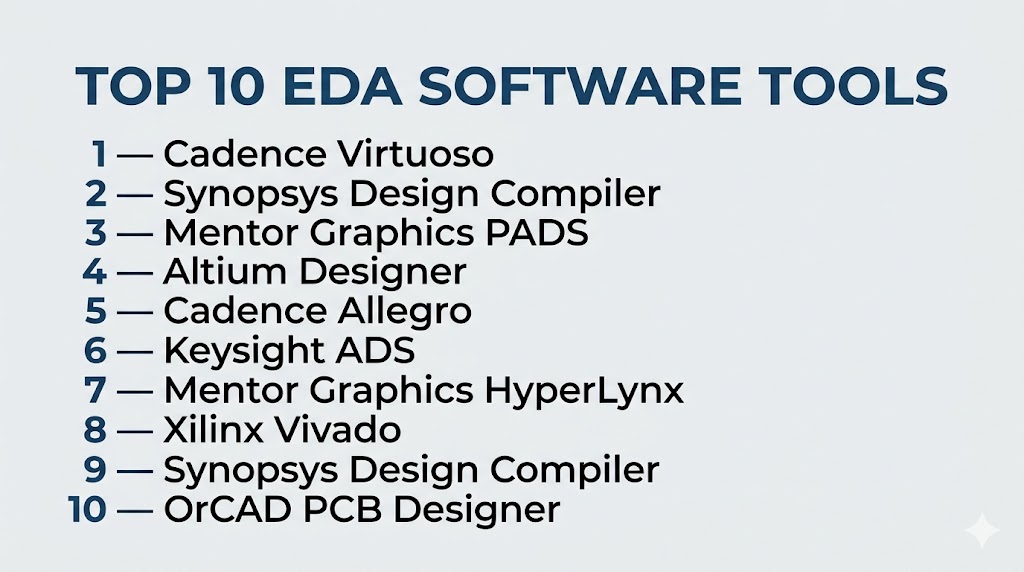
Top 10 Tools Name List
- Cadence Virtuoso
- Synopsys Design Compiler
- Mentor Graphics PADS
- Altium Designer
- Cadence Allegro
- Keysight ADS
- Mentor HyperLynx
- Xilinx Vivado
- Synopsys Design Compiler
- OrCAD PCB Designer
Comparison Table
| Tool Name | Best For | Platform(s) | Deployment | Standout Feature | Public Rating |
|---|---|---|---|---|---|
| Cadence Virtuoso | Analog/mixed-signal IC | Win/Linux | Hybrid | Multi-domain IC design | N/A |
| Synopsys Design Compiler | Digital SoC/ASIC | Linux/Win | Hybrid | RTL synthesis | N/A |
| Mentor PADS | Mid-market PCB | Windows | Local | Schematic/layout | N/A |
| Altium Designer | PCB/SMB | Windows | Hybrid | Unified PCB design | N/A |
| Cadence Allegro | High-speed PCB | Win/Linux | Hybrid | Enterprise PCB workflows | N/A |
| Keysight ADS | RF/High-frequency | Win/Linux | Local | RF & microwave simulation | N/A |
| HyperLynx | Signal integrity | Windows | Local | High-speed verification | N/A |
| Xilinx Vivado | FPGA design | Win/Linux | Local | RTL synthesis & validation | N/A |
| Synopsys Design Compiler | Digital ASIC | Linux/Win | Hybrid | Optimization & timing | N/A |
| OrCAD PCB Designer | PCB mid-market | Windows | Local | PCB schematic & layout | N/A |
Evaluation & Scoring of EDA Software
| Tool | Core | Ease | Integrations | Security | Performance | Support | Value | Weighted Total |
|---|---|---|---|---|---|---|---|---|
| Virtuoso | 10 | 6 | 9 | 6 | 10 | 9 | 6 | 8.15 |
| Design Compiler | 10 | 6 | 8 | 6 | 10 | 8 | 6 | 7.95 |
| PADS | 8 | 8 | 7 | 6 | 8 | 8 | 7 | 7.6 |
| Altium Designer | 8 | 8 | 8 | 6 | 8 | 8 | 7 | 7.7 |
| Allegro | 9 | 6 | 8 | 6 | 9 | 8 | 6 | 7.9 |
| ADS | 9 | 6 | 7 | 6 | 9 | 8 | 6 | 7.7 |
| HyperLynx | 8 | 8 | 7 | 6 | 8 | 7 | 7 | 7.45 |
| Vivado | 8 | 7 | 7 | 6 | 8 | 7 | 7 | 7.4 |
| Design Compiler | 10 | 6 | 8 | 6 | 10 | 8 | 6 | 7.95 |
| OrCAD PCB | 7 | 8 | 7 | 6 | 7 | 7 | 7 | 7.25 |
Which EDA Tool Is Right for You?
Solo / Freelancer
- OrCAD or Altium Designer → quick PCB designs with minimal investment
SMB
- PADS or Altium Designer → accessible PCB & schematic workflows
Mid-Market
- Allegro, ADS → high-speed or RF-focused projects
Enterprise
- Cadence Virtuoso → analog/mixed-signal ICs
- Synopsys Design Compiler → ASIC/SoC
Budget vs Premium
- Budget: OrCAD, PADS
- Premium: Virtuoso, Design Compiler, Allegro
Feature Depth vs Ease of Use
- Deep: Virtuoso, ADS, Design Compiler
- Easy: Altium Designer, OrCAD
Integrations & Scalability
- Strong: Virtuoso, Allegro, Design Compiler
- Moderate: PADS, OrCAD
Security & Compliance Needs
- Enterprise deployment with internal governance recommended
- Cloud options should confirm SOC2 or equivalent
Frequently Asked Questions (FAQs)
1. What is EDA software?
EDA software automates circuit and PCB design, simulation, and verification.
2. Which EDA is best for beginners?
OrCAD and Altium Designer offer an easier ramp for new engineers.
3. Can EDA software handle IC and PCB together?
Some enterprise platforms, like Cadence Virtuoso, integrate both; others focus on PCB or digital ASIC design.
4. Is EDA expensive?
Enterprise-grade tools are costly; smaller teams can start with mid-market tools.
5. Can EDA integrate with CAD?
Yes, PCB and mechanical design CAD integration improves workflow.
6. What is signal integrity analysis?
It checks high-speed traces for noise, crosstalk, and timing issues.
7. Are FPGA tools considered EDA?
Yes, platforms like Xilinx Vivado fall under the EDA umbrella.
8. Can EDA tools simulate power and thermal effects?
Yes, multi-domain simulation is standard in many platforms.
9. How hard is it to switch EDA platforms?
Non-trivial; design rules, libraries, and workflow differences can slow transitions.
10. Should teams prioritize ease of use or feature depth?
Design engineers may prefer ease; specialist IC teams prioritize depth.
Conclusion
EDA software powers modern electronics innovation, enabling teams to design, simulate, and verify ICs, PCBs, and complex systems with speed and precision. Enterprise solutions like Cadence Virtuoso and Synopsys Design Compiler deliver depth and high performance, while accessible tools like Altium Designer and OrCAD PCB Designer accelerate adoption for smaller teams. The right choice depends on your workflow, team expertise, and scale. Shortlist 2–3 tools, run pilot projects, and validate design, simulation, and verification capabilities before committing to maximize your engineering impact.

Find Trusted Cardiac Hospitals
Compare heart hospitals by city and services — all in one place.
Explore Hospitals