Introduction
Event Ticketing Platforms help organizers create, sell, manage, scan, and report on tickets for events such as conferences, concerts, festivals, workshops, webinars, sports events, fundraisers, exhibitions, and community gatherings. These tools usually support ticket pages, registration forms, payment collection, attendee lists, QR code check-ins, promotional codes, email communication, analytics, and integrations with marketing or CRM systems. They matter now because event organizers need smoother digital buying experiences, flexible pricing, fraud prevention, mobile check-in, hybrid event support, and better attendee data. A strong ticketing platform can reduce manual work, improve sales visibility, simplify entry management, and help teams understand which campaigns, channels, and ticket types are performing best.
Real World Use Cases:
- Selling paid and free tickets online
- Managing registrations for conferences and workshops
- Scanning QR codes at event entry
- Creating early-bird, VIP, group, and discount ticket types
- Tracking attendee data, sales reports, and revenue
- Sending event reminders, confirmations, and post-event emails
Evaluation Criteria for Buyers:
- Ticket creation and pricing flexibility
- Payment processing and payout options
- Registration form customization
- Event page and branding control
- Mobile check-in and QR scanning
- Marketing and email tools
- CRM, analytics, and integration support
- Refund, transfer, and cancellation workflows
- Fraud prevention and access control
- Reporting, dashboards, and attendee insights
Best for: Event organizers, conference teams, venues, nonprofits, schools, creators, community groups, sports clubs, marketers, agencies, and enterprise event teams that need a reliable way to sell tickets, manage attendees, and track event performance.
Not ideal for: Very small private gatherings with no payment collection or registration complexity may not need a full ticketing platform. A simple RSVP form, calendar invite, payment link, or spreadsheet may be enough for low-volume informal events.
Key Trends in Event Ticketing Platforms
- Mobile-first ticketing is standard: Attendees expect fast mobile checkout, digital tickets, wallet support, QR codes, and quick entry scanning at the venue.
- Hybrid and virtual event support is still important: Many organizers run physical, online, and hybrid events, so platforms increasingly support streaming links, virtual access rules, and digital attendance tracking.
- Data-driven event marketing is growing: Organizers want to know which campaigns, referral sources, ticket types, discounts, and audiences drive sales.
- Flexible pricing models are expanding: Early-bird pricing, VIP tiers, group tickets, member pricing, donations, add-ons, and reserved seating are becoming common.
- Fraud prevention and secure access matter more: QR code validation, duplicate ticket prevention, attendee identity controls, and payment security are important for high-demand events.
- Self-service event creation is improving: Organizers want easy event setup without needing developers, designers, or complex technical workflows.
- Embedded payments are more important: Platforms are improving payment collection, refunds, taxes, payouts, and financial reporting.
- AI-assisted event operations are emerging: AI may support smarter audience segmentation, email copy suggestions, event recommendations, attendee support, and pricing insights.
- Integrations are now a buying priority: Event teams expect connections with CRM, marketing automation, analytics, accounting, webinar tools, and community platforms.
- Community and repeat-attendee engagement is rising: Ticketing is no longer only a checkout process. Platforms increasingly help organizers build long-term attendee relationships.
How We Selected These Tools
The tools below were selected using practical event ticketing and registration evaluation logic:
- Market recognition among event organizers, creators, venues, nonprofits, enterprises, and community teams
- Ability to support different event types including conferences, concerts, workshops, fundraisers, webinars, and festivals
- Ticketing flexibility for paid, free, recurring, reserved, donation-based, and multi-tier events
- Payment processing, refund handling, discount code, and payout capabilities
- Ease of event setup, landing page creation, and registration form customization
- Mobile check-in, QR scanning, attendee management, and access control features
- Marketing, email, analytics, and audience engagement capabilities
- Integration potential with CRM, email marketing, analytics, accounting, webinar, and social platforms
- Scalability from small events to enterprise event programs
- Security, admin controls, and data handling maturity where publicly stated or expected
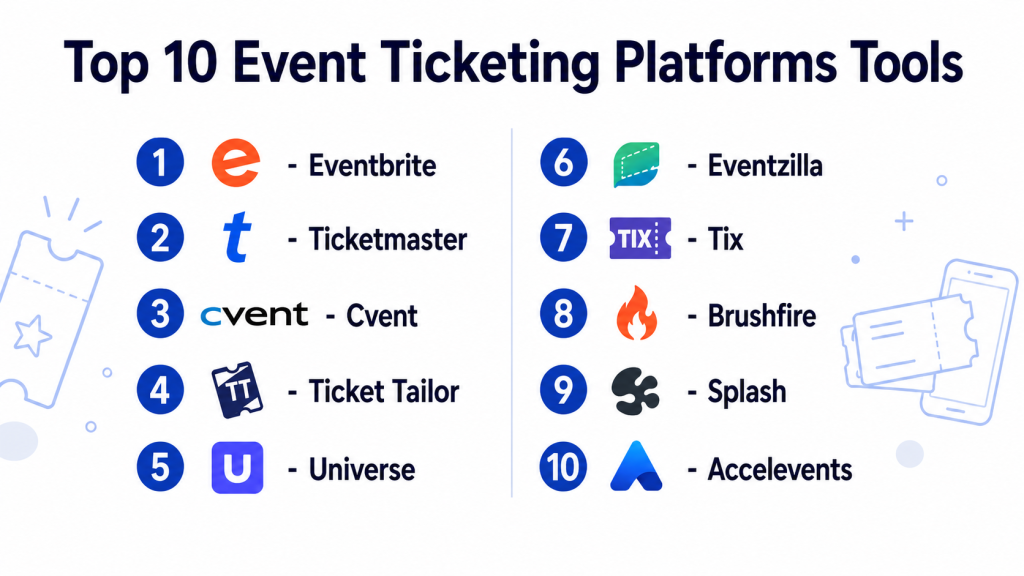
Top 10 Event Ticketing Platforms Tools
1- Eventbrite
Short description: Eventbrite is one of the most widely recognized event ticketing and registration platforms for public events, workshops, concerts, community events, and business gatherings. It helps organizers create event pages, sell tickets, promote events, manage attendees, and scan tickets at entry.
Key Features
- Event page creation and online ticket sales
- Paid, free, donation, and multi-tier ticket options
- Mobile ticketing and QR code check-in
- Discount codes and promotional tools
- Attendee management and order tracking
- Email communication and event reminders
- Reporting dashboards for sales and registrations
Pros
- Very easy for beginners and small teams to launch events
- Strong marketplace visibility for public events
- Good fit for creators, communities, nonprofits, and local organizers
Cons
- Branding and customization may be limited for advanced enterprise needs
- Fees can become important for high-volume paid events
- Complex conferences may need deeper registration and agenda tools
Platforms / Deployment
Web / iOS / Android
Cloud
Security & Compliance
Varies / N/A. Buyers should validate payment security, account permissions, fraud controls, data privacy, and event admin access directly based on their needs.
Integrations & Ecosystem
Eventbrite fits teams that need simple ticketing connected with marketing and attendee workflows. It works well for public-facing events where speed and reach matter.
- Payment processing workflows
- Email marketing tools
- Social promotion workflows
- Analytics and tracking tools
- CRM integrations where available
- Mobile check-in workflows
Support & Community
Eventbrite provides help resources, event organizer documentation, and support options. Support depth may vary by event size, account type, and product package.
2- Ticketmaster
Short description: Ticketmaster is a major ticketing platform for concerts, sports, venues, live entertainment, and large-scale events. It is best suited for professional event organizers, venues, promoters, and high-demand events that require scale, access control, and ticket distribution strength.
Key Features
- Large-scale event ticketing
- Reserved seating and venue ticketing workflows
- Mobile ticket delivery and entry scanning
- Access control and ticket validation
- Event discovery and distribution reach
- Fan and attendee management tools
- Reporting and sales visibility
Pros
- Strong fit for high-volume entertainment and venue events
- Broad ticket distribution and market visibility
- Useful for events needing professional access control
Cons
- Not ideal for small informal events or simple workshops
- Platform fit may depend on venue and promoter relationships
- Customization and pricing workflows may not suit every organizer
Platforms / Deployment
Web / iOS / Android
Cloud
Security & Compliance
Varies / N/A. Buyers should validate fraud prevention, payment security, access controls, data handling, and venue-specific requirements directly.
Integrations & Ecosystem
Ticketmaster is strongest in the live entertainment and venue ecosystem, where ticket discovery, distribution, scanning, and access control are critical.
- Venue access control systems
- Mobile ticketing workflows
- Payment and settlement workflows
- Event discovery channels
- Fan engagement tools
- Reporting and analytics workflows
Support & Community
Ticketmaster support depends on organizer, venue, and event relationship. Large clients typically require structured onboarding and account support.
3- Cvent
Short description: Cvent is an enterprise event management and registration platform used for conferences, corporate events, trade shows, meetings, and complex event programs. It goes beyond basic ticketing by supporting registration, attendee management, event marketing, reporting, and enterprise workflows.
Key Features
- Enterprise registration and ticketing workflows
- Custom registration forms and attendee paths
- Agenda, session, and badge management
- Event marketing and email communication
- Onsite check-in and attendee management
- Reporting and analytics dashboards
- Support for complex corporate events and conferences
Pros
- Strong fit for enterprise events and conferences
- Deep registration and attendee management capabilities
- Useful for organizations managing multiple event programs
Cons
- May be too complex for simple local events
- Implementation may require training and planning
- Cost may be higher than lightweight ticketing tools
Platforms / Deployment
Web / Mobile access varies
Cloud
Security & Compliance
Varies / N/A. Buyers should validate SSO, permissions, audit logs, encryption, privacy requirements, and enterprise security controls directly.
Integrations & Ecosystem
Cvent works well for enterprise event teams that need ticketing, registration, event marketing, attendee data, and reporting connected with business systems.
- CRM integrations
- Marketing automation tools
- Webinar and virtual event tools
- Badge printing and onsite tools
- Payment workflows
- Reporting and business intelligence systems
Support & Community
Cvent provides enterprise onboarding, training, documentation, and customer support options. Support scope may vary by contract, modules, and event complexity.
4- Ticket Tailor
Short description: Ticket Tailor is an event ticketing platform for creators, nonprofits, venues, schools, businesses, and community organizers. It is known for straightforward ticket setup, branding flexibility, and practical event sales workflows.
Key Features
- Online ticket sales and event page creation
- Custom ticket types and pricing
- Discount codes and access codes
- QR code check-in app
- Embeddable ticket widgets
- Attendee list management
- Sales and order reporting
Pros
- Simple and practical for small to mid-sized organizers
- Good branding and embed flexibility
- Useful for paid, free, charity, and community events
Cons
- Not as deep as enterprise conference platforms
- Advanced event program management may require additional tools
- Large venue operations should validate access control needs
Platforms / Deployment
Web / iOS / Android
Cloud
Security & Compliance
Varies / N/A. Buyers should validate payment security, data privacy, permissions, and event admin controls directly.
Integrations & Ecosystem
Ticket Tailor is useful for organizers who need flexible ticket sales without heavy enterprise setup. It can connect ticketing with websites, payments, and event marketing workflows.
- Payment processors
- Website embeds
- Email marketing tools
- Analytics workflows
- Check-in apps
- CRM or automation tools where available
Support & Community
Ticket Tailor provides documentation and customer support resources for organizers. Support depth may vary by plan and event needs.
5- Universe
Short description: Universe is an event ticketing platform used for social events, entertainment, nightlife, experiences, and community gatherings. It helps organizers sell tickets, manage event pages, track orders, and support attendee entry.
Key Features
- Event ticket creation and sales
- Custom event pages
- Mobile ticket delivery
- Attendee and order management
- Promotional codes and ticket tiers
- Check-in and scanning support
- Reporting for ticket sales and attendance
Pros
- Good fit for entertainment, nightlife, and experience-led events
- Easy event setup and ticket sales
- Useful for organizers needing public event ticketing
Cons
- May not suit complex enterprise conferences
- Advanced customization and reporting should be validated
- Platform fit may vary by event type and region
Platforms / Deployment
Web / Mobile access varies
Cloud
Security & Compliance
Varies / N/A. Buyers should validate payment security, attendee data handling, fraud controls, and admin access directly.
Integrations & Ecosystem
Universe works well for public events where organizers need ticketing, promotion, attendee tracking, and entry management.
- Payment workflows
- Event discovery and promotion
- Ticket scanning workflows
- Attendee management
- Analytics and reporting
- Marketing workflows
Support & Community
Universe provides organizer support resources and event help documentation. Support availability may vary by account type and event size.
6- Eventzilla
Short description: Eventzilla is an online event registration and ticketing platform for conferences, classes, webinars, fundraisers, workshops, and business events. It supports registration forms, ticket sales, event pages, payments, and attendee management.
Key Features
- Event registration and ticketing
- Custom registration forms
- Paid and free event support
- Email communication and attendee updates
- Payment and discount workflows
- Check-in and attendee management
- Reporting and analytics dashboards
Pros
- Good fit for workshops, classes, business events, and webinars
- Practical registration customization
- Useful for organizers needing both ticketing and attendee data
Cons
- May not match enterprise event suites for complex programs
- Branding and advanced workflows should be reviewed before purchase
- Large festivals or venues may need stronger access control
Platforms / Deployment
Web / Mobile access varies
Cloud
Security & Compliance
Varies / N/A. Buyers should validate payment security, user permissions, privacy controls, and attendee data handling directly.
Integrations & Ecosystem
Eventzilla supports event teams that need registration, payments, communication, and attendee reporting in one platform.
- Payment workflows
- Email communication tools
- Webinar workflows
- CRM and automation tools where available
- Check-in workflows
- Reporting dashboards
Support & Community
Eventzilla provides support resources and documentation for event organizers. Support scope may vary by package and event complexity.
7- Tix
Short description: Tix is a ticketing platform used by venues, theaters, performing arts organizations, schools, attractions, and event organizers. It supports online ticket sales, reserved seating, box office workflows, and event reporting.
Key Features
- Online ticketing and box office management
- Reserved seating support
- Event and performance scheduling
- Ticket scanning and access control
- Customer and order management
- Discount and promotional ticket workflows
- Sales and attendance reporting
Pros
- Strong fit for theaters, venues, and performing arts events
- Useful for reserved seating and box office workflows
- Practical for recurring performances and venue-based events
Cons
- May not be the best fit for casual one-off events
- Conference registration features may be limited compared with event suites
- Buyers should validate payment and access control needs
Platforms / Deployment
Web / Varies / N/A
Cloud / Varies
Security & Compliance
Varies / N/A. Buyers should confirm payment security, user permissions, ticket fraud controls, and data protection requirements directly.
Integrations & Ecosystem
Tix is useful for venues and performance-based organizations that need ticket sales connected with seating, box office operations, and entry control.
- Box office workflows
- Reserved seating tools
- Payment processing
- Ticket scanning
- Customer records
- Sales reporting
Support & Community
Tix provides support for venues and ticketing teams. Support scope may vary by organization size and implementation requirements.
8- Brushfire
Short description: Brushfire is a ticketing and registration platform used by churches, nonprofits, conferences, ministries, camps, and community organizations. It supports ticketing, registration, seating, groups, check-in, and event management workflows.
Key Features
- Event registration and ticketing
- Reserved seating and group registration support
- Check-in and attendance management
- Custom forms and attendee data collection
- Payment and donation workflows
- Event page and branding tools
- Reporting and organizer dashboards
Pros
- Strong fit for nonprofits, churches, and community events
- Supports registration and seating workflows
- Useful for events that need attendee data and group coordination
Cons
- May be less suited for mainstream entertainment ticketing
- Enterprise corporate events may need broader event management tools
- Buyers should validate integrations and payment needs
Platforms / Deployment
Web / Mobile access varies
Cloud
Security & Compliance
Varies / N/A. Buyers should validate payment handling, access controls, attendee privacy, and admin permissions directly.
Integrations & Ecosystem
Brushfire works well for organizations that need ticketing, registration, check-in, and community-focused event workflows.
- Payment workflows
- Donation-related workflows
- Group registration
- Reserved seating
- Check-in tools
- Reporting dashboards
Support & Community
Brushfire provides support resources for event organizers, nonprofits, and community teams. Support depth may vary by plan and event complexity.
9- Splash
Short description: Splash is an event marketing and registration platform used by marketing teams, brands, and businesses. It helps teams create branded event pages, manage registrations, send communications, track attendees, and measure event performance.
Key Features
- Branded event page creation
- Registration and RSVP management
- Email marketing and event communication
- Attendee tracking and check-in
- Event analytics and campaign reporting
- CRM and marketing system integrations
- Templates for repeatable event programs
Pros
- Strong fit for marketing-led events and brand experiences
- Useful for repeatable event programs and campaign tracking
- Good option for teams focused on event branding and attendee data
Cons
- Not primarily built for large public ticket resale or entertainment venues
- May be more marketing-focused than box office-focused
- Smaller organizers may not need its campaign depth
Platforms / Deployment
Web / Mobile access varies
Cloud
Security & Compliance
Varies / N/A. Buyers should validate SSO, permissions, privacy controls, data handling, and admin access requirements directly.
Integrations & Ecosystem
Splash is useful for businesses that treat events as part of marketing and demand generation. It connects event registration with campaign execution and attendee insights.
- CRM integrations
- Marketing automation tools
- Email communication
- Analytics workflows
- Check-in tools
- Event page templates
Support & Community
Splash provides support, onboarding, and resources for marketing and event teams. Support scope may vary by package and enterprise requirements.
10- Accelevents
Short description: Accelevents is an event platform supporting ticketing, registration, virtual events, hybrid events, onsite check-in, exhibitor tools, and attendee engagement. It is useful for conferences, trade shows, corporate events, fundraisers, and multi-format events.
Key Features
- Event ticketing and registration
- Virtual and hybrid event support
- Onsite check-in and badge workflows
- Exhibitor and sponsor tools
- Attendee engagement features
- Payment and fundraising workflows
- Reporting and event analytics
Pros
- Strong fit for conferences, fundraisers, and hybrid events
- Supports both ticketing and broader event engagement
- Useful for organizers needing virtual, onsite, and attendee tools together
Cons
- May be more platform than needed for simple ticket sales
- Setup may require planning for multi-session or hybrid events
- Buyers should validate integration and attendee experience requirements
Platforms / Deployment
Web / Mobile access varies
Cloud
Security & Compliance
Varies / N/A. Buyers should validate permissions, attendee data protection, payment security, privacy controls, and admin workflows directly.
Integrations & Ecosystem
Accelevents supports organizers that need ticketing connected with virtual sessions, onsite check-in, sponsors, fundraising, and analytics.
- CRM integrations
- Marketing automation tools
- Webinar and virtual event workflows
- Payment workflows
- Badge and check-in systems
- Reporting and analytics tools
Support & Community
Accelevents provides onboarding, event support resources, and customer support options. Support depth may vary by event size, package, and implementation needs.
Comparison Table
| Tool Name | Best For | Platform Supported | Deployment | Standout Feature | Public Rating |
|---|---|---|---|---|---|
| Eventbrite | Public events, creators, communities, and local organizers | Web, iOS, Android | Cloud | Easy event creation and ticket marketplace visibility | N/A |
| Ticketmaster | Large entertainment, sports, and venue events | Web, iOS, Android | Cloud | High-scale ticketing and access control | N/A |
| Cvent | Enterprise conferences and corporate events | Web, mobile access varies | Cloud | Deep registration and enterprise event workflows | N/A |
| Ticket Tailor | SMB organizers, nonprofits, and branded ticketing | Web, iOS, Android | Cloud | Simple ticketing with branding and embed flexibility | N/A |
| Universe | Entertainment, nightlife, and experience events | Web, mobile access varies | Cloud | Public event ticket sales and attendee management | N/A |
| Eventzilla | Workshops, classes, webinars, and business events | Web, mobile access varies | Cloud | Registration forms and ticketing in one platform | N/A |
| Tix | Theaters, venues, schools, and performing arts | Web, varies | Cloud / Varies | Reserved seating and box office workflows | N/A |
| Brushfire | Churches, nonprofits, and community organizations | Web, mobile access varies | Cloud | Registration, seating, check-in, and group workflows | N/A |
| Splash | Brand events and marketing-led programs | Web, mobile access varies | Cloud | Branded event pages and campaign analytics | N/A |
| Accelevents | Conferences, hybrid events, and fundraisers | Web, mobile access varies | Cloud | Ticketing plus virtual and onsite event tools | N/A |
Evaluation & Scoring of Event Ticketing Platforms
| Tool Name | Core 25% | Ease 15% | Integrations 15% | Security 10% | Performance 10% | Support 10% | Value 15% | Weighted Total |
|---|---|---|---|---|---|---|---|---|
| Eventbrite | 8.6 | 9.0 | 8.2 | 7.6 | 8.5 | 8.0 | 8.1 | 8.4 |
| Ticketmaster | 9.2 | 7.4 | 8.4 | 8.0 | 9.1 | 8.2 | 7.1 | 8.3 |
| Cvent | 9.1 | 7.5 | 9.0 | 8.2 | 8.8 | 8.5 | 7.2 | 8.5 |
| Ticket Tailor | 8.2 | 8.9 | 7.8 | 7.4 | 8.2 | 8.0 | 8.8 | 8.3 |
| Universe | 8.0 | 8.5 | 7.6 | 7.3 | 8.1 | 7.7 | 8.0 | 7.9 |
| Eventzilla | 8.1 | 8.4 | 7.8 | 7.3 | 8.0 | 7.8 | 8.2 | 8.0 |
| Tix | 8.3 | 7.8 | 7.4 | 7.4 | 8.2 | 7.9 | 7.9 | 7.9 |
| Brushfire | 8.0 | 8.2 | 7.5 | 7.4 | 8.0 | 7.9 | 8.1 | 7.9 |
| Splash | 8.2 | 8.1 | 8.6 | 7.8 | 8.3 | 8.1 | 7.6 | 8.2 |
| Accelevents | 8.7 | 8.0 | 8.5 | 7.8 | 8.5 | 8.2 | 7.8 | 8.3 |
Which Event Ticketing Platforms Tool Is Right for You?
Solo / Freelancer
Solo creators, coaches, local organizers, artists, and workshop hosts should focus on easy setup, simple payment collection, and fast ticket page creation. Eventbrite, Ticket Tailor, Universe, and Eventzilla are practical starting points.
If the event is free or informal, a basic RSVP form may be enough. If payments, QR entry, and attendee reporting matter, a dedicated ticketing tool becomes more useful.
SMB
Small and mid-sized organizations need flexible ticket types, discount codes, attendee management, branded pages, and basic marketing support. Ticket Tailor, Eventbrite, Eventzilla, Brushfire, Splash, and Accelevents can work well depending on event type.
SMBs should compare transaction fees, branding control, payment options, and ease of check-in before choosing.
Mid-Market
Mid-market organizers, agencies, conference teams, schools, nonprofits, and venues need more control over registrations, campaigns, attendee data, access rules, and reporting. Cvent, Splash, Accelevents, Tix, Brushfire, and Ticket Tailor are strong candidates.
This segment should evaluate integrations with CRM, email marketing, accounting, analytics, badge printing, and onsite check-in tools.
Enterprise
Enterprise teams, large conferences, venues, promoters, and sports or entertainment organizations should prioritize scalability, access control, security, reporting, support, and integration depth. Cvent, Ticketmaster, Splash, Accelevents, and Tix are strong options for larger use cases.
Enterprise buyers should involve marketing, finance, IT, operations, security, and event delivery teams before finalizing a platform.
Budget vs Premium
Budget-conscious organizers should evaluate Ticket Tailor, Eventzilla, Eventbrite, Universe, and Brushfire first. These platforms can handle common ticketing needs without heavy enterprise complexity.
Premium buyers should consider Cvent, Ticketmaster, Splash, Accelevents, and specialized venue ticketing platforms when scale, branding, integrations, and advanced registration workflows matter more.
Feature Depth vs Ease of Use
If ease of use matters most, Eventbrite, Ticket Tailor, Universe, and Eventzilla are strong starting points. If feature depth matters more, Cvent, Accelevents, Splash, Ticketmaster, Tix, and Brushfire should be reviewed more closely.
The best tool is the one that supports the event without making setup, checkout, and entry management difficult for staff or attendees.
Integrations & Scalability
Event teams should validate integrations with CRM, marketing automation, email platforms, payment systems, accounting tools, analytics tools, webinar platforms, badge printers, and access control systems. Cvent, Splash, Accelevents, Eventbrite, and Ticket Tailor are strong options for integration-focused buyers.
High-volume events should also test checkout performance, ticket scanning speed, and attendee data exports.
Security & Compliance Needs
Event ticketing platforms handle payment data, attendee information, emails, phone numbers, order history, and sometimes identity or access details. Buyers should review payment security, user permissions, fraud controls, refund workflows, privacy controls, and data retention.
Enterprise and high-demand events should include IT and finance teams in the security review.
Frequently Asked Questions
1. What is an Event Ticketing Platform?
An Event Ticketing Platform helps organizers create events, sell tickets, manage registrations, collect payments, and check attendees in.
It usually includes event pages, ticket types, attendee lists, QR codes, and reporting dashboards.
Some platforms also support marketing emails, discount codes, reserved seating, and hybrid event access.
It is useful when manual RSVP or payment tracking becomes hard to manage.
2. Who needs Event Ticketing Software?
Event organizers, venues, creators, nonprofits, schools, conference teams, sports clubs, and businesses can use ticketing software.
It is useful for paid events, free registrations, fundraisers, concerts, workshops, and corporate events.
Any team that needs attendee data, payments, or check-in control can benefit.
Small informal events may only need a simple RSVP form.
3. How much do Event Ticketing Platforms cost?
Pricing varies by platform, event size, ticket volume, payment processor, features, and support needs.
Some tools charge per ticket, some charge platform fees, and some enterprise tools use custom pricing.
Organizers should compare transaction fees, payout timing, refund costs, and paid add-ons.
Always review total cost before launching a large paid event.
4. Can ticketing platforms support free events?
Yes, many platforms support free events, RSVP pages, and registration-only workflows.
This is useful for webinars, community meetups, workshops, open houses, and internal events.
Free-event pricing rules vary by vendor, so organizers should check fee policies.
Even for free events, attendee tracking and check-in tools can be valuable.
5. Do these platforms support QR code check-in?
Most modern ticketing platforms support QR code tickets and mobile check-in apps.
This helps event staff scan tickets quickly and reduce duplicate entry issues.
For high-volume events, scanning speed and offline check-in support should be tested.
Venues should also check whether multiple entry points are supported.
6. Which platform is best for small events?
Eventbrite, Ticket Tailor, Universe, and Eventzilla are practical choices for small events.
They are easier to set up and support common ticketing workflows like paid tickets, free tickets, and discount codes.
The best choice depends on branding needs, fees, payment options, and audience reach.
Small organizers should test the checkout flow before publishing.
7. Which platform is best for enterprise events?
Cvent, Accelevents, Splash, Ticketmaster, and Tix are stronger options for larger or more complex event needs.
They support deeper workflows such as enterprise registration, access control, branding, reporting, or venue ticketing.
Enterprise teams should validate integrations, security, support, and data exports.
A pilot or demo with real event scenarios is recommended.
8. What are common mistakes when choosing ticketing software?
Common mistakes include choosing only by price, ignoring attendee checkout experience, and not testing check-in workflows.
Organizers also forget to review refund rules, payout timing, branding limits, and data export options.
For large events, weak access control can create entry problems.
A test event helps identify issues before launch.
9. Can ticketing platforms integrate with CRM and marketing tools?
Many platforms integrate with CRM, email marketing, analytics, webinar, and automation tools.
This helps teams track attendee sources, segment audiences, and follow up after the event.
Integration depth varies by vendor and plan.
Buyers should test data sync before relying on it for campaign reporting.
10. What are alternatives to Event Ticketing Platforms?
Alternatives include RSVP forms, payment links, spreadsheets, social media event pages, or webinar registration tools.
These can work for simple events with low volume and no complex access control.
As ticket sales, attendee lists, payments, and check-ins grow, manual methods become risky.
A dedicated ticketing platform becomes more useful for scale and professionalism.
Conclusion
Event Ticketing Platforms help organizers manage the complete ticketing lifecycle from event page creation to payment collection, attendee communication, QR code check-in, and post-event reporting. The best platform depends on event size, audience type, ticketing model, branding needs, payment workflows, and operational complexity. Eventbrite, Ticket Tailor, Universe, and Eventzilla are practical choices for smaller and public-facing events, while Cvent, Accelevents, Splash, Ticketmaster, Tix, and Brushfire serve more specialized needs across enterprise conferences, marketing events, venues, nonprofits, and entertainment. There is no single best platform for every organizer. The smartest next step is to shortlist two or three tools, create a sample event, test ticket checkout, review fees and refund rules, validate integrations and security, and run a small pilot before using the platform for a major event.

Find Trusted Cardiac Hospitals
Compare heart hospitals by city and services — all in one place.
Explore Hospitals
Event ticketing platforms are most valuable when they help organizers create, sell, manage, and track event tickets through an efficient digital system. By providing online ticket sales, registration management, payment processing, ticket customization, attendee tracking, QR code check-ins, promotional tools, analytics, refund management, and integration with marketing and event management systems, these platforms enable organizations to simplify ticket operations, improve attendee experiences, increase event reach, reduce administrative work, and maximize event revenue.