Introduction
Family Organization Apps are digital tools designed to help households streamline communication, manage schedules, coordinate tasks, and keep track of family activities. these apps are increasingly essential as families juggle work, school, extracurriculars, and social commitments across multiple devices. Modern families often seek unified solutions that integrate calendars, meal planning, chore management, and reminders while also providing secure data handling.
Real-world use cases include:
- Coordinating schedules for multiple children and parents, including extracurriculars and appointments.
- Managing household tasks, chores, and shared shopping lists.
- Tracking family budgets, allowances, and shared expenses.
- Planning family events, vacations, and meal preparations.
- Communicating efficiently among family members via shared notes and notifications.
Evaluation criteria for buyers include:
- Ease of use and intuitive interface
- Cross-platform availability and device support
- Task and calendar management features
- Security and privacy measures
- Integration with third-party apps
- Notification and reminder systems
- Cost and subscription flexibility
- Family member access control and permissions
Best for: Busy parents, blended families, households with multiple children, and anyone seeking to digitally organize daily family life.
Not ideal for: Individuals living alone or families preferring traditional analog methods for organizing tasks and schedules.
Key Trends in Family Organization Apps
- AI-powered recommendations for chores, meal planning, and family schedules.
- Voice assistant integration for hands-free task management.
- Cross-device synchronization across smartphones, tablets, and desktops.
- Enhanced privacy and encryption for sensitive family data.
- Collaborative task boards for families and caregivers.
- In-app shopping and delivery integration.
- Customizable notifications and automated reminders.
- Multi-language support for global families.
- Subscription models with premium features for deeper customization.
- Interoperability with smart home devices.
How We Selected These Tools (Methodology)
- Market adoption and brand recognition among households.
- Feature completeness, including scheduling, lists, communication, and budgeting.
- Reliability signals, including uptime and performance feedback.
- Security posture, including encryption, access control, and compliance.
- Integration capabilities with third-party apps and platforms.
- Flexibility for different family sizes and structures.
- User experience and interface intuitiveness.
- Value for cost compared to alternatives.
- Community and support ecosystem.
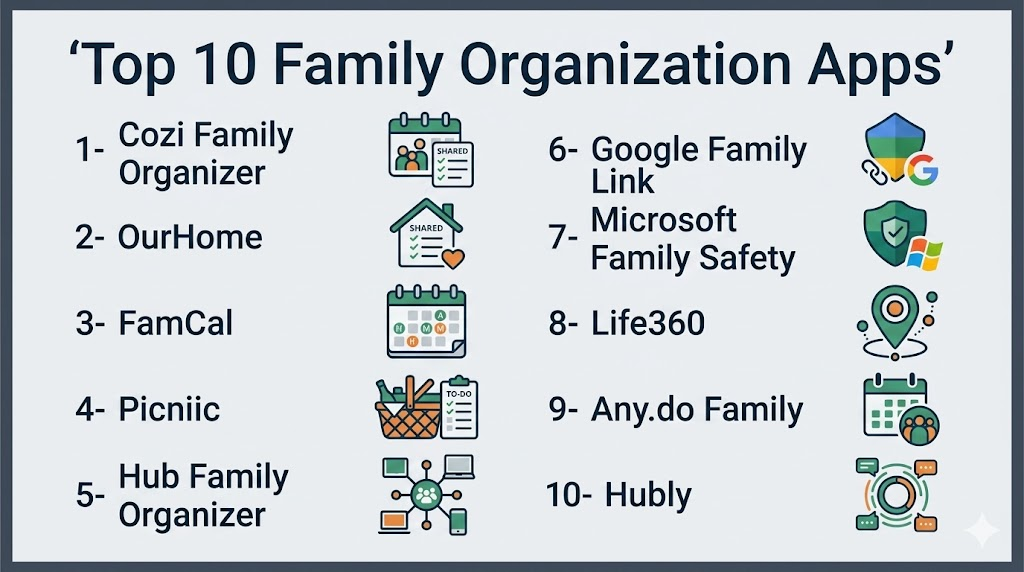
Top 10 Family Organization Apps
1- Cozi Family Organizer
Short description: Cozi provides a shared calendar, to-do lists, and meal planning for families, making it ideal for busy households.
Key Features
- Shared family calendar
- Shopping and to-do lists
- Meal planning with recipes
- Color-coded family members
- Automated reminders
Pros
- Easy-to-use interface for all ages
- Cross-platform support
- Strong family-focused features
Cons
- Limited free tier features
- Some users report notification delays
Platforms / Deployment
- Web, iOS, Android
- Cloud
Security & Compliance
- Not publicly stated
Integrations & Ecosystem
Supports calendar syncing and email notifications.
- Google Calendar integration
- Alexa reminders
- Email alerts
Support & Community
- Knowledge base, email support, community forums
2- OurHome
Short description: OurHome gamifies chores and tasks for kids, promoting family engagement and accountability.
Key Features
- Task assignments and scheduling
- Reward points system
- Shared shopping list
- Family calendar
- Messaging within the app
Pros
- Motivates children to complete chores
- Visual progress tracking
- Supports multiple family members
Cons
- Limited integrations
- Requires parental monitoring for effectiveness
Platforms / Deployment
- iOS, Android
- Cloud
Security & Compliance
- Not publicly stated
Integrations & Ecosystem
- Supports in-app shopping and notifications
- Simple API availability
Support & Community
- Email support, community forum
3- FamCal
Short description: FamCal centralizes calendar, tasks, and contacts for families, suitable for syncing across devices.
Key Features
- Shared family calendar
- Task and event reminders
- Shared contacts and notes
- Color-coded member events
- Family group messaging
Pros
- Unified view of all family schedules
- Works well across multiple devices
- Minimal setup required
Cons
- Some advanced features are premium-only
- UI can feel dated compared to newer apps
Platforms / Deployment
- iOS, Android, Web
- Cloud
Security & Compliance
- Not publicly stated
Integrations & Ecosystem
- Google and iOS calendar integration
- Push notifications
- Shared email alerts
Support & Community
- Email support, FAQ guides
4- Picniic
Short description: Picniic is a comprehensive family management hub with calendars, tasks, and meal planning in one platform.
Key Features
- Calendar and task management
- Meal planning and recipes
- Shared grocery lists
- Family locator
- Notes and document storage
Pros
- Extensive feature set
- Multi-device support
- Centralized hub for all family needs
Cons
- Premium subscription required for full functionality
- App can be overwhelming for small families
Platforms / Deployment
- Web, iOS, Android
- Cloud
Security & Compliance
- Not publicly stated
Integrations & Ecosystem
- Google Calendar sync
- Task import/export
- Push notifications
Support & Community
- Email and chat support, online tutorials
5- Hub Family Organizer
Short description: Hub offers scheduling, task management, and reminders with a focus on family coordination.
Key Features
- Shared family calendar
- Task assignments and reminders
- Notes and event planning
- Family messaging
- Color-coded event labeling
Pros
- Intuitive user interface
- Good for scheduling multiple children
- Strong reminder system
Cons
- Limited advanced integrations
- Some features are behind a paywall
Platforms / Deployment
- iOS, Android, Web
- Cloud
Security & Compliance
- Not publicly stated
Integrations & Ecosystem
- Calendar sync
- Email notifications
- Mobile alerts
Support & Community
- Online support portal, email
6- Google Family Link
Short description: Google Family Link helps parents supervise devices, monitor screen time, and manage family accounts.
Key Features
- Parental control and device management
- Screen time limits
- App activity reporting
- Location tracking
- Family account management
Pros
- Tight integration with Android ecosystem
- Strong parental oversight features
- Free to use
Cons
- Limited to Google ecosystem
- Fewer collaborative family planning features
Platforms / Deployment
- iOS, Android, Web
- Cloud
Security & Compliance
- Google standard security
- Data encrypted in transit
Integrations & Ecosystem
- Google Workspace
- Google Calendar
- Google Maps location tracking
Support & Community
- Google help center, community forums
7- Microsoft Family Safety
Short description: Microsoft Family Safety provides location sharing, screen time limits, and safety insights for families using Microsoft services.
Key Features
- Location sharing
- Screen time management
- Driving and safety reports
- Family group creation
- Activity notifications
Pros
- Integration with Microsoft accounts
- Safety-focused features
- Works on multiple devices
Cons
- Limited task and calendar management
- Best features tied to Microsoft ecosystem
Platforms / Deployment
- iOS, Android, Windows
- Cloud
Security & Compliance
- Not publicly stated
Integrations & Ecosystem
- Microsoft 365 accounts
- Edge browser
- Outlook Calendar
Support & Community
- Microsoft support, knowledge base
8- Life360
Short description: Life360 emphasizes family location sharing, safety alerts, and communication among household members.
Key Features
- Real-time location tracking
- Driving reports and alerts
- SOS notifications
- Family group chat
- Geo-fencing notifications
Pros
- Strong safety and location features
- Easy for all ages
- Real-time alerts improve response time
Cons
- Limited calendar or task management
- Subscription required for full features
Platforms / Deployment
- iOS, Android, Web
- Cloud
Security & Compliance
- End-to-end encryption
- Not publicly stated beyond encryption
Integrations & Ecosystem
- Apple Health integration
- Google Maps
- Push notifications
Support & Community
- Email support, help articles
9- Any.do Family
Short description: Any.do offers shared to-do lists, calendars, and reminders tailored for family coordination.
Key Features
- Shared tasks and lists
- Calendar syncing
- Reminder notifications
- Collaborative task assignment
- Notes and attachments
Pros
- Clean interface, easy to use
- Flexible task management
- Syncs across devices
Cons
- Premium features may be needed
- Limited meal planning or shopping list capabilities
Platforms / Deployment
- iOS, Android, Web
- Cloud
Security & Compliance
- Not publicly stated
Integrations & Ecosystem
- Google Calendar
- Outlook
- Mobile notifications
Support & Community
- Email support, tutorials
10- Hubly
Short description: Hubly integrates family calendars, task management, and reminders with AI-driven suggestions for optimal scheduling.
Key Features
- Smart calendar with AI suggestions
- Shared tasks and lists
- Notification and reminder automation
- Meal planning
- Family notes and documents
Pros
- AI-driven scheduling insights
- Cross-device synchronization
- Centralized hub for family coordination
Cons
- Newer platform, smaller user base
- Some AI features require premium
Platforms / Deployment
- iOS, Android, Web
- Cloud
Security & Compliance
- Not publicly stated
Integrations & Ecosystem
- Google Calendar
- Email notifications
- In-app task management
Support & Community
- Email support, online knowledge base
Comparison Table (Top 10)
| Tool Name | Best For | Platform(s) Supported | Deployment | Standout Feature | Public Rating |
|---|---|---|---|---|---|
| Cozi | Family schedules & meal planning | Web, iOS, Android | Cloud | Shared family calendar | N/A |
| OurHome | Gamified chores & tasks | iOS, Android | Cloud | Reward points for kids | N/A |
| FamCal | Calendar & task centralization | iOS, Android, Web | Cloud | Color-coded events | N/A |
| Picniic | Comprehensive family hub | Web, iOS, Android | Cloud | Multi-feature hub | N/A |
| Hub | Family coordination & reminders | iOS, Android, Web | Cloud | Task assignments | N/A |
| Google Family Link | Parental control & supervision | iOS, Android, Web | Cloud | Screen time & device management | N/A |
| Microsoft Family Safety | Safety & screen time | iOS, Android, Windows | Cloud | Location & driving reports | N/A |
| Life360 | Location & safety alerts | iOS, Android, Web | Cloud | Real-time family location | N/A |
| Any.do Family | Shared tasks & calendar | iOS, Android, Web | Cloud | Task collaboration | N/A |
| Hubly | AI-driven scheduling | iOS, Android, Web | Cloud | Smart AI suggestions | N/A |
Evaluation & Scoring of Family Organization Apps
| Tool Name | Core | Ease | Integrations | Security | Performance | Support | Value | Weighted Total |
|---|---|---|---|---|---|---|---|---|
| Cozi | 9 | 8 | 7 | 7 | 8 | 8 | 8 | 8.2 |
| OurHome | 8 | 8 | 6 | 7 | 7 | 7 | 8 | 7.6 |
| FamCal | 8 | 7 | 7 | 7 | 8 | 7 | 7 | 7.5 |
| Picniic | 9 | 7 | 8 | 7 | 8 | 8 | 7 | 7.9 |
| Hub | 8 | 8 | 6 | 7 | 7 | 7 | 7 | 7.4 |
| Google Family Link | 7 | 8 | 7 | 8 | 8 | 7 | 9 | 7.9 |
| Microsoft Family Safety | 7 | 7 | 6 | 8 | 8 | 7 | 8 | 7.6 |
| Life360 | 8 | 8 | 7 | 8 | 8 | 7 | 7 | 7.7 |
| Any.do Family | 8 | 8 | 7 | 7 | 7 | 7 | 7 | 7.4 |
| Hubly | 8 | 7 | 7 | 7 | 7 | 7 | 7 | 7.3 |
Which Family Organization App Is Right for You?
Solo / Freelancer
- Cozi or Any.do Family for personal task management and light family coordination.
SMB
- Picniic or Hub for managing multiple family-related projects and communications.
Mid-Market
- Life360 or Hubly for robust task, safety, and AI-driven schedule management.
Enterprise
- Google Family Link or Microsoft Family Safety for households needing strong parental control and device monitoring.
Budget vs Premium
- Free tiers often suffice for small families (Cozi, OurHome). Premium unlocks AI, advanced reminders, and multi-family integrations (Picniic, Hubly).
Feature Depth vs Ease of Use
- Cozi, Any.do: simple, intuitive.
- Picniic, Hubly: feature-rich but may require onboarding.
Integrations & Scalability
- Consider apps that integrate with Google/Outlook calendars and smart home tools if household has multiple devices.
Security & Compliance Needs
- For sensitive data like children’s location or family documents, prioritize apps with encryption and verified security protocols.
Frequently Asked Questions (FAQs)
1. Are family organization apps free?
Most apps offer free tiers with limited features. Premium subscriptions unlock advanced functionality like AI scheduling, multiple family profiles, and detailed reports.
2. Can multiple family members use the same account?
Yes. Most apps support multiple profiles with color-coded identification, task assignments, and shared calendars.
3. Do these apps work across devices?
Yes. Leading apps provide cross-platform support for iOS, Android, and Web, ensuring synchronization across smartphones, tablets, and desktops.
4. How secure is my family’s data?
Security varies. Some apps use encryption and secure cloud storage, but always check for SSO, MFA, and privacy policies before storing sensitive information.
5. Can I integrate these apps with other tools?
Many apps integrate with Google Calendar, Outlook, smart home devices, and email notifications, although integrations vary per platform.
6. Are AI features common?
In 2026+, AI features like smart scheduling, meal planning suggestions, and automated task prioritization are increasingly available in premium apps.
7. How do these apps handle reminders?
Reminders are typically push notifications, emails, or in-app alerts. Some apps allow recurring tasks and personalized schedules.
8. Can I track chores or allowances?
Apps like OurHome gamify chores and track allowances, making them engaging for children while keeping parents informed.
9. Are family location features included?
Apps like Life360 and Microsoft Family Safety provide location tracking, driving reports, and geo-fencing notifications.
10. How do I switch apps without losing data?
Check if the app allows export of tasks, calendars, and notes in standard formats like CSV or via integrations to ensure smooth migration.
Conclusion
Family Organization Apps provide comprehensive solutions for managing schedules, tasks, communication, and household coordination. The right choice depends on your family size, device ecosystem, and desired features. Start by shortlisting 2–3 apps that align with your priorities, pilot them with your family, and validate integrations, security, and usability before committing to a subscription. The evolving landscape, including AI-driven suggestions and improved cross-device synchronization, ensures families can stay organized efficiently and safely.

Find Trusted Cardiac Hospitals
Compare heart hospitals by city and services — all in one place.
Explore Hospitals
Family organization apps are most valuable when they keep schedules, tasks, and important information synchronized for every family member. By combining shared calendars, to-do lists, meal planning, shopping lists, and reminders, these platforms improve coordination, reduce miscommunication, and help families manage daily routines more efficiently.