Introduction
Personal Journal & Diary Apps are digital tools that help individuals capture thoughts, ideas, and daily experiences in an organized and private way. these apps are more relevant than ever, offering AI-driven prompts, multimedia support, and cross-device synchronization. They help users track moods, set goals, and reflect on personal growth over time. Many apps also integrate with calendars, reminders, and habit trackers to support consistent journaling. Real-world use cases include mental health tracking, creative writing, travel logs, and collaborative private journals. When choosing an app, buyers should evaluate ease of use, security, multimedia support, AI features, backups, and integration capabilities. The right app empowers self-reflection, organization, and personal development in a secure digital environment.
Real-world use cases include:
- Tracking daily moods and mental health progress for self-awareness or therapy.
- Maintaining professional journals for creative writing, project reflections, or goal setting.
- Recording travel experiences, events, and memories in multimedia formats.
- Collaborating privately on joint journals for family, couples, or close groups.
- Automating habit tracking and reflection prompts to support personal growth.
Evaluation criteria for buyers include:
- Ease of use and intuitive interface.
- Security and privacy, including encryption and passcode protection.
- Cross-platform availability and device synchronization.
- Support for multimedia content (photos, audio, video).
- AI-powered insights, prompts, or mood analysis.
- Backup, export, and data portability.
- Integrations with calendars, reminders, or productivity tools.
- Cost and subscription flexibility.
- Offline access and performance reliability.
Best for: Individuals prioritizing mental health, self-reflection, creative writing, goal tracking, or private family journals.
Not ideal for: Users who prefer paper journals, collaborative document tools, or simple note-taking apps without privacy or journaling features.
Key Trends in Personal Journal & Diary Apps
- AI-driven writing prompts and mood analysis to enhance journaling.
- Multimedia journaling including audio, images, and video entries.
- Advanced security with end-to-end encryption and biometric locks.
- Cross-device synchronization across smartphones, tablets, and desktops.
- Integration with calendars, reminders, and habit tracking apps.
- Offline-first capabilities for uninterrupted journaling.
- Subscription and freemium models with premium analytics and templates.
- Support for collaborative or shared private journals.
- Voice-to-text and handwriting recognition for ease of entry.
- Focus on mental health features such as guided reflections and analytics.
How We Selected These Tools (Methodology)
- Market adoption and reputation among personal productivity and wellness communities.
- Feature completeness, including multimedia, prompts, and AI support.
- Reliability and performance across platforms.
- Security posture, including encryption and access controls.
- Integration options with calendars, reminders, and other productivity tools.
- Cross-device synchronization and offline accessibility.
- Flexibility for personal, professional, or collaborative journaling.
- Value for price compared to free or premium alternatives.
- Community feedback and support quality.
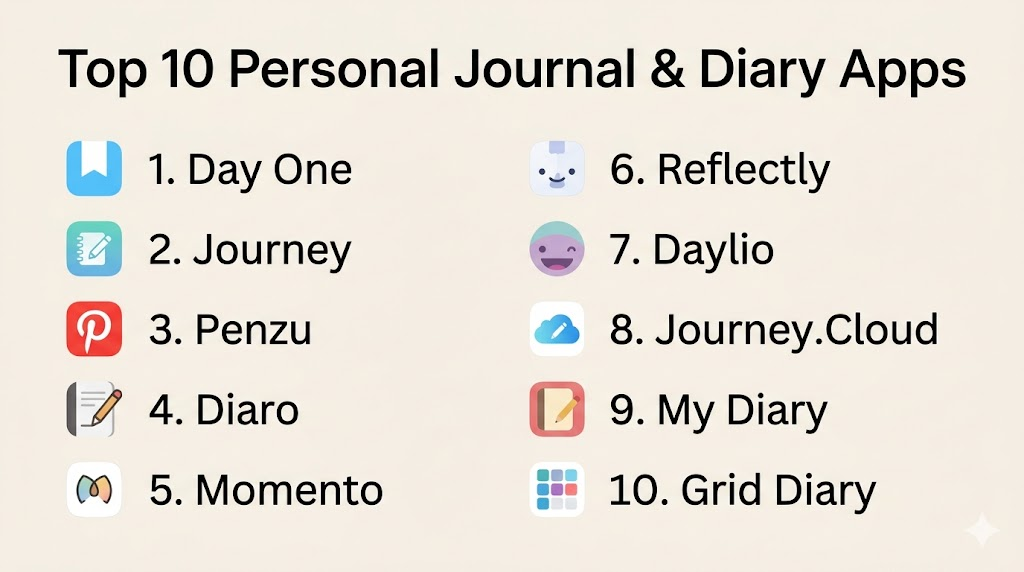
Top 10 Personal Journal & Diary Apps
1- Day One
Short description: Day One is a premium journaling app offering multimedia entries, AI prompts, and cross-device synchronization for personal reflection and creativity.
Key Features
- Rich text and multimedia journaling
- Daily prompts and AI suggestions
- Cross-platform sync (iOS, macOS, Android)
- Passcode, Touch ID, and Face ID protection
- Cloud backup and export options
Pros
- Beautiful interface with multimedia support
- Strong security features
- AI and prompt-driven journaling
Cons
- Premium subscription required for advanced features
- Limited collaborative options
Platforms / Deployment
- iOS, Android, macOS
- Cloud
Security & Compliance
- Encryption in transit and at rest
- Biometric authentication
Integrations & Ecosystem
Supports exporting to PDF and integration with reminders.
- Apple Calendar
- iCloud sync
- PDF export
Support & Community
- Email support, tutorials, active user forums
2- Journey
Short description: Journey is a versatile journaling app designed for tracking life events, moods, and goals across devices.
Key Features
- Multi-platform support with sync
- Mood and habit tracking
- Cloud backup and offline mode
- Templates and prompts
- Multimedia entries including photos and video
Pros
- Rich habit and mood tracking
- Cross-platform availability
- Offline access
Cons
- Some advanced features behind paywall
- UI can feel complex for new users
Platforms / Deployment
- Web, iOS, Android, Windows, macOS
- Cloud
Security & Compliance
- Not publicly stated
Integrations & Ecosystem
- Google Drive and Google Calendar sync
- Email reminders
- Export to PDF
Support & Community
- Email support, FAQs, community tips
3- Penzu
Short description: Penzu provides a secure online journal with military-grade encryption and customizable entries for personal privacy.
Key Features
- Customizable journal entries
- AES-256 encryption
- Email reminders for journaling
- Tagging and search
- Mobile and web access
Pros
- High focus on privacy
- Easy to organize and search entries
- Cross-device access
Cons
- Free version has limited features
- Lacks AI or prompt assistance
Platforms / Deployment
- Web, iOS, Android
- Cloud
Security & Compliance
- AES-256 encryption for private journals
Integrations & Ecosystem
- Email reminders
- Limited third-party integrations
- Tagging and export options
Support & Community
- Email support, help guides
4- Diaro
Short description: Diaro offers structured journaling with folders, tags, and cloud sync to organize personal and professional entries.
Key Features
- Folder and tag-based organization
- Password protection
- Cloud sync
- Multi-language support
- Export to PDF or text
Pros
- Well-organized journaling structure
- Easy backup and export
- Multi-language availability
Cons
- No AI features
- Limited multimedia support
Platforms / Deployment
- Web, iOS, Android
- Cloud
Security & Compliance
- Password protection
Integrations & Ecosystem
- Dropbox sync
- PDF export
- Basic reminders
Support & Community
- Email support, documentation
5- Momento
Short description: Momento aggregates social media and personal journaling in one app, providing automatic entry creation and timeline organization.
Key Features
- Automatic import from social media
- Timeline view of entries
- Tags and search
- Private and secure journals
- Photos and multimedia support
Pros
- Combines social media and personal reflection
- Easy timeline navigation
- Automatic entry creation
Cons
- Limited AI assistance
- Dependent on external accounts for social imports
Platforms / Deployment
- iOS
- Cloud
Security & Compliance
- Not publicly stated
Integrations & Ecosystem
- Instagram, Facebook, Twitter imports
- Photos and media attachments
Support & Community
- Email support, FAQs
6- Reflectly
Short description: Reflectly is an AI-powered journaling app that focuses on mental health and self-reflection through daily prompts and insights.
Key Features
- AI-generated reflection prompts
- Mood tracking and analytics
- Guided journaling exercises
- Daily reminders
- Minimalist interface
Pros
- Strong AI-driven insights
- Mental health and mindfulness focus
- Easy daily habit formation
Cons
- Premium subscription required for full analytics
- Limited free text formatting
Platforms / Deployment
- iOS, Android
- Cloud
Security & Compliance
- Not publicly stated
Integrations & Ecosystem
- Reminders integration
- Mood and habit tracking apps
Support & Community
- Email support, tutorials
7- Daylio
Short description: Daylio combines mood tracking with journaling, allowing quick micro-journals using icons and short notes.
Key Features
- Mood and activity tracking
- Micro-journal entries
- Statistics and analytics
- Reminders
- Cloud backup
Pros
- Quick and easy journaling
- Visual mood tracking
- Habit analytics
Cons
- Limited free version
- Not suited for long-form writing
Platforms / Deployment
- iOS, Android
- Cloud
Security & Compliance
- Not publicly stated
Integrations & Ecosystem
- Google Drive backup
- Export CSV
- Push notifications
Support & Community
- Email support, online documentation
8- Journey.Cloud
Short description: Journey.Cloud is an all-in-one cross-device journaling solution with multimedia support and secure cloud storage.
Key Features
- Multimedia journaling
- Cross-platform synchronization
- Tagging and search
- Cloud backup
- Daily reminders
Pros
- Rich media support
- Multi-device syncing
- Well-organized entries
Cons
- Some features require subscription
- Lacks advanced AI insights
Platforms / Deployment
- Web, iOS, Android, macOS, Windows
- Cloud
Security & Compliance
- Not publicly stated
Integrations & Ecosystem
- Google Calendar
- PDF export
- Cloud sync
Support & Community
- Email support, knowledge base
9- My Diary
Short description: My Diary offers a simple, private diary experience with password protection, multimedia support, and reminders.
Key Features
- Password and biometric protection
- Photo and video entries
- Daily reminders
- Calendar view
- Cloud sync
Pros
- Simple and private
- Multimedia-friendly
- Easy-to-use interface
Cons
- Limited AI features
- Basic analytics only
Platforms / Deployment
- iOS, Android
- Cloud
Security & Compliance
- Not publicly stated
Integrations & Ecosystem
- Google Drive sync
- Calendar integration
Support & Community
- Email support
10- Grid Diary
Short description: Grid Diary uses a grid template to guide personal reflections, combining structured journaling with flexibility.
Key Features
- Grid-based entry templates
- Prompts and guided reflections
- Cloud sync
- Password protection
- Export options
Pros
- Structured yet flexible journaling
- Supports reflection and goal tracking
- Cross-device access
Cons
- Premium required for multiple templates
- Limited multimedia options
Platforms / Deployment
- iOS, Android, Web
- Cloud
Security & Compliance
- Not publicly stated
Integrations & Ecosystem
- Calendar integration
- Export PDF
- Reminders
Support & Community
- Email support, online tutorials
Comparison Table (Top 10)
| Tool Name | Best For | Platform(s) Supported | Deployment | Standout Feature | Public Rating |
|---|---|---|---|---|---|
| Day One | Multimedia journaling | iOS, Android, macOS | Cloud | AI prompts | N/A |
| Journey | Life events tracking | Web, iOS, Android, Windows, macOS | Cloud | Mood & habit tracking | N/A |
| Penzu | Secure private journals | Web, iOS, Android | Cloud | AES-256 encryption | N/A |
| Diaro | Structured journaling | Web, iOS, Android | Cloud | Folders & tags | N/A |
| Momento | Social media journaling | iOS | Cloud | Auto-import social posts | N/A |
| Reflectly | Mental health journaling | iOS, Android | Cloud | AI prompts & mood analysis | N/A |
| Daylio | Quick micro-journals | iOS, Android | Cloud | Mood & activity tracking | N/A |
| Journey.Cloud | Cross-device journaling | Web, iOS, Android, macOS, Windows | Cloud | Multimedia support | N/A |
| My Diary | Private diary | iOS, Android | Cloud | Password protection | N/A |
| Grid Diary | Structured reflection | iOS, Android, Web | Cloud | Grid templates | N/A |
Evaluation & Scoring of Personal Journal & Diary Apps
| Tool Name | Core | Ease | Integrations | Security | Performance | Support | Value | Weighted Total |
|---|---|---|---|---|---|---|---|---|
| Day One | 9 | 9 | 8 | 8 | 9 | 8 | 7 | 8.5 |
| Journey | 8 | 8 | 8 | 7 | 8 | 7 | 7 | 7.8 |
| Penzu | 8 | 7 | 6 | 9 | 8 | 7 | 7 | 7.6 |
| Diaro | 7 | 7 | 7 | 7 | 8 | 7 | 7 | 7.2 |
| Momento | 7 | 8 | 6 | 7 | 7 | 7 | 6 | 7.0 |
| Reflectly | 8 | 8 | 7 | 7 | 8 | 7 | 7 | 7.5 |
| Daylio | 7 | 9 | 6 | 7 | 8 | 7 | 7 | 7.3 |
| Journey.Cloud | 8 | 8 | 7 | 7 | 8 | 7 | 7 | 7.5 |
| My Diary | 6 | 8 | 6 | 7 | 7 | 6 | 6 | 6.6 |
| Grid Diary | 7 | 7 | 7 | 7 | 7 | 7 | 7 | 7.0 |
Which Personal Journal & Diary App Is Right for You?
Solo / Freelancer
- Day One or Journey for individual journaling with multimedia support.
SMB
- Diaro or Grid Diary for structured personal and professional reflections.
Mid-Market
- Reflectly or Journey.Cloud for AI insights, mood tracking, and habit formation.
Enterprise
- Penzu or Day One for secure, encrypted journaling in professional or collaborative contexts.
Budget vs Premium
- Free versions (Daylio, My Diary) suffice for basic journaling. Premium (Day One, Reflectly) unlock AI and multimedia features.
Feature Depth vs Ease of Use
- Day One and Reflectly: deep features with intuitive UI.
- Diaro, Grid Diary: more structured, may require onboarding.
Integrations & Scalability
- Look for apps with calendar, reminder, or cloud backup integrations if syncing across multiple devices is critical.
Security & Compliance Needs
- Prioritize apps with encryption, passcodes, or biometric protection for sensitive personal entries.
Frequently Asked Questions (FAQs)
1. Are journaling apps free?
Most offer free tiers with basic text entries. Premium subscriptions unlock AI prompts, multimedia support, and cloud backups.
2. Can I sync entries across devices?
Yes, leading apps like Day One and Journey.Cloud provide cross-platform synchronization across smartphones, tablets, and desktops.
3. Is my journal private and secure?
Apps like Penzu use AES-256 encryption. Always check app security and authentication options before storing sensitive data.
4. Can I include photos, videos, or audio in entries?
Many apps support multimedia journaling, including Day One, Journey, and Journey.Cloud.
5. Do these apps provide AI prompts or suggestions?
Yes, apps like Day One, Reflectly, and Grid Diary offer AI-driven prompts to inspire journaling and reflection.
6. How do reminders and notifications work?
Apps provide push notifications, daily reminders, or email alerts to encourage consistent journaling.
7. Can I export my entries?
Most apps allow exporting to PDF, text, or cloud storage for backup or offline access.
8. Are these apps suitable for mental health tracking?
Yes. Reflectly, Daylio, and Journey offer mood tracking and reflection analytics for self-care.
9. Can I collaborate or share journals?
Some apps support shared private journals (limited collaboration), but most focus on personal privacy.
10. How easy is it to switch apps?
Check for export options (PDF, CSV) to migrate entries between apps without losing content.
Conclusion
Personal Journal & Diary Apps provide powerful tools to capture thoughts, track moods, and reflect on daily experiences. they combine privacy, AI-driven prompts, multimedia support, and cross-device synchronization for modern users. Choosing the right app depends on your priorities, whether it’s mental health tracking, creative writing, or structured reflections. Security and data privacy are critical, so always verify encryption and authentication features. Multimedia capabilities can enhance engagement, while AI prompts help maintain journaling consistency. Cross-platform sync ensures your entries are accessible anytime, anywhere. Start by shortlisting 2–3 apps that fit your needs and test their usability. Run a pilot to evaluate features, security, and integrations before subscribing. Ultimately, the best journaling app is the one that makes reflection easy, enjoyable, and safe.

Find Trusted Cardiac Hospitals
Compare heart hospitals by city and services — all in one place.
Explore Hospitals
Personal journal and diary apps are most effective when they make it easy to capture thoughts, experiences, and daily reflections in a secure, organized space. Features such as mood tracking, multimedia entries, reminders, and cloud synchronization help users build consistent journaling habits, improve self-awareness, and preserve meaningful memories over time.