Introduction
Form Builder Tools are software platforms that enable organizations to create, design, and manage digital forms efficiently. These tools simplify data collection, streamline workflows, and reduce errors by providing drag-and-drop editors, templates, and automation options. with hybrid work, AI-driven workflows, and increasing compliance requirements, form builders have become essential for businesses of all sizes.
Real-world use cases include:
- Marketing teams collecting leads and feedback via landing page forms.
- HR departments managing onboarding, surveys, and performance evaluations.
- Customer support teams capturing service requests or complaints.
- Event management teams handling registrations and RSVPs.
- Finance and legal teams automating contract or invoice submissions.
Buyers should evaluate:
- Ease of form creation and drag-and-drop editors
- Workflow automation and conditional logic
- Integration with CRM, email, and analytics platforms
- Security and compliance (GDPR, SOC 2, HIPAA)
- Collaboration and multi-user access
- Reporting and analytics
- Deployment flexibility (Cloud / On-prem / Hybrid)
- AI-assisted features (auto-fill, recommendations)
Best for: Marketing, HR, customer support, event management, and finance teams in SMBs to enterprises that need fast, scalable, and secure data collection.
Not ideal for: Individuals or teams with minimal form needs or those already using specialized survey software within broader platforms.
Key Trends in Form Builder Tools
- AI-powered form creation and auto-fill suggestions.
- Advanced workflow automation for approvals and notifications.
- Native integrations with CRMs, ERPs, email marketing, and analytics platforms.
- Cloud-first, hybrid, and low-code deployment options for global access.
- Enhanced security, encryption, and compliance for GDPR, HIPAA, SOC 2.
- Real-time collaboration with version control for distributed teams.
- Pre-built template libraries and customizable form marketplaces.
- Dynamic forms with conditional logic and personalization.
- Embedded analytics for insights on submissions, conversions, and engagement.
- Mobile-optimized and omnichannel forms for web, app, and social platforms.
How We Selected These Tools (Methodology)
- Evaluated market adoption and enterprise mindshare.
- Assessed feature completeness, including automation, integrations, and analytics.
- Reviewed reliability and performance metrics.
- Examined security posture, encryption, RBAC, and compliance certifications.
- Verified ecosystem connectivity, APIs, and extensibility.
- Considered fit for SMB, mid-market, and enterprise users.
- Analyzed user experience, onboarding, and ease of use.
- Checked AI and advanced automation capabilities for modern workflows.
- Evaluated support, training, and community strength.
- Balanced pricing, licensing models, and overall value.
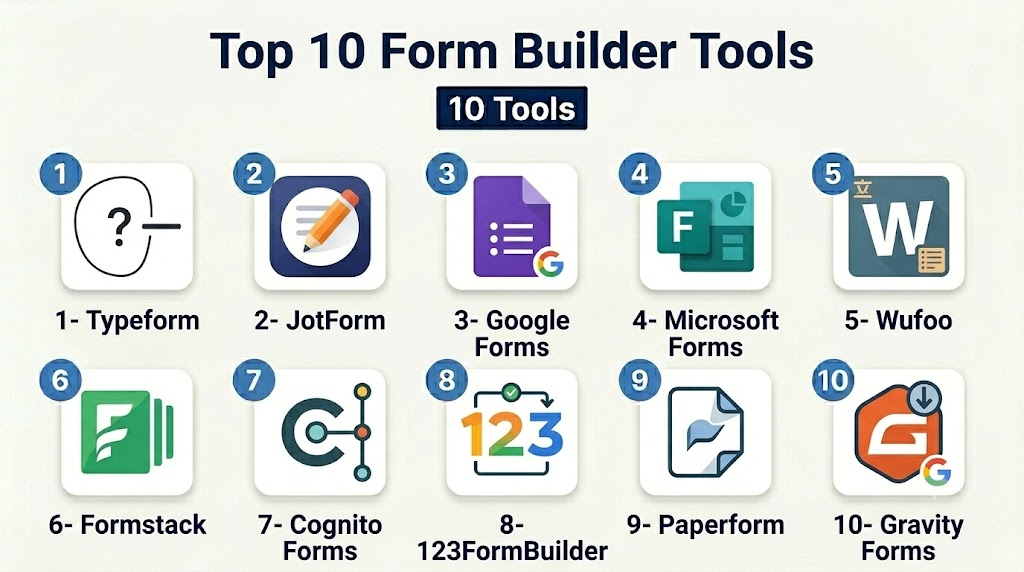
Top 10 Form Builder Tools
1- Typeform
Short description : Typeform offers conversational, interactive forms ideal for marketing, surveys, and feedback collection.
Key Features
- Drag-and-drop editor for interactive forms
- Conversational interface for better engagement
- Conditional logic and branching
- Integration with CRM and email platforms
- Analytics and reporting dashboards
- Multi-language support
- Mobile-responsive forms
Pros
- Engaging user experience
- Strong analytics for feedback and conversion tracking
- Easy integration with marketing tools
Cons
- Limited offline access
- Can be expensive for larger teams
- Advanced automation requires higher-tier plans
Platforms / Deployment
- Web / iOS / Android
- Cloud
Security & Compliance
- SSO/SAML, encryption at rest and in transit
- GDPR compliant
Integrations & Ecosystem
Supports marketing, CRM, and analytics platforms.
- HubSpot, Salesforce, Zapier
- Google Sheets, Slack, Mailchimp
- API for custom integration
Support & Community
- Knowledge base and tutorials
- Email and chat support tiers
- Active user community
2- JotForm
Short description : JotForm is a flexible form builder suited for SMBs and enterprises, offering templates and robust automation features.
Key Features
- Template library with pre-built forms
- Conditional logic and workflows
- E-signature support
- Drag-and-drop editor
- Integration with cloud storage and CRM
- Mobile-responsive and embeddable forms
- Analytics and submission tracking
Pros
- Easy-to-use interface
- Strong form automation and e-signature features
- Wide template variety
Cons
- Some advanced features require paid plans
- Performance can vary with large forms
- Limited customization on free tier
Platforms / Deployment
- Web / iOS / Android
- Cloud
Security & Compliance
- SSO, MFA, encryption
- GDPR, HIPAA (for applicable plans)
Integrations & Ecosystem
Integrates with productivity and CRM platforms.
- Salesforce, HubSpot, Google Workspace
- PayPal, Stripe, Zapier
- API access for custom workflows
Support & Community
- Tutorials and guides
- Email and chat support
- Community forums and user groups
3- Google Forms
Short description : Google Forms is a simple, accessible tool for creating surveys, quizzes, and basic data collection forms.
Key Features
- Drag-and-drop question types
- Custom themes and branding
- Real-time collaboration
- Automatic data collection in Google Sheets
- Conditional logic and response validation
- Mobile-responsive forms
- Free to use with Google Workspace
Pros
- Free and widely accessible
- Easy collaboration for distributed teams
- Real-time data aggregation
Cons
- Limited advanced features
- Basic analytics
- Less suitable for enterprise compliance
Platforms / Deployment
- Web / iOS / Android
- Cloud
Security & Compliance
- SSO via Google Workspace
- Encryption at rest and in transit
Integrations & Ecosystem
- Google Sheets, Google Workspace apps
- Zapier for third-party workflows
- API limited to Google services
Support & Community
- Google Help Center
- Community forums
- Tutorials and templates
4- Microsoft Forms
Short description : Microsoft Forms enables quick creation of surveys, quizzes, and polls, integrated tightly with Microsoft 365 tools.
Key Features
- Form and quiz creation with templates
- Branching logic and auto-grading
- Real-time collaboration
- Integration with Excel for analytics
- Mobile-optimized forms
- Secure data storage within Microsoft 365
- Custom themes and branding
Pros
- Strong Microsoft 365 integration
- Easy collaboration
- Quick form creation
Cons
- Limited advanced automation
- Fewer integrations outside Microsoft ecosystem
- Basic analytics compared to enterprise tools
Platforms / Deployment
- Web / Windows / iOS / Android
- Cloud
Security & Compliance
- SSO, MFA, encryption
- SOC 2, GDPR, ISO 27001 via Microsoft 365
Integrations & Ecosystem
- Teams, SharePoint, Outlook
- Power Automate for workflows
- API for custom integrations
Support & Community
- Microsoft support portal
- Training videos
- Active community forums
5- Wufoo
Short description : Wufoo provides form creation with drag-and-drop simplicity and strong reporting capabilities for SMBs and online businesses.
Key Features
- Drag-and-drop editor
- Payment collection integration
- Conditional logic and branching
- Analytics dashboards
- Pre-built templates
- Custom branding and themes
- Mobile-optimized forms
Pros
- Easy-to-use interface
- Payment integration built-in
- Quick deployment for SMBs
Cons
- Limited enterprise features
- Smaller template library
- Advanced integrations require premium plans
Platforms / Deployment
- Web / iOS / Android
- Cloud
Security & Compliance
- Encryption, SSO
- Not publicly stated for SOC/HIPAA
Integrations & Ecosystem
- PayPal, Stripe
- Salesforce, Mailchimp
- Zapier for automation
Support & Community
- Knowledge base and chat support
- Tutorials for form creation
- Active user forum
6- Formstack
Short description : Formstack is a robust form automation platform designed for workflow management, data collection, and approvals in enterprises.
Key Features
- Advanced workflow automation
- Drag-and-drop form builder
- Conditional logic and calculated fields
- E-signature and approvals
- Data routing and analytics
- CRM and cloud storage integrations
- Compliance support for HIPAA and GDPR
Pros
- Powerful workflow automation
- Enterprise-grade compliance
- Integrates with multiple business systems
Cons
- Steeper learning curve
- Higher cost for small teams
- Overhead for simple forms
Platforms / Deployment
- Web / Windows / macOS / iOS / Android
- Cloud
Security & Compliance
- SSO/SAML, MFA, encryption
- HIPAA, GDPR, SOC 2
Integrations & Ecosystem
- Salesforce, HubSpot, Zapier
- Google Workspace, Microsoft 365
- API access for custom integrations
Support & Community
- Enterprise support and onboarding
- Knowledge base and webinars
- Community forum
7- Cognito Forms
Short description : Cognito Forms offers advanced form creation with calculations, conditional logic, and workflow automation for SMBs and nonprofits.
Key Features
- Drag-and-drop form builder
- Conditional logic and calculated fields
- Payment and signature integration
- Workflow automation
- Multi-page and repeating forms
- Analytics dashboards
- Mobile-responsive forms
Pros
- Powerful calculations and workflows
- Affordable for SMBs and nonprofits
- Easy embedding on websites
Cons
- Limited enterprise-level compliance features
- Smaller ecosystem of integrations
- Some learning curve for complex logic
Platforms / Deployment
- Web / iOS / Android
- Cloud
Security & Compliance
- Encryption, SSO
- Not publicly stated for SOC/HIPAA
Integrations & Ecosystem
- PayPal, Stripe
- Zapier for automation
- Microsoft 365 and Google Workspace
Support & Community
- Knowledge base and tutorials
- Email and chat support
- Community forum
8- 123FormBuilder
Short description : 123FormBuilder simplifies form creation for businesses and nonprofits, offering templates, automation, and analytics.
Key Features
- Drag-and-drop editor
- Pre-built templates
- Conditional logic
- Payment integration
- Data export and reporting
- Mobile-responsive forms
- Workflow automation
Pros
- Easy to get started
- Wide template library
- Affordable SMB solution
Cons
- Limited advanced enterprise features
- Analytics are basic
- Fewer integrations for complex workflows
Platforms / Deployment
- Web / iOS / Android
- Cloud
Security & Compliance
- SSL encryption
- GDPR compliant
Integrations & Ecosystem
- PayPal, Stripe
- Salesforce, Google Workspace
- Zapier for workflow automation
Support & Community
- Tutorials and knowledge base
- Chat and email support
- Community forum
9- Paperform
Short description : Paperform enables creative and interactive forms with e-commerce, automation, and conditional logic for SMBs and creatives.
Key Features
- Customizable forms with rich text
- Conditional logic and calculations
- Payment and subscription collection
- Workflow automation
- Integration with CRMs and email tools
- Mobile-friendly design
- Analytics dashboards
Pros
- Creative flexibility and visual appeal
- Easy e-commerce integration
- User-friendly interface
Cons
- Limited enterprise governance
- Fewer compliance certifications
- Some integrations require premium plans
Platforms / Deployment
- Web / iOS / Android
- Cloud
Security & Compliance
- SSL encryption, MFA
- Not publicly stated
Integrations & Ecosystem
- Stripe, PayPal
- HubSpot, Zapier
- Google Workspace
Support & Community
- Knowledge base and video tutorials
- Email support
- Active user community
10- Gravity Forms
Short description : Gravity Forms is a WordPress-focused form builder designed for developers and businesses managing websites with complex form needs.
Key Features
- Drag-and-drop form builder
- Conditional logic and calculations
- Multi-page forms and surveys
- Integration with WordPress plugins
- Payment collection
- Workflow automation
- Developer-friendly API
Pros
- Powerful WordPress integration
- Flexible for developers
- Supports advanced forms and workflows
Cons
- WordPress-only
- Requires technical knowledge for complex setups
- Premium pricing for advanced add-ons
Platforms / Deployment
- Web (WordPress)
- Cloud / Self-hosted
Security & Compliance
- SSL encryption
- Not publicly stated
Integrations & Ecosystem
- PayPal, Stripe, Zapier
- CRM plugins, email marketing
- API for custom development
Support & Community
- Knowledge base and documentation
- Email support
- Large WordPress community
Comparison Table (Top 10)
| Tool Name | Best For | Platform(s) Supported | Deployment | Standout Feature | Public Rating |
|---|---|---|---|---|---|
| Typeform | Marketing & surveys | Web, iOS, Android | Cloud | Conversational forms | N/A |
| JotForm | SMB & enterprises | Web, iOS, Android | Cloud | Form automation & e-signatures | N/A |
| Google Forms | Surveys & quizzes | Web, iOS, Android | Cloud | Free and accessible | N/A |
| Microsoft Forms | Microsoft 365 users | Web, Windows, iOS, Android | Cloud | Integration with Microsoft 365 | N/A |
| Wufoo | SMBs | Web, iOS, Android | Cloud | Payment integration | N/A |
| Formstack | Enterprise workflows | Web, Windows, macOS, iOS, Android | Cloud | Workflow automation | N/A |
| Cognito Forms | SMBs & nonprofits | Web, iOS, Android | Cloud | Calculations & conditional logic | N/A |
| 123FormBuilder | SMBs & nonprofits | Web, iOS, Android | Cloud | Template library | N/A |
| Paperform | Creatives & SMBs | Web, iOS, Android | Cloud | Visual, interactive forms | N/A |
| Gravity Forms | WordPress websites | Web | Cloud / Self-hosted | Advanced WordPress integration | N/A |
Evaluation & Scoring of Form Builder Tools
| Tool Name | Core (25%) | Ease (15%) | Integrations (15%) | Security (10%) | Performance (10%) | Support (10%) | Value (15%) | Weighted Total (0–10) |
|---|---|---|---|---|---|---|---|---|
| Typeform | 9 | 9 | 8 | 8 | 9 | 8 | 8 | 8.5 |
| JotForm | 9 | 8 | 9 | 8 | 8 | 8 | 8 | 8.3 |
| Google Forms | 7 | 9 | 7 | 7 | 8 | 8 | 9 | 7.9 |
| Microsoft Forms | 8 | 8 | 7 | 8 | 8 | 8 | 8 | 8.0 |
| Wufoo | 8 | 8 | 7 | 7 | 8 | 7 | 8 | 7.8 |
| Formstack | 9 | 7 | 8 | 9 | 8 | 8 | 7 | 8.0 |
| Cognito Forms | 8 | 8 | 7 | 7 | 8 | 8 | 8 | 7.9 |
| 123FormBuilder | 7 | 8 | 7 | 7 | 8 | 7 | 8 | 7.7 |
| Paperform | 8 | 8 | 7 | 7 | 8 | 7 | 8 | 7.9 |
| Gravity Forms | 9 | 7 | 8 | 8 | 8 | 8 | 7 | 8.0 |
Which Form Builder Tool Is Right for You?
Solo / Freelancer
- Google Forms or Paperform for simple, quick form creation.
SMB
- JotForm or Typeform for lead generation, surveys, and payment collection.
Mid-Market
- Cognito Forms or Formstack for workflow automation and conditional logic.
Enterprise
- Formstack, Typeform, or Gravity Forms for complex workflows, compliance, and large-scale automation.
Budget vs Premium
- Free tools: Google Forms, Microsoft Forms
- Premium tools: Formstack, Typeform, Gravity Forms for advanced features
Feature Depth vs Ease of Use
- Easy-to-use: Typeform, Paperform, Wufoo
- Deep feature sets: Formstack, Gravity Forms
Integrations & Scalability
- Formstack and JotForm for enterprise-scale integrations
- Typeform and Paperform for SMBs with marketing automation
Security & Compliance Needs
- Enterprises needing HIPAA or SOC 2: Formstack, Cognito Forms
- SMBs can rely on Google Forms or JotForm with encryption
Frequently Asked Questions (FAQs)
1- What pricing models are common for form builder tools?
Most offer per-user monthly subscriptions, with free tiers for basic forms. Enterprise plans include automation, analytics, and compliance features.
2- How easy is it to onboard teams?
Simple tools like Google Forms or Paperform require minimal training, while enterprise tools like Formstack or Typeform may need structured onboarding.
3- Can forms handle complex workflows?
Yes, many tools offer conditional logic, branching, approvals, and automated notifications for advanced workflow management.
4- Are these tools secure for sensitive data?
Enterprise platforms provide encryption, RBAC, SSO, and compliance with GDPR, HIPAA, or SOC 2. SMB tools offer standard cloud security.
5- Can these forms integrate with other software?
Yes, common integrations include CRM, email marketing, cloud storage, and analytics platforms, often via native connectors or APIs.
6- Are AI features available in 2026 tools?
AI can assist with form recommendations, auto-fill, workflow suggestions, and intelligent analytics to improve efficiency.
7- Can forms collect payments?
Many platforms integrate with Stripe, PayPal, or Square to collect payments, subscriptions, or donations directly through forms.
8- How are form submissions analyzed?
Built-in dashboards and reporting tools allow real-time analytics on submissions, response trends, and conversion rates.
9- Can forms be mobile-optimized?
Yes, all top tools provide mobile-responsive forms for web, app, or social platform usage.
10- How to choose the right form builder?
Evaluate team size, workflow complexity, integrations, compliance requirements, budget, and pilot 2–3 tools before full adoption.
Conclusion
Choosing the right Form Builder Tool depends on team size, data collection needs, and workflow complexity. Freelancers and SMBs may prefer Google Forms, Paperform, or Typeform for simplicity and affordability. Mid-market and enterprise teams benefit from Formstack, JotForm, or Gravity Forms for advanced automation, integrations, and compliance. Integration capabilities, AI-assisted features, security, and mobile optimization are key factors for adoption. Start by shortlisting 2–3 tools, run a pilot to test usability and automation, and validate security and compliance. With the right platform, organizations can streamline data collection, reduce errors, and enhance productivity effectively.

Find Trusted Cardiac Hospitals
Compare heart hospitals by city and services — all in one place.
Explore Hospitals
Form builder tools are most effective when they make data collection simple for users while reducing manual work for organizations. Features like drag-and-drop design, conditional logic, workflow automation, and seamless integrations help streamline processes, improve data accuracy, and deliver a better user experience.