Introduction
Fundraising Platforms help nonprofits, charities, schools, churches, community groups, foundations, and social impact teams collect donations, run campaigns, manage donors, host fundraising events, and track giving performance from one digital system. Instead of relying only on manual payment links, spreadsheets, emails, and offline records, these platforms bring online giving, donor engagement, peer-to-peer fundraising, recurring donations, receipts, reporting, and campaign management into a more organized workflow. Fundraising platforms matter now because donors expect fast, mobile-friendly, secure, and personalized giving experiences. Nonprofit teams also need automation, better donor data, recurring giving tools, and campaign analytics to raise funds more efficiently.
Real-world use cases include:
- Running online donation campaigns
- Managing recurring donors and monthly giving programs
- Hosting peer-to-peer fundraising campaigns
- Selling tickets for fundraising events
- Tracking campaign performance and donor engagement
What buyers should evaluate:
- Online donation forms
- Recurring giving features
- Peer-to-peer fundraising
- Event fundraising and ticketing
- Donor management capabilities
- Payment processing options
- Email and SMS engagement
- Reporting and analytics
- Integrations with CRM and accounting tools
- Security and donor data protection
Best for: Nonprofits, charities, schools, churches, associations, foundations, community organizations, social impact teams, political campaigns, and fundraising departments that need a structured way to collect, manage, and grow donations.
Not ideal for: Very small groups that collect occasional donations and do not need campaigns, donor records, recurring giving, or reporting. In those cases, a simple payment link or basic donation form may be enough.
Key Trends in Fundraising Platforms
- AI-assisted donor insights are becoming more useful for donor segmentation, campaign recommendations, and giving pattern analysis.
- Recurring giving optimization is becoming a top priority because predictable revenue helps nonprofits plan programs more confidently.
- Mobile-first donation experiences are now essential because many donors give directly from phones, social media posts, email campaigns, and event pages.
- Peer-to-peer fundraising continues to grow as supporters become active campaign promoters rather than passive donors.
- Integrated donor engagement is becoming more important as nonprofits combine donation data with email, SMS, events, and CRM workflows.
- Flexible payment options such as cards, bank transfers, digital wallets, and recurring billing are improving donation conversion.
- Campaign analytics are moving beyond total donation amount and now include donor retention, average gift size, recurring conversion, and channel performance.
- Event fundraising tools are expanding to include ticketing, auctions, livestream giving, check-in workflows, and sponsor management.
- Data security and privacy are becoming stronger buying requirements because fundraising platforms handle donor information and payment-related data.
- Integration-first platforms are becoming more attractive because nonprofits want donation data to flow into CRM, accounting, marketing, and reporting systems.
How We Selected These Tools
The platforms in this list were selected using practical fundraising and nonprofit technology criteria:
- Market adoption and recognition among nonprofits and fundraising teams
- Strength of online donation and campaign management features
- Support for recurring donations, peer-to-peer fundraising, and events
- Donor management and engagement capabilities
- Reporting, analytics, and campaign performance visibility
- Ease of use for nonprofit staff, volunteers, and donors
- Integration ecosystem with CRM, accounting, payment, and email tools
- Security posture signals such as permissions, payment security, and data protection
- Fit across small nonprofits, growing teams, and enterprise organizations
- Overall value based on usability, feature depth, scalability, and support
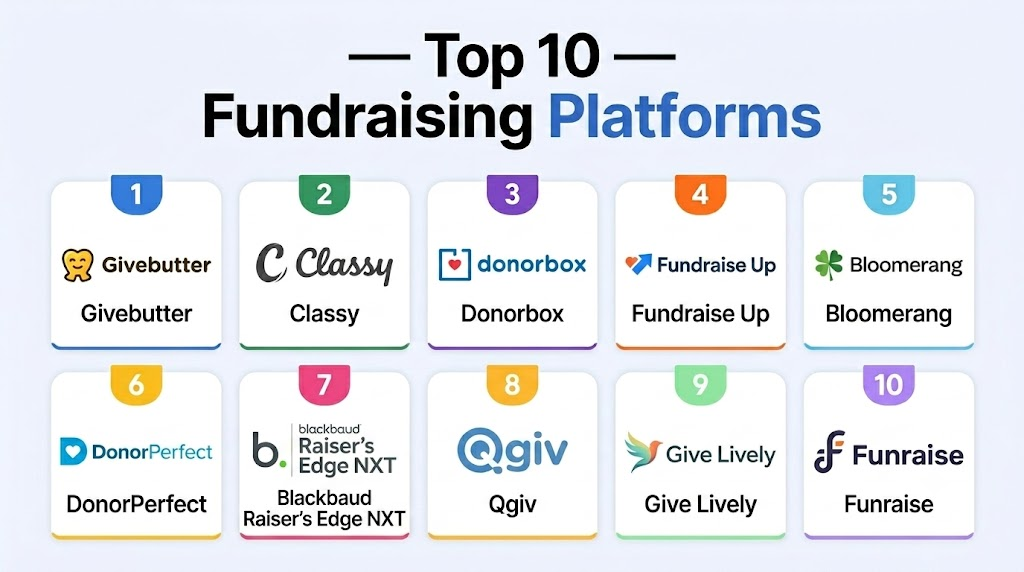
Top 10 Fundraising Platforms Tools
1- Givebutter
Short description: Givebutter is a modern fundraising platform built for nonprofits, schools, teams, and community organizations that want donation forms, campaign pages, events, peer-to-peer fundraising, and donor engagement tools in one place. It is especially useful for teams that want an easy-to-use platform with strong digital campaign features.
Key Features
- Online donation forms
- Peer-to-peer fundraising campaigns
- Event ticketing and registration
- Donor management tools
- Email and SMS communication
- Recurring donation support
- Campaign reporting and analytics
Pros
- Easy to launch campaigns quickly
- Strong peer-to-peer and event fundraising features
- Good fit for small and mid-sized nonprofit teams
Cons
- May not replace a deep enterprise nonprofit CRM
- Advanced donor operations may require integrations
- Pricing and processing structure should be reviewed carefully
Platforms / Deployment
- Web
- Cloud
Security & Compliance
Standard account security, user access controls, and secure payment-related workflows are expected. Specific certifications should be verified directly with the vendor. Additional certifications: Not publicly stated.
Integrations & Ecosystem
Givebutter works well for organizations that need campaign fundraising, donor communication, and online giving in one workflow. It can connect fundraising activity with other nonprofit systems depending on the team’s setup.
- Payment processing workflows
- CRM integrations
- Email and SMS tools
- Website fundraising pages
- Accounting workflows
- Automation connectors where available
Support & Community
Givebutter offers help resources, onboarding guidance, and fundraising education materials. Its modern interface makes it approachable for small teams, volunteers, and campaign organizers.
2- Classy
Short description: Classy is a digital fundraising platform designed for nonprofits running online donation campaigns, peer-to-peer fundraising, recurring giving, and event-based fundraising. It is a strong fit for organizations that need polished campaign experiences and scalable fundraising workflows.
Key Features
- Online donation pages
- Peer-to-peer fundraising
- Recurring giving programs
- Event fundraising tools
- Campaign management
- Donor engagement workflows
- Reporting and analytics
Pros
- Strong digital fundraising campaign capabilities
- Good fit for peer-to-peer and event fundraising
- Scalable for growing nonprofit organizations
Cons
- May require a separate CRM for deeper donor management
- Pricing may be less suitable for very small nonprofits
- Campaign setup requires planning for best results
Platforms / Deployment
- Web
- Cloud
Security & Compliance
Standard account security, access controls, and secure payment workflows are expected. Specific certifications should be verified directly with the vendor. Additional certifications: Not publicly stated.
Integrations & Ecosystem
Classy is commonly used as a fundraising layer connected with nonprofit CRMs, marketing tools, payment workflows, and event systems. It is best when organizations want strong campaign pages and structured fundraising data.
- CRM systems
- Payment processors
- Email marketing tools
- Event tools
- Analytics platforms
- API and automation workflows
Support & Community
Classy provides support resources, fundraising education, onboarding guidance, and customer success options. It is most effective for teams that run planned campaigns and want a professional donor-facing experience.
3- Donorbox
Short description: Donorbox is an online donation platform focused on donation forms, recurring giving, crowdfunding, campaign pages, and donor management. It is a strong option for nonprofits, churches, schools, and small teams that want a clean and easy donation experience.
Key Features
- Custom donation forms
- Recurring donation support
- Crowdfunding campaign pages
- Donor records
- Peer-to-peer fundraising
- Automated donation receipts
- Payment processing options
Pros
- Easy to set up and use
- Strong recurring giving functionality
- Good fit for small and growing nonprofits
Cons
- CRM depth may be lighter than full nonprofit CRM systems
- Advanced fundraising workflows may require add-ons or integrations
- Large organizations may need more reporting depth
Platforms / Deployment
- Web
- Cloud
Security & Compliance
Secure donation handling and standard account protection are expected. Payment security may depend partly on connected payment providers. Additional certifications: Not publicly stated.
Integrations & Ecosystem
Donorbox works well as a donation collection layer for nonprofit websites and campaigns. It can connect donation data with other systems used for donor management, communication, accounting, and reporting.
- Payment processors
- Website builders
- CRM tools
- Email marketing platforms
- Accounting systems
- API and webhook workflows
Support & Community
Donorbox provides help documentation, support resources, and onboarding guidance. It is practical for teams that want to launch donation forms without a heavy implementation process.
4- Fundraise Up
Short description: Fundraise Up is a digital fundraising platform focused on improving online donation conversion through optimized forms, smart giving experiences, recurring donation workflows, and payment flexibility. It is useful for nonprofits that want to improve donor checkout performance and digital giving results.
Key Features
- Optimized donation forms
- AI-assisted donation amount suggestions
- Recurring giving workflows
- Multiple payment methods
- Donor journey optimization
- Campaign analytics
- CRM and marketing integrations
Pros
- Strong donation conversion focus
- Modern donor checkout experience
- Good for organizations with meaningful website traffic
Cons
- Not always a full CRM replacement
- Best value depends on online donation volume
- Setup and optimization require planning
Platforms / Deployment
- Web
- Cloud
Security & Compliance
Secure payment handling, access controls, and donor data protection are commonly expected. Specific certifications should be verified directly with the vendor. Additional certifications: Not publicly stated.
Integrations & Ecosystem
Fundraise Up is usually used alongside donor CRMs, websites, marketing platforms, and payment workflows. It is valuable when online giving performance is a high priority.
- Nonprofit CRM systems
- Payment processors
- Website platforms
- Marketing automation tools
- Analytics platforms
- API and webhook workflows
Support & Community
Fundraise Up provides implementation guidance, product documentation, and optimization support. It is best for nonprofits that are ready to improve online donation journeys with data-driven testing.
5- Bloomerang
Short description: Bloomerang is a nonprofit CRM and fundraising platform that helps organizations manage donors, donations, campaigns, communication, and engagement. It is well suited for nonprofits that want fundraising tools connected with donor relationship management.
Key Features
- Donor CRM
- Donation tracking
- Online giving support
- Email communication
- Donor engagement insights
- Fundraising reports
- Recurring gift management
Pros
- Strong donor retention focus
- Combines fundraising and CRM workflows
- Useful for small and mid-sized nonprofits
Cons
- May not be as campaign-specialized as peer-to-peer-first tools
- Advanced needs may require integrations
- Pricing should be reviewed based on database size and features
Platforms / Deployment
- Web
- Cloud
Security & Compliance
Role-based permissions, user access controls, and standard cloud data security are commonly expected. Specific certifications should be verified with the vendor. Additional certifications: Not publicly stated.
Integrations & Ecosystem
Bloomerang is strong for organizations that want fundraising data connected directly to donor records, communications, and engagement history. It works well in nonprofit technology stacks that need both CRM and fundraising visibility.
- Fundraising tools
- Email marketing platforms
- Payment processing workflows
- Accounting systems
- Reporting tools
- API or connector-based integrations where available
Support & Community
Bloomerang provides nonprofit-focused onboarding, documentation, support, and education resources. It is a strong fit for teams that want donor management guidance alongside fundraising technology.
6- DonorPerfect
Short description: DonorPerfect is a donor management and fundraising platform used by nonprofits to manage gifts, campaigns, appeals, donor records, receipts, and reporting. It is a good fit for organizations that need mature donor tracking and structured fundraising operations.
Key Features
- Donor database
- Gift and donation tracking
- Campaign and appeal management
- Online donation support
- Automated acknowledgments
- Custom reports
- Donor segmentation
Pros
- Mature donor management functionality
- Strong reporting and customization options
- Good fit for structured fundraising teams
Cons
- Setup may require planning and training
- Interface may feel complex for new users
- Pricing and add-ons can vary by needs
Platforms / Deployment
- Web
- Cloud
Security & Compliance
User permissions, access controls, and secure donor data handling are commonly expected. Specific certifications should be verified with the vendor. Additional certifications: Not publicly stated.
Integrations & Ecosystem
DonorPerfect supports fundraising workflows that connect donor records with accounting, email, payment, and campaign systems. It is useful when organizations need reliable donor data and reporting.
- Accounting tools
- Payment processors
- Email platforms
- Fundraising tools
- Event systems
- Reporting workflows
Support & Community
DonorPerfect offers support resources, training materials, onboarding assistance, and nonprofit-focused guidance. It is suitable for teams building more formal fundraising operations.
7- Blackbaud Raiser’s Edge NXT
Short description: Blackbaud Raiser’s Edge NXT is an enterprise-grade fundraising and donor management platform for large nonprofits, universities, healthcare foundations, and complex fundraising teams. It supports constituent management, giving history, campaigns, analytics, and major gift workflows.
Key Features
- Advanced constituent management
- Gift and campaign tracking
- Major gift workflows
- Fundraising analytics
- Donor segmentation
- Reporting dashboards
- Integration with nonprofit technology ecosystems
Pros
- Strong enterprise fundraising capabilities
- Deep donor and constituent data management
- Suitable for complex development operations
Cons
- Higher learning curve
- Implementation can require more resources
- May be too complex for small nonprofits
Platforms / Deployment
- Web
- Cloud
Security & Compliance
Role-based access, permission management, audit capabilities, and enterprise security controls are commonly expected. Specific certifications should be verified directly. Additional certifications: Not publicly stated.
Integrations & Ecosystem
Blackbaud Raiser’s Edge NXT fits organizations that need fundraising data connected with finance, development, events, donor engagement, and reporting systems. It is strongest for mature nonprofit operations.
- Blackbaud ecosystem tools
- Accounting and finance systems
- Online giving platforms
- Reporting tools
- Email and engagement tools
- APIs and data connectors
Support & Community
Blackbaud has a large nonprofit technology ecosystem with training, documentation, support, consultants, and implementation partners. It is best for organizations prepared for structured setup and ongoing administration.
8- Qgiv
Short description: Qgiv is a fundraising platform focused on online donation forms, peer-to-peer fundraising, events, text fundraising, and giving kiosks. It is a practical option for nonprofits that want flexible campaign tools and donor-friendly donation experiences.
Key Features
- Online donation forms
- Peer-to-peer fundraising
- Event registration and ticketing
- Text fundraising
- Recurring donations
- Giving kiosks
- Campaign reporting
Pros
- Strong range of fundraising campaign tools
- Useful for events and peer-to-peer programs
- Good donor-facing giving experience
Cons
- Donor CRM depth may be limited compared with full CRM platforms
- May require integrations for advanced donor management
- Feature needs should be matched carefully with pricing
Platforms / Deployment
- Web
- Cloud
Security & Compliance
Standard payment security practices, access controls, and donor data protection are expected. Specific certifications should be verified directly. Additional certifications: Not publicly stated.
Integrations & Ecosystem
Qgiv works well for organizations that want campaign fundraising connected with CRM, payment, communication, and reporting tools. It is useful when teams need multiple giving channels.
- CRM systems
- Payment workflows
- Event tools
- Email systems
- Reporting exports
- API or connector-based workflows
Support & Community
Qgiv provides support resources, training materials, and fundraising guidance. It is suitable for nonprofits that run events, peer-to-peer campaigns, and multi-channel giving programs.
9- Give Lively
Short description: Give Lively is a fundraising platform designed to help nonprofits run donation pages, peer-to-peer campaigns, text-to-donate, and event fundraising workflows. It is often considered by organizations looking for accessible digital fundraising tools.
Key Features
- Donation pages
- Peer-to-peer fundraising
- Text-to-donate
- Event fundraising support
- Donor data tracking
- Campaign pages
- Recurring giving support
Pros
- Accessible fundraising functionality
- Good for digital donation campaigns
- Useful for smaller nonprofits and community organizations
Cons
- May not match enterprise CRM depth
- Advanced operational workflows may require other systems
- Eligibility and feature availability should be reviewed
Platforms / Deployment
- Web
- Cloud
Security & Compliance
Standard account security and payment-related data protection are expected. Specific certifications should be verified directly. Additional certifications: Not publicly stated.
Integrations & Ecosystem
Give Lively can support digital fundraising workflows and connect with related nonprofit tools depending on configuration and available integrations.
- Payment processing workflows
- CRM exports or integrations
- Campaign pages
- Text fundraising workflows
- Event fundraising tools
- Reporting exports
Support & Community
Support resources and documentation are available, but organizations should evaluate onboarding needs, feature fit, and support expectations before selecting it for larger fundraising operations.
10- Funraise
Short description: Funraise is a fundraising platform designed for nonprofits that need donation forms, donor management, campaign tools, events, recurring giving, and fundraising analytics. It is a strong option for teams that want fundraising operations and donor engagement in one platform.
Key Features
- Donation forms
- Donor management
- Recurring giving
- Event fundraising
- Peer-to-peer fundraising
- Campaign reporting
- Automation workflows
Pros
- Broad fundraising feature set
- Good fit for growing nonprofit teams
- Combines campaign tools with donor management
Cons
- May require onboarding for full value
- Pricing and packaging should be reviewed carefully
- Smaller teams may not need all features
Platforms / Deployment
- Web
- Cloud
Security & Compliance
Standard access controls, secure payment workflows, and donor data protection are expected. Specific certifications should be verified directly. Additional certifications: Not publicly stated.
Integrations & Ecosystem
Funraise supports fundraising operations that connect donor data, giving workflows, and campaign reporting. It works well for teams that need more than a simple donation page.
- CRM systems
- Payment processors
- Email tools
- Event workflows
- Reporting platforms
- API or automation integrations
Support & Community
Funraise provides onboarding, customer support, documentation, and fundraising-focused resources. It is best for nonprofits that want a more complete digital fundraising platform.
Comparison Table
| Tool Name | Best For | Platform(s) Supported | Deployment | Standout Feature | Public Rating |
|---|---|---|---|---|---|
| Givebutter | Modern campaigns and events | Web | Cloud | Peer-to-peer and event fundraising | N/A |
| Classy | Scalable digital fundraising | Web | Cloud | Campaign and peer-to-peer fundraising | N/A |
| Donorbox | Online donations and recurring giving | Web | Cloud | Simple donation forms | N/A |
| Fundraise Up | Donation conversion optimization | Web | Cloud | Smart online giving experience | N/A |
| Bloomerang | Donor retention and CRM | Web | Cloud | Donor engagement tracking | N/A |
| DonorPerfect | Structured donor management | Web | Cloud | Gift and campaign tracking | N/A |
| Blackbaud Raiser’s Edge NXT | Enterprise fundraising teams | Web | Cloud | Advanced constituent management | N/A |
| Qgiv | Events and multi-channel fundraising | Web | Cloud | Text fundraising and event tools | N/A |
| Give Lively | Accessible digital fundraising | Web | Cloud | Donation pages and text-to-donate | N/A |
| Funraise | Growing fundraising teams | Web | Cloud | Campaigns plus donor management | N/A |
Evaluation & Scoring of Fundraising Platforms
| Tool Name | Core (25%) | Ease (15%) | Integrations (15%) | Security (10%) | Performance (10%) | Support (10%) | Value (15%) | Weighted Total (0–10) |
|---|---|---|---|---|---|---|---|---|
| Givebutter | 9 | 9 | 7 | 8 | 8 | 8 | 9 | 8.35 |
| Classy | 9 | 8 | 8 | 8 | 8 | 8 | 7 | 8.15 |
| Donorbox | 8 | 9 | 8 | 8 | 8 | 8 | 9 | 8.35 |
| Fundraise Up | 8 | 8 | 8 | 8 | 9 | 8 | 7 | 8.00 |
| Bloomerang | 9 | 8 | 8 | 8 | 8 | 8 | 8 | 8.30 |
| DonorPerfect | 9 | 7 | 8 | 8 | 8 | 8 | 8 | 8.10 |
| Blackbaud Raiser’s Edge NXT | 10 | 6 | 9 | 9 | 9 | 8 | 6 | 8.30 |
| Qgiv | 8 | 8 | 7 | 8 | 8 | 8 | 8 | 7.85 |
| Give Lively | 7 | 8 | 6 | 7 | 8 | 7 | 9 | 7.45 |
| Funraise | 8 | 8 | 7 | 8 | 8 | 8 | 7 | 7.75 |
Which Fundraising Platforms Tool Is Right for You?
Solo / Freelancer
Solo fundraisers and very small campaign teams should choose a platform that is easy to launch and does not require heavy setup. Donorbox, Givebutter, and Give Lively are good fits for simple donation pages, recurring giving, and small digital campaigns. The main priority should be fast setup, clean donor experience, and easy reporting.
SMB
Small and mid-sized nonprofits need fundraising platforms that balance ease of use, donor tracking, campaign management, and affordability. Givebutter, Donorbox, Bloomerang, Qgiv, and Funraise can work well depending on campaign type. These tools help teams move beyond basic payment links without becoming too complex.
Mid-Market
Mid-market organizations usually need stronger reporting, recurring giving workflows, peer-to-peer campaigns, integrations, and donor segmentation. Classy, Bloomerang, DonorPerfect, Fundraise Up, and Funraise are strong options for this stage. The right choice depends on whether the team prioritizes donor CRM, campaign performance, or online donation conversion.
Enterprise
Large nonprofits, universities, healthcare foundations, and national fundraising teams need advanced permissions, integrations, governance, and reporting. Blackbaud Raiser’s Edge NXT, Classy, Fundraise Up, and DonorPerfect are strong candidates for complex fundraising environments. Enterprise buyers should plan carefully for data migration, integrations, user training, and security review.
Budget vs Premium
Budget-focused teams should look at tools that provide strong donation pages and campaign features without heavy implementation. Donorbox, Givebutter, and Give Lively are practical options for teams that need speed and simplicity. Premium platforms are better when fundraising is complex, multi-channel, data-driven, and tied to major donor or enterprise CRM workflows.
Feature Depth vs Ease of Use
For ease of use, Givebutter, Donorbox, Give Lively, and Qgiv are strong choices because they simplify campaign setup and online giving. For deeper fundraising operations, Bloomerang, DonorPerfect, Classy, Funraise, and Blackbaud Raiser’s Edge NXT provide broader workflows. Choose depth when your team needs segmentation, reporting, donor history, and advanced campaign management.
Integrations & Scalability
Organizations with CRM, accounting, email, event, or analytics systems should evaluate integration quality before choosing a platform. Classy, Bloomerang, DonorPerfect, Fundraise Up, Blackbaud Raiser’s Edge NXT, and Funraise are worth reviewing for connected fundraising stacks. Scalability matters if your campaigns, donor base, and reporting needs are expected to grow.
Security & Compliance Needs
Fundraising platforms handle donor data, payment workflows, recurring gifts, campaign activity, and communication records. Buyers should check MFA, permissions, encryption, secure payment handling, data exports, and privacy practices. Larger nonprofits should involve IT, finance, and leadership before finalizing a fundraising platform.
Frequently Asked Questions
1- What is a Fundraising Platform?
A Fundraising Platform is software that helps organizations collect donations, run campaigns, manage donors, and track fundraising performance. It usually includes donation forms, recurring giving, campaign pages, receipts, and reporting. Some platforms also include peer-to-peer fundraising, events, and donor communication tools.
2- How is a fundraising platform different from a donation form?
A donation form only collects money, while a fundraising platform supports broader campaign and donor workflows. It can manage recurring gifts, donor records, peer-to-peer campaigns, events, receipts, and analytics. This makes it more useful for organizations that want long-term fundraising growth.
3- What features should nonprofits prioritize first?
Most nonprofits should start with secure donation forms, recurring giving, donor records, receipts, reporting, and payment flexibility. Teams running campaigns should also prioritize peer-to-peer fundraising, event tools, and email or SMS engagement. The right feature set depends on campaign complexity and donor volume.
4- Are fundraising platforms suitable for small nonprofits?
Yes, many fundraising platforms are suitable for small nonprofits, especially tools that are easy to launch and maintain. Donorbox, Givebutter, and Give Lively are practical for small teams that need online giving and simple campaigns. Small nonprofits should avoid overbuying complex tools too early.
5- What pricing models do fundraising platforms use?
Pricing can include monthly subscriptions, platform fees, transaction fees, payment processing fees, or optional donor-covered fees. Some platforms also charge for advanced features, integrations, or enterprise support. Buyers should review total cost, not just the advertised plan price.
6- Can fundraising platforms support recurring donations?
Yes, most modern fundraising platforms support recurring donations. Recurring giving helps nonprofits build predictable revenue and stronger donor relationships. Buyers should check whether donors can update payment details, manage giving preferences, and receive automatic receipts.
7- Do fundraising platforms integrate with nonprofit CRMs?
Many fundraising platforms integrate with nonprofit CRMs, donor databases, accounting tools, email systems, and analytics platforms. Integration quality varies by vendor and plan. Nonprofits should confirm whether integrations are native, third-party, API-based, or export-only.
8- What security features should buyers evaluate?
Buyers should evaluate secure payment handling, MFA, role-based access, encryption, data export controls, and donor privacy practices. Recurring donation data and donor records require careful protection. Larger organizations should also request vendor security documentation before purchase.
9- What are common mistakes when choosing fundraising software?
Common mistakes include choosing based only on price, ignoring donor experience, overlooking integrations, and underestimating reporting needs. Some teams also select platforms that are either too simple or too complex for their operations. Testing real campaign workflows before purchase helps reduce risk.
10- When should an organization switch fundraising platforms?
An organization should consider switching when its current tool limits donor engagement, recurring giving, reporting, integrations, or campaign growth. Frequent manual exports, duplicate donor records, and weak analytics are also warning signs. A migration plan should include data cleanup, staff training, and donor communication testing.
Conclusion
Fundraising Platforms are essential for organizations that want to collect donations, run campaigns, engage supporters, and make better decisions from donor data. The best platform depends on organization size, campaign type, donor volume, budget, integrations, and internal staff capacity. Givebutter and Donorbox are strong for accessible online fundraising, Classy and Qgiv are useful for campaign and event fundraising, Fundraise Up is strong for donation conversion, and Bloomerang or DonorPerfect are valuable when donor management is a major priority. Blackbaud Raiser’s Edge NXT fits complex enterprise fundraising teams, while Give Lively and Funraise can support organizations with digital-first fundraising needs. The smartest next step is to shortlist two or three platforms, test them with real donation workflows, review integration and security needs, and select the tool that supports both current campaigns and long-term fundraising growth.

Find Trusted Cardiac Hospitals
Compare heart hospitals by city and services — all in one place.
Explore Hospitals
Fundraising platforms are most valuable when they provide organizations with flexible ways to collect donations, engage supporters, and manage campaigns efficiently. By combining payment processing, donor management, campaign tracking, and communication tools, these platforms help nonprofits maximize fundraising efforts and build stronger long-term donor relationships.