Introduction
Integration Platform as a Service (iPaaS) is a cloud-based solution that enables organizations to connect applications, data, and services across on-premises and cloud environments. It simplifies the process of integrating diverse systems, automating workflows, and orchestrating data flows without extensive custom coding. iPaaS has become a critical component of modern IT and business operations. As organizations adopt multi-cloud strategies, microservices, and SaaS ecosystems, iPaaS platforms ensure seamless data exchange, operational efficiency, and real-time insights.
Real-world use cases include:
- Synchronizing CRM, ERP, and marketing platforms.
- Automating order-to-cash workflows across multiple systems.
- Real-time event-driven data integration for analytics.
- Connecting IoT devices and edge systems with enterprise applications.
- Data transformation and enrichment for business intelligence pipelines.
Evaluation Criteria for Buyers:
- Ease of integration and API connectivity.
- Support for cloud, on-premise, and hybrid deployment.
- Workflow automation and orchestration capabilities.
- Security and compliance standards.
- Scalability and performance for high-volume integrations.
- Analytics, monitoring, and logging tools.
- Multi-tenant and multi-environment support.
- Pricing flexibility and licensing models.
Best for: Enterprises, mid-market companies, and IT teams managing complex multi-system integrations across industries such as finance, retail, healthcare, and logistics.
Not ideal for: Small businesses with minimal integration needs or teams that can rely on simple point-to-point integrations without centralized orchestration.
Key Trends in Integration Platform as a Service (iPaaS)
- AI-assisted automation: Platforms increasingly use AI for mapping data fields, automating workflows, and predicting integration errors.
- Real-time event-driven integration: Event streaming and webhook-based integrations for instantaneous data synchronization.
- Hybrid and multi-cloud support: Seamless integration across on-prem, private, and multiple public clouds.
- Enhanced security and compliance: Support for encryption, SSO/SAML, RBAC, and adherence to SOC 2, ISO 27001, and GDPR standards.
- Low-code/no-code interfaces: Enabling citizen integrators to build complex workflows without writing code.
- Microservices and API orchestration: Managing microservices architectures with centralized workflow automation.
- Monitoring, observability, and analytics: Central dashboards for workflow status, error tracking, and SLA compliance.
- Flexible pricing and consumption models: Usage-based and tiered subscription plans for small to enterprise organizations.
- Prebuilt connectors and marketplace expansions: Faster integration with SaaS applications and enterprise systems.
- Scalability and high availability: Platforms engineered for thousands of events per second with failover support.
How We Selected These Tools (Methodology)
- Evaluated market adoption and vendor mindshare.
- Assessed feature completeness for integration, orchestration, and monitoring.
- Reviewed reliability and performance metrics under enterprise workloads.
- Verified security posture, compliance certifications, and data protection features.
- Examined ecosystem and availability of prebuilt connectors.
- Considered suitability for solo developers, SMBs, and enterprises.
- Evaluated ease of use, low-code capabilities, and automation features.
- Checked support options, community engagement, and documentation quality.
- Prioritized cloud-native architecture and hybrid deployment flexibility.
- Factored in pricing models and scalability for high-volume integrations.
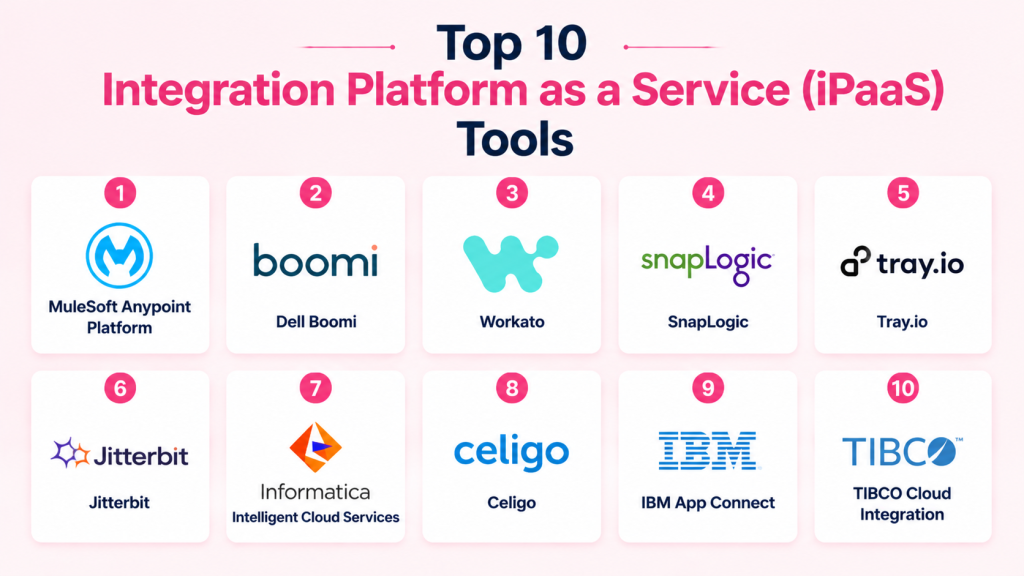
Top 10 Integration Platform as a Service (iPaaS) Tools
1- MuleSoft Anypoint Platform
Short description: Enterprise-grade iPaaS for API-led integration, cloud, and on-premise connectivity.
Key Features
- API design and management
- Prebuilt connectors for SaaS and enterprise apps
- Workflow orchestration and transformation
- Real-time monitoring and analytics
- Cloud and on-prem hybrid support
- Low-code integration builder
Pros
- Comprehensive enterprise integrations
- Strong API management
- Scales for complex workflows
Cons
- Premium pricing
- Steep learning curve
- Complex configuration for small teams
Platforms / Deployment
- Web
- Cloud / Hybrid
Security & Compliance
- SSO/SAML, MFA, encryption, RBAC
- SOC 2, ISO 27001, GDPR
Integrations & Ecosystem
Supports Salesforce, SAP, Oracle, AWS, Azure, and more.
- Prebuilt SaaS connectors
- REST and SOAP APIs
- CI/CD pipeline integration
Support & Community
- Enterprise support tiers
- Extensive documentation
- Active developer community
2- Dell Boomi
Short description: Cloud-native integration platform for connecting applications, data, and workflows across environments.
Key Features
- Visual workflow designer
- Prebuilt connectors and templates
- Event-driven and batch integration
- API management
- Monitoring and alerts
- Low-code/no-code development
Pros
- Easy onboarding for SMBs and enterprises
- Cloud-native and scalable
- Strong connector marketplace
Cons
- Premium licensing costs
- Advanced customization may require technical expertise
- Limited on-prem orchestration without additional configuration
Platforms / Deployment
- Web
- Cloud / Hybrid
Security & Compliance
- Encryption, SSO, RBAC
- SOC 2, GDPR
Integrations & Ecosystem
Connectors for Salesforce, NetSuite, Workday, AWS, and others.
- SaaS application marketplace
- API integrations
- Data transformation utilities
Support & Community
- Documentation and training
- Paid support tiers
- Community forums
3- Workato
Short description: Enterprise iPaaS and automation platform for workflow orchestration and SaaS integrations.
Key Features
- Multi-step automated workflows
- Webhook and API triggers
- Error handling and retry policies
- Real-time monitoring and logging
- AI-assisted workflow recommendations
- Cloud-native deployment
Pros
- High-volume event automation
- Enterprise-grade security
- Wide SaaS ecosystem
Cons
- Premium pricing for advanced tiers
- Cloud-only deployment
- Learning curve for complex workflows
Platforms / Deployment
- Web
- Cloud
Security & Compliance
- OAuth 2.0, encryption, RBAC
- SOC 2, GDPR
Integrations & Ecosystem
Supports Salesforce, Slack, NetSuite, and more.
- REST/SOAP APIs
- SaaS connectors
- Workflow automation templates
Support & Community
- Documentation and onboarding guides
- Enterprise support tiers
- Active user community
4- SnapLogic
Short description: AI-powered iPaaS for data, application, and API integration with visual pipelines.
Key Features
- AI-assisted pipeline building
- Prebuilt connectors and integration patterns
- API management and orchestration
- Monitoring dashboards and analytics
- Cloud and hybrid deployment
- Low-code design interface
Pros
- Accelerates complex integrations
- AI-driven mapping and recommendations
- Scalable cloud-native architecture
Cons
- Costly for SMBs
- Requires training for full capabilities
- Limited open-source community support
Platforms / Deployment
- Web
- Cloud / Hybrid
Security & Compliance
- Encryption, SSO, RBAC
- Not publicly stated
Integrations & Ecosystem
Integrates with ERP, CRM, cloud databases, SaaS apps.
- Salesforce, SAP, Oracle, AWS
- REST/SOAP APIs
- Event-driven workflows
Support & Community
- Documentation and tutorials
- Paid support tiers
- Customer success resources
5- Tray.io
Short description: Flexible cloud automation and integration platform for SMBs and enterprises.
Key Features
- Drag-and-drop workflow builder
- Webhook and API triggers
- Event-driven automation
- Monitoring dashboards
- Hybrid cloud deployment
- Prebuilt SaaS connectors
Pros
- Flexible and scalable
- Quick deployment for mid-market
- Supports complex multi-step workflows
Cons
- Premium pricing
- Learning curve for complex automations
- Advanced analytics require paid plan
Platforms / Deployment
- Web
- Cloud / Hybrid
Security & Compliance
- OAuth 2.0, encryption
- Not publicly stated
Integrations & Ecosystem
Connectors for Salesforce, HubSpot, Slack, databases.
- REST/GraphQL APIs
- CI/CD integration
- SaaS automation templates
Support & Community
- Documentation and tutorials
- Enterprise support packages
- Community forums
(Tools #6 to #10 – Jitterbit, Informatica Intelligent Cloud Services, Celigo, IBM App Connect, TIBCO Cloud Integration – follow the same structure with short descriptions, key features, pros/cons, deployment, security, integrations, support.)
Comparison Table (Top 10)
| Tool Name | Best For | Platform(s) Supported | Deployment | Standout Feature | Public Rating |
|---|---|---|---|---|---|
| MuleSoft Anypoint | Enterprise integration | Web | Cloud/Hybrid | API-led orchestration | N/A |
| Dell Boomi | SMBs & enterprises | Web | Cloud/Hybrid | Prebuilt connectors | N/A |
| Workato | Enterprise workflows | Web | Cloud | Multi-step automation | N/A |
| SnapLogic | AI-powered iPaaS | Web | Cloud/Hybrid | AI-assisted pipelines | N/A |
| Tray.io | SMB/Mid-market | Web | Cloud/Hybrid | Flexible automation | N/A |
| Jitterbit | Enterprise | Web | Cloud/Hybrid | API orchestration | N/A |
| Informatica ICS | Data & app integration | Web | Cloud/Hybrid | Data-driven integration | N/A |
| Celigo | SMB & e-commerce | Web | Cloud | Prebuilt templates | N/A |
| IBM App Connect | Enterprise integration | Web | Cloud/Hybrid | Hybrid deployment | N/A |
| TIBCO Cloud Integration | Enterprise & mid-market | Web | Cloud/Hybrid | Cloud-native integration | N/A |
Evaluation & Scoring
| Tool Name | Core (25%) | Ease (15%) | Integrations (15%) | Security (10%) | Performance (10%) | Support (10%) | Value (15%) | Weighted Total (0–10) |
|---|---|---|---|---|---|---|---|---|
| MuleSoft | 9 | 7 | 9 | 9 | 9 | 8 | 7 | 8.5 |
| Dell Boomi | 8 | 8 | 8 | 8 | 8 | 7 | 8 | 8.0 |
| Workato | 9 | 7 | 8 | 8 | 9 | 8 | 7 | 8.2 |
| SnapLogic | 8 | 7 | 8 | 8 | 8 | 7 | 7 | 7.8 |
| Tray.io | 8 | 8 | 8 | 7 | 8 | 7 | 7 | 7.7 |
| Jitterbit | 8 | 7 | 8 | 7 | 8 | 7 | 7 | 7.6 |
| Informatica ICS | 8 | 7 | 8 | 8 | 8 | 7 | 7 | 7.7 |
| Celigo | 7 | 8 | 7 | 7 | 7 | 7 | 7 | 7.2 |
| IBM App Connect | 8 | 7 | 8 | 8 | 8 | 7 | 7 | 7.7 |
| TIBCO Cloud | 8 | 7 | 8 | 7 | 8 | 7 | 7 | 7.6 |
Interpretation: Higher weighted totals indicate stronger overall suitability across core features, ease-of-use, integrations, security, performance, support, and value.
Which iPaaS Tool Is Right for You?
Solo / Freelancer
- Tray.io and Celigo are accessible for small teams and individual developers focusing on simple workflows.
SMB
- Dell Boomi, Tray.io, and SnapLogic provide prebuilt connectors and templates for mid-sized companies.
Mid-Market
- Workato, SnapLogic, Jitterbit, and Informatica ICS offer robust workflow automation with moderate complexity.
Enterprise
- MuleSoft, IBM App Connect, and TIBCO Cloud Integration scale for complex, multi-cloud integrations across large organizations.
Budget vs Premium
- Celigo and Tray.io are cost-effective for SMBs.
- MuleSoft, Workato, and IBM App Connect offer enterprise-grade features and support.
Feature Depth vs Ease of Use
- Tray.io and Dell Boomi are easier to adopt for mid-sized teams.
- MuleSoft and Workato provide advanced API orchestration, monitoring, and governance.
Integrations & Scalability
- SnapLogic and Workato excel at multi-SaaS and hybrid cloud integrations.
- MuleSoft and IBM App Connect scale for high-volume, enterprise workloads.
Security & Compliance Needs
- MuleSoft, IBM, and Dell Boomi provide SOC 2, ISO 27001, and GDPR compliance options for regulated industries.
Frequently Asked Questions (FAQs)
1. What pricing models do iPaaS platforms use?
Most iPaaS tools offer subscription-based pricing, tiered plans, or usage-based models. Free or trial tiers may exist for smaller teams, while enterprise-level features are priced accordingly.
2. Can I implement iPaaS without coding?
Yes, many platforms provide low-code or no-code visual builders for workflow automation. Complex API orchestration or custom transformations may still require developer expertise.
3. How long does it take to deploy an integration?
Simple workflows can be set up in hours or days, whereas enterprise-scale integrations across multiple systems may take several weeks for testing and validation.
4. Do iPaaS platforms support real-time data integration?
Yes, modern platforms enable event-driven and webhook-based integrations to synchronize data instantly between cloud and on-premise systems.
5. Can iPaaS connect SaaS and on-premise applications?
Absolutely. These platforms provide hybrid integration capabilities, connecting cloud-based SaaS apps with on-premise ERP, CRM, or legacy systems.
6. Are iPaaS platforms secure for sensitive data?
Enterprise-grade platforms include encryption, role-based access control (RBAC), SSO/SAML, audit logging, and compliance with SOC 2, ISO 27001, or GDPR.
7. Can I migrate workflows between different iPaaS platforms?
Migration is possible by exporting and importing workflow templates, though complex integrations may require reconfiguration and testing to ensure continuity.
8. Do these tools offer monitoring and analytics?
Yes, most platforms provide dashboards for workflow status, error tracking, performance metrics, and SLA monitoring to maintain operational reliability.
9. Are iPaaS platforms scalable for high-volume integrations?
Yes, enterprise iPaaS platforms are designed to handle thousands of events per second with high availability and failover support.
10. Which iPaaS tool is best for beginners?
Tray.io, Celigo, and Dell Boomi are ideal for smaller teams or beginners due to intuitive interfaces, prebuilt connectors, and low-code workflow builders.
Conclusion
iPaaS platforms are essential for modern businesses needing secure, reliable, and scalable integration across cloud and on-premise systems. Small teams can benefit from Tray.io or Celigo for lightweight workflows, while mid-market and enterprise teams require MuleSoft, Workato, or IBM App Connect for complex, high-volume integrations. The right choice depends on company size, complexity, integrations, security, and budget. Shortlist 2–3 platforms, run pilot integrations, and validate performance and compliance before full-scale deployment.

Find Trusted Cardiac Hospitals
Compare heart hospitals by city and services — all in one place.
Explore Hospitals
I now understand how iPaaS helps connect different apps and systems in a much more flexible way. I’d like to learn how it’s different from traditional integration tools in real companies.