Introduction
Mail Merge Tools allow businesses to automate the personalization of emails, letters, and documents at scale. By linking databases or spreadsheets to document templates, these platforms streamline communication with customers, prospects, or employees while maintaining accuracy and consistency. personalization is critical for engagement. AI-driven content, integration with marketing platforms, and automated workflow triggers enhance the efficiency of mail merge operations. These tools reduce manual errors, improve productivity, and provide measurable campaign results.
Real-world use cases include:
- Sending personalized marketing emails to segmented customer lists.
- Automating invoice generation and distribution for finance teams.
- Creating HR letters, onboarding documents, or notifications.
- Running outreach campaigns with personalized offers for sales teams.
- Producing certificates, reports, or bulk communications for education and training.
What buyers should evaluate:
- Integration with email platforms, CRM, and spreadsheets
- Support for document templates and personalization fields
- Automation features, triggers, and batch processing
- Security and compliance (encryption, GDPR, HIPAA)
- Reporting, tracking, and analytics
- Ease of setup and user interface
- Scalability for high-volume campaigns
- API access and workflow extensibility
- Cost and licensing model
Best for: Marketing teams, sales departments, HR, finance, and enterprises needing scalable, personalized communication.
Not ideal for: Businesses with very low volume or limited digital infrastructure, or teams that do not require extensive personalization.
Key Trends in Mail Merge Tools
- AI-driven content personalization and dynamic field suggestions.
- Deep integration with CRM, marketing automation, and ERP systems.
- Cloud-first platforms offering collaborative templates and remote access.
- Automated scheduling and trigger-based mail merges.
- Enhanced security and compliance for sensitive communication.
- Mobile-friendly access for campaign monitoring.
- Analytics dashboards measuring delivery, open rates, and engagement.
- API-driven workflow automation for enterprise processes.
- Hybrid deployment models balancing cloud convenience and on-prem security.
- Subscription and pay-as-you-go pricing for flexible scalability.
How We Selected These Tools (Methodology)
- Evaluated market adoption and brand recognition.
- Assessed feature completeness: template options, personalization, automation.
- Reviewed reliability and performance signals.
- Checked security posture: encryption, audit logs, compliance readiness.
- Studied integrations and ecosystem connectivity.
- Considered customer fit across SMB, mid-market, and enterprise segments.
- Evaluated ease of onboarding, documentation, and support.
- Prioritized API-driven and cloud-native platforms.
- Verified scalability for batch and high-volume campaigns.
- Balanced pricing against functionality and ROI potential.
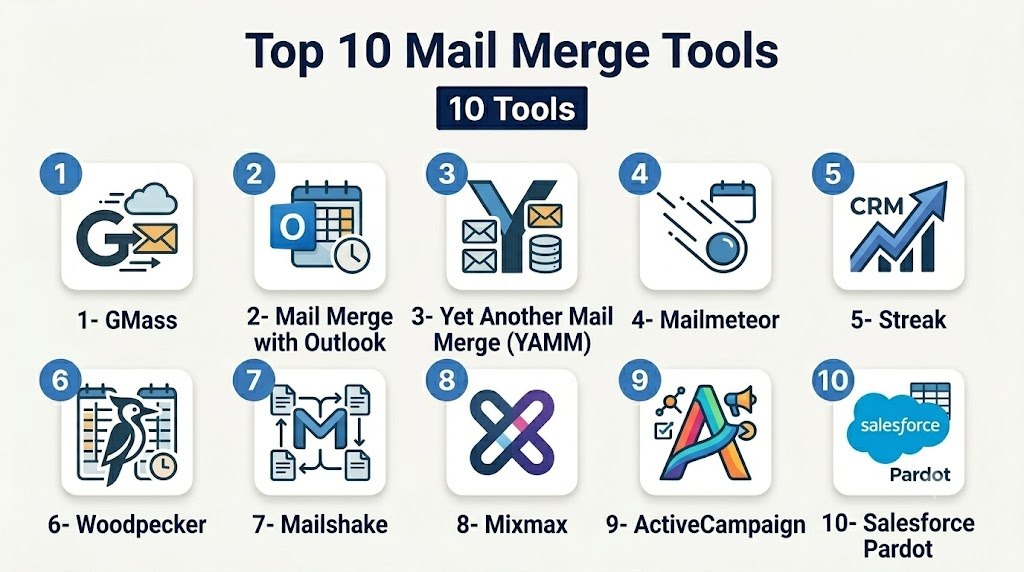
Top 10 Mail Merge Tools
1- GMass
Short description: GMass is a Gmail-based mail merge tool for sending personalized campaigns and automated follow-ups.
Key Features
- Personalized email campaigns directly in Gmail
- Automated follow-ups and scheduling
- Campaign tracking and analytics
- Integration with Google Sheets
- SMTP relay and domain authentication
- Recipient segmentation and filtering
Pros
- Native Gmail integration
- Easy for small to medium campaigns
- Real-time tracking and analytics
Cons
- Limited to Gmail ecosystem
- Less suitable for enterprise-level automation
Platforms / Deployment
- Web / Windows / macOS / Linux
- Cloud
Security & Compliance
- Not publicly stated
Integrations & Ecosystem
- Google Workspace (Sheets, Docs)
- Gmail SMTP
- APIs for workflow integration
Support & Community
- Email support
- Knowledge base and tutorials
- Moderate online community
2- Mail Merge with Outlook
Short description: Microsoft Outlook mail merge tool integrates with Word and Excel to send personalized emails and letters.
Key Features
- Template creation in Word
- Data source integration with Excel or Access
- Personalized mass emails or letters
- Delivery tracking and reporting
- Supports internal and external mail campaigns
Pros
- Native Microsoft Office integration
- Familiar interface for existing users
- Works for both emails and print letters
Cons
- Requires Microsoft Office subscription
- Limited automation and CRM integration
Platforms / Deployment
- Windows / macOS
- Desktop / Cloud
Security & Compliance
- Not publicly stated
Integrations & Ecosystem
- Microsoft 365
- Excel and Access
- Outlook SMTP
Support & Community
- Microsoft support
- Office documentation
- Large user community
3- Yet Another Mail Merge (YAMM)
Short description: YAMM is a Google Workspace add-on for sending personalized emails using Gmail and Google Sheets.
Key Features
- Gmail integration
- Google Sheets as data source
- Automated scheduling and follow-ups
- Tracking for opens and clicks
- Email templates and personalization
Pros
- Simple setup for Google Workspace users
- Affordable for SMB campaigns
- Easy analytics
Cons
- Limited outside Google ecosystem
- Less enterprise-grade automation
Platforms / Deployment
- Web / Windows / macOS / Linux
- Cloud
Security & Compliance
- Not publicly stated
Integrations & Ecosystem
- Google Workspace
- Zapier API for automation
Support & Community
- Email support
- Tutorials and FAQs
- Google Workspace community
4- Mailmeteor
Short description: Mailmeteor is a Google Sheets add-on for sending personalized bulk emails efficiently.
Key Features
- Gmail-based mail merge
- Personalization tokens
- Scheduling and follow-ups
- Analytics for opens and clicks
- Secure Google Sheets integration
Pros
- Lightweight and easy to use
- Focused on personalization
- Quick campaign setup
Cons
- Limited to Gmail/Google Sheets
- Basic reporting features
Platforms / Deployment
- Web / Windows / macOS / Linux
- Cloud
Security & Compliance
- Not publicly stated
Integrations & Ecosystem
- Google Workspace
- APIs for simple workflow integration
Support & Community
- Email support
- Knowledge base
- Small community forums
5- Streak
Short description: Streak is a CRM with built-in mail merge for Gmail, enabling tracking and automation of sales emails.
Key Features
- CRM-integrated mail merge
- Gmail-based sending and tracking
- Pipeline management and automation
- Custom fields for personalization
- Email scheduling and reminders
Pros
- Combines CRM and mail merge
- Automation for sales workflows
- Trackable campaign analytics
Cons
- Limited to Gmail users
- Higher learning curve for non-sales teams
Platforms / Deployment
- Web / Windows / macOS / Linux
- Cloud
Security & Compliance
- Not publicly stated
Integrations & Ecosystem
- Google Workspace
- Zapier
- Streak CRM API
Support & Community
- Email support
- Tutorials and documentation
- Active user community
6- Woodpecker
Short description: Woodpecker automates personalized email outreach with sequences and follow-ups for B2B sales teams.
Key Features
- Multi-step email sequences
- Personalization tokens
- Campaign tracking and analytics
- Bounce detection and handling
- CRM integration
Pros
- Automation for outreach campaigns
- Detailed analytics
- Personalized mass emails
Cons
- Not free for high-volume campaigns
- Limited for non-sales use
Platforms / Deployment
- Web
- Cloud
Security & Compliance
- Not publicly stated
Integrations & Ecosystem
- Salesforce, HubSpot
- Zapier
- SMTP support
Support & Community
- Email and chat support
- Knowledge base
- Community webinars
7- Mailshake
Short description: Mailshake streamlines cold outreach with mail merge, sequences, and multi-channel campaigns.
Key Features
- Personalized email sequences
- SMS and social integrations
- Tracking opens and clicks
- Analytics dashboard
- CRM integrations
Pros
- Multi-channel outreach
- Automation for large campaigns
- Detailed reporting
Cons
- More expensive for small teams
- Limited free-tier options
Platforms / Deployment
- Web / Windows / macOS
- Cloud
Security & Compliance
- Not publicly stated
Integrations & Ecosystem
- Salesforce, HubSpot
- Zapier
- Gmail/Outlook SMTP
Support & Community
- Email and chat support
- Online tutorials
- Webinars and community events
8- Mixmax
Short description: Mixmax is a Gmail add-on enabling mail merge, sequences, and email tracking for sales and marketing teams.
Key Features
- Gmail integration
- Personalization and templates
- Sequenced emails with automation
- Analytics and reporting
- Calendar scheduling integration
Pros
- Easy Gmail integration
- Real-time tracking
- Workflow automation
Cons
- Limited to Gmail
- Some advanced features need premium subscription
Platforms / Deployment
- Web / Windows / macOS / Linux
- Cloud
Security & Compliance
- Not publicly stated
Integrations & Ecosystem
- Google Workspace
- Salesforce
- Zapier API
Support & Community
- Email support
- Tutorials and help articles
- Active online community
9- ActiveCampaign
Short description: ActiveCampaign combines email marketing automation with CRM and mail merge capabilities.
Key Features
- Personalized email campaigns
- Automation workflows
- CRM integration
- A/B testing and analytics
- Template management
Pros
- Advanced automation
- Scalable for SMBs to enterprise
- Integrated CRM
Cons
- Steeper learning curve
- Higher cost for smaller teams
Platforms / Deployment
- Web / Windows / macOS / Linux
- Cloud
Security & Compliance
- Not publicly stated
Integrations & Ecosystem
- Salesforce, Shopify
- Zapier, API integration
Support & Community
- Email and chat support
- Knowledge base
- Active user community
10- Salesforce Pardot
Short description: Pardot enables enterprise-level marketing automation with mail merge for highly personalized campaigns.
Key Features
- B2B email marketing automation
- Personalization and segmentation
- Lead scoring and CRM integration
- Analytics and ROI tracking
- Automated follow-ups
Pros
- Enterprise-grade features
- Deep Salesforce integration
- Advanced reporting and analytics
Cons
- Expensive for SMBs
- Requires Salesforce ecosystem
Platforms / Deployment
- Web / Windows / macOS
- Cloud
Security & Compliance
- Not publicly stated
Integrations & Ecosystem
- Salesforce CRM
- APIs for automation
- Marketing platform integrations
Support & Community
- Enterprise support tiers
- Training resources
- Large community forums
Comparison Table (Top 10)
| Tool Name | Best For | Platform(s) Supported | Deployment | Standout Feature | Public Rating |
|---|---|---|---|---|---|
| GMass | Gmail users / SMBs | Web | Cloud | Gmail integration & tracking | N/A |
| Mail Merge with Outlook | Office users | Windows / macOS | Desktop / Cloud | Word/Excel integration | N/A |
| YAMM | Google Workspace | Web / Windows / macOS | Cloud | Google Sheets data source | N/A |
| Mailmeteor | Gmail / Google Sheets | Web | Cloud | Easy personalization & tokens | N/A |
| Streak | Sales teams | Web / Windows / macOS | Cloud | CRM-integrated mail merge | N/A |
| Woodpecker | B2B outreach | Web | Cloud | Multi-step sequences & automation | N/A |
| Mailshake | Sales/marketing | Web | Cloud | Multi-channel campaigns | N/A |
| Mixmax | Gmail users | Web | Cloud | Sequenced emails & templates | N/A |
| ActiveCampaign | SMBs & mid-market | Web / Windows / macOS | Cloud | Marketing automation + CRM | N/A |
| Salesforce Pardot | Enterprises | Web / Windows / macOS | Cloud | Enterprise marketing automation | N/A |
Evaluation & Scoring of Mail Merge Tools
| Tool Name | Core (25%) | Ease (15%) | Integrations (15%) | Security (10%) | Performance (10%) | Support (10%) | Value (15%) | Weighted Total |
|---|---|---|---|---|---|---|---|---|
| GMass | 9 | 9 | 8 | 7 | 8 | 8 | 8 | 8.3 |
| Mail Merge with Outlook | 8 | 8 | 7 | 7 | 7 | 8 | 8 | 7.6 |
| YAMM | 8 | 8 | 7 | 7 | 7 | 7 | 8 | 7.5 |
| Mailmeteor | 8 | 9 | 7 | 7 | 7 | 7 | 8 | 7.6 |
| Streak | 8 | 7 | 8 | 7 | 8 | 7 | 7 | 7.5 |
| Woodpecker | 8 | 8 | 8 | 7 | 8 | 7 | 7 | 7.6 |
| Mailshake | 8 | 7 | 8 | 7 | 8 | 7 | 7 | 7.5 |
| Mixmax | 8 | 8 | 8 | 7 | 8 | 7 | 7 | 7.6 |
| ActiveCampaign | 9 | 7 | 8 | 7 | 8 | 7 | 7 | 7.7 |
| Salesforce Pardot | 9 | 6 | 9 | 7 | 8 | 7 | 7 | 7.7 |
Which Mail Merge Tool Is Right for You?
Solo / Freelancer
- GMass, Mailmeteor, and YAMM offer easy Gmail-based solutions.
- Low-cost, simple setup, suitable for small campaigns.
SMB
- Woodpecker, Mailshake, Mixmax provide automation, sequences, and analytics.
- Good integration with Google Workspace or Outlook.
Mid-Market
- Streak, ActiveCampaign offer CRM integration with automated campaigns.
- Scales for marketing and sales teams needing personalization.
Enterprise
- Salesforce Pardot and ActiveCampaign provide enterprise-grade automation.
- Integrates deeply with Salesforce CRM and analytics dashboards.
Budget vs Premium
- Budget: GMass, YAMM, Mailmeteor
- Premium: Salesforce Pardot, ActiveCampaign, Mailshake
Feature Depth vs Ease of Use
- Ease: GMass, Mailmeteor, YAMM
- Feature depth: Salesforce Pardot, ActiveCampaign, Woodpecker
Integrations & Scalability
- CRM, marketing, ERP integration: Streak, ActiveCampaign, Salesforce Pardot
- API-driven automation for enterprise campaigns
Security & Compliance Needs
- GDPR/CCPA support: Salesforce Pardot, ActiveCampaign
- Encryption and secure handling for sensitive communications
Frequently Asked Questions (FAQs)
1- What is a mail merge tool?
A mail merge tool allows users to create personalized emails or documents for multiple recipients by linking data sources like spreadsheets or CRMs to templates. This streamlines mass communication and reduces errors.
2- How secure are mail merge tools?
Most cloud mail merge platforms use encryption for data in transit and storage, and some comply with GDPR, CCPA, or internal security policies. Always verify the vendor’s security features before sending sensitive information.
3- Can I integrate with my CRM?
Yes, many tools integrate with Salesforce, HubSpot, or other CRMs. Integration allows automatic personalization, triggers, and syncing contact data for automated campaigns, ensuring consistency across channels.
4- Are these tools suitable for small businesses?
Yes, Gmail-based tools like GMass or Mailmeteor are ideal for SMBs. They provide easy personalization without complex infrastructure, while enterprise tools may be unnecessary unless handling large campaigns.
5- How do pricing models vary?
Pricing includes subscriptions, pay-per-use, or tiered plans. Smaller teams may use affordable Gmail add-ons, while enterprises may pay for high-volume, advanced automation with analytics dashboards.
6- Can mail merges be automated?
Yes, many tools support triggers, sequences, and API-driven automation. Emails can be sent automatically based on CRM events, workflow rules, or scheduled campaigns, saving time and ensuring consistency.
7- How do I track mail merge performance?
Platforms typically provide analytics dashboards showing opens, clicks, bounces, and campaign effectiveness. Some also integrate with CRM or marketing analytics tools for consolidated reporting.
8- How complex is setup?
Gmail add-ons like YAMM or Mailmeteor are quick to set up, whereas enterprise tools like Salesforce Pardot require configuration, template design, and CRM integration. Training may be needed for teams.
9- Can I handle large campaigns?
Enterprise-grade tools like ActiveCampaign and Salesforce Pardot support thousands of recipients with batch personalization, tracking, and automated follow-ups. Gmail add-ons are better suited for smaller to medium lists.
10- How do I switch from manual emailing?
Export contacts from your current system, design templates, and start with small test campaigns. Gradually expand automation, integrate with CRM workflows, and monitor analytics to ensure correct delivery and personalization.
Conclusion
Mail merge tools are essential for modern personalized communication, streamlining outreach, reporting, and automation. Selecting the right solution depends on company size, campaign volume, integration needs, and budget. SMBs benefit from lightweight Gmail-based solutions, while enterprises require full-featured automation, CRM integration, and analytics. The recommended approach is to shortlist 2–3 tools, run pilot campaigns, validate data integration and compliance, then scale campaigns confidently across teams for consistent, efficient, and personalized communication.

Find Trusted Cardiac Hospitals
Compare heart hospitals by city and services — all in one place.
Explore Hospitals
Mail merge tools are most effective when they combine large-scale personalization with automation. By pulling data from spreadsheets, CRMs, or databases to generate customized emails, letters, or documents, these platforms help organizations save time, improve communication accuracy, and deliver a more personalized experience at scale.