Introduction
Payroll Software is a digital platform that automates the calculation, management, and disbursement of employee salaries, wages, bonuses, and tax withholdings. Modern payroll systems go beyond simple salary processing to include compliance management, tax filing, benefits administration, and reporting analytics. organizations face complex payroll requirements due to remote work, global teams, and evolving tax regulations, making robust payroll software critical for operational efficiency and compliance.
Real-world use cases include:
- Processing payroll for hourly and salaried employees
- Automating tax deductions and government filings
- Managing employee benefits and reimbursements
- Tracking overtime and attendance for payroll accuracy
- Providing reporting dashboards for finance and HR teams
Evaluation Criteria for Buyers:
- Payroll automation and accuracy
- Compliance with local and global regulations
- Integration with HRIS, time tracking, and accounting systems
- Employee self-service portals
- Reporting and analytics dashboards
- Mobile accessibility
- Security and compliance controls
- Ease of onboarding and use
- Scalability for SMBs and enterprise
- Cost-effectiveness
Best for: HR and finance teams, SMBs, enterprises, global organizations, and companies needing automated payroll processing.
Not ideal for: Very small teams or startups with minimal payroll complexity where manual spreadsheets suffice.
Key Trends in Payroll Software
- AI-assisted payroll automation and error detection
- Integration with time tracking, HRIS, and accounting systems
- Cloud-based deployment with mobile access
- Real-time payroll analytics and reporting
- Automated tax compliance and filings
- Employee self-service portals and digital payslips
- Global payroll management for distributed teams
- Predictive payroll forecasting
- Security and encryption enhancements
- Flexible SaaS subscription and modular pricing models
How We Selected These Tools (Methodology)
- Market adoption and reputation
- Feature completeness across payroll, compliance, and reporting
- Reliability and performance signals
- Security posture and compliance capabilities
- Integration ecosystem and API availability
- User experience and ease of onboarding
- Scalability across SMBs to large enterprises
- Mobile and remote workforce support
- Automation and AI-assisted payroll capabilities
- Pricing flexibility and operational value
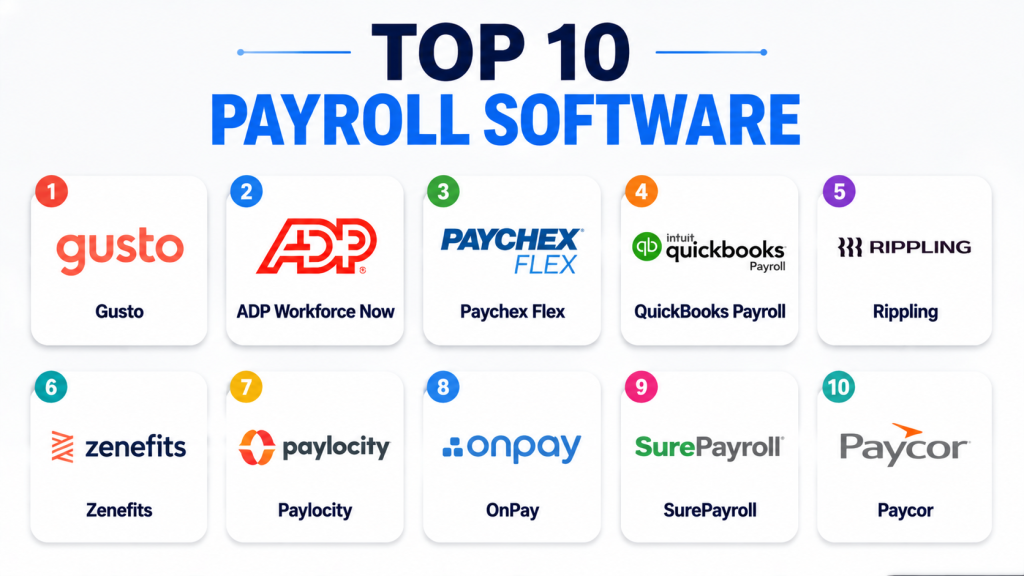
Top 10 Payroll Software Tools
1 — Gusto
Short description: Gusto provides automated payroll processing, benefits management, and tax compliance for SMBs and growing teams.
Key Features
- Automated payroll and tax filing
- Employee self-service portal
- Benefits administration
- Time tracking integration
- Reporting dashboards
- Compliance alerts
- Direct deposits
Pros
- Simple setup and user-friendly
- Excellent employee portal
- Full-service payroll
Cons
- Limited enterprise scalability
- Premium features increase cost
- Some reporting customization requires upgrade
Platforms / Deployment
- Web / iOS / Android
- Cloud
Security & Compliance
- SSO, encryption, audit logs
- SOC 2, GDPR
Integrations & Ecosystem
Integrates with HRIS, time tracking, accounting tools.
- QuickBooks
- Xero
- Asana
- APIs
Support & Community
Good documentation, onboarding resources, and responsive support.
2 — ADP Workforce Now
Short description: ADP Workforce Now offers comprehensive payroll, HR, benefits, and compliance management for SMBs and large enterprises.
Key Features
- Automated payroll and tax filing
- Benefits and deductions management
- Compliance and reporting tools
- Employee self-service
- Mobile access
- Integration with HR and time tracking
- Analytics dashboards
Pros
- Scalable for enterprise and SMBs
- Strong compliance management
- Robust reporting capabilities
Cons
- Complex setup for small teams
- Premium pricing for advanced modules
- Learning curve for administrators
Platforms / Deployment
- Web / iOS / Android
- Cloud
Security & Compliance
- SSO, encryption, MFA
- SOC 2, GDPR
Integrations & Ecosystem
Integrates with accounting, HR, and payroll ecosystems.
- QuickBooks
- SAP
- Workday
- APIs
Support & Community
Comprehensive support, training, and consulting services.
3 — Paychex Flex
Short description: Paychex Flex provides payroll, HR, and benefits management with compliance features for SMBs and mid-sized enterprises.
Key Features
- Payroll automation
- Tax compliance and filings
- Employee self-service
- Benefits management
- Reporting and analytics
- Time and attendance integration
- Mobile access
Pros
- Flexible for SMBs
- Good payroll and benefits integration
- Strong customer support
Cons
- Enterprise features require premium plans
- UI can feel complex for small teams
- Limited customization without upgrades
Platforms / Deployment
- Web / iOS / Android
- Cloud
Security & Compliance
- Encryption, SSO
- SOC 2, GDPR
Integrations & Ecosystem
Supports payroll, HR, and accounting integrations.
- QuickBooks
- ADP
- APIs
Support & Community
Responsive onboarding and support resources.
4 — Intuit QuickBooks Payroll
Short description: QuickBooks Payroll integrates payroll with accounting, benefits, and tax compliance for small to mid-sized businesses.
Key Features
- Automated payroll and tax filing
- Integration with QuickBooks accounting
- Direct deposits
- Employee self-service portal
- Reporting dashboards
- PTO and attendance tracking
- Compliance alerts
Pros
- Seamless accounting integration
- Easy for SMBs
- Affordable plans for small teams
Cons
- Limited enterprise scalability
- Some features require QuickBooks subscription
- Advanced reporting requires upgrade
Platforms / Deployment
- Web / iOS / Android
- Cloud
Security & Compliance
- SSO, encryption
- SOC 2, GDPR
Integrations & Ecosystem
Integrates with QuickBooks ecosystem and HR tools.
- QuickBooks Online
- Xero
- APIs
Support & Community
Good documentation and customer support.
5 — Rippling
Short description: Rippling combines payroll, HR, IT, and benefits management for enterprises and SMBs.
Key Features
- Payroll automation
- HR and benefits management
- Compliance tracking
- Employee onboarding and offboarding
- Analytics dashboards
- Time tracking integration
- Mobile access
Pros
- Unified HR and IT ecosystem
- Enterprise and SMB scalability
- Automated compliance and reporting
Cons
- Higher pricing
- Advanced setup can be complex
- Learning curve for administrators
Platforms / Deployment
- Web / iOS / Android
- Cloud
Security & Compliance
- MFA, SSO, encryption
- SOC 2, GDPR
Integrations & Ecosystem
Supports integrations across payroll, HR, and IT workflows.
- ADP
- QuickBooks
- Workday
- APIs
Support & Community
Enterprise onboarding, consulting, and responsive support.
6 — Zenefits
Short description: Zenefits offers payroll, benefits, and HR management focused on SMBs with self-service and compliance automation.
Key Features
- Payroll automation
- Benefits administration
- Compliance reporting
- Employee self-service
- Mobile apps
- Reporting dashboards
- PTO tracking
Pros
- User-friendly for SMBs
- Strong benefits integration
- Affordable SaaS plans
Cons
- Limited enterprise features
- Some integrations require third-party apps
- Reporting customization limited
Platforms / Deployment
- Web / iOS / Android
- Cloud
Security & Compliance
- Encryption, SSO
- SOC 2, GDPR
Integrations & Ecosystem
Integrates with payroll, HR, and accounting systems.
- QuickBooks
- Xero
- APIs
Support & Community
Onboarding guides and responsive SMB support.
7 — Paylocity
Short description: Paylocity delivers payroll, HR, benefits, and time tracking for SMBs and mid-sized enterprises.
Key Features
- Payroll and tax automation
- Benefits management
- Compliance reporting
- Employee self-service
- Time and attendance integration
- Analytics dashboards
- Mobile apps
Pros
- Scalable for mid-sized businesses
- Strong payroll functionality
- Good reporting dashboards
Cons
- Enterprise features require premium
- UI complexity for small teams
- Advanced reporting may require setup
Platforms / Deployment
- Web / iOS / Android
- Cloud
Security & Compliance
- SSO, encryption
- SOC 2, GDPR
Integrations & Ecosystem
Supports HR, accounting, and payroll integrations.
- QuickBooks
- ADP
- APIs
Support & Community
Comprehensive onboarding and support.
8 — OnPay
Short description: OnPay provides payroll, benefits, and compliance for SMBs, emphasizing simplicity and automation.
Key Features
- Automated payroll processing
- Tax and compliance filing
- Employee self-service
- Benefits management
- Reporting dashboards
- Time tracking integration
- Mobile access
Pros
- Simple and affordable for SMBs
- Automated compliance
- Easy onboarding
Cons
- Limited enterprise features
- Fewer advanced analytics
- Integrations more limited
Platforms / Deployment
- Web / iOS / Android
- Cloud
Security & Compliance
- Encryption, SSO
- SOC 2, GDPR
Integrations & Ecosystem
Integrates with accounting, HR, and payroll systems.
- QuickBooks
- Xero
- APIs
Support & Community
Good onboarding and responsive support for SMBs.
9 — SurePayroll
Short description: SurePayroll focuses on payroll processing, tax compliance, and HR support for SMBs.
Key Features
- Payroll and tax automation
- Employee self-service
- Compliance monitoring
- Reporting dashboards
- Benefits management
- Time tracking integration
- Mobile access
Pros
- Affordable and simple
- Strong compliance automation
- Easy for SMB adoption
Cons
- Limited enterprise features
- Reporting depth is minimal
- Advanced payroll options require upgrades
Platforms / Deployment
- Web / iOS / Android
- Cloud
Security & Compliance
- Encryption, SSO
- SOC 2, GDPR
Integrations & Ecosystem
Integrates with payroll, HR, and accounting tools.
- QuickBooks
- Xero
- APIs
Support & Community
Responsive onboarding and support resources.
10 — Paycor
Short description: Paycor delivers payroll, HR, and compliance tools for SMBs and mid-market businesses.
Key Features
- Payroll automation
- Benefits management
- Compliance reporting
- Employee self-service
- Time tracking integration
- Analytics dashboards
- Mobile access
Pros
- Good mid-market scalability
- Strong reporting and analytics
- Integrated HR and payroll
Cons
- Enterprise features require premium
- UI complexity for small teams
- Integration setup may require assistance
Platforms / Deployment
- Web / iOS / Android
- Cloud
Security & Compliance
- SSO, encryption
- SOC 2, GDPR
Integrations & Ecosystem
Supports integrations with accounting, HR, and payroll tools.
- QuickBooks
- ADP
- APIs
Support & Community
Strong onboarding, support resources, and documentation.
Comparison Table (Top 10)
| Tool Name | Best For | Platforms Supported | Deployment | Standout Feature | Public Rating |
|---|---|---|---|---|---|
| Gusto | SMBs | Web, iOS, Android | Cloud | Full-service payroll | N/A |
| ADP Workforce Now | Enterprise/SMB | Web, iOS, Android | Cloud | Scalable payroll & compliance | N/A |
| Paychex Flex | SMB & mid-market | Web, iOS, Android | Cloud | HR + payroll integration | N/A |
| QuickBooks Payroll | SMB | Web, iOS, Android | Cloud | Seamless QuickBooks integration | N/A |
| Rippling | Enterprise & SMB | Web, iOS, Android | Cloud | Unified HR & payroll | N/A |
| Zenefits | SMB | Web, iOS, Android | Cloud | Employee self-service + benefits | N/A |
| Paylocity | SMB & mid-market | Web, iOS, Android | Cloud | Analytics dashboards | N/A |
| OnPay | SMB | Web, iOS, Android | Cloud | Simple automation | N/A |
| SurePayroll | SMB | Web, iOS, Android | Cloud | Compliance-focused payroll | N/A |
| Paycor | SMB & mid-market | Web, iOS, Android | Cloud | Integrated HR & payroll | N/A |
Evaluation & Scoring of Payroll Software
| Tool Name | Core (25%) | Ease (15%) | Integrations (15%) | Security (10%) | Performance (10%) | Support (10%) | Value (15%) | Weighted Total |
|---|---|---|---|---|---|---|---|---|
| Gusto | 9 | 9 | 8 | 7 | 8 | 8 | 8 | 8.35 |
| ADP Workforce Now | 10 | 8 | 9 | 8 | 9 | 8 | 8 | 8.70 |
| Paychex Flex | 9 | 8 | 8 | 8 | 8 | 8 | 8 | 8.20 |
| QuickBooks Payroll | 8 | 9 | 8 | 7 | 8 | 8 | 8 | 8.00 |
| Rippling | 9 | 8 | 9 | 8 | 8 | 8 | 7 | 8.05 |
| Zenefits | 8 | 9 | 8 | 7 | 8 | 8 | 7 | 7.85 |
| Paylocity | 9 | 8 | 8 | 8 | 8 | 8 | 7 | 8.00 |
| OnPay | 8 | 9 | 7 | 7 | 8 | 8 | 8 | 7.85 |
| SurePayroll | 8 | 9 | 7 | 7 | 8 | 7 | 8 | 7.75 |
| Paycor | 9 | 8 | 8 | 8 | 8 | 8 | 7 | 8.00 |
Interpretation: Scores are comparative; higher weighted totals indicate stronger payroll automation, integration, security, and operational value. Enterprises may prioritize ADP or Rippling, while SMBs may prefer Gusto, Zenefits, or QuickBooks Payroll.
Which Payroll Software Tool Is Right for You?
Solo / Freelancer
Gusto and QuickBooks Payroll provide easy onboarding and simple payroll for small teams or independent contractors.
SMB
Zenefits, OnPay, and SurePayroll provide affordable automation, compliance, and basic HR functionality.
Mid-Market
Paychex Flex, Paylocity, and Rippling support larger teams with analytics, reporting, and payroll optimization.
Enterprise
ADP Workforce Now and Rippling provide scalability, compliance, and global payroll capabilities.
Budget vs Premium
Budget-conscious: Gusto, Zenefits, OnPay
Premium/enterprise: ADP Workforce Now, Rippling
Feature Depth vs Ease of Use
ADP and Rippling provide enterprise-grade functionality; Gusto and QuickBooks Payroll focus on simplicity and usability.
Integrations & Scalability
Enterprise deployments: ADP Workforce Now, Rippling
SMB and mid-market: Gusto, Paychex Flex, Zenefits
Security & Compliance Needs
Enterprises should prioritize platforms supporting MFA, SSO, audit logs, and SOC 2/GDPR compliance.
Frequently Asked Questions (FAQs)
- What is Payroll Software?
Payroll Software automates employee compensation, tax filings, benefits management, and reporting across organizations. - Which industries benefit most?
Retail, healthcare, IT services, SMBs, and enterprises with distributed employees or complex payroll. - Is Payroll Software suitable for global teams?
Yes, many solutions support multi-country payroll, local tax compliance, and multi-currency processing. - How do integrations help?
Integrations with HRIS, time tracking, and accounting platforms reduce errors and streamline workflows. - Can Payroll Software handle compliance?
Yes, top platforms include labor law adherence, audit trails, tax compliance, and reporting. - Are there AI features available?
Some platforms offer AI-assisted payroll error detection, predictive analytics, and automated approvals. - Which platforms are best for small businesses?
Gusto, QuickBooks Payroll, Zenefits, and OnPay provide easy-to-use interfaces and cost-effective solutions. - Can employees access self-service portals?
Yes, employees can view pay stubs, request PTO, and manage benefits via secure portals. - How do these platforms manage taxes?
They automate calculations, withholding, filing, and submissions to local authorities, reducing manual errors. - What should buyers evaluate before selecting a platform?
Consider automation, compliance, integrations, reporting, scalability, ease of use, security, and cost-effectiveness.
Conclusion
Payroll Software is essential for organizations to manage compensation, compliance, benefits, and reporting efficiently. Modern platforms now integrate automation, AI, mobile access, and analytics to streamline payroll operations for SMBs and enterprises alike. Enterprises with complex global teams may prioritize ADP Workforce Now or Rippling for compliance and scalability, while SMBs may benefit from Gusto, Zenefits, or QuickBooks Payroll for simplicity and affordability. Organizations should shortlist 2–3 platforms, run a pilot, validate integrations and compliance, and review scalability before full deployment.

Find Trusted Cardiac Hospitals
Compare heart hospitals by city and services — all in one place.
Explore Hospitals
I now understand how payroll software helps automate salary calculations, tax handling, and reduces manual errors in HR processes. I’d like to explore more about which tool is best for small businesses with limited staff.
I now understand how time tracking software helps improve accuracy in recording work hours and boosts productivity, payroll processing, and accountability in teams. I’d like to explore more about which features are most useful for remote work setups.