Introduction
Radiology Information Systems, commonly called RIS, are specialized healthcare software platforms used to manage radiology department workflows from patient scheduling to imaging orders, exam tracking, reporting, billing, and analytics. A RIS helps radiology teams reduce manual coordination, improve report turnaround, manage patient records, and connect imaging workflows with PACS, EHR, billing, and hospital systems. RIS matters more now because imaging volumes are rising, radiology teams are under pressure to deliver faster reports, and hospitals need secure, interoperable systems that support cloud access, AI-assisted workflows, structured reporting, and compliance-ready data handling.
Real-world use cases include:
- Patient scheduling and registration for imaging studies
- Order tracking from referral to final report
- Radiologist worklists for improved productivity
- PACS and EHR integration for connected clinical workflows
- Billing and reporting support for operational efficiency
What buyers should evaluate:
- Workflow coverage across scheduling, orders, reporting, and billing
- PACS and EHR integration
- Cloud, hybrid, or on-premise deployment options
- Security, audit logs, MFA, and role-based access
- Structured reporting and voice recognition support
- Scalability for multi-site imaging centers
- Ease of use for radiologists and front-desk teams
- Support quality, implementation services, and training
Best for: hospitals, diagnostic imaging centers, radiology groups, teleradiology providers, and healthcare networks that need organized imaging workflows, faster reporting, centralized patient data, and stronger operational control.
Not ideal for: very small clinics with low imaging volume, organizations that only need simple appointment booking, or providers already using a deeply embedded hospital information system that fully covers radiology workflow needs.
Key Trends in Radiology Information Systems RIS
- Cloud-based RIS adoption is increasing as imaging centers want remote access, easier scaling, lower infrastructure burden, and better support for multi-location operations.
- AI-assisted workflow prioritization is becoming more important for triaging critical studies, optimizing worklists, and reducing reporting delays.
- PACS and RIS integration is now a core expectation, not an optional add-on, because radiology teams need images, reports, patient details, and orders in one connected workflow.
- Structured reporting is gaining traction because it improves consistency, supports analytics, and helps radiologists standardize clinical documentation.
- FHIR and HL7 interoperability remain major buying criteria as hospitals need RIS platforms to communicate with EHR, HIS, billing, lab, and patient portal systems.
- Security expectations are rising with stronger demand for MFA, RBAC, audit trails, encryption, backup controls, and compliance-ready workflows.
- Teleradiology support is becoming essential for distributed reading teams, after-hours reporting, remote specialists, and multi-site imaging networks.
- Analytics and operational dashboards are becoming standard as administrators want visibility into modality utilization, report turnaround time, no-shows, revenue, and staff productivity.
- Vendor consolidation around enterprise imaging is growing, where RIS, PACS, VNA, reporting, and analytics are increasingly bundled into larger imaging platforms.
- Patient engagement features are improving through appointment reminders, online access, digital consent, report sharing, and portal integrations.
How We Selected These Tools Methodology
The Top 10 RIS tools below were selected using a practical buyer-focused evaluation approach:
- Market adoption and recognition across hospitals, imaging centers, radiology groups, and enterprise healthcare systems
- Workflow completeness including scheduling, order management, reporting, billing support, and analytics
- Integration strength with PACS, EHR, HIS, billing systems, and healthcare interoperability standards
- Scalability for single-location clinics, multi-site imaging networks, and large health systems
- Security posture signals such as access controls, audit trails, encryption, compliance support, and enterprise administration
- Deployment flexibility including cloud, on-premise, and hybrid models where available
- Radiologist usability including worklists, reporting support, voice recognition compatibility, and workflow automation
- Operational fit for different buyer segments including SMB imaging centers, hospitals, and enterprise networks
- Support and implementation ecosystem including vendor maturity, documentation, onboarding services, and partner availability
- Long-term value based on product depth, integration flexibility, and ability to support modern imaging operations
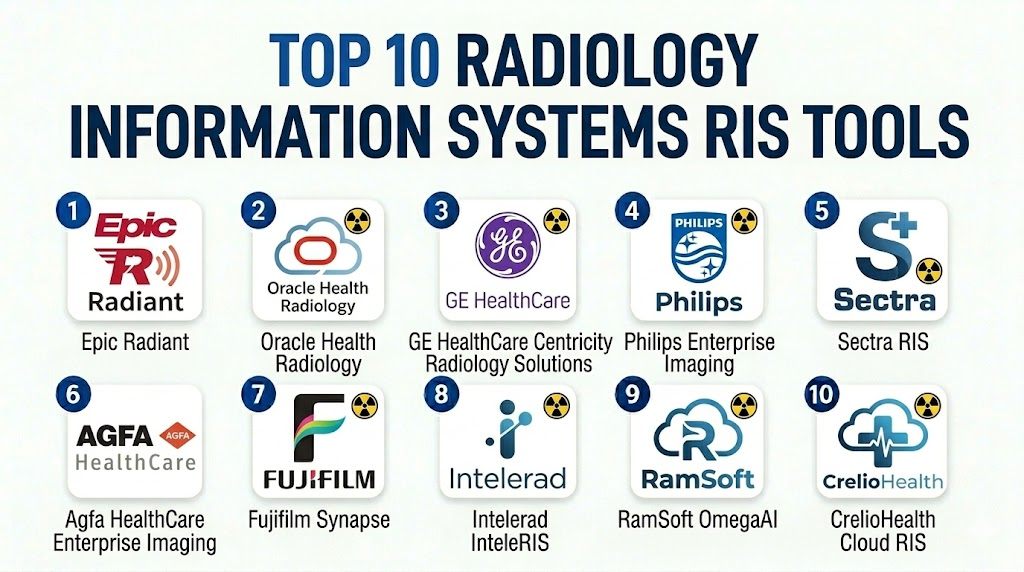
Top 10 Radiology Information Systems RIS Tools
1 — Epic Radiant
Short description: Epic Radiant is a radiology workflow solution within the broader Epic healthcare ecosystem.
It is designed for hospitals and large health systems already using Epic for patient records and clinical operations.
It supports connected scheduling, orders, documentation, reporting workflows, and enterprise-level patient data visibility.
Key Features
- Radiology scheduling and exam tracking
- Deep integration with Epic EHR workflows
- Radiologist worklists and reporting support
- Order management and clinical documentation
- Patient history access inside the Epic environment
- Enterprise analytics and operational visibility
- Support for large hospital and multi-site networks
Pros
- Strong fit for organizations already using Epic
- Unified clinical data experience across departments
- Scales well for enterprise healthcare systems
Cons
- May be too complex for small imaging centers
- Implementation can require significant planning and resources
- Best value is usually achieved within the broader Epic ecosystem
Platforms / Deployment
Cloud / Hybrid / Enterprise deployment options vary by organization and implementation model.
Security & Compliance
Epic is widely used by healthcare organizations with enterprise security controls. Specific certifications, compliance scope, MFA, audit logs, and encryption details should be validated directly with the vendor. Healthcare compliance support is commonly expected, but exact details are Varies / N/A.
Integrations & Ecosystem
Epic Radiant works best as part of the Epic ecosystem and can connect with imaging, clinical, billing, and patient engagement workflows. It is especially valuable when radiology needs to operate inside a unified hospital information environment.
- Epic EHR ecosystem
- PACS and imaging workflows
- Billing and revenue cycle systems
- Patient portal workflows
- Hospital scheduling and order systems
- Analytics and reporting tools
Support & Community
Epic has a mature enterprise support model, implementation methodology, customer community, and training ecosystem. Support quality depends on contract scope, internal Epic team maturity, and implementation partner involvement.
2 — Oracle Health Radiology
Short description: Oracle Health Radiology supports radiology workflows within the Oracle Health clinical technology ecosystem.
It is commonly considered by hospitals and health systems that use Oracle Health for EHR and operational workflows.
It helps connect radiology ordering, imaging workflow, reporting, and enterprise clinical data management.
Key Features
- Radiology order and workflow management
- Integration with Oracle Health clinical systems
- Scheduling and patient information support
- Reporting and documentation workflows
- Enterprise healthcare data connectivity
- Support for hospital imaging operations
- Workflow visibility across clinical departments
Pros
- Good fit for Oracle Health customers
- Supports connected hospital radiology workflows
- Enterprise healthcare ecosystem alignment
Cons
- May require significant configuration
- Best suited for larger healthcare organizations
- Smaller imaging practices may find it more complex than needed
Platforms / Deployment
Cloud / Hybrid / Enterprise deployment options vary by customer environment.
Security & Compliance
Security and compliance capabilities depend on the specific Oracle Health implementation, contract, hosting model, and customer configuration. Details such as MFA, audit logs, encryption, and compliance certifications should be validated directly. Varies / N/A.
Integrations & Ecosystem
Oracle Health Radiology is strongest when used with Oracle Health clinical, administrative, and data systems. It can support connected radiology operations where imaging workflows must align with broader hospital systems.
- Oracle Health EHR environment
- PACS and imaging systems
- Hospital information systems
- Revenue cycle and billing systems
- Clinical documentation workflows
- Reporting and analytics tools
Support & Community
Oracle Health offers enterprise support, implementation services, and healthcare technology expertise. Support experience may vary based on contract level, deployment model, and internal IT readiness.
3 — GE HealthCare Centricity Radiology Solutions
Short description: GE HealthCare offers radiology and imaging workflow solutions used by healthcare organizations managing diagnostic imaging operations.
Its radiology portfolio is suited for hospitals, imaging networks, and organizations needing connected imaging workflow tools.
It focuses on imaging operations, clinical workflow efficiency, and interoperability across radiology environments.
Key Features
- Radiology workflow management
- Imaging and reporting workflow support
- Scheduling and exam management capabilities
- PACS and enterprise imaging connectivity
- Operational analytics and reporting support
- Support for hospital and imaging center workflows
- Enterprise healthcare technology ecosystem
Pros
- Strong healthcare imaging brand recognition
- Suitable for complex radiology environments
- Good fit for organizations needing imaging-focused solutions
Cons
- Product scope may vary by region and configuration
- Implementation can require careful integration planning
- Smaller clinics may need a lighter RIS option
Platforms / Deployment
Cloud / On-premise / Hybrid options may vary by product, region, and customer setup.
Security & Compliance
GE HealthCare solutions are used in regulated healthcare environments, but specific security controls and certifications should be confirmed for the exact product and deployment. Varies / N/A.
Integrations & Ecosystem
GE HealthCare radiology solutions are often evaluated in environments where imaging devices, PACS, enterprise imaging, and hospital systems need to work together.
- PACS and imaging systems
- Hospital information systems
- EHR and clinical platforms
- Reporting tools
- Modality workflows
- Enterprise imaging infrastructure
Support & Community
GE HealthCare has an established enterprise healthcare support ecosystem with implementation, training, and technical support options. Availability and support depth vary by region and contract.
4 — Philips Enterprise Imaging
Short description: Philips Enterprise Imaging supports radiology workflow, image management, and reporting across healthcare organizations.
It is best suited for hospitals and imaging networks that want enterprise imaging capabilities beyond basic RIS functions.
It helps unify radiology operations, imaging data, clinical collaboration, and workflow management.
Key Features
- Enterprise imaging workflow support
- Radiology worklists and reporting workflows
- PACS and image management capabilities
- Cross-department imaging collaboration
- Advanced visualization support depending on configuration
- Integration with clinical systems
- Analytics and operational visibility
Pros
- Strong enterprise imaging capabilities
- Suitable for large and complex healthcare environments
- Supports connected imaging workflows across departments
Cons
- May be more than small radiology clinics need
- Requires planning for integration and migration
- Pricing and configuration can vary significantly
Platforms / Deployment
Cloud / On-premise / Hybrid deployment options may vary by region and product configuration.
Security & Compliance
Philips healthcare solutions are designed for regulated healthcare environments, but exact compliance claims, certifications, and security controls should be validated for the specific deployment. Varies / N/A.
Integrations & Ecosystem
Philips Enterprise Imaging is designed to connect imaging workflows with clinical systems, radiology reporting, PACS, and enterprise healthcare infrastructure.
- PACS and VNA workflows
- EHR and hospital systems
- Reporting and dictation tools
- Imaging modalities
- Analytics platforms
- Enterprise clinical workflows
Support & Community
Philips offers enterprise healthcare support, implementation services, and training resources. Support experience depends on customer size, contract level, region, and deployment complexity.
5 — Sectra RIS
Short description: Sectra RIS is part of Sectra’s imaging IT portfolio for radiology workflow and enterprise imaging environments.
It is commonly considered by hospitals and imaging organizations that need secure, scalable, and integrated radiology workflows.
It supports workflow coordination, reporting processes, and strong imaging ecosystem alignment.
Key Features
- Radiology workflow management
- PACS and imaging ecosystem integration
- Worklist and reporting workflow support
- Support for multi-site imaging operations
- Enterprise imaging alignment
- Operational visibility and workflow tracking
- Scalable architecture for healthcare networks
Pros
- Strong reputation in medical imaging IT
- Good fit for enterprise and multi-site radiology operations
- Supports integrated RIS and imaging workflows
Cons
- May require enterprise-level implementation planning
- Exact capabilities can vary by region and configuration
- Smaller practices may prefer simpler cloud-native tools
Platforms / Deployment
Cloud / On-premise / Hybrid options may vary by region and implementation.
Security & Compliance
Sectra is used in regulated healthcare environments, but specific certifications and controls should be confirmed for the exact product and contract. Varies / N/A.
Integrations & Ecosystem
Sectra RIS works well where radiology workflow, PACS, enterprise imaging, and clinical systems must be tightly connected.
- Sectra PACS and enterprise imaging ecosystem
- EHR and HIS integrations
- Reporting workflows
- Modality worklists
- Analytics and operational tools
- Multi-site imaging networks
Support & Community
Sectra provides healthcare IT support and professional services for implementation and optimization. Support quality depends on region, contract, and deployment scope.
6 — Agfa HealthCare Enterprise Imaging
Short description: Agfa HealthCare Enterprise Imaging provides imaging workflow, PACS, reporting, and enterprise imaging capabilities for healthcare organizations.
It is suited for hospitals and imaging networks that need more than a standalone RIS.
It supports connected radiology operations across image access, workflow orchestration, and clinical reporting.
Key Features
- Enterprise imaging workflow management
- Radiology reporting support
- PACS and image management capabilities
- Cross-specialty imaging support
- Workflow orchestration and worklists
- Integration with hospital systems
- Analytics and operational insights
Pros
- Strong enterprise imaging focus
- Suitable for multi-department imaging environments
- Helps reduce fragmentation across imaging workflows
Cons
- May be complex for small standalone imaging centers
- Requires careful integration and change management
- Product configuration may vary by region
Platforms / Deployment
Cloud / On-premise / Hybrid deployment options may vary by implementation.
Security & Compliance
Agfa HealthCare solutions are used in healthcare environments, but specific certifications, MFA, audit logs, and encryption details should be validated directly. Varies / N/A.
Integrations & Ecosystem
Agfa HealthCare Enterprise Imaging is designed to connect imaging workflows across radiology, enterprise clinical systems, and reporting environments.
- PACS and VNA systems
- EHR and HIS platforms
- Reporting and dictation tools
- Imaging modalities
- Analytics systems
- Enterprise clinical workflows
Support & Community
Agfa HealthCare offers enterprise support and implementation services. Support depth depends on region, customer agreement, deployment model, and project scope.
7 — Fujifilm Synapse
Short description: Fujifilm Synapse is an imaging IT platform that supports radiology workflow, PACS, reporting, and enterprise imaging needs.
It is commonly used by healthcare organizations that want imaging workflow modernization and scalable image management.
It helps radiology teams manage image access, workflow coordination, reporting, and clinical collaboration.
Key Features
- PACS and enterprise imaging support
- Radiology workflow and worklist capabilities
- Reporting workflow support
- Image viewing and clinical collaboration
- Integration with EHR and hospital systems
- Multi-site imaging support
- Analytics and operational workflow visibility
Pros
- Strong imaging technology foundation
- Suitable for enterprise and multi-location imaging operations
- Supports modern radiology workflow needs
Cons
- RIS-specific depth may depend on configuration
- Implementation requires integration planning
- Smaller clinics may need a lighter system
Platforms / Deployment
Cloud / On-premise / Hybrid options may vary by product configuration and customer environment.
Security & Compliance
Fujifilm healthcare products are used in regulated clinical environments, but exact security and compliance details should be verified directly for the selected solution. Varies / N/A.
Integrations & Ecosystem
Fujifilm Synapse connects imaging workflows with clinical systems, PACS, enterprise imaging, and reporting tools.
- PACS and enterprise imaging systems
- EHR and HIS integrations
- Reporting tools
- Imaging modalities
- Clinical viewers
- Analytics and workflow dashboards
Support & Community
Fujifilm provides enterprise healthcare support, implementation services, and technical documentation. Support experience depends on region, deployment complexity, and contract level.
8 — Intelerad InteleRIS
Short description: Intelerad InteleRIS is a radiology information system designed for imaging centers, radiology groups, and healthcare networks.
It supports scheduling, workflow management, reporting coordination, and operational tracking.
It is a strong option for organizations needing RIS and imaging workflow tools with multi-site flexibility.
Key Features
- Radiology scheduling and workflow management
- Patient and exam tracking
- Reporting workflow support
- Integration with PACS and imaging tools
- Multi-site radiology operations support
- Billing and administrative workflow support
- Operational dashboards and productivity visibility
Pros
- Purpose-built for radiology workflows
- Strong fit for imaging centers and radiology groups
- Supports scalable multi-location operations
Cons
- May require integration planning with existing systems
- Advanced configuration may need vendor support
- Exact functionality can vary by deployment
Platforms / Deployment
Cloud / On-premise / Hybrid options may vary by implementation.
Security & Compliance
Intelerad operates in medical imaging environments, but buyers should validate exact security controls, audit logging, encryption, MFA, and compliance details directly. Varies / N/A.
Integrations & Ecosystem
InteleRIS is commonly evaluated alongside PACS, reporting, billing, and clinical systems to create a connected radiology workflow.
- PACS integrations
- EHR and HIS connectivity
- Reporting and dictation tools
- Billing systems
- Patient communication tools
- Imaging workflow analytics
Support & Community
Intelerad offers healthcare imaging support, implementation assistance, and customer success resources. Support experience depends on deployment size, region, and contract scope.
9 — RamSoft OmegaAI
Short description: RamSoft OmegaAI is a cloud-native imaging platform that combines RIS, PACS, reporting, and workflow tools.
It is suited for imaging centers, radiology groups, and teleradiology providers looking for a modern cloud approach.
It supports operational workflows, image access, reporting coordination, and scalable radiology management.
Key Features
- Cloud-native RIS and PACS workflow
- Scheduling and patient management
- Radiology worklists and reporting support
- Teleradiology workflow capabilities
- Image storage and viewing support
- Billing and operational workflow tools
- Multi-location imaging center support
Pros
- Strong cloud-first positioning
- Good fit for imaging centers and teleradiology teams
- Combines RIS and PACS workflow in one platform
Cons
- Cloud-first approach may not suit all on-premise preferences
- Migration from legacy RIS/PACS can require planning
- Enterprise hospital workflows may need careful validation
Platforms / Deployment
Cloud / Web-based deployment, with options varying by customer setup.
Security & Compliance
RamSoft solutions are designed for healthcare imaging workflows, but exact compliance certifications, security controls, and deployment-specific protections should be confirmed directly. Varies / N/A.
Integrations & Ecosystem
OmegaAI is designed to reduce workflow fragmentation by combining imaging, RIS, PACS, and reporting workflows.
- PACS and image management
- EHR and clinical system integrations
- Reporting tools
- Billing workflows
- Teleradiology workflows
- Patient communication features
Support & Community
RamSoft provides onboarding, support, and product documentation for imaging organizations. Support quality depends on plan, implementation scope, and customer requirements.
10 — CrelioHealth Cloud RIS
Short description: CrelioHealth Cloud RIS is a cloud-based radiology workflow platform for diagnostic centers and healthcare businesses.
It supports appointment management, reporting workflows, PACS connectivity, billing support, and operational tracking.
It is especially useful for growing imaging centers that want a cloud-friendly RIS with practical workflow coverage.
Key Features
- Cloud-based RIS workflow management
- Appointment scheduling and patient registration
- PACS integration support
- Reporting workflow management
- Billing and administrative workflow support
- Multi-location diagnostic center support
- Operational dashboards and business visibility
Pros
- Practical fit for diagnostic centers and growing clinics
- Cloud model can reduce infrastructure complexity
- Supports connected RIS and PACS workflows
Cons
- May not match deep enterprise hospital requirements
- Advanced customization may depend on plan or implementation
- Buyers should validate regional compliance needs carefully
Platforms / Deployment
Cloud / Web-based, with deployment options varying by plan and region.
Security & Compliance
Security and compliance details should be validated directly for the selected deployment, region, and plan. Varies / N/A.
Integrations & Ecosystem
CrelioHealth Cloud RIS focuses on diagnostic center workflows and can connect radiology operations with PACS, billing, and business management needs.
- PACS connectivity
- Billing workflows
- Patient communication tools
- Lab and diagnostic center workflows
- Reporting tools
- Business analytics dashboards
Support & Community
CrelioHealth provides onboarding, customer support, and documentation for healthcare businesses. Support levels may vary by plan, region, and implementation scope.
Comparison Table Top 10
| Tool Name | Best For | Platform(s) Supported | Deployment | Standout Feature | Public Rating |
|---|---|---|---|---|---|
| Epic Radiant | Large hospitals and Epic customers | Web / Enterprise clinical environment | Cloud / Hybrid / Varies | Deep Epic EHR integration | N/A |
| Oracle Health Radiology | Oracle Health ecosystem users | Web / Enterprise clinical environment | Cloud / Hybrid / Varies | Enterprise clinical workflow alignment | N/A |
| GE HealthCare Centricity Radiology Solutions | Hospitals and imaging networks | Web / Enterprise imaging environment | Cloud / On-premise / Hybrid | Imaging-focused enterprise workflow | N/A |
| Philips Enterprise Imaging | Enterprise imaging teams | Web / Enterprise imaging environment | Cloud / On-premise / Hybrid | Cross-department imaging workflow | N/A |
| Sectra RIS | Multi-site radiology operations | Web / Enterprise imaging environment | Cloud / On-premise / Hybrid | Secure enterprise imaging alignment | N/A |
| Agfa HealthCare Enterprise Imaging | Large imaging departments | Web / Enterprise imaging environment | Cloud / On-premise / Hybrid | Enterprise imaging and workflow orchestration | N/A |
| Fujifilm Synapse | Hospitals and imaging networks | Web / Enterprise imaging environment | Cloud / On-premise / Hybrid | Scalable PACS and imaging workflow | N/A |
| Intelerad InteleRIS | Imaging centers and radiology groups | Web / Enterprise imaging environment | Cloud / On-premise / Hybrid | Purpose-built radiology workflow management | N/A |
| RamSoft OmegaAI | Cloud-first imaging centers | Web | Cloud | Unified cloud RIS and PACS workflow | N/A |
| CrelioHealth Cloud RIS | Diagnostic centers and growing clinics | Web | Cloud | Practical cloud RIS for diagnostic workflows | N/A |
Evaluation & Scoring of Radiology Information Systems RIS
| Tool Name | Core 25% | Ease 15% | Integrations 15% | Security 10% | Performance 10% | Support 10% | Value 15% | Weighted Total 0–10 |
|---|---|---|---|---|---|---|---|---|
| Epic Radiant | 9.5 | 7.5 | 9.5 | 9.0 | 9.0 | 9.0 | 7.5 | 8.75 |
| Oracle Health Radiology | 8.8 | 7.4 | 9.0 | 8.8 | 8.7 | 8.5 | 7.4 | 8.35 |
| GE HealthCare Centricity Radiology Solutions | 8.6 | 7.6 | 8.7 | 8.6 | 8.8 | 8.5 | 7.6 | 8.29 |
| Philips Enterprise Imaging | 8.8 | 7.5 | 8.9 | 8.7 | 8.8 | 8.5 | 7.5 | 8.35 |
| Sectra RIS | 8.7 | 7.8 | 8.8 | 8.8 | 8.8 | 8.4 | 7.6 | 8.35 |
| Agfa HealthCare Enterprise Imaging | 8.5 | 7.5 | 8.7 | 8.6 | 8.6 | 8.3 | 7.5 | 8.19 |
| Fujifilm Synapse | 8.5 | 7.7 | 8.6 | 8.5 | 8.7 | 8.3 | 7.6 | 8.20 |
| Intelerad InteleRIS | 8.4 | 8.0 | 8.4 | 8.2 | 8.4 | 8.2 | 8.0 | 8.22 |
| RamSoft OmegaAI | 8.2 | 8.3 | 8.1 | 8.0 | 8.2 | 8.0 | 8.2 | 8.16 |
| CrelioHealth Cloud RIS | 7.8 | 8.4 | 7.8 | 7.8 | 7.9 | 7.8 | 8.4 | 8.00 |
Which Radiology Information Systems RIS Tool Is Right for You?
Solo / Freelancer
Solo radiologists or small teleradiology providers should focus on usability, cloud access, reporting workflow, and low administrative burden. A full enterprise RIS may be too heavy unless the radiologist is working inside a hospital network.
Recommended direction: consider cloud-first platforms such as RamSoft OmegaAI or CrelioHealth Cloud RIS if they match the workflow, compliance, and integration needs.
SMB
Small and mid-sized imaging centers need scheduling, patient registration, PACS connectivity, reporting workflow, billing support, and simple dashboards. They should avoid overbuying an enterprise platform that requires a large IT team.
Recommended direction: Intelerad InteleRIS, RamSoft OmegaAI, and CrelioHealth Cloud RIS are practical options to evaluate.
Mid-Market
Mid-market radiology groups and multi-location diagnostic networks need scalability, multi-site workflow, role-based access, integrations, billing support, analytics, and teleradiology capabilities. They should prioritize platforms that reduce duplicate data entry and support consistent workflows across locations.
Recommended direction: Intelerad InteleRIS, RamSoft OmegaAI, Sectra RIS, Fujifilm Synapse, and Agfa HealthCare Enterprise Imaging are strong candidates depending on PACS strategy.
Enterprise
Large hospitals and health systems need deep EHR integration, enterprise imaging, compliance controls, high availability, advanced reporting, and strong vendor support. They should evaluate RIS as part of a broader clinical and imaging architecture.
Recommended direction: Epic Radiant, Oracle Health Radiology, Philips Enterprise Imaging, GE HealthCare solutions, Sectra RIS, Agfa HealthCare, and Fujifilm Synapse are better suited for enterprise-scale environments.
Budget vs Premium
Budget-focused buyers should look for cloud RIS platforms with essential scheduling, reporting, billing, and PACS connectivity. Premium buyers should prioritize enterprise imaging, deep EHR integrations, analytics, advanced workflow automation, and long-term scalability.
A lower-cost RIS may work well for small centers, but hidden costs can appear during migration, integrations, training, and support. Always compare total cost, not only subscription pricing.
Feature Depth vs Ease of Use
Feature-rich systems are useful for large radiology teams, but they can slow down smaller practices if the interface is complex. Ease of use matters for front-desk staff, technologists, radiologists, billing teams, and administrators.
For simple workflows, choose a clean cloud RIS. For complex hospitals, choose a deeper enterprise system with strong integration and governance.
Integrations & Scalability
RIS buyers should check whether the platform connects cleanly with PACS, EHR, HIS, billing, patient portals, dictation tools, and analytics systems. Integration quality affects reporting speed, data accuracy, and staff productivity.
Scalability is also critical for multi-site imaging centers, teleradiology networks, and hospitals that expect imaging volume to grow.
Security & Compliance Needs
Healthcare buyers should evaluate MFA, SSO, RBAC, audit logs, encryption, backup policies, data residency, breach response, and compliance documentation. Do not assume a vendor is compliant simply because it serves healthcare customers.
Regulated hospitals and enterprise buyers should request security documentation, implementation architecture, access control details, and audit support before committing.
Frequently Asked Questions FAQs
1. What is a Radiology Information System RIS?
A Radiology Information System is software that manages radiology operations such as scheduling, orders, exam tracking, reporting, billing, and workflow coordination. It helps radiology departments organize clinical and administrative work in one system.
2. How is RIS different from PACS?
RIS manages workflow and patient information, while PACS stores, retrieves, and displays medical images. In modern radiology environments, RIS and PACS usually work together to connect patient records, imaging studies, and reports.
3. Who needs RIS software?
Hospitals, diagnostic imaging centers, radiology groups, teleradiology providers, and multi-location healthcare networks benefit most from RIS software. Very small clinics with limited imaging volume may not need a full RIS.
4. What features should I look for in RIS software?
Key features include scheduling, patient registration, order tracking, reporting workflow, PACS integration, billing support, analytics, audit logs, and role-based access. Buyers should also check interoperability and support quality.
5. Is cloud RIS better than on-premise RIS?
Cloud RIS is easier to access remotely and may reduce infrastructure burden, while on-premise RIS can offer more local control. The better choice depends on security policy, budget, IT capacity, and integration needs.
6. How long does RIS implementation take?
Implementation time varies based on organization size, data migration, integrations, training, and workflow complexity. A small imaging center may move faster, while a large hospital network may need a longer phased rollout.
7. Does RIS integrate with EHR systems?
Many RIS platforms integrate with EHR systems using healthcare interoperability standards and custom interfaces. Buyers should validate supported integrations, interface costs, data flow, and vendor implementation experience.
8. What are common RIS buying mistakes?
Common mistakes include ignoring integration complexity, underestimating training needs, choosing based only on price, failing to validate security controls, and not testing real radiology workflows before purchase.
9. How much does RIS software cost?
Pricing varies by vendor, deployment model, number of users, imaging volume, modules, integrations, support level, and contract terms. If pricing is not public, buyers should request a custom quote and total cost estimate.
10. Can RIS support teleradiology workflows?
Many modern RIS platforms support remote reading workflows, worklists, report coordination, and multi-site operations. Buyers should validate performance, access controls, image availability, and reporting workflow for remote users.
11. What security features should RIS include?
A strong RIS should support role-based access, audit logs, encryption, secure authentication, backup controls, and administrative permissions. Enterprise buyers should also check SSO, MFA, data residency, and compliance documentation.
12. What are alternatives to RIS software?
Alternatives include basic practice management software, EHR radiology modules, PACS workflow tools, or custom hospital systems. However, dedicated RIS software is usually better for imaging-heavy workflows and radiology-specific operations.
Conclusion
The best Radiology Information System depends on the size of your organization, imaging volume, existing EHR and PACS environment, security expectations, and workflow complexity. Large hospitals may benefit most from enterprise platforms like Epic Radiant, Oracle Health Radiology, Philips Enterprise Imaging, Sectra RIS, Agfa HealthCare, GE HealthCare, or Fujifilm Synapse. Imaging centers and radiology groups may prefer focused RIS platforms such as Intelerad InteleRIS, RamSoft OmegaAI, or CrelioHealth Cloud RIS. Before choosing, shortlist two or three tools, map your current radiology workflow, validate PACS and EHR integrations, review security documentation, run a pilot with real users, and compare total cost across implementation, migration, support, and long-term scalability.

Find Trusted Cardiac Hospitals
Compare heart hospitals by city and services — all in one place.
Explore Hospitals
Radiology Information Systems (RIS) are most valuable when they streamline imaging workflows from patient scheduling and exam tracking to reporting and billing. By integrating with imaging modalities, PACS, and electronic health records, these platforms improve operational efficiency, reduce administrative workload, and support faster, more coordinated patient care.