Introduction
Wireframing tools are software applications designed to help designers, developers, and product managers create visual blueprints of websites, mobile apps, and digital products. These tools focus on the layout, structure, and navigation flow without investing in full visual design, enabling rapid iteration and alignment among stakeholders. wireframing has evolved with AI-assisted prototyping, real-time collaboration, cloud deployment, and integration with design systems, making it critical for modern product development. Businesses use wireframing to validate ideas, align teams, accelerate development, and reduce costly redesigns.
Real-world use cases include:
- Rapid prototyping for mobile and web apps before UI design.
- Collaborative brainstorming and design workshops with remote teams.
- User testing low-fidelity layouts to gather early feedback.
- Integrating wireframes with design systems for consistent branding.
- Communicating complex user flows to stakeholders clearly.
What buyers should evaluate:
- Ease of use and learning curve.
- Collaboration features and real-time editing.
- Integration with design and development tools.
- Support for interactive and clickable prototypes.
- Platform compatibility and deployment flexibility.
- Security, compliance, and user management features.
- AI-powered features for automated layouts and suggestions.
- Pricing, scalability, and support options.
Best for: UX/UI designers, product managers, startups, design agencies, and enterprise product teams.
Not ideal for: Small projects with minimal complexity or teams that prefer hand-drawn sketches or simple whiteboard mockups.
Key Trends in Wireframing Tools
- AI-assisted wireframing with automated layout suggestions and component placement.
- Real-time multi-user collaboration with integrated feedback and commenting.
- Cloud-native platforms supporting remote and distributed teams.
- Increased integration with design systems, version control, and developer handoff tools.
- Cross-platform support for desktop, web, and mobile prototyping.
- Focus on low-code/no-code rapid prototyping and interactive mockups.
- Enhanced accessibility testing features for inclusivity and compliance.
- Subscription-based SaaS pricing with enterprise licensing tiers.
- Offline editing capabilities with cloud sync for hybrid workflows.
How We Selected These Tools (Methodology)
- Reviewed global adoption and mindshare among design teams.
- Evaluated feature completeness including interaction, annotation, and export options.
- Assessed performance, stability, and offline capabilities.
- Analyzed security posture, SSO, audit logs, and compliance measures.
- Examined integrations with popular design, prototyping, and development platforms.
- Considered suitability across solo, SMB, mid-market, and enterprise use cases.
- Verified community support, documentation quality, and onboarding resources.
- Balanced AI-powered features and innovation for modern design needs.
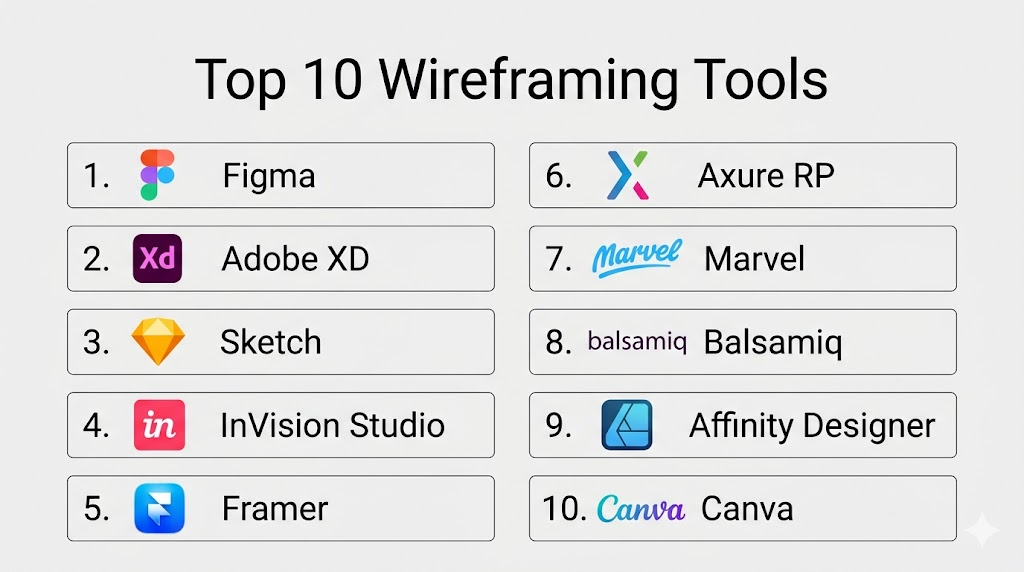
Top 10 Wireframing Tools
1- Figma
Short description: Figma is a cloud-based design and wireframing tool widely used for collaborative UI/UX design. It enables real-time editing and prototyping for teams of any size.
Key Features
- Real-time collaboration and commenting
- Vector-based design tools and reusable components
- Interactive prototypes with transitions
- Design system support and shared libraries
- Cross-platform (web, Windows, macOS, Linux)
- AI-powered suggestions for layouts
Pros
- Excellent collaboration for remote teams
- Easy integration with other design tools
- Rich library of plugins and templates
Cons
- Can be resource-intensive for large files
- Limited offline editing capabilities
- Performance may vary with complex prototypes
Platforms / Deployment
- Web / Windows / macOS / Linux
- Cloud
Security & Compliance
- SSO/SAML, MFA, encryption
- SOC 2, GDPR
Integrations & Ecosystem
Supports integration with Slack, Jira, Zeplin, Notion, and GitHub.
- Plugin marketplace for AI features
- API for custom integrations
- Figma community for templates and resources
Support & Community
- Extensive documentation and tutorials
- Active online community and forums
- Email support for professional tiers
2- Adobe XD
Short description: Adobe XD is a vector-based design and wireframing tool tailored for UI/UX design and prototyping, with strong integration into the Adobe Creative Cloud ecosystem.
Key Features
- Vector design and artboard management
- Interactive prototypes with transitions and animations
- Repeat Grid and responsive resize
- Integration with Adobe Creative Cloud apps
- Auto-Animate for motion design
- Cloud documents with version history
Pros
- Seamless integration with other Adobe tools
- Powerful animation features
- Cross-platform support
Cons
- Limited third-party plugins compared to competitors
- Collaboration features less advanced than Figma
- Requires Adobe subscription
Platforms / Deployment
- Windows / macOS / iOS / Android
- Cloud
Security & Compliance
- Not publicly stated
Integrations & Ecosystem
Integrates with Photoshop, Illustrator, After Effects, Jira, Zeplin, Slack.
- Shared cloud libraries
- Plugins for stock images and icons
- API support for automation
Support & Community
- Adobe documentation, tutorials, and webinars
- Community forums
- Professional support for enterprise users
3- Sketch
Short description: Sketch is a macOS-native vector design and wireframing tool ideal for designers creating high-fidelity prototypes and design systems.
Key Features
- Vector-based design and symbol libraries
- Powerful plugins and community resources
- Artboard and layout grid management
- Prototyping with links and overlays
- Integration with developer handoff tools
- Version control via Sketch Cloud
Pros
- Lightweight and fast for macOS
- Strong plugin ecosystem
- Widely used in enterprise and agency workflows
Cons
- macOS-only platform
- Collaboration features require third-party apps
- Limited built-in animation capabilities
Platforms / Deployment
- macOS
- Cloud via Sketch Cloud
Security & Compliance
- Not publicly stated
Integrations & Ecosystem
Integrates with Zeplin, Abstract, InVision, Jira, Slack.
- Rich plugin ecosystem
- API for automation
- Community-generated templates and UI kits
Support & Community
- Detailed documentation
- Active forums and plugin community
- Email support for paid plans
4- InVision Studio
Short description: InVision Studio is a design and wireframing platform focused on interactive prototypes, animations, and workflow collaboration for product teams.
Key Features
- Interactive prototyping and animations
- Design system management
- Collaborative commenting and version control
- Integration with Jira and Slack
- Advanced layout tools and responsive design
Pros
- Strong focus on animated interactions
- Real-time collaboration
- Good integration with project management tools
Cons
- Learning curve for advanced animations
- Performance can lag with complex projects
- Limited offline features
Platforms / Deployment
- Windows / macOS
- Cloud
Security & Compliance
- Not publicly stated
Integrations & Ecosystem
Connects with Jira, Slack, Trello, Zeplin, Photoshop.
- API for custom workflows
- Plugin support for icons and assets
Support & Community
- Online tutorials and community forum
- Email support for enterprise
- Active design community
5- Framer
Short description: Framer is a modern prototyping and wireframing tool combining design and code, enabling designers to create interactive high-fidelity prototypes.
Key Features
- Interactive prototypes with React components
- Vector-based design and layout tools
- Collaboration with comments and version history
- Pre-built UI components
- Smart animation and transitions
- Cloud-based project management
Pros
- Combines design and code flexibility
- High-fidelity prototyping
- Responsive and adaptive layouts
Cons
- Steeper learning curve
- Some features require coding knowledge
- Limited offline functionality
Platforms / Deployment
- Web / Windows / macOS
- Cloud
Security & Compliance
- Not publicly stated
Integrations & Ecosystem
Integrates with Figma, Slack, GitHub, Notion.
- Component libraries
- API for automation
- Community templates
Support & Community
- Documentation and video tutorials
- Active online community
- Professional support options
6- Axure RP
Short description: Axure RP is a professional wireframing and prototyping tool for complex interactions, conditional logic, and enterprise-level projects.
Key Features
- Advanced interactive prototyping
- Conditional logic and dynamic content
- Documentation and specification generation
- Team collaboration and version control
- Integration with Jira and Confluence
- Widget libraries and reusable components
Pros
- Suitable for complex enterprise workflows
- Detailed specifications for developers
- Supports team collaboration
Cons
- Steeper learning curve
- Interface can feel outdated
- Requires license purchase
Platforms / Deployment
- Windows / macOS
- Cloud and on-premises
Security & Compliance
- Not publicly stated
Integrations & Ecosystem
Integrates with Jira, Confluence, Slack.
- Custom widget libraries
- API support for enterprise
- Team workspace collaboration
Support & Community
- Comprehensive documentation
- Online forums
- Email and phone support
7- Marvel
Short description: Marvel is an intuitive wireframing and prototyping tool designed for rapid ideation and user testing with interactive prototypes.
Key Features
- Drag-and-drop interface for quick wireframes
- Interactive clickable prototypes
- User testing integration
- Collaboration and commenting
- Design handoff for developers
- Cloud-based access
Pros
- Easy for beginners and small teams
- Quick prototyping
- Integrated user testing
Cons
- Limited advanced features
- Performance can lag with large projects
- Fewer integrations than competitors
Platforms / Deployment
- Web / iOS / Android
- Cloud
Security & Compliance
- Not publicly stated
Integrations & Ecosystem
Integrates with Jira, Slack, Trello, Sketch.
- API for automation
- Export to PNG, PDF, or HTML
Support & Community
- Tutorials and knowledge base
- Community forums
- Email support
8- Balsamiq
Short description: Balsamiq is a low-fidelity wireframing tool focused on speed and simplicity, ideal for early-stage design and brainstorming sessions.
Key Features
- Drag-and-drop UI components
- Quick sketch-style wireframes
- Collaboration and commenting
- Cloud and desktop versions
- Export to PNG or PDF
- Minimalistic interface
Pros
- Fast and simple
- Great for early-stage ideation
- Low learning curve
Cons
- Limited interactivity and animations
- Not suitable for high-fidelity prototypes
- Fewer integrations
Platforms / Deployment
- Windows / macOS / Web
- Cloud / Desktop
Security & Compliance
- Not publicly stated
Integrations & Ecosystem
Integrates with Confluence, Jira, Trello.
- Export for documentation
- Team collaboration features
Support & Community
- Tutorials and documentation
- Email support
- Active user community
9- Affinity Designer
Short description: Affinity Designer is a versatile vector design tool used for wireframing, UI design, and graphic design with precise control over layouts.
Key Features
- Vector and raster design support
- Advanced typography tools
- Grid systems and snapping
- Export in multiple formats
- Layer and symbol management
- Smooth performance for complex files
Pros
- High precision and control
- Affordable one-time purchase
- Works offline
Cons
- Collaboration features limited
- Not web-based
- No real-time commenting
Platforms / Deployment
- Windows / macOS / iPad
- Desktop
Security & Compliance
- Not publicly stated
Integrations & Ecosystem
- Exports compatible with Photoshop, Illustrator
- Limited third-party integrations
- Supports external asset libraries
Support & Community
- Tutorials, forums, and documentation
- Active design community
- Email support
10- Canva
Short description: Canva is a cloud-based design platform with simple wireframing capabilities, targeted at non-designers and marketing teams needing quick layouts.
Key Features
- Drag-and-drop design editor
- Wireframe and mockup templates
- Collaboration and commenting
- Cloud-based storage
- Export to PNG, PDF, and interactive formats
- Integration with brand kits
Pros
- Beginner-friendly and accessible
- Quick for marketing and small projects
- Cloud collaboration
Cons
- Limited high-fidelity prototyping
- Less suited for developers
- Fewer advanced design controls
Platforms / Deployment
- Web / iOS / Android
- Cloud
Security & Compliance
- Not publicly stated
Integrations & Ecosystem
- Integrates with Slack, Dropbox, Google Drive
- API for automation
- Template library for rapid design
Support & Community
- Tutorials and online guides
- Community forums
- Email support
Comparison Table (Top 10)
| Tool Name | Best For | Platform(s) Supported | Deployment | Standout Feature | Public Rating |
|---|---|---|---|---|---|
| Figma | Collaborative design | Web, Windows, macOS, Linux | Cloud | Real-time collaboration | N/A |
| Adobe XD | Creative Cloud users | Windows, macOS, iOS, Android | Cloud | Auto-Animate transitions | N/A |
| Sketch | macOS design teams | macOS | Cloud | Plugin ecosystem | N/A |
| InVision Studio | Interactive prototypes | Windows, macOS | Cloud | Advanced animations | N/A |
| Framer | Code-friendly prototyping | Web, Windows, macOS | Cloud | React-based components | N/A |
| Axure RP | Enterprise interactions | Windows, macOS | Cloud / On-prem | Conditional logic | N/A |
| Marvel | Rapid prototyping | Web, iOS, Android | Cloud | Quick interactive prototypes | N/A |
| Balsamiq | Low-fidelity wireframes | Windows, macOS, Web | Cloud / Desktop | Sketch-style simplicity | N/A |
| Affinity Designer | Precise vector design | Windows, macOS, iPad | Desktop | Vector & raster support | N/A |
| Canva | Marketing/Non-designers | Web, iOS, Android | Cloud | Beginner-friendly templates | N/A |
Evaluation & Scoring of Wireframing Tools
| Tool Name | Core | Ease | Integrations | Security | Performance | Support | Value | Weighted Total |
|---|---|---|---|---|---|---|---|---|
| Figma | 9 | 9 | 9 | 8 | 9 | 9 | 9 | 9.0 |
| Adobe XD | 8 | 8 | 8 | 7 | 8 | 8 | 8 | 8.0 |
| Sketch | 8 | 8 | 7 | 7 | 9 | 8 | 8 | 8.0 |
| InVision Studio | 8 | 7 | 7 | 7 | 7 | 7 | 7 | 7.3 |
| Framer | 8 | 7 | 8 | 7 | 8 | 8 | 7 | 7.8 |
| Axure RP | 9 | 6 | 7 | 8 | 8 | 7 | 7 | 7.8 |
| Marvel | 7 | 9 | 7 | 7 | 7 | 7 | 8 | 7.6 |
| Balsamiq | 6 | 9 | 6 | 7 | 7 | 7 | 8 | 7.3 |
| Affinity Designer | 7 | 7 | 6 | 7 | 9 | 7 | 8 | 7.4 |
| Canva | 6 | 9 | 7 | 7 | 7 | 7 | 8 | 7.5 |
Which Wireframing Tool Is Right for You?
Solo / Freelancer
Figma, Balsamiq, Canva – affordable, cloud-based, simple collaboration, and rapid prototyping.
SMB
Marvel, Adobe XD, Framer – fast prototyping, some interactivity, team collaboration, moderate cost.
Mid-Market
Figma, Sketch, InVision Studio – strong integration, collaboration, and support for multiple projects.
Enterprise
Axure RP, Figma – advanced interactions, conditional logic, secure collaboration, design system integration.
Budget vs Premium
Canva and Balsamiq are ideal for low-budget, fast mockups. Figma, Framer, and Axure RP are premium solutions for complex workflows.
Feature Depth vs Ease of Use
Balsamiq and Canva prioritize simplicity. Figma and Adobe XD offer a balance of depth with manageable learning curves.
Integrations & Scalability
Figma, Adobe XD, and Framer support extensive integrations and scale across multiple teams and departments.
Security & Compliance Needs
Enterprise-focused tools like Axure RP and Figma support SOC 2 and GDPR features. Smaller tools may lack formal certifications.
Frequently Asked Questions (FAQs)
1- What pricing models do wireframing tools use?
Most wireframing tools operate on SaaS subscription models, offering monthly or annual plans.
Some tools provide free tiers for individuals or small teams.
Premium plans unlock advanced collaboration and prototype features.
One-time licenses exist for desktop-only applications like Affinity Designer.
2- Can multiple team members work simultaneously?
Yes, tools like Figma, Framer, and Marvel support real-time collaboration.
Users can comment, edit, and provide feedback simultaneously.
Changes are synced across devices instantly.
This enhances team alignment and accelerates the design process.
3- Which tools are best for low-fidelity wireframes?
Balsamiq and Canva excel for sketch-style, low-fidelity wireframes.
They are ideal for early ideation and quick mockups.
They focus on simplicity and rapid creation over complex interactions.
Non-designers can quickly contribute without steep learning curves.
4- Do these tools support interactive prototypes?
Yes, Figma, Adobe XD, Framer, and InVision Studio allow clickable prototypes.
Users can simulate navigation flows and transitions.
Animations and responsive layouts enhance realism for testing.
Prototypes help validate user experience before development starts.
5- Are these tools suitable for developers?
Tools like Figma, Adobe XD, and Axure RP support developer handoff.
Design specs, assets, and component details can be exported.
Developers can inspect elements and measure dimensions directly.
This ensures smooth implementation of the design in code.
6- Do wireframing tools work offline?
Most cloud-based tools require an internet connection for collaboration.
Desktop versions like Affinity Designer and Balsamiq allow offline work.
Some cloud tools offer limited offline editing with later syncing.
Offline support is essential for teams with intermittent connectivity.
7- How secure are wireframing tools for enterprise use?
Enterprise tools like Figma and Axure RP offer SSO, MFA, and encryption.
They comply with GDPR and SOC 2 where stated.
Role-based access controls protect sensitive designs.
Security varies by vendor, so always verify compliance for your team.
8- Can wireframing tools integrate with other platforms?
Yes, most tools integrate with Slack, Jira, Trello, and developer tools.
APIs allow automation and workflow customization.
Design system and component libraries enhance reusability.
Integrations improve productivity and cross-team alignment.
9- What are common mistakes when using wireframing tools?
Overcomplicating low-fidelity wireframes reduces speed and clarity.
Skipping collaboration leads to misaligned stakeholder expectations.
Ignoring responsive design early can cause redesign later.
Failing to document components can create inconsistencies in development.
10- How do I switch between wireframing tools?
Export designs to standard formats like PNG, PDF, or SVG when switching.
Use design system or component library exports if supported.
Ensure all team members are trained on the new tool.
Plan a phased transition to avoid disrupting ongoing projects.
Conclusion
Wireframing tools are essential for modern digital product design, enabling teams to visualize, prototype, and iterate quickly.
Choosing the right tool depends on team size, project complexity, and required integrations.
Figma and Adobe XD are ideal for collaborative, high-fidelity workflows, while Balsamiq and Canva suit rapid low-fidelity ideation.
Enterprise teams may prefer Axure RP for complex interactions and secure workflows.
Evaluating ease of use, collaboration, security, and value ensures you select a tool that aligns with your goals.
Start by shortlisting 2–3 tools, run a pilot, and validate integrations before full-scale adoption.

Find Trusted Cardiac Hospitals
Compare heart hospitals by city and services — all in one place.
Explore Hospitals
I am learning about wireframing tools, and this article helped me understand how different platforms can be used to plan and design better user interfaces.