Introduction
Video editing software is a class of tools used to arrange, trim, refine, and enhance video footage to produce polished visual content. These applications let creators combine clips, adjust audio, add transitions, apply effects, correct color, and export deliverables tailored to platforms like film, broadcast, social media, and web streaming. From amateur vloggers to professional editors working on feature films, video editing software plays a central role in storytelling and visual communication.
This software matters because video has become one of the most dominant media formats across industries — entertainment, marketing, education, and corporate communications. With audiences expecting high‑quality visuals and engaging narratives, editors need flexible, reliable tools that support modern codecs, multi‑camera editing, advanced effects, and collaborative workflows.
Real‑world use cases:
- Editing feature films and episodic TV
- Creating branded social media content
- Assembling conference and corporate videos
- Producing documentaries and long‑form narratives
- Cutting trailers and promotional clips
What buyers should evaluate:
- Non‑linear editing (NLE) workflows
- Timeline and trimming tools
- Support for modern codecs and resolutions (4K, 8K, HDR)
- Audio editing features and mixing tools
- Effects, transitions, and titles
- Color correction and grading support
- Multi‑camera editing capabilities
- Cross‑platform availability
- Export formats and delivery presets
- Collaboration and project sharing
Best for: Video editors, filmmakers, content creators, broadcasters, marketing teams, and educators producing compelling video content.
Not ideal for: Users needing only basic trimming or slideshow compilation; lightweight tools or mobile apps may suffice for very simple edit tasks.
Key Trends in Video Editing Software
- Real‑time GPU acceleration for playback and effects rendering.
- AI‑assisted editing for automatic scene detection, speech‑to‑text, and smart reframing.
- Cloud collaboration workflows for distributed editing teams.
- HDR and wide color gamut support for modern deliverables.
- Integration with motion graphics and VFX tools.
- Improved audio mixing and noise reduction build‑ins.
- Mobile and web companion editors for quick edits.
- Template‑based workflows for social and marketing content.
- Support for modern codecs and delivery platforms including YouTube, OTT, and broadcast specs.
How We Selected These Tools (Methodology)
- Evaluated feature completeness including timeline editing, effects, audio, and color tools.
- Assessed performance and reliability with high‑resolution projects.
- Reviewed platform support (Windows, macOS, Linux).
- Considered integration with VFX and motion graphics workflows.
- Balanced tools spanning professional, indie, and beginner workflows.
- Checked export and delivery support for web, broadcast, and cinematic workflows.
- Reviewed collaboration and project sharing capabilities.
- Assessed ease of use and learning curve.
- Included open‑source and commercial options for broad relevance.
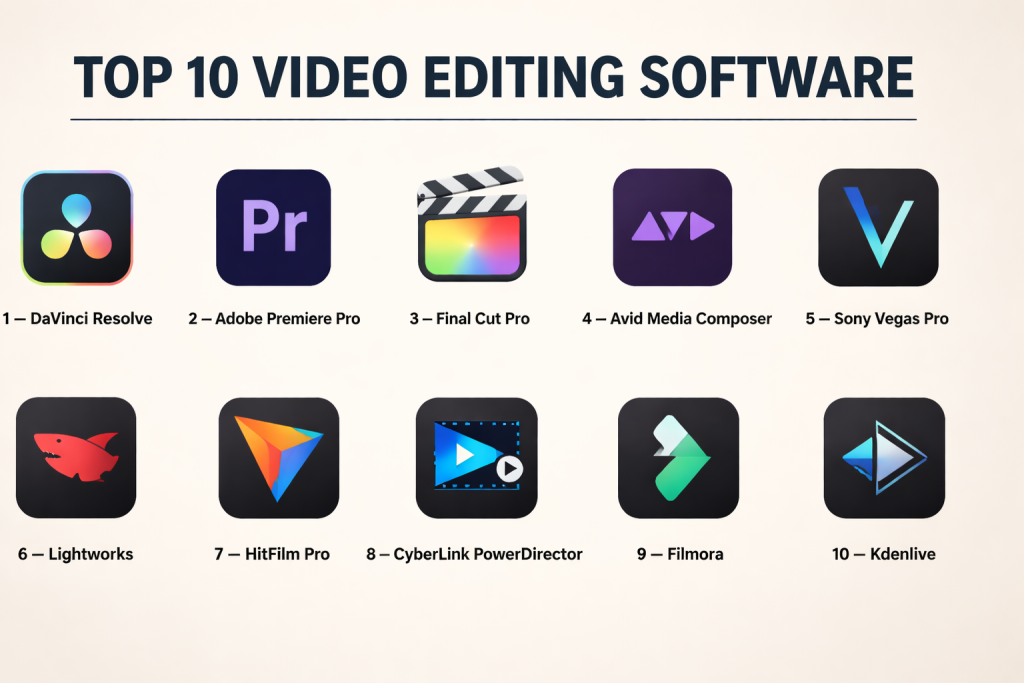
Top 10 Video Editing Software
#1 — DaVinci Resolve
Short description: A unified post‑production suite with powerful editing, color grading, VFX, and audio tools for professional workflows.
Key Features
- Non‑linear editing timeline
- Multicam editing
- Advanced trimming tools
- Integrated color grading and scopes
- Fusion VFX integration
- Fairlight audio post‑production
Pros
- Comprehensive all‑in‑one solution
- Free tier with robust capabilities
- Professional color and audio tools integrated
Cons
- Steep learning curve for beginners
- GPU‑heavy on complex timelines
Platforms / Deployment
Windows / macOS / Linux
Security & Compliance
Not publicly stated
Integrations & Ecosystem
DaVinci Resolve integrates editing with color, effects, and audio tools.
- Fusion for VFX and motion graphics
- Fairlight for mixing and audio post
- Collaboration features for teams
- Export presets for broadcast and web
Support & Community
Extensive documentation and large global communities.
#2 — Adobe Premiere Pro
Short description: A widely adopted professional non‑linear editor (NLE) used across film, broadcast, and online content production.
Key Features
- Timeline editing with sequence support
- Multicam editing and nesting
- Lumetri Color grading panel
- Motion graphics templates
- Adobe ecosystem integration
- Proxy workflows for large projects
Pros
- Familiar UI for many professionals
- Strong Adobe ecosystem synergy
- Broad codec and format support
Cons
- Subscription‑based licensing
- Performance can lag on heavy projects
Platforms / Deployment
Windows / macOS
Security & Compliance
Not publicly stated
Integrations & Ecosystem
Premiere integrates with:
- After Effects for motion graphics
- Photoshop/Illustrator for assets
- Audition for audio
- Creative Cloud Libraries
Support & Community
Massive user base and extensive tutorials.
#3 — Final Cut Pro
Short description: Apple’s professional video editor optimized for macOS with magnetic timeline and real‑time performance.
Key Features
- Magnetic timeline and clip connections
- Multicam and syncing tools
- Color wheels and scopes
- Proxy workflows
- Motion graphics and templates
- Optimized macOS performance
Pros
- Fast real‑time playback
- Intuitive timeline tools
- Tight macOS integration
Cons
- Apple‑only platform
- License‑upfront cost
Platforms / Deployment
macOS
Security & Compliance
Not publicly stated
Integrations & Ecosystem
- Integration with Apple Motion and Compressor
- Optimized hardware acceleration
- Support for ProRes and industry formats
Support & Community
Strong Apple creative community and tutorials.
#4 — Avid Media Composer
Short description: A professional broadcast and film editing system known for robust media management and precise editing controls.
Key Features
- Advanced timeline editing
- Script‑to‑screen workflows
- Strong media asset management
- Color and audio tools
- Multi‑user collaboration
- Broadcast specifications support
Pros
- Industry‑proven in broadcast/feature editing
- Excellent media handling
- Collaboration features
Cons
- Complex interface with high learning curve
- Licensing cost
Platforms / Deployment
Windows / macOS
Security & Compliance
Not publicly stated
Integrations & Ecosystem
Avid ecosystem including Pro Tools and shared project workflows.
Support & Community
Professional training and community resources.
#5 — Sony Vegas Pro
Short description: Feature‑rich editor with strong timeline tools, effects, and flexible workflow for indie professionals.
Key Features
- Non‑linear timeline editing
- Built‑in effects and transitions
- Audio mixing and mastering
- Multicam editing
- Keyframe‑based animation
- Proxy and render options
Pros
- Intuitive timeline and interface
- Good value for features
- Strong audio integration
Cons
- Smaller community than bigger competitors
- Windows only
Platforms / Deployment
Windows
Security & Compliance
Not publicly stated
Integrations & Ecosystem
- Third‑party plugins and effects
- Audio tool integration
- Template support
Support & Community
Active user forums and tutorials.
#6 — Lightworks
Short description: A professional editing tool that balances powerful editing with approachable workflows, notable for historic film projects and indie workflows.
Key Features
- Timeline and trim tools
- Multicam editing
- Real‑time effects
- Export to multiple formats
- Proxy workflows
Pros
- Cross‑platform
- Strong trimming and speed tools
- Free version available
Cons
- UI less intuitive for beginners
- Feature set not as deep as higher‑end NLEs
Platforms / Deployment
Windows / macOS / Linux
Security & Compliance
Not publicly stated
Integrations & Ecosystem
- Plugin and effect support
- Project export tools
Support & Community
Long‑standing user base and documentation.
#7 — HitFilm Pro
Short description: A hybrid editor and VFX compositing tool aimed at indie filmmakers and content creators.
Key Features
- Editing and timeline tools
- Built‑in effects and transitions
- 3D compositing and particles
- Motion tracking
- Title and text tools
- Audio controls
Pros
- Combines editing and VFX in one package
- Good effects library
- Affordable
Cons
- Not as robust as high‑end NLEs for complex edits
- Can become resource‑intensive
Platforms / Deployment
Windows / macOS
Security & Compliance
Not publicly stated
Integrations & Ecosystem
- Effects packs
- Plugin support
- Export presets
Support & Community
Active tutorial community.
#8 — CyberLink PowerDirector
Short description: A consumer‑friendly editor with powerful features and performance, offering fast workflows and templates.
Key Features
- Timeline and storyboard editing
- AI‑assisted tools
- Motion graphics and effects
- Multi‑camera editing
- 360° video support
Pros
- Fast turnaround workflows
- Good for social and content creators
- Template and guided editing tools
Cons
- Not as advanced as pro NLEs
- Effects library less deep
Platforms / Deployment
Windows / macOS
Security & Compliance
Not publicly stated
Integrations & Ecosystem
- Plugin support
- Export presets for platforms
Support & Community
Vendor support and user forums.
#9 — Filmora
Short description: A beginner‑friendly editor with intuitive tools and effects aimed at content creators and educators.
Key Features
- Intuitive timeline
- Built‑in effects and transitions
- Titles and overlays
- Audio editing tools
- Export presets for social media
Pros
- Easy to learn
- Good effect library
- Affordable
Cons
- Limited advanced tools
- Not suited for complex professional workflows
Platforms / Deployment
Windows / macOS
Security & Compliance
Not publicly stated
Integrations & Ecosystem
- Template packs
- Export formats
- Plugin support
Support & Community
Active online tutorials.
#10 — Kdenlive
Short description: A free open‑source NLE that offers professional features and broad platform support.
Key Features
- Multi‑track timeline
- Effects and transitions
- Keyframe controls
- Proxy workflows
- Audio tools
Pros
- Free and open‑source
- Cross‑platform
- Strong community
Cons
- UI and stability vary by platform
- Fewer advanced effects than top NLEs
Platforms / Deployment
Windows / macOS / Linux
Security & Compliance
Not publicly stated
Integrations & Ecosystem
- Plugin and effect support
- Render engine integration
- Export presets
Support & Community
Open‑source community support.
Comparison Table (Top 10)
| Tool Name | Best For | Platform(s) Supported | Deployment | Standout Feature | Public Rating |
|---|---|---|---|---|---|
| DaVinci Resolve | Full post pro workflows | Windows/macOS/Linux | Hybrid | Unified editing/color/VFX | N/A |
| Adobe Premiere Pro | Professional editing | Windows/macOS | Hybrid | Deep Adobe ecosystem | N/A |
| Final Cut Pro | Mac editors | macOS | Self‑hosted | Real‑time performance | N/A |
| Avid Media Composer | Broadcast/film | Windows/macOS | Hybrid | Strong media management | N/A |
| Sony Vegas Pro | Indie pro workflows | Windows | Self‑hosted | Intuitive NLE tools | N/A |
| Lightworks | Cross‑platform editing | Windows/macOS/Linux | Hybrid | Professional trimming tools | N/A |
| HitFilm Pro | Editing + VFX | Windows/macOS | Hybrid | Built‑in effects/VFX | N/A |
| CyberLink PowerDirector | Fast workflows | Windows/macOS | Hybrid | AI tools & templates | N/A |
| Filmora | Beginner content editing | Windows/macOS | Hybrid | Easy learning curve | N/A |
| Kdenlive | Open‑source editing | Windows/macOS/Linux | Hybrid | Free cross‑platform NLE | N/A |
Evaluation & Scoring of Video Editing Software
| Tool Name | Core (25%) | Ease (15%) | Integrations (15%) | Security (10%) | Performance (10%) | Support (10%) | Value (15%) | Weighted Total (0–10) |
|---|---|---|---|---|---|---|---|---|
| DaVinci Resolve | 10 | 7 | 9 | 6 | 9 | 9 | 9 | 8.55 |
| Adobe Premiere Pro | 9 | 8 | 9 | 6 | 8 | 9 | 8 | 8.25 |
| Final Cut Pro | 9 | 9 | 8 | 6 | 9 | 8 | 8 | 8.35 |
| Avid Media Composer | 9 | 6 | 8 | 6 | 9 | 9 | 7 | 7.85 |
| Sony Vegas Pro | 8 | 8 | 7 | 6 | 8 | 8 | 8 | 7.85 |
| Lightworks | 7 | 7 | 7 | 6 | 7 | 7 | 9 | 7.45 |
| HitFilm Pro | 8 | 8 | 8 | 6 | 8 | 8 | 8 | 7.95 |
| CyberLink PowerDirector | 7 | 9 | 6 | 6 | 7 | 7 | 9 | 7.70 |
| Filmora | 6 | 9 | 6 | 6 | 6 | 7 | 9 | 7.30 |
| Kdenlive | 7 | 7 | 7 | 6 | 7 | 7 | 10 | 7.60 |
How to interpret the scores:
- Tools scoring higher bring a balance of professional features, integration, performance, and value.
- Editors with strong ecosystems and cross‑tool integration score well on ease and workflow synergy.
- Free and open‑source solutions score well on value even if they lack some advanced features.
Which Video Editing Tool Is Right for You?
Solo / Freelancer
- Filmora, Kdenlive, CyberLink PowerDirector offer accessible tools with quick learning curves.
SMB
- HitFilm Pro, Sony Vegas Pro, and Lightworks support robust feature sets for small teams.
Mid‑Market
- Final Cut Pro, Premiere Pro, and DaVinci Resolve offer powerful editing and delivery workflows.
Enterprise
- DaVinci Resolve, Avid Media Composer, and Premiere Pro provide scalable project sharing and broadcast readiness.
Budget vs Premium
- Budget: Kdenlive, Filmora
- Premium: DaVinci Resolve, Premiere Pro, Final Cut Pro
Feature Depth vs Ease of Use
- Depth: DaVinci Resolve, Premiere Pro, Final Cut Pro
- Ease: Filmora, CyberLink PowerDirector
Integrations & Scalability
- Premiere Pro and DaVinci Resolve shine with motion graphics, VFX, and color workflows.
Security & Compliance Needs
- Video editors rarely document specific security certifications directly; teams should verify enterprise deployment and access controls when used in collaborative workflows.
Frequently Asked Questions (FAQs)
1. What is video editing software?
Video editing software lets users arrange, trim, and enhance video clips to produce a polished final deliverable.
2. Do these tools support 4K and HDR?
Most modern editors support 4K, HDR, and wide‑color workflows depending on hardware and codec support.
3. Is real‑time playback possible?
With GPU acceleration and optimized media workflows, real‑time playback is achievable on many platforms.
4. Which tools integrate with motion graphics?
Premiere Pro integrates with After Effects, while DaVinci Resolve includes Fusion for motion graphics.
5. What is multicam editing?
Multicam editing allows syncing and editing multiple camera angles in one timeline.
6. Are there free video editors?
Yes — DaVinci Resolve and Kdenlive offer powerful free tiers.
7. What export formats do these tools support?
Common formats include MP4, MOV, ProRes, DNxHD, H.264, H.265, and broadcast‑ready codecs.
8. Do these editors work on mobile?
Some have companion mobile apps, but full editors listed are desktop applications.
9. How steep is the learning curve?
Tools like Filmora and CyberLink PowerDirector are easier, while DaVinci Resolve and Avid Media Composer require more learning.
10. Can I collaborate with remote teams?
Yes — tools like Premiere Pro and DaVinci Resolve support collaborative workflows via cloud project sharing and version management.
Conclusion
Video editing software is foundational for anyone producing video — from beginners creating social content to professionals cutting broadcast and cinematic pieces. DaVinci Resolve leads with a powerful unified suite of editing, color, audio, and effects tools. Adobe Premiere Pro and Final Cut Pro remain staples in professional workflows, while Filmora, CyberLink PowerDirector, and Kdenlive offer approachable paths for novices and indie creators. Evaluate features like multicam editing, effects support, export workflows, and integration with motion graphics and VFX when choosing a tool. Shortlist two to three options based on your project needs, test real project files, and confirm performance on your target hardware before finalizing your editing workflow.

Find Trusted Cardiac Hospitals
Compare heart hospitals by city and services — all in one place.
Explore Hospitals