Introduction
Virtual Desktop Infrastructure (VDI) is a technology that hosts desktop environments on a centralized server and delivers them to users on demand. Instead of relying on individual physical desktops, employees access virtualized desktops through a secure network connection, ensuring uniformity, flexibility, and centralized management. In today’s hybrid and remote-first workplaces, VDI has become critical for organizations seeking scalable IT operations, enhanced security, and consistent user experiences.
Use cases for VDI are diverse. Enterprises often deploy it to support remote employees while maintaining strict security controls. Educational institutions use VDI to provide lab environments to students without the need for dedicated hardware. Development teams benefit from pre-configured virtual workstations, ensuring consistency across distributed teams. Healthcare providers deploy VDI to safeguard patient data while enabling clinicians to access critical applications from multiple locations. Call centers and support teams leverage VDI to streamline onboarding and reduce device management overhead.
When evaluating VDI solutions, buyers should consider criteria such as:
- Performance and latency across different devices
- Security and compliance certifications
- Deployment flexibility (cloud, on-premises, hybrid)
- Integration with existing IT systems
- Ease of management and monitoring
- Cost and licensing models
- User experience, including graphics and multimedia support
- Scalability for future growth
- AI-enhanced management and automation features
- Support and community resources
Best for: IT managers, enterprise architects, educational institutions, healthcare providers, and organizations supporting hybrid or remote work at scale.
Not ideal for: Small teams with minimal IT overhead, businesses with simple desktop needs, or environments where device-level customization is critical; in such cases, traditional desktops or cloud workspaces may be sufficient.
Key Trends in Virtual Desktop Infrastructure (VDI)
- Integration of AI for predictive load balancing and automated resource allocation
- Cloud-native VDI deployments for rapid scalability and cost optimization
- Enhanced graphics and GPU virtualization for design, CAD, and media workloads
- Zero Trust architecture and advanced endpoint security to protect sensitive data
- Unified management consoles integrating endpoint, application, and user monitoring
- Subscription-based and flexible pricing models replacing traditional perpetual licensing
- Increased interoperability with SaaS and collaboration platforms
- Low-latency access optimizations for global remote workforces
- Edge computing adoption to improve performance in latency-sensitive environments
- Automation in patching, updates, and user onboarding
How We Selected These Tools (Methodology)
- Market adoption and mindshare among enterprises, SMBs, and remote teams
- Feature completeness, including core VDI capabilities and modern enhancements
- Reliability and performance benchmarks, including latency and uptime data
- Security posture signals and compliance certifications where publicly known
- Integration capabilities with IT ecosystems and cloud services
- Customer fit across company sizes, industries, and use cases
- Vendor reputation and historical support quality
- Flexibility in deployment and management models
- Innovation in AI, automation, and GPU virtualization
- Cost-effectiveness relative to feature sets and scalability
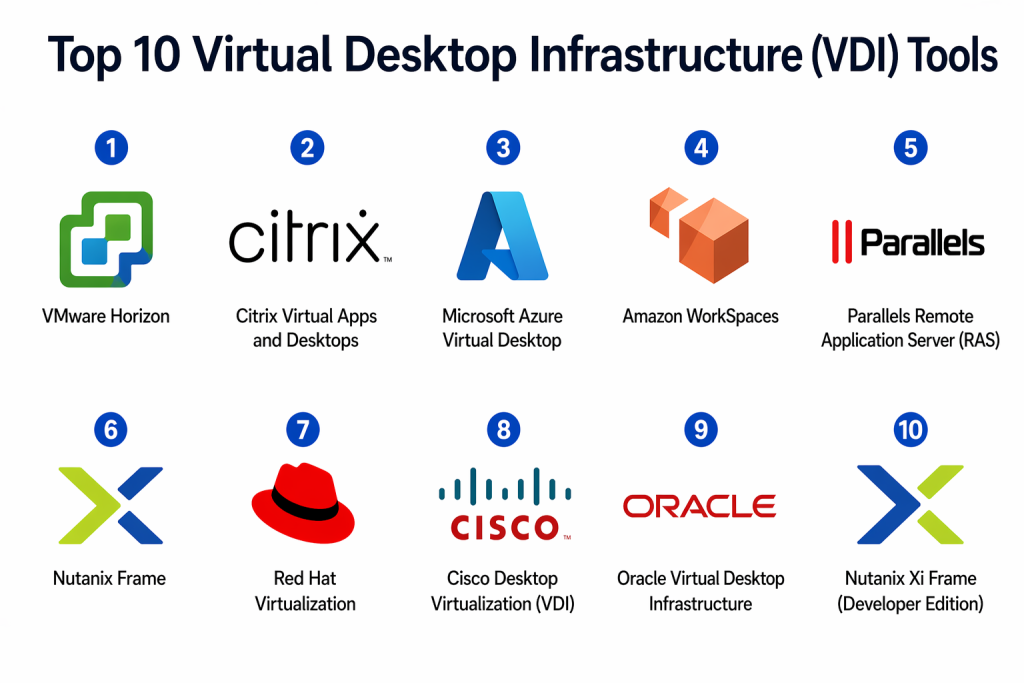
Top 10 Virtual Desktop Infrastructure (VDI) Tools
#1 — VMware Horizon
Short description: VMware Horizon provides centralized management of virtual desktops and apps, delivering secure, high-performance experiences across devices. Ideal for enterprises seeking flexible deployment and strong endpoint security.
Key Features
- Unified management console for desktops and applications
- GPU virtualization for high-performance workloads
- Integration with VMware Cloud and Horizon Cloud Services
- Support for multi-cloud and hybrid deployments
- Role-based access and policy management
- SSO, MFA, and encryption features
- AI-based resource optimization
Pros
- Enterprise-grade security and compliance
- Highly scalable across large organizations
Cons
- Complex setup and licensing options
- May require VMware-centric infrastructure expertise
Platforms / Deployment
- Windows, macOS, Linux, iOS, Android
- Cloud / On-premises / Hybrid
Security & Compliance
- SSO/SAML, MFA, RBAC, encryption
- SOC 2, ISO 27001, GDPR
Integrations & Ecosystem
Supports integration with:
- VMware vSphere, vSAN, NSX
- Microsoft Active Directory
- Endpoint management platforms
- APIs for automation and orchestration
Support & Community
- Comprehensive documentation and training programs
- Tiered support options and active community forums
#2 — Citrix Virtual Apps and Desktops
Short description: Citrix delivers secure and high-performance virtual desktops and apps, with AI-driven optimizations and strong multimedia support. Suited for hybrid and remote enterprises.
Key Features
- HDX protocol for enhanced user experience
- Cloud, on-premises, and hybrid deployment flexibility
- Application layering and image management
- Integration with Citrix ADC for secure access
- Analytics and AI-driven performance monitoring
- SSO, MFA, and contextual access policies
- GPU support for demanding workloads
Pros
- Superior user experience over WAN
- Flexible deployment models
Cons
- Licensing can be complex
- Initial setup requires expertise
Platforms / Deployment
- Windows, macOS, Linux, iOS, Android
- Cloud / On-premises / Hybrid
Security & Compliance
- SSO/SAML, MFA, encryption
- GDPR, HIPAA, ISO 27001
Integrations & Ecosystem
- Microsoft Active Directory
- Cloud providers like Azure, AWS
- Citrix Workspace, SD-WAN integration
Support & Community
- Extensive documentation and learning resources
- Active global user community
#3 — Microsoft Azure Virtual Desktop
Short description: A cloud-native VDI solution from Microsoft enabling secure, scalable virtual desktops and apps on Azure, with deep integration into Microsoft 365 ecosystems.
Key Features
- Native integration with Microsoft 365 and Teams
- Auto-scaling and multi-session support
- Role-based access and conditional access
- Windows 10/11 multi-session desktops
- AI-powered monitoring and insights
- GPU-enabled workloads for graphics-intensive tasks
- Hybrid identity support via Azure AD
Pros
- Seamless Microsoft ecosystem integration
- Scalable cloud deployment
Cons
- Dependent on Azure environment
- Learning curve for non-Microsoft admins
Platforms / Deployment
- Windows, macOS, iOS, Android
- Cloud
Security & Compliance
- SSO/SAML, MFA, encryption
- SOC 2, ISO 27001, HIPAA, GDPR
Integrations & Ecosystem
- Microsoft 365 apps, Teams, OneDrive
- Azure security and monitoring tools
- APIs for automation and orchestration
Support & Community
- Microsoft support tiers and knowledge base
- Large community forums and partners
#4 — Amazon WorkSpaces
Short description: Amazon WorkSpaces is a cloud-managed VDI providing persistent desktops with flexible hardware options and integrated security, ideal for globally distributed teams.
Key Features
- Fully managed, persistent desktops
- GPU-enabled WorkSpaces for high-performance workloads
- Pay-as-you-go pricing
- Integration with AWS Directory Service and SSO
- Multi-device access (Windows/Linux)
- Automated patching and updates
- Logging and monitoring via CloudWatch
Pros
- Flexible cloud pricing and deployment
- Scales easily for global teams
Cons
- Limited offline access
- Performance dependent on network
Platforms / Deployment
- Windows, Linux, iOS, Android
- Cloud
Security & Compliance
- Encryption at rest and in transit
- MFA, RBAC
- SOC 2, ISO 27001, HIPAA
Integrations & Ecosystem
- AWS ecosystem, Active Directory
- APIs for automation
- Third-party management tools
Support & Community
- AWS support plans
- Active online community and forums
#5 — Parallels Remote Application Server (RAS)
Short description: Parallels RAS offers secure, high-performance virtual desktops and applications for SMBs and enterprises, emphasizing simplicity and fast deployment.
Key Features
- Centralized management and load balancing
- Multi-platform access (Windows, macOS, Linux, iOS, Android)
- Application publishing and user session optimization
- MFA and SSO support
- Printer and device redirection
- Built-in monitoring and reporting
- Integration with Azure, AWS, and on-premises servers
Pros
- Easy setup and management
- Cost-effective for SMBs
Cons
- Smaller ecosystem compared to VMware/Citrix
- Advanced features limited relative to larger vendors
Platforms / Deployment
- Windows, macOS, Linux, iOS, Android
- Cloud / On-premises / Hybrid
Security & Compliance
- SSO/SAML, MFA
- Encryption for data in transit
- Not publicly stated for certifications
Integrations & Ecosystem
- Cloud providers: Azure, AWS
- Active Directory, LDAP
- APIs for management
Support & Community
- Documentation and tutorials available
- Community forums and support tiers
#6 — Nutanix Frame
Short description: Nutanix Frame delivers cloud-native VDI and DaaS with rapid deployment and multi-cloud support, suitable for hybrid workforces and temporary desktops.
Key Features
- Browser-based access, no client installation required
- Multi-cloud deployment: AWS, Azure, GCP
- GPU-enabled desktops for high-performance apps
- Integration with identity providers (SSO, SAML)
- Automated provisioning and scaling
- Multi-session desktop support
- Real-time analytics and reporting
Pros
- Quick deployment with minimal infrastructure
- Flexible multi-cloud options
Cons
- Limited offline support
- Some enterprise features require add-ons
Platforms / Deployment
- Web, Windows, macOS, iOS, Android
- Cloud / Hybrid
Security & Compliance
- Encryption in transit
- SSO/SAML, MFA
- SOC 2, GDPR
Integrations & Ecosystem
- Identity providers: Azure AD, Okta
- Cloud storage integration
- APIs for automation
Support & Community
- Vendor support and online documentation
- Active user community
#7 — Red Hat Virtualization
Short description: An enterprise-focused open-source VDI solution for Linux and Windows desktops, designed for organizations seeking robust performance and open ecosystem support.
Key Features
- KVM-based virtualization
- High-availability clusters and live migration
- Centralized management and monitoring
- Multi-platform access for desktops and apps
- Integration with Red Hat OpenShift and cloud tools
- Role-based access controls
- GPU passthrough for demanding workloads
Pros
- Open-source flexibility
- Enterprise-grade reliability
Cons
- Requires Linux expertise
- Less intuitive UI for beginners
Platforms / Deployment
- Windows, Linux
- On-premises / Hybrid
Security & Compliance
- RBAC, encryption
- Not publicly stated
Integrations & Ecosystem
- Red Hat OpenShift, Ansible automation
- LDAP/AD integration
- APIs for scripting and orchestration
Support & Community
- Red Hat subscription support
- Strong open-source community
#8 — Cisco Desktop Virtualization (VDI)
Short description: Cisco VDI provides secure, high-performance virtual desktops with integrated networking and collaboration solutions for enterprise users.
Key Features
- Integration with Cisco networking and security solutions
- Centralized management and monitoring
- GPU acceleration support
- Endpoint security and encryption
- SSO and MFA capabilities
- Multimedia optimization via Cisco HDX enhancements
- Support for hybrid deployments
Pros
- Strong security and network integration
- Optimized for Cisco ecosystem
Cons
- Limited standalone ecosystem
- Higher cost for SMBs
Platforms / Deployment
- Windows, macOS, iOS, Android
- Hybrid / On-premises
Security & Compliance
- SSO/SAML, MFA, encryption
- Not publicly stated
Integrations & Ecosystem
- Cisco networking, collaboration apps
- Active Directory, identity providers
- APIs for automation
Support & Community
- Cisco support tiers
- Community forums and technical resources
#9 — Oracle Virtual Desktop Infrastructure
Short description: Oracle VDI delivers enterprise-grade virtual desktops, tightly integrated with Oracle cloud services and applications for high reliability and performance.
Key Features
- Cloud-native deployment and management
- Integration with Oracle Cloud Infrastructure
- GPU acceleration for graphics-heavy workloads
- Multi-platform access
- Role-based policies and SSO support
- Monitoring and automated scaling
- Support for enterprise applications
Pros
- Strong cloud integration with Oracle products
- High availability and performance
Cons
- Less popular outside Oracle ecosystem
- Learning curve for new users
Platforms / Deployment
- Windows, Linux
- Cloud / On-premises
Security & Compliance
- SSO/SAML, MFA, encryption
- Not publicly stated
Integrations & Ecosystem
- Oracle Cloud applications
- Identity management tools
- APIs for automation
Support & Community
- Oracle support tiers
- Moderate user community
#10 — Nutanix Xi Frame (Developer Edition)
Short description: Focused on development and testing environments, Xi Frame Developer Edition offers rapid provisioning of cloud desktops with multi-cloud support and browser-based access.
Key Features
- Cloud-native, browser-based access
- Multi-cloud support (AWS, Azure, GCP)
- Rapid provisioning for dev/test environments
- GPU support for testing workloads
- Automated scaling
- Integration with CI/CD pipelines
- Role-based access and SSO
Pros
- Ideal for developers and temporary desktop needs
- Quick setup and scalable
Cons
- Limited production use features
- Some enterprise integrations require premium editions
Platforms / Deployment
- Web, Windows, Linux
- Cloud / Hybrid
Security & Compliance
- Encryption in transit
- SSO/SAML
- SOC 2, GDPR
Integrations & Ecosystem
- CI/CD and DevOps tool integrations
- Identity providers
- APIs for automation
Support & Community
- Vendor support and online documentation
- Growing community for developers
Comparison Table (Top 10)
| Tool Name | Best For | Platform(s) Supported | Deployment | Standout Feature | Public Rating |
|---|---|---|---|---|---|
| VMware Horizon | Enterprise IT teams | Windows, macOS, Linux, iOS, Android | Cloud / On-prem / Hybrid | Unified management console | N/A |
| Citrix Virtual Apps & Desktops | Hybrid/remote workforces | Windows, macOS, Linux, iOS, Android | Cloud / On-prem / Hybrid | HDX protocol for performance | N/A |
| Microsoft Azure Virtual Desktop | Microsoft ecosystem users | Windows, macOS, iOS, Android | Cloud | Multi-session desktops | N/A |
| Amazon WorkSpaces | Distributed global teams | Windows, Linux, iOS, Android | Cloud | Fully managed persistent desktops | N/A |
| Parallels RAS | SMBs and enterprises | Windows, macOS, Linux, iOS, Android | Cloud / On-prem / Hybrid | Simple deployment | N/A |
| Nutanix Frame | Hybrid cloud users | Web, Windows, macOS, iOS, Android | Cloud / Hybrid | Browser-based access | N/A |
| Red Hat Virtualization | Linux-first enterprises | Windows, Linux | On-prem / Hybrid | Open-source flexibility | N/A |
| Cisco Desktop Virtualization | Cisco-centric enterprises | Windows, macOS, iOS, Android | Hybrid / On-prem | Networking and security integration | N/A |
| Oracle VDI | Oracle ecosystem users | Windows, Linux | Cloud / On-prem | Cloud integration | N/A |
| Nutanix Xi Frame Dev Edition | Developers | Web, Windows, Linux | Cloud / Hybrid | Rapid dev/test provisioning | N/A |
Evaluation & Scoring of Virtual Desktop Infrastructure (VDI)
| Tool Name | Core (25%) | Ease (15%) | Integrations (15%) | Security (10%) | Performance (10%) | Support (10%) | Value (15%) | Weighted Total (0–10) |
|---|---|---|---|---|---|---|---|---|
| VMware Horizon | 9 | 7 | 8 | 9 | 9 | 8 | 7 | 8.3 |
| Citrix Virtual Apps & Desktops | 9 | 7 | 8 | 8 | 9 | 7 | 7 | 8.1 |
| Microsoft Azure Virtual Desktop | 8 | 8 | 9 | 8 | 8 | 8 | 8 | 8.2 |
| Amazon WorkSpaces | 8 | 8 | 7 | 8 | 8 | 8 | 8 | 8.0 |
| Parallels RAS | 7 | 9 | 7 | 7 | 7 | 7 | 8 | 7.5 |
| Nutanix Frame | 8 | 8 | 8 | 7 | 8 | 7 | 8 | 7.9 |
| Red Hat Virtualization | 8 | 6 | 7 | 7 | 8 | 6 | 7 | 7.3 |
| Cisco Desktop Virtualization | 7 | 7 | 7 | 8 | 8 | 7 | 7 | 7.4 |
| Oracle VDI | 7 | 6 | 7 | 7 | 7 | 6 | 7 | 6.9 |
| Nutanix Xi Frame Dev Edition | 7 | 8 | 7 | 7 | 7 | 7 | 7 | 7.3 |
Interpretation: Scores are comparative; higher scores reflect stronger performance across weighted criteria. Organizations can prioritize based on the aspects most critical to their use case.
Which Virtual Desktop Infrastructure (VDI) Tool Is Right for You?
Solo / Freelancer
Cloud-native solutions like Azure Virtual Desktop or Amazon WorkSpaces provide flexibility and cost-effectiveness without the overhead of managing infrastructure.
SMB
Parallels RAS and Nutanix Frame offer simplicity, rapid deployment, and cost control for small to mid-sized businesses.
Mid-Market
VMware Horizon or Citrix Virtual Apps & Desktops deliver enterprise-grade security and performance while remaining scalable.
Enterprise
VMware Horizon, Citrix, and Microsoft Azure Virtual Desktop are suitable for large-scale, hybrid, or global deployments requiring high compliance and performance standards.
Budget vs Premium
- Budget: Parallels RAS, Nutanix Frame Dev Edition
- Premium: VMware Horizon, Citrix, Microsoft Azure Virtual Desktop
Feature Depth vs Ease of Use
- Feature-rich: VMware Horizon, Citrix
- Easy to use: Parallels RAS, Nutanix Frame
Integrations & Scalability
- Best for complex environments: VMware Horizon, Citrix, Microsoft Azure Virtual Desktop
- Best for simplicity: Nutanix Frame, Parallels RAS
Security & Compliance Needs
Organizations requiring strict compliance should prioritize VMware Horizon, Citrix, or Microsoft Azure Virtual Desktop due to advanced access controls, encryption, and certifications.
Frequently Asked Questions (FAQs)
1. How is VDI priced?
VDI pricing can be subscription-based, pay-per-user, or included in cloud service plans. Costs depend on deployment, user count, GPU requirements, and management features.
2. How quickly can I deploy VDI?
Cloud-native solutions like Azure Virtual Desktop or Nutanix Frame can deploy in hours, while on-premises solutions may require days or weeks for full setup.
3. What are common mistakes when implementing VDI?
Underestimating network latency, overprovisioning hardware, and neglecting user training are frequent issues. Planning resource allocation and onboarding helps avoid them.
4. How secure is VDI?
Security depends on encryption, MFA, RBAC, and endpoint security. Most enterprise VDI solutions provide these features, along with compliance certifications.
5. Can VDI scale for remote workforces?
Yes, cloud and hybrid VDI solutions can scale dynamically to accommodate temporary spikes in user demand.
6. Which platforms do VDI solutions support?
Most support Windows, macOS, Linux, iOS, Android, and web browsers, with some differences in features like GPU acceleration.
7. How do integrations work?
VDI integrates with identity providers, directory services, cloud storage, and management tools to streamline provisioning, access, and monitoring.
8. Can I switch VDI vendors?
Yes, but it requires careful planning, migration of virtual desktops, and potential reconfiguration of access policies and integrations.
9. Are VDI solutions suitable for graphics-heavy workloads?
Yes, select tools like VMware Horizon, Citrix, and Nutanix Frame provide GPU virtualization for CAD, media, and simulation tasks.
10. What alternatives exist if VDI is not suitable?
Alternatives include cloud desktops, remote desktop services (RDS), or traditional on-premises desktops, depending on performance and compliance needs.
Conclusion
Virtual Desktop Infrastructure has evolved into a critical component for organizations seeking secure, flexible, and scalable desktop solutions. Modern VDI addresses hybrid work challenges, centralized management, and data protection while offering AI-driven optimizations and multi-cloud deployment. The “best” solution depends on organizational size, user requirements, budget, and security considerations. Enterprises benefit from feature-rich solutions like VMware Horizon or Citrix, while SMBs and developers can leverage simpler, cloud-native options such as Parallels RAS or Nutanix Frame. To make an informed decision, shortlist tools based on performance, integration capabilities, compliance, and user experience, and consider piloting the solutions before full-scale rollout. Evaluating these aspects ensures your VDI deployment aligns with strategic IT objectives and enhances productivity without compromising security.

Find Trusted Cardiac Hospitals
Compare heart hospitals by city and services — all in one place.
Explore Hospitals
VDI performance can change a lot when many users log in at the same time. Login storms can put heavy pressure on servers, storage, and network resources. Testing these peak login periods can help teams find bottlenecks before they affect users during busy hours.