Introduction
Virtual Event Platforms help organizations host online events such as webinars, conferences, product launches, training programs, summits, expos, networking events, investor sessions, and community meetups. These platforms usually support live streaming, registration, attendee engagement, breakout rooms, sponsor booths, analytics, recordings, email reminders, and integrations with CRM or marketing systems. They matter because audiences now expect flexible event access from anywhere, while businesses need better ways to reach global attendees without the cost and logistics of fully physical events. A strong virtual event platform can improve attendance, engagement, lead capture, content reuse, and post-event reporting.
Real World Use Cases:
- Hosting webinars, summits, and digital conferences
- Running virtual product launches and customer education events
- Managing online training, workshops, and certification programs
- Creating virtual expos with sponsor booths and lead capture
- Supporting networking, breakout sessions, Q&A, polls, and chat
- Tracking attendee engagement and event ROI
Evaluation Criteria for Buyers:
- Webinar and livestream quality
- Registration and attendee management
- Engagement tools such as polls, Q&A, chat, and networking
- Virtual expo, sponsor, and booth support
- CRM and marketing automation integrations
- Analytics, lead scoring, and engagement reporting
- Recording, replay, and content hub capabilities
- Branding and customization control
- Security, access control, and privacy features
- Ease of use for organizers, speakers, sponsors, and attendees
Best for: Marketing teams, event organizers, enterprises, SaaS companies, educators, associations, agencies, nonprofits, communities, and conference teams that need scalable online events, webinars, hybrid experiences, and measurable attendee engagement.
Not ideal for: Very small internal calls or casual meetings may not need a full virtual event platform. A standard video conferencing tool may be enough when there is no registration, branding, sponsor workflow, lead tracking, or advanced attendee engagement requirement.
Key Trends in Virtual Event Platforms
- AI-assisted event delivery is growing: Platforms are adding AI support for session summaries, content recommendations, attendee matchmaking, chatbot assistance, transcription, and engagement insights.
- Hybrid event readiness is now expected: Many teams want one platform that can support virtual attendees, onsite attendees, livestreams, recordings, networking, and sponsor visibility together.
- Engagement is more important than attendance alone: Buyers now look beyond registration numbers and focus on participation, poll responses, Q&A activity, networking, session time, and conversion signals.
- On-demand content hubs are becoming standard: Event content is increasingly reused as webinars, gated content, training libraries, product education, and demand generation assets.
- Sponsor ROI needs better measurement: Virtual booths, lead capture, chat transcripts, attendee interactions, and sponsor analytics help justify sponsorship investments.
- Deeper CRM and marketing integrations are critical: Event data must flow into CRM, email automation, lead scoring, sales follow-up, and revenue attribution workflows.
- Security and access control matter more: Private enterprise events need attendee authentication, role-based access, session permissions, secure links, and data privacy controls.
- Personalized attendee journeys are growing: Platforms are moving toward recommended sessions, segmented reminders, custom agendas, and targeted follow-ups.
- Short-form and recurring virtual events are rising: Brands are using frequent webinars, customer sessions, expert roundtables, and community events instead of only large annual conferences.
- Analytics are becoming more commercial: Marketing and sales teams expect dashboards that connect event activity with pipeline, leads, audience behavior, and campaign performance.
How We Selected These Tools
The tools below were selected using practical virtual event and digital experience evaluation logic:
- Market recognition among virtual event organizers, enterprise teams, marketers, educators, and conference teams
- Ability to support webinars, conferences, expos, networking, hybrid events, and on-demand content
- Feature completeness across registration, streaming, engagement, analytics, sponsor tools, and attendee management
- Quality of integrations with CRM, marketing automation, webinar tools, payment systems, and analytics platforms
- Fit across SMB, mid-market, and enterprise event teams
- Usability for organizers, speakers, sponsors, moderators, and attendees
- Support for attendee engagement such as Q&A, chat, polls, breakout rooms, and networking
- Reporting depth for attendance, leads, engagement, content performance, and event ROI
- Scalability for small webinars and large digital conferences
- Security and administrative maturity where publicly stated or expected
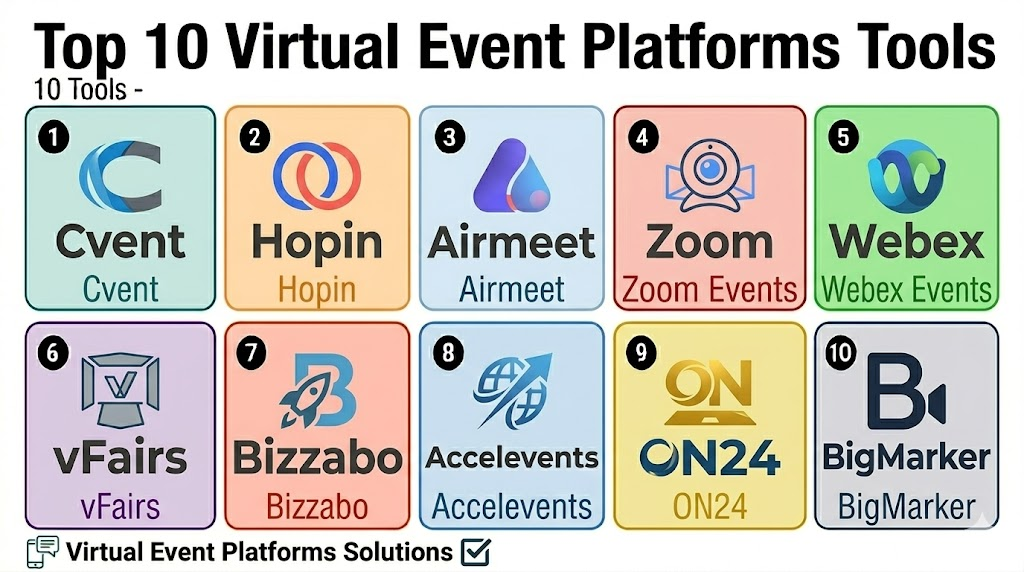
Top 10 Virtual Event Platforms Tools
1- Cvent
Short description: Cvent is an enterprise event management platform that supports virtual, hybrid, and in-person events. It is well suited for conferences, corporate events, webinars, trade shows, and enterprise event programs that need registration, analytics, and attendee management.
Key Features
- Virtual, hybrid, and in-person event support
- Advanced registration and attendee management
- Event websites and branded registration flows
- Agenda, speaker, and session management
- Virtual engagement tools and attendee tracking
- Reporting dashboards for event performance
- CRM and marketing integration support
Pros
- Strong fit for enterprise and complex event programs
- Deep registration, analytics, and event operations capabilities
- Useful for organizations managing multiple event formats
Cons
- May be too complex for small simple webinars
- Setup and implementation can require training
- Cost may be higher than lightweight virtual event tools
Platforms / Deployment
Web / Mobile access varies
Cloud
Security & Compliance
Varies / N/A. Buyers should validate SSO, MFA, permissions, audit logs, encryption, privacy controls, and enterprise security requirements directly.
Integrations & Ecosystem
Cvent fits organizations that need event registration, virtual sessions, marketing workflows, attendee analytics, and CRM-connected reporting in one ecosystem.
- CRM integrations
- Marketing automation tools
- Webinar and streaming tools
- Badge and onsite event workflows
- Payment workflows
- Analytics and reporting systems
Support & Community
Cvent provides enterprise onboarding, documentation, training, and customer support options. Support depth may vary by contract, event complexity, and selected modules.
2- Hopin
Short description: Hopin is a virtual and hybrid event platform known for online stages, sessions, networking, expo areas, and attendee engagement. It is useful for conferences, webinars, digital communities, and online event experiences.
Key Features
- Virtual stages and session rooms
- Networking and attendee interaction tools
- Expo areas and sponsor booth support
- Registration and attendee access controls
- Chat, polls, Q&A, and engagement features
- Event recordings and replay support
- Analytics for attendance and engagement
Pros
- Strong virtual event experience for digital-first events
- Useful networking and expo features
- Good fit for online conferences and community events
Cons
- In-person operational workflows may require additional tools
- Complex events need careful setup and moderation
- Buyers should validate current integrations and product fit
Platforms / Deployment
Web / Mobile access varies
Cloud
Security & Compliance
Varies / N/A. Buyers should confirm permissions, privacy controls, encryption, attendee access security, and data handling requirements directly.
Integrations & Ecosystem
Hopin works well for teams that need digital event delivery, attendee engagement, sponsor booths, and online networking.
- CRM integrations
- Marketing automation tools
- Registration workflows
- Sponsor and expo workflows
- Streaming and replay workflows
- Analytics dashboards
Support & Community
Hopin provides organizer resources and support options. Support availability may vary by event size, plan, and implementation needs.
3- Airmeet
Short description: Airmeet is a virtual and hybrid event platform focused on webinars, conferences, communities, networking, expo booths, and audience engagement. It is suitable for marketers, communities, SaaS teams, educators, and event organizers.
Key Features
- Virtual event and webinar hosting
- Networking lounges and attendee interaction
- Expo booths and sponsor workflows
- Polls, Q&A, chat, and engagement tools
- Registration and access management
- Livestream and session support
- Analytics for attendee engagement
Pros
- Strong networking and engagement experience
- Useful for virtual communities and digital conferences
- Good fit for webinars, roundtables, and multi-session events
Cons
- Large in-person event workflows may need additional tools
- Setup can require planning for sessions and networking areas
- Buyers should validate capacity, integrations, and branding needs
Platforms / Deployment
Web / Mobile access varies
Cloud
Security & Compliance
Varies / N/A. Buyers should validate access controls, attendee data security, privacy settings, encryption, and compliance expectations directly.
Integrations & Ecosystem
Airmeet supports digital event teams that want webinars, virtual conferences, networking, sponsor engagement, and analytics in one workflow.
- CRM integrations
- Marketing automation workflows
- Webinar and livestream tools
- Registration workflows
- Sponsor and expo workflows
- Analytics dashboards
Support & Community
Airmeet provides onboarding, help resources, and event support options. Support depth may vary by plan, event type, and audience size.
4- Zoom Events
Short description: Zoom Events extends Zoom’s meeting and webinar ecosystem into event management for virtual and hybrid experiences. It is useful for organizations already using Zoom that want registration, multi-session events, attendee access, and familiar video delivery.
Key Features
- Multi-session virtual event support
- Webinar and meeting-based event experiences
- Registration and attendee access workflows
- Event lobby and session navigation
- Chat, Q&A, polls, and engagement tools
- Recording and replay support
- Integration with Zoom ecosystem
Pros
- Familiar video experience for attendees and speakers
- Strong fit for teams already using Zoom
- Practical for webinars, training, and multi-session online events
Cons
- Advanced sponsor expo features may be less deep than specialized platforms
- Event branding and journey customization should be validated
- Complex conferences may require additional event management tools
Platforms / Deployment
Web / Windows / macOS / iOS / Android
Cloud
Security & Compliance
Varies / N/A. Buyers should validate SSO, MFA, access controls, encryption, admin permissions, and privacy settings based on their account and plan.
Integrations & Ecosystem
Zoom Events works best for teams that already rely on Zoom for meetings, webinars, training, and video collaboration.
- Zoom Meetings and Webinars
- Calendar integrations
- CRM workflows where available
- Marketing automation workflows
- Recording and content workflows
- Analytics and attendance reporting
Support & Community
Zoom provides documentation, support resources, and customer support options. Support scope may vary by plan, account size, and event requirements.
5- Webex Events
Short description: Webex Events supports virtual, hybrid, and in-person event experiences with registration, mobile apps, engagement tools, attendee management, and analytics. It is useful for enterprises, associations, conferences, and professional event teams.
Key Features
- Virtual, hybrid, and in-person event support
- Registration and attendee management
- Event app and agenda tools
- Live streaming and session support
- Engagement tools such as polls, Q&A, and chat
- Sponsor and exhibitor features
- Analytics and reporting dashboards
Pros
- Strong fit for enterprise and professional events
- Good combination of virtual and event app capabilities
- Useful for teams needing structured attendee engagement
Cons
- May be more than needed for small webinars
- Setup requires planning for agendas, speakers, and content
- Buyers should validate integration fit and event format support
Platforms / Deployment
Web / iOS / Android / Mobile access varies
Cloud
Security & Compliance
Varies / N/A. Buyers should verify SSO, user permissions, privacy controls, encryption, attendee access security, and compliance expectations directly.
Integrations & Ecosystem
Webex Events supports organizations that need virtual delivery, event apps, attendee engagement, and enterprise collaboration workflows.
- Webex ecosystem workflows
- CRM integrations
- Event app tools
- Sponsor and exhibitor workflows
- Analytics dashboards
- Registration and attendee workflows
Support & Community
Webex provides enterprise-oriented support resources, documentation, and customer service options. Support scope may vary by subscription and organization size.
6- vFairs
Short description: vFairs is a virtual, hybrid, and in-person event platform used for trade shows, expos, career fairs, conferences, and large online events. It is especially useful for events with virtual booths, sponsors, exhibitors, and lead capture.
Key Features
- Virtual event halls and expo environments
- Registration and attendee management
- Webinars, sessions, and livestream support
- Sponsor and exhibitor booth tools
- Networking and attendee engagement
- Lead capture and sponsor analytics
- Reporting and event performance dashboards
Pros
- Strong fit for virtual expos, trade shows, and career fairs
- Useful sponsor and exhibitor features
- Supports immersive event environments
Cons
- May be more than needed for simple webinars
- Setup can require detailed booth and content planning
- Buyers should validate branding, cost, and integration needs
Platforms / Deployment
Web / Mobile access varies
Cloud
Security & Compliance
Varies / N/A. Buyers should validate access controls, attendee data handling, privacy settings, encryption, and admin permissions directly.
Integrations & Ecosystem
vFairs is useful when virtual event delivery needs booths, expos, sponsor interaction, and measurable lead capture.
- CRM integrations
- Webinar and livestream tools
- Exhibitor and sponsor workflows
- Registration workflows
- Lead capture systems
- Analytics and reporting dashboards
Support & Community
vFairs provides event support, onboarding, and customer success resources. Support depth may vary by event type, package, and scale.
7- Bizzabo
Short description: Bizzabo is an event experience platform for corporate events, conferences, field marketing programs, and hybrid experiences. It supports registration, event websites, virtual sessions, engagement, networking, and analytics.
Key Features
- Virtual, hybrid, and in-person event support
- Event website and registration workflows
- Agenda, speaker, and session management
- Attendee engagement and networking features
- Sponsor and exhibitor workflows
- CRM and marketing integration support
- Event analytics and ROI reporting
Pros
- Strong fit for marketing-led and corporate events
- Good attendee experience and engagement focus
- Useful for organizations running repeatable event programs
Cons
- May be too advanced for simple one-off webinars
- Setup requires planning for branding and engagement workflows
- Buyers should validate package fit and implementation needs
Platforms / Deployment
Web / Mobile access varies
Cloud
Security & Compliance
Varies / N/A. Buyers should verify SSO, permissions, attendee data security, encryption, privacy controls, and audit requirements directly.
Integrations & Ecosystem
Bizzabo fits organizations that want virtual event delivery connected with marketing, sales, attendee engagement, and event performance analytics.
- CRM integrations
- Marketing automation tools
- Webinar and streaming workflows
- Event apps
- Sponsor and exhibitor workflows
- Analytics dashboards
Support & Community
Bizzabo provides onboarding, event support, and customer success resources. Support scope may vary by event size, package, and business requirements.
8- Accelevents
Short description: Accelevents is an event platform that supports virtual events, hybrid events, ticketing, registration, onsite check-in, exhibitor tools, fundraising, and attendee engagement. It is useful for conferences, fundraisers, trade shows, and corporate events.
Key Features
- Virtual and hybrid event hosting
- Registration and ticketing support
- Onsite check-in and badge workflows
- Exhibitor and sponsor tools
- Attendee engagement features
- Fundraising and payment workflows
- Event analytics and reporting
Pros
- Good fit for conferences, fundraisers, and hybrid events
- Combines ticketing, virtual sessions, and onsite tools
- Useful for organizers needing multiple workflows together
Cons
- May be more platform than needed for a simple webinar
- Setup may require planning for multi-session events
- Buyers should validate attendee experience and integration needs
Platforms / Deployment
Web / Mobile access varies
Cloud
Security & Compliance
Varies / N/A. Buyers should validate permissions, attendee data protection, payment security, privacy controls, and admin workflows directly.
Integrations & Ecosystem
Accelevents supports organizers that need registration, virtual sessions, sponsors, fundraising, ticketing, and analytics in one platform.
- CRM integrations
- Marketing automation tools
- Webinar and virtual event workflows
- Payment workflows
- Badge and check-in systems
- Reporting and analytics tools
Support & Community
Accelevents provides onboarding, event support resources, and customer support options. Support depth may vary by event size, package, and implementation needs.
9- ON24
Short description: ON24 is a webinar and digital engagement platform used by marketing, sales, training, and enterprise teams. It is strong for webinars, content experiences, audience engagement, lead generation, and data-driven digital events.
Key Features
- Webinar and digital event hosting
- Audience engagement tools such as polls, Q&A, and surveys
- Content hubs and on-demand experiences
- Lead capture and engagement scoring
- Marketing and CRM integrations
- Reporting and analytics dashboards
- Personalization and digital engagement workflows
Pros
- Strong fit for marketing webinars and demand generation
- Useful for lead scoring and attendee engagement data
- Good option for enterprise content and webinar programs
Cons
- Not always ideal for immersive expo-style events
- Event design may be more webinar-focused than conference-focused
- Buyers should validate fit for networking-heavy events
Platforms / Deployment
Web
Cloud
Security & Compliance
Varies / N/A. Buyers should validate SSO, access controls, privacy settings, encryption, data handling, and enterprise requirements directly.
Integrations & Ecosystem
ON24 is valuable for organizations that want webinar engagement data connected to marketing and sales workflows.
- CRM integrations
- Marketing automation tools
- Webinar and content workflows
- Lead scoring systems
- Analytics dashboards
- Content hub workflows
Support & Community
ON24 provides onboarding, support resources, and customer success options for webinar and digital engagement teams. Support depth may vary by contract and program size.
10- BigMarker
Short description: BigMarker is a webinar, virtual event, and video marketing platform used for webinars, online conferences, product demos, training, summits, and marketing events. It supports registration, live sessions, engagement, automation, and analytics.
Key Features
- Webinar and virtual event hosting
- Registration and landing page workflows
- Automated and live webinar support
- Chat, polls, Q&A, and engagement tools
- Video marketing and content features
- CRM and marketing integrations
- Analytics and attendee tracking
Pros
- Strong fit for webinars, summits, demos, and marketing events
- Useful automation and engagement options
- Good choice for teams combining events with video marketing
Cons
- Large expo-style events may need deeper booth features
- Advanced setup may require planning and testing
- Buyers should validate branding, integrations, and attendee capacity
Platforms / Deployment
Web
Cloud
Security & Compliance
Varies / N/A. Buyers should validate user permissions, privacy controls, attendee data protection, encryption, and access management directly.
Integrations & Ecosystem
BigMarker supports teams that need virtual events, webinars, content engagement, and marketing workflows in one environment.
- CRM integrations
- Marketing automation tools
- Webinar automation workflows
- Landing page workflows
- Video and content tools
- Analytics dashboards
Support & Community
BigMarker provides onboarding resources, help documentation, and support options. Support scope may vary by plan, audience size, and event complexity.
Comparison Table
| Tool Name | Best For | Platform Supported | Deployment | Standout Feature | Public Rating |
|---|---|---|---|---|---|
| Cvent | Enterprise virtual and hybrid events | Web, mobile access varies | Cloud | Deep registration, event analytics, and enterprise workflows | N/A |
| Hopin | Digital conferences and networking events | Web, mobile access varies | Cloud | Virtual stages, networking, and expo areas | N/A |
| Airmeet | Webinars, communities, and virtual conferences | Web, mobile access varies | Cloud | Networking lounges and audience engagement | N/A |
| Zoom Events | Teams already using Zoom for events | Web, Windows, macOS, iOS, Android | Cloud | Familiar video experience with event workflows | N/A |
| Webex Events | Enterprise and professional event teams | Web, iOS, Android | Cloud | Event app plus virtual and hybrid support | N/A |
| vFairs | Virtual expos, trade shows, and career fairs | Web, mobile access varies | Cloud | Virtual booths and exhibitor lead capture | N/A |
| Bizzabo | Corporate and marketing-led event programs | Web, mobile access varies | Cloud | Event experience and attendee engagement | N/A |
| Accelevents | Conferences, fundraisers, and hybrid events | Web, mobile access varies | Cloud | Virtual events, ticketing, and onsite workflows | N/A |
| ON24 | Webinars and digital engagement programs | Web | Cloud | Webinar engagement and lead scoring | N/A |
| BigMarker | Webinars, summits, demos, and video events | Web | Cloud | Webinar automation and video marketing workflows | N/A |
Evaluation & Scoring of Virtual Event Platforms
| Tool Name | Core 25% | Ease 15% | Integrations 15% | Security 10% | Performance 10% | Support 10% | Value 15% | Weighted Total |
|---|---|---|---|---|---|---|---|---|
| Cvent | 9.3 | 7.5 | 9.0 | 8.2 | 9.0 | 8.5 | 7.2 | 8.6 |
| Hopin | 8.6 | 8.1 | 8.2 | 7.6 | 8.4 | 8.0 | 7.8 | 8.2 |
| Airmeet | 8.5 | 8.4 | 8.0 | 7.5 | 8.3 | 8.0 | 8.1 | 8.2 |
| Zoom Events | 8.4 | 8.8 | 8.2 | 7.9 | 8.7 | 8.2 | 8.0 | 8.4 |
| Webex Events | 8.6 | 8.1 | 8.3 | 8.1 | 8.6 | 8.3 | 7.8 | 8.4 |
| vFairs | 8.8 | 7.9 | 8.3 | 7.7 | 8.5 | 8.2 | 7.6 | 8.3 |
| Bizzabo | 8.9 | 8.0 | 8.7 | 7.9 | 8.6 | 8.2 | 7.6 | 8.4 |
| Accelevents | 8.7 | 8.1 | 8.5 | 7.8 | 8.5 | 8.2 | 7.9 | 8.4 |
| ON24 | 8.7 | 8.0 | 8.7 | 8.0 | 8.5 | 8.2 | 7.6 | 8.4 |
| BigMarker | 8.4 | 8.3 | 8.2 | 7.6 | 8.3 | 8.0 | 8.0 | 8.2 |
Which Virtual Event Platforms Tool Is Right for You?
Solo / Freelancer
Solo creators, coaches, consultants, educators, and small community hosts should prioritize simple setup, affordable pricing, and reliable webinar delivery. Zoom Events, BigMarker, Airmeet, and Accelevents are practical starting points depending on the event format.
For very simple online sessions, a standard video meeting tool may be enough. A virtual event platform becomes more useful when registration, branding, analytics, and audience engagement matter.
SMB
Small and mid-sized businesses need registration, branded event pages, email reminders, attendee engagement, recordings, and lead capture. Airmeet, BigMarker, Zoom Events, Accelevents, and ON24 can work well depending on whether the focus is webinars, summits, or demand generation.
SMBs should prioritize ease of use, support, integration fit, and the attendee experience. A platform that is too complex can slow down event execution.
Mid-Market
Mid-market companies, agencies, associations, and event teams need stronger engagement tools, analytics, sponsor support, CRM sync, and multi-session event control. Hopin, Airmeet, Bizzabo, Accelevents, ON24, Webex Events, and vFairs are strong candidates.
This segment should compare networking, session management, sponsor booths, lead tracking, and reporting quality before selection.
Enterprise
Enterprise organizations need scalability, governance, security, integrations, support, and reporting across multiple events and teams. Cvent, Webex Events, Bizzabo, ON24, vFairs, Zoom Events, and Accelevents are strong enterprise options depending on event strategy.
Enterprise buyers should involve IT, marketing, sales, event operations, legal, and data privacy teams before finalizing a platform.
Budget vs Premium
Budget-conscious organizers should evaluate Airmeet, BigMarker, Zoom Events, and Accelevents first. These tools can support many common webinar and virtual event workflows without heavy enterprise complexity.
Premium buyers should evaluate Cvent, Bizzabo, ON24, Webex Events, and vFairs when large-scale events, CRM integration, sponsor workflows, and enterprise support matter more than lowest cost.
Feature Depth vs Ease of Use
If ease of use matters most, Zoom Events, Airmeet, BigMarker, and Accelevents are strong starting points. If feature depth matters more, Cvent, Bizzabo, ON24, vFairs, and Webex Events should be reviewed closely.
The best platform should make the event experience smooth for both organizers and attendees.
Integrations & Scalability
Virtual event teams should validate integrations with CRM, marketing automation, webinar tools, payment systems, analytics platforms, community tools, and sales workflows. Cvent, Bizzabo, ON24, Accelevents, Webex Events, and Zoom Events are strong options for integration-focused buyers.
Large teams should also review multi-event dashboards, reusable templates, permission controls, and reporting exports.
Security & Compliance Needs
Virtual event platforms handle attendee data, registration records, chat activity, engagement signals, payment details, recordings, and business leads. Buyers should review access control, SSO, MFA, encryption, consent, privacy settings, data retention, and audit logs.
Enterprise and regulated organizations should include IT and compliance teams before connecting event data to CRM and marketing platforms.
Frequently Asked Questions
1. What is a Virtual Event Platform?
A Virtual Event Platform helps teams host online events such as webinars, conferences, summits, expos, and training programs.
It usually includes registration, live sessions, attendee engagement, chat, polls, Q&A, networking, and analytics.
Some platforms also support sponsor booths, recordings, lead capture, and on-demand content.
It is useful when a normal video meeting tool is not enough.
2. Who needs Virtual Event Platforms?
Marketing teams, educators, SaaS companies, associations, nonprofits, agencies, and enterprise event teams can use them.
They are especially useful for webinars, online conferences, product launches, virtual expos, and hybrid event programs.
Teams that need registration, branding, analytics, and engagement tools benefit most.
Small casual calls may only need basic video conferencing.
3. How much do Virtual Event Platforms cost?
Pricing varies by vendor, attendee volume, event size, features, support level, and integrations.
Some tools are affordable for small webinars, while enterprise platforms usually require custom pricing.
Buyers should compare setup cost, attendee limits, recording storage, add-ons, and support costs.
It is important to review total cost before choosing a platform.
4. What is the difference between webinar software and virtual event software?
Webinar software usually focuses on one-to-many presentations, demos, or training sessions.
Virtual event software is broader and may include multi-session agendas, networking, sponsor booths, expos, and attendee journeys.
Some platforms support both webinars and large virtual conferences.
The right choice depends on event complexity and audience engagement needs.
5. Can Virtual Event Platforms support hybrid events?
Yes, many platforms support hybrid events with livestreams, online attendee access, session recordings, and digital engagement.
However, hybrid events often need onsite tools, cameras, production support, check-in, and staff coordination.
Buyers should test both virtual and physical workflows before rollout.
The best hybrid setup connects online and onsite attendee experiences smoothly.
6. Which platform is best for small virtual events?
Zoom Events, Airmeet, BigMarker, and Accelevents are practical choices for many smaller virtual events.
They can support registration, live sessions, engagement, and recordings without heavy enterprise setup.
The best choice depends on whether the event is a webinar, workshop, summit, or community session.
Small teams should prioritize ease of use and attendee simplicity.
7. Which platform is best for enterprise virtual events?
Cvent, Bizzabo, ON24, Webex Events, vFairs, and Accelevents are strong options for enterprise event programs.
They support deeper workflows such as CRM integrations, analytics, security controls, sponsor tools, and multi-event management.
Enterprise buyers should validate support, scalability, and data governance.
A detailed pilot with real event scenarios is recommended.
8. What are common mistakes when choosing a virtual event platform?
Common mistakes include choosing based only on price, ignoring attendee experience, and not testing speaker workflows.
Teams also forget to validate streaming quality, CRM sync, replay access, analytics, and support availability.
Another mistake is buying too much complexity for a simple webinar.
A small pilot event can reveal issues before a major launch.
9. Can Virtual Event Platforms integrate with CRM and marketing tools?
Many platforms integrate with CRM, marketing automation, analytics, sales, and email tools.
This helps teams track registrations, engagement, lead quality, attendance, and follow-up actions.
Integration depth varies by platform and package.
Buyers should test data sync before relying on it for revenue reporting.
10. What are alternatives to Virtual Event Platforms?
Alternatives include basic video conferencing tools, webinar tools, livestream platforms, community platforms, and learning management systems.
These may work for simple meetings or small training sessions.
As events require registration, analytics, sponsors, networking, and multi-session agendas, basic tools become limiting.
A dedicated virtual event platform is better for structured and measurable events.
Conclusion
Virtual Event Platforms help organizations deliver online events that go beyond simple video calls by combining registration, live sessions, engagement, networking, sponsor visibility, recordings, and analytics in one structured workflow. The best platform depends on event type, audience size, engagement goals, sponsor needs, budget, integrations, and internal team maturity. Cvent is strong for enterprise event programs, while Zoom Events and Webex Events fit teams already invested in those collaboration ecosystems. Airmeet, Hopin, Accelevents, BigMarker, and ON24 are strong for webinars, summits, and digital engagement, while vFairs is useful for expos and booth-based experiences. Bizzabo fits corporate and marketing-led event programs that need event experience depth. The smartest next step is to shortlist two or three platforms, create a sample event, test registration and live delivery, validate CRM and marketing integrations, review security requirements, and run a pilot before using the platform for a high-stakes event.

Find Trusted Cardiac Hospitals
Compare heart hospitals by city and services — all in one place.
Explore Hospitals
Virtual event platforms are most valuable when they help organizations host engaging online conferences, exhibitions, meetings, and networking experiences without geographical limitations. By providing live streaming, virtual booths, attendee registration, networking tools, interactive sessions, chat and Q&A features, analytics, event marketing integrations, content management, and audience engagement capabilities, these platforms enable businesses and event organizers to expand reach, improve attendee experiences, reduce event costs, increase participation, and deliver scalable digital events.