Introduction
Workforce Management Software (WFM) is a set of tools designed to help organizations efficiently manage employee schedules, time tracking, attendance, labor compliance, and productivity. In plain English, these platforms automate many administrative tasks, provide visibility into workforce performance, and help optimize staffing to meet business needs. In today’s rapidly evolving work environment, especially with hybrid and remote models becoming standard, WFM software ensures that businesses maintain operational efficiency while keeping employees engaged.
Real-world use cases include:
- Retail chains optimizing store schedules to match peak hours.
- Contact centers managing agent availability and shift rotations.
- Field service teams coordinating on-site assignments and tracking work hours.
- Manufacturing plants aligning labor with production demand.
- Healthcare providers ensuring adequate staffing to meet patient care requirements.
When evaluating WFM solutions, buyers should consider:
- Core capabilities (scheduling, time tracking, attendance, task management)
- Ease of use and mobile accessibility
- Integrations with HR, payroll, and ERP systems
- Security and compliance standards (GDPR, HIPAA, SOC 2)
- Reporting, analytics, and forecasting features
- Deployment options (cloud, on-premises, hybrid)
- Automation and AI capabilities for scheduling or forecasting
- Performance, reliability, and scalability
- Support and community resources
- Cost-effectiveness and ROI
Best for: HR managers, operations leaders, shift supervisors, and organizations of all sizes—from SMBs to large enterprises—that require efficient workforce scheduling and productivity monitoring.
Not ideal for: Very small teams with minimal scheduling needs, or organizations relying solely on ad-hoc time tracking.
Key Trends in Workforce Management Software
- AI-driven scheduling and predictive workforce planning
- Mobile-first platforms for remote and field workers
- Cloud deployment with hybrid and on-premises options
- Automation of shift planning, time-off approvals, and alerts
- Real-time labor analytics and productivity dashboards
- Enhanced compliance tracking for labor laws and regulations
- Integration with payroll, HRIS, ERP, and project management tools
- Subscription-based pricing with modular feature sets
- Biometric and geolocation attendance verification
- Employee self-service portals with mobile notifications
How We Selected These Tools (Methodology)
- Assessed market adoption and brand visibility across sectors
- Reviewed core feature completeness and differentiation
- Evaluated performance reliability and uptime reports
- Analyzed security posture including SSO, MFA, encryption, and audit logging
- Examined integrations and ecosystem compatibility
- Considered suitability across freelancers, SMBs, mid-market, and enterprise clients
- Factored in ease of use, mobile access, and onboarding efficiency
- Weighed pricing models relative to features and scalability
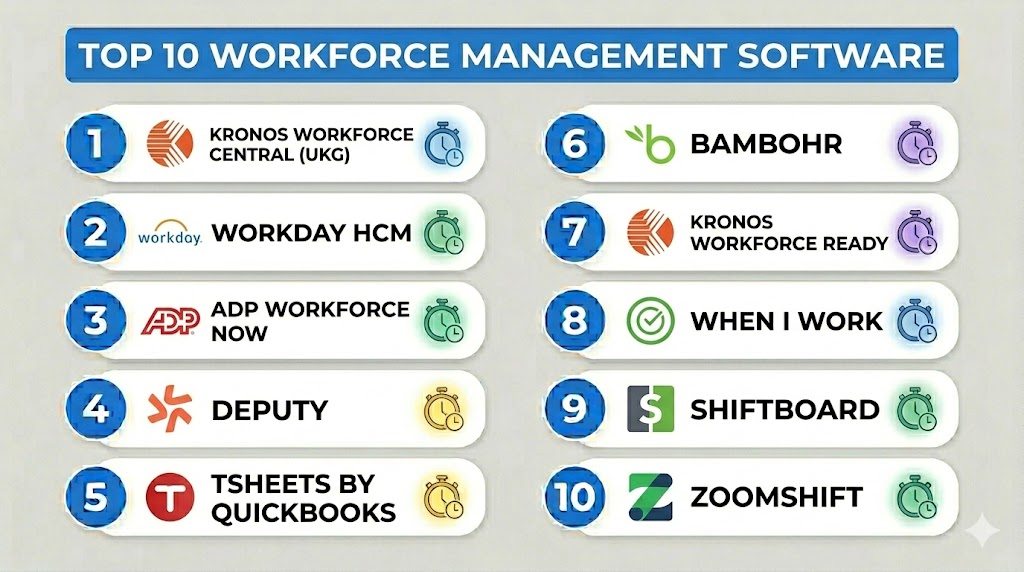
Top 10 Workforce Management Software
#1 — Kronos Workforce Central (UKG)
Short description: Kronos Workforce Central, now under UKG, provides comprehensive workforce management solutions for large enterprises and multi-location operations.
Key Features
- Advanced scheduling and shift planning
- Time and attendance tracking
- Labor analytics and reporting
- Leave and absence management
- Mobile workforce management
- Compliance management for labor regulations
- Integration with payroll and HR systems
Pros
- Highly scalable for enterprise operations
- Strong compliance and reporting capabilities
Cons
- Complexity may require extensive training
- Higher cost compared to SMB-focused tools
Platforms / Deployment
- Web, Windows, iOS, Android
- Cloud / Hybrid
Security & Compliance
- SSO, MFA, encryption, audit logs
- SOC 2, ISO 27001, GDPR
Integrations & Ecosystem
Supports integrations with payroll, ERP, and HRIS platforms:
- SAP, Oracle, ADP
- API for custom workflows
- HR and benefits systems
Support & Community
- Dedicated enterprise support
- Extensive documentation, training, and user community
#2 — Workday HCM
Short description: Workday HCM combines workforce management with HR and finance functionality for enterprise-grade human capital management.
Key Features
- Workforce planning and analytics
- Time tracking and absence management
- Employee scheduling and shift management
- AI-driven labor forecasting
- Mobile access with employee self-service
- Global compliance management
Pros
- Unified platform for HR, finance, and WFM
- Strong analytics and AI-driven insights
Cons
- Expensive for small teams
- Implementation can be lengthy
Platforms / Deployment
- Web, iOS, Android
- Cloud
Security & Compliance
- SSO, MFA, encryption, RBAC
- GDPR, SOC 2
Integrations & Ecosystem
- Payroll systems, ERP, HRIS
- API and partner ecosystem
Support & Community
- Enterprise-level support
- Extensive knowledge base and community forums
#3 — ADP Workforce Now
Short description: ADP Workforce Now is a cloud-based WFM solution tailored for mid-sized businesses, combining HR, payroll, and time management.
Key Features
- Time and attendance tracking
- Employee scheduling and shift management
- Payroll integration
- Compliance reporting
- Mobile access for employees
- Analytics dashboards
Pros
- Integrated payroll and HR management
- Scalable for mid-sized organizations
Cons
- Less customization flexibility than enterprise tools
- Some features require add-on modules
Platforms / Deployment
- Web, iOS, Android
- Cloud
Security & Compliance
- Encryption, SSO, audit logs
- SOC 2, GDPR
Integrations & Ecosystem
- Payroll and HR systems
- APIs for custom integrations
Support & Community
- Phone and chat support
- Knowledge base and online tutorials
#4 — Deputy
Short description: Deputy offers intuitive workforce scheduling and time tracking for SMBs and shift-based teams.
Key Features
- Drag-and-drop scheduling
- Time clock and attendance tracking
- Automated shift reminders
- Leave management
- Mobile apps for employees
- Reporting and analytics
Pros
- Easy-to-use interface
- Fast deployment and mobile-friendly
Cons
- Limited advanced analytics
- Some integrations require paid plans
Platforms / Deployment
- Web, iOS, Android
- Cloud
Security & Compliance
- SSO, encryption
- GDPR compliance
Integrations & Ecosystem
- QuickBooks, Xero, Slack, ADP
- API for custom workflows
Support & Community
- Email and live chat support
- Documentation and video guides
#5 — TSheets by QuickBooks
Short description: TSheets is a time tracking and scheduling tool designed for small to mid-sized businesses, integrated with QuickBooks payroll.
Key Features
- Mobile and web time tracking
- Employee scheduling and notifications
- GPS and location tracking
- Integration with QuickBooks payroll
- Reporting and analytics
- Clock-in/out features
Pros
- Seamless QuickBooks integration
- Mobile and GPS-enabled time tracking
Cons
- Limited HR features
- Less suitable for large enterprises
Platforms / Deployment
- Web, iOS, Android
- Cloud
Security & Compliance
- Encryption, SSO
- GDPR compliance
Integrations & Ecosystem
- QuickBooks, Xero, Zapier
- API support
Support & Community
- Email and chat support
- Knowledge base available
#6 — BambooHR
Short description: BambooHR provides HR and workforce management capabilities for SMBs, including scheduling and time-off management.
Key Features
- Employee records management
- Time-off and attendance tracking
- HR reporting and analytics
- Employee self-service portal
- Mobile apps
- Workflow automation
Pros
- User-friendly interface for SMBs
- Integrated HR and time tracking
Cons
- Scheduling capabilities are basic
- Limited payroll support outside integrations
Platforms / Deployment
- Web, iOS, Android
- Cloud
Security & Compliance
- SSO, encryption
- GDPR compliance
Integrations & Ecosystem
- Payroll, HRIS, and project tools
- API for custom integrations
Support & Community
- Email and phone support
- Community forum and guides
#7 — Kronos Workforce Ready
Short description: Workforce Ready is Kronos’s mid-market WFM solution offering cloud-based scheduling, time tracking, and HR functionality.
Key Features
- Automated scheduling and timekeeping
- Absence management and leave tracking
- Labor analytics and reporting
- Employee self-service
- Mobile apps for workforce access
- Compliance monitoring
Pros
- Cloud-based and scalable
- Strong scheduling and compliance features
Cons
- Learning curve for advanced modules
- Pricing may increase with scale
Platforms / Deployment
- Web, iOS, Android
- Cloud
Security & Compliance
- SSO, encryption
- SOC 2, GDPR
Integrations & Ecosystem
- Payroll, HR, ERP integrations
- API for custom workflows
Support & Community
- Enterprise support and documentation
- Community forums
#8 — When I Work
Short description: When I Work offers scheduling and time tracking for SMBs, focusing on hourly workers and flexible shifts.
Key Features
- Shift scheduling and notifications
- Time clock and attendance tracking
- Employee messaging
- Mobile apps with GPS clock-ins
- Reporting dashboards
Pros
- Intuitive interface and fast setup
- Mobile-friendly for shift workers
Cons
- Limited advanced reporting
- May not scale well for large enterprises
Platforms / Deployment
- Web, iOS, Android
- Cloud
Security & Compliance
- Encryption, SSO
- GDPR compliance
Integrations & Ecosystem
- Payroll and HR systems
- API support
Support & Community
- Email support
- Knowledge base and tutorials
#9 — Shiftboard
Short description: Shiftboard provides scheduling and workforce management for organizations with complex shift patterns and compliance requirements.
Key Features
- Automated scheduling with rules
- Time and attendance tracking
- Compliance and labor law monitoring
- Mobile apps and self-service portal
- Reporting and analytics
Pros
- Handles complex schedules effectively
- Strong compliance and reporting tools
Cons
- Higher complexity for simple use cases
- Requires onboarding for optimal use
Platforms / Deployment
- Web, iOS, Android
- Cloud
Security & Compliance
- Encryption, SSO
- GDPR compliance
Integrations & Ecosystem
- Payroll and HR systems
- API for custom integrations
Support & Community
- Email, phone support
- Training and documentation
#10 — ZoomShift
Short description: ZoomShift focuses on scheduling and time tracking for small teams, especially in hourly labor environments.
Key Features
- Employee scheduling and shift swapping
- Time tracking and approvals
- Mobile access for clock-ins
- Reporting and analytics
- Notifications and reminders
Pros
- Easy setup and intuitive interface
- Affordable for small teams
Cons
- Limited enterprise features
- Reporting is basic
Platforms / Deployment
- Web, iOS, Android
- Cloud
Security & Compliance
- Encryption
- GDPR compliance
Integrations & Ecosystem
- Payroll, HR systems
- API support
Support & Community
- Email support
- Documentation and tutorials
Comparison Table (Top 10)
| Tool Name | Best For | Platform(s) Supported | Deployment | Standout Feature | Public Rating |
|---|---|---|---|---|---|
| Kronos Workforce Central | Large enterprises | Web, Windows, iOS, Android | Cloud/Hybrid | Enterprise scheduling & compliance | N/A |
| Workday HCM | Enterprise HR & finance | Web, iOS, Android | Cloud | Unified HR + WFM platform | N/A |
| ADP Workforce Now | Mid-market businesses | Web, iOS, Android | Cloud | Integrated payroll & WFM | N/A |
| Deputy | SMBs, shift-based teams | Web, iOS, Android | Cloud | Intuitive scheduling | N/A |
| TSheets | SMBs, QuickBooks users | Web, iOS, Android | Cloud | QuickBooks time integration | N/A |
| BambooHR | SMB HR management | Web, iOS, Android | Cloud | HR + WFM combination | N/A |
| Kronos Workforce Ready | Mid-market organizations | Web, iOS, Android | Cloud | Scheduling & compliance | N/A |
| When I Work | SMBs, hourly workers | Web, iOS, Android | Cloud | Simple shift scheduling | N/A |
| Shiftboard | Complex shift organizations | Web, iOS, Android | Cloud | Advanced compliance scheduling | N/A |
| ZoomShift | Small hourly teams | Web, iOS, Android | Cloud | Affordable shift scheduling | N/A |
Evaluation & Scoring of Workforce Management Software
| Tool Name | Core (25%) | Ease (15%) | Integrations (15%) | Security (10%) | Performance (10%) | Support (10%) | Value (15%) | Weighted Total (0–10) |
|---|---|---|---|---|---|---|---|---|
| Kronos Workforce Central | 9 | 7 | 8 | 9 | 8 | 8 | 7 | 8.3 |
| Workday HCM | 9 | 7 | 8 | 9 | 8 | 8 | 6 | 8.1 |
| ADP Workforce Now | 8 | 8 | 7 | 8 | 8 | 7 | 7 | 7.7 |
| Deputy | 7 | 9 | 7 | 8 | 8 | 7 | 8 | 7.8 |
| TSheets | 7 | 8 | 7 | 8 | 7 | 7 | 8 | 7.5 |
| BambooHR | 7 | 9 | 6 | 8 | 8 | 7 | 7 | 7.4 |
| Kronos Workforce Ready | 8 | 7 | 7 | 9 | 8 | 8 | 7 | 7.8 |
| When I Work | 6 | 9 | 6 | 8 | 7 | 7 | 8 | 7.2 |
| Shiftboard | 8 | 7 | 7 | 8 | 8 | 7 | 7 | 7.6 |
| ZoomShift | 6 | 9 | 6 | 7 | 7 | 6 | 8 | 7.0 |
Interpretation: Scores indicate comparative strengths. Higher totals reflect strong core features, usability, and compliance. Teams should select based on scenario fit rather than absolute top scorer.
Which Workforce Management Software Tool Is Right for You?
Solo / Freelancer
- ZoomShift and Deputy offer simple scheduling and tracking with low costs.
SMB
- BambooHR, When I Work, and TSheets balance ease of use with payroll integration.
Mid-Market
- ADP Workforce Now and Kronos Workforce Ready provide scalable scheduling and compliance features.
Enterprise
- Kronos Workforce Central, Workday HCM, and Shiftboard offer global compliance, advanced analytics, and enterprise-grade scheduling.
Budget vs Premium
- SMB-focused tools like ZoomShift or Deputy suit smaller budgets. Enterprise tools like Workday or Kronos command premium pricing for comprehensive features.
Feature Depth vs Ease of Use
- Deputy and ZoomShift prioritize simplicity. Kronos and Workday provide deep functionality for complex scheduling and compliance requirements.
Integrations & Scalability
- ADP, Kronos, and Workday offer broad integration ecosystems supporting growth.
Security & Compliance Needs
- Large enterprises with regulatory requirements should prioritize Kronos, Workday, and Shiftboard for compliance features.
Frequently Asked Questions (FAQs)
1. What pricing models are common for WFM software?
Most vendors offer subscription-based pricing, usually per user per month, with tiers based on feature access and workforce size.
2. How long does implementation take?
SMB solutions may deploy within days, whereas enterprise-grade tools may require weeks to months due to configuration and training.
3. Can WFM software integrate with payroll systems?
Yes, most tools, including ADP, Kronos, and TSheets, integrate with popular payroll and HRIS systems.
4. Are these tools secure for remote workers?
Top solutions implement encryption, SSO, MFA, and audit logging. Compliance features support GDPR, SOC 2, and industry-specific standards.
5. Can AI help with scheduling?
AI features predict staffing needs, optimize shift allocation, and minimize overtime, improving productivity and employee satisfaction.
6. What are common implementation mistakes?
Overcomplicating scheduling rules, insufficient employee training, and skipping integration testing can hinder adoption.
7. Can WFM tools handle multi-location operations?
Yes, enterprise platforms like Kronos Workforce Central and Workday manage distributed teams and multiple geographic locations.
8. Are mobile apps essential?
Yes, mobile apps enable remote check-ins, schedule updates, and real-time communication for field or hourly workers.
9. How do these platforms support compliance?
They track labor laws, overtime, breaks, and absences, generating reports to ensure adherence to local regulations.
10. Can small teams benefit from WFM software?
Absolutely. Tools like Deputy, ZoomShift, and TSheets provide lightweight, affordable solutions even for teams under 50 employees.
Conclusion
Workforce Management Software enables organizations to optimize scheduling, improve compliance, and enhance employee productivity. While tools like ZoomShift and Deputy are ideal for small teams, enterprise solutions such as Kronos Workforce Central and Workday HCM deliver comprehensive capabilities for complex, multi-location operations. Selecting the right solution depends on team size, scheduling complexity, compliance needs, and integration requirements. Organizations should shortlist 2–3 tools, run pilot programs, and validate integrations and security to maximize ROI and adoption

Find Trusted Cardiac Hospitals
Compare heart hospitals by city and services — all in one place.
Explore Hospitals